Introduction
Financial Planning & Analysis FP&A software helps finance teams plan budgets, forecast revenue, analyze performance, model business scenarios, and guide strategic decisions. In simple terms, it replaces disconnected spreadsheets and manual planning cycles with a centralized system for budgeting, forecasting, reporting, and decision support. It matters now because companies need faster planning, real-time visibility, AI-assisted analysis, and better collaboration between finance, sales, HR, operations, and leadership teams. FP&A software helps teams understand what happened, predict what may happen next, and decide what action to take. SAP describes FP&A as planning, forecasting, budgeting, and analytical activities that support business decisions and financial health.
Real World Use Cases
- Annual budgeting and rolling forecasts
- Revenue, headcount, and expense planning
- Scenario planning for growth, cost control, and market uncertainty
- Board reporting, management reporting, and variance analysis
- Cross-functional planning across finance, sales, HR, supply chain, and operations
Evaluation Criteria for Buyers
- Budgeting and forecasting flexibility
- Scenario modeling and what-if analysis
- Reporting and dashboard capabilities
- Excel or spreadsheet compatibility
- ERP, CRM, HRIS, billing, and data warehouse integrations
- Workflow approvals and version control
- AI-assisted insights and anomaly detection
- Multi-entity, multi-currency, and departmental planning
- Security, permissions, and auditability
- Ease of use for finance and business teams
Best for: CFOs, FP&A teams, finance managers, controllers, revenue operations teams, department leaders, SaaS companies, mid-market businesses, and enterprises that need better budgeting, forecasting, scenario planning, and financial visibility.
Not ideal for: very small businesses with simple budgets, freelancers who only need basic income and expense tracking, or teams that only require bookkeeping or accounting software without strategic planning workflows.
Key Trends in Financial Planning & Analysis FP&A Software
- AI-assisted FP&A is becoming mainstream: Platforms are adding AI agents, forecasting assistants, anomaly detection, and natural-language finance insights to help teams analyze faster.
- Spreadsheet-native planning is still important: Many finance teams want the flexibility of Excel or Google Sheets with governance, integrations, version control, and automation.
- Continuous planning is replacing static annual budgets: Companies are moving toward rolling forecasts, scenario planning, driver-based planning, and real-time variance analysis.
- Cross-functional planning is expanding: FP&A is no longer limited to finance; tools now connect planning across sales, HR, operations, supply chain, and leadership.
- Data integration is a top requirement: Modern FP&A tools must connect ERP, CRM, HRIS, payroll, billing, accounting, data warehouses, and spreadsheets.
- Governance and auditability are buyer priorities: Teams need approval workflows, role-based permissions, locked versions, audit trails, and controlled assumptions.
- Scenario planning is critical: Businesses want to model hiring plans, sales pipeline changes, pricing shifts, market slowdown, cost reductions, and cash runway scenarios.
- Real-time reporting is replacing manual decks: Finance teams want dashboards and board-ready reporting without copying data across spreadsheets.
- Planning tools are becoming performance platforms: Some vendors now combine FP&A with consolidation, close, reporting, analytics, and operational planning.
- Finance teams want faster close-to-plan cycles: FP&A software is increasingly connected with actuals, forecasts, variance commentary, and management reporting.
How We Selected These Tools
The following tools were selected based on practical relevance for FP&A teams, market adoption, feature maturity, integration strength, and fit across company sizes.
- Strong support for budgeting, forecasting, planning, and reporting
- Ability to handle scenario modeling, driver-based planning, and variance analysis
- Adoption among FP&A teams, CFO offices, enterprise finance teams, and growing companies
- Integration strength with ERP, CRM, HRIS, accounting, billing, and data platforms
- Support for cross-functional planning across finance and business teams
- Governance capabilities such as workflows, approvals, audit trails, and version control
- Reporting depth for board reporting, management reporting, dashboards, and analysis
- AI or automation capabilities that improve planning speed and decision support
- Fit across SMB, mid-market, enterprise, spreadsheet-native, and platform-first buyers
- Product maturity, documentation, implementation ecosystem, and support resources
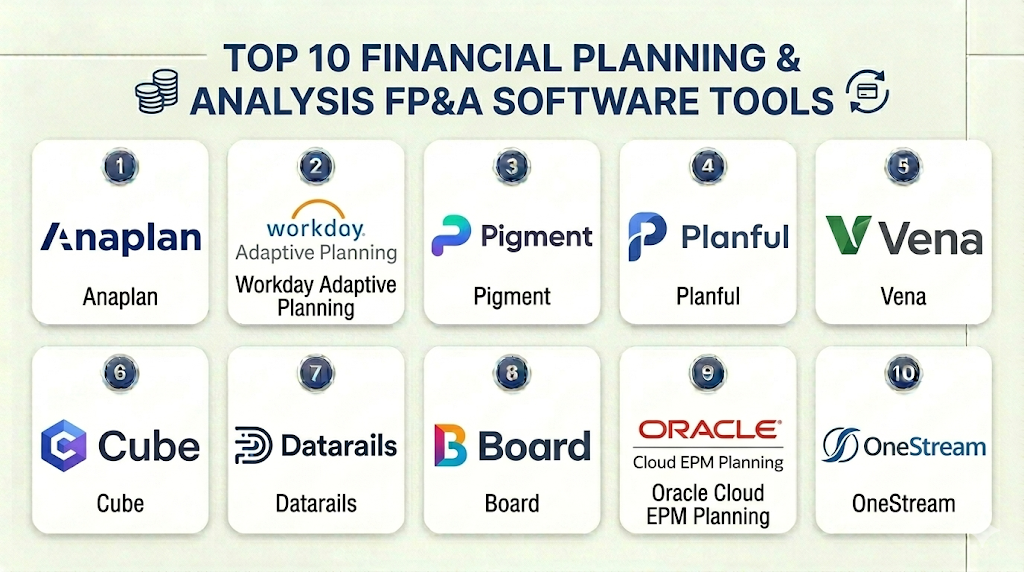
Top 10 Financial Planning & Analysis FP&A Software Tools
1- Anaplan
Short description: Anaplan is an enterprise planning platform used for financial, operational, sales, workforce, and supply chain planning. It is best for large organizations that need connected planning, scenario modeling, and collaboration across many business functions.
Key Features
- Connected enterprise planning across finance and operations
- Scenario planning and advanced modeling
- Budgeting, forecasting, and financial planning workflows
- Cross-functional collaboration between finance, sales, HR, and supply chain
- Data integration with business systems
- Reporting and planning dashboards
- AI-driven planning and analysis capabilities
Pros
- Strong fit for large and complex planning environments
- Powerful modeling for connected enterprise planning
- Useful when finance planning must connect with operational plans
Cons
- Implementation can be complex and resource-intensive
- May be too advanced for small finance teams
- Requires strong model governance and planning ownership
Platforms / Deployment
Web
Cloud
Security & Compliance
Anaplan is built for enterprise planning environments with role-based access, governance, and controlled planning workflows. Specific certifications and compliance details should be verified directly during vendor review.
Integrations & Ecosystem
Anaplan is designed to centralize financial data, automate workflows, and support connected enterprise planning across functions. Anaplan describes FP&A software as helping centralize financial data, automate workflows, and provide analytics for a single source of truth.
- ERP systems
- CRM platforms
- HR and workforce systems
- Supply chain systems
- Data warehouses
- APIs and integration tools
Support & Community
Anaplan provides enterprise support, documentation, training resources, partner implementation services, and a mature planning ecosystem. Support experience depends on contract size and implementation partner quality.
2- Workday Adaptive Planning
Short description: Workday Adaptive Planning is a cloud FP&A and enterprise planning solution for budgeting, forecasting, reporting, and scenario planning. It is suitable for SMBs, mid-market companies, and enterprises that need flexible financial planning connected with business data.
Key Features
- Budgeting, forecasting, and scenario planning
- Financial reporting and dashboards
- Workforce and operational planning support
- Excel connectivity for finance reporting workflows
- Integration with ERP, GL, and business data sources
- Collaborative planning and version management
- Analytics and planning insights
Pros
- Strong balance of enterprise planning depth and usability
- Good fit for organizations already using Workday products
- Flexible enough for different company sizes and industries
Cons
- Best value may come when aligned with broader Workday ecosystem
- Complex models still require planning expertise
- Implementation planning is important for larger environments
Platforms / Deployment
Web
Cloud
Security & Compliance
Workday provides enterprise-grade access controls and cloud security capabilities across its platform. Specific certifications and compliance requirements should be validated directly based on buyer needs.
Integrations & Ecosystem
Workday states that Adaptive Planning works with ERP, GL, and other data sources, and supports reports, dashboards, and scenario modeling for faster financial decisions.
- Workday Financial Management
- ERP and GL systems
- HR and workforce data
- Excel reporting workflows
- Data connectors
- Business planning sources
Support & Community
Workday provides documentation, training, implementation partners, customer support, and a large enterprise customer ecosystem. Support depends on contract, customer tier, and deployment scope.
3- Pigment
Short description: Pigment is a modern business planning platform for finance and operational planning teams. It is designed for real-time planning, scenario modeling, collaboration, and AI-powered business planning across departments.
Key Features
- FP&A budgeting, forecasting, and reporting
- Real-time business planning models
- Scenario planning and what-if analysis
- AI-powered planning capabilities
- Collaborative workflows and approvals
- Cross-functional planning across finance and operations
- Visual dashboards and data modeling
Pros
- Strong fit for modern finance teams that want agile planning
- Useful for cross-functional planning and fast scenario modeling
- Modern user experience compared with legacy planning systems
Cons
- May require process maturity for complex planning models
- Implementation still needs good data structure and governance
- Smaller businesses may not need full platform depth
Platforms / Deployment
Web
Cloud
Security & Compliance
Pigment provides enterprise planning controls and access management features. Specific certifications and compliance details should be verified directly during vendor review.
Integrations & Ecosystem
Pigment describes itself as an AI-powered business planning platform for real-time planning, with finance use cases around budgeting, forecasting, reporting, and business plan adaptation.
- ERP systems
- CRM platforms
- HRIS systems
- Data warehouses
- Spreadsheet workflows
- Business planning integrations
Support & Community
Pigment offers documentation, customer success resources, implementation support, and product guidance. Support depth may vary depending on customer size and deployment complexity.
4- Planful
Short description: Planful is a financial performance management platform for planning, budgeting, forecasting, reporting, consolidation, and close-related workflows. It is suitable for mid-market and enterprise finance teams that want structured FP&A with strong reporting.
Key Features
- Budgeting, forecasting, and planning
- Financial reporting and dashboards
- Financial close and consolidation support
- AI-powered finance capabilities
- Workflow automation and collaboration
- Scenario planning and performance management
- Integration with ERP, accounting, and business systems
Pros
- Strong fit for finance teams needing planning plus reporting
- Useful for organizations combining FP&A with performance management
- Good for repeatable budgeting and forecast processes
Cons
- Implementation effort depends on model complexity
- May be more than very small finance teams need
- Users should validate integrations with their finance stack
Platforms / Deployment
Web
Cloud
Security & Compliance
Planful is built for finance teams and includes controlled planning, reporting, and workflow capabilities. Specific security certifications should be validated directly.
Integrations & Ecosystem
Planful positions itself as an FP&A and financial performance management platform with embedded AI for planning, budgeting, forecasting, reporting, close, and consolidation processes.
- ERP systems
- Accounting systems
- CRM data
- Reporting workflows
- Consolidation workflows
- Data integration tools
Support & Community
Planful provides documentation, onboarding resources, customer support, and finance-focused implementation resources. Support experience can vary by plan and customer segment.
5- Vena
Short description: Vena is an FP&A platform built around Excel-based planning with governance, workflow automation, reporting, and AI capabilities. It is a strong option for finance teams that want to keep Excel familiarity while improving control and automation.
Key Features
- Excel-native budgeting and forecasting
- Workflow approvals and version control
- Reporting and financial consolidation workflows
- AI-assisted FP&A capabilities
- Data integrations and drill-through reporting
- Planning templates and collaboration workflows
- Microsoft Teams and Microsoft ecosystem alignment
Pros
- Strong fit for Excel-heavy finance teams
- Adds governance and automation without forcing teams away from spreadsheets
- Useful for budgeting, forecasting, and reporting workflows
Cons
- Excel-centered approach may not suit teams wanting a fully new planning interface
- Complex deployments require careful template and workflow design
- Buyers should validate performance for large models and user counts
Platforms / Deployment
Web / Excel
Cloud
Security & Compliance
Vena supports governed workflows, approvals, and version control for finance teams. Specific certifications and compliance details should be verified directly.
Integrations & Ecosystem
Vena describes its platform as connecting budgeting, forecasting, and performance data while replacing scattered spreadsheets with governed workflows, approvals, and version control.
- Microsoft Excel
- Microsoft Teams
- ERP systems
- CRM systems
- Data sources
- Reporting workflows
Support & Community
Vena provides implementation services, documentation, customer support, templates, and finance-focused learning resources. Support level may vary by package and implementation scope.
6- Cube
Short description: Cube is an FP&A platform designed for finance teams that want spreadsheet flexibility with stronger control, automation, and data connectivity. It is especially useful for smaller and mid-sized finance teams that work heavily in Excel or Google Sheets.
Key Features
- Spreadsheet-native FP&A workflows
- Budgeting, forecasting, and reporting
- Integration with Excel and Google Sheets workflows
- Financial and operational data consolidation
- Scenario modeling and variance analysis
- AI-powered financial intelligence positioning
- Workflow support for modern FP&A teams
Pros
- Good fit for finance teams that want to keep spreadsheets
- Faster adoption than many heavier enterprise planning tools
- Useful for SMB and mid-market FP&A workflows
Cons
- May not match the depth of large enterprise planning platforms
- Best fit depends on spreadsheet-centered workflows
- Complex enterprise models may need more advanced planning systems
Platforms / Deployment
Web / Spreadsheet-based workflows
Cloud
Security & Compliance
Cube provides cloud-based finance platform security and access controls. Specific compliance certifications should be verified directly during buyer review.
Integrations & Ecosystem
Cube describes itself as an AI-powered financial intelligence platform for FP&A teams working across spreadsheets, browsers, and chats, with a focus on modern finance workflows.
- Excel
- Google Sheets
- Accounting systems
- ERP systems
- CRM tools
- Data sources and reporting workflows
Support & Community
Cube offers help resources, customer stories, workshops, documentation, and finance-focused content. Support experience depends on customer plan and deployment complexity.
7- Datarails
Short description: Datarails is an Excel-native FP&A platform for finance teams that want to keep existing spreadsheets while improving consolidation, reporting, budgeting, and planning. It is useful for teams that need faster reporting without fully abandoning Excel models.
Key Features
- Excel-based FP&A workflows
- Budgeting, planning, and forecasting
- Automated data consolidation
- Financial reporting and dashboards
- AI-powered finance capabilities
- Collaborative workflows
- Integration with accounting, ERP, and business systems
Pros
- Good fit for Excel-heavy finance teams
- Helps automate consolidation and reporting
- Useful for small and mid-sized FP&A teams
Cons
- Spreadsheet dependency may remain if processes are not redesigned
- Complex planning may require careful model governance
- Buyers should validate scalability for larger enterprise use cases
Platforms / Deployment
Web / Excel
Cloud
Security & Compliance
Datarails provides cloud-based finance platform security and access controls. Specific certifications should be verified directly.
Integrations & Ecosystem
Datarails states that its FP&A platform helps finance teams with consolidation, reporting, budgeting, and planning, and includes AI-powered capabilities for faster finance decisions.
- Excel
- ERP systems
- Accounting systems
- CRM data
- Reporting tools
- Business data sources
Support & Community
Datarails provides onboarding, customer support, product resources, and FP&A-focused content. Support experience may vary by plan and implementation complexity.
8- Board
Short description: Board is an enterprise planning platform for FP&A, operational planning, forecasting, scenario modeling, and analytics. It is suited for organizations that need financial and operational plans connected in a single planning environment.
Key Features
- Financial planning and analysis workflows
- Continuous planning and dynamic forecasting
- Scenario modeling and what-if analysis
- Financial and operational planning alignment
- Dashboards, analytics, and reporting
- Workflow and collaboration support
- Cloud, on-premise, and hybrid deployment options
Pros
- Strong fit for enterprise and cross-functional planning
- Flexible planning environment for finance and operations
- Supports multiple deployment options
Cons
- May be more complex than SMB-focused FP&A tools
- Implementation requires planning and data governance
- Best suited for organizations with mature planning needs
Platforms / Deployment
Web
Cloud / On-premise / Hybrid
Security & Compliance
Board states that its FP&A software includes encryption, access controls, role-based permissions, and audit trails, and offers cloud, on-premise, and hybrid deployment options.
Integrations & Ecosystem
Board connects corporate and business-unit finance teams with continuous planning, dynamic forecasting, scenario modeling, and cross-department collaboration.
- ERP systems
- Operational data
- Financial reporting systems
- External data sources
- Business intelligence workflows
- Planning and analytics integrations
Support & Community
Board offers training webinars, tutorials, user guides, customer success resources, Board Academy, and partner resources. Support depth may vary by customer size and deployment model.
9- Oracle Cloud EPM Planning
Short description: Oracle Cloud EPM Planning is an enterprise performance management solution for planning, budgeting, forecasting, scenario modeling, workforce planning, financial statement planning, and integrated business planning. It is best for enterprises already using Oracle finance or ERP environments.
Key Features
- Planning, budgeting, and forecasting
- Scenario modeling and predictive cash forecasting
- Financial statement planning
- Workforce, sales, and capital asset planning
- Integrated business planning across functions
- AI-enabled performance management capabilities
- Enterprise reporting and financial planning workflows
Pros
- Strong fit for large enterprises and Oracle-centered finance teams
- Supports multiple planning areas beyond finance
- Useful for complex, multi-entity planning environments
Cons
- May be too heavy for small teams
- Implementation usually requires Oracle expertise
- Best value comes within the Oracle ecosystem
Platforms / Deployment
Web
Cloud
Security & Compliance
Oracle Cloud EPM provides enterprise security, access control, governance, and administrative capabilities across Oracle’s cloud environment. Specific certifications should be verified directly.
Integrations & Ecosystem
Oracle states that Cloud EPM Planning supports planning, budgeting, forecasting, scenario modeling, predictive cash forecasting, workforce planning, sales planning, and integrated business planning.
- Oracle Fusion Cloud ERP
- Oracle EPM
- HR and workforce planning systems
- Sales planning systems
- Data integration tools
- Enterprise reporting workflows
Support & Community
Oracle provides enterprise support, documentation, implementation partners, professional services, and training resources. Support depends on licensing and implementation partner quality.
10- OneStream
Short description: OneStream is an enterprise finance platform that supports FP&A, budgeting, forecasting, consolidation, reporting, and finance data unification. It is suitable for larger organizations seeking a single platform for finance operations and performance management.
Key Features
- Financial planning, budgeting, and forecasting
- Consolidation and reporting workflows
- Financial and operational data unification
- AI-assisted productivity capabilities
- Scenario planning and performance management
- Enterprise finance governance
- Marketplace and extensibility options
Pros
- Strong fit for enterprise finance teams
- Combines FP&A with consolidation and reporting
- Useful for organizations needing governed finance data
Cons
- May be too complex for small FP&A teams
- Implementation requires experienced finance and systems resources
- Buyers should validate fit against existing ERP and close processes
Platforms / Deployment
Web
Cloud
Security & Compliance
OneStream describes itself as an enterprise finance platform that unifies financial and operational data and embeds AI to improve productivity. Specific certifications and compliance requirements should be verified directly.
Integrations & Ecosystem
OneStream supports planning, budgeting, forecasting, reporting, consolidation, and finance data workflows. Its platform is positioned for enterprise finance teams that need governed performance management.
- ERP systems
- Financial close systems
- Operational data sources
- Reporting systems
- Planning workflows
- Marketplace extensions
Support & Community
OneStream provides training, support, implementation resources, marketplace capabilities, and customer success programs. Support experience depends on deployment scope and implementation partner.
Comparison Table
| Tool Name | Best For | Platform Supported | Deployment | Standout Feature | Public Rating |
|---|---|---|---|---|---|
| Anaplan | Enterprise connected planning | Web | Cloud | Cross-functional scenario planning | N/A |
| Workday Adaptive Planning | SMB to enterprise planning teams | Web | Cloud | Flexible budgeting and forecasting | N/A |
| Pigment | Modern agile finance teams | Web | Cloud | AI-powered real-time planning | N/A |
| Planful | Mid-market and enterprise finance teams | Web | Cloud | Planning plus performance management | N/A |
| Vena | Excel-heavy finance teams | Web / Excel | Cloud | Excel-native governed FP&A | N/A |
| Cube | SMB and mid-market FP&A teams | Web / Spreadsheet workflows | Cloud | Spreadsheet-friendly FP&A automation | N/A |
| Datarails | Excel-based FP&A teams | Web / Excel | Cloud | Automated consolidation and reporting | N/A |
| Board | Enterprise planning and analytics | Web | Cloud / On-premise / Hybrid | Continuous planning and scenario modeling | N/A |
| Oracle Cloud EPM Planning | Oracle-centered enterprises | Web | Cloud | Enterprise planning across finance and operations | N/A |
| OneStream | Enterprise finance and performance management | Web | Cloud | FP&A plus consolidation and reporting | N/A |
Evaluation & Scoring of Financial Planning & Analysis FP&A Software
| Tool Name | Core 25% | Ease 15% | Integrations 15% | Security 10% | Performance 10% | Support 10% | Value 15% | Weighted Total |
|---|---|---|---|---|---|---|---|---|
| Anaplan | 10 | 7 | 9 | 9 | 9 | 8 | 7 | 8.50 |
| Workday Adaptive Planning | 9 | 8 | 9 | 9 | 9 | 8 | 8 | 8.60 |
| Pigment | 9 | 8 | 8 | 8 | 8 | 8 | 8 | 8.25 |
| Planful | 9 | 8 | 8 | 8 | 8 | 8 | 8 | 8.25 |
| Vena | 8 | 9 | 8 | 8 | 8 | 8 | 8 | 8.20 |
| Cube | 8 | 9 | 8 | 8 | 8 | 8 | 8 | 8.20 |
| Datarails | 8 | 8 | 8 | 8 | 8 | 8 | 8 | 8.00 |
| Board | 9 | 7 | 8 | 9 | 8 | 8 | 7 | 8.05 |
| Oracle Cloud EPM Planning | 10 | 6 | 9 | 9 | 9 | 8 | 6 | 8.20 |
| OneStream | 9 | 7 | 9 | 9 | 9 | 8 | 7 | 8.35 |
These scores are comparative and should be used for shortlisting, not as a universal ranking. Enterprise tools score strongly in depth and governance, but they may require more implementation effort. Spreadsheet-native tools may be easier for finance teams to adopt, but large enterprises may need stronger platform controls. Buyers should validate model complexity, data integration, reporting needs, security controls, and implementation support before making a final decision.
Which Financial Planning & Analysis FP&A Software Tool Is Right for You?
Solo / Freelancer
Solo professionals usually do not need dedicated FP&A software. A spreadsheet, accounting tool, or lightweight budgeting app is often enough for personal forecasting, simple income planning, and expense tracking.
However, consultants, fractional CFOs, and finance advisors may use Cube, Datarails, or Vena-style tools when working with multiple clients or building repeatable planning models.
SMB
SMBs need tools that improve forecasting without creating unnecessary complexity. Cube, Vena, Datarails, Workday Adaptive Planning, and Planful can be practical options depending on team size and planning maturity.
Spreadsheet-native tools are useful when finance teams already rely on Excel. More structured tools are better when the business needs approvals, dashboards, multi-department planning, and executive reporting.
Mid-Market
Mid-market companies usually need stronger budgeting workflows, rolling forecasts, headcount planning, revenue planning, departmental collaboration, and board reporting. Workday Adaptive Planning, Planful, Pigment, Vena, Cube, Datarails, and OneStream are strong options to evaluate.
The best choice depends on planning complexity. A fast-growing SaaS company may prefer Pigment or Cube, while a finance team needing performance management and reporting may prefer Planful or OneStream.
Enterprise
Enterprises need multi-entity planning, complex scenario modeling, security controls, auditability, cross-functional planning, and deep ERP integration. Anaplan, Oracle Cloud EPM Planning, OneStream, Board, and Workday Adaptive Planning are stronger enterprise candidates.
Large organizations should evaluate integration architecture, model governance, implementation partners, performance at scale, security controls, and the ability to support both finance and operational planning.
Budget vs Premium
Budget-conscious teams should avoid overbuying. If the team only needs better spreadsheet governance, tools like Cube, Datarails, or Vena may offer a practical path from manual spreadsheets to structured FP&A.
Premium buyers should evaluate Anaplan, Oracle Cloud EPM Planning, OneStream, Board, Workday Adaptive Planning, and Planful when planning complexity, governance, global scale, and enterprise reporting matter more than speed of setup.
Feature Depth vs Ease of Use
For ease of use, Cube, Vena, Datarails, and Pigment are strong options for teams that want faster adoption and a modern user experience. These tools can help finance teams reduce spreadsheet chaos without forcing a heavy platform shift.
For feature depth, Anaplan, Oracle Cloud EPM Planning, OneStream, Board, Workday Adaptive Planning, and Planful provide stronger enterprise planning, governance, and scalability.
Integrations & Scalability
FP&A software must connect with ERP, accounting, CRM, HRIS, billing, payroll, spreadsheets, and data warehouses. Integration quality directly affects forecast accuracy, reporting speed, and finance team trust.
Before selecting a tool, map your data sources: actuals, budget owners, headcount, sales pipeline, customer revenue, expenses, payroll, and operational drivers. The best FP&A tool should support your full planning model, not just one spreadsheet.
Security & Compliance Needs
FP&A platforms store sensitive salary data, revenue forecasts, budgets, board reports, and strategic financial assumptions. Buyers should review MFA, SSO, RBAC, audit logs, encryption, approval workflows, and data access policies.
Enterprises should include IT, finance, legal, and security teams in vendor review. Smaller companies should still ensure that permissions, version control, and financial data access are properly managed.
Frequently Asked Questions
1- What is FP&A software?
FP&A software helps finance teams manage budgeting, forecasting, planning, reporting, variance analysis, and scenario modeling. It gives leaders better visibility into financial performance and future business outcomes.
2- How is FP&A software different from accounting software?
Accounting software records what already happened, such as transactions, invoices, expenses, and financial statements. FP&A software helps teams plan what may happen next through budgets, forecasts, models, and strategic analysis.
3- Which FP&A software is best for small businesses?
Cube, Vena, Datarails, Planful, and Workday Adaptive Planning can be practical for smaller or growing finance teams. The best option depends on spreadsheet usage, budget complexity, integrations, and reporting needs.
4- Which FP&A software is best for enterprises?
Anaplan, Oracle Cloud EPM Planning, OneStream, Board, Workday Adaptive Planning, and Planful are strong enterprise options. Enterprises should evaluate governance, scalability, integrations, security, and implementation support.
5- Do FP&A tools replace Excel?
Not always. Many FP&A platforms work with Excel or Google Sheets because finance teams still rely on spreadsheets. The goal is usually to add control, automation, integration, and governance rather than remove spreadsheets completely.
6- What are common FP&A software mistakes?
Common mistakes include choosing only by features, ignoring data quality, copying broken spreadsheet processes into a new platform, underestimating implementation effort, and failing to involve budget owners early.
7- How long does FP&A implementation take?
Implementation depends on model complexity, data sources, integrations, reporting requirements, approval workflows, and company size. A smaller team may launch faster, while enterprise planning rollouts often require phased implementation.
8- What integrations matter most for FP&A software?
Important integrations include ERP, general ledger, CRM, HRIS, payroll, billing, accounting, spreadsheets, and data warehouses. These systems provide actuals, pipeline, headcount, expenses, and operational drivers.
9- Is AI useful in FP&A software?
AI can help with forecasting, anomaly detection, variance explanations, trend identification, and natural-language analysis. Finance teams should still review assumptions, validate outputs, and maintain strong planning governance.
10- Can FP&A software support scenario planning?
Yes, most modern FP&A tools support scenario planning. Teams can model different revenue, hiring, cost, pricing, cash flow, market, and operational assumptions to compare possible outcomes.
Conclusion
Financial Planning & Analysis FP&A software helps finance teams move from static spreadsheets to faster, more connected, and more strategic planning. The best platform depends on business size, planning complexity, existing finance stack, reporting needs, security expectations, and how much the team wants to keep spreadsheet workflows. Anaplan, Oracle Cloud EPM Planning, OneStream, and Board are strong for enterprise planning depth, while Workday Adaptive Planning and Planful fit many mid-market and enterprise finance teams. Pigment is strong for modern agile planning, while Vena, Cube, and Datarails are practical for teams that want spreadsheet-native FP&A with better automation and governance. There is no single universal winner because each business has different planning models, data systems, and finance maturity. The best next step is to shortlist two or three tools, test them using real budget and forecast data, validate ERP and CRM integrations, review security controls, and confirm that the platform supports both current planning needs and future business growth.

Find Trusted Cardiac Hospitals
Compare heart hospitals by city and services — all in one place.
Explore Hospitals
Financial Planning & Analysis (FP&A) software is most valuable when it helps finance teams plan, forecast, analyze, and monitor business performance through a centralized platform. By providing budgeting, financial forecasting, scenario and what-if analysis, variance analysis, management reporting, KPI dashboards, financial consolidation, cash-flow planning, workflow automation, and integration with ERP and accounting systems, these platforms enable organizations to improve financial visibility, respond quickly to changing business conditions, streamline planning processes, and make more informed strategic decisions.