Introduction
Meeting Notes Automation Tools are software solutions designed to automatically capture, transcribe, and summarize discussions during meetings. These platforms help teams save time, reduce errors, and ensure that actionable items, decisions, and follow-ups are recorded accurately without manual effort. By leveraging AI and natural language processing (NLP), these tools transform spoken or written conversations into structured meeting notes, making it easier to track tasks and maintain organizational knowledge. these tools have become increasingly critical as remote and hybrid work models dominate, and teams collaborate across different time zones. Automation ensures consistency, reduces administrative burden, and helps organizations maintain a clear record of meetings for compliance and operational efficiency.
Real-world use cases include:
- Automatically transcribing virtual and in-person meetings
- Summarizing key discussion points and action items
- Distributing notes to stakeholders immediately after the meeting
- Integrating notes with project management tools for task tracking
- Archiving historical meetings for compliance and knowledge management
What buyers should evaluate:
- Accuracy of transcription and summarization
- AI capabilities for extracting key points and action items
- Integration with video conferencing and collaboration platforms
- Ease of editing, sharing, and distributing notes
- Security, privacy, and compliance standards
- Multi-language support for global teams
- Customizable templates and formatting options
- Search and retrieval capabilities
- Analytics and reporting of meeting insights
- Scalability for small teams to enterprise organizations
- Best for: Teams, project managers, executives, and organizations of all sizes looking to automate meeting documentation and improve workflow efficiency.
- Not ideal for: Individuals or organizations with minimal meeting volume or those preferring manual note-taking and documentation.
Key Trends in Meeting Notes Automation Tools
- AI-powered transcription with near-human accuracy
- Automatic summarization of key discussion points and action items
- Real-time transcription during live meetings
- Deep integration with video conferencing platforms (Zoom, Teams, Google Meet)
- Compliance and security-focused architecture (SOC 2, GDPR)
- Multi-language transcription and translation support
- AI-based task extraction and workflow integration
- Searchable archives for meeting content
- Mobile-friendly and cross-device accessibility
- Pricing models shifting toward subscription-based and per-user tiers
How We Selected These Tools (Methodology)
- Market adoption and recognition among professionals and enterprises
- Accuracy and reliability of transcription and summarization
- Integration capabilities with collaboration and project management tools
- Security and compliance posture
- Ease of deployment and user adoption
- AI and automation features
- Customization options for notes and templates
- Reporting and analytics functionality
- Scalability for teams of different sizes
- Quality of vendor support and community presence
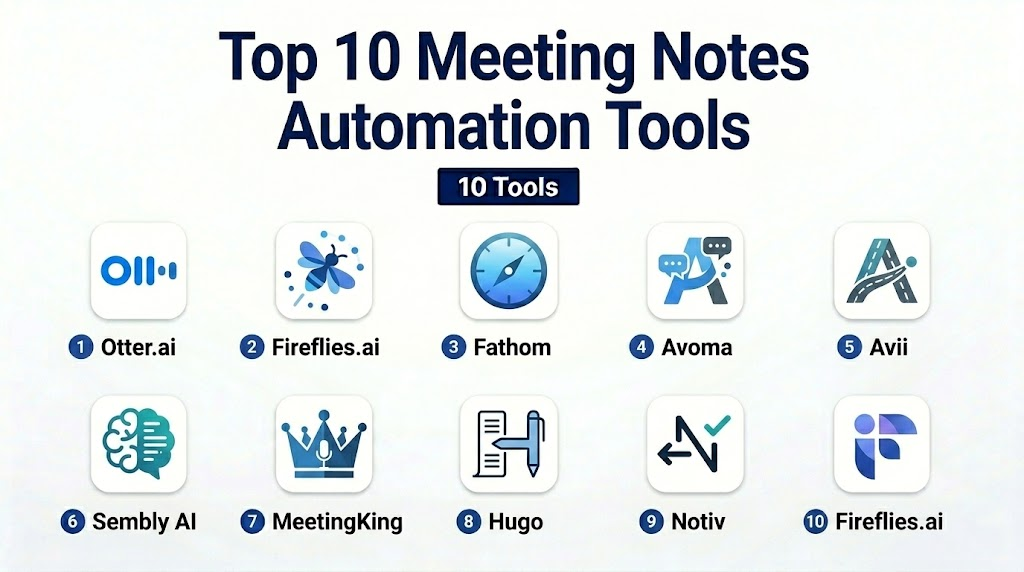
Top 10 Meeting Notes Automation Tools
1- Otter.ai
Short description:
Otter.ai automatically transcribes and summarizes meetings, providing searchable notes for teams and individuals.
Key Features
- Real-time transcription during meetings
- AI-generated summaries and highlights
- Integration with Zoom, Teams, and Google Meet
- Searchable, editable meeting notes
- Speaker identification
- Collaboration on shared notes
- Export notes to PDF or Word
Pros
- Highly accurate AI transcription
- Easy integration with popular conferencing tools
- Collaborative features for teams
Cons
- Advanced features require premium plans
- Occasional errors in speaker labeling
Platforms / Deployment
- Web / iOS / Android / Cloud
Security & Compliance
- SOC 2, GDPR
- Encryption for stored notes
Integrations & Ecosystem
- Zoom, Microsoft Teams, Google Meet
- Slack notifications
- API support for custom workflows
Support & Community
Documentation, email support, and active user forums.
2- Fireflies.ai
Short description:
Fireflies.ai captures, transcribes, and summarizes meetings automatically, enabling easy sharing and collaboration.
Key Features
- AI meeting transcription
- Automatic action items extraction
- Integrations with calendars and conferencing tools
- Searchable meeting archive
- Highlights and keyword tagging
- Real-time collaboration
- Export options to common formats
Pros
- Action item tracking
- Works with multiple conferencing platforms
- Quick note sharing
Cons
- May misinterpret complex conversations
- Limited advanced analytics in basic plans
Platforms / Deployment
- Web / iOS / Android / Cloud
Security & Compliance
- SOC 2, GDPR
- Encryption and secure access
Integrations & Ecosystem
- Zoom, Teams, Google Meet
- Slack, CRMs, and calendars
- API for custom integrations
Support & Community
Email support, knowledge base, and community forums.
3- Fathom
Short description:
Fathom.ai automatically records, transcribes, and summarizes video meetings, making them easily shareable.
Key Features
- Automatic transcription and summarization
- Highlight key moments in recordings
- Integration with Zoom and video platforms
- Shareable meeting clips
- Searchable transcript archives
- Export notes to multiple formats
Pros
- Simple interface for video meetings
- Highlights and clips for faster review
- Integration with popular conferencing tools
Cons
- Limited text-only meeting support
- Requires subscription for full features
Platforms / Deployment
- Web / Cloud
Security & Compliance
- GDPR, SOC 2
- Encrypted storage
Integrations & Ecosystem
- Zoom, Microsoft Teams
- Slack notifications
- API access
Support & Community
Documentation and email support.
4- Avoma
Short description:
Avoma is an AI meeting assistant that automates transcription, note-taking, and follow-up task management.
Key Features
- AI-driven transcription and meeting summaries
- Action item identification
- Integration with Zoom, Teams, and CRMs
- Real-time collaboration on notes
- Searchable meeting archives
- Analytics on meetings and team productivity
- Customizable templates for notes
Pros
- AI extracts actionable items
- Useful for sales and team meetings
- Integrates with project management tools
Cons
- Learning curve for advanced analytics
- Premium features require higher plans
Platforms / Deployment
- Web / Cloud
Security & Compliance
- SOC 2, GDPR
- Encryption and role-based access
Integrations & Ecosystem
- Zoom, Teams, Google Meet
- Salesforce, HubSpot, Slack
- API for workflow automation
Support & Community
Professional support, tutorials, and active user community.
5- Avii
Short description:
Avii automates meeting capture, transcriptions, and note organization for corporate teams.
Key Features
- AI-powered transcription
- Action items extraction
- Meeting summaries
- Searchable notes repository
- Integration with conferencing tools
- Analytics dashboard for meetings
Pros
- Accurate transcription
- Centralized meeting knowledge base
- Easy sharing and collaboration
Cons
- Limited integrations outside main conferencing tools
- Premium plan needed for analytics
Platforms / Deployment
- Web / Cloud
Security & Compliance
- SOC 2, GDPR
- Encrypted storage
Integrations & Ecosystem
- Zoom, Teams
- Slack, calendars
- API support
Support & Community
Documentation and email support.
6- Sembly AI
Short description:
Sembly AI captures audio from meetings, generates transcripts, and produces actionable summaries automatically.
Key Features
- AI transcription and summarization
- Key points and action items extraction
- Integration with video conferencing platforms
- Searchable archives
- Speaker identification
- Export to multiple formats
Pros
- Strong AI summarization
- Works with multiple conferencing platforms
- Action item tracking
Cons
- Free tier limited in features
- Occasional mislabeling of speakers
Platforms / Deployment
- Web / Cloud
Security & Compliance
- GDPR, SOC 2
- Encryption
Integrations & Ecosystem
- Zoom, Teams, Google Meet
- Slack notifications
- APIs for custom workflows
Support & Community
Support via documentation and email.
7- MeetingKing
Short description:
MeetingKing helps teams automatically capture meeting agendas, minutes, and tasks for improved productivity.
Key Features
- Meeting agenda creation and distribution
- Automatic minutes and notes generation
- Task assignment and follow-up tracking
- Calendar integration
- Collaboration on meeting notes
- Export and sharing options
Pros
- Simple and structured interface
- Integrated task tracking
- Reduces administrative burden
Cons
- Less AI-driven automation
- Limited integrations with modern conferencing tools
Platforms / Deployment
- Web / Cloud
Security & Compliance
- Not publicly stated
Integrations & Ecosystem
- Google Calendar, Outlook
- Slack and task management tools
Support & Community
Documentation and email support.
8- Hugo
Short description:
Hugo automates capturing, sharing, and collaborating on meeting notes for teams.
Key Features
- Real-time note collaboration
- Integration with Zoom and Slack
- Agenda and note templates
- Searchable meeting history
- Automated follow-up reminders
Pros
- Team collaboration focus
- Easy sharing and archiving
- Works with major conferencing tools
Cons
- Limited AI summarization
- Enterprise features require premium plan
Platforms / Deployment
- Web / Cloud
Security & Compliance
- SOC 2, GDPR
- Encryption
Integrations & Ecosystem
- Zoom, Teams
- Slack, Google Workspace
- API for workflow automation
Support & Community
Email support and user documentation.
9- Notiv
Short description:
Notiv automatically records, transcribes, and summarizes meetings for teams, creating actionable insights and notes.
Key Features
- AI transcription
- Highlights and action items extraction
- Meeting analytics
- Integration with video conferencing
- Searchable meeting history
Pros
- Automated insights
- Supports multiple conferencing tools
- Searchable archive
Cons
- Limited customization of summaries
- Free tier is restricted
Platforms / Deployment
- Web / Cloud
Security & Compliance
- GDPR, SOC 2
- Encryption
Integrations & Ecosystem
- Zoom, Teams
- Slack, calendars
- APIs for automation
Support & Community
Documentation and email support.
10- Fireflies.ai
Short description:
Fireflies.ai is an AI-powered meeting assistant that captures, transcribes, and organizes meeting notes automatically.
Key Features
- Real-time transcription
- Automatic summaries and action items
- Integration with calendars and conferencing tools
- Searchable meeting archive
- Collaboration on notes
- Export to multiple formats
Pros
- Accurate AI transcription
- Works with multiple conferencing platforms
- Actionable insights and follow-up tracking
Cons
- Premium plans needed for advanced analytics
- Occasional transcription errors in noisy meetings
Platforms / Deployment
- Web / Cloud / iOS / Android
Security & Compliance
- SOC 2, GDPR
- Encryption and access control
Integrations & Ecosystem
- Zoom, Teams, Google Meet
- Slack, CRMs
- API support
Support & Community
Professional onboarding, documentation, and community forums.
Comparison Table (Top 10)
| Tool Name | Best For | Platform(s) Supported | Deployment | Standout Feature | Public Rating |
|---|---|---|---|---|---|
| Otter.ai | Professionals & teams | Web / iOS / Android | Cloud | Real-time AI transcription | N/A |
| Fireflies.ai | Teams & enterprises | Web / Cloud / iOS / Android | Cloud | AI-generated summaries | N/A |
| Fathom | Video meetings | Web / Cloud | Cloud | Meeting highlights & clips | N/A |
| Avoma | Sales & team meetings | Web / Cloud | Cloud | AI action items extraction | N/A |
| Avii | Corporate teams | Web / Cloud | Cloud | Centralized meeting knowledge | N/A |
| Sembly AI | Teams & executives | Web / Cloud | Cloud | Key points and action items | N/A |
| MeetingKing | Structured notes & tasks | Web / Cloud | Cloud | Agenda & task integration | N/A |
| Hugo | Team collaboration | Web / Cloud | Cloud | Real-time note collaboration | N/A |
| Notiv | Teams & analytics | Web / Cloud | Cloud | Automated insights | N/A |
| Fireflies.ai | Teams & sales | Web / Cloud / iOS / Android | Cloud | AI transcription & notes | N/A |
Evaluation & Scoring of Meeting Notes Automation Tools
| Tool Name | Core (25%) | Ease (15%) | Integrations (15%) | Security (10%) | Performance (10%) | Support (10%) | Value (15%) | Weighted Total |
|---|---|---|---|---|---|---|---|---|
| Otter.ai | 10 | 9 | 9 | 9 | 9 | 9 | 9 | 9.1 |
| Fireflies.ai | 10 | 8 | 9 | 9 | 9 | 9 | 8 | 8.9 |
| Fathom | 9 | 9 | 8 | 8 | 8 | 8 | 8 | 8.2 |
| Avoma | 10 | 8 | 9 | 9 | 9 | 8 | 8 | 8.7 |
| Avii | 9 | 8 | 8 | 8 | 8 | 8 | 8 | 8.1 |
| Sembly AI | 10 | 8 | 8 | 9 | 9 | 8 | 8 | 8.6 |
| MeetingKing | 8 | 9 | 8 | 8 | 8 | 8 | 8 | 8.0 |
| Hugo | 9 | 9 | 8 | 8 | 8 | 8 | 8 | 8.2 |
| Notiv | 9 | 8 | 8 | 8 | 8 | 8 | 8 | 8.1 |
| Fireflies.ai | 10 | 8 | 9 | 9 | 9 | 8 | 8 | 8.8 |
Which Meeting Notes Automation Tool Is Right for You?
Solo / Freelancer
- Otter.ai, Fathom
- Simple transcription and note organization
SMB
- Fireflies.ai, Avoma, Hugo
- Team collaboration and automated summaries
Mid-Market
- Sembly AI, Notiv, Avii
- Advanced AI insights and action item tracking
Enterprise
- Fireflies.ai, Avoma
- Full-scale automation, integrations, and analytics
Budget vs Premium
- Budget: Otter.ai, Fathom
- Premium: Fireflies.ai, Avoma, Sembly AI
Feature Depth vs Ease of Use
- Depth: Avoma, Fireflies.ai
- Ease: Otter.ai, Hugo
Integrations & Scalability
- Enterprise: Fireflies.ai, Avoma
- Mid-market: Sembly AI, Notiv
- Small teams: Otter.ai, Fathom
Security & Compliance Needs
- Enterprise: SOC 2, GDPR, encryption (Fireflies.ai, Avoma)
- Mid-market: Standard encryption and SSO
Frequently Asked Questions (FAQs)
1- What are Meeting Notes Automation Tools used for?
They automatically capture, transcribe, summarize, and distribute meeting notes for accurate record-keeping and actionable insights.
2- How do these tools integrate with video conferencing?
Most connect with Zoom, Teams, Google Meet, and Webex to capture meetings in real-time.
3- Are these tools suitable for small businesses?
Yes, lightweight options like Otter.ai and Fathom are cost-effective and easy to use.
4- Can they automatically generate action items?
Yes, AI-powered tools like Avoma, Fireflies.ai, and Sembly AI extract tasks from meeting discussions.
5- Do they support multiple languages?
Many tools support multi-language transcription and translation for global teams.
6- How secure are meeting notes?
Enterprise tools include encryption, SOC 2 compliance, and GDPR adherence.
7- Can these tools summarize long meetings?
Yes, AI summarization extracts key points and highlights for fast review.
8- How long does setup take?
Small teams can start immediately; enterprise tools may require integration with calendars and conferencing platforms.
9- Can I edit and share notes?
Yes, editable notes and sharing features are standard across all tools.
10- What is the ROI of these tools?
ROI comes from reduced administrative effort, accurate record-keeping, and faster actionable follow-ups.
Conclusion
Meeting Notes Automation Tools are essential for modern teams seeking to capture, summarize, and act on discussions efficiently, and the best choice depends on team size, integration needs, and desired automation level, with freelancers benefiting from Otter.ai or Fathom, SMBs from Fireflies.ai, Avoma, or Hugo, mid-market teams from Sembly AI or Notiv, and enterprises from Fireflies.ai or Avoma, while running a pilot with a few shortlisted tools ensures usability, compatibility, and secure integration, ultimately improving meeting efficiency, productivity, and follow-up execution.

Find Trusted Cardiac Hospitals
Compare heart hospitals by city and services — all in one place.
Explore Hospitals
Meeting notes automation tools are most effective when they transform conversations into clear summaries, action items, and follow-up tasks without requiring manual note-taking. By capturing key decisions and integrating with collaboration platforms, these solutions help teams stay aligned, improve accountability, and keep projects moving forward.