Introduction
Scheduling Assistants are software tools designed to automate and streamline the process of arranging meetings, appointments, and events. These platforms help users manage calendars, coordinate across time zones, and reduce the back-and-forth typically associated with scheduling. They often include features such as automated reminders, calendar integrations, and AI-driven suggestions for optimal meeting times. scheduling has become increasingly complex due to hybrid work, distributed teams, and global collaboration. Organizations and professionals require intelligent assistants that can automatically find suitable meeting times, handle cancellations, and provide seamless integration with email and productivity tools.
Real-world use cases include:
- Automating meeting scheduling for executives and teams
- Coordinating cross-time-zone meetings with international clients
- Reducing email clutter caused by manual scheduling
- Streamlining onboarding and training session scheduling
- Managing recurring meetings and events efficiently
What buyers should evaluate:
- AI-driven scheduling and suggested times
- Calendar integrations (Google Calendar, Outlook, etc.)
- Support for multiple time zones
- Automated reminders and follow-ups
- Security and data privacy features
- Ease of use for both organizers and invitees
- Customization of availability and scheduling rules
- Integration with video conferencing tools
- Reporting and analytics for meeting efficiency
- Pricing and scalability for team size
- Best for: Professionals, executives, HR and operations teams, SMBs to large enterprises, and anyone who manages frequent meetings or client appointments.
- Not ideal for: Individuals with minimal scheduling needs, teams that rely on manual scheduling, or organizations with very simple calendar management.
Key Trends in Scheduling Assistants
- AI and machine learning for automatic meeting time suggestions
- Deep integration with virtual meeting platforms like Zoom, Teams, and Google Meet
- Automated follow-ups and reminders to reduce no-shows
- Real-time availability detection across multiple calendars
- Privacy-first architecture with GDPR and SOC 2 compliance
- Mobile-friendly scheduling and cross-device sync
- Analytics for time management and meeting efficiency
- Personalization of availability rules and preferences
- Hybrid work optimization for in-person and remote meetings
- Scalable solutions for small teams to enterprise deployments
How We Selected These Tools (Methodology)
- Market adoption and brand recognition
- Completeness of features including AI scheduling and integrations
- Reliability, uptime, and performance metrics
- Security and compliance posture
- Integration ecosystem with calendars, video conferencing, and productivity apps
- Suitability across solo users, SMBs, mid-market, and enterprise clients
- User interface and ease of adoption
- Automation and AI capabilities
- Reporting and analytics depth
- Vendor support and community presence
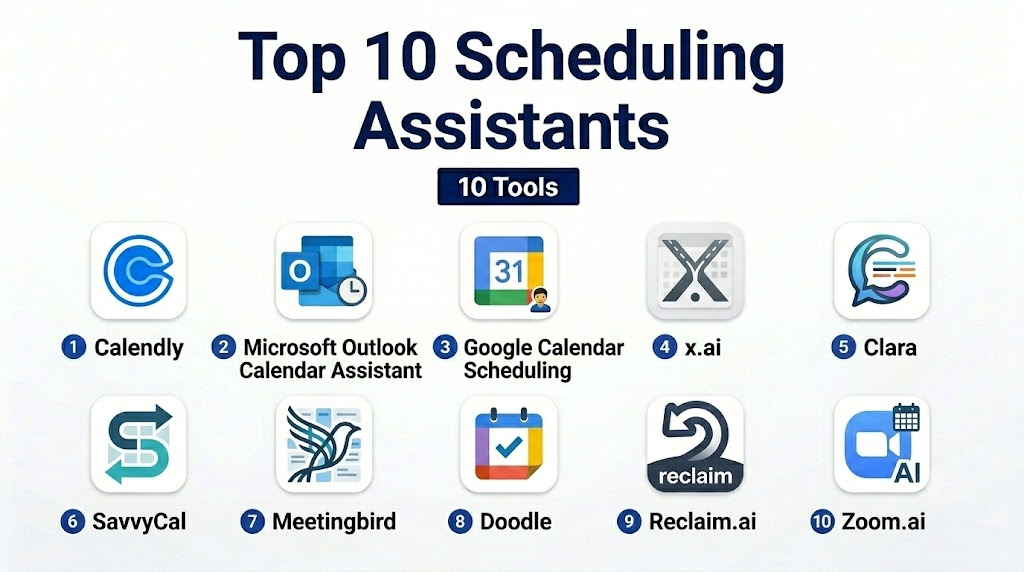
Top 10 Scheduling Assistants
1- Calendly
Short description:
Calendly is an AI-powered scheduling assistant that automates meeting bookings and integrates with popular calendar systems for professionals and teams.
Key Features
- Automated meeting scheduling
- Calendar integration (Google, Outlook, iCloud)
- Time zone detection and adjustment
- Customizable availability rules
- Integration with video conferencing tools
- Automated reminders and follow-ups
- Reporting and analytics
Pros
- Easy to set up and use
- Reduces email back-and-forth
- Scales from individual users to teams
Cons
- Limited customization in free plan
- Advanced analytics require premium plans
Platforms / Deployment
- Web / iOS / Android / Cloud
Security & Compliance
- SOC 2, GDPR
- SSO, encryption, RBAC
Integrations & Ecosystem
Supports wide integrations:
- Google Calendar, Outlook, iCloud
- Zoom, Teams, Webex
- Slack, CRM tools
Support & Community
Extensive documentation, customer support, and active user community.
2- Microsoft Outlook Calendar Assistant
Short description:
Microsoft Outlook includes a scheduling assistant for finding optimal meeting times within organizational calendars.
Key Features
- Integrated with Microsoft 365
- AI suggestions for meeting times
- Automatic time zone adjustment
- Meeting reminders and notifications
- Integration with Teams for video meetings
- Group scheduling for multiple attendees
Pros
- Native integration for Microsoft ecosystem
- Real-time availability checking
- No additional subscription for Microsoft users
Cons
- Best suited for organizations using Microsoft 365
- Limited customization outside Outlook
Platforms / Deployment
- Web / Windows / Mac / Cloud
Security & Compliance
- Enterprise-grade Microsoft security (SOC 2, ISO 27001, GDPR)
- SSO and MFA
Integrations & Ecosystem
- Microsoft Teams, OneDrive, SharePoint
- Outlook email and calendar
- API for custom workflow integration
Support & Community
Microsoft support channels, documentation, and enterprise support.
3- Google Calendar Scheduling
Short description:
Google Calendar offers a built-in scheduling assistant to find available times across G Suite users and integrate with video conferencing.
Key Features
- Automatic meeting time suggestions
- Calendar sharing and availability viewing
- Integration with Google Meet
- Recurring meeting management
- Notifications and reminders
- Mobile and desktop access
Pros
- Free for G Suite users
- Intuitive interface
- Cross-platform sync
Cons
- Limited AI-powered recommendations
- Features depend on Google ecosystem
Platforms / Deployment
- Web / iOS / Android / Cloud
Security & Compliance
- SOC 2, ISO 27001, GDPR
- SSO and encryption
Integrations & Ecosystem
- Google Workspace apps
- Zoom, Microsoft Teams via add-ons
- API for developers
Support & Community
Extensive Google Workspace documentation and community forums.
4- x.ai
Short description:
x.ai is an AI-based scheduling assistant that autonomously coordinates meetings and handles calendar management for busy professionals.
Key Features
- AI-driven meeting coordination
- Multiple calendar integration
- Email-based meeting scheduling
- Customizable availability rules
- Time zone detection
- Automated reminders and follow-ups
Pros
- Reduces manual scheduling
- Handles complex multi-attendee meetings
- Intelligent AI suggestions
Cons
- Premium subscription required for advanced features
- Limited integrations outside major calendars
Platforms / Deployment
- Web / Cloud
Security & Compliance
- SOC 2, GDPR
- Encryption and access control
Integrations & Ecosystem
- Google Calendar, Outlook
- Zoom, Teams
- Slack notifications
Support & Community
Email support and AI-focused community resources.
5- Clara
Short description:
Clara is a virtual assistant for scheduling, using natural language processing to coordinate meetings and manage follow-ups.
Key Features
- Email-based AI scheduling
- Time zone adjustments
- Custom availability preferences
- Automated confirmations and reminders
- Integration with calendars and video tools
Pros
- Fully automated scheduling
- Natural language understanding
- Supports busy executives
Cons
- Requires subscription for full features
- Learning curve for setup
Platforms / Deployment
- Web / Cloud
Security & Compliance
- SOC 2, GDPR
- Encryption and access controls
Integrations & Ecosystem
- Google Calendar, Outlook
- Zoom, Teams
- Slack notifications
Support & Community
Professional support with setup assistance.
6- SavvyCal
Short description:
SavvyCal is a scheduling assistant designed for teams and clients, offering flexible calendar sharing and availability negotiation.
Key Features
- Shared calendar links
- Flexible time proposals
- Integration with Zoom, Google, and Outlook
- Custom scheduling rules
- Automatic timezone adjustment
- Recurring meeting management
Pros
- Simplifies client scheduling
- Flexible time selection
- Clear interface
Cons
- Not ideal for large enterprises
- Limited AI automation
Platforms / Deployment
- Web / Cloud
Security & Compliance
- GDPR
- Encryption and access control
Integrations & Ecosystem
- Google Calendar, Outlook
- Zoom, Teams
- API support
Support & Community
Email support and tutorials available.
7- Meetingbird
Short description:
Meetingbird integrates with email and calendar systems to schedule meetings efficiently and automate follow-ups.
Key Features
- Email integration for scheduling
- Calendar syncing
- Time zone management
- Meeting reminders
- Integration with video conferencing
- Recurring meeting support
Pros
- Streamlines email scheduling
- User-friendly
- Fast setup
Cons
- Limited AI-driven recommendations
- Best suited for SMBs
Platforms / Deployment
- Web / Cloud / iOS
Security & Compliance
- GDPR, SOC 2
- Encryption
Integrations & Ecosystem
- Gmail, Outlook
- Zoom, Teams
- Slack
Support & Community
Documentation and email support.
8- Doodle
Short description:
Doodle offers polling-based scheduling for groups, allowing participants to select suitable times quickly.
Key Features
- Group scheduling polls
- Calendar integration
- Time zone detection
- Automated reminders
- Recurring meeting setup
- Video conferencing integration
Pros
- Easy for group scheduling
- Intuitive interface
- Mobile-friendly
Cons
- Less suited for enterprise-scale automation
- Manual approval required for final scheduling
Platforms / Deployment
- Web / iOS / Android / Cloud
Security & Compliance
- GDPR
- Encryption and secure login
Integrations & Ecosystem
- Google Calendar, Outlook
- Zoom, Teams
- Slack notifications
Support & Community
Email support and help center articles.
9- Reclaim.ai
Short description:
Reclaim.ai automatically manages calendar optimization, prioritizing tasks, meetings, and breaks for productivity.
Key Features
- AI scheduling for meetings and focus time
- Calendar integrations
- Time-blocking and priorities
- Recurring events management
- Automated task scheduling
Pros
- Optimizes time efficiently
- Reduces conflicts
- AI-driven recommendations
Cons
- Requires learning AI behaviors
- Premium subscription for advanced features
Platforms / Deployment
- Web / Cloud
Security & Compliance
- SOC 2, GDPR
- Encryption
Integrations & Ecosystem
- Google Calendar, Outlook
- Zoom, Teams
- Slack
Support & Community
Documentation, email support, tutorials.
10- Zoom.ai
Short description:
Zoom.ai is an AI-powered assistant to schedule meetings, manage bookings, and integrate with workplace tools.
Key Features
- AI-based scheduling
- Calendar integration
- Video conferencing automation
- Customizable availability
- Automated follow-ups
- Time zone adjustments
Pros
- Fully AI-driven
- Seamless video meeting setup
- Easy calendar sync
Cons
- Enterprise features require subscription
- Limited customization for SMBs
Platforms / Deployment
- Web / Cloud
Security & Compliance
- SOC 2, GDPR
- Encryption and access controls
Integrations & Ecosystem
- Google Calendar, Outlook
- Zoom, Teams
- Slack, API support
Support & Community
Professional support and user community.
Comparison Table (Top 10)
| Tool Name | Best For | Platform(s) Supported | Deployment | Standout Feature | Public Rating |
|---|---|---|---|---|---|
| Calendly | SMBs & teams | Web / iOS / Android | Cloud | Automated scheduling | N/A |
| Outlook Calendar Assistant | Microsoft users | Web / Windows / Mac | Cloud | Native Microsoft integration | N/A |
| Google Calendar Scheduling | Google Workspace | Web / iOS / Android | Cloud | Calendar sync & Meet integration | N/A |
| x.ai | Professionals | Web | Cloud | AI-driven scheduling | N/A |
| Clara | Executives | Web | Cloud | Natural language email scheduling | N/A |
| SavvyCal | Teams & clients | Web | Cloud | Flexible time proposals | N/A |
| Meetingbird | SMB & teams | Web / iOS | Cloud | Email-based scheduling | N/A |
| Doodle | Group scheduling | Web / iOS / Android | Cloud | Polling-based scheduling | N/A |
| Reclaim.ai | Productivity optimization | Web | Cloud | AI time-blocking & scheduling | N/A |
| Zoom.ai | Enterprise scheduling | Web | Cloud | AI + video meeting integration | N/A |
Evaluation & Scoring of Scheduling Assistants
| Tool Name | Core (25%) | Ease (15%) | Integrations (15%) | Security (10%) | Performance (10%) | Support (10%) | Value (15%) | Weighted Total |
|---|---|---|---|---|---|---|---|---|
| Calendly | 10 | 9 | 9 | 9 | 9 | 9 | 9 | 9.1 |
| Outlook | 9 | 8 | 10 | 10 | 9 | 9 | 8 | 9.0 |
| Google Calendar | 9 | 9 | 9 | 9 | 9 | 9 | 9 | 9.0 |
| x.ai | 10 | 8 | 8 | 9 | 9 | 8 | 8 | 8.7 |
| Clara | 9 | 8 | 8 | 9 | 9 | 8 | 8 | 8.6 |
| SavvyCal | 8 | 9 | 8 | 8 | 8 | 8 | 8 | 8.1 |
| Meetingbird | 8 | 9 | 8 | 8 | 8 | 8 | 8 | 8.1 |
| Doodle | 8 | 9 | 8 | 8 | 8 | 8 | 8 | 8.1 |
| Reclaim.ai | 9 | 8 | 8 | 9 | 9 | 8 | 8 | 8.6 |
| Zoom.ai | 9 | 8 | 8 | 9 | 9 | 8 | 8 | 8.6 |
Which Scheduling Assistant Tool Is Right for You?
Solo / Freelancer
- Calendly, Google Calendar
- Simple, intuitive scheduling for one-on-one meetings
SMB
- Calendly, SavvyCal, Meetingbird
- Team scheduling and client coordination
Mid-Market
- x.ai, Clara, Reclaim.ai
- AI-driven scheduling with productivity focus
Enterprise
- Zoom.ai, Outlook Calendar Assistant
- Full-scale scheduling with integration and AI features
Budget vs Premium
- Budget: Google Calendar, Doodle
- Premium: x.ai, Clara, Zoom.ai
Feature Depth vs Ease of Use
- Depth: x.ai, Clara, Zoom.ai
- Ease: Calendly, Google Calendar, SavvyCal
Integrations & Scalability
- Enterprise: Outlook, Zoom.ai
- Mid-market: x.ai, Reclaim.ai
- Small teams: Calendly, Google Calendar
Security & Compliance Needs
- Enterprise: SOC 2, GDPR, SSO (Zoom.ai, Outlook, Calendly)
- Mid-market: Encryption and MFA sufficient
Frequently Asked Questions (FAQs)
1- What are Scheduling Assistants used for?
They automate meeting and appointment scheduling, reducing manual coordination and email back-and-forth.
2- How do these tools integrate with calendars?
Most sync with Google Calendar, Outlook, and iCloud, offering real-time availability detection.
3- Are they suitable for small businesses?
Yes, tools like Calendly and Google Calendar are free or low-cost and easy to adopt.
4- Can they handle multiple time zones?
Yes, AI scheduling assistants automatically adjust and propose suitable times for all participants.
5- Do these tools support video conferencing?
Yes, they integrate with Zoom, Teams, Google Meet, and Webex for seamless meeting setup.
6- How secure are Scheduling Assistants?
Enterprise tools provide SOC 2 compliance, GDPR support, SSO, encryption, and RBAC.
7- Can AI assistants reschedule automatically?
Yes, tools like x.ai, Clara, and Zoom.ai can handle rescheduling based on availability.
8- How long does setup take?
Small tools deploy in minutes; enterprise AI assistants require configuration and calendar integrations.
9- Do these tools support recurring meetings?
Yes, most offer recurrence settings and automatic calendar updates.
10- What is the ROI of using these assistants?
ROI comes from saved time, reduced scheduling errors, higher productivity, and more efficient team coordination.
Conclusion
Scheduling Assistants are essential for managing meetings and appointments in hybrid and distributed workplaces, and the best choice depends on team size, integration needs, and desired automation level, with freelancers benefiting from Calendly or Google Calendar, SMBs from SavvyCal or Meetingbird, mid-market teams from x.ai or Clara, and enterprises from Zoom.ai or Outlook Calendar Assistant, while running a pilot with 2–3 tools ensures compatibility, adoption, and secure integration, ultimately improving scheduling efficiency and productivity across organizations.

Find Trusted Cardiac Hospitals
Compare heart hospitals by city and services — all in one place.
Explore Hospitals
Scheduling assistants are most valuable when they eliminate the back-and-forth involved in finding a suitable meeting time. By automating calendar coordination, availability checks, time zone handling, and meeting reminders, these tools help improve productivity while creating a smoother scheduling experience for everyone involved.