Introduction
Meeting Transcription Tools are software solutions designed to automatically capture spoken content during meetings and convert it into accurate text. By leveraging AI and natural language processing (NLP), these tools allow teams to generate transcripts in real time or post-meeting, making it easier to review, share, and archive discussions. This ensures action items, decisions, and commitments are clearly documented, reducing the risk of miscommunication. these tools have become essential as hybrid and remote work environments increase the need for accurate documentation. Organizations rely on transcription tools to maintain organizational knowledge, enhance accessibility, and integrate with productivity workflows.
Real-world use cases include:
- Transcribing client calls and internal team meetings
- Summarizing discussions for quick review
- Generating searchable records for compliance and audits
- Capturing action items automatically for project management
- Supporting accessibility for hearing-impaired employees
What buyers should evaluate:
- Accuracy of speech-to-text transcription
- Real-time vs post-meeting transcription
- AI-driven summarization and key point extraction
- Integration with video conferencing tools
- Security and compliance (SOC 2, GDPR, HIPAA)
- Multi-language support
- Search and indexing capabilities
- Export options (Word, PDF, or project management systems)
- Collaboration and annotation features
- Ease of use and platform support
- Best for: Teams, executives, project managers, and organizations of all sizes needing accurate documentation and actionable insights from meetings.
- Not ideal for: Organizations with minimal meetings, manual note-taking preferences, or low transcription volume.
Key Trends in Meeting Transcription Tools
- AI-driven real-time transcription with high accuracy
- Automatic meeting summaries and highlight generation
- Integration with Zoom, Microsoft Teams, Google Meet, and Slack
- Multi-language support and translation capabilities
- Automatic extraction of action items and decisions
- Privacy-first architecture with SOC 2 and GDPR compliance
- Mobile-friendly interfaces for hybrid workforces
- Cloud-first deployment with hybrid support for enterprise
- Analytics and insights for meeting efficiency and productivity
- Subscription-based and per-user pricing models
How We Selected These Tools (Methodology)
- Market adoption and customer usage signals
- Accuracy and completeness of AI transcription
- Integration capabilities with conferencing and collaboration platforms
- Security and compliance features
- Ease of deployment and scalability
- Customization of transcription formats and summaries
- Actionable insights and summarization AI
- Analytics and reporting support
- Cross-platform availability and accessibility
- Vendor support quality and community engagement
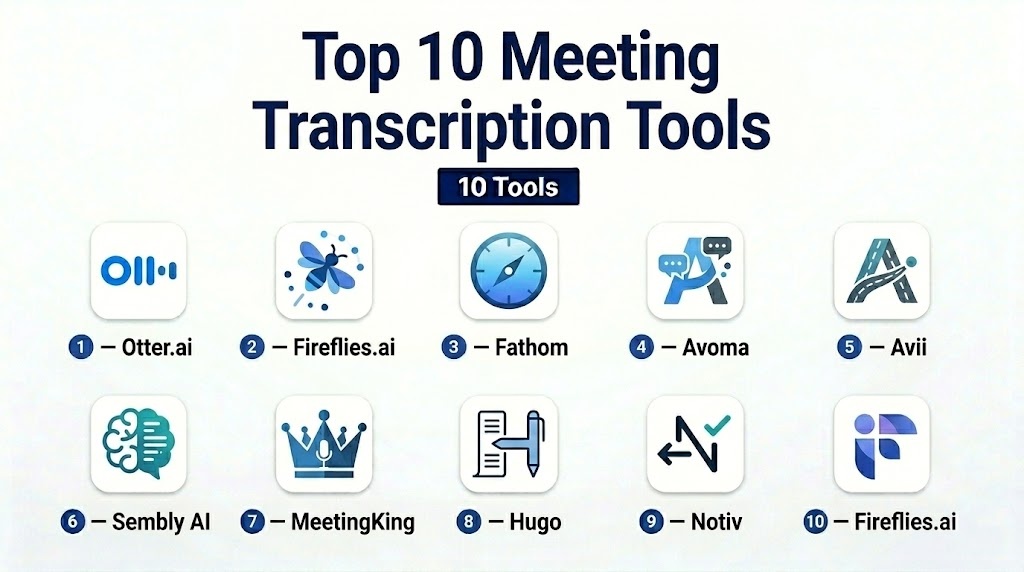
Top 10 Meeting Transcription Tools
1- Otter.ai
Short description:
Otter.ai provides AI-powered transcription for meetings, capturing audio and producing accurate, searchable text in real-time.
Key Features
- Real-time transcription
- Speaker identification
- Meeting summaries and highlights
- Integration with Zoom, Teams, and Google Meet
- Export to Word, PDF
- Searchable transcript database
- Collaborative editing
Pros
- High transcription accuracy
- Strong integration with conferencing platforms
- Supports team collaboration
Cons
- Advanced features require premium plan
- Speaker identification may occasionally mislabel
Platforms / Deployment
- Web / iOS / Android / Cloud
Security & Compliance
- SOC 2, GDPR
- Encryption of stored transcripts
Integrations & Ecosystem
- Zoom, Teams, Google Meet
- Slack integration
- API for custom workflows
Support & Community
Extensive documentation and active user forums.
2- Fireflies.ai
Short description:
Fireflies.ai automates transcription, note-taking, and action item extraction for meetings across multiple platforms.
Key Features
- AI-generated meeting transcripts
- Automated summaries and highlights
- Calendar and conferencing integrations
- Action item extraction
- Searchable meeting archive
- Real-time collaboration
- Export notes to multiple formats
Pros
- Accurate AI transcription
- Extracts actionable insights
- Works with multiple conferencing platforms
Cons
- Occasional transcription errors
- Advanced analytics limited in free tier
Platforms / Deployment
- Web / Cloud / iOS / Android
Security & Compliance
- SOC 2, GDPR
- Encrypted storage and secure access
Integrations & Ecosystem
- Zoom, Teams, Google Meet
- Slack, CRMs
- API for custom automation
Support & Community
Professional support and online community.
3- Fathom
Short description:
Fathom captures, transcribes, and highlights key points during video meetings for easy sharing and reference.
Key Features
- Live transcription and note-taking
- Key moment highlighting
- Integration with Zoom
- Searchable archive
- Exportable transcripts
- Collaboration features
Pros
- Highlights for quick review
- Accurate transcription
- Easy sharing
Cons
- Limited non-video transcription
- Requires subscription for full features
Platforms / Deployment
- Web / Cloud
Security & Compliance
- GDPR, SOC 2
- Encryption
Integrations & Ecosystem
- Zoom integration
- Slack notifications
- API support
Support & Community
Documentation and email support.
4- Avoma
Short description:
Avoma is an AI meeting assistant that transcribes meetings, summarizes conversations, and tracks action items automatically.
Key Features
- AI transcription and summarization
- Action item detection
- Integration with Zoom, Teams, and CRMs
- Searchable archives
- Analytics on meeting efficiency
- Customizable templates
- Collaboration features
Pros
- Extracts actionable items automatically
- Integrates with multiple platforms
- Useful for sales and internal meetings
Cons
- Learning curve for analytics dashboard
- Premium plan required for advanced AI
Platforms / Deployment
- Web / Cloud
Security & Compliance
- SOC 2, GDPR
- Encryption, SSO, RBAC
Integrations & Ecosystem
- Zoom, Teams, Google Meet
- Salesforce, HubSpot, Slack
- API for workflow automation
Support & Community
Professional support, tutorials, and user community.
5- Avii
Short description:
Avii automates transcription and organizes meeting content for team reference and task tracking.
Key Features
- AI transcription
- Meeting summaries and highlights
- Action item extraction
- Searchable archive
- Integrations with conferencing tools
- Analytics dashboard
Pros
- Centralized meeting knowledge
- Accurate transcription
- Easy collaboration
Cons
- Limited integrations outside main conferencing tools
- Analytics requires premium plan
Platforms / Deployment
- Web / Cloud
Security & Compliance
- SOC 2, GDPR
- Encrypted storage
Integrations & Ecosystem
- Zoom, Teams
- Slack, calendar apps
- API for automation
Support & Community
Email support and documentation.
6- Sembly AI
Short description:
Sembly AI captures audio from meetings, transcribes it, and creates structured notes automatically.
Key Features
- AI transcription
- Summaries and key points extraction
- Integration with conferencing platforms
- Searchable transcript archive
- Speaker identification
- Exportable formats
Pros
- Automated meeting summaries
- Accurate transcription
- Supports multiple platforms
Cons
- Free tier limited
- Speaker labeling occasionally inaccurate
Platforms / Deployment
- Web / Cloud
Security & Compliance
- SOC 2, GDPR
- Encryption
Integrations & Ecosystem
- Zoom, Teams, Google Meet
- Slack notifications
- API support
Support & Community
Documentation and email support.
7- MeetingKing
Short description:
MeetingKing automates meeting notes, agendas, and task tracking for teams and project management.
Key Features
- Agenda and note creation
- Task assignment and follow-up tracking
- Integration with calendars
- Collaborative note editing
- Export options
Pros
- Structured meeting management
- Integrates tasks with notes
- Simple interface
Cons
- Limited AI-driven automation
- Fewer integrations
Platforms / Deployment
- Web / Cloud
Security & Compliance
- Not publicly stated
Integrations & Ecosystem
- Google Calendar, Outlook
- Slack and task management apps
Support & Community
Email support and documentation.
8- Hugo
Short description:
Hugo enables team collaboration on meeting notes, with AI suggestions for action items and summaries.
Key Features
- Real-time collaborative note-taking
- Integration with Zoom, Slack, and Teams
- Agenda templates
- Searchable meeting history
- Automated follow-up reminders
Pros
- Collaboration-focused
- Easy note sharing
- Works with major conferencing tools
Cons
- Limited AI summarization in lower tiers
- Premium required for advanced features
Platforms / Deployment
- Web / Cloud
Security & Compliance
- SOC 2, GDPR
- Encryption
Integrations & Ecosystem
- Zoom, Teams
- Slack, Google Workspace
- API for automation
Support & Community
Email support and tutorials.
9- Notiv
Short description:
Notiv automatically transcribes meetings, highlights key points, and provides actionable insights for teams.
Key Features
- AI transcription
- Action item and highlight extraction
- Searchable archive
- Integration with video platforms
- Exportable formats
Pros
- Automated insight generation
- Works with multiple conferencing tools
- Searchable archive
Cons
- Customization of summaries limited
- Free tier restricted
Platforms / Deployment
- Web / Cloud
Security & Compliance
- GDPR, SOC 2
- Encryption
Integrations & Ecosystem
- Zoom, Teams
- Slack and calendar apps
- API support
Support & Community
Documentation and email support.
10- Fireflies.ai
Short description:
Fireflies.ai captures, transcribes, and organizes meetings using AI to provide summaries and track action items.
Key Features
- Real-time transcription
- Automatic summaries and action items
- Integration with calendars and conferencing tools
- Searchable archive
- Collaboration on notes
- Export to multiple formats
Pros
- Accurate AI transcription
- Multi-platform integration
- Action item extraction
Cons
- Premium plans needed for full analytics
- Occasional transcription errors
Platforms / Deployment
- Web / Cloud / iOS / Android
Security & Compliance
- SOC 2, GDPR
- Encryption and access control
Integrations & Ecosystem
- Zoom, Teams, Google Meet
- Slack, CRMs
- API support
Support & Community
Professional onboarding, documentation, and community forums.
Comparison Table (Top 10)
| Tool Name | Best For | Platform(s) Supported | Deployment | Standout Feature | Public Rating |
|---|---|---|---|---|---|
| Otter.ai | Professionals & teams | Web / iOS / Android | Cloud | Real-time transcription | N/A |
| Fireflies.ai | Teams & enterprise | Web / Cloud / iOS / Android | Cloud | AI summaries & action items | N/A |
| Fathom | Video meetings | Web / Cloud | Cloud | Highlights & clips | N/A |
| Avoma | Sales & internal teams | Web / Cloud | Cloud | AI action item extraction | N/A |
| Avii | Corporate teams | Web / Cloud | Cloud | Centralized meeting knowledge | N/A |
| Sembly AI | Teams & executives | Web / Cloud | Cloud | Key points & summaries | N/A |
| MeetingKing | Structured meetings | Web / Cloud | Cloud | Agenda & task integration | N/A |
| Hugo | Team collaboration | Web / Cloud | Cloud | Real-time collaboration | N/A |
| Notiv | Teams & analytics | Web / Cloud | Cloud | Automated insights | N/A |
| Fireflies.ai | Teams & sales | Web / Cloud / iOS / Android | Cloud | AI transcription & summaries | N/A |
Evaluation & Scoring of Meeting Transcription Tools
| Tool Name | Core (25%) | Ease (15%) | Integrations (15%) | Security (10%) | Performance (10%) | Support (10%) | Value (15%) | Weighted Total |
| Otter.ai | 9 | 9 | 8 | 7 | 8 | 8 | 8 | 8.25 |
| Fireflies.ai | 9 | 8 | 9 | 7 | 8 | 8 | 8 | 8.30 |
| Fathom | 8 | 9 | 8 | 7 | 8 | 8 | 9 | 8.20 |
| tl;dv | 8 | 8 | 8 | 7 | 8 | 8 | 8 | 7.85 |
| Avoma | 9 | 8 | 9 | 8 | 8 | 8 | 7 | 8.25 |
| Read.ai | 8 | 8 | 8 | 7 | 8 | 8 | 8 | 7.85 |
| Notta | 8 | 8 | 7 | 7 | 8 | 7 | 8 | 7.65 |
| Sonix | 8 | 8 | 7 | 7 | 9 | 8 | 7 | 7.80 |
| Tactiq | 7 | 9 | 7 | 6 | 7 | 7 | 8 | 7.35 |
| Sembly AI | 8 | 8 | 7 | 7 | 8 | 7 | 8 | 7.65 |
Which Meeting Transcription Tool Is Right for You?
Solo / Freelancer
For solo users, simplicity and speed are key. Fathom, Otter.ai, and Tactiq provide easy-to-use transcription, summaries, and export options without heavy setup.
SMB
Small teams benefit from collaborative features and integrations. Fireflies.ai, Otter.ai, and tl;dv help share notes, summaries, and clips across team members efficiently.
Mid-Market
Mid-market teams need workflow automation and team-level insights. Avoma, Fireflies.ai, and Read.ai provide summaries, action items, and CRM-ready outputs for multiple departments.
Enterprise
Enterprise buyers require governance, compliance, and admin controls. Avoma, Fireflies.ai, Read.ai, and Otter.ai offer structured notes, SSO, retention policies, and workflow integration.
Budget vs Premium
Budget users should choose lightweight tools like Fathom or Tactiq. Premium buyers needing CRM automation, analytics, and compliance can consider Avoma or Fireflies.ai.
Feature Depth vs Ease of Use
Ease-of-use tools: Fathom, Tactiq, Otter.ai. Feature-rich tools: Avoma, Fireflies.ai, Read.ai. Match choice to team needs without overcomplicating workflows.
Integrations & Scalability
Teams needing robust integrations and scaling should focus on Fireflies.ai, Avoma, tl;dv, or Read.ai. Check CRM, calendar, and task tool support for smooth adoption.
Security & Compliance Needs
Prioritize tools with clear encryption, SSO, MFA, and access controls. Enterprise teams should validate retention policies, audit logs, and regional compliance before deployment.
Frequently Asked Questions
1- What are meeting transcription tools?
Meeting transcription tools convert spoken meeting conversations into written text. Many modern tools also generate AI summaries, action items, speaker labels, and searchable meeting records so teams can review decisions later.
2- Are meeting transcription tools accurate?
Accuracy depends on audio quality, speaker clarity, background noise, accents, overlapping speech, and the tool’s speech recognition model. Most tools work well for clear business meetings, but critical transcripts should still be reviewed.
3- Do these tools work with Zoom, Google Meet, and Microsoft Teams?
Many leading tools support major meeting platforms such as Zoom, Google Meet, and Microsoft Teams. Buyers should confirm platform support because some features may vary by plan or meeting setup.
4- How are meeting transcription tools priced?
Pricing usually depends on users, meeting hours, transcription minutes, storage, AI features, integrations, and admin controls. Some tools offer free plans, while team and enterprise plans may require paid subscriptions.
5- Can meeting transcription tools create action items?
Yes, many AI-based tools can identify action items, owners, deadlines, questions, and decisions. However, teams should review AI-generated action items because the tool may miss context or assign tasks incorrectly.
6- Are meeting transcription tools secure?
Many tools offer business security controls, but security varies by vendor and plan. Buyers should verify encryption, SSO, MFA, audit logs, role-based access, retention controls, and compliance documentation before rollout.
7- Do participants need to consent before transcription?
Consent requirements depend on local laws, company policy, and meeting context. Organizations should create a clear recording and transcription policy and ensure participants are properly notified when meetings are recorded.
8- What is the biggest mistake when choosing a transcription tool?
The biggest mistake is choosing based only on AI summary quality without checking privacy, integrations, admin controls, and user adoption. A tool must fit the team’s workflow, not just produce a good transcript.
9- Can meeting transcripts be added to CRM systems?
Yes, many tools support CRM workflows with platforms such as Salesforce, HubSpot, and similar systems. Sales teams should test whether notes, summaries, and action items sync in the right format.
10- What are alternatives to meeting transcription tools?
Alternatives include manual note-taking, built-in meeting platform captions, human transcription services, project management notes, or dedicated conversation intelligence platforms. The best alternative depends on accuracy, cost, privacy, and workflow needs.
Conclusion
Meeting Transcription Tools have become essential for modern hybrid and remote workplaces to capture, summarize, and act on discussions efficiently. The choice of tool depends on team size, workflow complexity, and desired automation. Freelancers and small teams benefit from Otter.ai or Fathom, SMBs from Fireflies.ai, Avoma, or Hugo, mid-market teams from Sembly AI or Notiv, and enterprise teams from Fireflies.ai or Avoma. Piloting 2–3 shortlisted tools ensures usability, integration, and security, ultimately improving productivity, accountability, and actionable meeting follow-ups.

Find Trusted Cardiac Hospitals
Compare heart hospitals by city and services — all in one place.
Explore Hospitals
Meeting transcription tools are most valuable when they do more than convert speech into text. Features such as speaker identification, searchable transcripts, AI-generated summaries, and action item extraction help teams save time, improve collaboration, and ensure important discussions are accurately captured and followed up.