Introduction
Online Booking Software helps businesses accept reservations, appointments, service bookings, classes, events, consultations, rentals, and customer visits through a digital booking page or website widget. Instead of handling bookings through calls, emails, spreadsheets, or manual calendars, these tools automate availability, confirmations, reminders, payments, cancellations, rescheduling, staff calendars, and customer records. This category matters because customers now expect fast self-service booking from any device. Businesses also need fewer no-shows, better staff utilization, smoother payment collection, and stronger integration with calendars, CRM, POS, websites, and marketing tools.
Real World Use Cases:
- Booking appointments for salons, spas, clinics, coaches, and consultants
- Scheduling classes, workshops, demos, tours, and events
- Managing paid bookings, deposits, packages, and memberships
- Accepting bookings from websites, social pages, and landing pages
- Sending automated reminders, confirmations, and rescheduling links
Evaluation Criteria for Buyers:
- Booking page quality and customization
- Calendar sync and availability management
- Staff, service, and location scheduling
- Payment, deposit, and cancellation support
- Automated reminders and follow-ups
- Website, CRM, POS, and marketing integrations
- Mobile booking experience
- Customer records and intake forms
- Reporting and booking analytics
- Security, privacy, and admin controls
Best for: Service businesses, consultants, coaches, clinics, salons, spas, fitness studios, educators, rental businesses, local service providers, sales teams, customer success teams, and SMBs that need automated customer booking and better schedule control.
Not ideal for: Very small teams with rare bookings may not need dedicated online booking software. A simple calendar, contact form, phone booking process, or shared spreadsheet may be enough until booking volume, no-shows, payments, staff scheduling, or customer self-service needs increase.
Key Trends in Online Booking Software
- AI-assisted booking is becoming more practical: Modern booking tools are moving toward smarter availability suggestions, automated follow-ups, customer segmentation, and intelligent routing.
- Payments and booking are merging: Businesses increasingly want deposits, prepaid appointments, packages, subscriptions, memberships, and cancellation fees inside the booking workflow.
- Mobile-first booking is essential: Customers expect to book, reschedule, cancel, pay, and receive reminders directly from their phones.
- No-show prevention is a core feature: Automated SMS reminders, email reminders, deposits, cancellation windows, and rescheduling links are now standard buying criteria.
- Website and social booking are growing: Businesses want booking links embedded in websites, landing pages, social media profiles, email campaigns, and customer portals.
- Industry-specific workflows are expanding: Clinics, salons, fitness studios, education providers, rentals, tours, consultants, and professional services all need different booking rules.
- Calendar and video meeting integrations are expected: Google Calendar, Microsoft Outlook, Apple Calendar, Zoom, Google Meet, and Microsoft Teams support is now a basic requirement.
- Customer data and privacy matter more: Booking systems may store names, phone numbers, emails, appointment notes, health details, payments, and visit history.
- Multi-location scheduling is becoming important: Growing businesses need service availability, staff rosters, branch-level booking pages, and centralized reporting.
- Automation is replacing manual admin work: Reminders, follow-ups, waitlists, payment collection, intake forms, and customer notifications help teams reduce repetitive work.
How We Selected These Tools
The tools below were selected using practical online booking and service operations evaluation logic:
- Market recognition among small businesses, service providers, consultants, sales teams, and appointment-based organizations
- Strength of booking pages, availability rules, calendar sync, reminders, and rescheduling workflows
- Support for staff, services, locations, group bookings, classes, paid appointments, and deposits
- Fit across solo professionals, SMBs, multi-location teams, and larger organizations
- Ability to connect with websites, social pages, payment gateways, calendars, CRM, POS, and marketing platforms
- Ease of use for customers, staff members, admins, and non-technical business owners
- Reporting depth for bookings, no-shows, revenue, staff utilization, and customer activity
- Security, privacy, permissions, and admin controls where relevant
- Practical value for reducing manual scheduling and improving customer experience
- Flexibility across industries such as wellness, beauty, education, consulting, healthcare, fitness, and local services
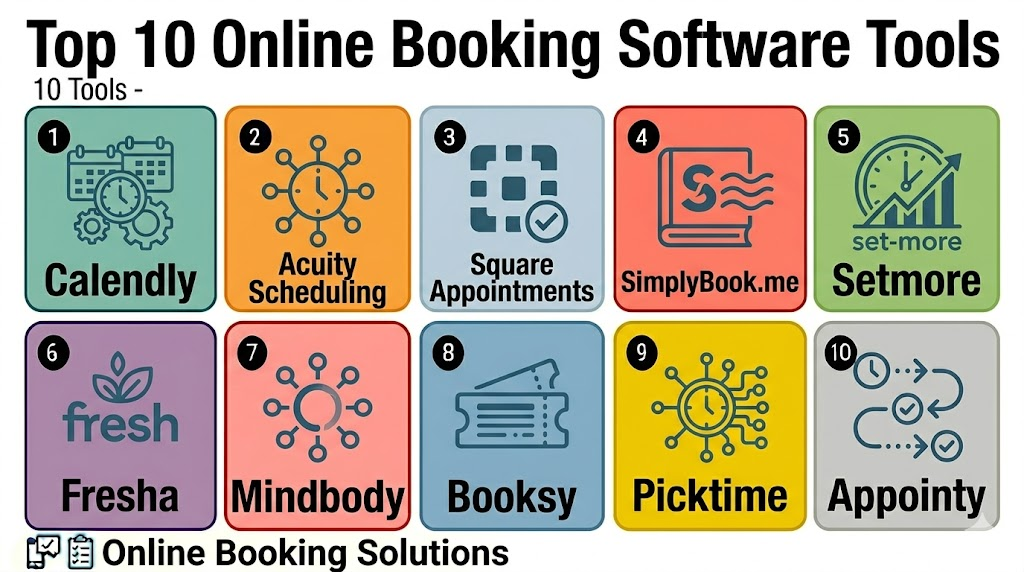
Top 10 Online Booking Software Tools
1- Calendly
Short description: Calendly is an online booking and scheduling platform for professionals, sales teams, recruiters, consultants, educators, and organizations that need simple booking links and automated meeting scheduling. It is best for teams that want to reduce back-and-forth scheduling and connect bookings with calendars and video meetings.
Key Features
- One-to-one, group, and team booking pages
- Calendar sync with major calendar systems
- Custom event types and availability rules
- Automated reminders and follow-up workflows
- Round-robin and routing options for teams
- Video meeting integrations
- Website embedding and CRM workflow support
Pros
- Easy for customers and teams to use
- Strong fit for sales, recruiting, consulting, and professional meetings
- Broad integration ecosystem for modern business workflows
Cons
- Service-business features may be lighter than dedicated booking platforms
- Advanced routing may require higher-tier plans
- Not ideal for complex classes, memberships, or retail service menus
Platforms / Deployment
Web / iOS / Android
Cloud
Security & Compliance
Varies / N/A. Buyers should validate SSO, MFA, admin roles, audit logs, encryption, calendar permissions, data retention, and compliance needs directly.
Integrations & Ecosystem
Calendly works well when online booking needs to connect with calendars, video meetings, CRM tools, automation systems, and sales workflows.
- Google Calendar
- Microsoft Outlook and Microsoft 365
- Zoom, Google Meet, Microsoft Teams, and Webex
- Salesforce and HubSpot workflows
- Stripe and PayPal where supported
- Website and email embedding workflows
Support & Community
Calendly provides help documentation, onboarding resources, tutorials, and customer support options. Support depth may vary by plan, team size, and enterprise requirements.
2- Acuity Scheduling
Short description: Acuity Scheduling is online booking software for service providers, consultants, wellness businesses, coaches, clinics, salons, and teams that need paid appointments, intake forms, packages, and recurring booking workflows. It is strong for businesses that sell time-based services.
Key Features
- Custom booking pages
- Intake forms and customer data capture
- Paid bookings, deposits, coupons, and packages
- Recurring appointments and class support
- Calendar sync and availability rules
- Automated reminders and confirmations
- Customer self-scheduling and rescheduling
Pros
- Strong fit for paid service bookings
- Flexible forms, packages, and recurring appointment workflows
- Useful for consultants, wellness providers, clinics, and coaches
Cons
- May feel detailed for simple meeting links
- Setup can take time for complex service menus
- Buyers should review payment and compliance needs carefully
Platforms / Deployment
Web / iOS / Android
Cloud
Security & Compliance
Varies / N/A. Buyers should validate account security, payment handling, user permissions, customer data retention, privacy settings, and industry-specific compliance needs directly.
Integrations & Ecosystem
Acuity Scheduling is useful when bookings need to connect with services, payments, forms, calendars, and customer management.
- Google Calendar and Microsoft calendars
- Stripe, Square, and PayPal where supported
- Zoom and video meeting tools
- Website booking widgets
- Email marketing workflows
- Client forms and service packages
Support & Community
Acuity provides documentation, setup guidance, help resources, and customer support options. Support depth may vary by plan and business complexity.
3- Square Appointments
Short description: Square Appointments combines online booking, staff scheduling, payments, customer records, and point-of-sale workflows. It is best for salons, spas, beauty businesses, wellness providers, local services, and businesses already using Square.
Key Features
- Online booking pages
- Staff calendar and service scheduling
- Integrated payments and checkout
- Customer profiles and appointment history
- Automated reminders
- No-show and cancellation policy support
- POS and retail sales integration
Pros
- Strong fit for local service businesses using Square
- Connects bookings, payments, staff calendars, and POS
- Useful for salons, spas, and appointment-based storefronts
Cons
- Best value depends on Square ecosystem adoption
- Enterprise routing features may be limited
- Some industries may need more specialized booking workflows
Platforms / Deployment
Web / iOS / Android
Cloud
Security & Compliance
Varies / N/A. Buyers should validate payment security, staff permissions, customer data privacy, account controls, and compliance needs directly.
Integrations & Ecosystem
Square Appointments is valuable when online booking must connect with in-person payments, POS, retail, and customer records.
- Square POS
- Square payments
- Customer directory
- Staff calendars
- Service menus
- Retail and appointment checkout workflows
Support & Community
Square provides documentation, seller support resources, onboarding guidance, and business help content. Support depth may vary by region, plan, and business type.
4- SimplyBook.me
Short description: SimplyBook.me is online booking software for service businesses, healthcare, education, beauty, fitness, consultants, and multi-service organizations. It supports booking websites, reminders, payments, memberships, packages, coupons, and many configurable booking features.
Key Features
- Online booking website and widgets
- Service, provider, and location management
- Email and SMS reminders
- Payment and deposit support
- Memberships, packages, coupons, and gift cards where configured
- Intake forms and customer records
- Social media and website booking options
Pros
- Strong fit for multi-service businesses
- Flexible configuration for many industries
- Useful for businesses that need a full booking website
Cons
- Many features can make setup feel complex
- Some capabilities depend on add-ons or plan limits
- Buyers should validate privacy needs for regulated industries
Platforms / Deployment
Web / iOS / Android
Cloud
Security & Compliance
Varies / N/A. Buyers should validate permissions, data retention, encryption, payment handling, privacy settings, and compliance requirements directly.
Integrations & Ecosystem
SimplyBook.me works well for businesses that need booking pages connected with services, staff, payments, marketing, and customer-facing channels.
- Website booking widgets
- Google and Microsoft calendar workflows
- Payment gateways
- Facebook and Instagram booking channels
- Email and SMS notifications
- Customer-facing booking pages
Support & Community
SimplyBook.me provides documentation, onboarding resources, and customer support options. Support availability and scope may vary by plan, region, and business type.
5- Setmore
Short description: Setmore is online booking software for small businesses, freelancers, salons, consultants, educators, healthcare providers, and service teams. It is useful for teams that need simple booking pages, reminders, staff calendars, and payment support.
Key Features
- Online booking pages
- Staff and service scheduling
- Calendar sync
- Automated reminders
- Video meeting integrations
- Payment support where configured
- Customer self-booking and rescheduling
Pros
- Easy to set up for small businesses
- Practical features at accessible pricing
- Good fit for solo professionals and small service teams
Cons
- Advanced enterprise routing may be limited
- Deep customization may require another platform
- Larger teams should validate reporting and admin controls
Platforms / Deployment
Web / iOS / Android
Cloud
Security & Compliance
Varies / N/A. Buyers should validate account security, user permissions, customer data handling, payment settings, and privacy requirements directly.
Integrations & Ecosystem
Setmore is useful when small teams need quick online booking connected with calendars, payments, and video meetings.
- Google Calendar and Microsoft calendars
- Zoom and video meeting tools
- Payment integrations where supported
- Website booking widgets
- Social media booking links
- Customer notifications
Support & Community
Setmore provides documentation, help resources, and support options for small teams. Support depth may vary by plan and business needs.
6- Fresha
Short description: Fresha is online booking software focused on salons, spas, barbers, beauty businesses, and wellness providers. It combines customer booking, staff scheduling, payments, POS, marketing, and client management for appointment-based beauty and wellness businesses.
Key Features
- Online booking marketplace and booking pages
- Staff scheduling and service menus
- Client records and appointment history
- Payments and POS workflows
- Automated reminders and notifications
- Marketing and client engagement tools
- Multi-location business support
Pros
- Strong fit for beauty, salon, spa, and wellness businesses
- Combines booking, payments, POS, and client management
- Useful marketplace visibility for service providers
Cons
- Less suitable for general B2B meeting scheduling
- Best value depends on beauty and wellness workflow fit
- Buyers should review payment fees and marketplace model carefully
Platforms / Deployment
Web / iOS / Android
Cloud
Security & Compliance
Varies / N/A. Buyers should validate payment security, user permissions, client data privacy, staff access, retention settings, and local compliance requirements directly.
Integrations & Ecosystem
Fresha works best for businesses that want appointment booking connected with client management, payments, POS, and marketing.
- Online booking pages
- Client profiles
- POS and payments
- Staff schedules
- Marketing campaigns
- Multi-location management
Support & Community
Fresha provides product help, onboarding resources, customer support, and business guidance for beauty and wellness providers. Support scope may vary by market and business size.
7- Mindbody
Short description: Mindbody is online booking and business management software for wellness, fitness, beauty, health, and lifestyle businesses. It supports appointments, classes, memberships, staff management, payments, marketing, and customer engagement.
Key Features
- Appointment and class booking
- Membership and package support
- Staff and instructor scheduling
- Payments and POS workflows
- Customer profiles and visit history
- Marketing and retention tools
- Business reporting and analytics
Pros
- Strong fit for fitness, wellness, and studio businesses
- Supports classes, memberships, appointments, and payments
- Useful for businesses that need more than simple scheduling
Cons
- May be too complex for solo users
- Cost and implementation should be reviewed carefully
- Best value depends on using the broader business platform
Platforms / Deployment
Web / iOS / Android
Cloud
Security & Compliance
Varies / N/A. Buyers should validate account security, payment handling, customer data privacy, staff permissions, and industry-specific compliance needs directly.
Integrations & Ecosystem
Mindbody is valuable when online booking is part of a larger wellness or fitness business management workflow.
- Class booking
- Membership management
- Payments and POS
- Staff schedules
- Marketing tools
- Customer engagement workflows
Support & Community
Mindbody provides documentation, onboarding resources, customer support, and business education content. Support depth may vary by plan, market, and business type.
8- Booksy
Short description: Booksy is online booking software for beauty, wellness, barber, salon, spa, and personal care businesses. It helps providers accept bookings, manage calendars, promote services, reduce no-shows, and connect with customers through mobile booking.
Key Features
- Online booking profile and booking page
- Staff calendar and service menu
- Customer reminders and notifications
- Client records and visit history
- Marketing and promotional tools
- Payment and checkout workflows where supported
- Mobile-first customer booking experience
Pros
- Strong fit for barbers, salons, beauty, and wellness providers
- Mobile-friendly booking experience
- Useful for service discovery and customer rebooking
Cons
- Less suited for general corporate scheduling
- Marketplace and fee structure should be reviewed
- Advanced enterprise features may be limited
Platforms / Deployment
Web / iOS / Android
Cloud
Security & Compliance
Varies / N/A. Buyers should validate account protection, client data handling, staff permissions, payment settings, and privacy controls directly.
Integrations & Ecosystem
Booksy works well for customer-facing beauty and personal care businesses that need bookings, service promotion, and client rebooking.
- Customer booking profiles
- Service menus
- Staff calendars
- Client records
- Marketing tools
- Mobile customer app workflows
Support & Community
Booksy provides product guidance, customer support, and business resources for beauty and wellness professionals. Support availability may vary by region.
9- Picktime
Short description: Picktime is online booking software for appointments, classes, interviews, rentals, meetings, and service schedules. It is useful for businesses and teams that need a flexible booking tool with calendars, reminders, staff scheduling, and group bookings.
Key Features
- Appointment and class booking
- Staff and resource scheduling
- Calendar sync
- Customer reminders
- Group booking support
- Online booking pages
- Reporting and booking management
Pros
- Flexible across many appointment and booking use cases
- Practical for small teams and service businesses
- Useful for group sessions, classes, and resource booking
Cons
- Enterprise governance may be limited
- Industry-specific workflows should be validated
- Advanced integrations may require review
Platforms / Deployment
Web / iOS / Android access varies
Cloud
Security & Compliance
Varies / N/A. Buyers should validate account controls, user permissions, customer data privacy, payment settings, and data retention needs directly.
Integrations & Ecosystem
Picktime is useful for teams that need appointment booking across services, classes, resources, and customer-facing schedules.
- Calendar integrations
- Online booking pages
- Customer reminders
- Staff scheduling
- Class and group booking workflows
- Business reporting
Support & Community
Picktime provides help resources, setup guidance, and customer support options. Support depth may vary by plan and business complexity.
10- Appointy
Short description: Appointy is online booking software for service businesses, education, wellness, fitness, salons, healthcare, and multi-location organizations. It supports appointments, staff calendars, classes, reminders, payments, and customer management.
Key Features
- Online appointment booking
- Staff and service scheduling
- Class and group appointment support
- Automated reminders
- Payment collection where configured
- Customer records and booking history
- Multi-location scheduling support
Pros
- Good fit for service and class-based businesses
- Supports staff, services, classes, and payments
- Useful for SMBs and growing appointment-based teams
Cons
- Interface and workflow depth should be tested before rollout
- Advanced enterprise integrations may be limited
- Buyers should validate industry-specific compliance needs
Platforms / Deployment
Web / iOS / Android access varies
Cloud
Security & Compliance
Varies / N/A. Buyers should validate account security, staff permissions, customer data handling, payment settings, privacy controls, and compliance requirements directly.
Integrations & Ecosystem
Appointy fits organizations that need online booking connected with staff, services, payments, classes, and customer communication.
- Calendar integrations
- Payment gateways
- Website booking widgets
- Customer reminders
- Class and group bookings
- Business reporting
Support & Community
Appointy provides product documentation, onboarding guidance, and support resources. Support depth may vary by plan, industry, and deployment size.
Comparison Table
| Tool Name | Best For | Platform Supported | Deployment | Standout Feature | Public Rating |
|---|---|---|---|---|---|
| Calendly | Professional meetings and team booking | Web, iOS, Android | Cloud | Simple booking links and routing | N/A |
| Acuity Scheduling | Paid service bookings and intake forms | Web, iOS, Android | Cloud | Forms, packages, deposits, and service booking | N/A |
| Square Appointments | Salons, spas, and Square sellers | Web, iOS, Android | Cloud | Booking connected with POS and payments | N/A |
| SimplyBook.me | Multi-service booking businesses | Web, iOS, Android | Cloud | Booking website and configurable service workflows | N/A |
| Setmore | Solo providers and small teams | Web, iOS, Android | Cloud | Simple booking pages and staff calendars | N/A |
| Fresha | Beauty, salon, spa, and wellness businesses | Web, iOS, Android | Cloud | Booking, POS, payments, and client management | N/A |
| Mindbody | Fitness, wellness, and studio businesses | Web, iOS, Android | Cloud | Classes, memberships, appointments, and payments | N/A |
| Booksy | Barbers, salons, and personal care providers | Web, iOS, Android | Cloud | Mobile-first beauty and wellness booking | N/A |
| Picktime | Flexible appointments, classes, and resources | Web, mobile varies | Cloud | Appointment, class, and resource booking | N/A |
| Appointy | Service businesses and classes | Web, mobile varies | Cloud | Staff, service, class, and payment scheduling | N/A |
Evaluation & Scoring of Online Booking Software
| Tool Name | Core 25% | Ease 15% | Integrations 15% | Security 10% | Performance 10% | Support 10% | Value 15% | Weighted Total |
|---|---|---|---|---|---|---|---|---|
| Calendly | 9.0 | 9.2 | 9.0 | 8.2 | 8.8 | 8.4 | 8.3 | 8.8 |
| Acuity Scheduling | 8.9 | 8.4 | 8.4 | 7.8 | 8.5 | 8.1 | 8.0 | 8.4 |
| Square Appointments | 8.6 | 8.7 | 8.3 | 8.0 | 8.5 | 8.2 | 8.5 | 8.5 |
| SimplyBook.me | 8.8 | 8.2 | 8.4 | 7.8 | 8.4 | 8.2 | 8.1 | 8.4 |
| Setmore | 8.1 | 8.8 | 8.0 | 7.5 | 8.2 | 8.0 | 8.7 | 8.2 |
| Fresha | 8.7 | 8.5 | 8.1 | 7.8 | 8.5 | 8.1 | 8.4 | 8.4 |
| Mindbody | 8.9 | 7.8 | 8.4 | 8.0 | 8.5 | 8.3 | 7.6 | 8.3 |
| Booksy | 8.4 | 8.6 | 8.0 | 7.7 | 8.3 | 8.0 | 8.2 | 8.2 |
| Picktime | 8.2 | 8.5 | 7.9 | 7.5 | 8.1 | 7.8 | 8.5 | 8.1 |
| Appointy | 8.3 | 8.2 | 8.0 | 7.6 | 8.2 | 7.9 | 8.2 | 8.1 |
Which Online Booking Software Tool Is Right for You?
Solo / Freelancer
Solo professionals, freelancers, coaches, consultants, tutors, therapists, and independent service providers should focus on easy booking pages, calendar sync, reminders, and simple rescheduling. Calendly, Setmore, Picktime, Acuity Scheduling, and Appointy are practical options.
If payments, packages, forms, or recurring sessions matter, Acuity Scheduling, SimplyBook.me, Square Appointments, or Appointy may be stronger than a simple meeting scheduler.
SMB
Small businesses need booking pages, staff calendars, reminders, payments, customer records, cancellation policies, and service menus. Square Appointments, Acuity Scheduling, SimplyBook.me, Setmore, Fresha, Booksy, and Appointy are strong candidates.
SMBs should prioritize customer experience, no-show reduction, payment reliability, and ease of staff adoption.
Mid-Market
Mid-market businesses often need multiple locations, staff scheduling, service categories, reporting, CRM integration, marketing workflows, and customer communication. Calendly, Acuity Scheduling, Square Appointments, SimplyBook.me, Fresha, Mindbody, and Appointy can fit depending on industry.
This segment should validate permissions, staff calendars, booking rules, reporting, payment workflows, and integration requirements before rollout.
Enterprise
Enterprise teams need security controls, admin governance, team routing, reporting, multi-location management, CRM integrations, SSO, and compliance review. Calendly, Mindbody, Square Appointments, SimplyBook.me, and Acuity Scheduling may fit different enterprise scenarios depending on the use case.
Enterprise buyers should involve IT, operations, legal, security, sales operations, marketing, and customer experience teams before standardizing online booking workflows.
Budget vs Premium
Budget-conscious users should evaluate Setmore, Picktime, Appointy, and entry-level plans from common booking platforms. These can support basic bookings without heavy upfront cost.
Premium buyers should evaluate Calendly, Acuity Scheduling, Square Appointments, SimplyBook.me, Fresha, Mindbody, and Booksy when payments, staff management, POS, memberships, or industry-specific workflows matter more.
Feature Depth vs Ease of Use
If ease of use matters most, Calendly, Setmore, Square Appointments, Fresha, and Booksy are strong starting points. If feature depth matters more, Acuity Scheduling, SimplyBook.me, Mindbody, Picktime, and Appointy should be reviewed more closely.
The best tool should match the real booking workflow instead of adding complexity that staff and customers will not use.
Integrations & Scalability
Online booking software should be checked for integrations with calendars, websites, CRM tools, POS systems, payment gateways, email marketing, SMS tools, video meetings, social media, and automation platforms. Calendly, Acuity Scheduling, Square Appointments, SimplyBook.me, Mindbody, and Appointy are strong choices for integration-focused buyers.
For larger teams, test multi-location setup, staff permissions, reporting, calendar conflicts, booking rules, and payment handling before scaling.
Security & Compliance Needs
Online booking systems may process customer names, phone numbers, emails, appointment reasons, payment details, intake forms, health details, service history, and calendar availability. Buyers should review MFA, SSO, RBAC, encryption, payment security, data retention, privacy notices, and staff permissions.
Regulated industries such as healthcare, finance, education, and legal services should validate compliance needs before collecting sensitive booking information.
Frequently Asked Questions
1. What is Online Booking Software?
Online Booking Software lets customers book appointments, services, classes, events, consultations, or reservations through a digital booking page.
It replaces manual calls, emails, spreadsheets, and paper calendars with automated availability and confirmations.
Most tools include reminders, rescheduling links, calendar sync, and customer records.
Advanced tools may include payments, deposits, packages, staff scheduling, and CRM integrations.
2. Who needs Online Booking Software?
Service businesses, consultants, salons, spas, clinics, fitness studios, educators, sales teams, and local providers can use it.
It is useful when customers need to book time without manual coordination.
Businesses with frequent no-shows, multiple staff, payments, or recurring bookings benefit strongly.
Very small teams with rare bookings may only need a basic calendar or contact form.
3. How much does Online Booking Software cost?
Pricing varies by vendor, users, staff seats, locations, booking volume, payment features, reminders, and integrations.
Some platforms offer free or low-cost plans, while advanced business plans cost more.
SMS reminders, payment processing, marketplace fees, and premium integrations may add cost.
Buyers should compare total monthly cost and long-term value.
4. What features should buyers look for?
Buyers should look for booking pages, calendar sync, staff scheduling, reminders, cancellation rules, and mobile-friendly customer booking.
Service businesses may also need payments, deposits, packages, memberships, and intake forms.
Teams may need routing, CRM integration, reporting, and admin controls.
Security and privacy settings should be reviewed before launch.
5. Can online booking software reduce no-shows?
Yes, online booking tools can reduce no-shows through automated reminders, deposits, cancellation windows, and easy rescheduling links.
Customers are more likely to attend when they receive clear confirmations and reminders.
Paid deposits can also reduce last-minute cancellations for service businesses.
The best results come from combining reminders with simple rescheduling options.
6. Which online booking software is best for small businesses?
Square Appointments, Acuity Scheduling, Setmore, SimplyBook.me, Fresha, Booksy, Picktime, and Appointy are strong options for many small businesses.
They support booking pages, staff calendars, reminders, and service-based scheduling.
Square Appointments is useful for businesses using Square POS, while Fresha and Booksy fit beauty and wellness businesses.
The best fit depends on service type, budget, and payment needs.
7. Which online booking software is best for professional meetings?
Calendly is a strong option for professional meetings, sales demos, interviews, and consulting calls.
It supports booking links, calendar sync, reminders, video meetings, and team routing.
Setmore and Picktime can also work for simple professional booking needs.
The best choice depends on whether the workflow is meeting-focused or service-focused.
8. What are common mistakes when choosing online booking software?
Common mistakes include ignoring calendar sync quality, forgetting mobile booking experience, and not testing reminders.
Businesses also forget to define cancellation policies, deposits, staff availability, and time zones clearly.
Another mistake is choosing a simple scheduler when the business needs payments or service menus.
A pilot with real customers helps avoid booking issues.
9. Can online booking software integrate with payments and websites?
Yes, many tools integrate with payment gateways, websites, landing pages, CRM systems, POS tools, calendars, and marketing platforms.
Payments are useful for deposits, prepaid bookings, packages, and no-show prevention.
Website widgets help customers book directly without contacting staff.
Integration depth varies, so buyers should test the workflow before rollout.
10. What are alternatives to Online Booking Software?
Alternatives include phone bookings, email scheduling, shared calendars, spreadsheets, paper appointment books, website contact forms, and receptionist-managed calendars.
These may work for low booking volume or simple internal scheduling.
As bookings grow, manual methods become slow, error-prone, and harder to track.
Dedicated online booking software is better for self-service booking, reminders, payments, and staff coordination.
Conclusion
Online Booking Software helps businesses reduce manual scheduling, improve customer experience, prevent missed appointments, and connect booking workflows with calendars, payments, reminders, websites, CRM systems, and marketing tools. The best platform depends on whether the organization needs simple booking links, paid service bookings, staff calendars, POS integration, memberships, classes, packages, or industry-specific workflows. Calendly is strong for professional meetings, while Acuity Scheduling, Square Appointments, SimplyBook.me, Setmore, Picktime, and Appointy are useful for general service bookings. Fresha, Mindbody, and Booksy are stronger for beauty, wellness, fitness, and studio-style businesses. The smartest next step is to shortlist two or three tools, test booking pages with real customers, validate calendar sync and reminders, review payment and privacy settings, and run a small pilot before scaling across the full business.

Find Trusted Cardiac Hospitals
Compare heart hospitals by city and services — all in one place.
Explore Hospitals
Online booking software is most valuable when it enables businesses to accept and manage customer bookings anytime through a simple, self-service digital platform. By providing real-time availability, appointment and reservation scheduling, automated confirmations and reminders, secure online payments, calendar synchronization, customer management, reporting, and integration with websites, CRM, and payment systems, these platforms help businesses reduce manual scheduling, minimize no-shows, improve customer convenience, optimize resource utilization, and increase bookings and revenue.