Introduction
Public Key Infrastructure (PKI) Tools are software solutions that manage digital certificates, encryption keys, and secure communications. They form the backbone of secure digital interactions, ensuring data confidentiality, integrity, and authentication. Organizations rely on PKI tools to manage identity verification, encrypt sensitive data, and protect internal and external communication channels.
PKI is crucial for businesses handling sensitive information, such as financial services, healthcare, and government agencies. It helps prevent data breaches, supports compliance with regulations, and strengthens cybersecurity posture.
Real-world use cases include:
- Issuing and managing digital certificates for secure web traffic.
- Encrypting sensitive emails and documents.
- Automating certificate lifecycle management.
- Securing IoT devices and internal networks.
- Ensuring compliance with regulations like GDPR, HIPAA, and ISO 27001.
Key criteria for evaluating PKI tools:
- Certificate lifecycle management
- Scalability and automation capabilities
- Integration with cloud and on-premise environments
- Compliance and regulatory support
- Security features like HSM support, MFA, and RBAC
- Reporting and audit capabilities
- Performance and reliability
- Ease of use and onboarding
- Cost and licensing flexibility
Best for: IT security teams, large enterprises, financial institutions, healthcare organizations, and any company managing large-scale encryption and identity management.
Not ideal for: Small businesses with minimal encryption needs or organizations that rely on third-party cloud providers for certificate management.
Key Trends in PKI Tools
- Increasing adoption of cloud-based PKI solutions.
- Integration with IoT device security and automated certificate issuance.
- Use of AI and machine learning for anomaly detection in certificate usage.
- Emphasis on zero trust security models requiring strong identity verification.
- Automation of certificate renewals and revocation to reduce human errors.
- Compliance support for GDPR, HIPAA, SOC 2, and ISO standards.
- Hybrid deployment models combining on-premises and cloud PKI.
- Interoperability with DevOps and CI/CD pipelines for secure code signing.
- Dynamic reporting and analytics for certificate usage and risk management.
How We Selected These Tools (Methodology)
- Evaluated market adoption and customer mindshare.
- Assessed feature completeness for certificate lifecycle and key management.
- Analyzed reliability and performance signals from user reviews and benchmarks.
- Verified security posture, including encryption standards and compliance certifications.
- Reviewed integrations with cloud, SaaS, and on-premise systems.
- Considered customer fit across SMBs, mid-market, and enterprise segments.
- Examined ease of use, documentation, and community support.
- Factored in automation capabilities and AI-driven features.
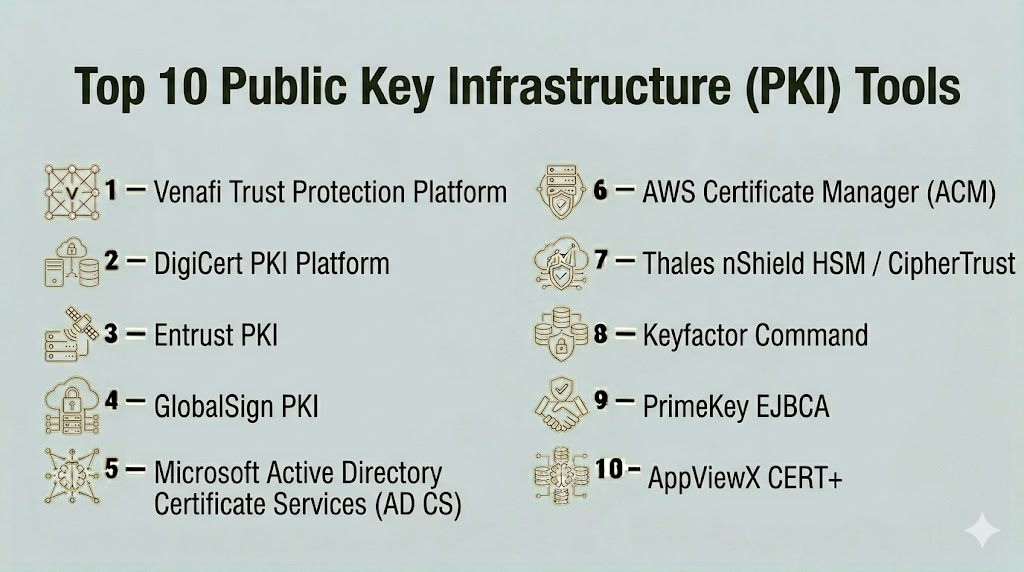
Top 10 Public Key Infrastructure (PKI) Tools
#1 — Venafi Trust Protection Platform
Short description: Venafi enables organizations to protect and manage all cryptographic keys and digital certificates. It is designed for enterprises requiring automated, policy-driven PKI management.
Key Features
- Centralized certificate management
- Automated key rotation and renewal
- Integration with cloud platforms and DevOps pipelines
- Risk analytics and reporting
- Policy enforcement for certificate usage
Pros
- Comprehensive automation reduces human error
- Strong integration with enterprise security tools
Cons
- Enterprise-focused, may be overkill for SMBs
- Licensing costs can be high
Platforms / Deployment
- Web, Cloud / Hybrid
Security & Compliance
- SOC 2, ISO 27001, GDPR support
- MFA, audit logs, RBAC
Integrations & Ecosystem
Supports integration with:
- Microsoft Active Directory
- AWS, Azure, Google Cloud
- DevOps toolchains
- REST APIs for custom workflows
Support & Community
- Extensive documentation and enterprise onboarding
- 24/7 support and community forums
#2 — DigiCert PKI Platform
Short description: DigiCert provides a robust PKI platform for managing SSL/TLS certificates, code signing, and secure communications across enterprises.
Key Features
- Centralized certificate inventory
- Automated issuance and renewal
- Cloud and on-premises certificate management
- Certificate lifecycle analytics
- Role-based access control
Pros
- Simplifies certificate management
- Strong security and compliance support
Cons
- Enterprise-centric pricing
- Learning curve for advanced features
Platforms / Deployment
- Web, Cloud / Hybrid
Security & Compliance
- ISO 27001, SOC 2, GDPR
- MFA, encryption, audit logs
Integrations & Ecosystem
Supports:
- AWS, Azure, Google Cloud
- DevOps pipelines
- API integration for automation
- SIEM platforms
Support & Community
- Comprehensive knowledge base
- Dedicated support teams
#3 — Entrust PKI
Short description: Entrust PKI delivers enterprise-grade digital certificate management, code signing, and encryption services with strong regulatory compliance.
Key Features
- Certificate lifecycle management
- Automated issuance and renewal
- High-availability deployment options
- Analytics and reporting
- HSM integration
Pros
- Highly scalable for large enterprises
- Strong compliance and regulatory support
Cons
- May require training for advanced features
- Cost can be high for small teams
Platforms / Deployment
- Web, Cloud / Hybrid
Security & Compliance
- ISO 27001, SOC 2, GDPR
- MFA, RBAC, encryption
Integrations & Ecosystem
- Cloud platforms (AWS, Azure, GCP)
- SIEM and IAM systems
- REST APIs for automation
- DevOps integration
Support & Community
- Extensive onboarding documentation
- 24/7 support
#4 — GlobalSign PKI
Short description: GlobalSign provides scalable PKI and identity services, including SSL, code signing, and device authentication for enterprises.
Key Features
- Managed PKI services
- Automated certificate lifecycle
- Device and IoT authentication
- Role-based access control
- Detailed reporting
Pros
- Cloud-based with global reach
- Strong IoT certificate support
Cons
- Enterprise-oriented, may be complex for SMBs
- Advanced integrations require setup
Platforms / Deployment
- Web, Cloud / Hybrid
Security & Compliance
- GDPR, SOC 2, ISO 27001
- Encryption, audit logs, MFA
Integrations & Ecosystem
- Cloud platforms
- IoT devices
- API integration for automation
- Security and monitoring tools
Support & Community
- 24/7 support
- Documentation and developer resources
#5 — Microsoft Active Directory Certificate Services (AD CS)
Short description: AD CS provides native PKI management for Windows environments, allowing certificate issuance and management for enterprise networks.
Key Features
- Certificate templates and issuance
- Integration with Windows infrastructure
- Certificate revocation management
- Auto-enrollment and renewal
- Reporting and auditing
Pros
- Native Windows integration
- Cost-effective for Microsoft-centric organizations
Cons
- Limited cross-platform support
- Advanced features require expertise
Platforms / Deployment
- Windows / On-premises
Security & Compliance
- Supports Windows security standards
- Audit logging and RBAC
Integrations & Ecosystem
- Windows Server ecosystem
- Active Directory
- Group Policy for automation
Support & Community
- Microsoft documentation
- Community and enterprise support
#6 — AWS Certificate Manager (ACM)
Short description: ACM is a cloud-based service for provisioning, managing, and deploying SSL/TLS certificates in AWS environments.
Key Features
- Automated certificate issuance and renewal
- Integration with AWS services
- Centralized management of SSL/TLS certificates
- Domain validation
- Role-based access
Pros
- Fully integrated with AWS
- Simplifies certificate management
Cons
- Limited to AWS ecosystem
- Advanced PKI functions may be restricted
Platforms / Deployment
- Web / Cloud
Security & Compliance
- Encryption, MFA, audit logs
- AWS compliance standards
Integrations & Ecosystem
- AWS services (EC2, ELB, CloudFront)
- APIs for automation
- Cloud-native monitoring tools
Support & Community
- AWS support tiers
- Extensive documentation
#7 — Thales nShield HSM / CipherTrust
Short description: Thales provides hardware security modules and KMS for secure key storage and cryptographic operations.
Key Features
- HSM-based key storage
- Certificate management
- Encryption lifecycle management
- Policy enforcement and access control
- Compliance reporting
Pros
- High-security assurance
- Hardware-based tamper-resistant protection
Cons
- Requires specialized deployment
- Costly for small organizations
Platforms / Deployment
- Windows, Linux / On-premises / Cloud hybrid
Security & Compliance
- FIPS 140-2, SOC 2, ISO 27001
- MFA, encryption, RBAC
Integrations & Ecosystem
- Enterprise PKI
- Cloud integrations
- APIs for automation
- Security monitoring
Support & Community
- Vendor documentation and onboarding
- Dedicated support
#8 — Keyfactor Command
Short description: Keyfactor Command provides PKI lifecycle automation and centralized key management for enterprises.
Key Features
- Certificate lifecycle automation
- Centralized key and certificate inventory
- Policy enforcement
- Reporting and analytics
- API integration
Pros
- Strong automation capabilities
- Centralized visibility of all keys
Cons
- Complexity for small deployments
- Pricing can be high for smaller teams
Platforms / Deployment
- Web / Cloud / Hybrid
Security & Compliance
- SOC 2, ISO 27001, GDPR
- MFA, encryption, audit logs
Integrations & Ecosystem
- Active Directory
- Cloud services
- DevOps pipelines
- API for custom workflows
Support & Community
- Extensive documentation
- Enterprise support available
#9 — PrimeKey EJBCA
Short description: EJBCA is an open-source PKI CA software that provides flexible certificate management for various deployment scenarios.
Key Features
- Certificate authority (CA) management
- Open-source and extensible
- Key lifecycle management
- API integration
- Multi-tenant support
Pros
- Open-source and cost-effective
- Flexible and extensible
Cons
- Requires technical expertise
- Limited vendor support
Platforms / Deployment
- Web / Linux, Windows / Hybrid
Security & Compliance
- Supports standard encryption protocols
- RBAC and logging
Integrations & Ecosystem
- REST API
- Integration with enterprise PKI
- DevOps workflows
Support & Community
- Community-driven support
- Documentation available
#10 — AppViewX CERT+
Short description: CERT+ automates certificate lifecycle management and PKI operations, ideal for enterprises with complex digital certificate environments.
Key Features
- Certificate lifecycle automation
- Centralized inventory
- Policy enforcement
- Reporting and analytics
- Integration with HSMs
Pros
- Reduces manual errors
- Supports hybrid environments
Cons
- Requires implementation expertise
- Licensing cost for large deployments
Platforms / Deployment
- Web / Cloud / Hybrid
Security & Compliance
- SOC 2, ISO 27001, GDPR
- MFA, audit logs, encryption
Integrations & Ecosystem
- HSMs
- Cloud platforms
- APIs for automation
- Security monitoring systems
Support & Community
- Vendor support and documentation
- Community forums
Comparison Table (Top 10)
| Tool Name | Best For | Platform(s) Supported | Deployment | Standout Feature | Public Rating |
|---|---|---|---|---|---|
| Venafi Trust Protection | Enterprise PKI | Web | Cloud / Hybrid | Automated key and certificate management | N/A |
| DigiCert PKI | SSL/TLS management | Web | Cloud / Hybrid | Centralized certificate inventory | N/A |
| Entrust PKI | Enterprise encryption | Web | Cloud / Hybrid | High-availability deployments | N/A |
| GlobalSign PKI | IoT & Enterprise | Web | Cloud / Hybrid | Device authentication | N/A |
| Microsoft AD CS | Windows networks | Windows | On-premises | Native Windows PKI integration | N/A |
| AWS Certificate Manager | AWS environments | Web | Cloud | Automated SSL/TLS issuance | N/A |
| Thales nShield / CipherTrust | HSM security | Windows, Linux | On-prem / Hybrid | Hardware-based key protection | N/A |
| Keyfactor Command | Enterprise PKI | Web | Cloud / Hybrid | Lifecycle automation | N/A |
| PrimeKey EJBCA | Open-source PKI | Web, Linux, Windows | Hybrid | Open-source extensibility | N/A |
| AppViewX CERT+ | Enterprise certificate management | Web | Cloud / Hybrid | Hybrid certificate automation | N/A |
Evaluation & Scoring of Public Key Infrastructure (PKI) Tools
| Tool Name | Core (25%) | Ease (15%) | Integrations (15%) | Security (10%) | Performance (10%) | Support (10%) | Value (15%) | Weighted Total (0–10) |
|---|---|---|---|---|---|---|---|---|
| Venafi Trust Protection | 9 | 8 | 9 | 9 | 9 | 8 | 7 | 8.7 |
| DigiCert PKI | 8 | 9 | 8 | 8 | 8 | 8 | 8 | 8.2 |
| Entrust PKI | 8 | 7 | 8 | 9 | 8 | 8 | 7 | 8.0 |
| GlobalSign PKI | 7 | 8 | 7 | 8 | 8 | 7 | 7 | 7.5 |
| Microsoft AD CS | 7 | 7 | 6 | 7 | 7 | 6 | 8 | 7.0 |
| AWS Certificate Manager | 8 | 9 | 7 | 7 | 8 | 8 | 8 | 8.0 |
| Thales nShield / CipherTrust | 9 | 6 | 8 | 10 | 9 | 8 | 7 | 8.4 |
| Keyfactor Command | 8 | 8 | 9 | 8 | 8 | 8 | 8 | 8.2 |
| PrimeKey EJBCA | 7 | 6 | 7 | 7 | 7 | 6 | 9 | 7.2 |
| AppViewX CERT+ | 8 | 8 | 8 | 8 | 8 | 7 | 8 | 8.0 |
Scores are comparative and reflect feature strength, ease of use, integrations, and overall enterprise suitability.
Which Public Key Infrastructure (PKI) Tool Is Right for You?
Solo / Freelancer
- Microsoft AD CS or AWS Certificate Manager are cost-effective for small environments with basic PKI needs.
SMB
- DigiCert PKI or Keyfactor Command provide automation and simplified certificate management for growing organizations.
Mid-Market
- Entrust PKI, AppViewX CERT+, or GlobalSign PKI are suitable for medium-sized organizations requiring hybrid PKI and compliance support.
Enterprise
- Venafi Trust Protection, Thales nShield / CipherTrust, or Keyfactor Command are ideal for complex enterprise deployments with high security and scalability requirements.
Budget vs Premium
- Budget: Microsoft AD CS, AWS Certificate Manager
- Premium: Venafi, Thales, Keyfactor
Feature Depth vs Ease of Use
- Balance high automation and security with user-friendly dashboards (Keyfactor, DigiCert, AppViewX).
Integrations & Scalability
- Enterprises with multi-cloud environments benefit from platforms with broad API and HSM integrations (Venafi, Thales, AppViewX).
Security & Compliance Needs
- Choose tools with FIPS, ISO, SOC 2, GDPR compliance if regulatory adherence is critical.
Frequently Asked Questions (FAQs)
1. What is PKI and why is it important?
PKI is a framework that manages digital certificates and encryption keys to ensure secure communications. It is critical for authentication, data encryption, and digital signatures.
2. Can small businesses benefit from PKI?
Yes, cloud-based PKI tools like AWS Certificate Manager or DigiCert PKI provide automated, cost-effective solutions for SMBs.
3. What are common PKI use cases?
Secure web traffic (SSL/TLS), email encryption, code signing, IoT device authentication, and internal network security.
4. How does PKI support compliance?
PKI ensures encryption standards and secure certificate management aligned with GDPR, HIPAA, ISO 27001, and SOC 2.
5. Are open-source PKI tools reliable?
Yes, tools like PrimeKey EJBCA offer robust features but may require technical expertise for setup and maintenance.
6. What deployment options exist for PKI?
PKI tools can be cloud-based, on-premises, or hybrid depending on organizational needs and security policies.
7. How important is automation in PKI?
Automation reduces human error in certificate issuance, renewal, and revocation, ensuring continuous security compliance.
8. Can PKI integrate with cloud services?
Yes, most modern PKI platforms support integrations with AWS, Azure, GCP, and enterprise DevOps pipelines.
9. How do I choose between budget and premium PKI tools?
Evaluate your organization size, compliance needs, automation requirements, and technical expertise to select the right tier.
10. What support options are available?
Most enterprise PKI vendors provide documentation, onboarding support, and 24/7 enterprise-level support, while open-source options rely on community support.
Conclusion
Public Key Infrastructure (PKI) tools are essential for securing digital communications, managing certificates, and ensuring compliance. Organizations must evaluate scalability, automation, integration, and security needs when selecting a PKI solution. For small businesses, cloud-native PKI solutions offer ease and cost efficiency, while enterprises benefit from full-featured, automated PKI platforms with HSM integration. Start by shortlisting tools based on deployment, automation, and compliance requirements, run pilots, and validate integration with existing infrastructure to ensure robust security and operational efficiency.

Find Trusted Cardiac Hospitals
Compare heart hospitals by city and services — all in one place.
Explore Hospitals
A renewal or revocation rule may work in one environment but fail because of a different service or configuration. Teams should test these workflows and keep a clear record of which systems depend on each certificate. This can help avoid unexpected service problems when certificates change.