Introduction
Secure Email Gateways (SEGs) are cybersecurity solutions designed to protect organizations from email-based threats such as phishing, malware, ransomware, business email compromise (BEC), spam, and malicious attachments. They act as a security layer between email senders and recipients, inspecting inbound and outbound email traffic before messages reach users. As email remains the most common attack vector for cybercriminals, Secure Email Gateways have become a critical component of modern security architectures. Organizations now face increasingly sophisticated phishing campaigns, AI-generated social engineering attacks, credential theft attempts, and compliance requirements that demand stronger email security controls.
Real-World Use Cases
- Blocking phishing and business email compromise attacks
- Preventing malware and ransomware delivery through email
- Enforcing email encryption and data loss prevention policies
- Protecting Microsoft 365 and Google Workspace environments
- Meeting regulatory and compliance requirements
Evaluation Criteria for Buyers
When evaluating Secure Email Gateways, buyers should consider:
- Threat detection effectiveness
- AI and behavioral analysis capabilities
- Email authentication support
- Data loss prevention features
- Integration with cloud email platforms
- Security operations visibility
- Ease of deployment and management
- Scalability for enterprise growth
- Compliance and reporting capabilities
- Total cost of ownership
Best for: Enterprises, government agencies, healthcare organizations, financial institutions, educational institutions, and businesses that depend heavily on email communication.
Not ideal for: Very small businesses with limited email usage or organizations relying entirely on built-in email security capabilities that adequately meet their risk profile.
Key Trends in Secure Email Gateway Tools
- AI-powered phishing detection is replacing signature-based approaches.
- Behavioral analytics is becoming standard for detecting impersonation attacks.
- API-based email security is increasingly complementing traditional gateways.
- Business Email Compromise protection is a primary buying requirement.
- Cloud-native deployment models continue to dominate new implementations.
- Integration with XDR and SOC platforms is becoming expected.
- Automated threat remediation is reducing security team workloads.
- Email authentication standards such as DMARC, SPF, and DKIM are receiving greater focus.
- Data loss prevention capabilities are becoming more advanced and context-aware.
- Security vendors are combining email, collaboration, and messaging protection into unified platforms.
How We Selected These Tools (Methodology)
The tools in this list were evaluated using the following criteria:
- Market leadership and industry adoption
- Breadth of email security capabilities
- Effectiveness against modern phishing attacks
- Enterprise scalability and reliability
- Security and compliance capabilities
- Integration with Microsoft 365 and Google Workspace
- Threat intelligence quality
- Administrative usability and reporting
- Customer support ecosystem
- Suitability across SMB, mid-market, and enterprise environments
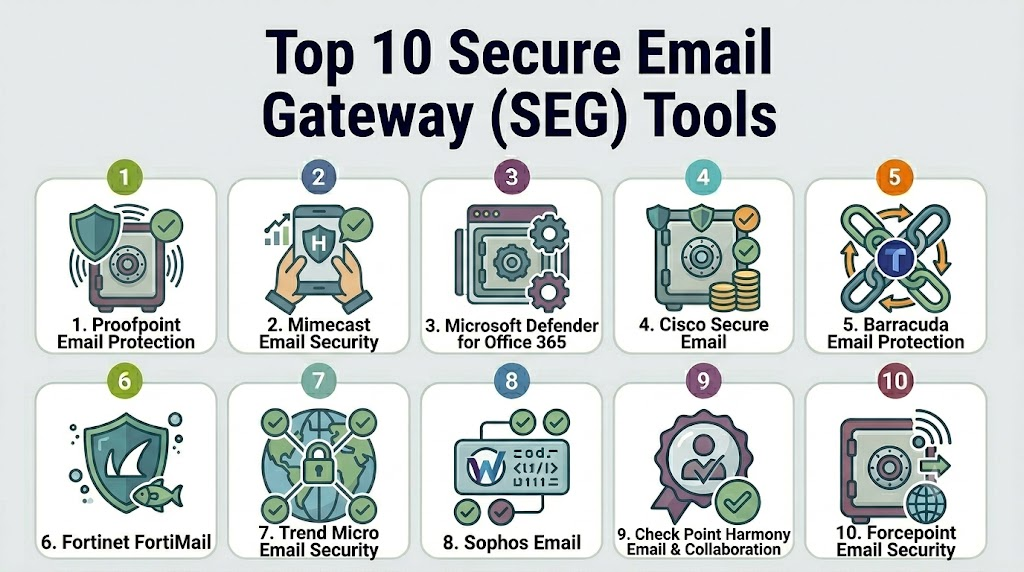
Top 10 Secure Email Gateway Tools
1- Proofpoint Email Protection
Short description: Proofpoint Email Protection is one of the most widely deployed enterprise Secure Email Gateways. It focuses on advanced threat protection, phishing defense, and business email compromise prevention.
Key Features
- Advanced phishing detection
- Business email compromise protection
- URL and attachment sandboxing
- Threat intelligence network
- Email fraud defense
- Data loss prevention
- Security awareness integrations
Pros
- Strong threat intelligence capabilities
- Excellent enterprise-scale protection
- Mature compliance features
Cons
- Premium pricing
- Requires experienced administration
- Advanced configurations can be complex
Platforms / Deployment
Cloud / Hybrid
Security & Compliance
Supports encryption, DLP, audit logging, RBAC, SSO, and compliance-focused controls.
Integrations & Ecosystem
Proofpoint integrates with major productivity, SIEM, and security platforms.
- Microsoft 365
- Google Workspace
- Splunk
- Microsoft Sentinel
- SOAR platforms
Support & Community
Strong enterprise support organization with extensive documentation and partner ecosystem.
2- Mimecast Email Security
Short description: Mimecast provides cloud-based email security, archiving, continuity, and threat protection for organizations seeking an integrated platform.
Key Features
- Phishing protection
- URL protection
- Attachment sandboxing
- Email continuity
- Archiving
- Impersonation defense
- DLP capabilities
Pros
- Comprehensive platform
- Strong continuity capabilities
- Easy Microsoft 365 integration
Cons
- Pricing can increase with add-ons
- Administrative learning curve
- Reporting customization limitations
Platforms / Deployment
Cloud
Security & Compliance
Encryption, MFA support, audit logging, policy controls, and compliance-focused capabilities.
Integrations & Ecosystem
Mimecast supports numerous security and productivity integrations.
- Microsoft 365
- Google Workspace
- SIEM platforms
- Endpoint security tools
- Identity providers
Support & Community
Large customer community with strong documentation and support services.
3- Microsoft Defender for Office 365
Short description: Microsoft Defender for Office 365 provides email and collaboration security tightly integrated into Microsoft ecosystems.
Key Features
- Safe Links
- Safe Attachments
- Anti-phishing protection
- Threat Explorer
- Automated investigation
- Incident response
- Collaboration security
Pros
- Native Microsoft integration
- Centralized security operations
- Strong automation features
Cons
- Best value primarily in Microsoft environments
- Some advanced features require premium licensing
- Limited appeal outside Microsoft ecosystems
Platforms / Deployment
Cloud
Security & Compliance
Supports Microsoft security controls including RBAC, audit logs, encryption, MFA integration, and compliance management.
Integrations & Ecosystem
Deep integration across Microsoft security products.
- Microsoft 365
- Azure
- Sentinel
- Intune
- Defender XDR
Support & Community
Extensive Microsoft documentation and enterprise support.
4- Cisco Secure Email
Short description: Cisco Secure Email provides enterprise-grade email protection with strong threat intelligence from Cisco Talos.
Key Features
- Advanced malware detection
- Reputation filtering
- Outbreak intelligence
- URL analysis
- DLP policies
- Email encryption
- Threat intelligence integration
Pros
- Strong threat research backing
- Flexible deployment options
- Enterprise-grade security controls
Cons
- Administrative complexity
- Higher operational overhead
- Requires expertise for optimization
Platforms / Deployment
Cloud / Hybrid / Self-hosted
Security & Compliance
Encryption, DLP, policy enforcement, audit controls, and enterprise security management.
Integrations & Ecosystem
Strong Cisco ecosystem integration.
- Cisco XDR
- SecureX
- SIEM platforms
- Identity systems
- Security orchestration tools
Support & Community
Well-established enterprise support model.
5- Barracuda Email Protection
Short description: Barracuda delivers email protection, phishing defense, and data protection capabilities for SMB and mid-market organizations.
Key Features
- Anti-phishing
- Malware detection
- Account takeover protection
- Email encryption
- Incident response
- DLP controls
- Threat intelligence
Pros
- Easy deployment
- Strong SMB value
- User-friendly administration
Cons
- Fewer advanced enterprise features
- Some advanced capabilities require additional products
- Less customization than enterprise-focused platforms
Platforms / Deployment
Cloud / Hybrid
Security & Compliance
Encryption, auditing, access controls, and compliance-oriented security features.
Integrations & Ecosystem
- Microsoft 365
- Google Workspace
- Security platforms
- SIEM tools
- Backup products
Support & Community
Good support options with strong SMB focus.
6- Fortinet FortiMail
Short description: FortiMail extends the Fortinet Security Fabric with advanced email protection and integrated threat intelligence.
Key Features
- Anti-spam protection
- Anti-phishing detection
- Malware protection
- DLP policies
- Email encryption
- Sandbox integration
- Threat intelligence sharing
Pros
- Strong integration with Fortinet ecosystem
- Flexible deployment options
- Effective threat prevention
Cons
- Best suited for Fortinet customers
- Interface complexity
- Advanced features require tuning
Platforms / Deployment
Cloud / Self-hosted / Hybrid
Security & Compliance
Encryption, DLP, policy management, audit capabilities, and centralized security controls.
Integrations & Ecosystem
- FortiSandbox
- FortiAnalyzer
- FortiGate
- SIEM platforms
- Identity providers
Support & Community
Strong vendor ecosystem and enterprise support.
7- Trend Micro Email Security
Short description: Trend Micro provides cloud-based email protection focused on advanced threat defense and risk reduction.
Key Features
- Machine learning threat detection
- Anti-phishing controls
- Sandboxing
- Email reputation services
- DLP functionality
- Compliance support
- Threat intelligence
Pros
- Strong malware detection
- Cloud-native architecture
- Mature threat intelligence
Cons
- Enterprise pricing
- Feature depth can require training
- Configuration complexity
Platforms / Deployment
Cloud
Security & Compliance
Encryption support, auditing, access management, and compliance-focused controls.
Integrations & Ecosystem
- Microsoft 365
- Google Workspace
- Trend Vision One
- SIEM platforms
- Security analytics tools
Support & Community
Strong enterprise support and training resources.
8- Sophos Email
Short description: Sophos Email provides AI-assisted phishing protection and integration with broader Sophos cybersecurity solutions.
Key Features
- AI-powered threat detection
- Anti-phishing controls
- URL analysis
- Attachment protection
- DLP policies
- Encryption
- Threat response workflows
Pros
- Simple administration
- Good value proposition
- Strong security ecosystem integration
Cons
- Fewer enterprise-specific features
- Smaller ecosystem than some competitors
- Advanced customization limitations
Platforms / Deployment
Cloud
Security & Compliance
Encryption, policy controls, auditing, and access management features.
Integrations & Ecosystem
- Sophos Central
- Endpoint security products
- Microsoft 365
- SIEM platforms
- Identity providers
Support & Community
Active community and strong vendor support.
9- Check Point Harmony Email & Collaboration
Short description: Check Point Harmony Email & Collaboration protects email and collaboration platforms against advanced threats and phishing attacks.
Key Features
- AI-powered phishing prevention
- Threat extraction
- Threat emulation
- URL protection
- Collaboration platform security
- Automated remediation
- Threat intelligence
Pros
- Strong threat prevention
- Excellent cloud security focus
- Advanced sandboxing
Cons
- Premium pricing
- Complex enterprise deployments
- Feature-rich interface may require training
Platforms / Deployment
Cloud
Security & Compliance
Access controls, auditing, encryption support, and enterprise security management features.
Integrations & Ecosystem
- Microsoft 365
- Google Workspace
- Check Point Infinity
- SIEM platforms
- Security operations tools
Support & Community
Strong enterprise support and partner network.
10- Forcepoint Email Security
Short description: Forcepoint Email Security combines email protection with data-centric security and insider risk management capabilities.
Key Features
- Anti-phishing controls
- Malware detection
- DLP capabilities
- Content inspection
- Compliance controls
- Encryption
- Threat intelligence
Pros
- Strong DLP capabilities
- Compliance-focused architecture
- Flexible deployment options
Cons
- Administrative complexity
- Smaller market visibility than some competitors
- Longer deployment timelines
Platforms / Deployment
Cloud / Hybrid / Self-hosted
Security & Compliance
DLP, encryption, audit logging, RBAC, and compliance-focused security controls.
Integrations & Ecosystem
- DLP platforms
- SIEM solutions
- Security analytics tools
- Identity providers
- Enterprise security platforms
Support & Community
Enterprise-focused support and professional services.
Comparison Table
| Tool Name | Best For | Platforms Supported | Deployment | Standout Feature | Public Rating |
|---|---|---|---|---|---|
| Proofpoint | Large Enterprises | Web | Cloud/Hybrid | Advanced phishing defense | N/A |
| Mimecast | Enterprise Email Security | Web | Cloud | Email continuity | N/A |
| Microsoft Defender for Office 365 | Microsoft Customers | Web | Cloud | Native Microsoft integration | N/A |
| Cisco Secure Email | Security-First Enterprises | Web | Cloud/Hybrid/Self-hosted | Talos threat intelligence | N/A |
| Barracuda | SMBs | Web | Cloud/Hybrid | Ease of deployment | N/A |
| Fortinet FortiMail | Fortinet Customers | Web | Cloud/Hybrid/Self-hosted | Security Fabric integration | N/A |
| Trend Micro Email Security | Large Organizations | Web | Cloud | Machine learning protection | N/A |
| Sophos Email | SMB and Mid-Market | Web | Cloud | AI-assisted protection | N/A |
| Check Point Harmony | Cloud Security Teams | Web | Cloud | Threat emulation | N/A |
| Forcepoint Email Security | Compliance-Focused Enterprises | Web | Cloud/Hybrid/Self-hosted | Data-centric security | N/A |
Evaluation & Scoring of Secure Email Gateway Tools
| Tool | Core | Ease | Integrations | Security | Performance | Support | Value | Weighted Total |
|---|---|---|---|---|---|---|---|---|
| Proofpoint | 10 | 8 | 9 | 10 | 10 | 9 | 7 | 9.05 |
| Mimecast | 9 | 8 | 9 | 9 | 9 | 9 | 8 | 8.75 |
| Microsoft Defender | 9 | 9 | 10 | 9 | 9 | 9 | 9 | 9.10 |
| Cisco Secure Email | 9 | 7 | 8 | 9 | 9 | 8 | 7 | 8.25 |
| Barracuda | 8 | 9 | 8 | 8 | 8 | 8 | 9 | 8.30 |
| Fortinet FortiMail | 8 | 7 | 9 | 9 | 9 | 8 | 8 | 8.25 |
| Trend Micro | 9 | 8 | 8 | 9 | 9 | 8 | 8 | 8.50 |
| Sophos Email | 8 | 9 | 8 | 8 | 8 | 8 | 9 | 8.30 |
| Check Point Harmony | 9 | 8 | 8 | 9 | 9 | 8 | 7 | 8.40 |
| Forcepoint | 8 | 7 | 8 | 9 | 8 | 8 | 7 | 7.95 |
Which Secure Email Gateway Tool Is Right for You?
Solo / Freelancer
Most solo users can rely on built-in Microsoft 365 or Google Workspace protections. Dedicated SEGs are often unnecessary unless handling sensitive client data.
SMB
Barracuda and Sophos Email offer strong protection with easier deployment and administration.
Mid-Market
Mimecast, Trend Micro, and Fortinet FortiMail provide a balance of security depth, scalability, and operational efficiency.
Enterprise
Proofpoint, Microsoft Defender for Office 365, Cisco Secure Email, and Check Point Harmony are well-suited for large-scale deployments.
Budget vs Premium
- Budget-conscious: Barracuda, Sophos
- Mid-range: Trend Micro, Fortinet
- Premium: Proofpoint, Mimecast, Check Point
Feature Depth vs Ease of Use
- Maximum feature depth: Proofpoint, Cisco, Forcepoint
- Easier administration: Barracuda, Sophos, Microsoft Defender
Integrations & Scalability
- Microsoft environments: Microsoft Defender
- Security ecosystem users: Cisco, Fortinet, Check Point
- Multi-vendor environments: Proofpoint and Mimecast
Security & Compliance Needs
Organizations with strict compliance requirements should evaluate Proofpoint, Forcepoint, Mimecast, and Cisco Secure Email due to their mature security and governance capabilities.
Frequently Asked Questions
1. What is a Secure Email Gateway?
A Secure Email Gateway is a cybersecurity solution that inspects inbound and outbound email traffic to block threats such as phishing, malware, ransomware, and spam before messages reach users.
2. Do organizations still need SEGs if they use Microsoft 365?
Yes. While Microsoft 365 includes built-in security, many organizations deploy additional email security layers for stronger threat detection and compliance controls.
3. What is the difference between SEG and API-based email security?
SEGs filter emails before delivery, while API-based solutions analyze emails directly within cloud mailboxes. Many organizations use both approaches together.
4. How long does implementation typically take?
Cloud-based deployments often take a few days to several weeks depending on organization size, policies, and integration requirements.
5. Are Secure Email Gateways suitable for SMBs?
Yes. Vendors such as Barracuda and Sophos provide solutions specifically designed for smaller organizations with limited security staff.
6. What are the most important features to evaluate?
Threat detection, phishing protection, DLP, encryption, reporting, integrations, scalability, and administrative usability should be key evaluation criteria.
7. Can Secure Email Gateways stop business email compromise attacks?
Modern SEGs use AI, behavioral analysis, and identity protection technologies that significantly improve detection of BEC attacks.
8. Do SEGs support compliance requirements?
Many solutions include archiving, encryption, DLP, retention policies, and reporting features that support regulatory and governance initiatives.
9. What is the biggest mistake when selecting an SEG?
Focusing solely on spam filtering rather than evaluating advanced phishing detection, remediation capabilities, and integration with broader security operations.
10. Can organizations switch Secure Email Gateway vendors easily?
Migration is generally manageable but requires careful planning around email routing, policies, encryption settings, and user experience.
Conclusion
Secure Email Gateways remain one of the most important layers in modern cybersecurity programs because email continues to be the primary entry point for phishing, ransomware, credential theft, and business email compromise attacks. The market has evolved significantly, with AI-powered threat detection, automated remediation, cloud-native deployment models, and deep integrations with broader security ecosystems becoming standard expectations. While Proofpoint, Microsoft Defender for Office 365, Mimecast, Cisco Secure Email, and Check Point Harmony dominate many enterprise deployments, organizations should focus on selecting a platform that aligns with their infrastructure, security maturity, compliance obligations, and operational resources. The best approach is to shortlist two or three candidates, conduct a proof of concept, validate integration requirements, review compliance capabilities, and measure detection effectiveness against real-world threats before making a final investment decision.

Find Trusted Cardiac Hospitals
Compare heart hospitals by city and services — all in one place.
Explore Hospitals
One challenge often overlooked with secure email gateways is balancing strong protection with minimizing false positives that can disrupt business communication. Organizations should also consider continuous policy tuning and integration with broader incident response workflows for long-term effectiveness.