Introduction
Telemedicine platforms help healthcare providers deliver medical consultations, follow-ups, therapy sessions, prescription workflows, and patient communication through secure digital channels. In simple terms, they allow doctors, clinics, hospitals, and care teams to meet patients remotely using video, chat, phone, forms, scheduling, and digital care workflows. Telemedicine matters now because patients expect faster access, healthcare teams need more flexible care models, and organizations want to reduce unnecessary in-person visits while maintaining quality and safety. Modern telemedicine platforms are no longer only video calling tools. They increasingly include intake forms, EHR connectivity, billing support, patient portals, AI-assisted workflows, secure messaging, documentation, and analytics.
Real-world use cases include:
- Primary care virtual visits for routine consultations and follow-ups.
- Mental health and therapy sessions through secure video and messaging.
- Specialist consultations for dermatology, cardiology, endocrinology, and other specialties.
- Urgent care triage before sending patients to clinics or emergency care.
- Chronic care follow-ups for patients who need regular monitoring and guidance.
What buyers should Evaluate:
- Ease of use for patients and clinicians.
- Video quality and reliability during consultations.
- Security and privacy controls for patient health information.
- EHR and scheduling integrations with existing systems.
- Billing and reimbursement workflow support where applicable.
- Patient intake and consent management before visits.
- Multi-provider and multi-location support for growing practices.
- Mobile access for patients and care teams.
- Support quality during onboarding and daily operations.
- Scalability across solo providers, clinics, hospitals, and health systems.
Best for: Telemedicine platforms are best for hospitals, clinics, private practices, mental health providers, urgent care groups, specialty care teams, employer health programs, and healthcare organizations that want to offer secure remote care at scale.
Not ideal for: Telemedicine platforms may not be necessary for providers who only need occasional phone follow-ups or organizations that do not have clinical workflows ready for virtual care. In some cases, an EHR-native patient portal, secure messaging tool, or basic video conferencing solution may be enough.
Key Trends in Telemedicine Platforms
- AI-assisted clinical workflows are becoming more common: Telemedicine platforms are increasingly adding AI for visit summaries, documentation support, symptom intake, patient routing, and workflow automation.
- EHR integration is now a core buying factor: Providers want virtual visits, documentation, patient history, scheduling, billing, and follow-up tasks to connect with their existing clinical systems.
- Hybrid care is becoming the standard model: Many healthcare organizations now combine in-person care, virtual visits, remote monitoring, digital intake, and asynchronous messaging.
- Patient experience is a major differentiator: Platforms are focusing on no-download visits, mobile-first access, automated reminders, multilingual workflows, and simple waiting rooms.
- Security reviews are getting stricter: Healthcare buyers expect encryption, access controls, audit trails, role-based permissions, secure identity controls, and vendor risk documentation.
- Specialty-specific telemedicine is growing: Behavioral health, women’s health, dermatology, chronic care, urgent care, and specialty consults often need different workflows.
- Asynchronous care is expanding: Secure forms, store-and-forward messaging, photo uploads, pre-visit questionnaires, and follow-up instructions are becoming more important.
- Billing and operational reporting are more important: Telemedicine programs need visibility into visit volume, no-shows, provider utilization, patient satisfaction, and reimbursement workflows.
- Enterprise platforms are becoming more configurable: Large health systems need branded experiences, multi-location workflows, provider routing, compliance controls, APIs, and analytics.
- Smaller practices want simplicity: Solo providers and small clinics prefer browser-based tools, simple scheduling, easy onboarding, and affordable subscription models.
How We Selected These Tools Methodology
The following tools were selected using a practical healthcare buyer evaluation approach:
- Market adoption and mindshare: We prioritized platforms that are widely recognized across telehealth, virtual care, provider workflows, or healthcare communication.
- Feature completeness: Tools were reviewed for video visits, patient communication, scheduling, intake, documentation, billing support, and care workflow depth.
- Clinical workflow fit: Platforms that support real provider operations were preferred over generic video tools.
- Security posture signals: Healthcare-focused privacy, secure access, encryption, compliance support, and vendor review readiness were considered.
- Integration ecosystem: EHR connectivity, APIs, scheduling tools, billing tools, patient portals, and workflow extensibility were important factors.
- Customer fit across segments: The list includes tools for solo providers, small practices, mental health professionals, clinics, hospitals, and enterprise health systems.
- Patient experience: No-download access, mobile support, reminders, waiting rooms, and simple patient onboarding were considered.
- Reliability and performance: Video quality, uptime expectations, provider experience, and scalability were part of the evaluation logic.
- Support and onboarding: Documentation, implementation support, training, and customer success resources were considered.
- Balanced category coverage: The final list includes enterprise virtual care platforms, practice-friendly tools, healthcare video platforms, and workflow-focused telemedicine systems.
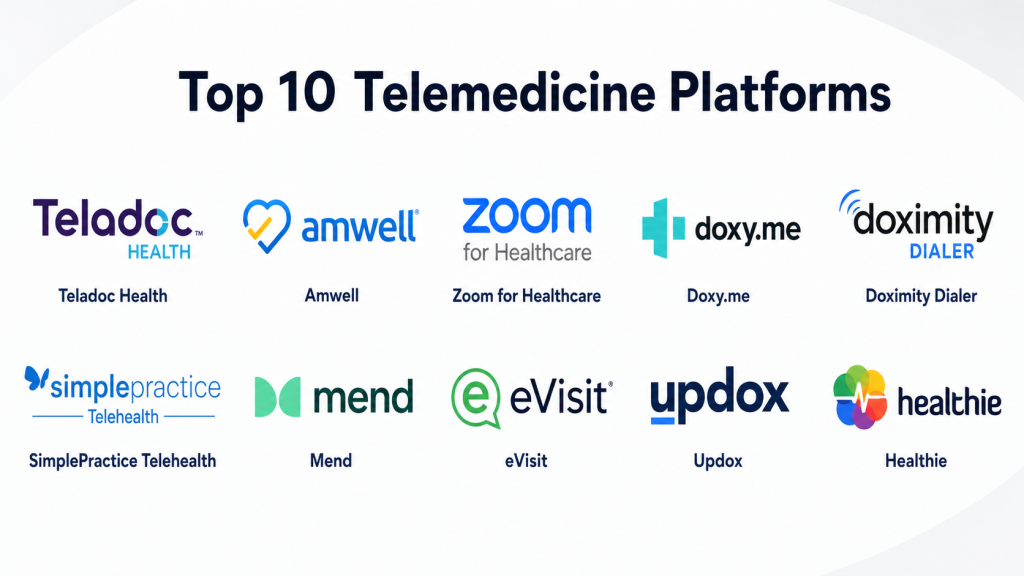
Top 10 Telemedicine Platforms Tools
1- Teladoc Health
Short description: Teladoc Health is a widely recognized virtual care platform offering telehealth services across general medical care, mental health, chronic care, and specialty care. It is best suited for employers, payers, health systems, and large organizations that need broad virtual care access.
Key Features
- Virtual care access across multiple care categories.
- Support for primary care, mental health, chronic care, and specialty care workflows.
- Patient-facing digital experience for remote consultations.
- Large-scale virtual care delivery model.
- Care navigation and digital access options.
- Mobile and web-based patient engagement.
- Enterprise-oriented virtual care program support.
Pros
- Strong brand recognition in virtual care.
- Broad care coverage across multiple clinical needs.
- Good fit for employers, payers, and large-scale virtual care programs.
Cons
- May not be ideal for small practices wanting full provider workflow control.
- Customization can depend on contract and program design.
- Pricing and implementation details are usually quote-based.
Platforms / Deployment
Web / iOS / Android
Cloud
Security & Compliance
Healthcare-focused platform. Specific security certifications and controls should be verified directly during procurement. If not confirmed, write Not publicly stated.
Buyers should validate:
- Encryption
- Access controls
- Audit logs
- HIPAA support
- Business associate agreement availability
- Data retention policies
- Enterprise identity management options
Integrations & Ecosystem
Teladoc Health is often used as part of a broader virtual care ecosystem for employers, health plans, and large healthcare organizations. Buyers should evaluate how the platform connects with payer systems, eligibility workflows, care navigation, patient records, and reporting.
Common ecosystem areas include:
- Employer health programs
- Health plan workflows
- Patient mobile apps
- Care navigation
- Chronic care programs
- Reporting and analytics
Support & Community
Teladoc Health offers enterprise-oriented support models that can vary by customer type and contract. Large buyers should confirm onboarding support, program design help, reporting support, technical assistance, and account management structure.
2- Amwell
Short description: Amwell is an enterprise telehealth and virtual care platform designed for health systems, payers, employers, and healthcare organizations. It supports virtual visits, digital care delivery, provider workflows, and scalable telehealth programs.
Key Features
- Enterprise virtual care platform for providers and payers.
- Video visits and digital care workflows.
- Support for multiple care settings and specialties.
- Patient engagement and provider experience tools.
- Care routing and virtual visit management.
- Integration capabilities for healthcare systems.
- Scalable model for large healthcare organizations.
Pros
- Strong fit for enterprise health systems and payers.
- Supports broad virtual care workflows beyond simple video visits.
- Useful for organizations building structured digital care programs.
Cons
- May be complex for solo providers or very small clinics.
- Implementation can require planning and technical coordination.
- Pricing is typically not transparent for enterprise deployments.
Platforms / Deployment
Web / iOS / Android
Cloud
Security & Compliance
Healthcare-focused platform. Specific certifications and security controls should be verified directly. If details are not confirmed, use Not publicly stated.
Buyers should check:
- SSO/SAML
- MFA
- Encryption
- Audit logs
- RBAC
- HIPAA support
- Vendor risk documentation
Integrations & Ecosystem
Amwell is designed for enterprise virtual care environments where telehealth must connect with existing healthcare operations. Buyers should evaluate EHR integration, scheduling integration, provider workflows, eligibility checks, billing processes, and reporting needs.
Common ecosystem areas include:
- EHR systems
- Health plan platforms
- Scheduling tools
- Patient engagement systems
- Provider directories
- Analytics and reporting
Support & Community
Amwell typically serves large organizations, so support may include implementation teams, training, customer success, and technical account resources. Buyers should verify support tiers, response times, onboarding scope, and integration assistance.
3- Zoom for Healthcare
Short description: Zoom for Healthcare is a healthcare-focused version of the Zoom communication platform used for virtual visits, care team collaboration, therapy sessions, and patient communication. It is best for organizations that want familiar video technology with healthcare-focused controls.
Key Features
- Secure video visits for patient-provider communication.
- Familiar interface for patients and providers.
- Support for group visits, care team meetings, and therapy sessions.
- Waiting room and meeting controls.
- Mobile, desktop, and browser access.
- Integration options with scheduling and healthcare workflows.
- Scalable communication platform for organizations of different sizes.
Pros
- Easy for many users because Zoom is widely familiar.
- Flexible for video visits, internal meetings, and group care sessions.
- Good fit for organizations that need reliable video communication.
Cons
- May need additional systems for full telemedicine workflows.
- Not a complete EHR, billing, or care management platform by itself.
- Configuration and policy setup are important for healthcare use.
Platforms / Deployment
Web / Windows / macOS / Linux / iOS / Android
Cloud
Security & Compliance
Healthcare-focused plans may support HIPAA-related workflows when configured appropriately and when required agreements are in place. Buyers should verify exact plan capabilities and documentation.
Key areas to validate:
- Encryption
- Meeting access controls
- Waiting room controls
- Admin controls
- Audit and reporting options
- BAA availability
- Role-based administration
Integrations & Ecosystem
Zoom for Healthcare is often used alongside EHRs, scheduling tools, patient portals, and care coordination systems. It is best when organizations already have clinical workflow systems and need a strong video layer.
Common ecosystem areas include:
- Scheduling systems
- EHR workflows
- Patient portals
- Calendar tools
- Contact center workflows
- Internal collaboration tools
Support & Community
Zoom has broad documentation, training resources, and enterprise support options. Healthcare buyers should review healthcare-specific onboarding, admin configuration guidance, security documentation, and support tier availability.
4- Doxy.me
Short description: Doxy.me is a browser-based telemedicine platform known for simple virtual visits and easy patient access. It is especially useful for solo providers, small clinics, therapists, and practices that want a low-friction telehealth setup.
Key Features
- Browser-based telemedicine with no patient download required.
- Virtual waiting room experience.
- Provider room links for simple patient access.
- Video consultation workflow.
- Patient queue and visit management.
- Paid plans for expanded practice and clinic features.
- Designed specifically for telemedicine use cases.
Pros
- Very simple for patients and providers.
- Good fit for solo clinicians and small practices.
- No-download access can reduce patient friction.
Cons
- May not offer the same enterprise workflow depth as larger platforms.
- Advanced integrations and customization may depend on plan.
- Larger organizations may need more robust care management features.
Platforms / Deployment
Web
Cloud
Security & Compliance
Doxy.me publicly positions itself as a secure telemedicine platform and states support for healthcare privacy needs. Specific controls should still be verified during procurement.
Known or commonly stated areas include:
- HIPAA-focused telemedicine workflows
- Encryption
- BAA availability
- GDPR-related support
- Security controls for virtual visits
- Practice-level administration depending on plan
Integrations & Ecosystem
Doxy.me is strongest as a simple telemedicine visit platform. Buyers should evaluate whether they need integrations with EHR, scheduling, billing, documentation, or patient engagement tools before choosing it as the main telehealth solution.
Common ecosystem areas include:
- EHR workflows
- Scheduling tools
- Patient communication
- Therapy practices
- Small clinic workflows
- Documentation processes
Support & Community
Doxy.me offers documentation and support resources, with support depth depending on plan type. Solo providers may value simplicity, while larger clinics should verify onboarding, admin controls, and support response expectations.
5- Doximity Dialer
Short description: Doximity Dialer is a telehealth and communication tool designed for clinicians who need secure video, voice, and patient outreach workflows. It is popular among healthcare professionals who want fast virtual visit access without a complex setup.
Key Features
- Video calling for patient consultations.
- Voice calling with professional caller identity options.
- Patient-friendly access from mobile devices.
- Simple clinician workflow for quick telehealth visits.
- Secure communication focus for healthcare use.
- Messaging and outreach support depending on workflow.
- Designed for individual clinicians and care teams.
Pros
- Easy for clinicians to use quickly.
- Useful for simple video and phone-based patient communication.
- Strong fit for providers who need lightweight telehealth access.
Cons
- Not a full enterprise virtual care platform.
- May not replace EHR, scheduling, billing, or patient portal systems.
- Best suited for clinician communication rather than full program management.
Platforms / Deployment
Web / iOS / Android
Cloud
Security & Compliance
Healthcare-focused communication tool. Specific certifications and controls should be verified directly. If not confirmed, write Not publicly stated.
Buyers should validate:
- Secure video workflow
- Access controls
- Patient privacy protections
- Data handling policies
- Audit options
- HIPAA-related documentation
- Organization-level administration
Integrations & Ecosystem
Doximity Dialer is best viewed as a clinician communication and telehealth tool. It can support fast outreach and virtual visits, but buyers should evaluate how it fits with EHR documentation, scheduling, billing, and patient record workflows.
Common ecosystem areas include:
- Clinician mobile workflows
- Patient outreach
- Video visits
- Phone consultations
- Care coordination
- EHR documentation outside the platform
Support & Community
Doximity has a large clinician network and broad healthcare awareness. Support and administration features may vary depending on use case, organization size, and product access. Buyers should confirm support options before enterprise rollout.
6- SimplePractice Telehealth
Short description: SimplePractice Telehealth is part of the SimplePractice platform for practice management, especially popular among therapists, counselors, wellness providers, and small healthcare practices. It combines telehealth with scheduling, documentation, billing, and client management workflows.
Key Features
- Telehealth video sessions for client and patient visits.
- Practice management features for small healthcare businesses.
- Scheduling and appointment management.
- Client portal and secure communication tools.
- Documentation and note-taking workflows.
- Billing and payment support.
- Mobile access for providers and clients.
Pros
- Strong fit for mental health and wellness practices.
- Combines telehealth with practice operations.
- Useful for providers who want one system for scheduling, notes, billing, and video.
Cons
- May not fit large hospital or payer telehealth programs.
- Specialty workflows outside therapy and small practices may need validation.
- Advanced enterprise integrations may be limited compared with larger platforms.
Platforms / Deployment
Web / iOS / Android
Cloud
Security & Compliance
Healthcare-focused practice management platform. Specific certifications should be verified directly. If not confirmed, write Not publicly stated.
Buyers should validate:
- HIPAA-related support
- Secure client portal
- Encryption
- Access controls
- Audit logs
- BAA availability
- Role permissions
Integrations & Ecosystem
SimplePractice works well for small practices that need an integrated business and care workflow. It is more than a video tool because it can support scheduling, documentation, billing, and client communication.
Common ecosystem areas include:
- Scheduling
- Billing and payments
- Client portal
- Documentation
- Telehealth video sessions
- Practice operations
Support & Community
SimplePractice has documentation, onboarding resources, and support channels for practice users. Buyers should review plan-specific support, migration help, training resources, and available implementation guidance.
7- Mend
Short description: Mend is a telehealth and patient engagement platform designed for healthcare organizations that need virtual visits, digital intake, scheduling support, reminders, and patient communication workflows. It is suitable for practices, clinics, and healthcare groups focused on reducing no-shows and improving access.
Key Features
- Telehealth video visits.
- Digital patient intake workflows.
- Appointment reminders and patient communication.
- Scheduling support and workflow automation.
- Patient engagement tools.
- Analytics and reporting features.
- Healthcare-focused operational workflows.
Pros
- Strong focus on patient engagement and visit readiness.
- Useful for reducing no-shows and improving workflow efficiency.
- Good fit for clinics that need more than basic video visits.
Cons
- Buyers should validate EHR integration depth for their environment.
- May require workflow setup to get the most value.
- Pricing and feature packaging may vary by organization.
Platforms / Deployment
Web / iOS / Android
Cloud
Security & Compliance
Healthcare-focused platform. Specific certifications should be confirmed directly. If not confirmed, use Not publicly stated.
Buyers should evaluate:
- Encryption
- HIPAA-related documentation
- Access controls
- Audit logs
- MFA
- Role-based permissions
- BAA availability
Integrations & Ecosystem
Mend is often used where telehealth, digital intake, reminders, and patient engagement need to work together. Integration planning should include EHR, scheduling, appointment reminders, patient forms, and reporting workflows.
Common ecosystem areas include:
- EHR systems
- Scheduling systems
- Patient intake forms
- Appointment reminders
- Telehealth visits
- Analytics dashboards
Support & Community
Mend typically supports healthcare teams with implementation and workflow setup. Buyers should review onboarding scope, training resources, technical support, integration assistance, and customer success availability.
8- eVisit
Short description: eVisit is an enterprise virtual care platform designed for hospitals, health systems, and large healthcare organizations. It focuses on scalable telehealth workflows, provider operations, digital front door experiences, and system-wide virtual care delivery.
Key Features
- Enterprise telehealth platform for large healthcare organizations.
- Virtual visit workflows for multiple specialties and locations.
- Digital front door and patient access support.
- Provider routing and care workflow management.
- Configurable visit types and operational controls.
- Reporting and analytics for virtual care programs.
- Integration support for clinical and administrative systems.
Pros
- Strong fit for hospitals and health systems.
- Supports structured enterprise virtual care programs.
- Useful for multi-location and multi-specialty telehealth operations.
Cons
- May be too complex for solo or very small practices.
- Implementation can require significant planning.
- Pricing is likely quote-based and may vary by deployment size.
Platforms / Deployment
Web / iOS / Android
Cloud
Security & Compliance
Healthcare-focused platform. Specific certifications and controls should be verified during vendor review. If not confirmed, write Not publicly stated.
Buyers should confirm:
- SSO/SAML
- MFA
- Encryption
- Audit logs
- RBAC
- HIPAA support
- Enterprise security documentation
Integrations & Ecosystem
eVisit is best evaluated as part of an enterprise virtual care strategy. Buyers should validate integration with EHR systems, scheduling, patient portals, provider directories, contact centers, and reporting environments.
Common ecosystem areas include:
- EHR systems
- Patient access workflows
- Scheduling tools
- Provider directories
- Analytics platforms
- Enterprise care operations
Support & Community
eVisit is enterprise-oriented, so buyers should expect implementation planning, training, and customer success support. Support scope should be confirmed, especially for integrations, rollout strategy, workflow design, and scaling across departments.
9- Updox
Short description: Updox is a healthcare communication and patient engagement platform that includes telehealth, secure messaging, forms, reminders, and patient communication workflows. It is a practical option for practices that want telehealth connected with broader communication tools.
Key Features
- Telehealth video visits.
- Secure patient messaging.
- Digital forms and patient intake.
- Appointment reminders and communication workflows.
- Broadcast messaging and patient outreach.
- Practice communication tools.
- Workflow support for clinics and provider groups.
Pros
- Strong fit for patient communication beyond video visits.
- Useful for practices that need messaging, forms, reminders, and telehealth together.
- Practical for improving front-office and patient engagement workflows.
Cons
- May not offer the same enterprise virtual care depth as larger platforms.
- EHR integration depth should be validated carefully.
- Feature packaging and pricing may vary by practice needs.
Platforms / Deployment
Web / iOS / Android
Cloud
Security & Compliance
Healthcare-focused communication platform. Specific certifications should be verified directly. If not confirmed, write Not publicly stated.
Buyers should validate:
- Secure messaging
- Encryption
- Access controls
- HIPAA-related support
- Audit trails
- BAA availability
- Role-based permissions
Integrations & Ecosystem
Updox is useful when telemedicine needs to sit inside a broader communication workflow. It can support patient engagement, forms, reminders, and secure messages along with virtual visits.
Common ecosystem areas include:
- EHR systems
- Patient forms
- Secure messaging
- Appointment reminders
- Broadcast communication
- Practice workflows
Support & Community
Updox support may include onboarding, training resources, documentation, and customer support depending on plan. Buyers should review implementation support, integration guidance, and response expectations.
10- Healthie
Short description: Healthie is a practice management and telehealth platform used by healthcare, wellness, nutrition, coaching, and virtual care providers. It combines telehealth, scheduling, charting, billing, client engagement, and digital care workflows.
Key Features
- Telehealth video sessions.
- Scheduling and appointment management.
- Client portal and patient engagement tools.
- Charting, notes, and care documentation.
- Billing and payment workflows.
- Forms, intake, and program management.
- API and integration options for digital health teams.
Pros
- Strong fit for virtual-first practices and wellness providers.
- Combines telehealth with operations and client engagement.
- Useful for organizations that need flexible digital care workflows.
Cons
- May not be ideal for large hospital telehealth programs.
- Buyers should validate specialty-specific clinical requirements.
- Enterprise security and integration needs should be reviewed carefully.
Platforms / Deployment
Web / iOS / Android
Cloud
Security & Compliance
Healthcare-focused platform. Specific certifications and controls should be confirmed directly. If not confirmed, use Not publicly stated.
Buyers should review:
- HIPAA-related support
- Secure client portal
- Access controls
- Encryption
- Audit logs
- BAA availability
- API security
Integrations & Ecosystem
Healthie is useful for virtual care businesses and wellness providers that need telehealth plus operational tools. It can support scheduling, documentation, billing, forms, patient engagement, and integrations.
Common ecosystem areas include:
- Scheduling
- Billing and payments
- Client portal
- Forms and intake
- API integrations
- Digital health programs
Support & Community
Healthie provides documentation and support resources for practice users and digital health organizations. Buyers should review onboarding, implementation assistance, API support, training, and customer success options.
Comparison Table Top 10
| Tool Name | Best For | Platform(s) Supported | Deployment Cloud/Self-hosted/Hybrid | Standout Feature | Public Rating |
|---|---|---|---|---|---|
| Teladoc Health | Employers, payers, large virtual care programs | Web, iOS, Android | Cloud | Broad virtual care access across multiple care areas | N/A |
| Amwell | Enterprise health systems and payers | Web, iOS, Android | Cloud | Enterprise virtual care platform | N/A |
| Zoom for Healthcare | Healthcare video visits and collaboration | Web, Windows, macOS, Linux, iOS, Android | Cloud | Familiar video experience with healthcare-focused controls | N/A |
| Doxy.me | Solo providers and small practices | Web | Cloud | No-download browser-based telemedicine | N/A |
| Doximity Dialer | Clinician communication and quick virtual visits | Web, iOS, Android | Cloud | Fast clinician-to-patient video and voice workflow | N/A |
| SimplePractice Telehealth | Therapists, wellness providers, small practices | Web, iOS, Android | Cloud | Telehealth plus practice management | N/A |
| Mend | Clinics focused on patient engagement | Web, iOS, Android | Cloud | Telehealth with intake, reminders, and engagement | N/A |
| eVisit | Hospitals and enterprise virtual care programs | Web, iOS, Android | Cloud | Digital front door and enterprise telehealth workflows | N/A |
| Updox | Practices needing communication and telehealth | Web, iOS, Android | Cloud | Secure messaging, forms, reminders, and video visits | N/A |
| Healthie | Virtual-first practices and wellness providers | Web, iOS, Android | Cloud | Telehealth with charting, billing, and client engagement | N/A |
Evaluation & Scoring of Telemedicine Platforms
The scoring below is comparative and practical. It is not a public rating and should not be treated as a universal ranking. Scores reflect common buyer priorities such as feature depth, ease of use, integration potential, security expectations, reliability, support, and overall value.
| Tool Name | Core 25% | Ease 15% | Integrations 15% | Security 10% | Performance 10% | Support 10% | Value 15% | Weighted Total 0–10 |
|---|---|---|---|---|---|---|---|---|
| Teladoc Health | 9 | 8 | 8 | 8 | 9 | 8 | 7 | 8.15 |
| Amwell | 9 | 7 | 9 | 8 | 8 | 8 | 7 | 8.10 |
| Zoom for Healthcare | 8 | 9 | 8 | 8 | 9 | 8 | 8 | 8.25 |
| Doxy.me | 7 | 10 | 6 | 8 | 8 | 7 | 9 | 7.85 |
| Doximity Dialer | 7 | 9 | 6 | 7 | 8 | 7 | 9 | 7.55 |
| SimplePractice Telehealth | 8 | 8 | 7 | 8 | 8 | 8 | 8 | 7.85 |
| Mend | 8 | 8 | 8 | 8 | 8 | 8 | 7 | 7.90 |
| eVisit | 9 | 7 | 8 | 8 | 8 | 8 | 7 | 8.00 |
| Updox | 8 | 8 | 7 | 8 | 8 | 7 | 8 | 7.75 |
| Healthie | 8 | 8 | 8 | 8 | 8 | 8 | 8 | 8.00 |
Which Telemedicine Platforms Tool Is Right for You?
Solo / Freelancer
Solo providers need simplicity, affordability, and fast setup. They usually do not need complex enterprise routing, multi-location administration, or large-scale integration projects.
Recommended options:
- Doxy.me for simple no-download video visits.
- Doximity Dialer for fast clinician communication.
- SimplePractice Telehealth for therapy, counseling, and small practice workflows.
- Healthie for wellness, nutrition, coaching, and virtual-first care businesses.
Solo providers should prioritize ease of use, patient access, cost, documentation needs, and whether the tool can support basic scheduling or billing.
SMB
Small and midsize healthcare practices need telemedicine tools that support scheduling, reminders, intake, documentation, communication, and patient engagement. They should avoid overbuying enterprise platforms unless they have complex needs.
Recommended options:
- SimplePractice Telehealth for mental health and small practice management.
- Healthie for virtual-first wellness and digital care teams.
- Updox for communication-heavy practices.
- Mend for intake, reminders, and patient engagement.
- Doxy.me for simple video-first telemedicine.
SMBs should evaluate workflow fit, support quality, EHR integration, billing needs, and patient adoption.
Mid-Market
Mid-market healthcare organizations usually need stronger administration, reporting, integrations, and workflow control. They may support multiple providers, locations, departments, or specialties.
Recommended options:
- Mend for patient engagement and operational telehealth workflows.
- Updox for communication, forms, reminders, and telehealth.
- Healthie for virtual-first care programs.
- Zoom for Healthcare if video reliability and familiarity are priorities.
- Amwell if the organization is moving toward enterprise virtual care.
Mid-market buyers should focus on integration planning, staff permissions, support coverage, analytics, and workflow governance.
Enterprise
Enterprise health systems, payers, and large employers need scalable virtual care programs, security reviews, identity management, reporting, provider routing, and integration with existing healthcare systems.
Recommended options:
- Amwell for enterprise virtual care.
- Teladoc Health for broad virtual care access and large program delivery.
- eVisit for hospital and health system virtual care workflows.
- Zoom for Healthcare as a scalable healthcare video layer.
- Mend for patient engagement workflows in larger care environments.
Enterprise buyers should run structured pilots, involve IT and compliance teams early, review security documentation, and validate integration with EHR, scheduling, identity, and analytics systems.
Budget vs Premium
Budget-friendly buyers should prioritize tools that are easy to deploy and do not require heavy implementation services. Premium buyers should focus on enterprise scalability, integrations, reporting, routing, and support.
- Budget-friendly: Doxy.me, Doximity Dialer, SimplePractice Telehealth.
- Balanced: Healthie, Updox, Mend, Zoom for Healthcare.
- Premium or enterprise: Amwell, Teladoc Health, eVisit.
The cheapest option is not always the best value. A more expensive platform may reduce no-shows, improve documentation, simplify operations, and scale better across multiple teams.
Feature Depth vs Ease of Use
Some platforms are designed for simple video visits, while others support full virtual care operations.
- Choose Doxy.me when simplicity is the main priority.
- Choose Zoom for Healthcare when reliable video and familiar access matter.
- Choose SimplePractice or Healthie when practice management is important.
- Choose Mend or Updox when engagement and communication workflows matter.
- Choose Amwell, Teladoc Health, or eVisit when enterprise virtual care depth is required.
Buyers should not choose the deepest platform if staff and patients will struggle to use it. Adoption is often more important than having every possible feature.
Integrations & Scalability
Telemedicine platforms should connect with the systems providers already use. Disconnected virtual care workflows can create duplicate work, documentation gaps, billing delays, and poor reporting.
Integration questions to ask:
- Does the platform connect with your EHR?
- Can it sync appointments and patient records?
- Does it support APIs or standard integration options?
- Can visit notes or summaries be documented easily?
- Can it integrate with billing and payment workflows?
- Can it scale across multiple providers and locations?
- Does it support analytics and reporting exports?
Best-fit examples:
- Amwell and eVisit for enterprise integration needs.
- Mend and Updox for practice workflow integration.
- Healthie for digital health and virtual-first care workflows.
- Zoom for Healthcare as a video layer integrated into existing systems.
Security & Compliance Needs
Telemedicine platforms handle sensitive health information, so security and privacy must be evaluated carefully. Buyers should not rely only on marketing language.
Important checks include:
- Encryption for video, messages, and stored data.
- Access controls and role-based permissions.
- Audit logs and admin visibility.
- MFA and SSO options for organizations.
- Business associate agreement availability where required.
- Data retention and deletion policies.
- Vendor risk documentation.
- Patient consent and privacy workflow support.
For stricter enterprise environments, evaluate Amwell, Teladoc Health, eVisit, Zoom for Healthcare, and Mend carefully through a formal security review. For smaller practices, tools like Doxy.me, SimplePractice, and Healthie may be easier to manage, but security validation is still important.
Frequently Asked Questions FAQs
1. What is a telemedicine platform?
A telemedicine platform is software that helps providers deliver healthcare remotely through video visits, messaging, intake forms, scheduling, documentation, and patient communication. It allows patients and providers to connect without always needing an in-person visit.
2. How much does a telemedicine platform cost?
Pricing varies widely by vendor, provider count, visit volume, features, integrations, support, and enterprise requirements. Some tools offer entry-level plans, while enterprise platforms are usually quote-based.
3. Which telemedicine platform is best for small practices?
Small practices often prefer Doxy.me, SimplePractice Telehealth, Healthie, Updox, or Mend. The best choice depends on whether the practice needs simple video visits, full practice management, secure messaging, or patient engagement workflows.
4. Which telemedicine platform is best for hospitals?
Hospitals and health systems should evaluate Amwell, Teladoc Health, eVisit, Zoom for Healthcare, and Mend. Large organizations need scalability, security review readiness, EHR integration, provider routing, and reporting.
5. Are telemedicine platforms secure?
Telemedicine platforms can be secure when properly configured and supported by the right vendor controls. Buyers should verify encryption, access controls, audit logs, MFA, SSO, privacy documentation, and business associate agreement availability where required.
6. Do telemedicine platforms integrate with EHR systems?
Many telemedicine platforms offer EHR integrations, APIs, or workflow connectivity, but integration depth varies. Buyers should confirm whether scheduling, notes, patient records, billing, and visit data can flow into their specific EHR.
7. What are common telemedicine implementation mistakes?
Common mistakes include choosing a tool based only on video quality, ignoring patient onboarding, skipping security review, failing to train staff, and not mapping documentation or billing workflows before rollout.
8. Can telemedicine platforms support mental health providers?
Yes, many telemedicine platforms support therapy, counseling, psychiatry, and behavioral health workflows. SimplePractice, Doxy.me, Zoom for Healthcare, and Healthie are commonly considered by mental health and wellness providers.
9. Can telemedicine platforms scale across multiple locations?
Yes, many platforms can scale across multiple providers, clinics, departments, and locations. Enterprise buyers should validate admin controls, provider routing, permissions, reporting, support, and integration scalability.
10. What alternatives exist to telemedicine platforms?
Alternatives include EHR-native video visits, secure messaging tools, patient portals, generic video conferencing platforms, phone consultations, and in-person care workflows. The right alternative depends on clinical needs and compliance requirements.
11. How long does telemedicine implementation take?
Implementation can be quick for simple browser-based tools and longer for enterprise platforms with EHR integrations, identity management, custom workflows, and training. A pilot rollout is often the safest approach.
12. How should a clinic switch telemedicine platforms?
Start by reviewing active workflows, patient communication, scheduled visits, documentation, billing, integrations, and data export needs. Run both systems during a transition period if possible and train staff before fully switching.
Conclusion
Telemedicine platforms have become a core part of modern healthcare delivery, but the best choice depends on the organization’s size, care model, patient population, security requirements, integration needs, and budget. Teladoc Health and Amwell are strong for large virtual care programs, eVisit fits enterprise health system workflows, Zoom for Healthcare is useful as a familiar healthcare video layer, and Doxy.me is a strong option for simple no-download telemedicine. SimplePractice, Healthie, Mend, and Updox are practical choices for clinics, therapy practices, wellness providers, and patient engagement workflows. There is no single universal winner. The best next step is to shortlist two or three platforms, test them with real providers and patients, validate security and EHR integration, compare total cost, and then scale the platform that fits your care workflow best.

Find Trusted Cardiac Hospitals
Compare heart hospitals by city and services — all in one place.
Explore Hospitals
Telemedicine platforms are most valuable when they make healthcare more accessible by enabling secure virtual consultations, remote patient monitoring, and digital care coordination. By integrating video visits, appointment scheduling, electronic health records, and online prescriptions where supported, these solutions improve patient convenience, expand access to care, and help healthcare providers deliver efficient, high-quality services.