Introduction
Diagramming tools are software platforms that help teams and individuals visualize complex processes, systems, and organizational structures through clear and professional diagrams. They combine pre-built templates, drag-and-drop functionality, and advanced styling options to make workflows, networks, and business processes easy to understand and communicate. these tools are essential for businesses, educators, engineers, and designers who need to collaborate remotely, streamline project planning, and create interactive visual documentation. They also play a critical role in technical documentation, process mapping, software development, and strategic planning, helping teams align and share ideas more effectively.
Real-world use cases:
- Mapping business processes and workflows
- Creating IT network and system architecture diagrams
- Visualizing organizational charts and team structures
- Generating flowcharts for training and onboarding
- Designing UML diagrams for software development
Evaluation criteria for buyers:
- Ease of use and learning curve
- Diagramming shapes, templates, and libraries
- Real-time collaboration and cloud access
- Export formats and integration with other tools
- Security and access controls
- Performance with large and complex diagrams
- Version control and revision tracking
- Customization and styling options
- Support and training resources
- Pricing and licensing flexibility
Best for: Project managers, engineers, business analysts, software developers, and educators needing visual representations of processes or data.
Not ideal for: Individuals who require simple graphics or non-technical visual content where general design software is sufficient.
Key Trends in Diagramming Tools
- AI-assisted diagram creation and auto-layout suggestions
- Cloud collaboration with multi-user editing
- Integration with project management, CRM, and software development tools
- Web-based platforms reducing dependency on desktop apps
- Subscription-based licensing replacing perpetual models
- Enhanced visualization with interactive elements and multimedia
- Cross-platform support including mobile apps
- Compliance with enterprise security standards (SOC 2, GDPR)
- Performance improvements for large and complex diagrams
How We Selected These Tools (Methodology)
- Assessed market adoption and brand recognition
- Evaluated feature completeness including templates, shapes, and collaboration
- Analyzed performance and reliability for complex diagrams
- Reviewed security posture and enterprise compliance
- Examined integration capabilities with cloud, project, and design platforms
- Considered suitability for freelancers, SMBs, and enterprise teams
- Included a mix of desktop, web-based, and hybrid solutions
- Factored in cost, training requirements, and community support
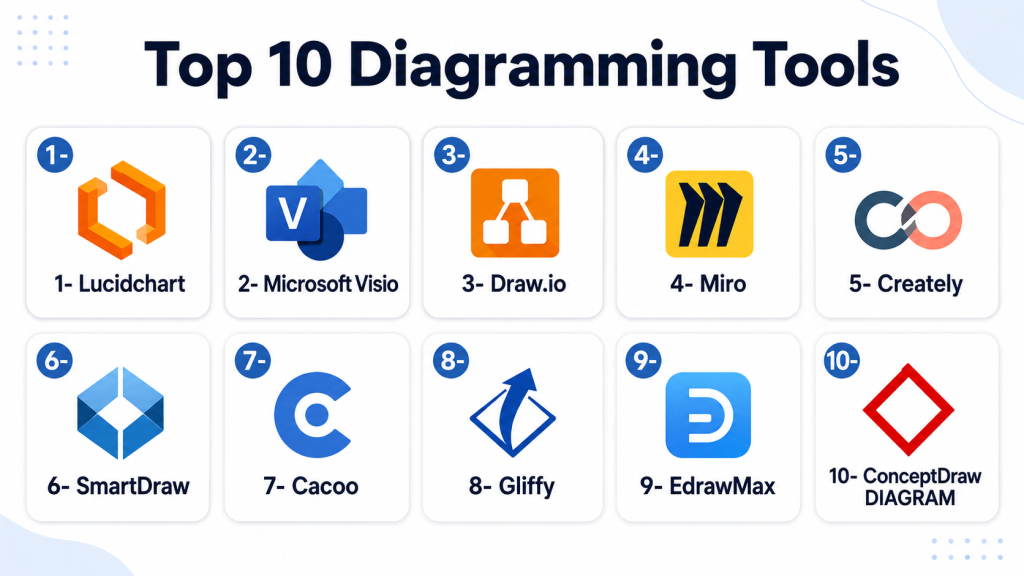
1- Lucidchart
Key Features
- Cloud-based diagramming and flowcharts
- Real-time collaboration
- Extensive template library
- Integration with productivity apps
- Import/export in multiple formats
Pros
- Intuitive and easy to use
- Supports team collaboration
- Strong template and shape libraries
Cons
- Subscription required for full features
- Limited offline functionality
- Performance can lag with large diagrams
Platforms / Deployment
- Web / Windows / macOS / iOS / Android
- Cloud
Security & Compliance
- SOC 2, GDPR, encryption
Integrations & Ecosystem
Works with productivity suites, cloud storage, and project tools.
- Google Workspace
- Microsoft 365
- Slack
- Jira
Support & Community
Online documentation, webinars, and customer support.
2- Microsoft Visio
Key Features
- Desktop and web-based diagramming
- Professional templates and stencils
- Integration with Microsoft 365
- Data-linked diagrams
- Export to PDF, SVG, and image formats
Pros
- Industry-standard for enterprise diagrams
- Strong integration with Microsoft ecosystem
- Extensive professional templates
Cons
- Steep learning curve
- Higher cost
- Desktop app requires installation
Platforms / Deployment
- Windows / Web
- Desktop / Cloud
Security & Compliance
- SOC 2, ISO 27001, MFA
Integrations & Ecosystem
Integrates with Microsoft apps and cloud services.
- Excel, Power BI
- SharePoint
- Teams
Support & Community
Official documentation, forums, and enterprise support.
3- Draw.io
Key Features
- Free and open-source diagramming tool
- Drag-and-drop interface
- Cloud and desktop options
- Export to multiple formats
- Extensive shape libraries
Pros
- Free to use
- Cross-platform
- Flexible and customizable
Cons
- Less advanced features compared to paid tools
- Limited support options
- Can feel basic for enterprise needs
Platforms / Deployment
- Web / Windows / macOS / Linux
- Cloud / Desktop
Security & Compliance
- Varies / N/A
Integrations & Ecosystem
Supports cloud storage and common file formats.
- Google Drive
- OneDrive
- GitHub
Support & Community
Documentation and open-source community forums.
4- Miro
Key Features
- Online collaborative whiteboard and diagramming
- Real-time team editing
- Templates for flowcharts, mind maps, and org charts
- Multimedia embedding and interactive elements
- Export to PDF and images
Pros
- Excellent for remote collaboration
- Highly interactive diagrams
- Cloud-based and accessible
Cons
- Subscription required for full features
- Less suited for offline work
- Limited advanced diagram templates
Platforms / Deployment
- Web / Windows / macOS / iOS / Android
- Cloud
Security & Compliance
- SOC 2, GDPR
Integrations & Ecosystem
Integrates with collaboration, productivity, and cloud apps.
- Slack
- Microsoft Teams
- Google Workspace
Support & Community
Online tutorials, documentation, and customer support.
5- Creately
Key Features
- Cloud-based diagramming with real-time collaboration
- Extensive templates and shapes
- Export to PDF, PNG, SVG
- Integration with productivity and cloud apps
- Versioning and team management
Pros
- Easy to use for teams
- Affordable pricing
- Cross-platform access
Cons
- Limited offline support
- Smaller user community
- Advanced features require subscription
Platforms / Deployment
- Web / Windows / macOS / Linux / iOS / Android
- Cloud
Security & Compliance
- Not publicly stated
Integrations & Ecosystem
Works with cloud storage and project tools.
- Google Drive
- Slack
- Jira
Support & Community
Help center, tutorials, and email support.
6- SmartDraw
Key Features
- Desktop and cloud-based diagramming
- Professional templates and flowcharts
- Automation for diagram creation
- Integration with Microsoft and Google apps
- Export to multiple formats
Pros
- Powerful automation
- Enterprise-ready features
- Large template library
Cons
- Paid software only
- Desktop version required for some features
- Learning curve for beginners
Platforms / Deployment
- Windows / Web / macOS
- Desktop / Cloud
Security & Compliance
- SOC 2, GDPR
Integrations & Ecosystem
Integrates with productivity and cloud applications.
- Microsoft 365
- Google Workspace
- Jira
Support & Community
Customer support, documentation, and forums.
7- Cacoo
Key Features
- Online diagramming with collaboration
- Flowcharts, mind maps, and wireframes
- Template library and shape sets
- Version control and revision history
- Export to PNG, PDF, SVG
Pros
- Cloud collaboration for teams
- Intuitive interface
- Affordable subscription
Cons
- Limited advanced diagram features
- Subscription required for full access
- Smaller enterprise adoption
Platforms / Deployment
- Web / Windows / macOS / iOS / Android
- Cloud
Security & Compliance
- SOC 2, GDPR
Integrations & Ecosystem
Integrates with cloud and productivity tools.
- Google Drive
- Confluence
- Slack
Support & Community
Documentation, tutorials, and email support.
8- Gliffy
Key Features
- Online diagramming for flowcharts, UML, org charts
- Drag-and-drop editor
- Collaboration and versioning
- Export to multiple formats
- Integration with Atlassian products
Pros
- Easy integration with Jira and Confluence
- Cloud-based collaboration
- Affordable pricing
Cons
- Limited advanced diagram customization
- Offline work not supported
- Smaller template library
Platforms / Deployment
- Web / Windows / macOS
- Cloud
Security & Compliance
- Not publicly stated
Integrations & Ecosystem
- Jira, Confluence
- Slack
- Google Workspace
Support & Community
Online documentation and customer support.
9- EdrawMax
Key Features
- Desktop and cloud diagramming
- Over 280 diagram types including engineering, IT, business
- Templates and shape libraries
- Export to multiple formats
- Collaboration and sharing features
Pros
- Versatile diagram types
- Professional templates
- Cross-platform support
Cons
- Subscription or license required
- Desktop installation needed for some features
- Learning curve for beginners
Platforms / Deployment
- Windows / macOS / Linux / Web
- Desktop / Cloud
Security & Compliance
- Not publicly stated
Integrations & Ecosystem
- Cloud storage and productivity apps
- Microsoft Office
- Google Workspace
Support & Community
Documentation, tutorials, and email support.
10- ConceptDraw DIAGRAM
Key Features
- Professional diagramming for business and IT
- Templates for flowcharts, mind maps, org charts
- Desktop and cloud options
- Export to multiple formats
- Integration with project management tools
Pros
- Enterprise-ready features
- Comprehensive template library
- High-quality outputs
Cons
- Paid software only
- Learning curve for advanced features
- Smaller cloud collaboration
Platforms / Deployment
- Windows / macOS / iOS
- Desktop / Cloud
Security & Compliance
- Not publicly stated
Integrations & Ecosystem
- Microsoft Office
- Project management tools
- Cloud storage
Support & Community
Documentation, tutorials, and technical support.
Comparison Table (Top 10)
| Tool Name | Best For | Platform(s) Supported | Deployment | Standout Feature | Public Rating |
|---|---|---|---|---|---|
| Lucidchart | Teams & collaboration | Web / Windows / macOS / iOS / Android | Cloud | Real-time collaboration | N/A |
| Microsoft Visio | Enterprise diagrams | Windows / Web | Desktop / Cloud | Professional templates | N/A |
| Draw.io | Open-source & budget | Web / Windows / macOS / Linux | Cloud / Desktop | Free and flexible | N/A |
| Miro | Interactive diagrams | Web / Windows / macOS / iOS / Android | Cloud | Collaborative whiteboard | N/A |
| Creately | Teams & SMB | Web / Windows / macOS / Linux / iOS / Android | Cloud | Templates & collaboration | N/A |
| SmartDraw | Enterprise & automation | Windows / Web / macOS | Desktop / Cloud | Automated diagram generation | N/A |
| Cacoo | Cloud collaboration | Web / Windows / macOS / iOS / Android | Cloud | Version control | N/A |
| Gliffy | Jira & Confluence | Web / Windows / macOS | Cloud | Atlassian integration | N/A |
| EdrawMax | Versatile diagram types | Windows / macOS / Linux / Web | Desktop / Cloud | Multi-domain diagrams | N/A |
| ConceptDraw DIAGRAM | Professional business & IT | Windows / macOS / iOS | Desktop / Cloud | Enterprise-ready features | N/A |
Evaluation & Scoring of Diagramming Tools
| Tool Name | Core (25%) | Ease (15%) | Integrations (15%) | Security (10%) | Performance (10%) | Support (10%) | Value (15%) | Weighted Total (0–10) |
|---|---|---|---|---|---|---|---|---|
| Lucidchart | 9 | 9 | 9 | 9 | 8 | 8 | 8 | 8.8 |
| Microsoft Visio | 10 | 7 | 9 | 9 | 9 | 8 | 7 | 8.5 |
| Draw.io | 7 | 8 | 7 | 6 | 7 | 6 | 10 | 7.3 |
| Miro | 8 | 9 | 8 | 8 | 8 | 8 | 8 | 8.2 |
| Creately | 7 | 8 | 7 | 7 | 7 | 7 | 8 | 7.5 |
| SmartDraw | 9 | 7 | 8 | 8 | 9 | 8 | 7 | 8.1 |
| Cacoo | 7 | 8 | 7 | 7 | 7 | 7 | 8 | 7.5 |
| Gliffy | 6 | 7 | 6 | 6 | 7 | 6 | 7 | 6.6 |
| EdrawMax | 8 | 7 | 7 | 7 | 8 | 7 | 7 | 7.6 |
| ConceptDraw DIAGRAM | 9 | 7 | 8 | 7 | 8 | 7 | 7 | 7.9 |
Scores show comparative performance across features, usability, integrations, security, and value.
Which Diagramming Tool Is Right for You?
Solo / Freelancer
- Draw.io, Cacoo, or Creately for cost-effective and lightweight diagramming.
SMB
- Lucidchart, Miro, or Creately for team collaboration and cloud access.
Mid-Market
- Microsoft Visio, SmartDraw, or EdrawMax for advanced templates and professional diagrams.
Enterprise
- Microsoft Visio and ConceptDraw DIAGRAM for enterprise workflows, IT diagrams, and technical documentation.
Budget vs Premium
- Budget: Draw.io, Cacoo, Creately
- Premium: Lucidchart, Microsoft Visio, SmartDraw
Feature Depth vs Ease of Use
- Feature depth: Microsoft Visio, SmartDraw, ConceptDraw DIAGRAM
- Ease of use: Miro, Lucidchart, Draw.io
Integrations & Scalability
- Microsoft Visio and Lucidchart support enterprise-level integrations and scaling.
- Miro and Creately provide cloud-based team collaboration for SMBs.
Security & Compliance Needs
- Lucidchart, Visio, and Miro meet enterprise compliance standards (SOC 2, GDPR).
- Open-source tools like Draw.io require self-managed security measures.
Frequently Asked Questions (FAQs)
1. Are these tools suitable for beginners?
Yes, Draw.io, Creately, and Miro are beginner-friendly, while Visio and SmartDraw are more suited for professional users.
2. Can I collaborate in real-time?
Lucidchart, Miro, and Cacoo provide real-time cloud collaboration for teams.
3. Are there AI-assisted features?
SmartDraw and Lucidchart include AI-assisted diagram layouts and automation.
4. Which tool is best for IT/network diagrams?
Microsoft Visio and ConceptDraw DIAGRAM are ideal for network and system diagrams.
5. Can diagrams be exported in multiple formats?
Yes, most tools export to PDF, PNG, SVG, and other formats.
6. Are mobile apps available?
Yes, Lucidchart, Miro, and Cacoo have mobile applications.
7. Are free options available?
Draw.io is fully free and open-source, suitable for individuals and small teams.
8. How secure are cloud-based diagram tools?
Lucidchart, Miro, and Visio comply with SOC 2, GDPR, and enterprise security standards.
9. Which tool is best for educational purposes?
Draw.io, Miro, and Lucidchart are widely used in schools and universities for teaching workflows.
10. Can diagrams be integrated with project management tools?
Yes, Lucidchart, Miro, and Gliffy integrate with Jira, Confluence, and other productivity tools.
Conclusion
Diagramming tools help teams and individuals visualize workflows, processes, and systems effectively, improving communication and planning. They are essential for businesses, educators, engineers, and designers who need clarity and collaboration in their projects. Freelancers and small teams can use Draw.io, Cacoo, or Creately for simple and cost-effective diagramming, while mid-market teams benefit from Lucidchart, Miro, or SmartDraw for professional templates and collaboration features. Enterprises typically rely on Microsoft Visio, EdrawMax, or ConceptDraw DIAGRAM for advanced diagrams, integration, and security compliance. When selecting a tool, consider template variety, cloud collaboration, performance, integrations, and security. Next steps: shortlist 2–3 tools, pilot diagram projects, and confirm integrations and security before rolling out for broader team use.

Find Trusted Cardiac Hospitals
Compare heart hospitals by city and services — all in one place.
Explore Hospitals
Diagramming tools are explained clearly, and the comparison helps in understanding how different platforms support flowcharts, system design, and visual communication for better planning.