Introduction
Music Notation Software refers to applications that allow composers, arrangers, and musicians to write, edit, and publish sheet music digitally. These tools have become essential for improving workflow efficiency, reducing manual errors, and enabling high-quality, professional music notation. Modern platforms include features like real-time playback, AI-assisted notation, automatic formatting, and integration with digital instruments, making them indispensable for both educational and professional settings.
Real-world use cases include scoring for orchestras, composing for film or video games, educational music lessons, transcription of live performances, and publishing sheet music for print or digital distribution. Buyers should evaluate ease of use, cross-platform support, notation flexibility, AI-assisted features, MIDI/DAW integration, template availability, output formats, collaboration tools, scalability, and customer support.
Best for: Composers, music educators, professional arrangers, and studios that require accurate, flexible, and professional-quality notation.
Not ideal for: Casual musicians who only need basic note entry or prefer manual methods without advanced digital tools.
Key Trends in Music Notation Software.
- AI-assisted automatic transcription and harmonization
- Cloud-based collaboration for ensemble projects
- Integration with DAWs and virtual instruments
- Multi-platform support including Windows, macOS, and iOS
- Enhanced playback with realistic instrument libraries
- Support for interactive and digital sheet music publishing
- Automated formatting and score optimization
- Subscription and flexible licensing models
- Accessibility features for educational use and visually impaired users
- Increased focus on open standards and export formats
How We Selected These Tools (Methodology)
- Evaluated market adoption and professional use
- Reviewed feature completeness, including notation, playback, and AI features
- Assessed performance and reliability in complex scores
- Checked integration capabilities with MIDI, DAWs, and virtual instruments
- Considered security and compliance for cloud-based storage
- Evaluated customer fit across solo composers, educators, and studios
- Verified cross-platform support and deployment options
- Considered community support and learning resources
- Assessed scalability for complex orchestral scores
- Reviewed value for cost and subscription flexibility
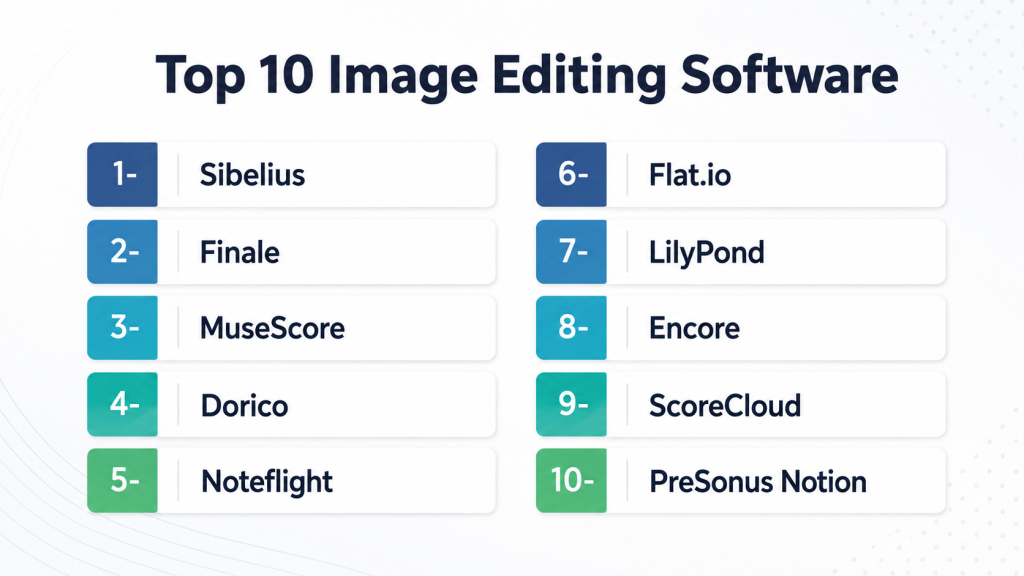
Top 10 Music Notation Software Tools
1- Sibelius
Key Features
- Real-time playback with professional sound libraries
- Intelligent note spacing and formatting
- Advanced instrument and score management
- Integration with DAWs and MIDI
- Cloud storage for collaboration
Pros
- Industry-standard for professional composers
- Excellent engraving quality
- Strong community and resources
Cons
- High cost for full version
- Steeper learning curve
Platforms / Deployment
- Windows, macOS / Desktop & Cloud
Security & Compliance
- Not publicly stated
Integrations & Ecosystem
- MIDI and DAW integration
- Plugin support
- Cloud-based collaboration
Support & Community
- Tutorials, forums, and official support
2- Finale
Key Features
- Comprehensive notation and scoring
- Automatic layout and formatting
- Customizable templates
- Realistic playback and instrument libraries
- Full MIDI integration
Pros
- Highly flexible for complex scores
- Longstanding industry reputation
- Extensive online resources
Cons
- Outdated interface compared to newer software
- Can be expensive for some users
Platforms / Deployment
- Windows, macOS / Desktop
Security & Compliance
- Not publicly stated
Integrations & Ecosystem
- DAW and MIDI integration
- Third-party sound libraries
- Plugin extensions
Support & Community
- Tutorials, user forums, and vendor support
3- MuseScore
Key Features
- Open-source notation software
- Realistic playback with SoundFont support
- Score sharing via MuseScore community
- Import/export MusicXML and MIDI
- Supports large orchestral scores
Pros
- Free and open-source
- Cross-platform support
- Active community
Cons
- Some advanced features limited
- Playback quality less realistic than paid software
Platforms / Deployment
- Windows, macOS, Linux / Desktop
Security & Compliance
- Not publicly stated
Integrations & Ecosystem
- MIDI support
- MusicXML export for DAW integration
- Community score sharing
Support & Community
- Community forums, tutorials, and wiki
4- Dorico
Key Features
- AI-assisted notation
- Dynamic layout and formatting
- Integrated playback with HALion sound library
- Advanced engraving and articulations
- Cloud collaboration for projects
Pros
- Modern, intuitive interface
- Strong AI features for faster notation
- Excellent engraving quality
Cons
- Subscription cost for updates
- Learning curve for beginners
Platforms / Deployment
- Windows, macOS / Desktop & Cloud
Security & Compliance
- Not publicly stated
Integrations & Ecosystem
- MIDI and DAW integration
- Plugin and sound library support
- Cloud-based collaboration
Support & Community
- Tutorials, forums, and customer support
5- Noteflight
Key Features
- Web-based notation software
- Real-time collaboration
- Playback with instrument libraries
- Supports MusicXML export
- Interactive score sharing
Pros
- Accessible from any device
- Great for education and collaboration
- Intuitive interface
Cons
- Limited offline functionality
- Playback libraries not as advanced
Platforms / Deployment
- Web / Cloud
Security & Compliance
- Not publicly stated
Integrations & Ecosystem
- Cloud-based API
- MusicXML integration
- Sharing via web portals
Support & Community
- Online tutorials and forums
6- Flat.io
Key Features
- Cloud-based collaborative notation
- Real-time score editing
- Playback with sound libraries
- Export to MusicXML and PDF
- Integration with Google Classroom
Pros
- Excellent for education
- Real-time collaboration
- Cross-platform accessibility
Cons
- Advanced engraving features limited
- Subscription required for full features
Platforms / Deployment
- Web / Cloud
Security & Compliance
- Not publicly stated
Integrations & Ecosystem
- Google Classroom integration
- MusicXML export
- Plugin and library support
Support & Community
- Online tutorials and forums
7- LilyPond
Key Features
- Text-based music notation
- Produces professional-quality engraving
- Supports complex scores
- Cross-platform
- Open-source
Pros
- Free and open-source
- Excellent engraving quality
- Ideal for scripting and automation
Cons
- Requires learning markup language
- Steeper learning curve
Platforms / Deployment
- Windows, macOS, Linux / Desktop
Security & Compliance
- Not publicly stated
Integrations & Ecosystem
- MIDI import/export
- MusicXML support
- Integration with LaTeX for publishing
Support & Community
- Community forums, documentation
8- Encore
Key Features
- Traditional notation software
- MIDI playback
- Customizable templates
- Engraving tools
- Multi-page score support
Pros
- Simple and effective
- Familiar interface for experienced users
- Fast for small to medium scores
Cons
- Limited modern features
- Outdated interface
Platforms / Deployment
- Windows, macOS / Desktop
Security & Compliance
- Not publicly stated
Integrations & Ecosystem
- MIDI support
- Export MusicXML
- Plugin extensions
Support & Community
- Tutorials and forums
9- ScoreCloud
Key Features
- AI-assisted transcription
- Real-time MIDI to notation
- Cloud-based storage
- Playback with instrument libraries
- Multi-user collaboration
Pros
- AI features speed up notation
- Collaboration friendly
- Works with MIDI instruments
Cons
- Requires subscription
- Advanced engraving limited
Platforms / Deployment
- Windows, macOS / Cloud
Security & Compliance
- Not publicly stated
Integrations & Ecosystem
- MIDI input
- Cloud sharing
- MusicXML export
Support & Community
- Tutorials, customer support
10- PreSonus Notion
Key Features
- Playback with sampled instruments
- Integration with Studio One DAW
- Multi-instrument support
- Score formatting and layout
- MIDI and MusicXML import/export
Pros
- Tight DAW integration
- Realistic playback
- Flexible formatting
Cons
- Limited cloud collaboration
- Less AI automation
Platforms / Deployment
- Windows, macOS / Desktop
Security & Compliance
- Not publicly stated
Integrations & Ecosystem
- Studio One integration
- MIDI and MusicXML
- Plugin support
Support & Community
- Tutorials and support forums
Comparison Table (Top 10)
| Tool Name | Best For | Platform(s) Supported | Deployment | Standout Feature | Public Rating |
|---|---|---|---|---|---|
| Sibelius | Professional composers | Windows, macOS | Desktop & Cloud | Industry-standard engraving | N/A |
| Finale | Complex scoring | Windows, macOS | Desktop | Highly flexible layouts | N/A |
| MuseScore | Open-source users | Windows, macOS, Linux | Desktop | Free and community-driven | N/A |
| Dorico | Modern composers | Windows, macOS | Desktop & Cloud | AI-assisted notation | N/A |
| Noteflight | Education and collaboration | Web | Cloud | Real-time collaboration | N/A |
| Flat.io | Classroom and collaborative work | Web | Cloud | Google Classroom integration | N/A |
| LilyPond | Engraving enthusiasts | Windows, macOS, Linux | Desktop | Text-based professional engraving | N/A |
| Encore | Small/medium scores | Windows, macOS | Desktop | Quick and simple notation | N/A |
| ScoreCloud | MIDI transcription | Windows, macOS | Cloud | AI-assisted transcription | N/A |
| PreSonus Notion | Studio One users | Windows, macOS | Desktop | DAW integration and playback | N/A |
Evaluation & Scoring
| Tool Name | Core (25%) | Ease (15%) | Integrations (15%) | Security (10%) | Performance (10%) | Support (10%) | Value (15%) | Weighted Total (0–10) |
|---|---|---|---|---|---|---|---|---|
| Sibelius | 9 | 8 | 8 | 7 | 9 | 8 | 7 | 8.3 |
| Finale | 9 | 7 | 8 | 7 | 8 | 7 | 6 | 7.6 |
| MuseScore | 8 | 9 | 7 | 6 | 7 | 8 | 10 | 7.7 |
| Dorico | 9 | 8 | 8 | 7 | 8 | 8 | 7 | 8.0 |
| Noteflight | 8 | 9 | 7 | 6 | 7 | 7 | 8 | 7.6 |
| Flat.io | 8 | 9 | 7 | 6 | 7 | 7 | 8 | 7.6 |
| LilyPond | 7 | 6 | 7 | 6 | 7 | 6 | 9 | 7.0 |
| Encore | 7 | 7 | 6 | 6 | 7 | 6 | 7 | 6.7 |
| ScoreCloud | 8 | 7 | 7 | 6 | 7 | 7 | 7 | 7.1 |
| PreSonus Notion | 8 | 8 | 7 | 6 | 7 | 7 | 7 | 7.3 |
Which Music Notation Software Tool Is Right for You?
Solo / Freelancer
- MuseScore, LilyPond, Encore are ideal for individual composers and small projects.
SMB
- Noteflight, Flat.io support classrooms and collaborative teams.
Mid-Market
- Sibelius, Dorico, Finale are suitable for professional ensembles and scoring studios.
Enterprise
- PreSonus Notion integrates well with Studio One for full production workflows.
Budget vs Premium
- Budget: MuseScore, LilyPond
- Premium: Sibelius, Dorico, Finale
Feature Depth vs Ease of Use
- Feature-heavy: Sibelius, Dorico, Finale
- Ease of use: MuseScore, Noteflight, Flat.io
Integrations & Scalability
- Sibelius and Dorico integrate with DAWs and MIDI, suitable for large-scale orchestral scores.
Security & Compliance Needs
- Cloud-based tools should have secure collaboration and version control; desktop tools rely on local data management.
Frequently Asked Questions (FAQs)
1. Which software is best for beginners?
Answer: MuseScore and Flat.io offer intuitive interfaces and free access, ideal for learning.
2. Can these tools integrate with DAWs?
Answer: Sibelius, Dorico, and PreSonus Notion integrate MIDI and DAW workflows.
3. Are there free options?
Answer: Yes, MuseScore and LilyPond are open-source and free to use.
4. Do they support AI features?
Answer: Dorico includes AI-assisted notation and formatting tools for faster workflow.
5. Can multiple users collaborate on the same score?
Answer: Noteflight and Flat.io provide real-time cloud collaboration.
6. Which software is best for orchestral scoring?
Answer: Sibelius and Dorico excel at complex, large-scale orchestral arrangements.
7. Can I export to other formats?
Answer: Most support MusicXML, MIDI, PDF, and audio exports for cross-platform use.
8. Are they cross-platform?
Answer: MuseScore, Dorico, and LilyPond work across Windows, macOS, and Linux.
9. Do they support playback of compositions?
Answer: Yes, playback with realistic instrument libraries is included in most major tools.
10. Can these tools handle multi-instrument scores?
Answer: Sibelius, Finale, and Dorico manage full orchestral or ensemble scores effectively.
Conclusion
Selecting the right Music Notation Software depends on your experience level, workflow, and project complexity. Beginners can start with MuseScore or Flat.io for accessible and cost-effective options, while professionals benefit from Sibelius, Dorico, or Finale for advanced engraving, AI-assisted notation, and full orchestral scoring. Collaborative tools like Noteflight and Flat.io are ideal for educational settings or teams working on shared projects.
When choosing a platform, evaluate integration with DAWs, playback quality, multi-instrument support, AI-assisted features, and collaboration capabilities. A practical approach is to shortlist 2–3 tools, run a pilot with real compositions, and confirm that the software meets your workflow and integration needs.

Find Trusted Cardiac Hospitals
Compare heart hospitals by city and services — all in one place.
Explore Hospitals
Music notation software is explained clearly, and the comparison helps in understanding how different tools support composing, editing, and learning music more efficiently.