Introduction
Note-taking apps are digital platforms that help individuals and teams capture, organize, and manage information efficiently. Unlike traditional pen-and-paper notes, these apps allow for multimedia attachments, cloud syncing, collaboration, and advanced organization tools. note-taking apps are critical for productivity across professional, educational, and personal contexts. They support hybrid and remote workflows, enabling users to organize ideas, track tasks, and share knowledge seamlessly.
Real-world use cases:
- Students taking lecture notes and creating study materials
- Professionals documenting meetings, project updates, and workflows
- Teams collaborating on shared knowledge bases
- Personal knowledge management and journaling
- Research and content creation workflows
Evaluation criteria for buyers:
- Ease of use and intuitive interface
- Organizational tools such as tags, notebooks, and folders
- Real-time collaboration and sharing features
- Cloud sync and cross-device accessibility
- Security features including encryption and access controls
- Integration with productivity, project management, and calendar tools
- Multimedia support (images, audio, attachments)
- Offline access
- Search functionality and AI-assisted note organization
- Pricing and licensing flexibility
Best for: Students, professionals, and knowledge workers needing structured and collaborative note-taking.
Not ideal for: Users who only require simple lists or do not need multimedia or cloud collaboration.
Key Trends in Note-taking Apps
- AI-assisted note summarization and task extraction
- Cloud-first design with multi-device sync
- Real-time collaboration for remote teams
- Integration with productivity and project management software
- Enhanced search and knowledge discovery
- Multimedia embedding and interactive note formats
- Offline access for mobile and desktop
- Subscription-based and freemium pricing models
- Compliance with enterprise security standards (SOC 2, GDPR, HIPAA)
How We Selected These Tools (Methodology)
- Market adoption and brand recognition
- Feature completeness for note organization, multimedia, and collaboration
- Reliability and performance for large note databases
- Security posture and compliance for enterprise use
- Integration capabilities with productivity, calendar, and project management tools
- Suitability for solo users, SMBs, and enterprise teams
- Cross-platform and mobile support
- Cost, learning curve, and community support
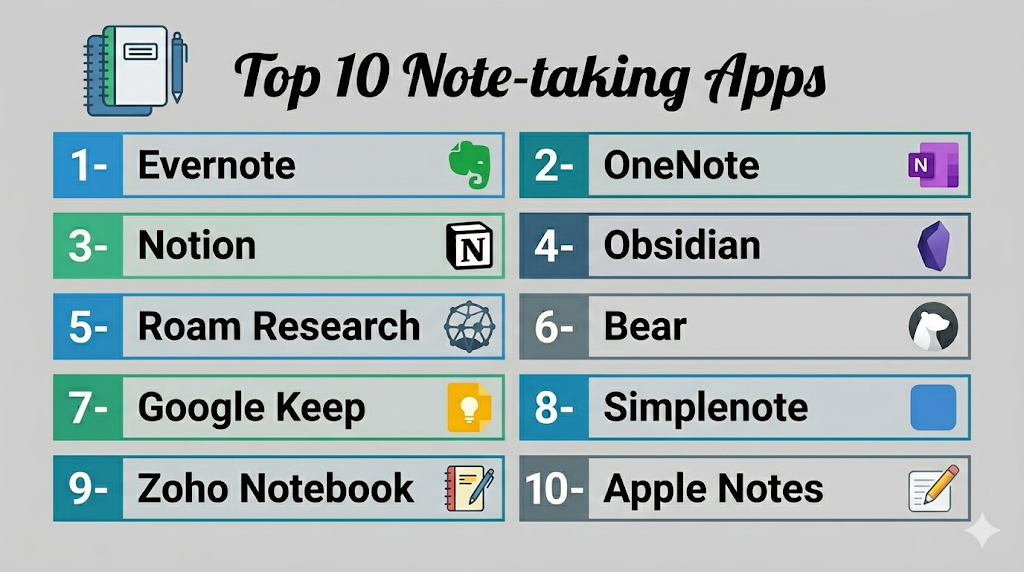
1- Evernote
Short description: Comprehensive note-taking and organization tool for individuals and teams.
Key Features
- Notes with text, images, audio, and attachments
- Tagging and notebook system
- Web clipper for saving online content
- Cross-device sync
- Integration with productivity apps
Pros
- Robust organization and search
- Strong multi-device support
- Frequent updates and integrations
Cons
- Subscription required for full features
- Interface can feel complex for beginners
- Limited offline access on free plan
Platforms / Deployment
- Windows / macOS / Web / iOS / Android
- Cloud
Security & Compliance
- SOC 2, encryption, MFA
Integrations & Ecosystem
Integrates with productivity, email, and cloud apps.
- Google Workspace
- Microsoft Office
- Slack
Support & Community
Documentation, online tutorials, and active community.
2- OneNote
Short description: Microsoft’s note-taking app for personal and professional use, integrated with Office.
Key Features
- Hierarchical notebooks, sections, and pages
- Multimedia embedding and handwriting support
- Cloud sync via OneDrive
- Collaboration and sharing features
- Search across notebooks
Pros
- Free with Microsoft Office suite
- Seamless Office integration
- Flexible structure for complex notes
Cons
- Can be overwhelming for casual users
- Mobile app feature gaps
- Limited templates
Platforms / Deployment
- Windows / macOS / Web / iOS / Android
- Cloud
Security & Compliance
- SOC 2, GDPR, MFA
Integrations & Ecosystem
Integrates deeply with Microsoft 365 apps and productivity tools.
- Word, Excel
- Outlook
- Teams
Support & Community
Documentation, tutorials, and Microsoft support.
3- Notion
Short description: All-in-one workspace for notes, documents, databases, and team collaboration.
Key Features
- Notes, wikis, and databases in one platform
- Templates for personal and team workflows
- Real-time collaboration
- Multimedia support and embedded content
- Web clipper and integrations
Pros
- Flexible and customizable
- Team collaboration support
- Cross-platform
Cons
- Subscription for advanced features
- Can be complex for beginners
- Performance issues with large databases
Platforms / Deployment
- Windows / macOS / Web / iOS / Android
- Cloud
Security & Compliance
- SOC 2, encryption, MFA
Integrations & Ecosystem
Supports productivity apps and automation tools.
- Slack
- Google Workspace
- Zapier
Support & Community
Extensive documentation, templates, and online community.
4- Obsidian
Short description: Markdown-based knowledge management and personal note-taking tool.
Key Features
- Markdown notes and bidirectional linking
- Local-first storage for privacy
- Graph visualization of connections
- Plugin ecosystem for extensions
- Cross-platform support
Pros
- Strong knowledge network visualization
- Local storage ensures privacy
- Highly extensible
Cons
- No native cloud collaboration
- Steep learning curve for advanced features
- Requires plugin management for full functionality
Platforms / Deployment
- Windows / macOS / Linux / iOS / Android
- Desktop / Cloud via plugins
Security & Compliance
- Not publicly stated
Integrations & Ecosystem
Plugins integrate with cloud storage and productivity tools.
- Google Drive (via plugin)
- Sync plugins for devices
- Markdown ecosystem
Support & Community
Active forums, plugin support, and documentation.
5- Roam Research
Short description: Networked note-taking tool emphasizing interconnected knowledge and backlinks.
Key Features
- Bi-directional linking between notes
- Daily notes and journals
- Graph visualization
- Collaboration for teams
- Markdown support
Pros
- Excellent for knowledge management
- Supports networked thinking
- Cross-platform
Cons
- Subscription required
- Can be overwhelming for beginners
- Limited offline support
Platforms / Deployment
- Web / Windows / macOS / iOS / Android
- Cloud
Security & Compliance
- Not publicly stated
Integrations & Ecosystem
Integrates with productivity and cloud apps.
- Slack
- Google Calendar
- Markdown import/export
Support & Community
Documentation, forums, and user community.
6- Bear
Short description: Simple and elegant note-taking app for Apple users.
Key Features
- Tag-based organization
- Markdown support
- Focus mode for writing
- iCloud sync
- Export to PDF, Word, and HTML
Pros
- Clean and minimal interface
- Fast and responsive
- Ideal for writers and students
Cons
- Apple-only platform
- Subscription for advanced features
- Limited collaboration
Platforms / Deployment
- macOS / iOS
- Cloud
Security & Compliance
- Not publicly stated
Integrations & Ecosystem
iCloud sync and export support.
- Apple ecosystem
- Markdown tools
- PDF export
Support & Community
Documentation and online forums.
7- Google Keep
Short description: Lightweight note-taking and reminder app integrated with Google ecosystem.
Key Features
- Quick notes and checklists
- Color-coded labels
- Reminder notifications
- Collaboration via sharing
- Integration with Google Workspace
Pros
- Free and easy to use
- Cross-device syncing
- Simple collaboration
Cons
- Limited advanced formatting
- Not ideal for complex notes
- Few templates
Platforms / Deployment
- Web / Android / iOS
- Cloud
Security & Compliance
- SOC 2, GDPR
Integrations & Ecosystem
Integrates with Google apps.
- Google Docs
- Google Calendar
- Gmail
Support & Community
Documentation and Google help center.
8- Simplenote
Short description: Minimalist, distraction-free note-taking app.
Key Features
- Text-based notes
- Tag organization
- Cloud sync
- Version history
- Multi-platform access
Pros
- Lightweight and fast
- Free for all users
- Cross-platform
Cons
- No multimedia support
- Limited formatting
- Collaboration basic
Platforms / Deployment
- Windows / macOS / Linux / iOS / Android / Web
- Cloud
Security & Compliance
- Not publicly stated
Integrations & Ecosystem
Basic cloud sync and API support.
- Dropbox integration
- Markdown support
Support & Community
Documentation and community forums.
9- Zoho Notebook
Short description: Note-taking app supporting text, audio, image, and checklist notes.
Key Features
- Multimedia notes
- Notebook and card organization
- Cloud sync
- Templates and sharing
- Web clipper
Pros
- Supports multiple media types
- Free plan available
- Cross-platform
Cons
- Advanced integrations limited
- Learning curve for complex workflows
- Mobile-first features
Platforms / Deployment
- Windows / macOS / iOS / Android / Web
- Cloud
Security & Compliance
- Not publicly stated
Integrations & Ecosystem
Integrates with Zoho suite.
- Zoho CRM
- Zoho Docs
- Cloud storage
Support & Community
Documentation and online tutorials.
10- Apple Notes
Short description: Built-in note-taking app for Apple devices.
Key Features
- Rich text notes and checklists
- iCloud sync
- Collaboration and sharing
- Drawing and attachments
- Organization via folders and tags
Pros
- Free for Apple users
- Native Apple integration
- Easy to use
Cons
- Apple ecosystem only
- Limited advanced features
- Collaboration features basic
Platforms / Deployment
- macOS / iOS
- Cloud
Security & Compliance
- Not publicly stated
Integrations & Ecosystem
Integrates with iCloud and Apple ecosystem.
- Calendar
- Files
Support & Community
Documentation and Apple support forums.
Comparison Table (Top 10)
| Tool Name | Best For | Platform(s) Supported | Deployment | Standout Feature | Public Rating |
|---|---|---|---|---|---|
| Evernote | Comprehensive notes | Web / Windows / macOS / iOS / Android | Cloud | Multi-media notes & tagging | N/A |
| OneNote | Microsoft users | Windows / macOS / Web / iOS / Android | Cloud | Hierarchical notebooks | N/A |
| Notion | All-in-one workspace | Windows / macOS / Web / iOS / Android | Cloud | Notes + databases + collaboration | N/A |
| Obsidian | Knowledge management | Windows / macOS / Linux / iOS / Android | Desktop / Cloud via plugins | Markdown & backlinks | N/A |
| Roam Research | Networked notes | Web / Windows / macOS / iOS / Android | Cloud | Bi-directional links | N/A |
| Bear | Apple users | macOS / iOS | Cloud | Elegant Markdown notes | N/A |
| Google Keep | Quick notes | Web / iOS / Android | Cloud | Lightweight & reminders | N/A |
| Simplenote | Minimalist | Windows / macOS / Linux / iOS / Android / Web | Cloud | Distraction-free text notes | N/A |
| Zoho Notebook | Multimedia notes | Windows / macOS / iOS / Android / Web | Cloud | Cards & multimedia support | N/A |
| Apple Notes | Apple ecosystem | macOS / iOS | Cloud | Native Apple integration | N/A |
Evaluation & Scoring of Note-taking Apps
| Tool Name | Core (25%) | Ease (15%) | Integrations (15%) | Security (10%) | Performance (10%) | Support (10%) | Value (15%) | Weighted Total (0–10) |
|---|---|---|---|---|---|---|---|---|
| Evernote | 9 | 8 | 9 | 8 | 9 | 8 | 7 | 8.5 |
| OneNote | 9 | 8 | 8 | 9 | 9 | 8 | 8 | 8.6 |
| Notion | 9 | 7 | 9 | 8 | 8 | 8 | 8 | 8.3 |
| Obsidian | 8 | 7 | 7 | 7 | 8 | 7 | 8 | 7.5 |
| Roam Research | 8 | 7 | 8 | 7 | 8 | 7 | 7 | 7.5 |
| Bear | 7 | 8 | 6 | 6 | 7 | 7 | 7 | 7.0 |
| Google Keep | 7 | 9 | 7 | 8 | 7 | 7 | 9 | 7.9 |
| Simplenote | 6 | 9 | 6 | 6 | 7 | 6 | 9 | 7.0 |
| Zoho Notebook | 7 | 8 | 6 | 7 | 7 | 7 | 8 | 7.3 |
| Apple Notes | 6 | 9 | 6 | 6 | 7 | 6 | 8 | 7.0 |
Interpretation: Scores are comparative and help buyers understand which apps excel in features, usability, integrations, security, and value. High weighted totals indicate better overall suitability for professional or personal note-taking.
Which Note-taking App Is Right for You?
Solo / Freelancer
- Simplenote, Bear, or Apple Notes for lightweight, distraction-free note-taking.
SMB
- Evernote, Notion, or Google Keep for collaborative notes and organization.
Mid-Market
- Notion, Roam Research, or Obsidian for structured knowledge management and team collaboration.
Enterprise
- OneNote, Evernote, or Notion for secure, cross-platform collaboration, integration with productivity suites, and scalability.
Budget vs Premium
- Budget: Simplenote, Google Keep, Apple Notes
- Premium: Evernote, Notion, Roam Research
Feature Depth vs Ease of Use
- Feature depth: Notion, Roam Research, Evernote
- Ease of use: Simplenote, Bear, Google Keep
Integrations & Scalability
- Evernote, Notion, and OneNote integrate with productivity tools, project management platforms, and cloud storage for scalable workflows.
Security & Compliance Needs
- Evernote, OneNote, and Google Keep meet SOC 2 and GDPR standards; open-source or free apps require self-managed security.
Frequently Asked Questions (FAQs)
1. Are these apps beginner-friendly?
Yes, Apple Notes, Simplenote, and Google Keep are intuitive for beginners. Advanced apps like Notion and Roam Research require some learning but offer templates and tutorials.
2. Can multiple users collaborate on notes?
Evernote, Notion, Google Keep, and OneNote support real-time collaboration with editing, commenting, and sharing features.
3. Are AI-assisted features available?
Some apps, like Notion and Evernote, include AI features for summarization, task extraction, and search enhancement.
4. Which app is best for knowledge management?
Roam Research, Obsidian, and Notion excel in connecting ideas and creating structured knowledge networks.
5. Can notes include multimedia?
Yes, Evernote, Notion, Zoho Notebook, and Bear support images, audio, links, and attachments in notes.
6. Are mobile apps available?
Yes, all top apps have iOS and Android apps for note-taking on the go.
7. Are there free options?
Simplenote, Apple Notes, Google Keep, and basic Evernote plans are free for personal use.
8. How secure are cloud-based notes?
Apps like Evernote, OneNote, and Google Keep have encryption, SOC 2, and GDPR compliance for secure note storage.
9. Which apps are best for students?
Google Keep, Notion, and Apple Notes are popular for note-taking, study organization, and collaboration.
10. Can these apps integrate with productivity tools?
Yes, Notion, Evernote, and OneNote integrate with Google Workspace, Microsoft 365, Slack, and project management platforms.
Conclusion
Note-taking apps are critical for productivity, knowledge management, and team collaboration. Freelancers and students can use Simplenote, Apple Notes, or Google Keep for lightweight and accessible note-taking, while mid-market teams benefit from Evernote, Notion, or Roam Research for structured knowledge management and collaboration. Enterprises often rely on OneNote, Notion, or Evernote for secure, scalable, and cross-platform collaboration. Selecting the right tool involves evaluating ease of use, collaboration, integrations, cloud access, performance, and security. Next steps: shortlist 2–3 apps, pilot note-taking workflows, and validate integrations and security requirements before organization-wide adoption.

Find Trusted Cardiac Hospitals
Compare heart hospitals by city and services — all in one place.
Explore Hospitals
Note-taking apps are explained clearly, and the comparison helps in understanding how different tools support organization, productivity, and easy access to information.