Introduction
Resource Management Tools help organizations plan, allocate, monitor, and optimize resources such as employees, budgets, equipment, schedules, and workloads across projects and operational activities. These platforms are critical for ensuring that teams remain productive, workloads stay balanced, and projects are delivered efficiently without resource bottlenecks or overspending. Modern resource management software now combines AI-powered forecasting, workload balancing, scheduling automation, collaboration, analytics, and portfolio visibility into centralized operational systems. hybrid work environments, global teams, and increasingly complex project portfolios have made resource management more important than ever. Organizations now require real-time visibility into team availability, capacity planning, utilization rates, and financial forecasting to improve operational efficiency and strategic decision-making.
Real-world use cases include:
- Workforce and capacity planning
- Project resource allocation
- Team scheduling and workload balancing
- Budget and utilization tracking
- Enterprise portfolio management
Evaluation Criteria for Buyers:
- Resource allocation and scheduling capabilities
- Capacity planning and forecasting
- Workflow automation
- Reporting and analytics dashboards
- Integration ecosystem and APIs
- Scalability for SMBs and enterprises
- Security and compliance capabilities
- Collaboration and communication features
- Mobile accessibility
- Ease of onboarding and usability
Best for: Enterprises, PMOs, IT departments, consulting firms, agencies, operations teams, and organizations managing multiple teams and projects simultaneously.
Not ideal for: Small teams with minimal scheduling complexity or organizations relying only on lightweight spreadsheets for planning.
Key Trends in Resource Management Tools
- AI-driven resource forecasting and workload balancing
- Hybrid workforce planning and scheduling support
- Integration with Agile, DevOps, and PPM platforms
- Real-time dashboards and predictive analytics
- Workflow automation for approvals and scheduling
- Stronger ERP and finance system integrations
- Mobile-first scheduling and workforce visibility
- Cloud-native deployment models dominating adoption
- Advanced utilization tracking and reporting
- Enhanced compliance and governance controls
How We Selected These Tools (Methodology)
- Evaluated enterprise and SMB market adoption
- Compared workload planning and scheduling capabilities
- Assessed forecasting and reporting functionality
- Reviewed integrations with ERP, CRM, and collaboration tools
- Evaluated AI and automation features
- Considered scalability and deployment flexibility
- Assessed security posture and governance controls
- Compared usability for technical and non-technical users
- Reviewed customer support and onboarding ecosystem
- Evaluated pricing flexibility and long-term value
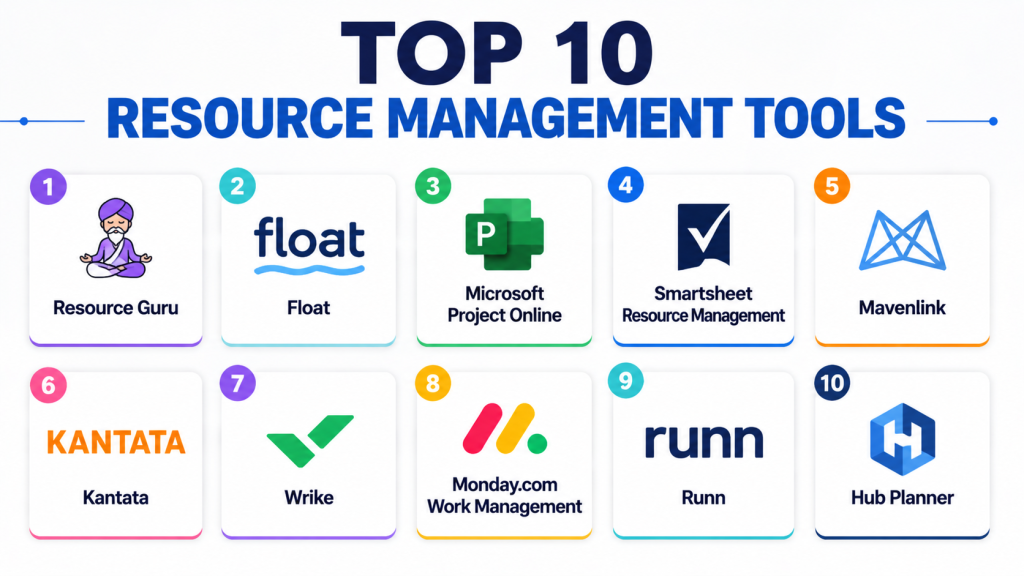
Top 10 Resource Management Tools
1 — Resource Guru
Short description: Resource Guru is a dedicated resource scheduling and capacity planning platform designed for agencies, IT teams, and project-driven organizations.
Key Features
- Resource scheduling and booking
- Capacity planning and forecasting
- Utilization reporting
- Leave and availability management
- Conflict detection and alerts
- Timesheet tracking
- Custom reporting dashboards
Pros
- Very easy to use
- Strong scheduling visibility
- Excellent SMB and agency fit
Cons
- Limited advanced portfolio management
- Reporting depth may vary
- Fewer enterprise governance features
Platforms / Deployment
- Web, iOS, Android
- Cloud
Security & Compliance
- SSO, encryption
- GDPR support
Integrations & Ecosystem
Supports integrations with productivity and project tools.
- Slack
- Google Workspace
- Outlook Calendar
- APIs and Zapier
Support & Community
Strong onboarding, tutorials, and responsive SMB-focused support.
2 — Float
Short description: Float is a modern resource management and scheduling platform focused on workforce planning, utilization tracking, and team forecasting.
Key Features
- Drag-and-drop scheduling
- Capacity and workload forecasting
- Budget and utilization tracking
- Project planning dashboards
- Time tracking
- Availability management
- Reporting and analytics
Pros
- Highly visual interface
- Excellent workload forecasting
- Strong user experience
Cons
- Limited advanced enterprise governance
- Premium plans required for advanced reporting
- Smaller integration ecosystem than enterprise platforms
Platforms / Deployment
- Web, macOS, Windows, iOS, Android
- Cloud
Security & Compliance
- SSO, encryption
- GDPR support
Integrations & Ecosystem
Supports integrations with collaboration and PM tools.
- Slack
- Asana
- Jira
- APIs and Zapier
Support & Community
Good documentation, tutorials, and onboarding support.
3 — Microsoft Project Online
Short description: Microsoft Project Online combines project planning with enterprise resource management, forecasting, and portfolio visibility.
Key Features
- Resource allocation and leveling
- Capacity planning
- Portfolio and roadmap management
- Budget forecasting
- AI-assisted scheduling
- Reporting dashboards
- Task dependencies and forecasting
Pros
- Enterprise-grade resource management
- Strong Microsoft ecosystem integration
- Excellent forecasting capabilities
Cons
- Steep learning curve
- Complex setup for SMBs
- Premium enterprise pricing
Platforms / Deployment
- Windows, Web, iOS, Android
- Cloud / On-prem
Security & Compliance
- SSO, MFA, encryption, RBAC
- SOC 2, GDPR
Integrations & Ecosystem
Deep enterprise integration capabilities.
- Microsoft Teams
- Power BI
- SharePoint
- ERP systems
- APIs
Support & Community
Large enterprise ecosystem with extensive training resources.
4 — Smartsheet Resource Management
Short description: Smartsheet Resource Management provides workforce planning, workload balancing, and project scheduling integrated into the Smartsheet ecosystem.
Key Features
- Resource scheduling
- Capacity and workload management
- Budget forecasting
- Utilization reporting
- Workflow automation
- Collaboration tools
- Reporting dashboards
Pros
- Familiar spreadsheet-like interface
- Good enterprise scalability
- Strong reporting capabilities
Cons
- Complex automation setup
- Premium plans required for advanced features
- Less suitable for deep portfolio management
Platforms / Deployment
- Web, iOS, Android
- Cloud
Security & Compliance
- SSO, MFA, encryption
- SOC 2, GDPR
Integrations & Ecosystem
Supports enterprise productivity integrations.
- Microsoft 365
- Google Workspace
- Salesforce
- APIs and Zapier
Support & Community
Strong onboarding resources and active user community.
5 — Mavenlink
Short description: Mavenlink delivers resource management, project planning, and financial forecasting for professional services organizations.
Key Features
- Resource allocation and forecasting
- Financial management and budgeting
- Capacity planning
- Project accounting
- Collaboration tools
- Reporting dashboards
- Workflow automation
Pros
- Strong financial tracking capabilities
- Good professional services focus
- Enterprise-ready forecasting tools
Cons
- Premium pricing structure
- Complex onboarding
- Smaller ecosystem than some competitors
Platforms / Deployment
- Web, iOS, Android
- Cloud
Security & Compliance
- SSO, encryption
- SOC 2, GDPR
Integrations & Ecosystem
Supports business productivity and finance integrations.
- Salesforce
- Slack
- QuickBooks
- APIs
Support & Community
Enterprise onboarding and consulting ecosystem available.
6 — Kantata
Short description: Kantata combines resource planning, professional services automation, and project forecasting for service-driven businesses.
Key Features
- Workforce planning
- Utilization and capacity forecasting
- Financial reporting
- Collaboration tools
- Project budgeting
- Resource scheduling
- Workflow automation
Pros
- Excellent professional services capabilities
- Strong forecasting and analytics
- Enterprise scalability
Cons
- Complex onboarding process
- Higher pricing tiers
- Advanced reporting setup required
Platforms / Deployment
- Web, iOS, Android
- Cloud
Security & Compliance
- SSO, encryption
- SOC 2, GDPR
Integrations & Ecosystem
Supports enterprise productivity and CRM integrations.
- Salesforce
- Slack
- Microsoft Teams
- APIs
Support & Community
Strong onboarding, consulting, and enterprise support resources.
7 — Wrike
Short description: Wrike combines project management with enterprise resource planning, workload balancing, and team scheduling capabilities.
Key Features
- Resource and workload management
- Time tracking and forecasting
- Workflow automation
- Reporting dashboards
- Collaboration tools
- AI-powered insights
- Capacity planning
Pros
- Enterprise scalability
- Strong reporting and dashboards
- Flexible project visualization
Cons
- Premium pricing tiers
- Learning curve for advanced workflows
- Setup complexity for larger teams
Platforms / Deployment
- Web, Windows, macOS, iOS, Android
- Cloud
Security & Compliance
- SSO, MFA, encryption
- SOC 2, GDPR
Integrations & Ecosystem
Broad enterprise productivity integrations supported.
- Slack
- Microsoft Teams
- Salesforce
- Adobe Creative Cloud
- APIs
Support & Community
Enterprise onboarding and active support ecosystem.
8 — Monday.com Work Management
Short description: Monday.com Work Management offers visual resource planning, workload balancing, and collaboration tools for SMBs and enterprises.
Key Features
- Workload and resource dashboards
- Timeline and Gantt views
- Workflow automation
- Team collaboration tools
- AI-powered recommendations
- Budget tracking
- Reporting analytics
Pros
- Highly visual and intuitive
- Strong automation flexibility
- Good SMB and mid-market adoption
Cons
- Enterprise reporting setup can be complex
- Premium features increase costs
- Limited deep portfolio management
Platforms / Deployment
- Web, iOS, Android
- Cloud
Security & Compliance
- SSO, encryption
- SOC 2, GDPR
Integrations & Ecosystem
Supports broad productivity integrations.
- Slack
- Zoom
- Google Workspace
- Salesforce
- APIs and Zapier
Support & Community
Strong tutorials, onboarding, and active user community.
9 — Runn
Short description: Runn is a modern resource planning platform focused on forecasting, team scheduling, and utilization tracking for agencies and consultancies.
Key Features
- Capacity forecasting
- Team scheduling
- Utilization tracking
- Project planning dashboards
- Budget and financial forecasting
- Reporting analytics
- Availability management
Pros
- Clean and intuitive interface
- Excellent forecasting tools
- Strong SMB and agency focus
Cons
- Smaller integration ecosystem
- Limited enterprise governance
- Advanced customization options are limited
Platforms / Deployment
- Web
- Cloud
Security & Compliance
- Encryption, SSO
- GDPR support
Integrations & Ecosystem
Supports productivity and project management integrations.
- Jira
- Harvest
- APIs
Support & Community
Responsive support and onboarding resources for SMBs.
10 — Hub Planner
Short description: Hub Planner is a resource scheduling and workforce planning platform focused on project allocation and team utilization tracking.
Key Features
- Resource scheduling
- Capacity planning
- Timesheets and approvals
- Utilization reporting
- Workflow customization
- Budget tracking
- Reporting dashboards
Pros
- Flexible scheduling workflows
- Good resource visibility
- Strong utilization tracking
Cons
- Reporting setup may require customization
- Smaller ecosystem compared to enterprise leaders
- UI may feel dated for some users
Platforms / Deployment
- Web
- Cloud
Security & Compliance
- SSO, encryption
- GDPR support
Integrations & Ecosystem
Supports integrations with PM and collaboration systems.
- Jira
- Slack
- APIs and Zapier
Support & Community
Good documentation and onboarding support for growing teams.
Comparison Table
| Tool Name | Best For | Platforms Supported | Deployment | Standout Feature | Public Rating |
|---|---|---|---|---|---|
| Resource Guru | SMB scheduling | Web, Mobile | Cloud | Simple scheduling visibility | N/A |
| Float | Workforce forecasting | Web, Desktop, Mobile | Cloud | Visual forecasting | N/A |
| Microsoft Project Online | Enterprise resource planning | Web, Desktop, Mobile | Cloud / On-prem | AI-assisted forecasting | N/A |
| Smartsheet Resource Management | Cross-functional teams | Web, Mobile | Cloud | Spreadsheet-style planning | N/A |
| Mavenlink | Professional services | Web, Mobile | Cloud | Financial forecasting | N/A |
| Kantata | Professional services automation | Web, Mobile | Cloud | Utilization analytics | N/A |
| Wrike | Enterprise collaboration | Web, Desktop, Mobile | Cloud | Workload balancing | N/A |
| Monday.com Work Management | Visual work planning | Web, Mobile | Cloud | Workflow automation | N/A |
| Runn | Forecasting and scheduling | Web | Cloud | Capacity forecasting | N/A |
| Hub Planner | Resource scheduling | Web | Cloud | Utilization tracking | N/A |
Evaluation & Scoring of Resource Management Tools
| Tool Name | Core | Ease | Integrations | Security | Performance | Support | Value | Weighted Total |
|---|---|---|---|---|---|---|---|---|
| Resource Guru | 8 | 9 | 7 | 7 | 8 | 8 | 9 | 8.10 |
| Float | 8 | 9 | 7 | 7 | 8 | 8 | 8 | 7.95 |
| Microsoft Project Online | 10 | 7 | 9 | 9 | 9 | 8 | 7 | 8.65 |
| Smartsheet Resource Management | 9 | 8 | 8 | 8 | 8 | 8 | 7 | 8.05 |
| Mavenlink | 9 | 7 | 8 | 8 | 8 | 8 | 7 | 7.95 |
| Kantata | 9 | 7 | 8 | 8 | 8 | 8 | 7 | 7.95 |
| Wrike | 8 | 7 | 8 | 8 | 8 | 8 | 7 | 7.85 |
| Monday.com Work Management | 9 | 8 | 8 | 8 | 8 | 8 | 7 | 8.10 |
| Runn | 8 | 8 | 6 | 7 | 7 | 7 | 8 | 7.45 |
| Hub Planner | 8 | 7 | 6 | 7 | 7 | 7 | 8 | 7.30 |
These scores are comparative and designed to help buyers evaluate scheduling depth, forecasting, usability, integrations, security, and long-term operational value. Enterprise-focused platforms generally score higher in governance and scalability, while SMB-focused platforms excel in usability and affordability. Buyers should align scoring priorities with operational complexity and workforce planning needs.
Which Resource Management Tool Is Right for You?
Solo / Freelancer
Resource Guru and Float are excellent for freelancers and small teams needing lightweight scheduling and availability tracking.
SMB
Monday.com Work Management, Float, and Hub Planner provide strong usability, automation, and collaboration for growing businesses.
Mid-Market
Smartsheet Resource Management, Mavenlink, and Kantata offer stronger forecasting, reporting, and resource planning for expanding organizations.
Enterprise
Microsoft Project Online, Wrike, and Kantata are strong enterprise-grade options for governance, scalability, and complex workforce planning.
Budget vs Premium
Budget-conscious teams should evaluate Resource Guru or Float, while enterprises requiring governance and forecasting should prioritize Microsoft Project Online or Kantata.
Feature Depth vs Ease of Use
Microsoft Project Online and Mavenlink provide deeper enterprise functionality, while Float and Resource Guru focus more on accessibility and ease of onboarding.
Integrations & Scalability
Wrike, Smartsheet, Monday.com, and Microsoft Project Online provide broader integration ecosystems and scalability for enterprise operations.
Security & Compliance Needs
Organizations with stricter governance requirements should prioritize Microsoft Project Online, Wrike, or Smartsheet because of stronger enterprise-grade controls.
Frequently Asked Questions (FAQs)
1. What are Resource Management Tools?
Resource Management Tools help organizations allocate, schedule, monitor, and optimize people, budgets, and workloads across projects and operations.
2. Which industries use these platforms the most?
Consulting, IT services, agencies, construction, healthcare, finance, and enterprise operations teams frequently rely on resource planning software.
3. Why are resource forecasting features important?
Forecasting helps organizations predict workload demands, prevent overbooking, optimize utilization, and improve project delivery timelines.
4. Are these tools suitable for remote teams?
Yes, most modern resource management platforms support cloud-based scheduling, collaboration, and workforce visibility for distributed teams.
5. Can resource management software integrate with project management tools?
Many platforms integrate with project management, ERP, CRM, finance, and collaboration systems to streamline operational workflows.
6. Are enterprise resource management platforms secure?
Leading vendors typically provide encryption, SSO, MFA, RBAC, and compliance support such as GDPR and SOC 2.
7. Which resource management platform is easiest for beginners?
Float and Resource Guru are often considered beginner-friendly because of their visual scheduling interfaces and fast onboarding.
8. How important are reporting and utilization dashboards?
Reporting dashboards help organizations monitor team capacity, profitability, workload distribution, and operational performance across projects.
9. Which tools are best for consulting and professional services firms?
Kantata, Mavenlink, and Float are strong choices because of their forecasting, utilization, and financial tracking capabilities.
10. What should buyers evaluate before choosing a resource management platform?
Organizations should evaluate forecasting, scheduling, integrations, usability, reporting, scalability, security, and long-term operational value before making a decision.
Conclusion
Resource Management Tools have become essential for organizations managing distributed teams, complex project portfolios, and operational efficiency goals. Modern platforms now combine forecasting, workload balancing, automation, reporting, and collaboration into centralized workforce planning ecosystems. Enterprises requiring advanced governance and forecasting may prefer Microsoft Project Online, Wrike, or Kantata, while SMBs and agencies may benefit more from Float, Resource Guru, or Monday.com Work Management because of their simplicity and ease of adoption. The ideal solution depends on organizational size, scheduling complexity, reporting needs, and integration requirements. Businesses should shortlist 2–3 platforms, test forecasting and scheduling workflows, and validate reporting, integrations, and workforce visibility before making a long-term investment decision.

Find Trusted Cardiac Hospitals
Compare heart hospitals by city and services — all in one place.
Explore Hospitals
I now understand how time tracking software helps improve productivity by accurately monitoring work hours and project efficiency. I’d like to explore more about which tools are best for remote and freelance teams.