Introduction
Status Page Tools help organizations communicate service availability, outages, maintenance updates, and operational incidents to customers, partners, and internal teams in real time. These platforms provide centralized dashboards where businesses can publish uptime information, incident reports, maintenance schedules, and system health updates across applications, APIs, infrastructure, and cloud services. As businesses increasingly operate cloud-native applications, SaaS platforms, APIs, and distributed infrastructure environments, transparent communication during outages has become a critical part of customer trust and operational reliability. Modern status page platforms now integrate with observability tools, incident management systems, monitoring platforms, and automation workflows to provide real-time operational visibility and reduce support ticket volume.
Real-World Use Cases Include:
- Communicating outages to SaaS customers in real time.
- Publishing scheduled maintenance notifications.
- Providing API uptime visibility for developers and partners.
- Reducing support ticket volume during incidents.
- Sharing internal operational updates across engineering teams.
Key Buyer Evaluation Criteria Include:
- Real-time incident publishing capabilities.
- Custom branding and white-label support.
- Integration ecosystem with monitoring and observability platforms.
- Automation and incident synchronization workflows.
- Security controls including RBAC, MFA, and SSO.
- Reliability and uptime performance.
- Public and private status page support.
- Notification and subscription management.
- Ease of onboarding and operational usability.
- Scalability for enterprise operations.
Best for:
SaaS companies, cloud service providers, DevOps teams, IT operations teams, fintech organizations, healthcare platforms, managed service providers, and enterprises operating customer-facing digital infrastructure.
Not ideal for:
Small businesses with minimal online infrastructure, organizations without customer-facing systems, or environments where basic email communication is sufficient during outages.
Key Trends in Status Page Tools
- Automated incident publishing is becoming standard across observability ecosystems.
- AI-powered incident summarization is improving communication speed.
- Multi-region and multi-service status visibility are expanding rapidly.
- Public transparency and uptime accountability are becoming customer expectations.
- ChatOps integration is improving operational collaboration.
- Private status pages for internal operations are gaining adoption.
- Kubernetes and cloud-native infrastructure integrations are increasing.
- Compliance-focused audit logging and governance capabilities are expanding.
- Mobile-first operational communication workflows are improving.
- Real-time observability integration is reducing manual operational overhead.
How We Selected These Tools (Methodology)
The tools in this list were selected using operational, technical, and market evaluation criteria:
- Enterprise adoption and market reputation.
- Feature completeness across status communication workflows.
- Reliability and uptime performance.
- Security and compliance readiness.
- Integration ecosystem depth.
- Automation and observability capabilities.
- Customer usability and onboarding simplicity.
- Support quality and operational scalability.
- Flexibility for SMB and enterprise use cases.
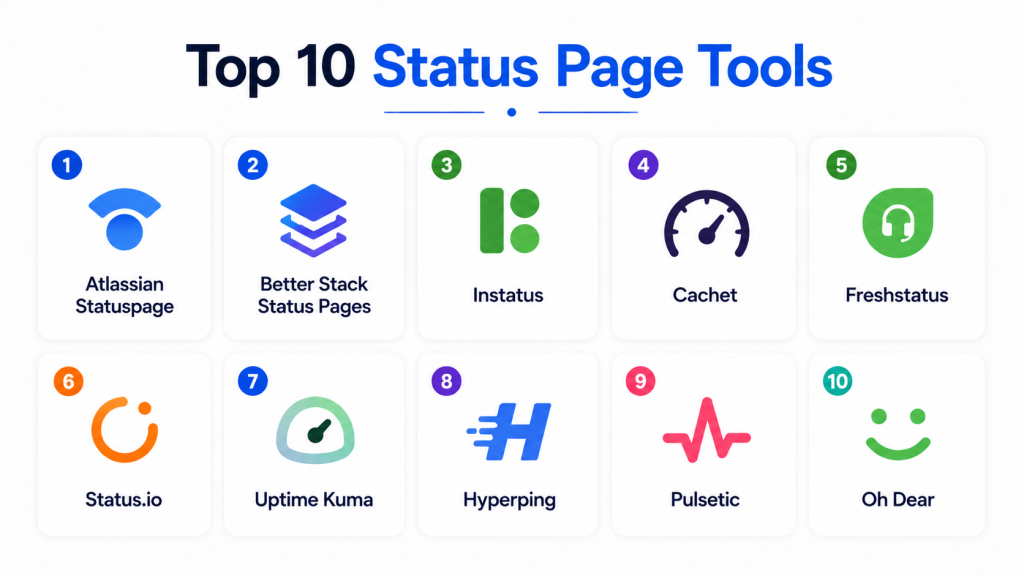
Top 10 Status Page Tools
1- Atlassian Statuspage
Key Features
- Public and private status pages.
- Incident communication workflows.
- Scheduled maintenance announcements.
- Subscriber notifications.
- Custom branding support.
- Incident history visibility.
- Third-party service integrations.
Pros
- Widely adopted enterprise platform.
- Strong operational transparency features.
- Excellent incident communication workflows.
Cons
- Premium pricing for advanced features.
- Limited deep customization flexibility.
- Advanced automation may require integrations.
Platforms / Deployment
- Web / Windows / macOS / Linux / iOS / Android
- Cloud
Security & Compliance
- SOC 2
- SSO/SAML
- MFA
- RBAC
- Encryption
Integrations & Ecosystem
Statuspage integrates with monitoring, DevOps, and incident management ecosystems for automated operational communication.
- PagerDuty
- Opsgenie
- Slack
- Datadog
- New Relic
- APIs
Support & Community
Strong Atlassian-backed support ecosystem with enterprise onboarding and extensive documentation.
2- Better Stack Status Pages
Key Features
- Hosted status page management.
- Incident publishing automation.
- Subscriber notifications.
- Custom domain support.
- Monitoring integrations.
- Maintenance scheduling.
- Analytics visibility.
Pros
- Easy onboarding workflows.
- User-friendly interface.
- Good value for SMB teams.
Cons
- Limited enterprise governance features.
- Smaller ecosystem than large vendors.
- Advanced customization options are limited.
Platforms / Deployment
- Web / Windows / macOS / Linux / iOS / Android
- Cloud
Security & Compliance
- MFA
- RBAC
- Encryption
Integrations & Ecosystem
Better Stack integrates with monitoring and operational ecosystems to automate service communication.
- Slack
- Datadog
- APIs
- Monitoring tools
- Incident management platforms
- Kubernetes
Support & Community
Growing support ecosystem with strong onboarding documentation and operational guidance.
3- Instatus
Key Features
- Hosted status pages.
- Unlimited subscribers.
- Incident management workflows.
- Maintenance announcements.
- Custom branding.
- Team collaboration tools.
- Public and private pages.
Pros
- Simple operational setup.
- Good pricing flexibility.
- Lightweight usability for startups.
Cons
- Smaller enterprise feature set.
- Limited advanced automation.
- Fewer integrations than enterprise vendors.
Platforms / Deployment
- Web / Windows / macOS / Linux
- Cloud
Security & Compliance
- MFA
- Encryption
- RBAC
Integrations & Ecosystem
Instatus integrates with operational communication and monitoring ecosystems for incident transparency.
- Slack
- APIs
- Monitoring systems
- Discord
- Zapier
- Webhooks
Support & Community
Responsive onboarding and documentation support for SMB and startup teams.
4- Cachet
Key Features
- Open-source status page management.
- Incident tracking workflows.
- Scheduled maintenance publishing.
- Metric dashboards.
- Custom branding support.
- API access.
- Multi-service visibility.
Pros
- Open-source flexibility.
- Self-hosted deployment support.
- Good customization capabilities.
Cons
- Requires operational maintenance.
- Smaller enterprise ecosystem.
- Limited managed support options.
Platforms / Deployment
- Web / Linux / Windows / macOS
- Self-hosted
Security & Compliance
- Not publicly stated
Integrations & Ecosystem
Cachet integrates with monitoring and infrastructure systems using APIs and open-source extensibility.
- APIs
- Monitoring tools
- Cloud infrastructure
- Webhooks
- Slack
- Custom integrations
Support & Community
Strong open-source community with developer-focused documentation.
5- Freshstatus
Key Features
- Incident communication workflows.
- Public status pages.
- Maintenance notifications.
- SLA reporting.
- Uptime tracking.
- Subscriber management.
- Team collaboration features.
Pros
- Easy operational usability.
- Good Freshworks ecosystem integration.
- Affordable SMB pricing.
Cons
- Limited enterprise automation depth.
- Smaller observability ecosystem.
- Fewer advanced governance capabilities.
Platforms / Deployment
- Web / Windows / macOS / Linux
- Cloud
Security & Compliance
- MFA
- Encryption
- RBAC
Integrations & Ecosystem
Freshstatus integrates with operational communication and customer support ecosystems.
- Freshdesk
- Slack
- APIs
- Monitoring systems
- Email platforms
- Collaboration tools
Support & Community
Strong SMB onboarding resources with Freshworks support ecosystem.
6- Status.io
Key Features
- Multi-service status management.
- Incident automation workflows.
- Subscriber communication.
- White-label customization.
- Uptime metrics visibility.
- Scheduled maintenance publishing.
- Analytics dashboards.
Pros
- Good white-label flexibility.
- Strong enterprise communication features.
- Reliable operational workflows.
Cons
- UI may feel outdated for some teams.
- Premium pricing for enterprise functionality.
- Advanced integrations require configuration.
Platforms / Deployment
- Web / Windows / Linux / macOS
- Cloud
Security & Compliance
- SSO/SAML
- MFA
- RBAC
- Encryption
Integrations & Ecosystem
Status.io integrates with monitoring and incident management ecosystems for automated communication workflows.
- PagerDuty
- Datadog
- APIs
- Slack
- Monitoring tools
- Webhooks
Support & Community
Enterprise onboarding support with strong operational documentation.
7- Uptime Kuma
Key Features
- Open-source uptime monitoring.
- Status page generation.
- Incident visibility.
- Self-hosted deployment.
- Multi-service monitoring.
- Notification management.
- Lightweight dashboards.
Pros
- Open-source flexibility.
- Easy self-hosted deployment.
- Cost-efficient operational visibility.
Cons
- Limited enterprise governance features.
- Smaller ecosystem maturity.
- Requires self-management expertise.
Platforms / Deployment
- Linux / Windows / macOS
- Self-hosted
Security & Compliance
- Not publicly stated
Integrations & Ecosystem
Uptime Kuma integrates with notification and monitoring ecosystems through APIs and community plugins.
- Slack
- Discord
- Telegram
- APIs
- Monitoring tools
- Webhooks
Support & Community
Strong open-source community with active contributor ecosystem.
8- Hyperping
Key Features
- Hosted status pages.
- Uptime monitoring integration.
- Incident communication workflows.
- Subscriber notifications.
- Team collaboration.
- Public and private pages.
- Maintenance scheduling.
Pros
- Modern operational interface.
- Easy onboarding workflows.
- Good SMB usability.
Cons
- Smaller enterprise ecosystem.
- Limited advanced automation capabilities.
- Fewer integrations than large vendors.
Platforms / Deployment
- Web / Windows / macOS / Linux
- Cloud
Security & Compliance
- MFA
- Encryption
- RBAC
Integrations & Ecosystem
Hyperping integrates with operational communication and monitoring ecosystems.
- Slack
- APIs
- Monitoring tools
- Webhooks
- Incident platforms
- Email services
Support & Community
Good onboarding experience with responsive SMB-focused support.
9- Pulsetic
Key Features
- Uptime monitoring.
- Status page publishing.
- Incident notifications.
- Team collaboration workflows.
- Public service visibility.
- Maintenance scheduling.
- Multi-region monitoring.
Pros
- Lightweight operational setup.
- Good affordability.
- User-friendly dashboards.
Cons
- Limited enterprise feature depth.
- Smaller observability ecosystem.
- Fewer advanced governance capabilities.
Platforms / Deployment
- Web / Windows / Linux / macOS
- Cloud
Security & Compliance
- MFA
- Encryption
- RBAC
Integrations & Ecosystem
Pulsetic integrates with monitoring and notification ecosystems for operational communication workflows.
- Slack
- APIs
- Monitoring systems
- Email tools
- Webhooks
- Collaboration tools
Support & Community
Responsive onboarding support with operational documentation for SMB teams.
10- Oh Dear
Key Features
- Website and uptime monitoring.
- Public status pages.
- Broken link monitoring.
- SSL monitoring.
- Incident communication.
- Maintenance scheduling.
- Operational notifications.
Pros
- Simple operational workflows.
- Good usability for smaller teams.
- Lightweight deployment experience.
Cons
- Limited enterprise-scale governance.
- Smaller integration ecosystem.
- Less advanced automation depth.
Platforms / Deployment
- Web / Windows / Linux / macOS
- Cloud
Security & Compliance
- MFA
- Encryption
Integrations & Ecosystem
Oh Dear integrates with monitoring and communication systems to improve operational visibility.
- Slack
- APIs
- Monitoring tools
- Email systems
- Collaboration tools
- Webhooks
Support & Community
Good operational documentation and responsive onboarding support.
Comparison Table
| Tool Name | Best For | Platforms Supported | Deployment | Standout Feature | Public Rating |
|---|---|---|---|---|---|
| Atlassian Statuspage | Enterprise transparency | Web, Linux, Windows | Cloud | Enterprise incident communication | N/A |
| Better Stack Status Pages | SMB operational visibility | Web, Linux, Windows | Cloud | Simplicity and usability | N/A |
| Instatus | Startup teams | Web, Linux, Windows | Cloud | Lightweight setup | N/A |
| Cachet | Open-source flexibility | Linux, Windows, macOS | Self-hosted | Self-hosted customization | N/A |
| Freshstatus | SMB operations | Web, Linux, Windows | Cloud | Freshworks integration | N/A |
| Status.io | White-label enterprise visibility | Web, Linux, Windows | Cloud | White-label support | N/A |
| Uptime Kuma | Open-source uptime visibility | Linux, Windows, macOS | Self-hosted | Open-source deployment | N/A |
| Hyperping | Modern SMB workflows | Web, Linux, Windows | Cloud | Modern UI experience | N/A |
| Pulsetic | Lightweight monitoring | Web, Linux, Windows | Cloud | Affordable operations | N/A |
| Oh Dear | Website monitoring | Web, Linux, Windows | Cloud | Simplicity and monitoring | N/A |
Evaluation & Scoring of Status Page Tools
| Tool Name | Core (25%) | Ease (15%) | Integrations (15%) | Security (10%) | Performance (10%) | Support (10%) | Value (15%) | Weighted Total (0–10) |
|---|---|---|---|---|---|---|---|---|
| Atlassian Statuspage | 9 | 8 | 9 | 9 | 9 | 8 | 6 | 8.5 |
| Better Stack Status Pages | 8 | 9 | 7 | 7 | 8 | 7 | 9 | 8.0 |
| Instatus | 7 | 9 | 6 | 7 | 7 | 7 | 9 | 7.5 |
| Cachet | 7 | 7 | 7 | 6 | 7 | 7 | 9 | 7.3 |
| Freshstatus | 7 | 8 | 7 | 7 | 7 | 7 | 8 | 7.4 |
| Status.io | 8 | 7 | 8 | 8 | 8 | 7 | 7 | 7.7 |
| Uptime Kuma | 7 | 8 | 6 | 6 | 7 | 7 | 9 | 7.2 |
| Hyperping | 7 | 8 | 6 | 7 | 7 | 7 | 8 | 7.3 |
| Pulsetic | 7 | 8 | 6 | 7 | 7 | 7 | 8 | 7.3 |
| Oh Dear | 7 | 8 | 6 | 6 | 7 | 7 | 8 | 7.1 |
These scores are comparative and designed to help organizations evaluate status page platforms across operational communication capabilities, integrations, usability, security, scalability, support quality, and value. Buyers should align platform selection with infrastructure complexity, transparency requirements, operational maturity, and budget considerations.
Which Status Page Tool Is Right for You?
Solo / Freelancer
Oh Dear and Pulsetic are suitable for lightweight website monitoring and simple operational communication workflows.
SMB
Better Stack Status Pages and Freshstatus provide balanced usability, affordability, and operational visibility for growing teams.
Mid-Market
Status.io and Atlassian Statuspage deliver scalable operational communication and incident visibility workflows.
Enterprise
Atlassian Statuspage and Status.io are ideal for enterprises requiring advanced operational transparency, integrations, and governance capabilities.
Budget vs Premium
Uptime Kuma and Cachet provide cost-efficient open-source flexibility, while Atlassian Statuspage focuses on premium enterprise operational communication.
Feature Depth vs Ease of Use
Better Stack balances simplicity and functionality well, while Status.io and Atlassian Statuspage provide deeper operational workflows with higher complexity.
Integrations & Scalability
Organizations should prioritize observability, incident management, cloud-native, and monitoring integration capabilities.
Security & Compliance Needs
Enterprises with strict governance requirements should prioritize platforms offering RBAC, MFA, SSO, encryption, and audit visibility.
Frequently Asked Questions (FAQs)
1. What are Status Page Tools?
Status Page Tools help organizations communicate service outages, uptime status, maintenance updates, and operational incidents to customers and internal teams. These platforms improve transparency and reduce confusion during downtime or infrastructure issues.
2. Why are status page platforms important?
They help businesses maintain customer trust by providing real-time updates during outages or maintenance events. Status pages also reduce support ticket volume by proactively communicating operational issues and recovery progress.
3. What is a public status page?
A public status page is a customer-facing dashboard that displays the availability and operational status of services, APIs, applications, or infrastructure components. Customers can subscribe to receive updates and maintenance notifications.
4. Do status page tools support automation?
Most modern status page platforms support automated incident publishing through integrations with monitoring, observability, and incident management systems. This helps teams reduce manual communication delays during outages.
5. Can status page platforms integrate with monitoring tools?
Yes. Many tools integrate with observability and monitoring platforms like Datadog, New Relic, PagerDuty, and cloud monitoring systems to automate operational updates and incident workflows.
6. Are private status pages supported?
Some platforms provide private or internal-only status pages for engineering, operations, and executive teams. These pages help organizations coordinate incident response and infrastructure visibility securely.
7. What integrations are important for status page tools?
Important integrations include monitoring systems, observability platforms, incident management tools, cloud providers, collaboration platforms, and notification systems for real-time operational communication.
8. Are open-source status page tools reliable?
Yes. Open-source platforms like Cachet and Uptime Kuma can provide reliable operational visibility when properly deployed and maintained. They are often preferred for customization and self-hosted environments.
9. What is the difference between uptime monitoring and status pages?
Uptime monitoring detects outages and performance problems, while status pages communicate operational status and incident updates to customers and stakeholders in real time.
10. How should organizations choose a status page platform?
Organizations should evaluate automation capabilities, integrations, scalability, security controls, usability, branding flexibility, and operational transparency requirements before selecting a platform.
Conclusion
Status Page Tools have become essential for organizations operating customer-facing digital platforms, APIs, cloud services, and distributed infrastructure environments. Businesses now require more than simple outage announcements — they need automated communication workflows, observability integration, operational transparency, and scalable customer communication capabilities to maintain trust and reduce operational friction. Platforms like Atlassian Statuspage and Status.io deliver enterprise-grade operational visibility and governance capabilities, while Better Stack Status Pages and Uptime Kuma provide flexible alternatives for organizations prioritizing simplicity and cost efficiency. The ideal platform ultimately depends on operational maturity, infrastructure complexity, integration requirements, governance needs, and budget considerations. Organizations should shortlist multiple tools, validate operational workflows, test automation capabilities, and run pilot deployments before making long-term operational communication decisions.

Find Trusted Cardiac Hospitals
Compare heart hospitals by city and services — all in one place.
Explore Hospitals
This gave me a better understanding of how status page tools improve outage communication and user trust. I’d like to explore which tool fits best for reliable updates.