Introduction
On-call Scheduling Tools help organizations manage incident response rotations, alert escalation workflows, and operational availability across DevOps, IT operations, Site Reliability Engineering, cybersecurity, and support teams. These platforms automate scheduling, notify the right responders during incidents, reduce alert fatigue, and ensure operational continuity for mission-critical services. As cloud-native applications, distributed infrastructure, Kubernetes environments, and 24/7 digital services continue growing, organizations need reliable systems for coordinating incident response and maintaining uptime. Modern on-call scheduling tools now combine AI-powered alert routing, incident management, mobile notifications, ChatOps integrations, automation workflows, and observability platform connectivity into unified operational experiences.
Real-World Use Cases Include:
- Managing 24/7 DevOps incident response rotations.
- Coordinating IT support escalation workflows.
- Automating alert routing during production outages.
- Supporting cloud-native infrastructure monitoring.
- Managing SRE reliability operations globally.
Key Buyer Evaluation Criteria Include:
- Flexible scheduling and rotation management.
- Real-time alerting and escalation workflows.
- Mobile accessibility and push notifications.
- AI-powered alert routing and noise reduction.
- Integration ecosystem with monitoring and observability platforms.
- Security controls including MFA, RBAC, and audit logging.
- Ease of onboarding and operational usability.
- Incident response automation capabilities.
- Scalability for distributed operational teams.
- Reporting and analytics visibility.
Best for:
DevOps teams, Site Reliability Engineers, IT operations teams, managed service providers, SaaS companies, healthcare operations, fintech platforms, and enterprises operating mission-critical infrastructure.
Not ideal for:
Small organizations with limited operational complexity, teams without 24/7 support requirements, or businesses where manual scheduling through calendars or messaging platforms is sufficient.
Key Trends in On-call Scheduling Tools
- AI-powered alert correlation is reducing operational noise significantly.
- ChatOps-native workflows are becoming standard for engineering teams.
- Automated incident routing and remediation workflows are improving MTTR.
- Unified observability integration with logs, traces, and metrics is expanding rapidly.
- Mobile-first incident response experiences are becoming operational priorities.
- Kubernetes-native operational workflows are increasing across enterprises.
- Compliance-focused audit trails and governance reporting are expanding.
- Multi-cloud and globally distributed team coordination features are improving.
- Predictive incident analytics are helping organizations respond proactively.
- OpenTelemetry and observability interoperability are improving operational visibility.
How We Selected These Tools (Methodology)
The tools in this list were selected using operational, technical, and enterprise evaluation criteria:
- Market adoption and operational mindshare.
- Feature completeness across on-call scheduling workflows.
- Reliability and scalability for enterprise environments.
- Integration ecosystem depth and flexibility.
- AI-powered automation and alerting capabilities.
- Security and compliance readiness.
- Usability for engineering and operations teams.
- Support quality, documentation, and onboarding experience.
- Compatibility with cloud-native and observability ecosystems.
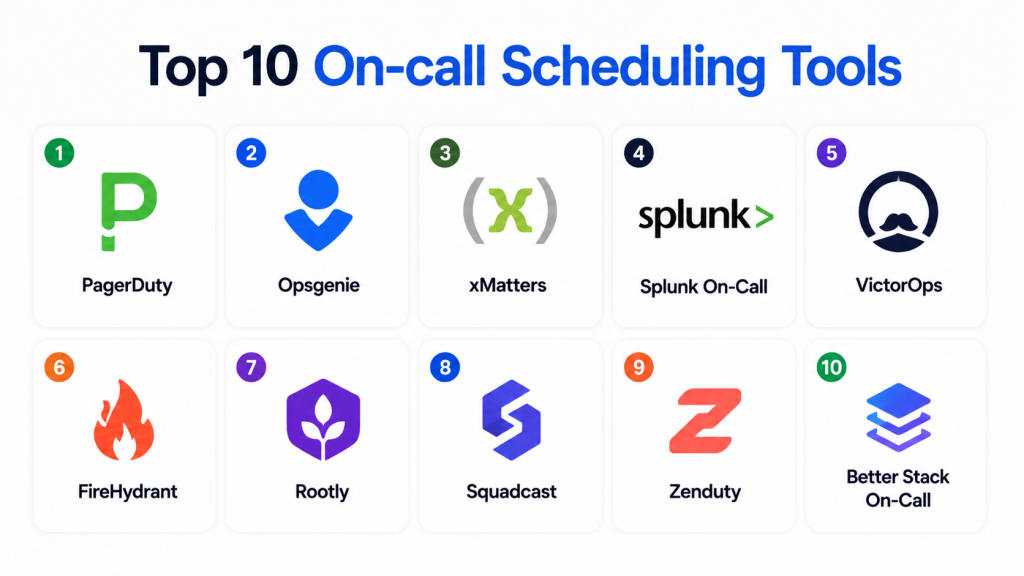
Top 10 On-call Scheduling Tools
1 — PagerDuty
Short description
PagerDuty is one of the most widely adopted on-call scheduling and incident response platforms for DevOps, SRE, and IT operations teams. It provides intelligent alert routing, escalation automation, and enterprise-grade operational workflows.
Key Features
- Advanced on-call rotation management.
- AI-powered event intelligence.
- Real-time escalation workflows.
- Mobile incident response applications.
- Alert noise reduction.
- Automation and orchestration capabilities.
- Service dependency visibility.
Pros
- Enterprise-grade scalability.
- Excellent observability integrations.
- Mature automation ecosystem.
Cons
- Premium pricing structure.
- Complex setup for advanced workflows.
- Smaller teams may find it feature-heavy.
Platforms / Deployment
- Web / Windows / macOS / Linux / iOS / Android
- Cloud
Security & Compliance
- SOC 2
- SSO/SAML
- MFA
- RBAC
- Audit logs
- Encryption
Integrations & Ecosystem
PagerDuty integrates deeply with observability, monitoring, ITSM, and cloud ecosystems to automate operational response workflows.
- Datadog
- Splunk
- AWS
- ServiceNow
- Slack
- Kubernetes
Support & Community
Strong enterprise support ecosystem with extensive documentation, onboarding resources, and operational best practices.
2 — Opsgenie
Short description
Opsgenie is an on-call management and alerting platform designed for DevOps and IT teams requiring reliable escalation workflows and flexible scheduling.
Key Features
- Flexible on-call rotations.
- Multi-channel alerting.
- Escalation management workflows.
- Team scheduling automation.
- Incident response collaboration.
- Mobile incident management.
- Reporting and analytics.
Pros
- Strong scheduling flexibility.
- Excellent Atlassian ecosystem integration.
- Good usability for growing teams.
Cons
- Advanced automation requires configuration expertise.
- Some enterprise features require premium plans.
- UI complexity for new users.
Platforms / Deployment
- Web / Windows / macOS / Linux / iOS / Android
- Cloud
Security & Compliance
- SSO/SAML
- MFA
- RBAC
- Encryption
Integrations & Ecosystem
Opsgenie integrates with observability, DevOps, and IT operations ecosystems for unified incident workflows.
- Jira
- Slack
- AWS
- Datadog
- ServiceNow
- APIs
Support & Community
Strong Atlassian-backed support ecosystem with onboarding resources and active documentation.
3 — xMatters
Short description
xMatters is an enterprise incident management and on-call scheduling platform focused on workflow automation and operational collaboration.
Key Features
- Intelligent escalation workflows.
- Automated scheduling management.
- Workflow orchestration.
- Multi-channel notifications.
- Incident collaboration tools.
- Operational analytics.
- Service reliability workflows.
Pros
- Excellent automation capabilities.
- Strong enterprise workflow flexibility.
- Good integration ecosystem.
Cons
- Complex onboarding for enterprise environments.
- Premium pricing structure.
- Advanced workflows require configuration expertise.
Platforms / Deployment
- Web / Windows / macOS / Linux / iOS / Android
- Cloud
Security & Compliance
- SSO/SAML
- MFA
- RBAC
- Encryption
Integrations & Ecosystem
xMatters integrates with ITSM, observability, and cloud-native ecosystems for operational automation.
- ServiceNow
- Jira
- Slack
- Datadog
- AWS
- APIs
Support & Community
Enterprise-focused onboarding assistance with strong operational documentation and support resources.
4 — Splunk On-Call
Short description
Splunk On-Call is an operational response platform focused on on-call scheduling, incident escalation, and observability-driven workflows.
Key Features
- On-call scheduling management.
- Intelligent alert routing.
- Incident collaboration workflows.
- Observability integrations.
- Real-time escalation workflows.
- Mobile incident response.
- Analytics dashboards.
Pros
- Strong observability integration.
- Scalable operational workflows.
- Good analytics visibility.
Cons
- Premium pricing structure.
- Learning curve for advanced configurations.
- Requires observability ecosystem familiarity.
Platforms / Deployment
- Web / Windows / macOS / Linux / iOS / Android
- Cloud
Security & Compliance
- SOC 2
- MFA
- RBAC
- Encryption
- SSO/SAML
Integrations & Ecosystem
Splunk On-Call integrates with monitoring, observability, and DevOps ecosystems for unified operational visibility.
- Splunk Observability
- AWS
- Datadog
- Kubernetes
- Slack
- APIs
Support & Community
Strong enterprise support ecosystem with onboarding and operational guidance.
5 — VictorOps
Short description
VictorOps is an incident response and on-call management platform focused on collaboration, escalation management, and operational workflows.
Key Features
- On-call scheduling workflows.
- Incident alerting and escalation.
- Team collaboration features.
- ChatOps integration.
- Mobile incident response.
- Operational analytics.
- Service monitoring visibility.
Pros
- Strong operational collaboration.
- Good escalation workflows.
- Developer-friendly usability.
Cons
- Smaller ecosystem than major competitors.
- Limited AI-powered automation capabilities.
- Some enterprise governance features are basic.
Platforms / Deployment
- Web / Windows / macOS / Linux / iOS / Android
- Cloud
Security & Compliance
- SSO/SAML
- MFA
- RBAC
- Encryption
Integrations & Ecosystem
VictorOps integrates with observability, monitoring, and DevOps ecosystems for incident coordination.
- Splunk
- AWS
- Slack
- Datadog
- Kubernetes
- APIs
Support & Community
Responsive onboarding and operational support resources for DevOps teams.
6 — FireHydrant
Short description
FireHydrant is a reliability operations and incident management platform designed for engineering teams requiring collaborative operational workflows.
Key Features
- On-call coordination workflows.
- Runbook automation.
- Slack-native operations.
- Service catalog visibility.
- Postmortem management.
- Incident analytics.
- Operational collaboration.
Pros
- Excellent engineering-focused usability.
- Strong Slack integration.
- Good incident documentation workflows.
Cons
- Smaller enterprise ecosystem.
- Less extensive governance capabilities.
- Limited legacy ITSM integration depth.
Platforms / Deployment
- Web / macOS / Linux / Windows
- Cloud
Security & Compliance
- SSO/SAML
- RBAC
- Encryption
Integrations & Ecosystem
FireHydrant integrates with engineering, DevOps, and observability ecosystems.
- Slack
- GitHub
- PagerDuty
- Datadog
- Jira
- APIs
Support & Community
Developer-focused onboarding resources with strong operational documentation.
7 — Rootly
Short description
Rootly is a modern incident response and on-call management platform built around automation and Slack-native workflows.
Key Features
- Automated on-call scheduling.
- Incident workflow automation.
- Runbook orchestration.
- Slack-native operations.
- Escalation management.
- Postmortem workflows.
- Analytics dashboards.
Pros
- Excellent Slack integration.
- Strong automation workflows.
- Modern operational experience.
Cons
- Smaller ecosystem maturity.
- Limited enterprise governance capabilities.
- Some workflows require customization.
Platforms / Deployment
- Web / macOS / Linux / Windows
- Cloud
Security & Compliance
- SSO/SAML
- RBAC
- MFA
- Encryption
Integrations & Ecosystem
Rootly integrates with engineering and observability ecosystems for operational collaboration.
- Slack
- Datadog
- GitHub
- PagerDuty
- Jira
- APIs
Support & Community
Strong developer-focused onboarding experience and operational documentation.
8 — Squadcast
Short description
Squadcast is an incident response and on-call management platform designed for modern DevOps and SRE workflows.
Key Features
- On-call rotation management.
- AI-powered incident response.
- Alert escalation workflows.
- Automation capabilities.
- Runbook orchestration.
- Incident analytics.
- ChatOps collaboration.
Pros
- Modern operational interface.
- Cost-effective compared to enterprise competitors.
- Strong automation capabilities.
Cons
- Smaller ecosystem than large vendors.
- Limited enterprise governance depth.
- Advanced analytics are less extensive.
Platforms / Deployment
- Web / Windows / macOS / Linux / iOS / Android
- Cloud
Security & Compliance
- SSO/SAML
- MFA
- RBAC
- Encryption
Integrations & Ecosystem
Squadcast integrates with observability, DevOps, and collaboration ecosystems.
- Slack
- Datadog
- AWS
- PagerDuty
- Jira
- APIs
Support & Community
Strong customer onboarding and developer-focused support resources.
9 — Zenduty
Short description
Zenduty is an incident management and on-call scheduling platform focused on real-time operational response and escalation automation.
Key Features
- On-call scheduling automation.
- Escalation workflows.
- Incident response coordination.
- ChatOps integrations.
- Mobile notifications.
- Analytics dashboards.
- Team collaboration tools.
Pros
- Easy onboarding experience.
- Good operational usability.
- Affordable pricing flexibility.
Cons
- Smaller enterprise ecosystem.
- Limited advanced AI analytics.
- Fewer integrations than large competitors.
Platforms / Deployment
- Web / Windows / macOS / Linux / iOS / Android
- Cloud
Security & Compliance
- MFA
- RBAC
- Encryption
- SSO/SAML
Integrations & Ecosystem
Zenduty integrates with DevOps and operational monitoring ecosystems.
- Slack
- AWS
- Datadog
- Jira
- APIs
- Kubernetes
Support & Community
Responsive onboarding and operational support for engineering teams.
10 — Better Stack On-Call
Short description
Better Stack On-Call is a lightweight operational response and scheduling platform designed for modern DevOps and SaaS teams.
Key Features
- On-call scheduling management.
- Incident escalation workflows.
- Status page integration.
- Real-time notifications.
- Team collaboration features.
- Mobile accessibility.
- Monitoring integrations.
Pros
- Simple onboarding workflows.
- User-friendly operational experience.
- Good value for smaller teams.
Cons
- Less extensive enterprise functionality.
- Limited advanced automation depth.
- Smaller observability ecosystem.
Platforms / Deployment
- Web / Windows / macOS / Linux / iOS / Android
- Cloud
Security & Compliance
- MFA
- Encryption
- RBAC
Integrations & Ecosystem
Better Stack integrates with monitoring and operational collaboration ecosystems.
- Slack
- Datadog
- APIs
- Kubernetes
- Status page tools
- Monitoring systems
Support & Community
Good onboarding experience with growing developer-focused documentation resources.
Comparison Table (Top 10)
| Tool Name | Best For | Platform(s) Supported | Deployment | Standout Feature | Public Rating |
|---|---|---|---|---|---|
| PagerDuty | Enterprise operations | Web, Linux, Windows | Cloud | AI-powered automation | N/A |
| Opsgenie | Flexible scheduling | Web, Linux, Windows | Cloud | Atlassian integration | N/A |
| xMatters | Workflow automation | Web, Linux, Windows | Cloud | Enterprise orchestration | N/A |
| Splunk On-Call | Observability operations | Web, Linux, Windows | Cloud | Observability integration | N/A |
| VictorOps | Operational collaboration | Web, Linux, Windows | Cloud | ChatOps workflows | N/A |
| FireHydrant | Engineering operations | Web, Linux, Windows | Cloud | Slack-native workflows | N/A |
| Rootly | Modern incident workflows | Web, Linux, Windows | Cloud | Automated runbooks | N/A |
| Squadcast | Modern DevOps teams | Web, Linux, Windows | Cloud | Cost-efficient automation | N/A |
| Zenduty | SMB operational teams | Web, Linux, Windows | Cloud | Operational simplicity | N/A |
| Better Stack On-Call | Lightweight scheduling | Web, Linux, Windows | Cloud | Simplicity and usability | N/A |
Evaluation & Scoring of On-call Scheduling Tools
| Tool Name | Core (25%) | Ease (15%) | Integrations (15%) | Security (10%) | Performance (10%) | Support (10%) | Value (15%) | Weighted Total (0–10) |
|---|---|---|---|---|---|---|---|---|
| PagerDuty | 9 | 8 | 9 | 9 | 9 | 8 | 6 | 8.5 |
| Opsgenie | 8 | 8 | 8 | 8 | 8 | 8 | 8 | 8.0 |
| xMatters | 8 | 7 | 8 | 8 | 8 | 8 | 7 | 7.8 |
| Splunk On-Call | 8 | 7 | 8 | 8 | 8 | 8 | 6 | 7.7 |
| VictorOps | 7 | 8 | 7 | 7 | 7 | 7 | 8 | 7.3 |
| FireHydrant | 7 | 8 | 7 | 7 | 8 | 7 | 8 | 7.5 |
| Rootly | 8 | 8 | 7 | 7 | 8 | 7 | 8 | 7.7 |
| Squadcast | 8 | 8 | 7 | 7 | 8 | 7 | 8 | 7.7 |
| Zenduty | 7 | 8 | 7 | 7 | 7 | 7 | 8 | 7.3 |
| Better Stack On-Call | 7 | 9 | 6 | 7 | 7 | 7 | 9 | 7.4 |
These scores are comparative and designed to help organizations evaluate platforms across scheduling flexibility, automation, integrations, security, scalability, usability, support quality, and operational value. Buyers should align platform selection with operational complexity, team size, observability maturity, and incident response requirements.
Which On-call Scheduling Tool Is Right for You?
Solo / Freelancer
Better Stack On-Call and Zenduty are suitable for lightweight operational scheduling and affordable incident coordination workflows.
SMB
Opsgenie and Squadcast provide balanced usability, scalability, and automation for growing operational teams.
Mid-Market
PagerDuty and Splunk On-Call deliver scalable incident response and observability-driven scheduling workflows.
Enterprise
PagerDuty, xMatters, and Splunk On-Call are ideal for enterprises requiring advanced automation, governance, and operational scalability.
Budget vs Premium
Better Stack On-Call and Zenduty provide cost-efficient operational workflows, while PagerDuty and xMatters target premium enterprise operations.
Feature Depth vs Ease of Use
PagerDuty balances advanced functionality and usability well, while xMatters provides deeper automation with higher operational complexity.
Integrations & Scalability
Organizations should prioritize Kubernetes, observability, ITSM, and cloud-native integration capabilities.
Security & Compliance Needs
Enterprises with strict governance requirements should prioritize tools offering RBAC, MFA, SSO, encryption, and audit logging capabilities.
Frequently Asked Questions (FAQs)
1. What are On-call Scheduling Tools?
On-call scheduling tools help organizations manage operational rotations, alert escalations, and incident response coordination across teams.
2. Why are on-call scheduling platforms important?
They improve operational reliability, reduce downtime, automate incident routing, and ensure the right teams respond quickly to issues.
3. What is alert escalation?
Alert escalation automatically routes unresolved incidents to additional responders or management teams based on predefined rules.
4. Do on-call scheduling tools support automation?
Most modern platforms support automation workflows, incident routing, escalation management, and remediation orchestration.
5. Can on-call scheduling platforms integrate with observability tools?
Yes. Many tools integrate with monitoring, logging, tracing, APM, and observability ecosystems for unified operational workflows.
6. Are AI features important in on-call scheduling platforms?
AI-powered analytics help organizations reduce alert fatigue, prioritize incidents, and accelerate operational response workflows.
7. What integrations are important for on-call scheduling tools?
Important integrations include cloud providers, observability platforms, ITSM systems, collaboration platforms, and CI/CD tools.
8. What is ChatOps in operational response?
ChatOps enables teams to coordinate incident management and automation directly within collaboration platforms like Slack or Microsoft Teams.
9. Are cloud-native on-call scheduling platforms reliable?
Yes. Most modern platforms are designed for distributed cloud-native and Kubernetes-based operational environments.
10. How should organizations choose an on-call scheduling platform?
Organizations should evaluate automation, integrations, scalability, security controls, operational usability, and incident response requirements.
Conclusion
On-call Scheduling Tools have become essential for organizations operating cloud-native applications, distributed infrastructure, and mission-critical digital services. Businesses now require more than simple scheduling calendars — they need intelligent alert routing, automation, observability integration, operational collaboration, and scalable incident response workflows to maintain uptime and reduce operational risk effectively. Platforms like PagerDuty, Opsgenie, and xMatters deliver enterprise-grade scheduling and operational automation capabilities, while Rootly and Squadcast provide modern alternatives for engineering-focused teams prioritizing collaboration and agility. The ideal platform ultimately depends on infrastructure complexity, operational maturity, integration requirements, governance needs, and budget considerations. Organizations should shortlist multiple tools, validate operational workflows, test escalation automation, and run pilot deployments before making long-term operational decisions.

Find Trusted Cardiac Hospitals
Compare heart hospitals by city and services — all in one place.
Explore Hospitals
This gave me a better understanding of how on-call scheduling tools improve team coordination and incident response. I’d like to explore which tool fits best for reliable 24/7 support.