Introduction
Corporate Performance Management CPM software helps organizations plan budgets, forecast business performance, consolidate financial results, analyze key metrics, and create management reports from one connected system. In simple terms, CPM tools help leadership and finance teams understand how the business is performing, compare actual results with plans, and make better decisions based on trusted financial and operational data. CPM is important because businesses now operate with faster market changes, more complex revenue models, distributed teams, multi-entity structures, and higher expectations for accurate reporting. Finance teams need more than spreadsheets; they need automation, governance, audit trails, scenario planning, and real-time visibility.
Real World Use Cases
- Budgeting, forecasting, and long-range planning
- Financial consolidation and close management
- Board reporting and executive performance dashboards
- Scenario planning for growth, cost control, and uncertainty
- Connecting finance, sales, HR, operations, and leadership planning
Evaluation Criteria for Buyers
- Planning, budgeting, and forecasting depth
- Financial consolidation and close capabilities
- Reporting, dashboards, and analytics
- Scenario modeling and driver-based planning
- ERP, CRM, HRIS, and data warehouse integrations
- Workflow approvals and audit trails
- Multi-entity and multi-currency support
- AI and automation capabilities
- Security, permissions, and governance
- Ease of use for finance and business teams
Best for: CFOs, FP&A teams, controllers, finance transformation leaders, enterprise finance teams, multi-entity businesses, and mid-market companies that need better planning, reporting, consolidation, and business performance visibility.
Not ideal for: freelancers, very small businesses, or teams that only need basic bookkeeping, invoicing, or spreadsheet-based budgeting without consolidation, governance, and executive reporting needs.
Key Trends in Corporate Performance Management CPM
- AI-powered finance workflows are growing: CPM platforms are adding AI-assisted forecasting, anomaly detection, variance explanations, and reporting automation.
- Unified finance platforms are replacing disconnected tools: Companies want planning, consolidation, reporting, close, reconciliation, and analytics in one connected environment.
- Continuous planning is becoming standard: Static annual budgets are being replaced by rolling forecasts, driver-based planning, and faster reforecasting.
- Financial close automation is a major priority: Finance teams want fewer manual spreadsheets, better controls, faster consolidation, and cleaner audit trails.
- Multi-entity reporting is more important: Global businesses need currency translation, intercompany eliminations, entity hierarchies, and consolidated reporting.
- Operational planning is connecting with finance: CPM tools increasingly connect financial plans with sales, workforce, supply chain, and operational data.
- Board-ready reporting is becoming automated: Teams want dashboards, commentary, variance explanations, and presentation-ready reports.
- Security and governance are central buying criteria: Buyers are prioritizing role-based access, audit logs, approval workflows, data lineage, and controlled versions.
- Cloud CPM adoption continues to rise: Cloud deployment supports remote finance collaboration, faster updates, and easier integration across systems.
- Integration quality determines long-term value: CPM success depends heavily on clean data flow from ERP, general ledger, CRM, HRIS, payroll, billing, and data platforms.
How We Selected These Tools
The following tools were selected based on their relevance to CPM, financial planning, consolidation, reporting, enterprise performance management, and finance transformation use cases.
- Strong capabilities across budgeting, forecasting, reporting, and consolidation
- Recognition among CFOs, FP&A teams, controllers, and enterprise finance leaders
- Ability to support multi-entity, multi-currency, and complex finance environments
- Integration strength with ERP, general ledger, CRM, HRIS, billing, and data systems
- Support for workflow approvals, audit trails, governance, and version control
- Practical fit across mid-market, enterprise, and complex finance teams
- Reporting depth for executive, board, management, and financial reporting
- AI, automation, or analytics features that improve finance productivity
- Product maturity, implementation ecosystem, and available support resources
- Suitability for both financial and operational performance management
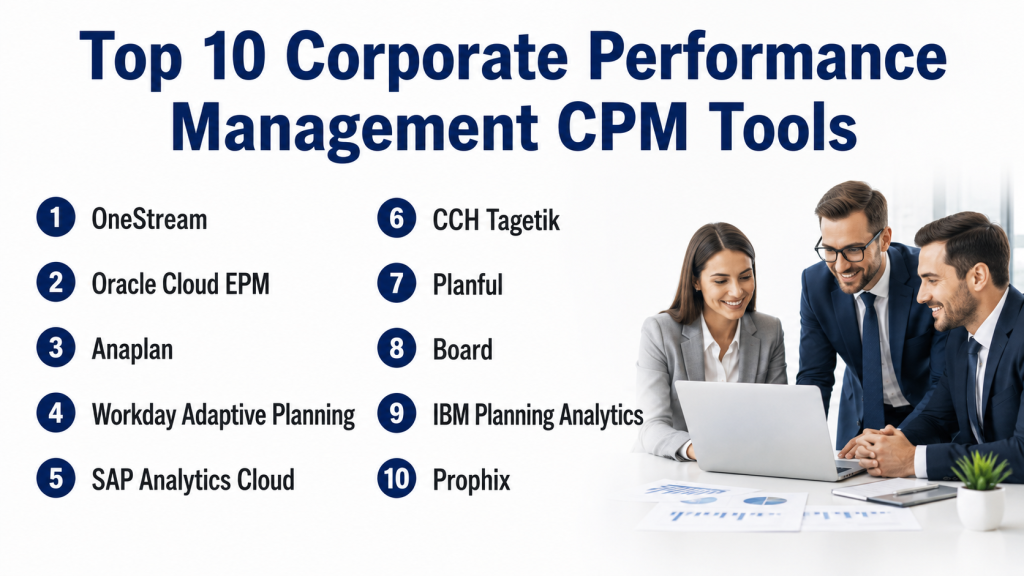
Top 10 Corporate Performance Management CPM Tools
1- OneStream
Short description: OneStream is an enterprise finance platform for financial consolidation, planning, reporting, close, and analytics. It is best suited for larger organizations that want a unified CPM platform instead of multiple disconnected finance tools.
Key Features
- Financial consolidation and close management
- Budgeting, forecasting, and planning
- Reporting, analytics, and dashboards
- Account reconciliation and transaction matching support
- Unified financial and operational data model
- AI-assisted finance productivity capabilities
- Marketplace and extensibility options
Pros
- Strong fit for enterprise finance transformation
- Combines planning, consolidation, reporting, and close in one platform
- Useful for complex finance teams with multiple entities and systems
Cons
- May be too advanced for small companies
- Implementation requires experienced finance and systems resources
- Best value comes when processes are standardized and well governed
Platforms / Deployment
Web
Cloud
Security & Compliance
OneStream is built for enterprise finance environments with role-based access, workflow controls, and finance data governance. Specific certifications and compliance details should be verified directly.
Integrations & Ecosystem
OneStream is commonly used as a unified finance platform connecting planning, reporting, consolidation, analytics, and financial close workflows. It is suitable for organizations that want one governed source of finance truth.
- ERP systems
- General ledger systems
- Financial close systems
- Operational data sources
- Reporting and analytics tools
- Marketplace extensions
Support & Community
OneStream provides training, customer success resources, implementation support, partner services, and a finance-focused ecosystem. Support experience depends on project scope and partner quality.
2- Oracle Cloud EPM
Short description: Oracle Cloud EPM is an enterprise performance management suite for planning, budgeting, forecasting, consolidation, close, reconciliation, reporting, and enterprise data management. It is best for organizations that need deep enterprise finance capabilities, especially within Oracle-centered environments.
Key Features
- Planning, budgeting, and forecasting
- Financial consolidation and close
- Account reconciliation
- Narrative reporting and management reporting
- Profitability and cost management
- Enterprise data management
- AI-powered finance and performance management capabilities
Pros
- Strong enterprise depth across multiple finance processes
- Good fit for large and complex global organizations
- Broad EPM coverage beyond basic planning
Cons
- Implementation can be complex
- May require Oracle expertise and strong governance
- Not ideal for small teams with simple planning needs
Platforms / Deployment
Web
Cloud
Security & Compliance
Oracle Cloud EPM provides enterprise access controls, governance, and security capabilities across Oracle’s cloud environment. Specific certifications and compliance details should be verified directly.
Integrations & Ecosystem
Oracle Cloud EPM is strongest inside broader Oracle finance and ERP environments, but it can also connect with other enterprise systems through integrations and data management tools.
- Oracle Fusion Cloud ERP
- General ledger systems
- HR and workforce planning systems
- Sales planning systems
- Data integration tools
- Enterprise reporting workflows
Support & Community
Oracle provides enterprise support, documentation, implementation partners, consulting resources, and training. Support depends on licensing, deployment scope, and partner involvement.
3- Anaplan
Short description: Anaplan is a connected planning platform used for financial planning, workforce planning, sales planning, supply chain planning, and enterprise scenario modeling. It is best for organizations that need planning across multiple departments, not only finance.
Key Features
- Connected financial and operational planning
- Budgeting, forecasting, and scenario modeling
- Driver-based planning
- Cross-functional planning collaboration
- Workforce, sales, and supply chain planning support
- Data integration across business systems
- Planning dashboards and reporting
Pros
- Strong for connected enterprise planning
- Useful when finance plans must align with operational drivers
- Flexible modeling for complex planning environments
Cons
- Requires model governance and planning expertise
- Implementation can be resource-intensive
- May be more than small finance teams need
Platforms / Deployment
Web
Cloud
Security & Compliance
Anaplan supports enterprise planning governance, controlled access, and role-based planning workflows. Specific certifications and compliance details should be verified directly.
Integrations & Ecosystem
Anaplan connects planning data across finance, sales, workforce, supply chain, and operations. It is suitable for businesses that want planning models tied to real operational assumptions.
- ERP systems
- CRM platforms
- HRIS systems
- Supply chain tools
- Data warehouses
- API and integration tools
Support & Community
Anaplan provides training, documentation, implementation partners, and customer success resources. Support experience depends on implementation complexity and partner quality.
4- Workday Adaptive Planning
Short description: Workday Adaptive Planning is a cloud planning and FP&A solution for budgeting, forecasting, reporting, workforce planning, and scenario modeling. It is useful for SMB, mid-market, and enterprise finance teams that need flexible planning with strong usability.
Key Features
- Budgeting, forecasting, and planning
- Scenario planning and what-if modeling
- Financial dashboards and reports
- Workforce and operational planning support
- Integration with ERP, general ledger, and business systems
- Collaborative planning workflows
- Excel-friendly reporting workflows
Pros
- Strong balance of usability and planning depth
- Good fit for finance teams moving beyond spreadsheets
- Works well for organizations using Workday products
Cons
- Complex models still require planning expertise
- Best value may come within the Workday ecosystem
- Implementation planning is important for larger organizations
Platforms / Deployment
Web
Cloud
Security & Compliance
Workday provides enterprise-grade security and access controls across its cloud platform. Specific certifications and compliance requirements should be verified directly.
Integrations & Ecosystem
Workday Adaptive Planning connects planning data with ERP, general ledger, HR, and operational sources. It is especially useful when finance teams want planning tied to workforce and business performance data.
- Workday Financial Management
- ERP and general ledger systems
- HR and workforce systems
- Excel reporting workflows
- Operational planning data
- Data connectors
Support & Community
Workday provides documentation, training, implementation partners, customer support, and enterprise customer resources. Support depends on customer tier and deployment scope.
5- SAP Analytics Cloud
Short description: SAP Analytics Cloud is a planning, analytics, and business intelligence platform used for financial planning, operational planning, dashboards, and enterprise analytics. It is especially relevant for organizations using SAP finance, ERP, and data systems.
Key Features
- Planning, budgeting, and forecasting
- Business intelligence and dashboards
- Predictive analytics and planning insights
- Collaboration and planning workflows
- Integration with SAP data and applications
- Scenario planning and modeling
- Reporting for finance and operations
Pros
- Strong fit for SAP-centered organizations
- Combines analytics and planning in one platform
- Useful for finance and business users needing shared performance visibility
Cons
- Best value often comes inside the SAP ecosystem
- May require SAP expertise for advanced scenarios
- Some CPM buyers may need separate consolidation capabilities
Platforms / Deployment
Web
Cloud
Security & Compliance
SAP provides enterprise-grade access controls and administrative capabilities across its cloud ecosystem. Specific certifications should be verified directly for the buyer’s deployment.
Integrations & Ecosystem
SAP Analytics Cloud connects well with SAP business data and supports planning plus analytics workflows. It is useful for companies that want CPM-style reporting and planning connected to SAP systems.
- SAP S/4HANA
- SAP data sources
- ERP and finance systems
- Business intelligence workflows
- Planning models
- Data integration tools
Support & Community
SAP provides documentation, learning resources, implementation partners, enterprise support, and a large customer ecosystem. Support quality depends on licensing and partner involvement.
6- CCH Tagetik
Short description: CCH Tagetik by Wolters Kluwer is a CPM and finance transformation platform for financial close, consolidation, planning, budgeting, ESG and regulatory reporting, and performance management. It is useful for finance teams that need planning and compliance-heavy reporting in one environment.
Key Features
- Financial close and consolidation
- Planning, budgeting, and forecasting
- Regulatory and management reporting
- ESG and disclosure reporting workflows
- Profitability and performance management
- Workflow approvals and auditability
- Integration with ERP and enterprise systems
Pros
- Strong finance process coverage across close, planning, and reporting
- Good fit for compliance-heavy organizations
- Useful for enterprises needing connected performance management
Cons
- Implementation requires finance process planning
- May be more complex than SMB-focused tools
- Buyers should validate fit for specific regional reporting needs
Platforms / Deployment
Web
Cloud / Hybrid depending on implementation
Security & Compliance
CCH Tagetik supports finance governance, controlled workflows, and enterprise reporting needs. Specific certifications and compliance details should be verified directly.
Integrations & Ecosystem
CCH Tagetik is built for finance teams that need close, planning, reporting, and compliance processes connected with operational and enterprise data.
- ERP systems
- Finance and general ledger systems
- Disclosure reporting workflows
- ESG reporting processes
- Regulatory reporting workflows
- Data integration tools
Support & Community
Wolters Kluwer provides product documentation, support resources, implementation partners, and finance transformation expertise. Support depends on region, contract, and deployment scope.
7- Planful
Short description: Planful is a financial performance management platform for budgeting, forecasting, reporting, consolidation, and close-related finance workflows. It is suited for mid-market and enterprise finance teams that need structured planning and performance reporting.
Key Features
- Budgeting, forecasting, and planning
- Financial reporting and dashboards
- Consolidation and close support
- Workflow automation and approvals
- Scenario planning and variance analysis
- AI-powered finance capabilities
- ERP and accounting integrations
Pros
- Strong fit for repeatable finance planning cycles
- Useful for mid-market FP&A and finance teams
- Combines planning with performance management workflows
Cons
- Implementation effort depends on model complexity
- May be too much for very small teams
- Integration quality should be validated before purchase
Platforms / Deployment
Web
Cloud
Security & Compliance
Planful supports finance workflow controls and governed reporting processes. Specific certifications and compliance requirements should be verified directly.
Integrations & Ecosystem
Planful connects finance planning, reporting, and performance management data from accounting, ERP, and business systems.
- ERP systems
- Accounting platforms
- CRM data
- Reporting workflows
- Consolidation workflows
- Data integration tools
Support & Community
Planful offers documentation, onboarding resources, customer support, finance-focused content, and implementation services. Support may vary by package and customer size.
8- Board
Short description: Board is an enterprise planning and performance management platform for financial planning, operational planning, forecasting, scenario modeling, analytics, and reporting. It is suitable for organizations that need planning and performance visibility across departments.
Key Features
- Financial planning and forecasting
- Scenario modeling and what-if analysis
- Operational and enterprise planning
- Dashboards and analytics
- Continuous planning workflows
- Collaboration and workflow approvals
- Cloud, on-premise, and hybrid deployment options
Pros
- Strong for enterprise planning and analytics
- Useful for finance and operational performance management
- Supports multiple deployment models
Cons
- May be more complex than SMB-focused CPM tools
- Implementation requires planning and data governance
- Best suited for mature planning environments
Platforms / Deployment
Web
Cloud / On-premise / Hybrid
Security & Compliance
Board provides planning governance, access control, and controlled reporting workflows. Specific certifications and deployment-level controls should be verified directly.
Integrations & Ecosystem
Board connects planning, analytics, and reporting across finance and operations. It is useful for companies needing scenario planning and cross-functional performance management.
- ERP systems
- Operational data sources
- Financial reporting tools
- Business intelligence workflows
- External data sources
- Planning and analytics integrations
Support & Community
Board provides training, documentation, tutorials, customer success resources, and partner support. Support depth may vary by deployment and contract.
9- IBM Planning Analytics
Short description: IBM Planning Analytics is an enterprise planning and analytics platform built around multidimensional modeling, budgeting, forecasting, reporting, and scenario planning. It is well suited for finance teams that need powerful modeling and planning flexibility.
Key Features
- Budgeting, forecasting, and financial planning
- Multidimensional modeling
- Scenario planning and what-if analysis
- Reporting and analytics
- Excel-based planning experience
- Workflow and collaboration support
- Integration with enterprise data sources
Pros
- Strong modeling flexibility for complex planning needs
- Useful for finance teams that rely on Excel-style planning
- Suitable for enterprise planning and analytics environments
Cons
- May require technical and finance modeling expertise
- User experience can depend on configuration quality
- Smaller teams may prefer simpler FP&A tools
Platforms / Deployment
Web / Excel
Cloud / Hybrid depending on setup
Security & Compliance
IBM provides enterprise-grade access controls and cloud security capabilities across its platforms. Specific compliance certifications should be verified directly based on deployment and contract.
Integrations & Ecosystem
IBM Planning Analytics connects planning models with enterprise financial and operational data. It is useful when organizations need advanced modeling and analytics for finance performance management.
- ERP systems
- Data warehouses
- Excel workflows
- Business intelligence systems
- Enterprise reporting tools
- Data integration pipelines
Support & Community
IBM provides documentation, enterprise support, partner resources, and technical training. Support depends on licensing, deployment model, and implementation partner.
10- Prophix
Short description: Prophix is a CPM and financial performance platform for budgeting, forecasting, planning, reporting, consolidation, and close workflows. It is especially relevant for mid-market finance teams that want automation without the complexity of large enterprise EPM suites.
Key Features
- Budgeting, forecasting, and planning
- Financial reporting and dashboards
- Consolidation and close support
- Workflow automation and approvals
- AI-powered finance capabilities
- Scenario modeling and variance analysis
- Integration with ERP and accounting systems
Pros
- Strong fit for mid-market finance teams
- Good balance of automation and usability
- Useful for replacing spreadsheet-heavy planning and reporting
Cons
- May not match the full scale of large enterprise EPM suites
- Implementation still requires clean financial processes
- Buyers should validate advanced consolidation and integration needs
Platforms / Deployment
Web
Cloud
Security & Compliance
Prophix supports finance workflow controls and cloud-based performance management. Specific certifications should be verified directly.
Integrations & Ecosystem
Prophix connects finance workflows across planning, reporting, consolidation, and close. It is useful for finance teams that want better automation and reporting visibility.
- ERP systems
- Accounting systems
- Payroll and HR data
- Reporting workflows
- Data integration tools
- Finance dashboards
Support & Community
Prophix provides documentation, customer support, finance resources, implementation services, and partner support. Support may vary by region and contract level.
Comparison Table
| Tool Name | Best For | Platform Supported | Deployment | Standout Feature | Public Rating |
|---|---|---|---|---|---|
| OneStream | Enterprise finance transformation | Web | Cloud | Unified CPM platform for close, planning, reporting, and analytics | N/A |
| Oracle Cloud EPM | Large enterprise EPM teams | Web | Cloud | Broad EPM suite for planning, consolidation, close, and reporting | N/A |
| Anaplan | Connected enterprise planning | Web | Cloud | Cross-functional planning and scenario modeling | N/A |
| Workday Adaptive Planning | SMB to enterprise FP&A teams | Web | Cloud | Flexible budgeting, forecasting, and workforce planning | N/A |
| SAP Analytics Cloud | SAP-centered planning and analytics teams | Web | Cloud | Planning plus analytics inside SAP ecosystem | N/A |
| CCH Tagetik | Compliance-heavy finance teams | Web | Cloud / Hybrid | Close, consolidation, planning, and regulatory reporting | N/A |
| Planful | Mid-market finance performance teams | Web | Cloud | Planning plus financial performance management | N/A |
| Board | Enterprise planning and analytics | Web | Cloud / On-premise / Hybrid | Scenario planning and cross-functional performance analytics | N/A |
| IBM Planning Analytics | Advanced planning and modeling teams | Web / Excel | Cloud / Hybrid | Multidimensional planning and modeling | N/A |
| Prophix | Mid-market CPM and finance teams | Web | Cloud | Budgeting, forecasting, reporting, and close automation | N/A |
Evaluation & Scoring of Corporate Performance Management CPM
| Tool Name | Core 25% | Ease 15% | Integrations 15% | Security 10% | Performance 10% | Support 10% | Value 15% | Weighted Total |
|---|---|---|---|---|---|---|---|---|
| OneStream | 10 | 7 | 9 | 9 | 9 | 8 | 7 | 8.50 |
| Oracle Cloud EPM | 10 | 6 | 9 | 9 | 9 | 8 | 6 | 8.20 |
| Anaplan | 9 | 7 | 9 | 9 | 9 | 8 | 7 | 8.25 |
| Workday Adaptive Planning | 9 | 8 | 9 | 9 | 8 | 8 | 8 | 8.50 |
| SAP Analytics Cloud | 8 | 7 | 9 | 9 | 8 | 8 | 7 | 8.05 |
| CCH Tagetik | 9 | 7 | 8 | 9 | 8 | 8 | 7 | 8.05 |
| Planful | 8 | 8 | 8 | 8 | 8 | 8 | 8 | 8.00 |
| Board | 9 | 7 | 8 | 9 | 8 | 8 | 7 | 8.05 |
| IBM Planning Analytics | 9 | 6 | 8 | 9 | 8 | 8 | 7 | 7.90 |
| Prophix | 8 | 8 | 8 | 8 | 8 | 8 | 8 | 8.00 |
These scores are comparative and intended for shortlisting, not as a universal ranking. Enterprise suites score higher in depth and governance, but they may require more implementation effort. Mid-market tools may offer faster adoption and stronger usability, but buyers should validate consolidation, reporting, and integration depth. The best CPM choice depends on finance maturity, system architecture, reporting complexity, and company scale.
Which Corporate Performance Management CPM Tool Is Right for You?
Solo / Freelancer
Solo professionals usually do not need dedicated CPM software. Basic accounting, spreadsheets, or lightweight budgeting tools are usually enough for simple income and expense planning.
However, consultants or fractional CFOs working with multiple clients may use lighter planning and reporting tools to create budgets, forecasts, and management reports. Full CPM suites are usually unnecessary unless the client has multi-entity or board-level reporting needs.
SMB
SMBs need better budgeting, forecasting, reporting, and business performance visibility without too much implementation complexity. Prophix, Planful, Workday Adaptive Planning, and Board can be practical depending on the company’s finance maturity.
If the SMB still relies heavily on spreadsheets, it should prioritize usability, data integration, and simple reporting. Avoid buying an enterprise-grade CPM suite unless the business has multi-entity reporting, advanced consolidation, or complex governance needs.
Mid-Market
Mid-market companies often need structured planning, consolidated reporting, workflow approvals, departmental budgets, and better actual-versus-plan analysis. Planful, Prophix, Workday Adaptive Planning, CCH Tagetik, Board, and Anaplan are strong options to evaluate.
The right choice depends on whether the company needs deeper consolidation, operational planning, or spreadsheet replacement. Finance teams should test real planning models before committing.
Enterprise
Enterprises usually need multi-entity consolidation, complex planning, audit trails, intercompany workflows, management reporting, close management, and enterprise-scale integrations. OneStream, Oracle Cloud EPM, Anaplan, SAP Analytics Cloud, CCH Tagetik, IBM Planning Analytics, and Board are stronger enterprise candidates.
Enterprise buyers should involve finance, IT, compliance, and data teams early. Implementation success depends heavily on governance, data quality, system integration, and change management.
Budget vs Premium
Budget-conscious teams should avoid selecting a platform only because it has the most features. Prophix, Planful, and Workday Adaptive Planning may provide a more practical balance for mid-market needs.
Premium buyers should evaluate OneStream, Oracle Cloud EPM, Anaplan, CCH Tagetik, SAP Analytics Cloud, IBM Planning Analytics, and Board when consolidation, compliance, enterprise planning, and governance matter more than simplicity.
Feature Depth vs Ease of Use
For feature depth, OneStream, Oracle Cloud EPM, Anaplan, CCH Tagetik, IBM Planning Analytics, and Board provide strong enterprise capabilities. These tools are better for companies with complex finance processes and large user groups.
For ease of use and faster adoption, Planful, Prophix, and Workday Adaptive Planning may be easier for many finance teams to adopt, especially when moving from spreadsheet-heavy workflows.
Integrations & Scalability
CPM software should integrate with ERP, general ledger, CRM, HRIS, payroll, billing, operational systems, and data warehouses. Poor integrations can create reconciliation problems, reporting delays, and low trust in planning data.
Before selecting a platform, map the full finance workflow: actuals, consolidation, planning, forecast updates, variance analysis, executive reporting, and close. The best CPM tool should support this flow with reliable data and clear controls.
Security & Compliance Needs
CPM platforms store sensitive financial forecasts, executive reports, salary plans, operational assumptions, and consolidated results. Buyers should review SSO, MFA, RBAC, audit logs, approval workflows, encryption, and data access policies.
For regulated or public-company environments, auditability, change tracking, financial controls, and approval history are especially important. Security review should happen before implementation, not after rollout.
Frequently Asked Questions
1- What is Corporate Performance Management CPM software?
CPM software helps organizations plan, budget, forecast, consolidate results, analyze performance, and report business outcomes. It gives finance and leadership teams a structured way to manage business performance.
2- How is CPM different from FP&A software?
FP&A software focuses mainly on budgeting, forecasting, planning, and analysis. CPM is broader because it can also include consolidation, close, reporting, compliance, performance dashboards, and enterprise-wide finance governance.
3- Which CPM software is best for enterprises?
OneStream, Oracle Cloud EPM, Anaplan, SAP Analytics Cloud, CCH Tagetik, IBM Planning Analytics, and Board are strong enterprise options. The best fit depends on ERP environment, consolidation needs, planning complexity, and governance requirements.
4- Which CPM software is best for mid-market companies?
Planful, Prophix, Workday Adaptive Planning, Board, and CCH Tagetik are practical options for many mid-market companies. Buyers should compare usability, implementation effort, reporting needs, and integration requirements.
5- Does CPM software replace spreadsheets?
Not always. Many CPM tools reduce spreadsheet dependency but still support Excel-based workflows. The goal is usually to add governance, automation, integrations, and controlled reporting rather than remove spreadsheets completely.
6- What are common CPM implementation mistakes?
Common mistakes include poor data cleanup, unclear ownership, copying broken spreadsheet processes, underestimating change management, and failing to involve business users early in the planning process.
7- How long does CPM implementation take?
Implementation time depends on scope, data quality, number of entities, reporting complexity, integrations, workflows, and user training. Simple planning rollouts may be faster, while enterprise consolidation projects require more planning.
8- What integrations are important for CPM software?
Important integrations include ERP, general ledger, CRM, HRIS, payroll, billing, operational systems, data warehouses, and business intelligence tools. These systems provide the actuals and drivers needed for planning and reporting.
9- Is AI useful in CPM software?
AI can help with forecasting, anomaly detection, variance commentary, scenario analysis, and reporting automation. Finance teams should still validate assumptions and maintain governance over final decisions.
10- Is CPM software secure?
Reputable CPM platforms usually include access controls, permissions, audit logs, encryption, and workflow governance. Buyers should validate security documentation, data access policies, and compliance requirements before purchase.
Conclusion
Corporate Performance Management CPM software helps finance teams move beyond disconnected spreadsheets and fragmented reports toward a more connected, governed, and strategic finance operating model. The best CPM platform depends on company size, finance maturity, ERP environment, consolidation complexity, reporting needs, security requirements, and implementation resources. OneStream, Oracle Cloud EPM, Anaplan, SAP Analytics Cloud, CCH Tagetik, IBM Planning Analytics, and Board are strong for enterprise use cases, while Workday Adaptive Planning, Planful, and Prophix can be practical for SMB and mid-market finance teams that need structured planning and reporting without excessive complexity. There is no single universal winner because every organization has different planning models, close workflows, data systems, and governance needs. The best next step is to shortlist two or three tools, test them with real finance data, validate integrations, review security controls, involve business users, and run a focused pilot before scaling across the organization.

Find Trusted Cardiac Hospitals
Compare heart hospitals by city and services — all in one place.
Explore Hospitals
Corporate Performance Management (CPM) software is most valuable when it helps organizations plan, monitor, analyze, and improve business performance through a centralized platform. By providing budgeting and forecasting, financial consolidation, management reporting, KPI tracking, variance analysis, scenario planning, dashboards, performance analytics, workflow automation, and integration with ERP and financial systems, these platforms enable businesses to improve strategic alignment, strengthen financial visibility, identify performance gaps, streamline planning processes, and make more informed business decisions.