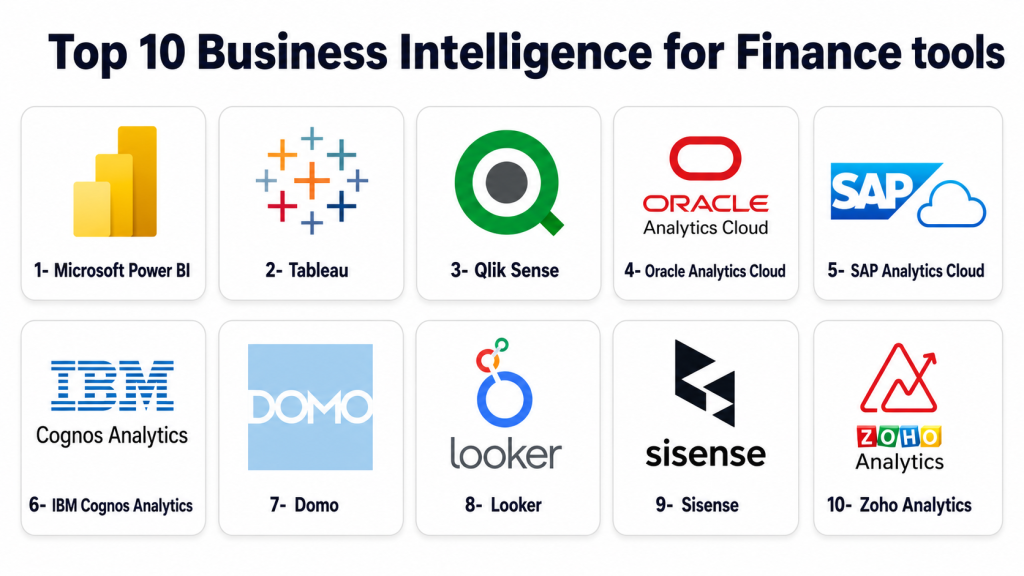
Introduction
Business Intelligence for Finance helps finance teams collect, connect, analyze, and visualize financial data from accounting systems, ERP platforms, spreadsheets, billing tools, payroll systems, and operational databases. Instead of relying only on manual spreadsheet reporting, finance BI tools help teams build dashboards, track KPIs, compare actuals versus budget, monitor cash flow, analyze revenue trends, and support faster decision-making. Finance teams need BI because financial data is often spread across many systems. A CFO may need one view of revenue, margins, expenses, working capital, forecasts, and department-level performance. Business intelligence platforms make this easier by turning raw data into dashboards, reports, alerts, and decision-ready insights.
Real World Use Cases
- CFO dashboards for revenue, profit, margin, and cash flow visibility
- Actuals versus budget reporting for finance teams
- Expense trend analysis across departments and cost centers
- Accounts receivable and accounts payable performance tracking
- Board reporting, investor reporting, and executive scorecards
- Financial consolidation and multi-entity performance reporting
Evaluation Criteria for Buyers
- Finance dashboard and reporting flexibility
- Data connectivity with ERP, accounting, CRM, and spreadsheet systems
- Ease of use for finance users and business teams
- Data modeling and transformation capabilities
- Governance, permissions, and access controls
- AI analytics, natural language queries, and automated insights
- Scalability for large financial datasets
- Support for real-time or scheduled refreshes
- Collaboration and report sharing
- Total cost, implementation effort, and long-term value
Best for: Business Intelligence for Finance is best for CFOs, finance managers, FP&A teams, controllers, accounting teams, revenue operations leaders, BI teams, and executives who need reliable financial visibility across systems.
Not ideal for: These tools may not be ideal for very small businesses that only need basic accounting reports, teams with no data management process, or organizations that require a dedicated financial planning platform instead of broader BI and analytics.
Key Trends in Business Intelligence for Finance
- AI-assisted financial analytics: BI tools increasingly support natural language questions, automated insights, anomaly detection, and AI-generated summaries.
- Finance self-service reporting: CFOs and finance analysts want to build dashboards without depending fully on IT for every report.
- Connected financial data models: Companies are moving from disconnected spreadsheets to governed financial data models connected with ERP, CRM, payroll, billing, and data warehouse systems.
- Real-time executive dashboards: Leadership teams want current visibility into cash flow, revenue, margin, and cost trends instead of waiting for monthly reports.
- Embedded analytics: Finance insights are increasingly embedded inside business workflows, sales dashboards, procurement systems, and operational apps.
- Data governance and security: Finance data is sensitive, so role-based access, auditability, permissions, and secure sharing are becoming must-have requirements.
- Cloud-first BI adoption: Cloud BI platforms are preferred because they support scalability, easier deployment, and integration with modern data stacks.
- Advanced forecasting support: BI tools are being used alongside FP&A platforms to support trend analysis, scenario visibility, and predictive finance insights.
- Automation of manual reporting: Finance teams are replacing repetitive spreadsheet updates with scheduled refreshes, automated dashboards, and standardized reporting.
- Cross-functional finance analytics: Finance BI now supports sales, operations, HR, procurement, and customer success teams by connecting financial metrics with operational drivers.
How We Selected These Tools
The following tools were selected using a practical SaaS buyer evaluation approach focused on finance analytics, enterprise adoption, usability, governance, and reporting depth.
- Strong market recognition in business intelligence and analytics
- Ability to support finance reporting, dashboards, and KPI tracking
- Data connectivity with finance, ERP, CRM, accounting, and warehouse systems
- Suitability for finance teams, BI teams, and executive reporting
- Visualization and dashboard quality
- Data modeling and transformation capabilities
- Governance, access control, and security posture signals
- Scalability for mid-market and enterprise financial data
- Collaboration and report sharing features
- Overall fit across SMB, mid-market, and enterprise finance use cases
Top 10 Business Intelligence for Finance Tools
1- Microsoft Power BI
Short description: Microsoft Power BI is a widely used business intelligence platform for dashboards, reports, data modeling, and self-service analytics. It is especially useful for finance teams already using Microsoft Excel, Microsoft 365, Azure, or other Microsoft business applications.
Key Features
- Interactive financial dashboards and reports
- Strong Excel and Microsoft ecosystem alignment
- Data modeling with semantic models and business measures
- Scheduled refresh and automated reporting
- AI-assisted insights and natural language analytics
- Role-based access and workspace collaboration
- Broad connector ecosystem for finance and operational data
Pros
- Strong fit for finance teams familiar with Excel
- Large ecosystem, community, templates, and learning resources
- Good value for organizations already using Microsoft tools
Cons
- Advanced modeling can require technical skills
- Governance can become complex at scale without proper setup
- Dashboard performance depends on data model design
Platforms / Deployment
Web / Windows / iOS / Android
Cloud / Hybrid
Security & Compliance
Supports enterprise identity, access control, workspace permissions, and security governance features. Specific compliance availability can vary by plan, region, and deployment configuration.
Integrations & Ecosystem
Power BI has one of the strongest ecosystems for finance reporting because it connects well with spreadsheets, databases, ERP systems, cloud data platforms, and Microsoft business tools.
- Excel
- Microsoft 365
- Azure data services
- SQL databases
- ERP and CRM systems
- Cloud data warehouses
Support & Community
Power BI has extensive documentation, training content, user communities, partner support, and enterprise support options. It is a strong choice for organizations that want broad talent availability and a mature BI ecosystem.
2- Tableau
Short description: Tableau is a visual analytics platform known for strong dashboarding, data exploration, and interactive reporting. Finance teams use it for executive dashboards, revenue analysis, expense reporting, financial performance monitoring, and cross-functional analytics.
Key Features
- Advanced data visualization and dashboard design
- Interactive drill-down reporting
- Self-service analytics for finance and business users
- Data connection and preparation capabilities
- Financial KPI dashboards
- AI-assisted analytics and insights
- Sharing and collaboration features
Pros
- Excellent visualization experience
- Strong for exploratory analysis and executive dashboards
- Useful across finance, sales, operations, and leadership teams
Cons
- Licensing and deployment can be costly for larger teams
- Advanced governance requires careful administration
- Some finance users may need training for deeper analytics
Platforms / Deployment
Web / Windows / macOS / iOS / Android
Cloud / Self-hosted / Hybrid
Security & Compliance
Supports enterprise-grade access control, authentication options, permissions, and governance features. Specific compliance details vary by edition and deployment.
Integrations & Ecosystem
Tableau works well for finance analytics when teams need visually rich dashboards connected to multiple business systems and data platforms.
- Data warehouses
- ERP and accounting systems
- Spreadsheets
- CRM platforms
- Cloud databases
- Data preparation tools
Support & Community
Tableau has a large user community, extensive learning resources, training programs, partner ecosystem, and enterprise support options. It is a strong fit for teams that value visualization quality and analytics depth.
3- Qlik Sense
Short description: Qlik Sense is a business intelligence and analytics platform known for associative data exploration. Finance teams use it to analyze financial performance, connect multiple data sources, discover relationships, and build interactive dashboards.
Key Features
- Associative analytics engine
- Interactive dashboards and reports
- Self-service data exploration
- Finance KPI tracking
- Data integration and transformation support
- AI-assisted insights
- Governed analytics and access control
Pros
- Strong data exploration experience
- Useful for finding relationships across financial and operational data
- Good fit for teams with complex data sources
Cons
- May require skilled setup for advanced data models
- User adoption can depend on analytics maturity
- Pricing and deployment planning should be reviewed carefully
Platforms / Deployment
Web / iOS / Android
Cloud / Self-hosted / Hybrid
Security & Compliance
Supports role-based access, authentication, permissions, and governance capabilities. Specific compliance details vary by product edition and deployment.
Integrations & Ecosystem
Qlik Sense is useful for finance teams that need to connect ERP, CRM, spreadsheet, and database sources into one analytics layer.
- ERP systems
- CRM systems
- Databases
- Cloud data platforms
- Spreadsheets
- Data integration tools
Support & Community
Qlik has documentation, training resources, community forums, partners, and enterprise support options. It is best suited for teams that value flexible data exploration and governed analytics.
4- Oracle Analytics Cloud
Short description: Oracle Analytics Cloud is an enterprise analytics platform for dashboards, reporting, data visualization, AI-assisted insights, and governed business analytics. It is especially relevant for finance teams using Oracle applications or Oracle Cloud infrastructure.
Key Features
- Enterprise analytics and dashboarding
- Financial reporting and KPI monitoring
- AI-assisted insights and natural language analytics
- Data visualization and storytelling
- Integration with Oracle business applications
- Governed data access and sharing
- Scalable cloud analytics architecture
Pros
- Strong fit for Oracle-centric enterprises
- Useful for governed finance analytics at scale
- Good combination of BI, AI insights, and enterprise reporting
Cons
- May be more complex for smaller finance teams
- Best value is often realized inside Oracle-heavy environments
- Implementation may require technical and data governance expertise
Platforms / Deployment
Web / Mobile access varies
Cloud / Hybrid
Security & Compliance
Supports enterprise access control, identity integration, governance, and security administration. Specific compliance availability varies by region, cloud setup, and customer configuration.
Integrations & Ecosystem
Oracle Analytics Cloud is strongest for organizations already using Oracle ERP, Oracle EPM, Oracle databases, or Oracle Cloud services.
- Oracle ERP
- Oracle EPM
- Oracle databases
- Data warehouses
- Cloud data sources
- Enterprise business applications
Support & Community
Oracle provides enterprise support, documentation, training resources, and partner services. It is a strong option for large organizations with Oracle-based finance and data ecosystems.
5- SAP Analytics Cloud
Short description: SAP Analytics Cloud combines business intelligence, planning, and predictive analytics in a cloud-based platform. It is highly relevant for finance teams using SAP ERP, SAP S/4HANA, or SAP planning and enterprise performance workflows.
Key Features
- Financial dashboards and BI reporting
- Planning and analytics capabilities
- Predictive analytics and smart insights
- Integration with SAP business systems
- Executive reporting and storyboards
- Collaboration and planning workflows
- Enterprise governance and access controls
Pros
- Strong fit for SAP-centric finance teams
- Combines analytics and planning in one environment
- Useful for financial performance management and executive reporting
Cons
- Best suited to organizations already invested in SAP
- May require implementation and configuration expertise
- Smaller teams may find it more complex than lightweight BI tools
Platforms / Deployment
Web / Mobile access varies
Cloud
Security & Compliance
Supports enterprise security controls, permissions, and SAP ecosystem governance. Specific compliance and certification details vary by customer environment and deployment.
Integrations & Ecosystem
SAP Analytics Cloud is especially powerful when connected with SAP financial, operational, and planning systems.
- SAP S/4HANA
- SAP ERP
- SAP data sources
- Planning workflows
- Data warehouse platforms
- Enterprise reporting systems
Support & Community
SAP offers documentation, enterprise support, partner implementation services, and a large ecosystem. It is best for finance teams that need analytics aligned with SAP business processes.
6- IBM Cognos Analytics
Short description: IBM Cognos Analytics is an enterprise BI and reporting platform focused on governed reporting, dashboards, analytics, and AI-assisted insights. Finance teams use it for structured reporting, compliance-friendly dashboards, financial analysis, and enterprise performance visibility.
Key Features
- Enterprise financial reporting
- Dashboards and data visualization
- AI-assisted insights and exploration
- Governed analytics and access control
- Report scheduling and distribution
- Data modeling and metadata management
- Strong support for structured enterprise reporting
Pros
- Strong for governed enterprise reporting
- Good fit for large finance and compliance-heavy environments
- Useful where standardized reports matter
Cons
- May feel heavier than modern lightweight BI tools
- Implementation and administration can require expertise
- Self-service adoption depends on training and governance
Platforms / Deployment
Web / Mobile access varies
Cloud / Self-hosted / Hybrid
Security & Compliance
Supports enterprise authentication, access control, permissions, and governance capabilities. Specific compliance details vary by deployment and configuration.
Integrations & Ecosystem
IBM Cognos Analytics is suitable for organizations with complex enterprise reporting requirements and multiple data sources.
- Enterprise databases
- Data warehouses
- Financial systems
- IBM ecosystem tools
- Cloud and on-premises data sources
- Report distribution workflows
Support & Community
IBM provides enterprise support, documentation, training resources, and implementation partner options. It is a good fit for organizations that prioritize structured reporting and governance.
7- Domo
Short description: Domo is a cloud BI and data experience platform that connects business data, dashboards, apps, and workflows. Finance teams use Domo for executive dashboards, revenue tracking, spend monitoring, and cross-functional financial visibility.
Key Features
- Cloud-based BI dashboards
- Large connector ecosystem
- Data integration and transformation
- Financial KPI monitoring
- Executive reporting and alerts
- Collaboration and sharing features
- Embedded apps and workflow support
Pros
- Strong cloud-native BI experience
- Good for connecting many business systems quickly
- Useful for executive dashboards and operational finance visibility
Cons
- Pricing and scale should be evaluated carefully
- Advanced data governance requires thoughtful setup
- Some teams may need technical help for complex models
Platforms / Deployment
Web / iOS / Android
Cloud
Security & Compliance
Supports enterprise security, permissions, and governance features. Specific compliance details vary by plan and customer environment.
Integrations & Ecosystem
Domo is useful for finance teams that need to bring together data from many SaaS tools, databases, and cloud platforms into dashboards and workflows.
- ERP systems
- CRM systems
- Spreadsheets
- Cloud databases
- Marketing and sales tools
- Data warehouse sources
Support & Community
Domo offers documentation, customer support, implementation services, and partner resources. It is suitable for companies that want cloud BI with broad data connectivity.
8- Looker
Short description: Looker is a modern BI and analytics platform known for governed data modeling and embedded analytics. Finance and data teams use it to create trusted metrics, dashboards, and reports from centralized data models.
Key Features
- Governed semantic data modeling
- Dashboards and financial reporting
- Embedded analytics capabilities
- Integration with modern cloud data warehouses
- Reusable business metrics
- Self-service exploration
- Collaboration and sharing
Pros
- Strong for governed metrics and centralized data models
- Good fit for data-driven finance teams
- Useful for embedded and scalable analytics
Cons
- Requires data modeling expertise for best results
- Less beginner-friendly than some drag-and-drop BI tools
- Best suited to teams with mature data infrastructure
Platforms / Deployment
Web
Cloud
Security & Compliance
Supports enterprise access control, permissions, and governance features. Specific compliance availability varies by environment and configuration.
Integrations & Ecosystem
Looker works well for finance teams with modern data warehouses and centralized analytics engineering practices.
- Cloud data warehouses
- Databases
- Embedded analytics workflows
- Business applications
- Data modeling layers
- BI and dashboard workflows
Support & Community
Looker has documentation, training resources, community support, and enterprise service options. It is a strong fit for organizations with data teams that want governed financial metrics.
9- Sisense
Short description: Sisense is a BI and embedded analytics platform designed for dashboards, data apps, and analytics integration. Finance teams use it for financial reporting, embedded dashboards, KPI monitoring, and analytics inside internal or customer-facing applications.
Key Features
- Financial dashboards and reporting
- Embedded analytics
- Data modeling and preparation
- AI and augmented analytics features
- Custom analytics applications
- KPI tracking and visualization
- API and developer-friendly extensibility
Pros
- Strong for embedded analytics and custom data products
- Useful for finance dashboards inside business applications
- Good flexibility for technical and product teams
Cons
- May require technical expertise for advanced use cases
- Not always the simplest option for non-technical finance users
- Best value depends on embedded analytics needs
Platforms / Deployment
Web
Cloud / Hybrid
Security & Compliance
Supports enterprise security and access control features. Specific compliance details vary by deployment and customer configuration.
Integrations & Ecosystem
Sisense is valuable when finance analytics need to be embedded into workflows, applications, portals, or custom dashboards.
- Databases
- Data warehouses
- SaaS applications
- APIs
- Embedded analytics environments
- Custom business applications
Support & Community
Sisense provides documentation, support, developer resources, and implementation assistance. It is best for teams with technical analytics or embedded reporting needs.
10- Zoho Analytics
Short description: Zoho Analytics is a self-service BI and analytics platform for dashboards, reporting, and data visualization. It is popular with SMBs and finance teams that want affordable BI connected to spreadsheets, accounting tools, CRM, and business apps.
Key Features
- Self-service dashboards and reports
- Financial KPI tracking
- Spreadsheet and business app connectivity
- AI-assisted analytics and natural language querying
- Data blending and preparation
- Scheduled reports and sharing
- Affordable BI for small and mid-sized teams
Pros
- Good value for SMB finance teams
- Easy to start compared with enterprise BI platforms
- Strong fit for companies already using Zoho apps
Cons
- May not match enterprise BI depth in complex environments
- Advanced governance may be limited compared with larger platforms
- Best suited to SMB and mid-market reporting needs
Platforms / Deployment
Web / iOS / Android
Cloud
Security & Compliance
Supports user permissions, sharing controls, and account security features. Specific compliance details vary by edition and environment.
Integrations & Ecosystem
Zoho Analytics works well for finance teams that want dashboards connected to spreadsheets, accounting systems, CRM data, and Zoho ecosystem applications.
- Zoho applications
- Spreadsheets
- Accounting tools
- CRM systems
- Cloud databases
- Business apps
Support & Community
Zoho provides documentation, community resources, support plans, and product learning materials. It is a practical option for SMBs that need affordable and flexible analytics.
Comparison Table
| Tool Name | Best For | Platform Supported | Deployment | Standout Feature | Public Rating |
|---|---|---|---|---|---|
| Microsoft Power BI | Microsoft-focused finance teams | Web / Windows / iOS / Android | Cloud / Hybrid | Excel-friendly finance analytics | N/A |
| Tableau | Visual financial dashboards | Web / Windows / macOS / iOS / Android | Cloud / Self-hosted / Hybrid | Advanced visualization and exploration | N/A |
| Qlik Sense | Complex data exploration | Web / iOS / Android | Cloud / Self-hosted / Hybrid | Associative analytics engine | N/A |
| Oracle Analytics Cloud | Oracle-centric enterprises | Web / Mobile access varies | Cloud / Hybrid | Enterprise analytics with Oracle ecosystem depth | N/A |
| SAP Analytics Cloud | SAP finance and planning teams | Web / Mobile access varies | Cloud | BI plus planning and predictive analytics | N/A |
| IBM Cognos Analytics | Governed enterprise reporting | Web / Mobile access varies | Cloud / Self-hosted / Hybrid | Structured reporting and governance | N/A |
| Domo | Cloud BI and executive dashboards | Web / iOS / Android | Cloud | Broad connector ecosystem | N/A |
| Looker | Governed metrics and modern data stacks | Web | Cloud | Semantic data modeling | N/A |
| Sisense | Embedded finance analytics | Web | Cloud / Hybrid | Analytics inside apps and workflows | N/A |
| Zoho Analytics | SMB finance reporting | Web / iOS / Android | Cloud | Affordable self-service BI | N/A |
Evaluation & Scoring of Business Intelligence for Finance
| Tool Name | Core 25% | Ease 15% | Integrations 15% | Security 10% | Performance 10% | Support 10% | Value 15% | Weighted Total |
|---|---|---|---|---|---|---|---|---|
| Microsoft Power BI | 9 | 8 | 9 | 8 | 8 | 9 | 9 | 8.60 |
| Tableau | 9 | 8 | 8 | 8 | 8 | 9 | 7 | 8.20 |
| Qlik Sense | 8 | 7 | 8 | 8 | 8 | 8 | 7 | 7.70 |
| Oracle Analytics Cloud | 9 | 7 | 9 | 9 | 9 | 8 | 7 | 8.25 |
| SAP Analytics Cloud | 9 | 7 | 9 | 9 | 8 | 8 | 7 | 8.10 |
| IBM Cognos Analytics | 8 | 7 | 8 | 9 | 8 | 8 | 7 | 7.80 |
| Domo | 8 | 8 | 9 | 8 | 8 | 8 | 7 | 8.00 |
| Looker | 8 | 7 | 9 | 8 | 8 | 8 | 7 | 7.80 |
| Sisense | 8 | 7 | 8 | 8 | 8 | 8 | 7 | 7.65 |
| Zoho Analytics | 7 | 9 | 7 | 7 | 7 | 8 | 9 | 7.70 |
Which Business Intelligence for Finance Tool Is Right for You?
Solo / Freelancer
Solo finance consultants, freelancers, and independent advisors should focus on affordability, ease of setup, spreadsheet connectivity, and simple dashboard creation. Microsoft Power BI and Zoho Analytics are practical options because they are easier to start with and can support common financial reporting needs without heavy enterprise setup.
SMB
Small and mid-sized businesses should prioritize ease of use, value, accounting data connectivity, and dashboard templates. Power BI, Zoho Analytics, Tableau, and Domo can work well depending on budget, data complexity, and reporting expectations.
Mid-Market
Mid-market finance teams usually need stronger data governance, collaboration, refresh schedules, and integrations with ERP, CRM, billing, and HR systems. Power BI, Tableau, Qlik Sense, Domo, Looker, and Sisense are strong candidates for this segment.
Enterprise
Enterprise finance teams should prioritize governance, scalability, security, enterprise data modeling, identity controls, and integration with ERP and data warehouse systems. Oracle Analytics Cloud, SAP Analytics Cloud, IBM Cognos Analytics, Power BI, Tableau, and Looker are strong options for large organizations.
Budget vs Premium
Budget-conscious teams should consider Power BI and Zoho Analytics first because they can provide strong value for finance dashboards and reporting. Premium buyers should evaluate Tableau, Oracle Analytics Cloud, SAP Analytics Cloud, Domo, Looker, and Sisense when advanced governance, integration, visualization, or embedded analytics is required.
Feature Depth vs Ease of Use
Power BI and Zoho Analytics are easier entry points for many finance users. Tableau offers strong visual analytics. Qlik Sense provides powerful associative exploration. Looker is best when governed metrics and semantic modeling matter. Oracle, SAP, and IBM are better suited to enterprise-grade analytics and reporting.
Integrations & Scalability
If finance data lives in Microsoft systems, Power BI is a natural fit. If the organization uses SAP, SAP Analytics Cloud deserves strong consideration. If Oracle systems dominate the environment, Oracle Analytics Cloud is a practical choice. For cloud data warehouse-driven teams, Looker, Tableau, Power BI, and Sisense can be strong options.
Security & Compliance Needs
Finance data is sensitive, so buyers should review identity integration, MFA, role-based access, row-level security, audit logs, data encryption, data residency, and permission controls. Enterprise finance teams should include IT, security, and compliance stakeholders before selecting a BI platform.
Frequently Asked Questions
1. What is Business Intelligence for Finance?
Business Intelligence for Finance means using BI tools to analyze financial data, create dashboards, track KPIs, and support decision-making. It helps finance teams move from manual reporting to automated, data-driven insights.
2. How is finance BI different from regular BI?
Regular BI can analyze any business data, while finance BI focuses on revenue, expenses, profit, cash flow, budgets, forecasts, and financial performance. It often requires stronger governance and more accurate data modeling.
3. Which finance teams benefit most from BI tools?
CFO teams, FP&A teams, controllers, accounting teams, revenue operations, procurement finance, and executive leadership benefit most. These teams need trusted dashboards and fast visibility into business performance.
4. Can BI tools replace spreadsheets?
BI tools can reduce spreadsheet dependency, but they do not always fully replace spreadsheets. Many finance teams still use spreadsheets for modeling while using BI platforms for dashboards, reporting, and shared performance views.
5. Which BI tool is best for finance dashboards?
Microsoft Power BI, Tableau, Qlik Sense, SAP Analytics Cloud, Oracle Analytics Cloud, and Domo are strong options for finance dashboards. The best choice depends on the company’s data stack, budget, and user skills.
6. What data sources should finance BI tools connect to?
Finance BI tools should connect to ERP systems, accounting software, CRM platforms, billing systems, payroll tools, spreadsheets, databases, and data warehouses. Strong connectivity helps create a complete view of financial performance.
7. Are BI tools secure enough for financial data?
Many enterprise BI tools include security features such as access controls, identity integration, permissions, and data governance. Buyers should still verify current security documentation and compliance requirements before implementation.
8. What are common mistakes when implementing finance BI?
Common mistakes include poor data quality, unclear KPI definitions, weak governance, too many dashboards, and no ownership for data models. Finance BI works best when metrics are standardized and maintained.
9. How long does finance BI implementation take?
Implementation depends on data complexity, number of systems, dashboard requirements, and governance needs. A simple dashboard project may be quick, while enterprise finance BI can require phased rollout, data modeling, and user training.
10. Can BI tools support forecasting?
Some BI tools support trend analysis, predictive insights, and basic forecasting. However, advanced financial forecasting may still require dedicated FP&A or planning software connected to the BI platform.
Conclusion
Business Intelligence for Finance helps organizations turn financial data into clear, timely, and decision-ready insights. The best tool depends on company size, finance maturity, data systems, budget, and reporting complexity. Microsoft Power BI is strong for Microsoft-focused finance teams, Tableau is excellent for visual analytics, Qlik Sense supports complex exploration, and Oracle Analytics Cloud and SAP Analytics Cloud are strong for enterprise finance environments. IBM Cognos Analytics works well for governed reporting, Domo is useful for cloud dashboards and connectivity, Looker supports governed metrics, Sisense is strong for embedded analytics, and Zoho Analytics is practical for SMB finance reporting. The best next step is to shortlist two or three tools, test them with real finance data, validate integrations and security, and choose the platform that fits your reporting workflow and long-term analytics strategy.

Find Trusted Cardiac Hospitals
Compare heart hospitals by city and services — all in one place.
Explore Hospitals
Business intelligence for finance is most valuable when it helps organizations transform financial and operational data into actionable insights for better decision-making. By providing financial dashboards, budgeting and forecasting, profitability analysis, cash-flow monitoring, financial reporting, KPI tracking, variance analysis, data visualization, real-time analytics, and integration with ERP and accounting systems, these platforms enable finance teams to improve visibility, identify trends and risks, control costs, strengthen financial planning, and make faster, data-driven business decisions.