Introduction
Customer Experience CX Platforms help businesses manage, measure, and improve how customers interact with a brand across support, sales, marketing, product, feedback, digital journeys, and contact center channels. In simple terms, these platforms help teams understand what customers feel, where they struggle, and what actions can improve loyalty, retention, and satisfaction. CX platforms matter more now because customer journeys are no longer linear. A buyer may discover a brand through social media, ask questions through chat, raise a support ticket, receive marketing emails, use a mobile app, and later leave feedback through a survey. Modern CX tools bring these signals together so businesses can deliver faster, more personalized, and more consistent experiences.
Real-world use cases include:
- Omnichannel customer support across chat, email, voice, social, and messaging
- Voice of Customer programs using surveys, sentiment analysis, and feedback workflows
- Customer journey analytics across digital and offline touchpoints
- AI-assisted service automation, routing, summarization, and agent productivity
- Customer health monitoring for retention, loyalty, and churn prevention
What buyers should evaluate:
- Omnichannel coverage
- Customer feedback and survey depth
- AI and automation maturity
- CRM and data integration strength
- Ease of implementation
- Reporting and analytics quality
- Security, governance, and role controls
- Scalability for global teams
- Pricing transparency and long-term value
- Support and onboarding quality
Best for: CX leaders, customer support heads, contact center managers, marketing teams, product teams, customer success teams, and enterprises that need a unified view of customer interactions across multiple channels.
Not ideal for: Very small teams that only need a basic inbox, simple live chat, or lightweight survey tool. In such cases, a help desk, CRM, or standalone feedback tool may be easier and more affordable.
Key Trends in Customer Experience CX Platforms
- AI-powered CX operations are becoming standard: Platforms now use AI for ticket routing, conversation summaries, sentiment detection, quality monitoring, agent assistance, and self-service automation.
- Voice of Customer is moving from surveys to action: Modern CX programs do not only collect NPS, CSAT, and feedback; they also trigger workflows, alerts, coaching, and product improvements.
- Omnichannel is replacing channel-by-channel service: Customers expect consistent support across email, chat, social, messaging, phone, mobile apps, and communities.
- Journey analytics is becoming more important: Businesses want to connect customer behavior, feedback, support history, and revenue impact across the full lifecycle.
- Contact center and CX platforms are merging: Tools like NICE, Genesys, Zendesk, Salesforce, and Freshworks increasingly combine support, automation, analytics, workforce tools, and customer engagement.
- Data privacy and governance expectations are rising: Buyers increasingly evaluate access controls, audit logs, encryption, consent management, data residency, and privacy workflows.
- CX is becoming more cross-functional: Customer experience is no longer only a support function. Marketing, sales, product, operations, and leadership teams all use CX insights.
- Integration depth is now a buying priority: CX platforms must connect with CRM, CDP, help desk, marketing automation, data warehouses, BI tools, collaboration apps, and workflow systems.
- Personalization depends on unified customer data: Platforms with strong customer profiles and real-time segmentation are better positioned for personalized service and engagement.
- Value measurement is under pressure: CX teams need to show impact on retention, revenue, cost-to-serve, satisfaction, and operational efficiency.
How We Selected These Tools
The top 10 tools were selected using practical buyer-focused evaluation logic:
- Market adoption and recognition: We prioritized platforms widely used or recognized in CX, customer service, feedback, contact center, and experience management categories.
- Feature completeness: Tools were evaluated for their ability to support feedback, service, analytics, automation, customer profiles, journeys, and reporting.
- Enterprise and SMB fit: The list includes a balanced mix of enterprise CX suites, contact center platforms, support platforms, CRM-led tools, and flexible SMB-friendly products.
- AI and automation relevance: We considered how well each tool supports modern AI-assisted workflows, automation, self-service, and customer intelligence.
- Integration ecosystem: Strong integrations with CRM, support, marketing, collaboration, data, and analytics systems were prioritized.
- Security and governance signals: Platforms with visible enterprise controls, permission models, and compliance-oriented positioning were favored.
- Operational usability: We considered how practical each tool is for CX teams, support managers, customer success teams, and business leaders.
- Scalability: Tools were assessed for suitability across growing teams, regional operations, and enterprise-scale customer programs.
- Reporting and analytics depth: CX platforms need to help teams act on data, not only collect it.
- Buyer diversity: The final list avoids choosing only one type of CX tool and includes broad CX, service, feedback, engagement, and contact center use cases.
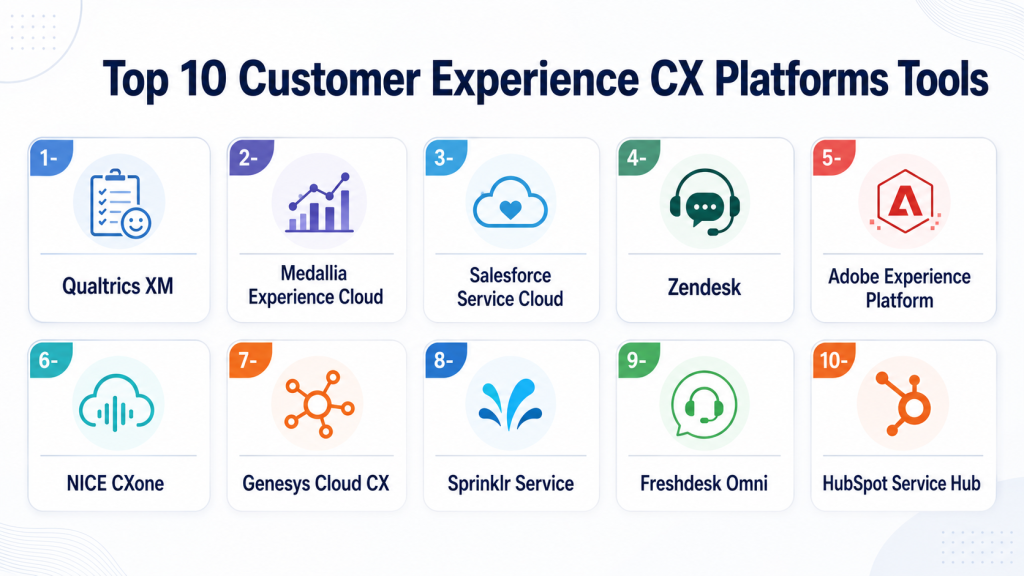
Top 10 Customer Experience CX Platforms Tools
1 — Qualtrics XM
Short description: Qualtrics XM is an enterprise experience management platform used for Voice of Customer, feedback analysis, journey insights, and experience improvement programs. It is best suited for large organizations that need structured CX measurement across many touchpoints.
Key Features
- Customer feedback collection across digital and offline channels
- NPS, CSAT, CES, and custom survey programs
- Text analytics and sentiment analysis
- Journey and touchpoint performance tracking
- Role-based dashboards for CX, product, and leadership teams
- Closed-loop feedback workflows
- Advanced reporting and experience analytics
Pros
- Strong fit for enterprise Voice of Customer programs
- Deep analytics for structured feedback and experience measurement
- Useful for connecting feedback to operational improvement
Cons
- Can be complex for smaller teams
- Implementation may require planning and internal CX maturity
- Premium capabilities may increase total cost
Platforms / Deployment
Web / Cloud
Security & Compliance
Enterprise controls such as role-based access, SSO options, and data governance capabilities are commonly expected in this class of platform. Specific certifications and compliance coverage should be verified by plan and region.
Integrations & Ecosystem
Qualtrics is commonly used with CRM, service, marketing, HR, analytics, and data platforms. Its ecosystem is strongest for companies that want feedback data connected with operational systems.
Common integration areas include:
- CRM platforms
- Customer service systems
- Marketing automation tools
- Business intelligence tools
- Data warehouses
- Collaboration and workflow apps
Support & Community
Qualtrics offers enterprise-oriented onboarding, documentation, customer success resources, and professional services. Support depth may vary depending on package, region, and contract level.
2 — Medallia Experience Cloud
Short description: Medallia Experience Cloud is a customer experience management platform focused on feedback capture, experience analytics, journey intelligence, and operational action. It is commonly used by large brands with complex customer journeys.
Key Features
- Omnichannel feedback collection
- Voice of Customer analytics
- Customer journey and touchpoint intelligence
- Role-based dashboards and alerts
- Sentiment and text analytics
- Closed-loop action management
- Experience signals across digital, contact center, and frontline channels
Pros
- Strong enterprise CX and feedback management depth
- Good fit for industries with many customer touchpoints
- Helps convert customer signals into operational action
Cons
- May be more than smaller businesses need
- Deployment can require internal change management
- Advanced analytics may need experienced CX teams
Platforms / Deployment
Web / Cloud
Security & Compliance
Enterprise access controls and governance capabilities are expected for large deployments. Specific certifications, data residency, and compliance requirements should be validated directly before purchase.
Integrations & Ecosystem
Medallia works well in environments where feedback data needs to connect with service, CRM, analytics, and operational systems.
Common integration areas include:
- CRM systems
- Contact center platforms
- Digital experience tools
- Survey and feedback channels
- BI and analytics tools
- Workflow and case management systems
Support & Community
Medallia generally serves enterprise customers with onboarding, implementation guidance, customer success support, and partner resources. Support scope may vary by contract.
3 — Salesforce Service Cloud
Short description: Salesforce Service Cloud is a CRM-centered customer service and CX platform. It is best for organizations that want customer experience tightly connected to sales, service, account history, automation, and customer data.
Key Features
- Case management and omnichannel service workflows
- CRM-based customer profiles
- AI-assisted service automation and recommendations
- Knowledge base and self-service tools
- Service analytics and dashboards
- Workflow automation across teams
- Strong ecosystem through Salesforce AppExchange
Pros
- Excellent fit for companies already using Salesforce CRM
- Strong automation and customer data context
- Large ecosystem of integrations and partners
Cons
- Can become expensive as requirements expand
- Requires thoughtful configuration and governance
- May feel complex for teams needing simple support software
Platforms / Deployment
Web / iOS / Android / Cloud
Security & Compliance
Salesforce commonly supports enterprise controls such as MFA, SSO, role-based permissions, audit capabilities, encryption options, and governance tools. Specific compliance coverage depends on edition, configuration, and region.
Integrations & Ecosystem
Salesforce has one of the strongest ecosystems in customer software. Service Cloud connects with sales, marketing, commerce, analytics, data, collaboration, and custom business applications.
Common integration areas include:
- Salesforce CRM and Data Cloud
- Marketing automation
- Contact center systems
- Collaboration tools
- Data warehouses and BI tools
- Third-party apps through AppExchange
Support & Community
Salesforce has extensive documentation, Trailhead learning resources, partner networks, professional services, and multiple support tiers. The community is large, but implementation quality depends heavily on configuration and partner expertise.
4 — Zendesk
Short description: Zendesk is a customer service and CX platform known for ticketing, omnichannel support, knowledge base, automation, AI features, and agent productivity. It fits SMBs, mid-market teams, and enterprises that want a practical service-led CX system.
Key Features
- Ticketing and case management
- Omnichannel support across email, chat, messaging, voice, and social
- Help center and knowledge base
- AI-powered agent assistance and automation
- Customer satisfaction tracking
- Workflow routing and SLA management
- Reporting and support analytics
Pros
- Easy to adopt compared with many enterprise suites
- Strong support operations and agent workflow capabilities
- Good balance of usability and scalability
Cons
- Advanced enterprise needs may require higher-tier plans
- Customization depth may be less flexible than CRM-heavy platforms
- Costs can rise with add-ons and usage expansion
Platforms / Deployment
Web / iOS / Android / Cloud
Security & Compliance
Zendesk typically supports enterprise security controls such as SSO, role permissions, MFA options, audit logs, and encryption-related controls depending on plan. Specific certifications and compliance requirements should be verified by edition.
Integrations & Ecosystem
Zendesk has a strong app marketplace and integrates with common CRM, collaboration, ecommerce, analytics, and productivity tools.
Common integration areas include:
- CRM systems
- Ecommerce platforms
- Collaboration tools
- Messaging and social channels
- Analytics and reporting tools
- Workflow automation apps
Support & Community
Zendesk provides documentation, onboarding resources, training, community forums, and support options. Support depth can vary by plan and customer tier.
5 — Adobe Experience Platform
Short description: Adobe Experience Platform is a data-driven CX platform designed for customer profiles, journey orchestration, personalization, analytics, and real-time customer experience activation. It is best for enterprises with strong marketing, data, and personalization needs.
Key Features
- Customer data unification and profile management
- Real-time segmentation and activation
- Journey orchestration and personalization
- Integration with Adobe Experience Cloud products
- Data governance and consent-related workflows
- Analytics and customer behavior insights
- AI-assisted experience optimization through Adobe ecosystem capabilities
Pros
- Strong fit for enterprise marketing and digital experience teams
- Powerful customer data and personalization capabilities
- Works well in Adobe-centric digital ecosystems
Cons
- May be too complex for small businesses
- Requires data strategy and technical implementation planning
- Value depends on adoption across Adobe ecosystem and connected systems
Platforms / Deployment
Web / Cloud
Security & Compliance
Adobe enterprise products commonly include access controls, governance features, and security capabilities suitable for large organizations. Specific certifications, privacy workflows, and compliance needs should be validated by product module and region.
Integrations & Ecosystem
Adobe Experience Platform is strongest when used with Adobe Analytics, Adobe Journey Optimizer, Adobe Real-Time CDP, Adobe Target, and other Adobe Experience Cloud products.
Common integration areas include:
- Adobe Experience Cloud
- Customer data platforms
- Marketing automation
- Analytics tools
- Data warehouses
- Consent and identity systems
Support & Community
Adobe provides enterprise documentation, implementation partners, solution consultants, training resources, and support programs. Successful deployment often requires experienced marketing operations and data teams.
6 — NICE CXone
Short description: NICE CXone is a cloud contact center and CX platform focused on omnichannel routing, workforce engagement, analytics, automation, and AI-assisted service operations. It is best for service-heavy organizations and contact centers.
Key Features
- Omnichannel contact center routing
- Voice, digital, chat, and messaging support
- Workforce engagement and quality management
- AI-powered automation and analytics
- Interaction analytics and sentiment insights
- Self-service and virtual agent support
- Performance dashboards for supervisors and leaders
Pros
- Strong contact center depth
- Good fit for large service teams with complex operations
- Combines service automation, analytics, and workforce tools
Cons
- May be overbuilt for simple help desk use cases
- Implementation can require contact center expertise
- Pricing and packaging may need careful review
Platforms / Deployment
Web / Cloud
Security & Compliance
NICE CXone is positioned for enterprise contact center environments and commonly supports access controls, security configurations, and governance features. Specific certifications and regulated-industry requirements should be validated directly.
Integrations & Ecosystem
NICE CXone integrates with CRM, workforce tools, telephony, analytics, and customer service systems.
Common integration areas include:
- CRM platforms
- Workforce management tools
- Telephony and voice systems
- Digital support channels
- BI and analytics tools
- AI and automation workflows
Support & Community
NICE provides enterprise support, implementation services, partner resources, documentation, and training. Support scope depends on customer size, contract, and deployment complexity.
7 — Genesys Cloud CX
Short description: Genesys Cloud CX is a cloud-based contact center and customer experience platform for omnichannel engagement, routing, AI automation, workforce tools, and customer journey orchestration. It is well suited for service-led businesses and enterprise contact centers.
Key Features
- Omnichannel customer engagement
- Voice, chat, email, messaging, and social support
- AI-powered routing and automation
- Workforce engagement management
- Journey analytics and interaction insights
- Self-service and bot capabilities
- Contact center performance reporting
Pros
- Strong cloud contact center capabilities
- Scales well for distributed service teams
- Good fit for organizations modernizing legacy contact centers
Cons
- May require specialized setup for advanced workflows
- Broader CX use cases may require integrations
- Cost depends on scale, channels, and features
Platforms / Deployment
Web / Cloud
Security & Compliance
Genesys Cloud CX commonly supports enterprise security controls such as identity management options, role permissions, and governance capabilities. Specific compliance and certification requirements should be verified by region and plan.
Integrations & Ecosystem
Genesys connects with CRM, workforce, analytics, telephony, and digital engagement systems.
Common integration areas include:
- CRM platforms
- Collaboration tools
- Workforce management
- Analytics and BI
- Telephony and SIP systems
- Digital messaging channels
Support & Community
Genesys offers documentation, training, implementation resources, support tiers, and partner services. It has a strong contact center community and ecosystem.
8 — Sprinklr Service
Short description: Sprinklr Service is a customer service and unified customer experience platform with strong social, digital, messaging, and AI-powered engagement capabilities. It is best for brands managing large volumes of public and private customer conversations.
Key Features
- Social customer service and engagement
- Omnichannel case management
- AI-assisted routing and response support
- Digital listening and customer insights
- Unified customer profiles and conversation history
- Workflow automation and escalation
- Analytics for service and engagement teams
Pros
- Strong for social-first and digital-first CX operations
- Useful for brands with high public engagement volume
- Combines service, listening, and customer intelligence
Cons
- May be complex for smaller support teams
- Best value appears when multiple channels and teams are involved
- Implementation may need process redesign
Platforms / Deployment
Web / Cloud
Security & Compliance
Sprinklr typically serves large enterprises and supports governance-oriented capabilities such as user permissions, workflows, and access controls. Specific certifications and compliance coverage should be validated by module and contract.
Integrations & Ecosystem
Sprinklr integrates with customer service, CRM, social, marketing, messaging, and analytics systems.
Common integration areas include:
- Social media platforms
- CRM systems
- Messaging channels
- Contact center tools
- Analytics platforms
- Workflow and collaboration apps
Support & Community
Sprinklr provides enterprise onboarding, documentation, customer success programs, and support resources. Because deployments can be broad, implementation planning is important.
9 — Freshdesk Omni
Short description: Freshdesk Omni by Freshworks is a customer support and CX platform designed for omnichannel service, ticketing, automation, knowledge management, and AI-assisted support. It is especially useful for SMBs and mid-market teams that want fast adoption.
Key Features
- Omnichannel ticketing and support
- Email, chat, phone, messaging, and social support workflows
- Knowledge base and self-service portal
- AI-assisted automation and agent productivity tools
- SLA management and workflow rules
- Customer satisfaction reporting
- Integrations with Freshworks products and third-party apps
Pros
- User-friendly and practical for growing teams
- Faster adoption compared with heavier enterprise suites
- Good value for support-led CX use cases
Cons
- May not match enterprise VoC depth of Qualtrics or Medallia
- Advanced customization may have limits
- Some capabilities depend on plan and package
Platforms / Deployment
Web / iOS / Android / Cloud
Security & Compliance
Freshworks products commonly include role-based controls, SSO options, and security features depending on plan. Specific certifications and compliance coverage should be verified before purchase.
Integrations & Ecosystem
Freshdesk Omni works well with other Freshworks products and integrates with common business applications.
Common integration areas include:
- CRM systems
- Ecommerce tools
- Collaboration platforms
- Messaging channels
- Analytics tools
- Workflow automation apps
Support & Community
Freshworks provides documentation, onboarding guides, support resources, and community content. Support level may vary based on plan.
10 — HubSpot Service Hub
Short description: HubSpot Service Hub is a customer service and CX tool built around HubSpot CRM. It is best for SMBs and mid-market businesses that want service, marketing, sales, and customer data in one connected platform.
Key Features
- Ticketing and customer service workflows
- Shared inbox and help desk features
- Knowledge base and customer portal
- Customer feedback surveys
- CRM-connected customer history
- Automation and reporting dashboards
- Integration with HubSpot Marketing, Sales, and Operations tools
Pros
- Strong fit for companies already using HubSpot CRM
- Easier to adopt than many enterprise CX platforms
- Good alignment between service, sales, and marketing teams
Cons
- May not be deep enough for complex enterprise contact centers
- Advanced CX analytics may require additional tools
- Costs can grow as teams add hubs and higher-tier features
Platforms / Deployment
Web / iOS / Android / Cloud
Security & Compliance
HubSpot commonly supports user permissions, SSO options on selected tiers, MFA, and access controls depending on plan. Specific compliance and security requirements should be validated by edition.
Integrations & Ecosystem
HubSpot has a large app marketplace and works well for companies that want CRM, marketing, sales, and service workflows connected.
Common integration areas include:
- HubSpot CRM
- Marketing automation
- Sales tools
- Customer support apps
- Data sync tools
- Reporting and analytics platforms
Support & Community
HubSpot offers strong documentation, Academy resources, onboarding options, partner support, and a large community. Support availability depends on plan.
Comparison Table
| Tool Name | Best For | Platform Supported | Deployment | Standout Feature | Public Rating |
|---|---|---|---|---|---|
| Qualtrics XM | Enterprise Voice of Customer programs | Web | Cloud | Advanced feedback and experience analytics | N/A |
| Medallia Experience Cloud | Enterprise experience management | Web | Cloud | Omnichannel feedback and operational action workflows | N/A |
| Salesforce Service Cloud | CRM-led service and CX teams | Web, iOS, Android | Cloud | Deep CRM and service workflow integration | N/A |
| Zendesk | SMB to enterprise support-led CX | Web, iOS, Android | Cloud | Practical omnichannel ticketing and service automation | N/A |
| Adobe Experience Platform | Enterprise digital experience and personalization | Web | Cloud | Real-time customer data and activation | N/A |
| NICE CXone | Large contact centers | Web | Cloud | Contact center, workforce, and AI service operations | N/A |
| Genesys Cloud CX | Cloud contact center modernization | Web | Cloud | Omnichannel routing and contact center orchestration | N/A |
| Sprinklr Service | Social and digital-first customer service | Web | Cloud | Unified social, messaging, and service engagement | N/A |
| Freshdesk Omni | SMB and mid-market support teams | Web, iOS, Android | Cloud | Easy omnichannel support and automation | N/A |
| HubSpot Service Hub | CRM-connected SMB and mid-market teams | Web, iOS, Android | Cloud | Service workflows connected with HubSpot CRM | N/A |
Evaluation & Scoring of Customer Experience CX Platforms
| Tool Name | Core 25% | Ease 15% | Integrations 15% | Security 10% | Performance 10% | Support 10% | Value 15% | Weighted Total |
|---|---|---|---|---|---|---|---|---|
| Salesforce Service Cloud | 9.3 | 7.8 | 9.6 | 9.0 | 9.0 | 8.8 | 7.6 | 8.7 |
| Qualtrics XM | 9.4 | 7.6 | 8.7 | 8.8 | 8.8 | 8.7 | 7.4 | 8.5 |
| Medallia Experience Cloud | 9.2 | 7.4 | 8.6 | 8.8 | 8.8 | 8.6 | 7.3 | 8.4 |
| Adobe Experience Platform | 9.0 | 7.1 | 9.1 | 8.9 | 8.8 | 8.4 | 7.2 | 8.4 |
| Zendesk | 8.5 | 9.0 | 8.6 | 8.3 | 8.6 | 8.4 | 8.4 | 8.5 |
| NICE CXone | 9.0 | 7.6 | 8.4 | 8.7 | 8.9 | 8.5 | 7.6 | 8.4 |
| Genesys Cloud CX | 8.9 | 7.8 | 8.5 | 8.6 | 8.8 | 8.4 | 7.7 | 8.4 |
| Sprinklr Service | 8.7 | 7.5 | 8.5 | 8.5 | 8.5 | 8.3 | 7.5 | 8.2 |
| Freshdesk Omni | 8.0 | 9.0 | 8.0 | 8.0 | 8.3 | 8.1 | 8.7 | 8.3 |
| HubSpot Service Hub | 7.8 | 9.1 | 8.4 | 8.0 | 8.2 | 8.4 | 8.5 | 8.3 |
Which Customer Experience CX Platforms Tool Is Right for You?
Solo / Freelancer
Solo consultants, freelancers, and very small teams usually do not need a full enterprise CX suite. A simple service, CRM, and feedback setup is often enough.
Best-fit options:
- HubSpot Service Hub for CRM-connected service and client communication
- Freshdesk Omni for affordable support operations
- Zendesk if the business expects support volume to grow
Avoid starting with Qualtrics, Medallia, Adobe Experience Platform, NICE CXone, or Genesys unless there is a specific enterprise requirement.
SMB
SMBs need tools that are easy to launch, affordable to operate, and flexible enough to scale.
Best-fit options:
- Freshdesk Omni for fast support team setup
- Zendesk for structured ticketing and omnichannel support
- HubSpot Service Hub for teams already using HubSpot CRM
SMBs should focus on adoption, workflows, knowledge base quality, and reporting rather than buying the most advanced CX platform immediately.
Mid-Market
Mid-market companies often need better automation, analytics, integrations, and customer visibility. They may also need to support multiple teams, brands, or regions.
Best-fit options:
- Zendesk for scalable support operations
- Salesforce Service Cloud for CRM-led service and account-based CX
- Freshdesk Omni for ease and value
- Sprinklr Service for social-heavy or digital-first brands
- HubSpot Service Hub for CRM-connected growth teams
Mid-market buyers should evaluate how well each tool connects customer service, sales, marketing, product feedback, and reporting.
Enterprise
Enterprises need governance, scale, analytics, integration depth, role controls, and global operational support.
Best-fit options:
- Qualtrics XM for structured Voice of Customer and experience management
- Medallia Experience Cloud for enterprise feedback and action workflows
- Salesforce Service Cloud for CRM-led enterprise service
- Adobe Experience Platform for customer data and personalization
- NICE CXone or Genesys Cloud CX for contact center operations
- Sprinklr Service for global social and digital engagement
Enterprises should run a structured proof of concept and include IT, security, legal, operations, CX, and business owners in evaluation.
Budget vs Premium
For budget-conscious buyers, Freshdesk Omni, HubSpot Service Hub, and selected Zendesk plans are more practical starting points. They provide strong support operations without requiring a heavy enterprise rollout.
Premium buyers should evaluate Qualtrics, Medallia, Salesforce, Adobe, NICE, and Genesys when they need enterprise analytics, scale, governance, contact center depth, or customer data activation.
Feature Depth vs Ease of Use
If ease of use is the priority, start with Freshdesk Omni, HubSpot Service Hub, or Zendesk. These tools are generally easier for teams to adopt and manage.
If feature depth is the priority, evaluate Qualtrics, Medallia, Salesforce Service Cloud, Adobe Experience Platform, NICE CXone, or Genesys Cloud CX.
Integrations & Scalability
For CRM-centered scalability, Salesforce Service Cloud is a strong choice. For marketing and personalization ecosystems, Adobe Experience Platform is strong. For support ecosystems, Zendesk and Freshdesk are practical. For contact centers, NICE CXone and Genesys Cloud CX are better suited.
Buyers should validate:
- CRM integration
- Contact center integration
- Data warehouse connection
- BI and reporting workflows
- Identity and SSO support
- API and webhook availability
- Workflow automation options
Security & Compliance Needs
Security-sensitive industries should prioritize platforms with strong access controls, auditability, encryption options, identity integrations, and documented compliance support.
Good enterprise candidates include:
- Salesforce Service Cloud
- Adobe Experience Platform
- Qualtrics XM
- Medallia Experience Cloud
- NICE CXone
- Genesys Cloud CX
For regulated industries, do not rely only on sales pages. Ask for security documentation, data processing terms, audit reports, data residency options, retention policies, and integration security details.
Frequently Asked Questions FAQs
1. What is a Customer Experience CX Platform?
A CX platform helps companies manage customer interactions, feedback, journeys, and service workflows across multiple channels. It gives teams a better view of customer needs, satisfaction, issues, and opportunities for improvement.
2. How is a CX platform different from a CRM?
A CRM mainly manages customer records, sales activity, and account relationships. A CX platform focuses more on the customer’s actual experience across support, feedback, digital journeys, service quality, and satisfaction signals.
3. How much does a CX platform cost?
Pricing varies widely. SMB tools may use per-agent or tiered pricing, while enterprise platforms often use custom pricing based on seats, modules, usage, regions, and implementation scope.
4. Which CX platform is best for small businesses?
Freshdesk Omni, Zendesk, and HubSpot Service Hub are often practical choices for small and growing businesses. They are easier to adopt than large enterprise CX suites and cover common support and service needs.
5. Which CX platform is best for enterprises?
Qualtrics, Medallia, Salesforce Service Cloud, Adobe Experience Platform, NICE CXone, Genesys Cloud CX, and Sprinklr are strong enterprise candidates. The right choice depends on whether the main need is VoC, CRM-led service, contact center, data activation, or social engagement.
6. How long does CX platform implementation take?
Implementation can range from a few weeks for simpler help desk tools to several months for enterprise CX, contact center, or data-heavy deployments. Timeline depends on integrations, workflows, migration, reporting, governance, and user training.
7. What are common mistakes when buying a CX platform?
Common mistakes include buying too much too early, ignoring integrations, underestimating data cleanup, skipping security review, failing to define success metrics, and not involving frontline teams during evaluation.
8. Do CX platforms support AI?
Many modern CX platforms now support AI features such as conversation summaries, sentiment analysis, automated routing, self-service bots, knowledge recommendations, agent assistance, and predictive insights. The depth varies significantly by vendor and plan.
9. Are CX platforms secure?
Most serious CX vendors provide enterprise security features, but buyers should verify details. Important areas include SSO, MFA, RBAC, audit logs, encryption, data residency, retention policies, and compliance documentation.
10. Can CX platforms integrate with existing tools?
Yes, most leading CX platforms integrate with CRM, contact center, marketing automation, ecommerce, collaboration, analytics, and data systems. Buyers should test critical integrations before signing a long-term contract.
Conclusion
Customer Experience CX Platforms are now central to how businesses understand, support, retain, and grow customer relationships. The best platform depends on your company size, customer journey complexity, support volume, data maturity, security needs, and existing technology stack. Qualtrics and Medallia are strong for enterprise Voice of Customer programs, while Salesforce Service Cloud is ideal for CRM-centered service operations. Zendesk, Freshdesk Omni, and HubSpot Service Hub are practical choices for teams that want faster adoption and strong service workflows. Adobe Experience Platform is a strong fit for customer data and personalization, while NICE CXone and Genesys Cloud CX are better suited for contact center transformation. Sprinklr Service is valuable for brands managing high-volume digital and social engagement. The best next step is to shortlist 2–3 platforms, run a focused pilot, validate integrations and security, and choose the tool that fits your real customer experience goals rather than chasing the longest feature list.

Find Trusted Cardiac Hospitals
Compare heart hospitals by city and services — all in one place.
Explore Hospitals
Customer experience (CX) platforms are most valuable when they help organizations collect, analyze, and improve customer interactions across multiple channels and stages of the customer lifecycle. By providing customer feedback collection, surveys, experience analytics, sentiment analysis, customer journey insights, personalization, omnichannel engagement, reporting dashboards, real-time alerts, and integration with CRM and marketing systems, these platforms enable businesses to identify customer pain points, improve satisfaction and loyalty, strengthen engagement, and make data-driven decisions that enhance overall customer experience.