Introduction
Session Replay Tools help product, UX, marketing, engineering, and support teams watch how real users interact with a website, web app, or mobile app. Instead of relying only on charts, clicks, or survey responses, these tools recreate user sessions so teams can see where people scroll, hesitate, rage-click, abandon forms, encounter bugs, or struggle with navigation.
Session replay matters because digital teams need faster ways to understand friction without waiting for long research cycles. Modern products often include multiple devices, complex checkout flows, personalized pages, embedded apps, and third-party scripts. A good session replay tool helps teams connect behavior with conversion, usability, performance, and support issues.
Real World Use Cases
- Finding why users abandon signup, checkout, or demo-request forms
- Debugging frontend errors by replaying the exact user session
- Improving landing pages, onboarding flows, and product tours
- Identifying rage clicks, dead clicks, scroll issues, and confusing UI elements
- Supporting customer support teams with visual context for reported problems
Evaluation Criteria for Buyers
- Replay quality and accuracy
- Privacy masking and sensitive data protection
- Filtering, segmentation, and search depth
- Heatmaps, funnels, and behavior analytics
- Error tracking and developer debugging features
- Web and mobile app coverage
- Performance impact on website or app speed
- Integration with analytics, support, product, and engineering tools
- Security controls such as SSO, RBAC, audit logs, and encryption
- Pricing model based on sessions, events, users, traffic, or seats
Best for: Product managers, UX researchers, conversion rate optimization teams, ecommerce teams, SaaS growth teams, engineering teams, customer support teams, and digital experience leaders who need to understand what users actually do on digital properties.
Not ideal for: Teams that only need basic traffic reporting, simple pageview analytics, or occasional user research interviews. For very low-traffic websites, a lightweight analytics tool, usability testing session, or basic heatmap solution may be enough.
Key Trends in Session Replay Tools
- AI-assisted replay analysis is becoming more useful: Session replay tools are moving beyond raw recordings by helping teams summarize sessions, detect friction, identify anomalies, and highlight important behavior patterns.
- Privacy-first replay is now mandatory: Buyers are more cautious about masking personal data, blocking sensitive fields, managing consent, and controlling who can view recordings.
- Session replay is merging with product analytics: Teams want replay connected with funnels, cohorts, product events, user segments, feature usage, and conversion metrics.
- Developer-focused debugging is growing: Tools such as LogRocket and OpenReplay show how replay can support engineering teams with console logs, network activity, errors, and performance context.
- Experience analytics platforms are expanding replay: Enterprise platforms such as Contentsquare, Fullstory, Glassbox, and Quantum Metric connect session replay with journey analytics, digital experience monitoring, and business impact insights.
- Free and low-cost replay tools are changing adoption: Microsoft Clarity has made session replay more accessible for smaller teams, marketers, and website owners.
- Mobile app replay is increasingly important: Teams want to analyze both web and mobile app behavior, especially for fintech, ecommerce, travel, SaaS, and consumer applications.
- Sampling and retention policies are becoming buying factors: High-traffic companies need control over what sessions are captured, how long recordings are retained, and how storage affects pricing.
- Security reviews are stricter: Enterprises now evaluate SSO, RBAC, audit trails, data residency, encryption, data masking, retention, and compliance documentation before deploying replay scripts.
- Session replay is becoming operational, not just analytical: Support, QA, product, marketing, and engineering teams now use replay in daily workflows to reproduce bugs, prioritize fixes, and improve conversion.
How We Selected These Tools
The tools below were selected using practical SaaS and product evaluation logic:
- Market adoption and mindshare: We prioritized tools frequently recognized in session replay, digital experience analytics, product analytics, and behavior analytics categories.
- Feature completeness: Tools were evaluated for replay quality, filtering, heatmaps, funnels, analytics, debugging, alerts, privacy controls, and collaboration features.
- Customer fit across segments: The list includes enterprise platforms, SMB-friendly tools, developer-focused tools, free tools, and self-hosted options.
- Reliability and performance signals: Session replay tools must capture useful sessions without creating unacceptable performance impact or data quality gaps.
- Security posture signals: We considered privacy masking, access controls, governance, and enterprise admin features where clearly available.
- Integration ecosystem: Strong integrations with analytics, product, support, data, engineering, and collaboration tools were valued.
- Use case depth: Some tools are better for ecommerce CRO, some for engineering debugging, some for enterprise digital experience, and some for startup-friendly analytics.
- Scalability: Platforms that can handle large traffic volumes, complex digital properties, and multi-team workflows scored higher for enterprise use cases.
- Ease of adoption: Tools with simple setup, clear dashboards, templates, and intuitive replay search were favored for smaller teams.
- Actionability: We prioritized tools that help teams move from watching recordings to fixing issues, improving UX, and increasing conversions.
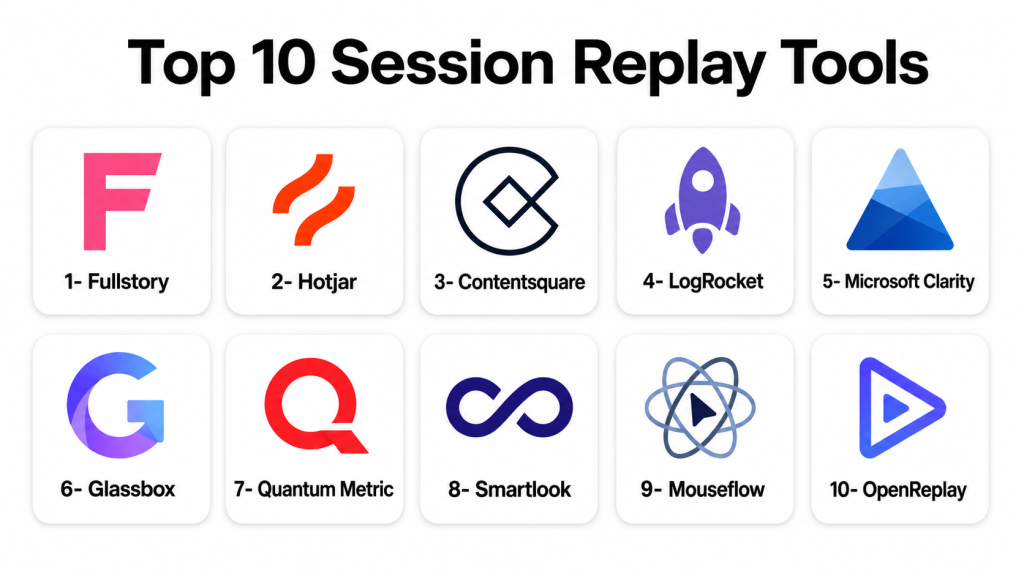
Top 10 Session Replay Tools
1- Fullstory
Short description: Fullstory is a digital experience intelligence platform known for session replay, behavioral analytics, frustration detection, and experience search. It is best for product, UX, support, and enterprise digital teams that need replay connected with user behavior insights.
Key Features
- High-quality session replay for web and digital experiences
- User behavior search and segmentation
- Frustration signals such as rage clicks and dead clicks
- Funnel and conversion analysis
- Experience analytics dashboards
- Collaboration workflows for product, UX, and support teams
- Privacy controls for masking sensitive data
Pros
- Strong replay and behavioral search capabilities
- Useful across product, UX, engineering, and support teams
- Good fit for mature digital experience programs
Cons
- May be more advanced than small teams need
- Pricing and packaging should be reviewed carefully
- Teams need proper privacy configuration before deployment
Platforms / Deployment
Web / Cloud
Security & Compliance
Enterprise security features may include access controls, privacy controls, data masking, and identity-related options depending on plan. Specific certifications, SSO, audit logs, and compliance coverage should be verified directly before purchase.
Integrations & Ecosystem
Fullstory is commonly used alongside analytics, support, product, and engineering tools. Its value increases when replay data is connected with customer events, issue reports, and product decisions.
Common integration areas include:
- Product analytics platforms
- Customer support tools
- CRM systems
- Issue tracking tools
- Data warehouses
- Collaboration and alerting tools
Support & Community
Fullstory provides documentation, onboarding resources, customer support, and enterprise success options. Support depth may vary by plan and company size.
2- Hotjar
Short description: Hotjar is a behavior analytics and feedback platform that combines session recordings, heatmaps, surveys, and user feedback. It is popular with marketers, UX teams, product teams, and small to mid-sized businesses.
Key Features
- Session recordings for user behavior review
- Heatmaps for clicks, movement, and scroll behavior
- On-site surveys and feedback widgets
- Funnel and user path insights depending on plan
- Segmenting and filtering of recordings
- Team sharing and collaboration
- Privacy controls for masking user data
Pros
- Easy to set up and beginner-friendly
- Strong mix of qualitative and quantitative behavior insights
- Useful for UX, CRO, and website optimization teams
Cons
- May not provide the deepest developer debugging features
- Enterprise-scale analytics may require more advanced platforms
- Recording volume and retention depend on plan
Platforms / Deployment
Web / Cloud
Security & Compliance
Hotjar supports privacy-oriented features such as data suppression and masking controls. Specific compliance coverage, SSO, audit logs, and enterprise security details should be verified by plan.
Integrations & Ecosystem
Hotjar is commonly used with marketing, analytics, CMS, and ecommerce systems. It fits well into website optimization workflows where teams need both recordings and direct user feedback.
Common integration areas include:
- Website analytics tools
- Tag management systems
- CMS platforms
- Ecommerce platforms
- Product analytics tools
- Collaboration and reporting tools
Support & Community
Hotjar offers documentation, help resources, guides, templates, and support options. It has a broad user base among marketers, UX teams, and growth teams.
3- Contentsquare
Short description: Contentsquare is a digital experience analytics platform that includes session replay, journey analysis, zone-based analytics, and experience optimization. It is best for enterprise ecommerce, digital product, and customer experience teams.
Key Features
- Session replay for digital experience analysis
- Journey analysis across pages and flows
- Heatmaps and zone-based behavior insights
- Friction and struggle detection
- Conversion and revenue impact analysis
- Experience monitoring for large digital properties
- Enterprise collaboration and reporting workflows
Pros
- Strong fit for large ecommerce and enterprise digital teams
- Combines replay with broader experience analytics
- Useful for tying UX issues to business impact
Cons
- May be expensive or complex for small teams
- Implementation requires planning and internal ownership
- Best value comes with high traffic and mature analytics workflows
Platforms / Deployment
Web / Cloud
Security & Compliance
Enterprise security and governance features are commonly expected for Contentsquare deployments. Specific certifications, SSO, RBAC, audit logs, and data privacy requirements should be validated directly.
Integrations & Ecosystem
Contentsquare works best when connected to ecommerce, analytics, testing, customer data, and digital optimization tools. It is often used in mature digital experience programs.
Common integration areas include:
- Ecommerce platforms
- Web analytics tools
- A/B testing platforms
- Customer data platforms
- Tag management systems
- Business intelligence tools
Support & Community
Contentsquare offers enterprise support, onboarding, customer success, implementation resources, and consulting-style guidance depending on plan and contract.
4- LogRocket
Short description: LogRocket is a session replay and frontend monitoring platform focused on helping product and engineering teams understand user behavior and debug issues. It is especially useful for SaaS products, web apps, and engineering-led teams.
Key Features
- Session replay for web applications
- Console logs, network logs, and frontend error context
- Performance monitoring and issue tracking
- User behavior analysis and funnels
- Product analytics capabilities
- User identification and filtering
- Integration with engineering and support workflows
Pros
- Strong for debugging frontend issues
- Useful bridge between product analytics and engineering diagnostics
- Helps reproduce bugs without asking users for screenshots
Cons
- Less focused on traditional marketing heatmap workflows
- Requires careful privacy and data masking setup
- May be more technical than simple website recording tools
Platforms / Deployment
Web / Cloud
Security & Compliance
LogRocket supports privacy and data control features such as masking and blocking sensitive data. Specific compliance certifications, SSO, RBAC, and audit capabilities should be verified by plan.
Integrations & Ecosystem
LogRocket integrates well with engineering, support, analytics, and product workflows. It is strongest when replay needs to be connected to errors, tickets, and issue resolution.
Common integration areas include:
- Issue tracking tools
- Customer support platforms
- Product analytics systems
- Error monitoring tools
- Collaboration platforms
- Data and reporting systems
Support & Community
LogRocket provides technical documentation, setup guides, support resources, and customer success options. It is especially relevant for technical product and engineering teams.
5- Microsoft Clarity
Short description: Microsoft Clarity is a free behavior analytics tool that provides session recordings, heatmaps, and basic user interaction insights. It is best for small businesses, bloggers, marketers, and teams that need a cost-effective starting point.
Key Features
- Free session replay
- Heatmaps for clicks and scrolling
- Rage click and dead click indicators
- Dashboard for behavior insights
- Filtering by user behavior and session properties
- Website analytics support
- Simple setup through tracking script
Pros
- Free and accessible for many teams
- Good entry-level replay and heatmap functionality
- Useful for websites, landing pages, and basic UX checks
Cons
- Not as deep as enterprise replay platforms
- Limited advanced product analytics and debugging workflows
- May not fit strict enterprise governance needs without careful review
Platforms / Deployment
Web / Cloud
Security & Compliance
Microsoft Clarity includes privacy-oriented controls, but teams should validate data handling, masking, consent, and compliance requirements for their specific region and website use case.
Integrations & Ecosystem
Microsoft Clarity is commonly used with website analytics, search marketing, and basic optimization workflows. It is a practical option for teams starting with behavior analytics.
Common integration areas include:
- Website analytics tools
- Tag management tools
- CMS platforms
- Marketing dashboards
- Search performance workflows
- Basic reporting processes
Support & Community
Microsoft provides documentation and support resources for Clarity. Community knowledge is broad because the tool is widely used by website owners and marketers.
6- Glassbox
Short description: Glassbox is a digital experience analytics platform focused on session replay, customer journey analytics, struggle detection, and digital risk insights. It is best for enterprises in industries such as financial services, insurance, travel, telecom, and ecommerce.
Key Features
- Session replay across digital journeys
- Struggle and friction detection
- Digital experience analytics
- Journey analysis and conversion insights
- Error and performance visibility
- Enterprise reporting and dashboards
- Customer experience and compliance-oriented workflows
Pros
- Strong fit for complex enterprise digital experiences
- Useful for journey analysis and operational visibility
- Supports high-value industries where digital friction has major business impact
Cons
- May be too complex for smaller websites
- Implementation can require technical and business alignment
- Buyers should carefully validate pricing, deployment, and governance needs
Platforms / Deployment
Web / Cloud / Hybrid may be available depending on contract and deployment needs
Security & Compliance
Enterprise-grade security capabilities should be verified directly, including SSO, RBAC, audit logging, encryption, data masking, retention controls, and compliance documentation.
Integrations & Ecosystem
Glassbox is typically used in enterprise digital ecosystems where session replay is connected with analytics, customer experience, compliance, and operational workflows.
Common integration areas include:
- Web analytics platforms
- Digital experience tools
- CRM systems
- Data platforms
- Contact center and support systems
- Business intelligence tools
Support & Community
Glassbox offers enterprise-focused support, onboarding, and customer success resources. Implementation support may be important for complex digital properties.
7- Quantum Metric
Short description: Quantum Metric is a digital analytics and continuous product design platform with session replay, customer behavior insights, and digital journey analysis. It is best for enterprise teams that want to connect customer friction with product and business priorities.
Key Features
- Session replay for digital experience review
- Journey and funnel analysis
- Friction and anomaly detection
- Product and experience analytics
- Prioritization of customer-impacting issues
- Dashboards for product, UX, and business teams
- Collaboration workflows for continuous improvement
Pros
- Strong enterprise digital experience focus
- Useful for prioritizing fixes based on customer impact
- Good fit for product-led and ecommerce-led organizations
Cons
- May not be ideal for very small teams
- Requires thoughtful implementation and data governance
- Pricing and feature availability should be verified directly
Platforms / Deployment
Web / Cloud
Security & Compliance
Enterprise security controls are commonly expected in this category. Buyers should verify SSO, RBAC, audit logs, encryption, privacy controls, data residency, and compliance documentation.
Integrations & Ecosystem
Quantum Metric works best when connected to analytics, experimentation, product, and engineering workflows. It is useful for teams that want replay insights to drive product decisions.
Common integration areas include:
- Product analytics tools
- A/B testing platforms
- Issue tracking systems
- Customer support platforms
- BI and reporting tools
- Data warehouse workflows
Support & Community
Quantum Metric provides enterprise onboarding, customer success, training resources, and support options. Support scope may depend on contract and deployment size.
8- Smartlook
Short description: Smartlook is a product analytics and session replay tool for websites and mobile apps. It is useful for product teams, mobile teams, SaaS companies, and growth teams that need recordings, events, funnels, and behavior analysis.
Key Features
- Session replay for web and mobile apps
- Event tracking and product analytics
- Funnels and retention analysis
- Heatmaps for websites
- Crash and anomaly-related insights depending on setup
- User identification and segmentation
- Filtering sessions by events and properties
Pros
- Strong fit for web and mobile product analytics
- Useful for teams that want replay plus event-based insights
- More product-focused than basic website recording tools
Cons
- May require setup effort for meaningful event tracking
- Advanced analysis depends on implementation quality
- Enterprise governance should be validated by plan
Platforms / Deployment
Web / iOS / Android / Cloud
Security & Compliance
Smartlook offers privacy and data protection controls depending on configuration and plan. Specific SSO, RBAC, audit logs, certifications, and compliance coverage should be verified directly.
Integrations & Ecosystem
Smartlook fits into product analytics and mobile app workflows. It is especially useful when teams want to connect replays with events, funnels, and user behavior.
Common integration areas include:
- Product analytics tools
- Mobile app frameworks
- Customer support tools
- Collaboration platforms
- Issue tracking systems
- Data and reporting workflows
Support & Community
Smartlook provides documentation, onboarding resources, support materials, and product guidance. Support depth may vary by plan.
9- Mouseflow
Short description: Mouseflow is a behavior analytics platform that combines session replay, heatmaps, funnels, form analytics, and feedback. It is well suited for marketing teams, CRO teams, UX teams, and SMBs optimizing websites.
Key Features
- Session recordings for visitor behavior analysis
- Heatmaps for clicks, movement, scrolls, and attention
- Funnel analysis for conversion optimization
- Form analytics for drop-off and friction detection
- Feedback campaigns and user surveys
- Filtering and segmentation
- Behavior insights for website optimization
Pros
- Strong all-in-one website behavior analytics tool
- Useful for CRO, UX, and marketing teams
- Combines replay with heatmaps, funnels, forms, and feedback
Cons
- Less developer-focused than LogRocket or OpenReplay
- May not suit complex enterprise product analytics needs
- Recording limits and retention depend on plan
Platforms / Deployment
Web / Cloud
Security & Compliance
Mouseflow supports privacy-related configuration and masking features. Buyers should verify SSO, RBAC, audit logs, data residency, and compliance details based on plan and region.
Integrations & Ecosystem
Mouseflow is commonly used in conversion optimization and website analytics workflows. It helps teams connect user behavior with website performance and conversion issues.
Common integration areas include:
- Website analytics tools
- CMS platforms
- Ecommerce platforms
- Tag managers
- Marketing automation tools
- Feedback and survey workflows
Support & Community
Mouseflow provides support resources, documentation, guides, and onboarding help. It is accessible for marketing, UX, and growth teams.
10- OpenReplay
Short description: OpenReplay is a session replay and product analytics platform that can be self-hosted or used in the cloud. It is best for engineering, product, and privacy-conscious teams that want more control over replay data.
Key Features
- Session replay for web applications
- Self-hosted and cloud deployment options
- Product analytics capabilities
- Console logs and network request visibility
- Error tracking and debugging context
- User behavior search and filtering
- Developer-friendly implementation
Pros
- Strong option for teams needing self-hosting
- Useful for engineering debugging and product analytics
- Good data-control fit for privacy-conscious organizations
Cons
- Self-hosting requires technical ownership
- May need engineering resources for setup and maintenance
- Less suitable for non-technical teams wanting a pure plug-and-play tool
Platforms / Deployment
Web / Cloud / Self-hosted
Security & Compliance
Self-hosting can give teams more control over data infrastructure, but security depends on implementation. Buyers should verify access controls, deployment architecture, encryption, retention, masking, and compliance needs.
Integrations & Ecosystem
OpenReplay fits developer and product analytics workflows where replay needs to connect with technical debugging and application observability.
Common integration areas include:
- Error tracking tools
- Issue management systems
- Product analytics workflows
- Developer observability tools
- Collaboration platforms
- Cloud infrastructure and self-hosted environments
Support & Community
OpenReplay provides documentation and technical resources. Community and support options may vary depending on open-source usage, cloud plan, and enterprise package.
Comparison Table
| Tool Name | Best For | Platform Supported | Deployment | Standout Feature | Public Rating |
|---|---|---|---|---|---|
| Fullstory | Enterprise digital experience teams | Web | Cloud | Behavioral search and high-quality replay analytics | N/A |
| Hotjar | UX, CRO, and SMB website teams | Web | Cloud | Recordings, heatmaps, surveys, and feedback in one tool | N/A |
| Contentsquare | Enterprise ecommerce and digital experience teams | Web | Cloud | Journey analytics connected with business impact | N/A |
| LogRocket | Product and engineering teams | Web | Cloud | Session replay with frontend logs and debugging context | N/A |
| Microsoft Clarity | Small businesses and budget-conscious teams | Web | Cloud | Free session replay and heatmaps | N/A |
| Glassbox | Enterprise digital journey and risk teams | Web | Cloud / Hybrid | Enterprise replay with journey and struggle analytics | N/A |
| Quantum Metric | Enterprise product and digital teams | Web | Cloud | Continuous product design and friction prioritization | N/A |
| Smartlook | Web and mobile product teams | Web, iOS, Android | Cloud | Session replay plus product analytics | N/A |
| Mouseflow | Website optimization and CRO teams | Web | Cloud | Replay, heatmaps, funnels, forms, and feedback | N/A |
| OpenReplay | Developer and privacy-conscious teams | Web | Cloud / Self-hosted | Self-hosted replay and product analytics | N/A |
Evaluation & Scoring of Session Replay Tools
| Tool Name | Core 25% | Ease 15% | Integrations 15% | Security 10% | Performance 10% | Support 10% | Value 15% | Weighted Total |
|---|---|---|---|---|---|---|---|---|
| Fullstory | 9.3 | 8.2 | 8.8 | 8.7 | 8.8 | 8.6 | 7.6 | 8.6 |
| Hotjar | 8.2 | 9.2 | 8.0 | 8.0 | 8.3 | 8.3 | 8.5 | 8.4 |
| Contentsquare | 9.2 | 7.6 | 8.7 | 8.8 | 8.8 | 8.6 | 7.2 | 8.4 |
| LogRocket | 9.0 | 8.0 | 8.8 | 8.4 | 8.7 | 8.4 | 7.8 | 8.5 |
| Microsoft Clarity | 7.4 | 9.0 | 7.5 | 7.8 | 8.0 | 7.7 | 9.5 | 8.1 |
| Glassbox | 9.0 | 7.4 | 8.5 | 8.8 | 8.8 | 8.5 | 7.1 | 8.3 |
| Quantum Metric | 8.9 | 7.7 | 8.6 | 8.6 | 8.7 | 8.4 | 7.3 | 8.3 |
| Smartlook | 8.4 | 8.4 | 8.0 | 8.0 | 8.3 | 8.1 | 8.2 | 8.3 |
| Mouseflow | 8.2 | 8.8 | 7.8 | 7.9 | 8.2 | 8.0 | 8.4 | 8.3 |
| OpenReplay | 8.7 | 7.6 | 8.1 | 8.5 | 8.3 | 7.9 | 8.6 | 8.3 |
Which Session Replay Tool Is Right for You?
Solo / Freelancer
Solo marketers, consultants, UX specialists, and freelancers usually need a tool that is easy to set up, affordable, and simple to explain to clients. They may not need enterprise journey analytics or deep engineering debugging.
Best-fit options:
- Microsoft Clarity for free replay and heatmaps
- Hotjar for recordings, heatmaps, surveys, and feedback
- Mouseflow for CRO-focused website behavior insights
- Smartlook for product analytics and web or mobile replay
A solo user should prioritize ease of use, quick installation, clean reports, and simple export or sharing options.
SMB
Small and medium businesses often need to improve website conversions, reduce support friction, and understand customer behavior without adding a large analytics team.
Best-fit options:
- Hotjar for website UX, feedback, and CRO
- Mouseflow for funnels, heatmaps, and form analytics
- Microsoft Clarity for budget-friendly behavior analytics
- Smartlook for web and mobile app behavior tracking
- LogRocket for SaaS teams that need technical debugging
SMBs should focus on pricing predictability, recording limits, ease of configuration, and privacy controls.
Mid-Market
Mid-market companies usually need stronger segmentation, integrations, user identification, and workflow connections across product, marketing, engineering, and support teams.
Best-fit options:
- Fullstory for digital experience insights and search
- LogRocket for product and engineering debugging
- Smartlook for replay plus product analytics
- Mouseflow for CRO and website optimization
- Hotjar for UX and feedback workflows
Mid-market teams should validate how each tool connects replay with events, support tickets, experimentation, product analytics, and business reporting.
Enterprise
Enterprises need advanced governance, scale, security controls, data management, role-based access, support, and cross-team collaboration. They may also need replay across many brands, regions, products, and customer segments.
Best-fit options:
- Contentsquare for enterprise digital experience analytics
- Fullstory for behavioral search and digital experience intelligence
- Glassbox for journey analytics and enterprise digital risk visibility
- Quantum Metric for continuous product design and prioritization
- LogRocket for technical product teams
- OpenReplay for self-hosted or data-control-focused teams
Enterprise buyers should involve product, engineering, analytics, legal, privacy, security, and procurement teams before deployment.
Budget vs Premium
For budget-sensitive teams, Microsoft Clarity is the easiest starting point because it offers free session replay and heatmaps. Hotjar, Mouseflow, and Smartlook can also work well for teams that need more structured behavior analytics without jumping into enterprise platforms.
For premium needs, Contentsquare, Fullstory, Glassbox, and Quantum Metric are better suited when a company needs deeper analytics, high traffic support, cross-team reporting, and enterprise governance.
Feature Depth vs Ease of Use
If ease of use matters most, consider Microsoft Clarity, Hotjar, or Mouseflow. These are easier for marketers, UX teams, and small businesses to launch.
If feature depth matters more, consider Fullstory, Contentsquare, Glassbox, Quantum Metric, or LogRocket. These tools provide stronger search, analytics, debugging, journey insights, and enterprise workflows.
Integrations & Scalability
For product and engineering workflows, LogRocket and OpenReplay are strong candidates because replay can connect with errors, logs, and debugging context. For marketing and CRO workflows, Hotjar, Mouseflow, and Microsoft Clarity are practical. For enterprise digital experience, Contentsquare, Fullstory, Glassbox, and Quantum Metric are stronger.
Buyers should validate:
- Analytics platform integrations
- Product event tracking
- Support ticket integrations
- Error monitoring and issue tracking
- Data warehouse exports
- Identity provider support
- API access
- Web and mobile coverage
- Consent management compatibility
Security & Compliance Needs
Session replay tools can capture sensitive user behavior, so security and privacy review is critical. Teams should confirm whether sensitive fields are masked by default, whether custom masking rules are available, and whether recordings follow company privacy requirements.
Security-focused buyers should evaluate:
- SSO and identity provider support
- Role-based access controls
- Audit logs
- Data masking and blocking
- Encryption
- Data retention controls
- Consent and privacy settings
- Data residency options
- Vendor security documentation
- Internal access governance
For stricter data-control requirements, OpenReplay may be attractive because of self-hosting options. For enterprise governance, evaluate Fullstory, Contentsquare, Glassbox, Quantum Metric, and LogRocket carefully through a security review.
Frequently Asked Questions FAQs
1. What is a session replay tool?
A session replay tool records and recreates how users interact with a website or app. Teams can watch clicks, scrolls, navigation, form behavior, errors, and friction points to understand real user experience.
2. Are session replay tools safe to use?
They can be safe if configured correctly. Teams must mask sensitive fields, control access, respect consent rules, manage retention, and verify the vendor’s security and privacy settings before collecting recordings.
3. Do session replay tools slow down websites?
Most modern tools are designed to minimize performance impact, but implementation quality matters. Teams should test page speed, script loading, sampling, and recording rules before full rollout.
4. Which session replay tool is best for small businesses?
Microsoft Clarity, Hotjar, Mouseflow, and Smartlook are practical options for small businesses. They are easier to set up and provide useful behavior insights without requiring large analytics teams.
5. Which session replay tool is best for developers?
LogRocket and OpenReplay are strong options for developers because they connect replay with logs, errors, network activity, and debugging context. They help engineering teams reproduce and fix issues faster.
6. Which session replay tool is best for enterprises?
Fullstory, Contentsquare, Glassbox, Quantum Metric, and LogRocket are strong enterprise candidates. The best choice depends on whether the priority is digital experience analytics, product debugging, journey intelligence, or governance.
7. How are session replay tools priced?
Pricing often depends on sessions, monthly traffic, captured events, retention, seats, domains, apps, or enterprise features. Buyers should check recording limits, storage rules, data retention, and overage charges.
8. What is the difference between session replay and heatmaps?
Session replay lets teams watch individual user sessions, while heatmaps summarize aggregate behavior such as clicks, scrolls, and attention. Many tools include both because they answer different questions.
9. Can session replay tools replace user research?
No. Session replay shows what users did, but not always why they did it. It works best when combined with surveys, interviews, usability testing, analytics, and customer feedback.
10. What are common mistakes when using session replay?
Common mistakes include recording sensitive data, watching random sessions without a goal, ignoring consent, failing to segment users, not connecting findings to actions, and letting recordings pile up without analysis.
Conclusion
Session Replay Tools help teams see the real user experience behind analytics numbers. The best choice depends on your business size, digital maturity, privacy requirements, technical needs, and budget. Microsoft Clarity is a strong starting point for free replay and heatmaps, while Hotjar and Mouseflow are practical for UX and conversion optimization. Smartlook works well for teams that need replay plus product analytics across web and mobile. LogRocket and OpenReplay are stronger for developer-focused debugging and technical product teams. Fullstory, Contentsquare, Glassbox, and Quantum Metric are better suited for enterprise digital experience programs where replay must connect with journey analytics, business impact, and governance. The best next step is to shortlist two or three tools, run a controlled pilot, test privacy masking and performance impact, validate key integrations, and choose the platform that helps your team turn user behavior into measurable product and experience improvements.

Find Trusted Cardiac Hospitals
Compare heart hospitals by city and services — all in one place.
Explore Hospitals
Session replay tools are most valuable when they help businesses understand how users navigate and interact with websites or applications by recreating real user sessions. By providing session recordings, click and scroll tracking, interaction analysis, error detection, user journey visualization, filtering and segmentation, frustration signals, conversion insights, and integration with analytics and product tools, these platforms enable teams to identify usability problems, diagnose user issues, improve digital experiences, optimize conversion paths, and make data-driven product decisions.