Introduction
E-commerce Platforms help businesses create, manage, and scale online stores where customers can browse products, place orders, make payments, track deliveries, and interact with brands digitally. These platforms usually include product catalog management, checkout, payment processing, inventory workflows, order management, promotions, customer accounts, analytics, and integrations with marketing, shipping, accounting, and fulfillment systems. E-commerce platforms matter because online selling is now connected with retail stores, marketplaces, social commerce, mobile shopping, subscriptions, B2B buying, cross-border selling, and omnichannel fulfillment. Buyers need platforms that are secure, scalable, easy to manage, and flexible enough to support both current sales operations and future growth.
Real World Use Cases
- Launching a branded online store for physical or digital products
- Selling across web, mobile, social, retail, and marketplace channels
- Managing product catalogs, orders, payments, returns, and promotions
- Supporting B2B buying portals, wholesale ordering, and customer-specific pricing
- Connecting ecommerce with ERP, CRM, WMS, POS, marketing, and analytics tools
Evaluation Criteria for Buyers
- Storefront design and customization
- Product catalog and inventory management
- Checkout and payment flexibility
- SEO, marketing, and promotion tools
- B2B and B2C commerce capabilities
- App marketplace and integration ecosystem
- Performance, uptime, and scalability
- Security, access controls, and compliance posture
- Developer flexibility and API support
- Total cost including platform fees, apps, hosting, development, and support
Best for: Retailers, D2C brands, manufacturers, wholesalers, marketplaces, subscription businesses, digital product sellers, B2B companies, SMBs, mid-market firms, and enterprises that want to sell online with structured commerce workflows.
Not ideal for: Businesses that only need a simple product catalog without checkout, companies that sell only through marketplaces and do not need their own store, or teams that lack the resources to maintain product data, payments, fulfillment, support, and marketing operations.
Key Trends in E-commerce Platforms
- Composable commerce is growing: More businesses are moving toward modular commerce stacks where storefronts, checkout, search, CMS, payments, and order management can be selected separately.
- AI-assisted selling is becoming common: Platforms increasingly support AI-driven product descriptions, recommendations, search improvements, customer segmentation, automation, and merchandising assistance.
- Omnichannel commerce is now expected: Businesses want online stores connected with retail POS, marketplaces, social selling, mobile apps, subscriptions, and customer service tools.
- Headless storefronts are gaining adoption: Brands that need advanced performance and design flexibility often separate the front-end experience from the commerce backend.
- B2B ecommerce is expanding: Manufacturers, distributors, and wholesalers need account-based pricing, quote workflows, bulk ordering, negotiated catalogs, approvals, and self-service portals.
- Checkout experience is a major differentiator: Faster checkout, payment method flexibility, fraud controls, tax handling, and local payment support directly influence conversion.
- Security and privacy expectations are higher: Buyers need strong permissions, payment security, encryption, fraud protection, data privacy controls, and reliable admin governance.
- Marketplace and social commerce integrations matter: Brands increasingly sell across multiple channels, making product feed management, inventory sync, and order routing more important.
- Performance optimization is critical: Fast page loads, mobile-first design, CDN support, reliable hosting, and optimized checkout flows are essential for conversion.
- Automation reduces operational load: Ecommerce teams now automate product updates, abandoned cart flows, order routing, customer segmentation, discounts, and fulfillment workflows.
How We Selected These Tools
- We selected platforms widely recognized in ecommerce, digital commerce, retail, D2C, B2B commerce, and enterprise commerce.
- We included a balanced mix of SMB-friendly, open-source, enterprise, composable, SaaS, and developer-friendly platforms.
- We prioritized tools that support product catalogs, checkout, payments, promotions, order management, and integrations.
- We considered fit across small stores, scaling brands, B2B businesses, retailers, wholesalers, and enterprise commerce teams.
- We evaluated ecosystem strength, including apps, developer tools, agencies, payment integrations, shipping tools, and marketing extensions.
- We considered flexibility for storefront customization, headless commerce, APIs, themes, templates, and custom development.
- We reviewed buyer needs around performance, security, governance, multi-channel selling, and global commerce.
- We avoided guessing public ratings, certifications, or exact pricing because these details vary by plan, region, contract, and deployment.
- We considered scalability across product volume, order volume, markets, channels, and business models.
- We focused on practical buyer fit rather than naming one universal winner.
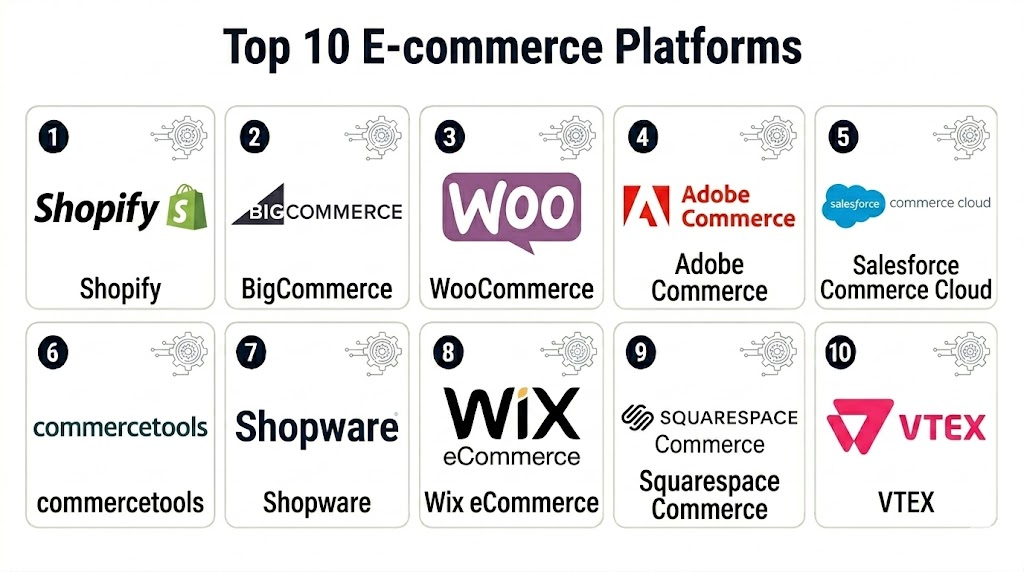
Top 10 E-commerce Platforms
1- Shopify
Short description: Shopify is a widely used SaaS ecommerce platform for online stores, retail brands, D2C businesses, and growing merchants. It is known for ease of setup, strong app ecosystem, checkout capabilities, and omnichannel selling support.
Key Features
- Online store builder with themes and customization options
- Product catalog, inventory, order, and customer management
- Built-in checkout and payment workflows
- App marketplace for marketing, shipping, loyalty, subscriptions, and analytics
- Multi-channel selling across online, social, retail, and marketplaces
- POS support for connected retail operations
- Automation and analytics features for growing stores
Pros
- Easy to launch and manage for non-technical teams
- Strong ecosystem of apps, themes, agencies, and integrations
- Good fit for D2C brands, retailers, and growing merchants
Cons
- Advanced customization may require apps or development support
- Total cost can grow with paid apps, themes, and transaction-related fees
- Some complex enterprise workflows may need Shopify Plus or custom architecture
Platforms / Deployment
Web / iOS / Android
Cloud
Security & Compliance
Security capabilities vary by plan and configuration. Buyers should verify admin permissions, MFA, payment security, fraud protection, encryption, data governance, and compliance documentation directly before rollout.
Integrations & Ecosystem
Shopify has a large commerce ecosystem that helps businesses connect selling, marketing, fulfillment, analytics, and customer engagement workflows.
- Payment gateways
- Shipping and fulfillment tools
- Email and SMS marketing platforms
- Loyalty and subscription apps
- Accounting and ERP connectors
- POS and retail tools
Support & Community
Shopify provides documentation, help resources, merchant education, partner support, and a large app and agency community. Support depth may vary by plan.
2- BigCommerce
Short description: BigCommerce is a SaaS ecommerce platform for growing B2C and B2B businesses that need flexible storefronts, multi-channel selling, and strong API capabilities. It is often considered by brands that want SaaS convenience with more built-in commerce flexibility.
Key Features
- Hosted ecommerce storefront management
- Product catalog, checkout, and order management
- Multi-channel and marketplace selling support
- B2B features depending on plan and configuration
- API support for custom integrations
- Headless commerce support
- Promotions, pricing, and payment flexibility
Pros
- Strong for scaling brands that need built-in ecommerce features
- Good fit for teams wanting SaaS with flexibility
- Useful for businesses that need multi-channel and B2B support
Cons
- Storefront customization may still require development skills
- App and theme choices may be smaller than some ecosystems
- Best configuration depends on business model and plan
Platforms / Deployment
Web
Cloud
Security & Compliance
Security capabilities vary by plan and configuration. Buyers should verify user permissions, payment security, encryption, fraud controls, admin access, and compliance documentation.
Integrations & Ecosystem
BigCommerce supports integrations across commerce, marketing, ERP, fulfillment, and analytics workflows.
- Payment gateways
- ERP and accounting tools
- Shipping and fulfillment systems
- Marketplace connectors
- Marketing automation tools
- Headless CMS and front-end frameworks
Support & Community
BigCommerce provides documentation, support resources, partner services, and implementation guidance. Support level may vary by subscription and enterprise agreement.
3- WooCommerce
Short description: WooCommerce is an open-source ecommerce plugin built for WordPress. It is popular with businesses that want content-rich stores, flexible customization, and control over hosting, design, plugins, and development.
Key Features
- WordPress-based ecommerce store management
- Product catalog, cart, checkout, and order workflows
- Large plugin and extension ecosystem
- Flexible theme and design customization
- Payment, shipping, tax, and marketing extensions
- Content and commerce in one WordPress environment
- Developer-friendly customization options
Pros
- Highly flexible and widely adopted in WordPress environments
- Strong fit for content-driven commerce
- Good control over hosting, design, plugins, and extensions
Cons
- Requires more technical maintenance than fully hosted SaaS platforms
- Performance and security depend heavily on hosting and plugin quality
- Scaling can require experienced WordPress and WooCommerce developers
Platforms / Deployment
Web
Self-hosted / Cloud hosting through third-party providers
Security & Compliance
Security depends on hosting, plugins, updates, payment setup, admin practices, and configuration. Buyers should verify backups, encryption, access controls, malware protection, plugin security, and compliance responsibilities.
Integrations & Ecosystem
WooCommerce has a broad plugin ecosystem and can connect ecommerce with content, marketing, analytics, shipping, and payments.
- WordPress plugins
- Payment gateways
- Shipping and tax tools
- Marketing automation platforms
- Accounting tools
- Custom APIs and developer integrations
Support & Community
WooCommerce benefits from a large WordPress community, documentation, developers, agencies, and plugin vendors. Support varies depending on hosting, extensions, and implementation partners.
4- Adobe Commerce
Short description: Adobe Commerce is an enterprise ecommerce platform built for complex B2C and B2B commerce needs. It is suited for businesses that need deep customization, advanced catalog structures, multi-store support, and integration with enterprise marketing and experience systems.
Key Features
- Advanced product catalog and merchandising tools
- B2B and B2C commerce capabilities
- Multi-store and multi-brand support
- Promotions, pricing, and customer segmentation
- API and headless commerce support
- Integration with Adobe experience and marketing tools
- Flexible customization for complex commerce workflows
Pros
- Strong fit for enterprise and complex commerce requirements
- Highly customizable for advanced storefront and backend workflows
- Supports both B2B and B2C use cases
Cons
- Implementation and maintenance can require significant technical resources
- Total cost may be higher than SMB-focused platforms
- Best suited for teams with development and architecture support
Platforms / Deployment
Web
Cloud / Self-hosted options may vary
Security & Compliance
Security capabilities depend on deployment, hosting, configuration, extensions, and Adobe environment. Buyers should verify SSO, permissions, encryption, admin controls, audit capabilities, payment security, and compliance documentation.
Integrations & Ecosystem
Adobe Commerce is valuable for businesses that need commerce connected with enterprise content, personalization, marketing, analytics, ERP, and order management systems.
- Adobe Experience Cloud tools
- ERP systems
- PIM platforms
- Payment gateways
- Marketing automation tools
- Headless front-end frameworks
Support & Community
Adobe Commerce has enterprise support, implementation partners, developer resources, and a large ecosystem of agencies and extensions. Support depends on contract and deployment model.
5- Salesforce Commerce Cloud
Short description: Salesforce Commerce Cloud is an enterprise digital commerce platform for B2C and B2B businesses. It is best for companies that want ecommerce connected with CRM, marketing, service, personalization, and customer data workflows.
Key Features
- B2C and B2B commerce capabilities
- Storefront, product, cart, checkout, and order workflows
- Customer data and CRM alignment
- Personalization and merchandising tools
- Omnichannel commerce support
- AI and automation features depending on configuration
- Integration with Salesforce ecosystem
Pros
- Strong fit for Salesforce-centered organizations
- Useful for commerce connected with CRM, marketing, and service
- Supports enterprise digital commerce complexity
Cons
- Implementation can require specialized expertise
- Total cost may be high for smaller businesses
- Best value depends on broader Salesforce ecosystem adoption
Platforms / Deployment
Web
Cloud
Security & Compliance
Security capabilities depend on Salesforce configuration, edition, and enterprise controls. Buyers should verify SSO, MFA, permissions, encryption, audit logs, data controls, and compliance documentation.
Integrations & Ecosystem
Salesforce Commerce Cloud works best when ecommerce is connected with customer relationship management, marketing, service, and enterprise data workflows.
- Salesforce CRM
- Marketing automation tools
- Customer service platforms
- Payment systems
- ERP and order management tools
- Analytics and customer data platforms
Support & Community
Salesforce provides documentation, partner services, enterprise support, Trailhead learning resources, and a large implementation ecosystem. Support depends on contract and edition.
6- commercetools
Short description: commercetools is a composable commerce platform designed for businesses that want API-first, headless, and modular commerce architecture. It is best for enterprises and digital teams that need flexibility beyond traditional all-in-one ecommerce platforms.
Key Features
- API-first commerce architecture
- Headless and composable commerce support
- Product catalog, cart, checkout, and order APIs
- Multi-region and multi-channel commerce capabilities
- Developer-focused extensibility
- Integration with custom front ends and third-party tools
- Scalable commerce services for complex architectures
Pros
- Strong fit for composable and headless commerce strategies
- Highly flexible for custom digital experiences
- Useful for enterprise teams building modern commerce stacks
Cons
- Requires strong technical and architecture capabilities
- Not ideal for teams wanting quick no-code store setup
- Total implementation depends on selected front-end and ecosystem tools
Platforms / Deployment
Web / API-based
Cloud
Security & Compliance
Security capabilities vary by configuration and contract. Buyers should verify SSO, permissions, encryption, API security, audit controls, data governance, and compliance documentation.
Integrations & Ecosystem
commercetools works best in modular commerce stacks where teams combine best-fit systems for CMS, search, payments, checkout, OMS, and personalization.
- Headless CMS tools
- Front-end frameworks
- Payment providers
- Search and personalization tools
- ERP and PIM systems
- Order management and fulfillment systems
Support & Community
commercetools provides documentation, developer resources, implementation partner support, and enterprise services. Support depth depends on contract and architecture scope.
7- Shopware
Short description: Shopware is an ecommerce platform used by SMB, mid-market, and enterprise merchants that want flexible B2C and B2B commerce. It supports modular commerce experiences, storefront customization, extensions, and developer-friendly workflows.
Key Features
- Storefront and product catalog management
- B2C and B2B commerce support depending on edition
- Flexible content and commerce experiences
- Rule-based pricing and promotions
- API and headless capabilities
- Extension marketplace
- Multi-channel commerce workflows
Pros
- Flexible platform for European and global merchants
- Good balance of customization and commerce features
- Useful for teams that want more control than simple SaaS builders
Cons
- May require developer or agency support for advanced customization
- Ecosystem depth can vary by region
- Buyers should validate edition fit and hosting model
Platforms / Deployment
Web
Cloud / Self-hosted options may vary
Security & Compliance
Security depends on hosting, edition, configuration, plugins, and admin practices. Buyers should verify user permissions, encryption, payment security, audit controls, and compliance documentation.
Integrations & Ecosystem
Shopware supports integrations for commerce, marketing, fulfillment, ERP, payments, and custom development.
- Payment gateways
- ERP systems
- PIM tools
- Marketing platforms
- Shipping and fulfillment tools
- APIs and extension marketplace
Support & Community
Shopware provides documentation, community resources, partner services, and commercial support options. Support depth depends on edition and implementation model.
8- Wix eCommerce
Short description: Wix eCommerce is a website builder and ecommerce platform for small businesses, creators, and service-based sellers. It is useful for teams that want an easy visual editor, simple store setup, and built-in website management.
Key Features
- Drag-and-drop website and store builder
- Product catalog and checkout workflows
- Payment and shipping options
- Marketing and SEO tools
- Appointment, service, and digital product support depending on configuration
- Templates and design customization
- Basic inventory and order management
Pros
- Easy for non-technical users to launch a store
- Good fit for small businesses and creators
- Combines website, content, and commerce in one platform
Cons
- Less suitable for complex enterprise commerce
- Advanced customization and backend workflows may be limited
- Scaling large catalogs or custom operations may require another platform
Platforms / Deployment
Web / iOS / Android
Cloud
Security & Compliance
Security capabilities vary by plan and configuration. Buyers should verify permissions, payment security, encryption, site protection, admin controls, and compliance responsibilities.
Integrations & Ecosystem
Wix eCommerce works well for small businesses that need website, store, marketing, booking, and customer management features in one environment.
- Payment gateways
- Email marketing tools
- Social selling tools
- Shipping apps
- Booking and service tools
- Business management integrations
Support & Community
Wix provides documentation, templates, support resources, and an app marketplace. Support depth depends on plan and region.
9- Squarespace Commerce
Short description: Squarespace Commerce is an ecommerce option within the Squarespace website platform. It is best for creators, small brands, service providers, and design-focused businesses that want visually polished websites with simple commerce capabilities.
Key Features
- Website and online store builder
- Product catalog and checkout workflows
- Digital and physical product support
- Templates for design-focused brands
- Marketing and email campaign options
- Basic inventory and order management
- Simple analytics and customer management features
Pros
- Strong visual design and template quality
- Easy for small brands and creators to manage
- Good for simple stores with content-driven presentation
Cons
- Not ideal for large or complex ecommerce operations
- App ecosystem and backend flexibility may be limited
- Advanced B2B, marketplace, or enterprise workflows may require another platform
Platforms / Deployment
Web / iOS / Android
Cloud
Security & Compliance
Security capabilities vary by plan and configuration. Buyers should verify payment security, user permissions, encryption, admin controls, and compliance responsibilities.
Integrations & Ecosystem
Squarespace Commerce fits businesses that want website content and basic commerce in a single managed environment.
- Payment gateways
- Email marketing tools
- Social selling tools
- Shipping tools
- Analytics tools
- Scheduling and service workflows
Support & Community
Squarespace provides help resources, templates, tutorials, customer support, and design-focused guidance. Support depth depends on plan and region.
10- VTEX
Short description: VTEX is an enterprise digital commerce platform focused on marketplace, omnichannel, B2C, B2B, and order management capabilities. It is suitable for retailers and brands that need connected commerce across multiple channels and complex selling models.
Key Features
- B2C and B2B ecommerce support
- Marketplace and seller management capabilities
- Order management and omnichannel workflows
- Product catalog and checkout management
- Multi-channel selling support
- API and integration capabilities
- Enterprise commerce scalability
Pros
- Strong for marketplace and omnichannel commerce models
- Useful for retailers managing complex order flows
- Supports B2B, B2C, and multi-seller commerce needs
Cons
- May be too complex for small businesses
- Implementation requires careful planning
- Best value depends on marketplace or omnichannel commerce requirements
Platforms / Deployment
Web
Cloud
Security & Compliance
Security capabilities vary by enterprise agreement and configuration. Buyers should verify SSO, permissions, payment security, encryption, audit controls, data governance, and compliance documentation.
Integrations & Ecosystem
VTEX fits retailers and brands that need ecommerce connected with marketplaces, order management, fulfillment, and enterprise systems.
- ERP systems
- Order management tools
- Payment gateways
- Marketplace systems
- PIM and catalog systems
- Logistics and fulfillment platforms
Support & Community
VTEX provides enterprise support, documentation, implementation guidance, and partner resources. Support model depends on contract and deployment scope.
Comparison Table
| Tool Name | Best For | Platform Supported | Deployment | Standout Feature | Public Rating |
|---|---|---|---|---|---|
| Shopify | D2C brands and omnichannel merchants | Web / iOS / Android | Cloud | Easy store launch with strong app ecosystem | N/A |
| BigCommerce | Scaling B2C and B2B ecommerce | Web | Cloud | SaaS flexibility with strong API support | N/A |
| WooCommerce | WordPress-based stores | Web | Self-hosted / Cloud hosting varies | Open-source commerce inside WordPress | N/A |
| Adobe Commerce | Complex enterprise commerce | Web | Cloud / Self-hosted varies | Advanced customization and B2B support | N/A |
| Salesforce Commerce Cloud | Salesforce-centered enterprise commerce | Web | Cloud | Commerce connected with CRM and marketing | N/A |
| commercetools | Composable and headless commerce | Web / API-based | Cloud | API-first modular commerce architecture | N/A |
| Shopware | Flexible B2C and B2B commerce | Web | Cloud / Self-hosted varies | Customizable commerce with modular options | N/A |
| Wix eCommerce | Small businesses and creators | Web / iOS / Android | Cloud | Easy visual website and store builder | N/A |
| Squarespace Commerce | Design-focused small brands | Web / iOS / Android | Cloud | Polished templates with simple commerce | N/A |
| VTEX | Enterprise omnichannel and marketplace commerce | Web | Cloud | Marketplace and order management capabilities | N/A |
Evaluation & Scoring of E-commerce Platforms
| Tool Name | Core 25% | Ease 15% | Integrations 15% | Security 10% | Performance 10% | Support 10% | Value 15% | Weighted Total |
|---|---|---|---|---|---|---|---|---|
| Shopify | 9 | 9 | 10 | 8 | 9 | 9 | 8 | 8.85 |
| BigCommerce | 9 | 8 | 9 | 8 | 9 | 8 | 8 | 8.50 |
| WooCommerce | 8 | 7 | 10 | 7 | 7 | 8 | 9 | 8.10 |
| Adobe Commerce | 10 | 6 | 9 | 9 | 8 | 9 | 7 | 8.45 |
| Salesforce Commerce Cloud | 9 | 6 | 9 | 9 | 9 | 9 | 7 | 8.35 |
| commercetools | 9 | 5 | 10 | 9 | 9 | 8 | 7 | 8.25 |
| Shopware | 8 | 7 | 8 | 8 | 8 | 8 | 8 | 7.90 |
| Wix eCommerce | 7 | 10 | 7 | 7 | 8 | 8 | 9 | 8.00 |
| Squarespace Commerce | 7 | 9 | 6 | 7 | 8 | 8 | 8 | 7.55 |
| VTEX | 9 | 6 | 9 | 8 | 9 | 8 | 7 | 8.10 |
Which E-commerce Platform Is Right for You?
Solo / Freelancer
Solo sellers, creators, consultants, and small product businesses should prioritize ease of launch, low maintenance, templates, payment setup, and simple inventory workflows. Wix eCommerce, Squarespace Commerce, Shopify, and WooCommerce are practical options. Shopify is better when commerce growth is the priority, while Wix and Squarespace work well when the website experience is as important as the store.
SMB
SMBs should focus on store management, payment options, marketing tools, integrations, SEO, product catalog flexibility, and cost control. Shopify, BigCommerce, WooCommerce, and Shopware are strong candidates. Shopify is easier for many teams, WooCommerce offers flexibility for WordPress users, BigCommerce is useful for growing teams needing SaaS flexibility, and Shopware can fit merchants that need more control.
Mid-Market
Mid-market businesses often need better integrations, multi-channel selling, B2B features, catalog control, analytics, automation, and performance. Shopify, BigCommerce, Adobe Commerce, Shopware, and VTEX are worth evaluating. These companies should test ERP integration, payment workflows, product data management, fulfillment, promotions, tax, and customer segmentation.
Enterprise
Enterprise buyers should prioritize scalability, governance, security, localization, B2B workflows, headless flexibility, integration depth, and implementation ecosystem. Adobe Commerce, Salesforce Commerce Cloud, commercetools, VTEX, Shopify Plus, and BigCommerce Enterprise are strong candidates. Enterprises should run a structured pilot with real catalog, order, integration, and checkout scenarios.
Budget vs Premium
Budget-conscious teams may prefer WooCommerce, Wix eCommerce, Squarespace Commerce, or entry-level Shopify depending on technical skills and business needs. Premium buyers may choose Adobe Commerce, Salesforce Commerce Cloud, commercetools, VTEX, Shopify Plus, or BigCommerce Enterprise when advanced workflows, scale, integrations, and governance justify the cost. Total cost should include software, hosting, development, apps, payment fees, maintenance, and support.
Feature Depth vs Ease of Use
Wix and Squarespace are easiest for simple stores. Shopify balances ease of use with strong commerce depth. BigCommerce offers SaaS flexibility for growing businesses. WooCommerce is highly flexible but needs maintenance. Adobe Commerce and Salesforce Commerce Cloud provide enterprise depth, while commercetools provides architectural flexibility for technical teams. VTEX is strong for marketplace and omnichannel models.
Integrations & Scalability
E-commerce platforms must connect with payments, shipping, tax, ERP, CRM, PIM, WMS, OMS, marketing automation, analytics, loyalty, subscriptions, and customer service tools. Buyers should test not only whether an integration exists, but whether it supports real workflows such as refunds, inventory sync, product variants, bundles, taxes, multi-currency, and fulfillment routing.
Security & Compliance Needs
Security-sensitive buyers should verify MFA, SSO, RBAC, admin permissions, audit logs, payment security, encryption, fraud prevention, data retention, privacy controls, and compliance documentation. Self-hosted and open-source platforms provide more control but also more responsibility. SaaS platforms reduce infrastructure maintenance but require vendor security review.
Frequently Asked Questions
1. What is an e-commerce platform?
An e-commerce platform is software that helps businesses build online stores, manage products, accept payments, process orders, track customers, and connect with shipping, marketing, and business systems.
2. What is the best e-commerce platform for small businesses?
Shopify, Wix eCommerce, Squarespace Commerce, WooCommerce, and BigCommerce are common options for small businesses. The best choice depends on budget, technical skills, product catalog size, and growth plans.
3. What is the best e-commerce platform for enterprise businesses?
Adobe Commerce, Salesforce Commerce Cloud, commercetools, VTEX, Shopify Plus, and BigCommerce Enterprise are strong enterprise candidates. The right choice depends on integrations, architecture, B2B needs, global scale, and governance.
4. Is WooCommerce better than Shopify?
WooCommerce offers more hosting and customization control for WordPress users, while Shopify is usually easier to launch and maintain as a hosted platform. The better choice depends on technical resources and business needs.
5. What is headless ecommerce?
Headless ecommerce separates the storefront front end from the commerce backend. This gives teams more design and performance flexibility, but it usually requires stronger development resources.
6. What is composable commerce?
Composable commerce means building a commerce stack from modular components such as CMS, search, checkout, payments, order management, and personalization. It is useful for companies that need flexibility and custom architecture.
7. Do ecommerce platforms support B2B selling?
Many platforms support B2B selling, but depth varies. Important B2B features include account pricing, quotes, bulk ordering, approval workflows, custom catalogs, credit terms, and buyer roles.
8. How much does an ecommerce platform cost?
Costs vary based on software plan, hosting, apps, payment processing, development, themes, integrations, support, and maintenance. Buyers should compare total cost, not just monthly subscription price.
9. What are common ecommerce platform mistakes?
Common mistakes include choosing a platform only by price, ignoring integrations, underestimating catalog complexity, overlooking performance, adding too many apps, and failing to plan payment, shipping, tax, and returns workflows.
10. Can ecommerce platforms integrate with ERP systems?
Yes, many platforms integrate with ERP systems directly or through connectors. Buyers should test product data, inventory sync, order transfer, refunds, tax handling, and customer data synchronization.
Conclusion
E-commerce Platforms are the foundation for modern online selling, connecting storefront design, product management, checkout, payments, orders, marketing, fulfillment, and customer experience. The right platform helps businesses launch faster, sell across more channels, improve conversion, manage operations, and scale with confidence. Shopify is a strong all-around choice for many D2C and omnichannel merchants, BigCommerce fits growing brands that need SaaS flexibility, and WooCommerce is ideal for WordPress-centered businesses that want control. Adobe Commerce, Salesforce Commerce Cloud, commercetools, and VTEX are stronger options for enterprise, headless, B2B, and complex commerce needs. Wix eCommerce and Squarespace Commerce are practical choices for simple stores, creators, and small businesses. The best platform depends on business model, catalog size, technical resources, budget, integration needs, security requirements, and growth plans. Start by shortlisting two or three platforms, test real product and checkout workflows, validate integrations, compare total cost, and choose the platform that supports both current operations and future commerce growth.

Find Trusted Cardiac Hospitals
Compare heart hospitals by city and services — all in one place.
Explore Hospitals
eCommerce platforms make it much easier for businesses to build online stores, manage products, and provide a better shopping experience for customers.