Introduction
Restaurant Menu Engineering Tools help restaurants analyze menu performance, food cost, contribution margin, item popularity, pricing, recipes, sales mix, and profitability. These tools help operators understand which dishes are high-margin winners, which items need better placement, which menu prices should change, and which low-performing items may need redesign, promotion, or removal. Menu engineering matters because restaurants face rising ingredient costs, labor pressure, delivery fees, changing guest preferences, and tighter margins. A well-engineered menu can improve profitability without only increasing prices. It helps restaurant owners make decisions based on real sales and cost data instead of guesswork.
Real World Use Cases
- Identifying high-profit and high-popularity menu items
- Adjusting menu prices based on food cost and contribution margin
- Comparing dine-in, delivery, and takeaway menu performance
- Redesigning menus to highlight profitable dishes
- Tracking recipe costs, ingredient changes, and margin impact
Evaluation Criteria for Buyers
- Recipe costing and ingredient cost tracking
- Menu item profitability analysis
- POS integration and sales data sync
- Menu category and sales mix reporting
- Price modeling and margin simulation
- Inventory and purchasing integration
- Multi-location menu control
- Reporting dashboards for owners and managers
- Ease of use for chefs, operators, and finance teams
- Security, permissions, support, and total cost
Best for: Restaurant owners, chefs, finance teams, menu consultants, hospitality groups, QSR brands, cafés, bars, cloud kitchens, franchise operators, and multi-location restaurant businesses that need better menu profitability and pricing decisions.
Not ideal for: Very small restaurants with simple menus and stable ingredient costs, businesses that only need visual menu design, or operators who do not track recipe cost, POS sales, or margin data.
Key Trends in Restaurant Menu Engineering Tools
- Data-driven menu pricing: Restaurants are moving away from fixed markup rules and using live sales, recipe cost, and margin data to make pricing decisions.
- AI-assisted menu insights: Modern tools increasingly use AI to identify underperforming items, suggest pricing opportunities, highlight demand shifts, and detect margin pressure.
- Recipe costing automation: Ingredient cost changes are now more frequent, so restaurants need automated recipe updates and cost alerts.
- POS-connected profitability analysis: Menu engineering is becoming more powerful when connected directly with POS sales data, order history, item modifiers, and channel-level revenue.
- Delivery-specific menu optimization: Restaurants now analyze dine-in, takeaway, delivery, and marketplace menus separately because fees, packaging costs, and guest behavior differ.
- Multi-location menu governance: Restaurant groups need centralized menu control while still allowing location-level pricing, availability, and category performance analysis.
- Menu psychology and design integration: Operators are combining profitability data with menu layout, item naming, bundling, and upsell strategy.
- Waste and inventory alignment: Menu engineering is increasingly connected with inventory, purchasing, waste tracking, and prep planning.
- Dynamic menu strategy: Some restaurants use time-based menus, limited-time offers, seasonal pricing, and daypart-specific menu performance analysis.
- Finance and operations collaboration: Menu engineering is no longer only a chef activity. Finance, operations, marketing, and procurement teams now use the same menu data to manage profitability.
How We Selected These Tools
- We selected tools widely recognized in restaurant menu engineering, recipe costing, inventory control, food cost analysis, restaurant analytics, and POS-connected profitability workflows.
- We prioritized tools that help restaurants understand menu item margin, popularity, pricing, sales mix, ingredient cost, and operational impact.
- We included tools suitable for independent restaurants, cafés, bars, quick-service restaurants, cloud kitchens, franchise groups, and enterprise hospitality teams.
- We considered restaurant-specific platforms as well as broader restaurant management systems that include menu profitability and costing features.
- We evaluated integration potential with POS, accounting, inventory, purchasing, recipe, delivery, and restaurant reporting systems.
- We considered usability for chefs, owners, general managers, finance teams, menu consultants, and multi-location operators.
- We looked at reporting depth, pricing control, food cost visibility, and ability to support real menu decisions.
- We considered security posture signals such as user permissions, admin controls, auditability, and access governance.
- We avoided guessing public ratings, exact pricing, certifications, or unsupported compliance claims.
- We focused on practical buyer fit rather than naming one universal best tool.
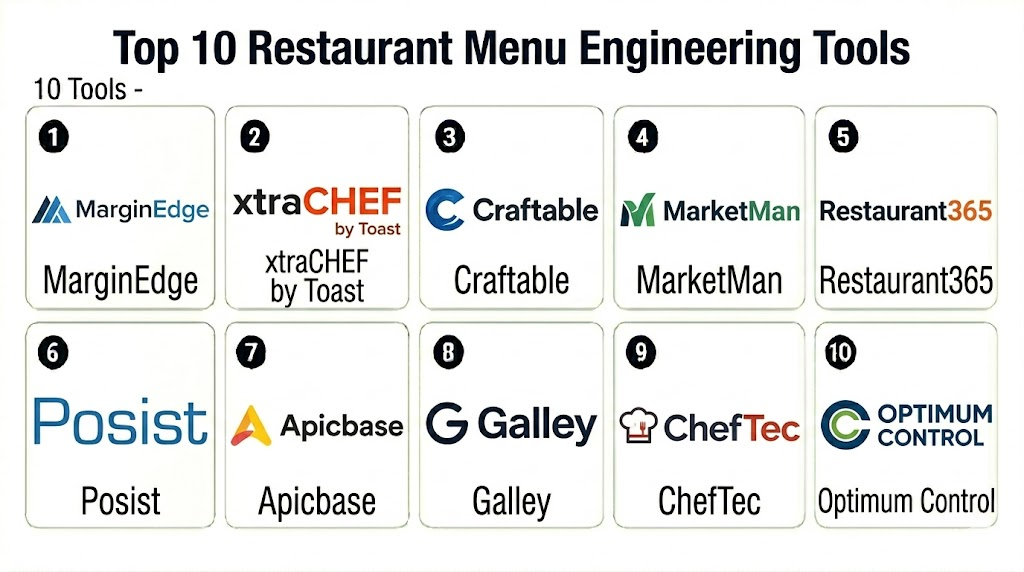
Top 10 Restaurant Menu Engineering Tools
1- MarginEdge
Short description: MarginEdge is a restaurant management platform focused on food cost, inventory, recipe costing, invoice processing, and profitability reporting. It is useful for restaurants that want menu engineering connected with real purchasing and cost data.
Key Features
- Recipe costing and food cost tracking
- Menu item profitability visibility
- Invoice processing and cost updates
- Inventory and purchasing workflows
- POS sales data integration
- Cost of goods reporting
- Multi-location operational reporting
Pros
- Strong connection between menu costs and real invoice data
- Useful for restaurants that want food cost and margin visibility
- Helps operators understand profitability beyond basic sales reports
Cons
- Best value depends on accurate invoice and recipe data
- Setup requires menu, recipe, and vendor data alignment
- Smaller restaurants with simple costing needs may not need full depth
Platforms / Deployment
Web
Cloud
Security & Compliance
Security capabilities vary by plan and configuration. Buyers should verify user permissions, encryption, audit logs, accounting data controls, access governance, and compliance documentation directly with the vendor.
Integrations & Ecosystem
MarginEdge works well when menu engineering needs to connect with restaurant cost, inventory, invoice, and POS data.
- POS systems
- Accounting systems
- Vendor invoices
- Inventory workflows
- Recipe databases
- Restaurant reporting tools
Support & Community
MarginEdge provides onboarding support, documentation, customer assistance, and restaurant operations guidance. Support depth may vary by plan and restaurant size.
2- xtraCHEF by Toast
Short description: xtraCHEF by Toast helps restaurants manage invoices, food costs, recipes, inventory, and menu profitability. It is especially useful for restaurants that want financial visibility and ingredient-level cost tracking connected with restaurant operations.
Key Features
- Invoice digitization and cost tracking
- Recipe costing workflows
- Menu item profitability analysis
- Inventory and purchasing support
- Food cost reporting
- POS and accounting integrations
- Operational dashboards for restaurant teams
Pros
- Strong restaurant cost control and back-office focus
- Useful for teams that need invoice-driven cost updates
- Helps connect menu decisions with food cost and accounting workflows
Cons
- Setup requires accurate recipes, ingredients, and vendor data
- Best value depends on consistent invoice and inventory processes
- Some restaurants may need additional menu design tools
Platforms / Deployment
Web
Cloud
Security & Compliance
Security capabilities vary by configuration. Buyers should verify user access controls, encryption, accounting data handling, audit logs, and compliance documentation.
Integrations & Ecosystem
xtraCHEF fits restaurants that need menu engineering connected with cost management, invoices, accounting, and POS workflows.
- Toast ecosystem
- POS systems
- Accounting platforms
- Vendor invoice workflows
- Inventory tools
- Restaurant reporting systems
Support & Community
xtraCHEF provides onboarding, documentation, customer support, and restaurant back-office guidance. Support scope may vary by plan and setup.
3- Craftable
Short description: Craftable is a restaurant and hospitality platform focused on inventory, purchasing, recipe costing, beverage management, and profitability control. It is useful for restaurants, bars, hotels, and groups that need detailed food and beverage cost visibility.
Key Features
- Recipe and ingredient costing
- Food and beverage inventory management
- Purchasing and vendor management
- Menu profitability analysis
- Waste and variance tracking
- POS integration support
- Multi-location reporting
Pros
- Strong for restaurants and bars managing food and beverage costs
- Useful for detailed inventory and purchasing control
- Helps connect menu pricing with actual cost movement
Cons
- Requires disciplined inventory and recipe management
- Implementation can take planning for larger operations
- May be more detailed than very small restaurants need
Platforms / Deployment
Web
Cloud
Security & Compliance
Security capabilities vary by plan and configuration. Buyers should verify permissions, encryption, audit controls, user roles, and compliance documentation.
Integrations & Ecosystem
Craftable fits restaurants that want menu engineering tied to purchasing, vendor costs, beverage control, and inventory.
- POS systems
- Accounting tools
- Vendor management workflows
- Inventory systems
- Beverage and bar operations
- Reporting dashboards
Support & Community
Craftable provides onboarding, training resources, documentation, and customer support. Support depth may vary by contract and restaurant complexity.
4- MarketMan
Short description: MarketMan is a restaurant inventory and purchasing platform that supports recipe costing, supplier management, food cost reporting, and menu profitability analysis. It is suitable for restaurants that want better control over ingredient costs and menu margins.
Key Features
- Recipe costing and menu profitability
- Inventory counting and stock control
- Purchasing and supplier management
- Invoice and price tracking
- Food cost and variance reporting
- POS integration support
- Multi-location inventory visibility
Pros
- Good fit for restaurants needing inventory and menu cost control
- Helps track supplier price changes and margin impact
- Supports multi-location restaurant operations
Cons
- Requires accurate recipe and inventory setup
- Teams must maintain purchasing and stock data consistently
- Advanced analytics needs should be validated before purchase
Platforms / Deployment
Web / iOS / Android options may vary
Cloud
Security & Compliance
Security capabilities vary by plan and configuration. Buyers should verify role permissions, encryption, audit logs, vendor data handling, and compliance documentation.
Integrations & Ecosystem
MarketMan connects menu engineering with inventory, purchasing, accounting, and POS workflows.
- POS systems
- Accounting tools
- Supplier workflows
- Inventory counts
- Recipe databases
- Reporting dashboards
Support & Community
MarketMan provides onboarding resources, documentation, customer support, and restaurant inventory guidance. Support depth may vary by plan.
5- Restaurant365
Short description: Restaurant365 is a restaurant management and accounting platform that connects accounting, inventory, labor, scheduling, reporting, and operations. Its menu engineering value comes from combining restaurant financial data, inventory, recipes, and sales insights.
Key Features
- Restaurant accounting and financial reporting
- Inventory and recipe costing support
- Food cost and margin reporting
- POS data integration
- Labor and operational analytics
- Multi-location reporting
- Budgeting and forecasting workflows
Pros
- Strong fit for restaurant groups needing financial and operational visibility
- Useful for connecting menu profitability with accounting data
- Scales well for multi-location restaurant organizations
Cons
- May be more platform than a small restaurant needs
- Implementation requires accounting and operational process alignment
- Menu engineering may be part of a broader back-office workflow
Platforms / Deployment
Web
Cloud
Security & Compliance
Security capabilities vary by plan and configuration. Buyers should verify user permissions, accounting data controls, encryption, audit logs, admin roles, and compliance documentation.
Integrations & Ecosystem
Restaurant365 fits restaurant groups that need menu profitability tied to accounting, inventory, labor, POS, and reporting.
- POS systems
- Accounting workflows
- Inventory systems
- Payroll and labor tools
- Vendor and purchasing tools
- Business intelligence dashboards
Support & Community
Restaurant365 provides onboarding, training, documentation, customer support, and restaurant finance guidance. Support scope may vary by contract and deployment size.
6- Posist
Short description: Posist is a restaurant technology platform that supports POS, inventory, recipe management, menu control, analytics, and multi-location restaurant operations. It is useful for restaurant brands that want menu engineering connected with operations and centralized control.
Key Features
- Restaurant POS and menu management
- Recipe and inventory workflows
- Food cost and menu performance reporting
- Centralized menu control
- Multi-location restaurant analytics
- Online ordering and delivery integration support
- Operational dashboards
Pros
- Strong fit for restaurant chains and multi-location brands
- Connects menu control with POS and inventory workflows
- Useful for standardized operations across locations
Cons
- Best fit depends on region and integration requirements
- Smaller restaurants may not need full platform breadth
- Implementation requires menu and operational process setup
Platforms / Deployment
Web / Mobile options may vary
Cloud
Security & Compliance
Security capabilities vary by deployment and plan. Buyers should verify user permissions, encryption, role controls, audit logs, data handling, and compliance documentation.
Integrations & Ecosystem
Posist fits restaurants that need menu engineering, POS, inventory, and delivery workflows connected in one restaurant operations platform.
- Restaurant POS workflows
- Inventory systems
- Online ordering tools
- Delivery aggregators
- Accounting and finance tools
- Multi-location reporting
Support & Community
Posist provides implementation support, documentation, customer assistance, and restaurant operations guidance. Support depth may vary by region and contract.
7- Apicbase
Short description: Apicbase is a food management platform for restaurants, foodservice groups, and hospitality operators. It supports recipe management, menu costing, allergens, procurement, inventory, and food operations visibility.
Key Features
- Recipe management and costing
- Menu item profitability support
- Allergen and nutrition data workflows
- Procurement and supplier management
- Inventory and stock control
- Multi-location food operations
- Food cost and operational reporting
Pros
- Strong recipe and food operations focus
- Useful for multi-site hospitality and foodservice teams
- Supports allergen, nutrition, and procurement-related workflows
Cons
- Requires structured recipe and product data
- May need process discipline across kitchens and locations
- Smaller restaurants may find it more detailed than needed
Platforms / Deployment
Web
Cloud
Security & Compliance
Security capabilities vary by contract and setup. Buyers should verify permissions, encryption, user roles, audit controls, and compliance documentation.
Integrations & Ecosystem
Apicbase fits foodservice teams that want menu engineering connected with recipes, allergens, procurement, and inventory.
- POS systems
- Procurement workflows
- Supplier systems
- Inventory tools
- Food compliance workflows
- Reporting dashboards
Support & Community
Apicbase provides onboarding, documentation, support resources, and food operations guidance. Support scope may vary by contract and region.
8- Galley
Short description: Galley is a culinary operating system focused on recipe management, menu planning, procurement, food costing, and production workflows. It is useful for foodservice teams that need structured recipe data and scalable menu planning.
Key Features
- Recipe management and version control
- Food costing and menu margin support
- Menu planning workflows
- Procurement and ingredient management
- Production planning support
- Nutrition and allergen data support depending on setup
- Operational reporting
Pros
- Strong fit for culinary teams needing structured recipe systems
- Useful for menu planning and food cost visibility
- Good for organizations managing recipes across teams or locations
Cons
- May require implementation work to structure recipe data
- Not a full restaurant POS system
- Buyers should validate POS and inventory integration requirements
Platforms / Deployment
Web
Cloud
Security & Compliance
Security capabilities vary by plan and configuration. Buyers should verify user permissions, encryption, admin controls, audit logs, and compliance documentation.
Integrations & Ecosystem
Galley fits teams that need recipes, menu planning, procurement, and production workflows connected with restaurant operations.
- Recipe databases
- Procurement systems
- Inventory workflows
- Nutrition and allergen workflows
- POS or reporting integrations depending on setup
- Culinary operations tools
Support & Community
Galley provides onboarding, documentation, support, and culinary operations guidance. Support depth may vary by plan and customer needs.
9- ChefTec
Short description: ChefTec is a foodservice management tool focused on recipe costing, inventory, purchasing, menu analysis, and food cost control. It is useful for restaurants, caterers, clubs, hotels, and foodservice operators that need detailed cost and recipe management.
Key Features
- Recipe costing
- Menu and food cost analysis
- Inventory management
- Purchasing and vendor tracking
- Nutritional and allergen information support depending on setup
- Production and prep planning workflows
- Reporting for foodservice operations
Pros
- Strong recipe costing and food cost control focus
- Useful for detailed culinary and foodservice operations
- Suitable for operators that want structured costing workflows
Cons
- Interface and workflow style may feel more traditional than newer cloud tools
- Integration depth should be validated
- Requires accurate recipe and inventory data for best results
Platforms / Deployment
Windows / Web options may vary
Cloud / Self-hosted options may vary
Security & Compliance
Security capabilities vary by deployment and configuration. Buyers should verify access controls, backups, encryption, user permissions, and compliance documentation.
Integrations & Ecosystem
ChefTec fits foodservice teams that need detailed costing, purchasing, and inventory workflows.
- Inventory systems
- Purchasing workflows
- Vendor management
- Recipe databases
- Reporting tools
- Foodservice accounting workflows depending on setup
Support & Community
ChefTec provides documentation, support resources, and foodservice guidance. Support scope may vary by product edition and deployment model.
10- Optimum Control
Short description: Optimum Control is a restaurant inventory and food cost management tool that supports recipe costing, menu pricing, inventory, purchasing, and reporting. It is useful for restaurants that want practical cost control and menu profitability visibility.
Key Features
- Recipe costing and margin analysis
- Inventory management
- Purchasing and supplier tracking
- Menu pricing support
- Waste and variance tracking
- Sales and cost reporting
- Multi-location support depending on setup
Pros
- Practical for restaurant food cost control
- Useful for menu pricing and inventory visibility
- Helps managers track ingredient costs and margin changes
Cons
- May require disciplined data entry and inventory processes
- Integration options should be verified before purchase
- Some teams may prefer a broader restaurant management platform
Platforms / Deployment
Windows / Web options may vary
Cloud / Self-hosted options may vary
Security & Compliance
Security capabilities vary by deployment and setup. Buyers should verify permissions, backups, encryption, audit controls, and compliance documentation.
Integrations & Ecosystem
Optimum Control supports restaurant teams that want costing and inventory workflows connected with menu decisions.
- POS data workflows depending on setup
- Inventory systems
- Vendor and purchasing workflows
- Recipe databases
- Reporting tools
- Accounting workflows depending on setup
Support & Community
Optimum Control provides support resources, training options, documentation, and food cost management guidance. Support depth may vary by edition and deployment model.
Comparison Table
| Tool Name | Best For | Platform Supported | Deployment | Standout Feature | Public Rating |
|---|---|---|---|---|---|
| MarginEdge | Restaurants needing invoice-driven food cost control | Web | Cloud | Real invoice data connected with menu profitability | N/A |
| xtraCHEF by Toast | Restaurants needing recipe costing and cost visibility | Web | Cloud | Invoice processing and food cost insights | N/A |
| Craftable | Food and beverage cost management | Web | Cloud | Strong inventory, purchasing, and beverage controls | N/A |
| MarketMan | Inventory-led menu profitability | Web / iOS / Android varies | Cloud | Supplier cost tracking and recipe costing | N/A |
| Restaurant365 | Restaurant groups needing finance and operations visibility | Web | Cloud | Accounting, inventory, and menu cost reporting in one platform | N/A |
| Posist | Multi-location restaurant menu control | Web / Mobile varies | Cloud | POS, inventory, menu control, and analytics alignment | N/A |
| Apicbase | Foodservice recipe and procurement management | Web | Cloud | Recipe, allergen, procurement, and food cost workflows | N/A |
| Galley | Culinary teams needing structured recipe operations | Web | Cloud | Recipe management and menu planning workflows | N/A |
| ChefTec | Traditional foodservice recipe costing | Windows / Web varies | Cloud / Self-hosted varies | Detailed recipe costing and foodservice cost control | N/A |
| Optimum Control | Restaurant food cost and inventory control | Windows / Web varies | Cloud / Self-hosted varies | Practical menu costing and inventory variance tracking | N/A |
Evaluation & Scoring of Restaurant Menu Engineering Tools
| Tool Name | Core 25% | Ease 15% | Integrations 15% | Security 10% | Performance 10% | Support 10% | Value 15% | Weighted Total |
|---|---|---|---|---|---|---|---|---|
| MarginEdge | 9 | 8 | 9 | 8 | 8 | 8 | 8 | 8.35 |
| xtraCHEF by Toast | 9 | 8 | 8 | 8 | 8 | 8 | 8 | 8.20 |
| Craftable | 9 | 7 | 8 | 8 | 8 | 8 | 8 | 8.05 |
| MarketMan | 8 | 8 | 8 | 7 | 8 | 8 | 8 | 7.85 |
| Restaurant365 | 9 | 6 | 9 | 8 | 9 | 8 | 7 | 8.05 |
| Posist | 8 | 7 | 8 | 8 | 8 | 8 | 8 | 7.85 |
| Apicbase | 8 | 7 | 8 | 8 | 8 | 8 | 8 | 7.85 |
| Galley | 8 | 7 | 7 | 8 | 8 | 7 | 8 | 7.60 |
| ChefTec | 8 | 6 | 7 | 7 | 7 | 7 | 8 | 7.20 |
| Optimum Control | 8 | 7 | 7 | 7 | 7 | 7 | 8 | 7.35 |
Which Restaurant Menu Engineering Tool Is Right for You?
Solo / Freelancer
Solo consultants, chefs, and small operators usually need simple recipe costing, menu margin calculation, and pricing analysis. Optimum Control, ChefTec, or a lightweight recipe costing workflow may be practical. If the restaurant has low menu complexity, a spreadsheet may be enough until purchasing, inventory, and sales data become harder to manage manually.
SMB
Independent restaurants, cafés, bars, and small hospitality businesses should focus on recipe costing, invoice price tracking, POS sales import, inventory visibility, and easy reporting. MarginEdge, xtraCHEF by Toast, MarketMan, Craftable, and Optimum Control are strong candidates. These teams should prioritize tools that staff can maintain consistently without excessive admin work.
Mid-Market
Mid-market restaurant groups need multi-location visibility, menu performance reporting, food cost control, purchasing workflows, and standardized recipe data. MarginEdge, Craftable, MarketMan, Restaurant365, Posist, and Apicbase are worth evaluating. These businesses should test recipe setup, cost changes, POS integration, location-level reporting, and supplier workflows before rollout.
Enterprise
Enterprise restaurant brands, hotel groups, franchise operators, and foodservice organizations should prioritize centralized menu governance, accounting integration, procurement workflows, user permissions, auditability, and scalability. Restaurant365, Posist, Apicbase, Craftable, MarginEdge, and Galley can be strong candidates depending on operating model. Enterprises should run pilots across different menu categories, regions, and cost structures.
Budget vs Premium
Budget-conscious restaurants may start with ChefTec, Optimum Control, or simpler inventory and costing tools. Premium buyers may choose Restaurant365, MarginEdge, Craftable, Apicbase, Posist, or Galley when menu decisions need to connect with invoices, purchasing, accounting, inventory, and multi-location reporting. Total cost should include software, training, data setup, integrations, support, and staff time.
Feature Depth vs Ease of Use
MarginEdge and xtraCHEF are strong for invoice-based food cost visibility. MarketMan and Craftable are strong for inventory and purchasing depth. Restaurant365 adds accounting and operational breadth. Apicbase and Galley are stronger for structured recipe and food operations management. ChefTec and Optimum Control are practical for detailed costing but may require more traditional workflows.
Integrations & Scalability
Restaurant menu engineering tools should connect with POS systems, accounting platforms, inventory tools, vendor invoices, purchasing workflows, recipe databases, delivery channels, and reporting systems. Buyers should test item mapping, ingredient cost updates, menu categories, modifier handling, multi-location pricing, and sales mix reporting. Scalability matters when restaurants add locations, vendors, menu categories, and channels.
Security & Compliance Needs
Menu engineering tools often contain sales data, vendor pricing, ingredient costs, recipes, margins, staff access, and accounting data. Buyers should verify role-based permissions, encryption, audit logs, user provisioning, data exports, backup policies, and access controls. Multi-location groups should also review centralized admin permissions and financial reporting access.
Frequently Asked Questions FAQs
1. What is restaurant menu engineering software?
Restaurant menu engineering software helps operators analyze menu item profitability, popularity, food cost, contribution margin, pricing, and sales mix. It helps restaurants make better decisions about pricing, placement, promotion, and menu changes.
2. How is menu engineering different from menu design?
Menu design focuses on layout, branding, item descriptions, and customer presentation. Menu engineering focuses on profitability, popularity, recipe costs, pricing, and strategic menu decisions based on data.
3. What is the best menu engineering tool for small restaurants?
MarginEdge, xtraCHEF, MarketMan, Craftable, Optimum Control, and ChefTec can be useful for small restaurants depending on budget and needs. Smaller teams should prioritize ease of use and accurate recipe costing.
4. What is the best tool for restaurant groups?
Restaurant365, MarginEdge, Craftable, Posist, Apicbase, and MarketMan are strong candidates for restaurant groups. Multi-location operators should evaluate centralized reporting, recipe standardization, vendor tracking, and POS integrations.
5. Do menu engineering tools integrate with POS systems?
Many menu engineering tools integrate with POS systems to import sales data and item performance. Buyers should test item mapping, modifier handling, menu categories, discounts, delivery channels, and sales reporting accuracy.
6. Can menu engineering tools help increase profit?
Yes, these tools can help improve profit by identifying high-margin items, low-margin items, pricing gaps, food cost changes, and sales mix issues. Results depend on accurate recipe data and disciplined menu decisions.
7. What data is needed for menu engineering?
Important data includes menu item sales, recipe ingredients, ingredient costs, portion sizes, labor assumptions, waste, vendor pricing, modifiers, discounts, and channel-specific sales. Better data leads to better decisions.
8. What are common menu engineering mistakes?
Common mistakes include using outdated ingredient costs, ignoring low-margin popular items, pricing only by competitor comparison, not analyzing delivery costs, and making menu changes without testing customer response.
9. Can menu engineering tools support delivery menus?
Yes, many tools can help analyze delivery menu performance if sales data is available by channel. Restaurants should account for packaging costs, delivery commissions, prep complexity, and pricing differences.
10. How often should restaurants review menu profitability?
Restaurants should review menu profitability regularly, especially when ingredient prices change, new items launch, seasonal menus rotate, or delivery sales increase. Monthly or quarterly reviews are common for active operators.
Conclusion
Restaurant Menu Engineering Tools help restaurants make smarter decisions about pricing, recipes, menu layout, item profitability, and food cost control. The right platform can reveal which dishes drive profit, which items need repricing, which ingredients are hurting margins, and which menu changes can improve performance without damaging guest experience. MarginEdge, xtraCHEF by Toast, Craftable, and MarketMan are strong options for restaurants needing invoice-driven costing and inventory visibility. Restaurant365 is valuable for restaurant groups that want menu profitability connected with accounting and operations. Posist, Apicbase, and Galley fit teams that need centralized menu, recipe, procurement, and multi-location workflows. ChefTec and Optimum Control remain practical choices for detailed recipe costing and food cost control. The best tool depends on restaurant size, menu complexity, POS system, inventory discipline, vendor workflows, reporting needs, and budget. Start by shortlisting two or three tools, test them with real recipes and sales data, validate POS and invoice integrations, review security controls, and choose the system that helps your team improve both menu quality and profitability.

Find Trusted Cardiac Hospitals
Compare heart hospitals by city and services — all in one place.
Explore Hospitals
Menu engineering tools are really useful for understanding which dishes perform best and improving restaurant profitability.