Introduction
Legal Time and Billing Software helps law firms, solo attorneys, legal teams, and legal operations staff track billable hours, create invoices, manage retainers, record expenses, process payments, and monitor firm revenue. In simple terms, these tools help lawyers capture time accurately and turn legal work into compliant, professional invoices. This category matters because legal clients expect transparent billing, faster invoices, secure payments, and clear matter-level cost visibility. Manual time tracking, spreadsheets, and disconnected accounting workflows often lead to missed billable hours, billing delays, compliance gaps, and cash flow problems. Modern legal billing platforms help firms improve profitability, reduce administrative work, and strengthen client trust.
Real-world use cases include:
- Tracking billable and non-billable time by matter
- Creating invoices with legal-specific billing rules
- Managing retainers, trust accounts, and client payments
- Reviewing firm revenue, realization, and collection metrics
- Syncing billing data with accounting and practice management tools
What buyers should evaluate:
- Time tracking accuracy and timer flexibility
- Legal invoicing and billing rule support
- Trust accounting and retainer management
- Online payment processing
- Accounting integrations
- Matter-level billing visibility
- Reporting and revenue analytics
- Ease of use for lawyers and billing staff
- Security, permissions, and audit logs
- Scalability across attorneys, offices, and practice areas
Best for: Solo lawyers, small and mid-sized law firms, billing managers, legal operations teams, finance teams, litigation practices, transactional firms, and any legal organization that needs accurate time capture, faster invoicing, and better payment collection.
Not ideal for: Firms with very simple flat-fee billing handled manually, organizations that only need general accounting software, or legal teams that do not track billable time, retainers, expenses, or matter-level financials.
Key Trends in Legal Time and Billing Software
- AI-assisted time capture: More legal billing tools are using automation to help lawyers identify billable activity from emails, documents, calls, calendar entries, and matter activity.
- Mobile-first billing workflows: Lawyers increasingly expect to capture time, approve invoices, and review matter balances from mobile devices.
- Integrated payments are becoming standard: Clients expect secure online payment options, payment links, credit card support, and faster invoice settlement.
- Trust accounting compliance remains critical: Law firms need billing tools that support retainers, trust ledgers, three-way reconciliation, and jurisdiction-specific accounting workflows.
- Matter-level profitability analytics: Firms want to understand which matters, clients, practice areas, and attorneys are profitable.
- Billing transparency is becoming a client expectation: Clear invoices, time narratives, budgets, and status visibility help reduce disputes and improve client relationships.
- Accounting integration is a top buying factor: QuickBooks, Xero, and legal accounting integrations are important for reducing duplicate entry.
- Cloud-based systems continue to grow: Cloud billing tools support remote work, distributed teams, faster updates, and easier collaboration.
- Alternative fee arrangements are expanding: Firms need systems that support hourly, flat fee, contingency, subscription, capped fee, and hybrid billing models.
- Security and auditability matter more: Billing systems store client data, financial records, trust balances, and matter details, so security review is essential.
How We Selected These Tools
The Top 10 Legal Time and Billing Software platforms were selected using a practical law firm-focused methodology. The goal is not to name one universal winner, but to compare credible tools for different firm sizes, billing models, accounting needs, and practice workflows.
Selection criteria included:
- Market recognition in legal billing, time tracking, trust accounting, and practice management
- Ability to track time, expenses, retainers, invoices, and payments
- Legal-specific billing workflows such as LEDES, trust accounting, matter billing, and client statements
- Integration with accounting, payments, document, calendar, and practice management systems
- Fit for solo attorneys, small firms, mid-sized firms, and multi-office practices
- Ease of use for attorneys, paralegals, billing staff, and administrators
- Reporting depth for collections, realization, productivity, and matter profitability
- Security and governance signals where publicly available
- Support, onboarding, documentation, and migration assistance
- Practical value for firms moving away from spreadsheets or disconnected billing tools
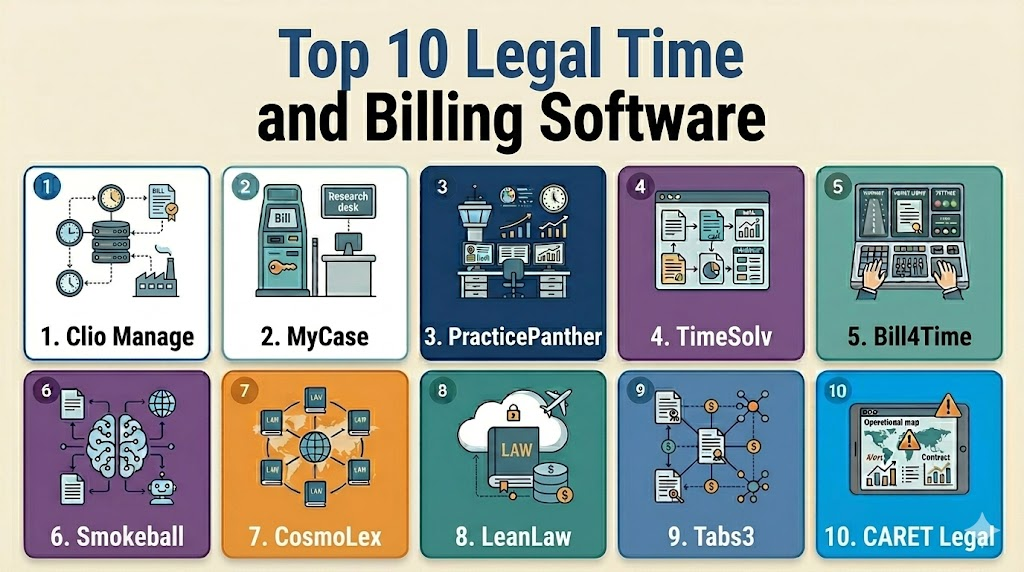
Top 10 Legal Time and Billing Software
1- Clio Manage
Short description: Clio Manage is a cloud-based law practice management platform with built-in time tracking, billing, invoicing, payments, client management, matter workflows, and integrations. It is best for solo, small, and mid-sized law firms that want billing connected with daily matter management.
Key Features
- Time tracking by matter, client, and activity
- Legal invoicing and billing workflows
- Online payments and client payment links
- Matter, contact, task, and calendar management
- Trust accounting and retainer workflows
- Reporting for revenue, productivity, and collections
- Broad legal app integration ecosystem
Pros
- Strong all-in-one option for modern law firms
- Easy for lawyers and staff to adopt compared with many legacy systems
- Good ecosystem for payments, accounting, intake, and documents
Cons
- Advanced accounting needs may require integrations
- Pricing can increase with add-ons and higher plans
- Large firms with complex billing rules should validate fit carefully
Platforms / Deployment
Web / Cloud
iOS / Android availability: Varies by app and plan
Security & Compliance
Not publicly stated in full detail for every buyer requirement. Buyers should validate SSO, MFA, RBAC, encryption, audit logs, SOC 2, ISO 27001, GDPR, HIPAA, trust accounting controls, and regional data needs.
Integrations & Ecosystem
Clio works well when billing needs to connect with matter management, client intake, documents, payments, accounting, and law firm productivity tools.
- Accounting integrations
- Online payment workflows
- Calendar and email tools
- Document management systems
- Client intake and CRM tools
- Legal app marketplace integrations
Support & Community
Clio provides documentation, onboarding resources, customer support, training, webinars, migration assistance, and a large legal technology ecosystem. Buyers should confirm plan-specific support, data migration help, and accounting integration guidance.
2- MyCase
Short description: MyCase is a cloud-based legal practice management system with time tracking, billing, payments, client communication, document management, and matter workflows. It is best for small and mid-sized law firms that want billing, client portal, and case management in one platform.
Key Features
- Time and expense tracking
- Legal billing and invoicing
- Online payments and payment plans
- Client portal and communication tools
- Matter, document, and calendar management
- Trust accounting support
- Reporting for firm financial activity
Pros
- Good all-in-one fit for smaller firms
- Strong client communication and payment workflows
- Easier to adopt than many complex enterprise systems
Cons
- Advanced billing customization should be tested before purchase
- Large firms may need deeper reporting or accounting controls
- Feature availability may vary by plan
Platforms / Deployment
Web / Cloud
iOS / Android availability: Varies / N/A
Security & Compliance
Not publicly stated in full detail for every buyer need. Buyers should validate MFA, RBAC, encryption, audit logs, data residency, SOC 2, ISO 27001, GDPR, HIPAA, and client confidentiality controls.
Integrations & Ecosystem
MyCase is useful when time and billing must connect with client communication, documents, calendars, payments, and practice management workflows.
- Accounting integrations
- Payment processing workflows
- Client portal communication
- Calendar and email tools
- Document storage and sharing
- Reporting and firm management dashboards
Support & Community
MyCase provides customer support, onboarding resources, documentation, training materials, and migration assistance options. Buyers should confirm data import help, plan-specific support, and billing workflow setup guidance.
3- PracticePanther
Short description: PracticePanther is a cloud-based law practice management platform with matter management, time tracking, billing, payments, workflows, calendaring, and client portal tools. It is best for solo, small, and mid-sized law firms that want practical billing and practice automation.
Key Features
- Time tracking and expense recording
- Legal invoicing and online payments
- Matter and case management
- Client portal and secure communication
- Calendar and task management
- Workflow automation
- Reporting for billing and productivity
Pros
- User-friendly for everyday law firm billing workflows
- Good combination of billing, payments, and matter management
- Helpful automation for small and mid-sized firms
Cons
- Enterprise-level billing complexity should be validated
- Advanced legal accounting needs may require integrations
- Larger firms may need more configurable workflows
Platforms / Deployment
Web / Cloud
iOS / Android availability: Varies / N/A
Security & Compliance
Not publicly stated in full detail for all buyer needs. Buyers should validate MFA, RBAC, encryption, audit logs, SOC 2, ISO 27001, GDPR, HIPAA, trust accounting controls, and confidentiality requirements.
Integrations & Ecosystem
PracticePanther fits law firms that need billing connected with matters, payments, client communication, accounting, documents, and workflow automation.
- Accounting tools
- Payment processing
- Email and calendar tools
- Client portal workflows
- Document management tools
- E-signature and automation tools
Support & Community
PracticePanther provides customer support, onboarding materials, documentation, training, and migration help. Buyers should confirm support tiers, billing setup assistance, and integration guidance.
4- TimeSolv
Short description: TimeSolv is legal time tracking and billing software focused on accurate time capture, invoicing, payments, reporting, and billing productivity. It is best for law firms that need strong billing workflows without necessarily adopting a full practice management suite.
Key Features
- Time and expense tracking
- Legal invoicing and billing templates
- Online payments and payment collection
- Matter and client billing reports
- Budgeting and project tracking
- Mobile time entry support
- Integration with accounting and legal systems
Pros
- Strong focus on legal billing and time capture
- Useful for firms that want billing depth without a heavy platform
- Good fit for firms improving invoice speed and collections
Cons
- Less comprehensive than full practice management suites
- Matter management depth should be validated
- Firms may need integrations for documents, intake, or case workflows
Platforms / Deployment
Web / Cloud
Mobile availability: Varies / N/A
Security & Compliance
Not publicly stated in full detail for all buyer requirements. Buyers should validate MFA, RBAC, encryption, audit logs, SOC 2, ISO 27001, GDPR, trust accounting controls, and financial data protection.
Integrations & Ecosystem
TimeSolv is useful when billing data needs to connect with accounting, payments, reporting, and law firm management workflows.
- Accounting integrations
- Payment processing
- Legal practice management systems
- Matter and client data
- Reporting exports
- Calendar and productivity workflows
Support & Community
TimeSolv provides support, onboarding help, documentation, training resources, and migration assistance. Buyers should confirm billing rule setup, data import services, and accounting integration support.
5- Bill4Time
Short description: Bill4Time is time tracking and billing software used by law firms and professional service teams to manage time entries, invoices, expenses, projects, and payments. It is best for legal teams that need flexible time billing and invoicing workflows.
Key Features
- Time and expense tracking
- Legal billing and invoice generation
- Online payment support
- Matter and project tracking
- Reporting for productivity and collections
- Mobile time entry support
- Accounting and payment integrations
Pros
- Strong fit for time tracking and billing-focused teams
- Flexible enough for legal and professional services workflows
- Useful for firms moving away from manual time entry
Cons
- May not replace full practice management for every firm
- Advanced legal accounting needs should be validated
- Best value depends on billing process fit
Platforms / Deployment
Web / Cloud
Mobile availability: Varies / N/A
Security & Compliance
Not publicly stated in full detail for every buyer requirement. Buyers should validate MFA, RBAC, encryption, audit logs, SOC 2, ISO 27001, GDPR, trust accounting controls, and payment data handling.
Integrations & Ecosystem
Bill4Time works well when time and billing need to connect with accounting, payments, productivity workflows, and matter-level reporting.
- Accounting integrations
- Payment workflows
- Matter and project data
- Time entry workflows
- Reporting exports
- Mobile and web access
Support & Community
Bill4Time provides support, documentation, onboarding resources, and training guidance. Buyers should validate migration support, billing setup assistance, and support availability.
6- Smokeball
Short description: Smokeball is a cloud-based legal practice management system with matter management, automatic time tracking, billing, documents, workflows, and productivity tools. It is best for small and mid-sized law firms that want time capture connected with case workflows.
Key Features
- Automatic time tracking features
- Billing and invoicing workflows
- Matter and case management
- Document automation and management
- Calendar, task, and email workflows
- Client communication support
- Productivity and firm reporting
Pros
- Strong workflow automation for small and mid-sized firms
- Automatic time capture can help reduce missed billable work
- Good fit for practice areas with repeatable workflows
Cons
- Advanced accounting may require integrations
- Implementation quality depends on workflow setup
- Larger firms should validate scalability and reporting depth
Platforms / Deployment
Web / Cloud
iOS / Android availability: Varies / N/A
Security & Compliance
Not publicly stated in full detail for all buyer requirements. Buyers should validate MFA, RBAC, encryption, audit logs, SOC 2, ISO 27001, GDPR, HIPAA, and client confidentiality controls.
Integrations & Ecosystem
Smokeball is useful when billing and time capture should connect directly with matter workflows, documents, emails, calendars, and productivity reporting.
- Email and calendar tools
- Accounting and payment workflows
- Document automation
- Client communication tools
- Matter management workflows
- Reporting and productivity dashboards
Support & Community
Smokeball provides onboarding, customer support, training, documentation, and implementation guidance. Buyers should confirm workflow setup support, migration assistance, and training resources.
7- CosmoLex
Short description: CosmoLex is a legal practice management platform with built-in legal accounting, billing, trust accounting, matter management, documents, calendars, and payments. It is best for law firms that want billing and accounting in one legal-specific system.
Key Features
- Time tracking and legal billing
- Built-in legal accounting
- Trust accounting and retainer management
- Matter and contact management
- Online payments and invoice workflows
- Calendar and task management
- Financial and firm reporting
Pros
- Strong fit for firms wanting integrated billing and accounting
- Helps reduce dependency on separate general accounting software
- Useful for trust accounting and financial workflow control
Cons
- Firms already committed to other accounting systems should validate fit
- User adoption may require accounting workflow training
- Advanced practice management needs should be tested by firm type
Platforms / Deployment
Web / Cloud
Mobile availability: Varies / N/A
Security & Compliance
Not publicly stated in full detail for every buyer requirement. Buyers should validate MFA, RBAC, encryption, audit logs, SOC 2, ISO 27001, GDPR, trust accounting controls, and financial data governance.
Integrations & Ecosystem
CosmoLex is strongest when firms want legal billing, accounting, trust accounting, payments, and matter management in one environment.
- Payment processing
- Bank and accounting workflows
- Document management
- Calendar and task tools
- Matter and client workflows
- Reporting and financial dashboards
Support & Community
CosmoLex provides onboarding support, documentation, training, customer service, and migration assistance options. Buyers should confirm accounting setup help, trust accounting guidance, and support tiers.
8- LeanLaw
Short description: LeanLaw is legal billing software designed especially for law firms using QuickBooks Online. It supports time tracking, billing workflows, invoice review, trust accounting-related workflows, and accounting synchronization.
Key Features
- Time tracking and matter billing
- QuickBooks Online integration
- Invoice review and billing workflows
- Trust accounting-related workflows
- Revenue and productivity reporting
- User-friendly billing dashboard
- Payment and accounting workflow support
Pros
- Strong option for firms committed to QuickBooks Online
- Helps reduce duplicate billing and accounting entry
- Practical fit for small and mid-sized firms
Cons
- Best fit depends heavily on QuickBooks Online usage
- Not a full practice management suite
- Firms needing deep matter workflows may need additional tools
Platforms / Deployment
Web / Cloud
Security & Compliance
Not publicly stated in full detail for every buyer requirement. Buyers should validate MFA, RBAC, encryption, audit logs, SOC 2, ISO 27001, GDPR, QuickBooks data handling, and client financial data controls.
Integrations & Ecosystem
LeanLaw is strongest for law firms that want legal billing tightly connected with QuickBooks Online and financial workflows.
- QuickBooks Online
- Payment workflows
- Time tracking data
- Matter and client billing data
- Reporting dashboards
- Accounting workflow support
Support & Community
LeanLaw provides onboarding, customer support, documentation, and training resources focused on legal billing and QuickBooks workflows. Buyers should confirm migration support and accounting setup assistance.
9- Tabs3
Short description: Tabs3 is a long-established legal billing and practice management software suite for law firms, with tools for time and billing, payments, accounting, trust accounting, and practice management. It is best for firms that want mature legal billing and financial management capabilities.
Key Features
- Legal time and billing workflows
- Invoice customization and billing reports
- Electronic payments support
- Trust accounting and financial management
- Practice management tools
- Matter and client billing history
- Reporting for firm performance
Pros
- Mature legal billing and accounting focus
- Strong fit for firms needing detailed financial workflows
- Useful for firms that prefer established legal billing systems
Cons
- May feel more traditional than newer cloud-first platforms
- Implementation and setup should be planned carefully
- User experience should be tested by attorneys and billing staff
Platforms / Deployment
Web / Cloud / Desktop availability varies by product and setup
Deployment: Cloud / On-premise / Hybrid varies
Security & Compliance
Not publicly stated in full detail for every buyer requirement. Buyers should validate MFA, RBAC, encryption, audit logs, SOC 2, ISO 27001, GDPR, trust accounting controls, backup policies, and deployment-specific security.
Integrations & Ecosystem
Tabs3 is suitable for firms that need billing, payments, trust accounting, financial reporting, and practice management in a legal-specific system.
- Payment workflows
- Accounting and trust accounting tools
- Practice management modules
- Matter and client billing data
- Reporting exports
- Document and productivity workflows depending on setup
Support & Community
Tabs3 provides support, documentation, training, and implementation resources. Buyers should validate migration assistance, billing setup, deployment options, and support terms.
10- CARET Legal
Short description: CARET Legal is a cloud-based legal practice management platform with time tracking, billing, accounting, payments, case management, document workflows, and automation. It is best for law firms that want billing connected with broader legal operations in one system.
Key Features
- Time tracking and expense management
- Billing and invoicing workflows
- Legal accounting and payment support
- Matter and case management
- Document and email management
- Calendar and task workflows
- Reporting and automation tools
Pros
- Combines billing with broader practice management
- Useful for firms seeking integrated workflows
- Supports law firm operations beyond invoicing alone
Cons
- Feature depth should be validated against firm-specific needs
- Migration and setup may require planning
- Pricing and module availability may vary
Platforms / Deployment
Web / Cloud
Mobile availability: Varies / N/A
Security & Compliance
Not publicly stated in full detail for all buyer requirements. Buyers should validate MFA, RBAC, encryption, audit logs, SOC 2, ISO 27001, GDPR, HIPAA, trust accounting controls, and client confidentiality requirements.
Integrations & Ecosystem
CARET Legal works well when firms want billing, accounting, matter management, document management, and workflow automation connected in one legal platform.
- Accounting and payment workflows
- Email and calendar tools
- Document management
- Matter and client data
- Workflow automation
- Reporting and productivity tools
Support & Community
CARET Legal provides onboarding, customer support, documentation, training resources, and migration assistance options. Buyers should confirm support tiers, billing setup guidance, and integration assistance.
Comparison Table
| Tool Name | Best For | Platform Supported | Deployment | Standout Feature | Public Rating |
|---|---|---|---|---|---|
| Clio Manage | Solo, small, and mid-sized law firms | Web / iOS / Android varies | Cloud | All-in-one practice management with billing | N/A |
| MyCase | Small and mid-sized firms needing billing and client portal | Web / iOS / Android varies | Cloud | Billing connected with client communication | N/A |
| PracticePanther | Law firms needing billing and workflow automation | Web / iOS / Android varies | Cloud | User-friendly billing and practice workflows | N/A |
| TimeSolv | Billing-focused law firms | Web / Mobile varies | Cloud | Dedicated legal time tracking and billing | N/A |
| Bill4Time | Time billing and invoicing-focused teams | Web / Mobile varies | Cloud | Flexible time and expense billing | N/A |
| Smokeball | Firms needing automatic time capture | Web / iOS / Android varies | Cloud | Automatic time tracking with matter workflows | N/A |
| CosmoLex | Firms wanting billing and accounting together | Web / Mobile varies | Cloud | Built-in legal accounting and trust accounting | N/A |
| LeanLaw | QuickBooks Online-focused law firms | Web | Cloud | Deep QuickBooks Online billing workflow | N/A |
| Tabs3 | Firms needing mature legal billing and accounting | Web / Desktop varies | Cloud / On-premise / Hybrid varies | Established time, billing, and accounting suite | N/A |
| CARET Legal | Firms wanting billing plus practice management | Web / Mobile varies | Cloud | Billing connected with legal operations workflows | N/A |
Evaluation and Scoring of Legal Time and Billing Software
| Tool Name | Core 25% | Ease 15% | Integrations 15% | Security 10% | Performance 10% | Support 10% | Value 15% | Weighted Total |
|---|---|---|---|---|---|---|---|---|
| Clio Manage | 9 | 9 | 9 | 8 | 8 | 9 | 8 | 8.65 |
| MyCase | 8 | 9 | 8 | 7 | 8 | 8 | 8 | 8.10 |
| PracticePanther | 8 | 8 | 8 | 7 | 8 | 8 | 8 | 7.95 |
| TimeSolv | 9 | 8 | 8 | 7 | 8 | 8 | 8 | 8.05 |
| Bill4Time | 8 | 8 | 8 | 7 | 8 | 8 | 8 | 7.80 |
| Smokeball | 8 | 8 | 8 | 8 | 8 | 8 | 8 | 8.00 |
| CosmoLex | 9 | 8 | 7 | 8 | 8 | 8 | 8 | 8.10 |
| LeanLaw | 8 | 9 | 8 | 7 | 8 | 8 | 8 | 8.00 |
| Tabs3 | 9 | 7 | 7 | 7 | 8 | 8 | 8 | 7.80 |
| CARET Legal | 8 | 8 | 8 | 8 | 8 | 8 | 8 | 8.00 |
Which Legal Time and Billing Software Is Right for You?
Solo / Freelancer
Solo lawyers should prioritize simplicity, fast time entry, easy invoicing, online payments, and low administrative overhead. Clio Manage, MyCase, PracticePanther, TimeSolv, and LeanLaw can be strong options depending on whether the lawyer needs practice management, dedicated billing, or QuickBooks Online integration.
A solo attorney should avoid buying software that requires heavy configuration unless the billing model is complex. The best tool is usually the one that captures billable time consistently and helps invoices go out quickly.
SMB
Small and mid-sized firms need billing tools that support multiple users, matter-level billing, trust accounting, payments, reporting, and accounting integration. Clio Manage, MyCase, PracticePanther, Smokeball, CosmoLex, TimeSolv, and CARET Legal are strong candidates.
SMBs should focus on adoption by attorneys and billing staff. Even the best billing platform will fail if lawyers do not enter time consistently or if invoice review workflows are unclear.
Mid-Market
Mid-market firms often need more advanced billing rules, role-based access, productivity reporting, accounting workflows, and firmwide financial visibility. Clio Manage, TimeSolv, CosmoLex, Tabs3, Smokeball, CARET Legal, and Bill4Time can be practical options depending on billing complexity.
Mid-market buyers should test invoice customization, billing approvals, matter budgets, trust accounting, payment processing, and accounting sync before committing. Reporting and data migration also become more important as firm size grows.
Enterprise
Large law firms and complex legal organizations need scalable billing, role-based permissions, multi-office reporting, complex rate structures, approval workflows, trust controls, and accounting system alignment. Tabs3, TimeSolv, Clio Manage, CosmoLex, CARET Legal, and specialized enterprise legal billing setups may be relevant.
Enterprise buyers should validate security controls, data migration, matter billing history, reporting architecture, user permissions, and accounting integration in detail. They should also run a pilot with billing administrators, finance users, partners, and associates.
Budget vs Premium
Budget-focused firms should start with core needs: time tracking, invoicing, payments, trust accounting, and accounting sync. Paying for a broad practice management suite may not be necessary if the firm only needs billing.
Premium platforms make sense when billing needs to connect with matter management, client portals, document automation, intake, payments, reporting, and firmwide workflow automation. Buyers should compare software cost against recovered billable time, faster collections, and reduced billing admin work.
Feature Depth vs Ease of Use
Dedicated billing tools may offer strong invoicing and time tracking, while all-in-one platforms add matter management, calendars, documents, tasks, and client portals. Feature depth is valuable only if the firm uses it consistently.
Ease of use is especially important because time capture depends on attorney behavior. A simpler tool that lawyers actually use can produce better financial results than a powerful system that creates friction.
Integrations & Scalability
Legal billing software should connect with accounting, payments, calendars, email, document management, intake, CRM, and practice management systems. Without integrations, staff may duplicate data across multiple platforms.
Scalability matters because firms may add attorneys, practice areas, offices, billing rules, payment methods, and reporting needs over time. Buyers should check user limits, permission controls, billing templates, APIs, and export options.
Security & Compliance Needs
Legal billing systems store sensitive client information, matter details, financial records, trust balances, invoices, payment data, and attorney work descriptions. Buyers should validate MFA, RBAC, encryption, audit logs, backups, payment security, trust accounting controls, and data retention.
Firms handling healthcare, finance, government, or regulated clients should also review privacy, confidentiality, and client security requirements before moving billing data into a new platform.
Frequently Asked Questions
1- What is legal time and billing software?
Legal time and billing software helps law firms track billable hours, record expenses, create invoices, manage retainers, accept payments, and monitor collections. It is designed around legal matters, clients, billing rules, and trust accounting needs.
2- How is legal billing software different from general accounting software?
General accounting software manages business finances, while legal billing software tracks matter-level time, legal invoices, retainers, trust accounts, and client billing workflows. Many firms use both together through integrations.
3- Which legal billing software is best for small law firms?
Clio Manage, MyCase, PracticePanther, TimeSolv, Smokeball, CosmoLex, and LeanLaw are strong options for small law firms. The best fit depends on whether the firm needs practice management, accounting, payments, or QuickBooks integration.
4- Which tool is best for QuickBooks Online users?
LeanLaw is especially focused on law firms using QuickBooks Online. Clio, TimeSolv, and other tools may also integrate with accounting systems, but firms should test sync quality before choosing.
5- Can legal billing software help recover missed billable time?
Yes, many platforms improve time capture through timers, mobile entry, activity tracking, reminders, and matter-based time records. Tools with automatic time capture can be especially useful for lawyers who forget to log work.
6- Does legal billing software support trust accounting?
Many legal billing platforms support trust accounting or trust-related workflows, but depth varies. Firms should validate retainer tracking, trust ledgers, three-way reconciliation, jurisdiction rules, and accounting integration before purchase.
7- How much does legal time and billing software cost?
Pricing varies by vendor, users, features, payment tools, accounting needs, integrations, and support level. Many tools use subscription pricing, while advanced plans or enterprise setups may require custom quotes.
8- How long does implementation take?
Implementation can take days for a solo firm with simple billing or several weeks for a firm migrating matters, clients, invoices, trust balances, and accounting workflows. Larger firms should plan data cleanup, training, and billing process testing.
9- What are common mistakes when choosing legal billing software?
Common mistakes include ignoring attorney usability, skipping accounting integration testing, failing to validate trust accounting, underestimating data migration, and choosing a tool without testing invoice formats and billing rules.
10- What should firms prepare before switching billing tools?
Firms should prepare client lists, matter records, open balances, trust balances, billing rates, invoice templates, time entry rules, accounting workflows, payment settings, and user permissions. Clean data makes migration easier.
Conclusion
Legal Time and Billing Software helps law firms capture billable work accurately, issue invoices faster, manage retainers, accept payments, and improve financial visibility. The best platform depends on firm size, billing complexity, trust accounting needs, accounting system preference, practice area, payment workflow, and whether the firm wants a dedicated billing tool or a broader practice management platform. Clio Manage, MyCase, and PracticePanther are strong all-in-one options for small and mid-sized firms, while TimeSolv and Bill4Time are practical for firms focused heavily on time tracking and invoicing. Smokeball is useful for firms that want automatic time capture connected with workflows, CosmoLex is strong for integrated legal accounting, LeanLaw is a strong fit for QuickBooks Online users, Tabs3 is a mature legal billing and accounting suite, and CARET Legal provides billing inside a broader legal practice management environment.

Find Trusted Cardiac Hospitals
Compare heart hospitals by city and services — all in one place.
Explore Hospitals
Legal time and billing software is most valuable when it helps law firms and legal departments accurately track billable hours, manage expenses, generate invoices, and streamline financial operations. By providing automated time tracking, expense management, trust accounting, customizable billing, LEDES billing support, payment processing, financial reporting, and integration with case management and accounting systems, these platforms improve billing accuracy, increase revenue capture, reduce administrative workload, and enhance overall law firm profitability and client satisfaction.