Introduction
AI Dubbing Tools are advanced software platforms that automatically translate spoken dialogue in videos and replace it with natural-sounding voices in multiple languages. In simple terms, they take a video in one language and recreate it in another language while preserving tone, timing, and sometimes even emotional expression. these tools have become a core part of global content distribution as video consumption continues to expand across OTT platforms, social media, education, and enterprise communication. The importance of AI dubbing has grown because audiences now expect content in their native language instantly. Traditional dubbing workflows are slow, expensive, and require human voice actors, whereas AI systems can generate multilingual versions of content within minutes. These tools now combine speech recognition, neural translation, voice cloning, and lip-sync alignment into a single workflow.
Why It Matters
- Enables instant global content localization at scale
- Reduces dependency on expensive human dubbing studios
- Improves engagement by delivering native-language experiences
- Speeds up content release cycles for global audiences
- Helps brands expand into international markets faster
Real-World Use Cases
- OTT platforms localizing movies and series across regions
- YouTube creators expanding into multilingual channels
- EdTech platforms offering courses in multiple languages
- Corporate training videos adapted for global teams
- Marketing campaigns tailored for regional audiences
What to Evaluate
- Voice realism and natural speech quality
- Translation accuracy and contextual understanding
- Lip-sync alignment quality
- Language and dialect support coverage
- Voice cloning and customization capability
- Processing speed and scalability
- API and automation support
- Integration with video editing pipelines
- Data privacy and security controls
- Pricing model and usage flexibility
Best for: Media companies, OTT platforms, educators, marketers, and creators targeting global audiences.
Not ideal for: Users who only need basic translation or occasional manual voice-over work.
Key Trends in AI Dubbing Tools for 2026 and Beyond
- Rapid improvement in neural voice cloning models for human-like speech
- Real-time AI dubbing for live streams and virtual events
- Emotion-preserving speech synthesis with tone mapping
- Multi-speaker dubbing with identity preservation
- Deepfake-style lip-sync correction for ultra-realistic output
- Expansion of regional dialect and accent customization
- Fully automated video localization pipelines
- Integration with generative AI video creation platforms
- Ethical AI frameworks for voice usage consent and watermarking
- Cloud-native rendering pipelines replacing local processing tools
How We Selected These Tools (Methodology)
- Evaluated global adoption across media, education, and enterprise sectors
- Assessed AI voice quality and translation accuracy
- Reviewed lip-sync and timing synchronization capabilities
- Considered scalability for high-volume content workflows
- Included both enterprise-grade and creator-focused platforms
- Analyzed API availability and automation readiness
- Reviewed multilingual and dialect support depth
- Evaluated integration with video editing ecosystems
- Considered security posture and data handling practices
- Ensured balance between innovation, usability, and market presence
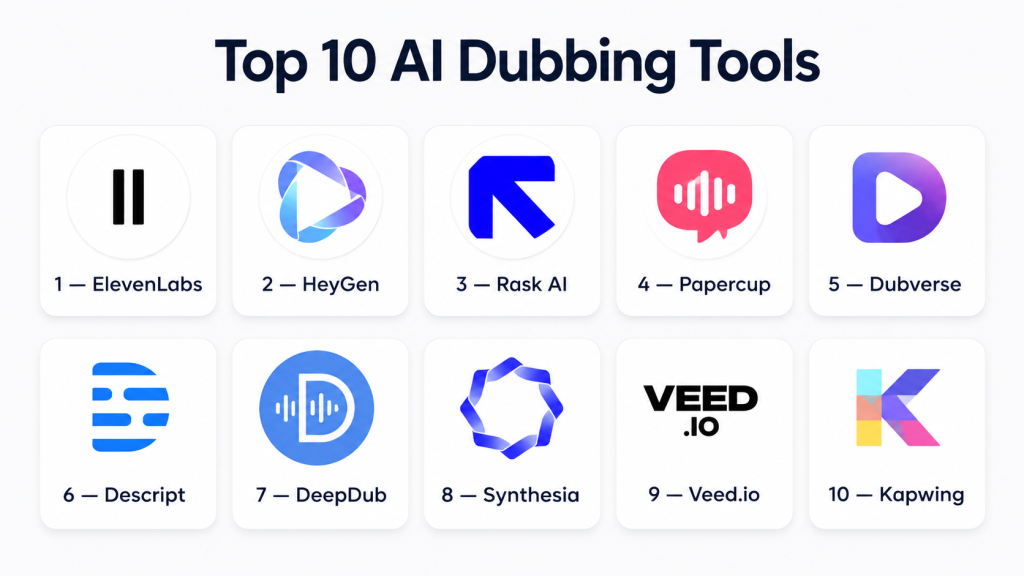
Top 10 AI Dubbing Tools
1 — ElevenLabs
Short description: A leading AI voice generation platform known for highly realistic voice cloning and natural-sounding speech synthesis used in dubbing and localization workflows.
Key Features
- Ultra-realistic AI voice cloning
- Multi-language speech generation
- Emotion and tone control
- Text-to-speech API access
- Custom voice training
- Real-time audio generation
- Developer-friendly integration
Pros
- Extremely natural voice output
- Strong API ecosystem for developers
Cons
- Not a full video dubbing suite alone
- Advanced features require paid plans
Platforms / Deployment
Web / Cloud
Security & Compliance
Not publicly stated
Integrations & Ecosystem
- APIs for developers
- Media production pipelines
- AI content tools
Support & Community
Strong developer community with extensive documentation.
2 — HeyGen
Short description: An AI video platform that enables multilingual video dubbing with avatar-based lip-sync and automated translation.
Key Features
- AI video dubbing with lip-sync
- Avatar-based video generation
- Multi-language translation
- Script-to-video automation
- Voice cloning support
- Template-based workflows
- Real-time previews
Pros
- Very easy for non-technical users
- Fast multilingual video creation
Cons
- Limited advanced editing control
- Output quality depends on input video
Platforms / Deployment
Web / Cloud
Security & Compliance
Not publicly stated
Integrations & Ecosystem
- Video creation tools
- API access
- Cloud storage systems
Support & Community
Strong onboarding resources and creator community.
3 — Rask AI
Short description: AI-powered localization tool for dubbing and translating videos into multiple languages with automated workflows.
Key Features
- AI-powered dubbing engine
- Lip-sync correction
- Multi-language translation
- Speaker detection
- Batch video processing
- Voice cloning support
- API automation
Pros
- Strong localization workflow
- Good scalability for content teams
Cons
- Processing speed can vary
- Pricing transparency limited
Platforms / Deployment
Web / Cloud
Security & Compliance
Not publicly stated
Integrations & Ecosystem
- Video platforms
- Content pipelines
- Developer APIs
Support & Community
Standard SaaS support with documentation.
4 — Papercup
Short description: Enterprise-focused AI dubbing platform designed for media companies and broadcasters requiring high-quality localization.
Key Features
- AI voice dubbing with quality control
- Human-in-the-loop review options
- Broadcast-grade audio output
- Multi-language localization
- Speaker consistency tracking
- Workflow automation tools
- Enterprise-scale processing
Pros
- High-quality professional output
- Strong enterprise reliability
Cons
- Not suitable for beginners
- Enterprise pricing structure
Platforms / Deployment
Cloud / Hybrid (Varies / N/A)
Security & Compliance
Not publicly stated
Integrations & Ecosystem
- Media production systems
- Enterprise APIs
- Video delivery pipelines
Support & Community
Dedicated enterprise onboarding and support.
5 — Dubverse
Short description: Fast AI dubbing platform designed for creators and businesses to localize content into multiple languages quickly.
Key Features
- AI-powered dubbing engine
- Multi-language support
- Script editing tools
- Voice selection options
- Subtitle integration
- Cloud rendering pipeline
- Fast processing system
Pros
- Very fast workflow
- Beginner-friendly interface
Cons
- Limited voice customization
- Quality may vary by language
Platforms / Deployment
Web / Cloud
Security & Compliance
Not publicly stated
Integrations & Ecosystem
- Video editing tools
- Content platforms
- API integrations
Support & Community
Creator-focused support and documentation.
6 — Descript
Short description: A text-based editing platform that allows users to edit video and audio like a document, including AI dubbing features.
Key Features
- Text-based video editing
- AI voice cloning (Overdub)
- Multi-track editing
- Automatic transcription
- Screen recording tools
- Collaboration features
- Subtitle generation
Pros
- All-in-one editing workflow
- Very intuitive for creators
Cons
- Resource-heavy software
- Learning curve for advanced tools
Platforms / Deployment
Windows / macOS / Cloud
Security & Compliance
Not publicly stated
Integrations & Ecosystem
- Editing tools
- Cloud storage platforms
- Collaboration systems
Support & Community
Strong creator ecosystem and learning resources.
7 — DeepDub
Short description: Advanced AI dubbing platform focused on media-grade localization with emotion-aware voice adaptation.
Key Features
- Emotion-preserving AI dubbing
- Multi-speaker voice handling
- Lip-sync alignment
- High-quality translation engine
- Studio-grade audio output
- Workflow automation
- Content localization tools
Pros
- High realism output quality
- Strong media industry focus
Cons
- Enterprise-oriented pricing
- Limited public access features
Platforms / Deployment
Cloud
Security & Compliance
Not publicly stated
Integrations & Ecosystem
- OTT platforms
- Media workflows
- API-based systems
Support & Community
Enterprise-level support model.
8 — Synthesia
Short description: AI video creation platform with built-in dubbing and avatar-based multilingual video generation.
Key Features
- AI avatar video generation
- Multilingual dubbing support
- Script-to-video automation
- Voice library selection
- Lip-sync alignment
- Template-based workflows
- Cloud rendering system
Pros
- Great for corporate videos
- Easy to scale content production
Cons
- Limited creative flexibility
- Avatar-dependent output style
Platforms / Deployment
Web / Cloud
Security & Compliance
Not publicly stated
Integrations & Ecosystem
- Enterprise tools
- API integrations
- Learning platforms
Support & Community
Strong enterprise onboarding support.
9 — Veed.io
Short description: Browser-based video editor offering AI dubbing, translation, and automated captioning tools.
Key Features
- AI dubbing tools
- Auto translation engine
- Video editing suite
- Subtitle generation
- Voiceover tools
- Cloud storage system
- Export presets
Pros
- Beginner-friendly interface
- Fast editing workflow
Cons
- Limited advanced dubbing control
- Internet dependency
Platforms / Deployment
Web / Cloud
Security & Compliance
Not publicly stated
Integrations & Ecosystem
- Social media platforms
- Cloud storage systems
- Video APIs
Support & Community
Good documentation and user support.
10 — Kapwing
Short description: Cloud-based video editing platform with AI dubbing, translation, and collaborative editing features.
Key Features
- AI dubbing and translation
- Cloud-based editing suite
- Template-driven workflows
- Collaboration tools
- Subtitle generation
- Multi-format exports
- AI-assisted editing features
Pros
- Very easy for beginners
- Strong team collaboration features
Cons
- Limited deep customization
- Requires stable internet
Platforms / Deployment
Web / Cloud
Security & Compliance
Not publicly stated
Integrations & Ecosystem
- Social media tools
- Cloud storage systems
- API integrations
Support & Community
Moderate community and help documentation.
Comparison Table (Top 10)
| Tool Name | Best For | Platform(s) | Deployment | Standout Feature | Public Rating |
|---|---|---|---|---|---|
| ElevenLabs | Voice cloning | Web | Cloud | Realistic voices | N/A |
| HeyGen | Video creators | Web | Cloud | Avatar dubbing | N/A |
| Rask AI | Localization teams | Web | Cloud | Lip-sync translation | N/A |
| Papercup | Enterprises | Web | Cloud/Hybrid | Broadcast dubbing | N/A |
| Dubverse | Creators | Web | Cloud | Fast dubbing | N/A |
| Descript | Editors | Desktop/Web | Cloud | Text-based editing | N/A |
| DeepDub | Media studios | Web | Cloud | Emotion-aware dubbing | N/A |
| Synthesia | Corporate video | Web | Cloud | AI avatars | N/A |
| Veed.io | Beginners | Web | Cloud | Easy dubbing | N/A |
| Kapwing | Teams | Web | Cloud | Collaboration tools | N/A |
Evaluation & Scoring of AI Dubbing Tools
| Tool Name | Core (25%) | Ease (15%) | Integrations (15%) | Security (10%) | Performance (10%) | Support (10%) | Value (15%) | Total |
|---|---|---|---|---|---|---|---|---|
| ElevenLabs | 10 | 8 | 9 | 7 | 9 | 8 | 8 | 8.7 |
| HeyGen | 9 | 9 | 8 | 7 | 8 | 8 | 8 | 8.4 |
| Rask AI | 9 | 8 | 8 | 7 | 8 | 8 | 7 | 8.1 |
| Papercup | 10 | 7 | 9 | 8 | 9 | 9 | 6 | 8.5 |
| Dubverse | 8 | 9 | 7 | 7 | 8 | 7 | 9 | 8.0 |
| Descript | 9 | 9 | 8 | 7 | 8 | 8 | 7 | 8.2 |
| DeepDub | 10 | 7 | 8 | 8 | 9 | 8 | 6 | 8.3 |
| Synthesia | 9 | 9 | 8 | 7 | 8 | 8 | 7 | 8.2 |
| Veed.io | 8 | 9 | 8 | 7 | 8 | 8 | 8 | 8.1 |
| Kapwing | 8 | 9 | 8 | 7 | 8 | 8 | 8 | 8.1 |
Which AI Dubbing Tool Is Right for You?
Solo / Freelancer
Best: Veed.io, Kapwing, Dubverse
Focus: simplicity and fast output
SMB
Best: Descript, Rask AI
Focus: workflow automation and scalability
Mid-Market
Best: HeyGen, ElevenLabs
Focus: quality and control
Enterprise
Best: Papercup, DeepDub
Focus: compliance and broadcast-grade output
Budget vs Premium
- Budget: Veed.io, Kapwing
- Premium: Papercup, DeepDub
Feature Depth vs Ease of Use
- Advanced control: ElevenLabs
- Easy workflow: HeyGen
Integrations & Scalability
- Best: Rask AI, Papercup
Security & Compliance Needs
- Best suited: enterprise platforms
Frequently Asked Questions (FAQs)
1. What are AI dubbing tools used for?
AI dubbing tools are used to translate and re-voice videos into multiple languages automatically. They help creators and businesses scale content globally without manual dubbing studios.
2. Are AI dubbing tools accurate?
Accuracy depends on the tool and language pair. Most modern platforms are highly accurate for common languages, but complex accents or niche dialects may still require manual review.
3. Can AI dubbing replace human voice actors?
Not fully. AI dubbing is excellent for scalability and speed, but human voice actors still provide superior emotional nuance for high-end productions.
4. Do AI dubbing tools support lip-sync?
Yes, many tools like HeyGen and Synthesia support lip-sync alignment, especially for talking-head video content.
5. Are these tools expensive?
Pricing varies widely. Some tools offer affordable creator plans, while enterprise platforms can be significantly more expensive based on usage and scale.
6. Can I clone my own voice?
Yes, platforms like ElevenLabs and similar tools support voice cloning, allowing you to generate speech in your own voice.
7. Is AI dubbing safe for commercial use?
Generally yes, but it depends on licensing terms of each tool. Always review usage rights before publishing commercial content.
8. How long does AI dubbing take?
Most AI dubbing tasks are completed within minutes to a few hours depending on video length and processing load.
9. Can AI dubbing handle multiple speakers?
Yes, advanced tools like Rask AI can detect multiple speakers and preserve dialogue structure.
10. What is the biggest limitation of AI dubbing today?
The main limitation is emotional depth and cultural nuance. While improving rapidly, AI still struggles with highly expressive or artistic performances.
Conclusion
AI Dubbing Tools are reshaping global content distribution by making multilingual video production faster, cheaper, and more scalable than ever before. From creator-friendly platforms like HeyGen and Dubverse to enterprise solutions like Papercup and DeepDub, the ecosystem now supports every type of user and workflow. As AI continues to evolve , dubbing will become increasingly real-time, emotionally accurate, and fully automated. The best choice depends on your goals—whether you prioritize speed, realism, scalability, or enterprise-grade control. A practical approach is to test 2–3 tools with real content before committing to a long-term solution.

Find Trusted Cardiac Hospitals
Compare heart hospitals by city and services — all in one place.
Explore Hospitals
I am learning about AI dubbing tools, and this content helped me understand how different platforms can make multilingual audio creation faster and more efficient.