Introduction
Subtitle & Captioning Tools are software solutions designed to generate, edit, translate, and synchronize subtitles or captions for video and audio content. These tools convert spoken dialogue into text and align it with media playback, making content more accessible, searchable, and globally consumable. their importance has increased significantly due to the rise of short-form video platforms, global streaming services, and strict accessibility regulations across industries. Modern subtitle tools now go far beyond simple transcription. They use AI speech recognition, automatic translation, speaker detection, and timing optimization to create accurate captions in multiple languages within seconds. This makes them essential for creators, enterprises, educators, and media platforms aiming to reach wider audiences.
Why It Matters
- Improves accessibility for hearing-impaired audiences
- Increases global reach through multilingual subtitles
- Boosts engagement on social media and video platforms
- Helps meet legal accessibility compliance requirements
- Enhances SEO and content discoverability through text indexing
Real-World Use Cases
- OTT platforms adding multi-language subtitles for global audiences
- YouTube creators improving engagement with captions
- Corporate training videos with translated subtitles
- Educational platforms supporting accessibility requirements
- Marketing teams localizing video campaigns
What to Evaluate
- Accuracy of speech-to-text engine
- Multi-language translation quality
- Syncing and timing precision
- AI automation and editing speed
- Export formats (SRT, VTT, etc.)
- Integration with video platforms
- Collaboration features for teams
- Cloud vs desktop deployment
- Scalability for large video libraries
- Security and content privacy
Best for: Content creators, OTT platforms, educators, marketers, and enterprises producing video content at scale.
Not ideal for: Users who only need occasional manual subtitle editing or basic text annotation.
Key Trends in Subtitle & Captioning Tools
- AI-driven automatic speech recognition (ASR) becoming highly accurate
- Real-time live captioning for streaming platforms
- Multilingual auto-translation powered by neural models
- Deep integration with video editing and streaming platforms
- Cloud-based collaborative subtitle editing workflows
- Emotion-aware captioning (tone and speaker detection)
- Automated compliance captioning for accessibility laws
- Subtitle generation for short-form video content (Reels, Shorts, TikTok)
- Integration with generative AI video tools
- Increased focus on privacy and secure transcription pipelines
How We Selected These Tools (Methodology)
- Evaluated global adoption across media and education sectors
- Assessed AI transcription accuracy and language support
- Reviewed real-world usage in OTT and content platforms
- Considered ease of use and editing workflow efficiency
- Included both enterprise and creator-focused tools
- Analyzed integration with video editing ecosystems
- Evaluated scalability for large subtitle workloads
- Reviewed automation and API capabilities
- Considered collaboration and team features
- Ensured balance between cloud and desktop tools
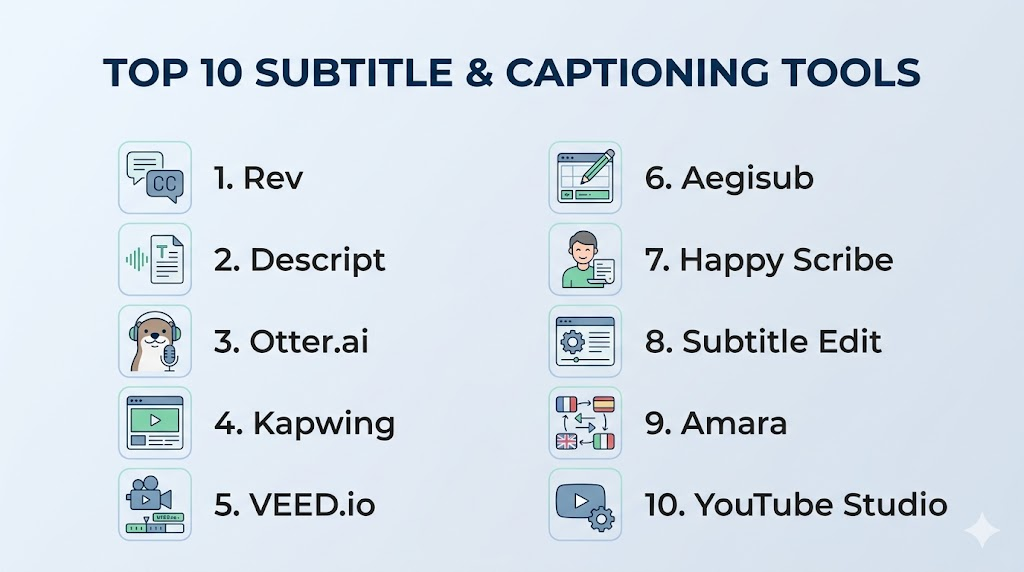
Top 10 Subtitle & Captioning Tools
1 — Rev
Short description: A widely used captioning and transcription platform offering AI and human-powered subtitle generation for professional-grade accuracy.
Key Features
- AI + human transcription options
- High-accuracy caption generation
- Multiple export formats (SRT, VTT)
- Speaker identification
- Time-coded captions
- API integration support
Pros
- Very high accuracy
- Trusted by media professionals
Cons
- Human transcription can be expensive
- Turnaround time varies for manual review
Platforms / Deployment
Web / Cloud
Security & Compliance
Not publicly stated
Integrations & Ecosystem
- Video platforms
- APIs for developers
- Media workflows
Support & Community
Strong enterprise support with documentation and customer service.
2 — Descript
Short description: An all-in-one editing platform that allows users to edit video by editing text, including automatic subtitle generation.
Key Features
- Text-based video editing
- AI transcription engine
- Automatic subtitle generation
- Screen recording tools
- Multi-track editing
- Collaboration features
Pros
- Extremely easy editing workflow
- Great for creators and teams
Cons
- Heavy system resource usage
- Advanced features require paid plans
Platforms / Deployment
Windows / macOS / Cloud
Security & Compliance
Not publicly stated
Integrations & Ecosystem
- Video editing tools
- Cloud storage
- Collaboration workflows
Support & Community
Strong creator community and learning resources.
3 — Otter.ai
Short description: AI-powered transcription tool widely used for meetings, interviews, and automatic caption generation.
Key Features
- Real-time transcription
- AI-generated summaries
- Speaker identification
- Live captioning
- Cloud storage
- Searchable transcripts
Pros
- Excellent for meetings
- Fast and automated
Cons
- Limited advanced video editing
- Accuracy varies with accents
Platforms / Deployment
Web / iOS / Android / Cloud
Security & Compliance
Encryption (other details not publicly stated)
Integrations & Ecosystem
- Meeting platforms
- Cloud storage tools
- API integrations
Support & Community
Good documentation and enterprise support tiers.
4 — Kapwing
Short description: A browser-based video editing platform with strong automatic subtitle generation features.
Key Features
- Auto subtitle generation
- Multi-language support
- Video editing tools
- Cloud-based collaboration
- Template library
- Export in multiple formats
Pros
- Easy to use in browser
- Good for social media content
Cons
- Free plan limitations
- Internet-dependent
Platforms / Deployment
Web / Cloud
Security & Compliance
Not publicly stated
Integrations & Ecosystem
- Social media platforms
- Cloud storage
- API access
Support & Community
Moderate community with tutorials and guides.
5 — VEED.io
Short description: A simple online video editor with powerful auto-captioning and subtitle customization tools.
Key Features
- Auto subtitles generation
- Multi-language translation
- Video editing suite
- Subtitle styling tools
- Voice-to-text AI
- Cloud storage
Pros
- Beginner-friendly
- Fast caption generation
Cons
- Limited offline use
- Export limits on free tier
Platforms / Deployment
Web / Cloud
Security & Compliance
Not publicly stated
Integrations & Ecosystem
- Social media platforms
- Video hosting tools
- API integrations
Support & Community
Good documentation and online help center.
6 — Aegisub
Short description: A free, advanced subtitle editing tool used for precise timing and manual subtitle creation.
Key Features
- Manual subtitle timing control
- Advanced styling options
- Audio waveform visualization
- Multi-format support
- Script automation
- Lightweight software
Pros
- Very precise control
- Completely free
Cons
- Outdated UI
- No AI features
Platforms / Deployment
Windows / macOS / Linux
Security & Compliance
Not publicly stated
Integrations & Ecosystem
- Subtitle workflows
- Media editors
Support & Community
Strong open-source community support.
7 — Happy Scribe
Short description: AI-powered transcription and subtitle generation tool designed for professionals and media teams.
Key Features
- AI transcription engine
- Human review option
- Subtitle translation
- Collaboration tools
- Export formats support
- Speaker detection
Pros
- High-quality output
- Great for teams
Cons
- Paid plans required for full features
- Processing time varies
Platforms / Deployment
Web / Cloud
Security & Compliance
Not publicly stated
Integrations & Ecosystem
- Video platforms
- Cloud storage
- API access
Support & Community
Professional support with documentation.
8 — Subtitle Edit
Short description: A free subtitle editor offering advanced timing correction and AI-assisted subtitle tools.
Key Features
- Subtitle synchronization
- Audio waveform editing
- OCR subtitle extraction
- Format conversion
- Spell checking
- Batch processing
Pros
- Powerful free tool
- Great editing precision
Cons
- Windows-focused
- UI not very modern
Platforms / Deployment
Windows / Desktop
Security & Compliance
Not publicly stated
Integrations & Ecosystem
- Media editing workflows
- Subtitle file formats
Support & Community
Strong community forums and documentation.
9 — Amara
Short description: A collaborative platform for creating and translating subtitles for online video content.
Key Features
- Collaborative subtitle editing
- Multi-language translation
- Cloud-based workflow
- Video embedding support
- Team collaboration tools
- Open subtitling platform
Pros
- Great for teamwork
- Strong localization support
Cons
- UI is basic
- Limited advanced AI features
Platforms / Deployment
Web / Cloud
Security & Compliance
Not publicly stated
Integrations & Ecosystem
- Educational platforms
- Video hosting tools
- APIs
Support & Community
Active global contributor community.
10 — YouTube Studio
Short description: Built-in platform for creators to generate, edit, and manage captions directly within YouTube.
Key Features
- Automatic caption generation
- Manual subtitle editing
- Multi-language support
- Video management tools
- Accessibility settings
- Analytics integration
Pros
- Built-in for YouTube creators
- Free to use
Cons
- Limited customization
- Dependent on platform
Platforms / Deployment
Web / Cloud
Security & Compliance
Not publicly stated
Integrations & Ecosystem
- YouTube ecosystem
- Google tools
- Creator analytics
Support & Community
Large creator ecosystem with documentation support.
Comparison Table (Top 10)
| Tool Name | Best For | Platform(s) | Deployment | Standout Feature | Public Rating |
|---|---|---|---|---|---|
| Rev | Professionals | Web | Cloud | Human + AI captions | N/A |
| Descript | Creators | Desktop/Web | Cloud | Text-based editing | N/A |
| Otter.ai | Meetings | Multi | Cloud | Live transcription | N/A |
| Kapwing | Social media | Web | Cloud | Auto subtitles | N/A |
| VEED.io | Beginners | Web | Cloud | Easy captions | N/A |
| Aegisub | Editors | Desktop | Local | Precise timing | N/A |
| Happy Scribe | Teams | Web | Cloud | AI + human hybrid | N/A |
| Subtitle Edit | Advanced users | Windows | Local | Precision editing | N/A |
| Amara | Collaboration | Web | Cloud | Team subtitles | N/A |
| YouTube Studio | Creators | Web | Cloud | Built-in captions | N/A |
Evaluation & Scoring of Subtitle & Captioning Tools
| Tool Name | Core (25%) | Ease (15%) | Integrations (15%) | Security (10%) | Performance (10%) | Support (10%) | Value (15%) | Total |
|---|---|---|---|---|---|---|---|---|
| Rev | 10 | 8 | 9 | 8 | 9 | 9 | 7 | 8.7 |
| Descript | 9 | 9 | 8 | 7 | 8 | 8 | 7 | 8.2 |
| Otter.ai | 8 | 9 | 8 | 7 | 8 | 8 | 8 | 8.1 |
| Kapwing | 8 | 9 | 8 | 7 | 8 | 8 | 8 | 8.1 |
| VEED.io | 8 | 9 | 8 | 7 | 8 | 8 | 8 | 8.1 |
| Aegisub | 7 | 6 | 6 | 6 | 7 | 7 | 10 | 7.2 |
| Happy Scribe | 9 | 8 | 8 | 7 | 8 | 8 | 7 | 8.2 |
| Subtitle Edit | 8 | 7 | 7 | 6 | 8 | 7 | 10 | 7.7 |
| Amara | 7 | 8 | 7 | 7 | 7 | 7 | 9 | 7.4 |
| YouTube Studio | 8 | 9 | 8 | 8 | 8 | 8 | 10 | 8.5 |
Which Subtitle & Captioning Tool Is Right for You?
Solo / Freelancer
Best: VEED.io, Kapwing, Aegisub
Focus on ease of use and affordability
SMB
Best: Descript, Happy Scribe
Focus on collaboration and automation
Mid-Market
Best: Rev, Otter.ai
Focus on accuracy and scalability
Enterprise
Best: Rev, Happy Scribe, YouTube Studio
Focus on compliance and workflow integration
Budget vs Premium
- Budget: Aegisub, Subtitle Edit
- Premium: Rev, Happy Scribe
Feature Depth vs Ease of Use
- Advanced control: Aegisub
- Easy automation: VEED.io
Integrations & Scalability
- Best: Rev, Descript
Security & Compliance Needs
- Best suited: enterprise captioning platforms (Rev, Happy Scribe)
Frequently Asked Questions (FAQs)
1. What are Subtitle & Captioning Tools?
Subtitle & Captioning Tools convert spoken audio into text and sync it with video content. They are used to improve accessibility, engagement, and global reach. These tools support multiple formats like SRT and VTT. They are widely used in media, education, and marketing.
2. Are AI-generated subtitles accurate?
AI subtitles are generally accurate but can struggle with accents, background noise, or fast speech. Many platforms allow manual editing for corrections. Accuracy improves with high-quality audio input. Hybrid AI + human tools offer the best results.
3. Can subtitles be translated into other languages?
Yes, most modern tools support automatic translation into multiple languages. This helps content reach global audiences quickly. However, translations may need review for cultural accuracy. Professional tools often provide better translation quality.
4. Do I need technical skills to use these tools?
No, many tools are beginner-friendly with simple interfaces. Platforms like VEED.io and Kapwing are designed for non-technical users. Advanced tools may require some learning. Overall, most tools are easy to use.
5. Can subtitles improve video SEO?
Yes, subtitles make video content searchable by search engines. They also improve watch time and engagement. Platforms like YouTube use captions for indexing. This helps increase visibility and reach.
6. What formats are used for subtitles?
Common subtitle formats include SRT, VTT, and ASS. These formats are compatible with most video platforms. Each format serves different use cases. SRT is the most widely used.
7. Are subtitle tools free?
Some tools are free, while others offer paid plans with advanced features. Free tools are suitable for basic use. Paid tools provide better accuracy and automation. Pricing depends on features and usage.
8. Can I edit subtitles manually?
Yes, almost all tools allow manual editing of subtitles. This helps correct timing and spelling errors. Manual editing improves accuracy. It is commonly used in professional workflows.
9. Do these tools support live captions?
Yes, some tools offer real-time captioning for live streams and meetings. This is useful for webinars and events. Accuracy depends on audio quality and platform. Not all tools support live captions.
10. What are alternatives to subtitle tools?
Alternatives include manual transcription or built-in platform captions like YouTube. However, they are less efficient and less accurate. Dedicated tools offer better control and automation. They are preferred for professional use.
Conclusion
Subtitle & Captioning Tools are essential in modern digital content workflows, enabling accessibility, engagement, and global reach. From AI-powered platforms like Rev and Happy Scribe to free tools like Aegisub and Subtitle Edit, there are solutions for every user type and budget. As video consumption continues to grow accurate and automated captioning is no longer optional—it is a core requirement. The best tool depends on your workflow, whether you prioritize automation, precision, collaboration, or cost efficiency. Start by testing a few platforms and choose the one that best fits your content strategy and production needs.

Find Trusted Cardiac Hospitals
Compare heart hospitals by city and services — all in one place.
Explore Hospitals
I am learning about subtitle and captioning tools, and this content helped me understand how different platforms can improve video accessibility and content localization.