Introduction
Grammar and spell checking tools are software applications that help users detect and correct language errors in writing. These tools go beyond simple spellcheckers by analyzing grammar, punctuation, tone, clarity, readability, and sometimes even style consistency. In simple terms, they act as AI-powered writing assistants that improve the quality, professionalism, and accuracy of written communication. grammar and spell checking tools are no longer limited to correcting typos. They now use advanced natural language processing (NLP) and generative AI to rewrite sentences, improve tone, suggest clarity improvements, and ensure content aligns with brand or academic standards. These tools are widely used across business communication, content marketing, software documentation, education, and customer support.
Real-world use cases:
- Writing error-free business emails and reports
- Creating SEO-optimized blog content
- Improving academic essays and research papers
- Editing marketing copy for clarity and engagement
- Ensuring consistency in technical documentation
Key evaluation criteria:
- Grammar and spell accuracy
- AI-powered rewriting and tone suggestions
- Context-aware corrections
- Integration with browsers and writing platforms
- Multilingual support
- Content style and readability analysis
- Collaboration features for teams
- Data privacy and security controls
- Performance across long-form content
- Ease of use and learning curve
Best for: Writers, marketers, students, developers, business professionals, and content teams producing digital or written communication.
Not ideal for: Users needing offline-only proofreading or extremely niche technical formatting tools without AI assistance.
Key Trends in Grammar & Spell Checking Tools
- Deep integration of generative AI for rewriting and content expansion
- Real-time writing assistance inside browsers, IDEs, and CMS platforms
- Context-aware grammar correction beyond sentence-level analysis
- AI tone adaptation for brand voice consistency
- Multilingual grammar correction with improved NLP models
- Enterprise-grade writing governance and compliance controls
- Plagiarism detection combined with grammar correction systems
- API-first writing assistants embedded into SaaS platforms
- Personalized writing models based on user behavior
- Stronger focus on privacy-first local processing options
How We Selected These Tools
- Market popularity across writing, education, and enterprise use cases
- Depth of grammar correction and AI rewriting capabilities
- Accuracy in contextual language understanding
- Integration availability across platforms and tools
- Performance on long-form and short-form content
- Security posture and privacy considerations
- Ease of adoption for individuals and teams
- Ecosystem maturity and extensibility
- Support for multiple languages and writing styles
- Consistency of updates and AI model improvements
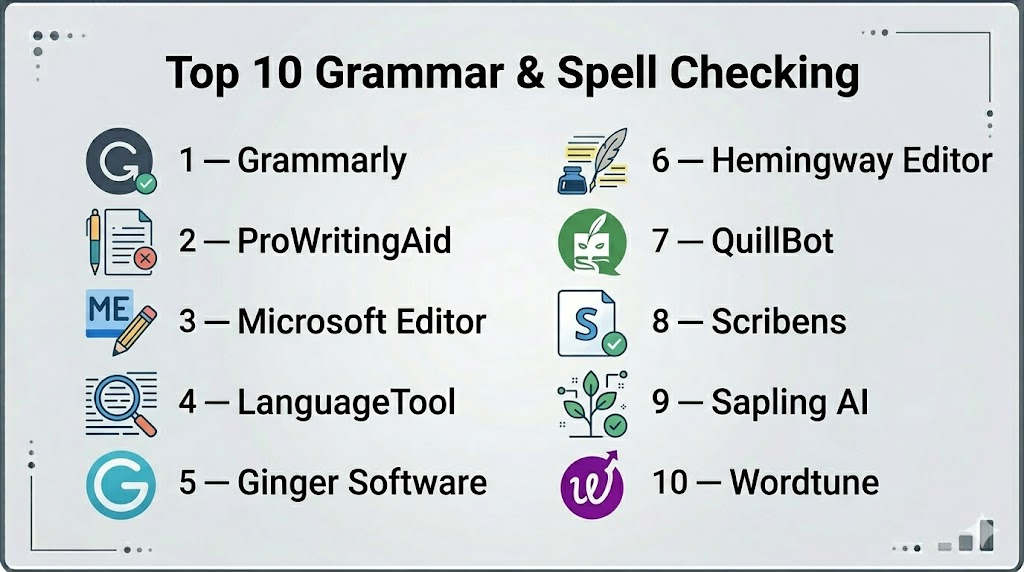
Top 10 Grammar & Spell Checking Tools
1 — Grammarly
Grammarly is one of the most widely used AI writing assistants, designed to improve grammar, clarity, tone, and overall writing quality across multiple platforms.
Key Features
- Advanced grammar and punctuation correction
- AI-powered rewriting and sentence enhancement
- Tone detection and adjustment suggestions
- Clarity and readability improvements
- Plagiarism detection (in premium plans)
- Browser extension and desktop apps
- Real-time writing suggestions
Pros
- Extremely accurate grammar detection
- Easy integration across platforms
- Strong AI rewriting capabilities
Cons
- Advanced features require paid plans
- Can over-suggest changes in creative writing
Platforms / Deployment
- Web / Windows / macOS / iOS / Android / Browser extensions
- Cloud-based
Security & Compliance
- Not publicly stated
Integrations & Ecosystem
Grammarly integrates deeply into writing environments and productivity tools.
- Browsers (Chrome, Edge, Firefox)
- Microsoft Word and Outlook
- Google Docs
- API integrations for enterprise
- Mobile keyboards
Support & Community
Strong documentation, enterprise support options, and widespread user adoption.
2 — ProWritingAid
ProWritingAid is a detailed writing assistant focused on deep style analysis and long-form writing improvement.
Key Features
- Grammar and spelling correction
- Deep style and readability reports
- Repetition and structure analysis
- Writing style improvement suggestions
- Context-aware editing tools
- Integration with writing platforms
- In-depth manuscript analysis
Pros
- Excellent for long-form content
- Strong stylistic analysis
- Detailed writing reports
Cons
- Interface can feel complex
- Slower than lightweight tools
Platforms / Deployment
- Web / Windows / macOS / Browser extensions
- Cloud-based
Security & Compliance
- Not publicly stated
Integrations & Ecosystem
- Google Docs
- Microsoft Word
- Scrivener
- Browser extensions
- API integrations
Support & Community
Strong educational resources and writing-focused community support.
3 — Microsoft Editor
Microsoft Editor is a grammar and style checking tool integrated across Microsoft 365 applications.
Key Features
- Grammar and spelling correction
- Clarity and conciseness suggestions
- Tone adjustments
- Multilingual support
- Integration with Word and Outlook
- Basic style recommendations
- Cloud-synced writing assistance
Pros
- Seamless Microsoft ecosystem integration
- Good for business users
- Lightweight and fast
Cons
- Limited advanced AI rewriting
- Best features locked to Microsoft ecosystem
Platforms / Deployment
- Web / Windows / macOS / Browser extensions
- Cloud-based
Security & Compliance
- Not publicly stated
Integrations & Ecosystem
- Microsoft Word
- Outlook
- Microsoft Teams
- Browser extensions
- Microsoft 365 suite
Support & Community
Enterprise support via Microsoft ecosystem.
4 — LanguageTool
LanguageTool is an open-source-based grammar checker supporting multiple languages and advanced grammar rules.
Key Features
- Multilingual grammar checking
- Style and punctuation correction
- Context-aware error detection
- Personal dictionary support
- Browser extension support
- API access for developers
- Custom writing rules
Pros
- Strong multilingual support
- Open-source foundation
- Lightweight and flexible
Cons
- Less advanced AI rewriting
- UI less polished than competitors
Platforms / Deployment
- Web / Windows / macOS / Linux / Browser extensions
- Cloud and self-hosted options
Security & Compliance
- Not publicly stated
Integrations & Ecosystem
- Google Docs
- Microsoft Word
- Browser extensions
- API integrations
- Developer plugins
Support & Community
Strong open-source community with active contributions.
5 — Ginger Software
Ginger is a grammar and spell checker focused on contextual correction and sentence rewriting.
Key Features
- Grammar and spelling correction
- Sentence rephrasing tool
- Contextual error detection
- Translation support
- Text reader functionality
- Mobile keyboard integration
- Productivity writing assistant
Pros
- Strong sentence rephrasing
- Easy-to-use interface
- Good for quick corrections
Cons
- Less powerful for long-form editing
- Limited advanced reporting
Platforms / Deployment
- Web / Windows / macOS / iOS / Android
- Cloud-based
Security & Compliance
- Not publicly stated
Integrations & Ecosystem
- Browser extensions
- Microsoft Word
- Mobile keyboards
- API integrations
Support & Community
Standard documentation and user support.
6 — Hemingway Editor
Hemingway Editor focuses on readability and writing clarity rather than deep grammar correction.
Key Features
- Readability scoring system
- Sentence complexity analysis
- Passive voice detection
- Adverb and weak phrase highlighting
- Writing simplification suggestions
- Offline desktop version
- Minimal distraction writing interface
Pros
- Excellent for improving readability
- Simple and focused interface
- Great for content writers
Cons
- Limited grammar correction
- No advanced AI rewriting
Platforms / Deployment
- Web / Windows / macOS
- Desktop + Cloud options
Security & Compliance
- Not publicly stated
Integrations & Ecosystem
- Limited integrations
- Export-based workflow
- Desktop applications
Support & Community
Basic support with strong user adoption among writers.
7 — QuillBot
QuillBot is an AI-powered paraphrasing and grammar tool widely used for rewriting and summarization.
Key Features
- AI paraphrasing tool
- Grammar and spell checking
- Summarization engine
- Citation generation support
- Tone adjustment tools
- Multiple writing modes
- Chrome extension support
Pros
- Excellent paraphrasing capability
- Strong AI writing assistance
- Good for academic writing
Cons
- Free version is limited
- Over-rewriting can affect tone
Platforms / Deployment
- Web / Browser extensions
- Cloud-based
Security & Compliance
- Not publicly stated
Integrations & Ecosystem
- Google Docs
- Chrome extensions
- API support
- Writing tools
Support & Community
Strong student and academic user community.
8 — Scribens
Scribens is a lightweight grammar and spelling checker focused on simplicity and accessibility.
Key Features
- Grammar and spelling correction
- Sentence structure suggestions
- Vocabulary improvement hints
- Browser-based editing
- Basic style suggestions
- Lightweight performance
- Multi-language support
Pros
- Fast and simple tool
- Free version available
- Easy for beginners
Cons
- Limited advanced AI features
- Basic interface
Platforms / Deployment
- Web / Browser extensions
- Cloud-based
Security & Compliance
- Not publicly stated
Integrations & Ecosystem
- Browser integration
- Web editor
- Limited API support
Support & Community
Minimal but functional support resources.
9 — Sapling AI
Sapling AI is a writing assistant designed for enterprise communication and customer-facing teams.
Key Features
- Grammar and spell correction
- AI autocomplete suggestions
- Customer support response optimization
- Tone and sentiment adjustments
- Team writing analytics
- API integration for enterprises
- Real-time suggestions
Pros
- Strong for customer support teams
- Real-time AI suggestions
- Enterprise-ready features
Cons
- Less known for personal writing
- Advanced features require setup
Platforms / Deployment
- Web / Browser extensions / API
- Cloud-based
Security & Compliance
- Not publicly stated
Integrations & Ecosystem
- CRM systems
- Helpdesk tools
- API integrations
- Browser extensions
Support & Community
Enterprise-focused support and onboarding.
10 — Wordtune
Wordtune is an AI writing assistant focused on rewriting sentences for clarity and tone.
Key Features
- AI-powered rewriting suggestions
- Tone adjustment (formal, casual, concise)
- Sentence expansion and shortening
- Grammar and clarity improvement
- Chrome extension support
- Real-time writing assistance
- Content refinement tools
Pros
- Excellent rewriting quality
- Strong tone control
- Easy to use interface
Cons
- Limited deep grammar reporting
- Premium features required for advanced use
Platforms / Deployment
- Web / Browser extensions / Cloud
Security & Compliance
- Not publicly stated
Integrations & Ecosystem
- Google Docs
- Chrome extensions
- Web editor
- API support
Support & Community
Good documentation and growing user base.
Comparison Table (Top 10)
| Tool Name | Best For | Platform(s) Supported | Deployment | Standout Feature | Public Rating |
|---|---|---|---|---|---|
| Grammarly | General writing | All major platforms | Cloud | AI writing assistant | N/A |
| ProWritingAid | Long-form writers | Web/Desktop | Cloud | Deep writing analysis | N/A |
| Microsoft Editor | Business users | Microsoft ecosystem | Cloud | Office integration | N/A |
| LanguageTool | Multilingual users | Web/Desktop | Cloud/Self-hosted | Open-source support | N/A |
| Ginger | Quick corrections | Mobile/Web | Cloud | Sentence rephrasing | N/A |
| Hemingway Editor | Readability focus | Web/Desktop | Cloud | Readability scoring | N/A |
| QuillBot | Students | Web | Cloud | Paraphrasing AI | N/A |
| Scribens | Beginners | Web | Cloud | Lightweight grammar fix | N/A |
| Sapling AI | Support teams | Web/API | Cloud | Customer response AI | N/A |
| Wordtune | Content rewriting | Web/Extension | Cloud | Tone rewriting AI | N/A |
Evaluation & Scoring of Grammar & Spell Checking Tools
| Tool Name | Core (25%) | Ease (15%) | Integrations (15%) | Security (10%) | Performance (10%) | Support (10%) | Value (15%) | Weighted Total |
|---|---|---|---|---|---|---|---|---|
| Grammarly | 9 | 9 | 10 | 7 | 9 | 8 | 8 | 8.8 |
| ProWritingAid | 9 | 7 | 8 | 7 | 8 | 8 | 9 | 8.2 |
| Microsoft Editor | 8 | 9 | 9 | 8 | 9 | 9 | 8 | 8.5 |
| LanguageTool | 8 | 9 | 9 | 8 | 8 | 8 | 9 | 8.4 |
| Ginger | 7 | 8 | 8 | 7 | 7 | 7 | 8 | 7.6 |
| Hemingway | 7 | 9 | 6 | 7 | 8 | 7 | 9 | 7.8 |
| QuillBot | 8 | 9 | 9 | 7 | 8 | 8 | 8 | 8.3 |
| Scribens | 6 | 9 | 6 | 7 | 7 | 7 | 9 | 7.3 |
| Sapling AI | 8 | 8 | 9 | 8 | 8 | 8 | 8 | 8.2 |
| Wordtune | 8 | 9 | 9 | 7 | 8 | 8 | 8 | 8.4 |
Which Grammar & Spell Checking Tool Is Right for You?
Solo / Freelancer
Grammarly, Hemingway Editor, and QuillBot are strong choices for writing improvement and clarity.
SMB
LanguageTool, Wordtune, and ProWritingAid offer balanced functionality for teams and content creators.
Mid-Market
Microsoft Editor, Grammarly Business, and Sapling AI support collaboration and scalability.
Enterprise
Sapling AI, Microsoft Editor (enterprise suite), and Grammarly Business are ideal for governance and compliance workflows.
Budget vs Premium
- Budget-friendly: Scribens, LanguageTool
- Premium: Grammarly, ProWritingAid, Wordtune
Feature Depth vs Ease of Use
- Deep analysis: ProWritingAid, LanguageTool
- Easy use: Grammarly, Wordtune, Hemingway
Integrations & Scalability
- Best integrations: Grammarly, Microsoft Editor, Sapling AI
- Best scalability: Grammarly Business, Sapling AI
Security & Compliance Needs
Enterprise buyers should validate compliance directly with vendors as many certifications are not publicly stated.
Frequently Asked Questions (FAQs)
1. What is a grammar and spell checking tool?
It is software that detects and corrects writing errors such as grammar, spelling, punctuation, and style issues.
2. Do these tools use AI?
Yes, modern tools use AI to improve grammar correction, tone adjustment, and rewriting suggestions.
3. Are grammar tools accurate?
They are highly accurate for common errors, but may still require human review for complex writing.
4. Can these tools replace human editors?
No, they assist writers but cannot fully replace professional editing.
5. Are grammar tools free?
Many offer free versions, but advanced AI features usually require paid plans.
6. Do they support multiple languages?
Yes, several tools like LanguageTool support multiple languages.
7. Can I use them in Google Docs or Word?
Yes, most tools integrate directly with popular writing platforms.
8. Are grammar tools safe for business use?
Yes, but enterprises should review privacy and compliance documentation.
9. What is the best tool for students?
QuillBot and Grammarly are widely used for academic writing and rewriting.
10. Do these tools work offline?
Some desktop tools like Hemingway and ProWritingAid offer limited offline functionality.
Conclusion
Grammar and spell checking tools have evolved into full AI-powered writing assistants that improve clarity, tone, and professionalism across all forms of writing.they play a critical role in business communication, content creation, education, and customer support. The best tool depends on your writing needs, workflow complexity, and budget. A practical approach is to shortlist 2–3 tools, test them in real writing scenarios, and evaluate accuracy, usability, and integration before committing.

Find Trusted Cardiac Hospitals
Compare heart hospitals by city and services — all in one place.
Explore Hospitals
Very informative article. I am learning about grammar and spell-checking tools, and this content helped me understand how different platforms can improve writing accuracy and communication skills.