Introduction
Academic Writing Tools are software solutions that help researchers, students, and professionals produce high-quality, structured academic content. They cover tasks like grammar checking, plagiarism detection, reference management, formatting, idea generation, and collaborative editing. these tools are increasingly essential due to AI-assisted writing, institutional collaboration, and rising expectations for research integrity.
Real-world use cases include:
- Students drafting essays, theses, and dissertations.
- Researchers preparing journal manuscripts and conference papers.
- Educators providing feedback and ensuring academic integrity.
- Professionals creating reports, white papers, or proposals.
- Multi-institutional collaborations requiring shared documents.
Evaluation criteria for buyers:
- Grammar and style improvement capabilities.
- Plagiarism detection and originality verification.
- Integration with citation and reference managers.
- AI-assisted writing suggestions and summaries.
- Collaboration and team editing features.
- Platform compatibility and cross-device access.
- Security, privacy, and compliance standards.
- Customizable templates and formatting support.
- Ease of use and onboarding experience.
- Pricing model and overall value.
Best for: Students, researchers, educators, and professional writers in academia or technical fields.
Not ideal for: Users needing only basic text editors or not requiring plagiarism checks, templates, or collaboration features.
Key Trends in Academic Writing Tools
- AI-powered grammar, style, and structural recommendations.
- Real-time collaboration for teams and institutions.
- Automated citation and bibliography management integration.
- Cloud-first deployment with offline access.
- Advanced plagiarism detection and research integrity verification.
- AI-assisted content generation and summarization.
- Mobile-friendly platforms for research on-the-go.
- Compliance with GDPR and academic privacy standards.
- Integration with learning management and publication platforms.
- Tiered pricing models for students, educators, and enterprises.
How We Selected These Tools (Methodology)
- Market adoption and recognition in academia and professional writing.
- Feature completeness including grammar, style, plagiarism, and AI assistance.
- Reliability and performance across devices and platforms.
- Security posture, including encryption and access control.
- Integrations with word processors, reference managers, and LMS systems.
- Fit for solo users, SMBs, and institutional deployment.
- Ease of onboarding and user experience.
- Community support, documentation, and training availability.
- Innovation adoption for AI and collaborative workflows.
- Pricing flexibility and value across tiers.
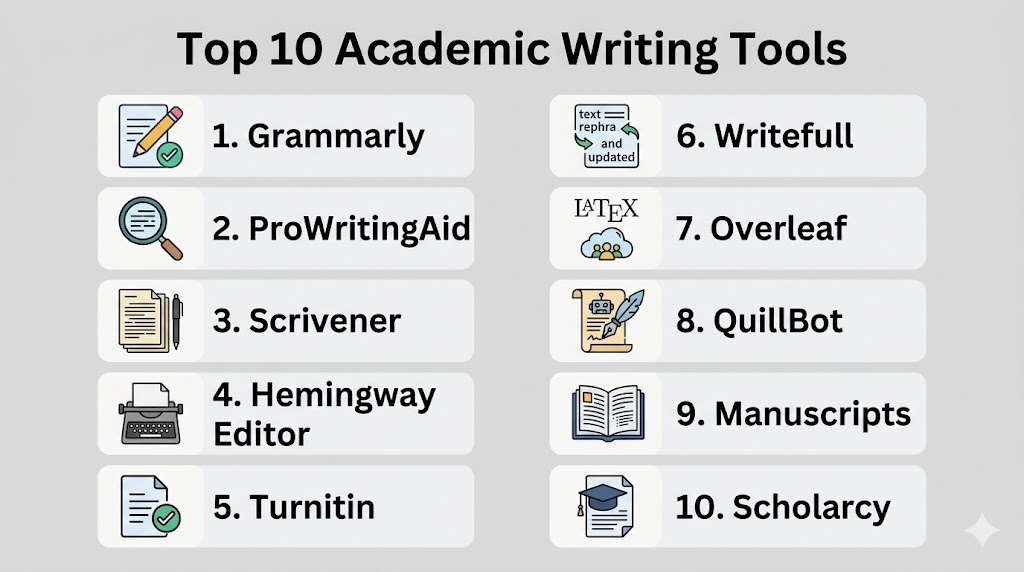
Top 10 Academic Writing Tools
1. Grammarly
Short description: AI-powered writing assistant for grammar, clarity, and style, suitable for students, researchers, and professionals.
Key Features
- Grammar, spelling, and style checks.
- Tone and clarity suggestions.
- Plagiarism detection.
- MS Word, Google Docs, and browser integrations.
- Cloud synchronization across devices.
Pros
- Improves readability and writing efficiency.
- Provides AI-powered style recommendations.
Cons
- Premium features require a subscription.
- Can over-correct technical terminology occasionally.
Platforms / Deployment
- Web / Windows / macOS / iOS / Android
- Cloud
Security & Compliance
- Not publicly stated
Integrations & Ecosystem
Works with Word processors, browsers, and email clients.
- Microsoft Word and Google Docs
- Browser extensions
- API for developers
Support & Community
- Tutorials and documentation
- Email support for premium users
- Active online community
2. ProWritingAid
Short description: Comprehensive writing assistant offering style, grammar, readability checks, and in-depth reports for academic content.
Key Features
- Grammar and style checking
- Detailed writing reports
- Plagiarism detection
- MS Word and Google Docs integration
- Customizable style settings
Pros
- Provides detailed feedback for long-form writing.
- More affordable than some competitors.
Cons
- Learning curve for advanced reporting.
- Collaboration features are limited.
Platforms / Deployment
- Web / Windows / macOS
- Cloud / Desktop hybrid
Security & Compliance
- Not publicly stated
Integrations & Ecosystem
- Word and Google Docs plugins
- Chrome and Edge extensions
- API integration for workflow automation
Support & Community
- Tutorials, guides, webinars
- Email support
3. Scrivener
Short description: Advanced writing and organization platform for long-form academic papers, theses, and research projects.
Key Features
- Document and project management
- Research organization tools
- Multi-format export (PDF, Word, LaTeX)
- Corkboard and outlining features
- Template library for academic writing
Pros
- Ideal for complex, long-form writing projects.
- Strong research and notes organization features.
Cons
- Not cloud-native by default.
- Steeper learning curve for beginners.
Platforms / Deployment
- Windows / macOS / iOS
- Desktop / Hybrid
Security & Compliance
- Not publicly stated
Integrations & Ecosystem
- Exports to Word, PDF, LaTeX
- Integrates manually with reference managers
- Plugin support
Support & Community
- Online guides and forums
- Email support
4. Hemingway Editor
Short description: Focused on readability and conciseness, highlighting complex sentences and passive voice.
Key Features
- Readability scoring
- Passive voice detection
- Adverb and complex sentence highlighting
- Offline desktop version
- Web-based editor
Pros
- Improves clarity and readability quickly.
- Simple, lightweight tool.
Cons
- Limited grammar correction capabilities.
- No cloud collaboration.
Platforms / Deployment
- Web / Windows / macOS
- Cloud / Desktop hybrid
Security & Compliance
- Not publicly stated
Integrations & Ecosystem
- Minimal; manual copy-paste workflow
- Export to Word and PDF
Support & Community
- Tutorials and help guides
- Email support
5. Turnitin
Short description: Plagiarism detection and academic integrity platform for students, educators, and institutions.
Key Features
- Advanced plagiarism checking
- Originality reports
- LMS integration
- Peer review and grading tools
- Institutional dashboards
Pros
- Ensures academic integrity.
- Widely recognized in institutions.
Cons
- Primarily institution-focused.
- Limited for individual subscriptions.
Platforms / Deployment
- Web / Windows / macOS
- Cloud
Security & Compliance
- GDPR compliance
Integrations & Ecosystem
- LMS integration: Blackboard, Canvas, Moodle
- API for institutional workflows
Support & Community
- Institutional onboarding and training
- Email and chat support
6. Writefull
Short description: AI-powered writing assistant for language feedback, examples, and academic style suggestions.
Key Features
- Grammar and style suggestions
- Data-driven sentence examples
- Word and Overleaf integration
- Multilingual support
- Academic vocabulary suggestions
Pros
- Improves precision in scientific writing.
- Contextual examples help clarity.
Cons
- AI suggestions may require manual review.
- Limited formatting assistance.
Platforms / Deployment
- Web / Windows / macOS
- Cloud / Desktop hybrid
Security & Compliance
- Not publicly stated
Integrations & Ecosystem
- Word, Overleaf
- API and plugins for research workflows
Support & Community
- Tutorials and documentation
- Email support
7. Overleaf
Short description: Collaborative LaTeX platform for technical documents and academic papers.
Key Features
- Real-time collaboration
- LaTeX editor with templates
- Cloud storage and version control
- Citation management
- GitHub integration
Pros
- Strong LaTeX support for technical writing.
- Facilitates collaboration for teams.
Cons
- Learning curve for LaTeX beginners.
- Limited offline features.
Platforms / Deployment
- Web / Windows / macOS / Linux
- Cloud
Security & Compliance
- Not publicly stated
Integrations & Ecosystem
- Zotero, Mendeley, GitHub
- LaTeX template support
Support & Community
- Knowledge base and tutorials
- Active academic community
8. QuillBot
Short description: AI-based paraphrasing and writing tool improving clarity, grammar, and academic style.
Key Features
- Paraphrasing modes
- Grammar and spelling corrections
- Summarization tools
- Citation suggestions
- Browser and Word integration
Pros
- Enhances writing efficiency.
- Simplifies paraphrasing tasks.
Cons
- AI suggestions require manual review.
- Limited formatting control.
Platforms / Deployment
- Web / Windows / macOS / Chrome Extension
- Cloud
Security & Compliance
- Not publicly stated
Integrations & Ecosystem
- Microsoft Word plugin
- Browser extensions
Support & Community
- Guides and tutorials
- Email support
9. Manuscripts
Short description: Academic writing platform for structuring, formatting, and submitting journal manuscripts.
Key Features
- Journal-specific templates
- Collaborative writing and versioning
- Reference and citation management
- Export to multiple journal formats
- Peer review tracking
Pros
- Streamlines manuscript preparation.
- Collaboration-friendly.
Cons
- Focused on journal submission.
- Cloud dependency.
Platforms / Deployment
- Web / Windows / macOS
- Cloud
Security & Compliance
- Not publicly stated
Integrations & Ecosystem
- Zotero, Mendeley support
- Word export
Support & Community
- Tutorials and email support
10. Scholarcy
Short description: AI summarization and literature review tool for academic papers.
Key Features
- Automated summarization
- Key point extraction
- Citation and reference extraction
- PDF and Word support
- Integration with reference managers
Pros
- Speeds up literature review.
- AI highlights essential content.
Cons
- Summaries may miss nuance.
- Premium subscription required.
Platforms / Deployment
- Web / Windows / macOS
- Cloud
Security & Compliance
- Not publicly stated
Integrations & Ecosystem
- Zotero, Mendeley, EndNote
- PDF and Word integration
Support & Community
- Guides and tutorials
- Email support
Comparison Table (Top 10)
| Tool Name | Best For | Platform(s) Supported | Deployment | Standout Feature | Public Rating |
|---|---|---|---|---|---|
| Grammarly | Students & professionals | Web / Windows / macOS / iOS / Android | Cloud | AI grammar & style suggestions | N/A |
| ProWritingAid | Long-form writers | Web / Windows / macOS | Cloud / Desktop | In-depth writing reports | N/A |
| Scrivener | Thesis & research projects | Windows / macOS / iOS | Desktop / Hybrid | Project and research organization | N/A |
| Hemingway Editor | Readability improvement | Web / Windows / macOS | Cloud / Desktop | Readability and conciseness | N/A |
| Turnitin | Plagiarism & integrity | Web / Windows / macOS | Cloud | Plagiarism detection | N/A |
| Writefull | Academic precision | Web / Windows / macOS | Cloud / Desktop | AI-driven academic feedback | N/A |
| Overleaf | LaTeX collaboration | Web / Windows / macOS / Linux | Cloud | Collaborative LaTeX editing | N/A |
| QuillBot | Paraphrasing & clarity | Web / Windows / macOS / Chrome | Cloud | AI paraphrasing and summarization | N/A |
| Manuscripts | Journal manuscript prep | Web / Windows / macOS | Cloud | Journal formatting & collaboration | N/A |
| Scholarcy | Literature review | Web / Windows / macOS | Cloud | AI summarization of papers | N/A |
Evaluation & Scoring of Academic Writing Tools
| Tool Name | Core (25%) | Ease (15%) | Integrations (15%) | Security (10%) | Performance (10%) | Support (10%) | Value (15%) | Weighted Total (0–10) |
|---|---|---|---|---|---|---|---|---|
| Grammarly | 9 | 9 | 8 | 7 | 8 | 8 | 8 | 8.45 |
| ProWritingAid | 8 | 8 | 7 | 7 | 8 | 7 | 8 | 7.85 |
| Scrivener | 9 | 7 | 7 | 7 | 8 | 7 | 7 | 7.75 |
| Hemingway Editor | 7 | 9 | 6 | 7 | 8 | 7 | 7 | 7.45 |
| Turnitin | 8 | 7 | 8 | 8 | 9 | 8 | 7 | 8.05 |
| Writefull | 8 | 8 | 7 | 7 | 8 | 7 | 7 | 7.65 |
| Overleaf | 8 | 8 | 8 | 7 | 8 | 7 | 7 | 7.75 |
| QuillBot | 7 | 9 | 7 | 7 | 8 | 7 | 7 | 7.55 |
| Manuscripts | 8 | 7 | 7 | 7 | 8 | 7 | 7 | 7.45 |
| Scholarcy | 8 | 8 | 7 | 7 | 8 | 7 | 7 | 7.55 |
Which Academic Writing Tool Is Right for You?
Solo / Freelancer
Grammarly, Hemingway Editor, or QuillBot are ideal for individuals. They provide grammar, readability, and paraphrasing assistance. Cloud sync allows access across devices. Free tiers or low-cost subscriptions suit budget-conscious users. Use AI features for faster writing.
SMB
ProWritingAid or Writefull offer collaborative editing and detailed feedback. Team accounts allow multiple users to review documents. Integrations with Word or Google Docs streamline workflows. AI suggestions improve content quality. Cloud deployment ensures accessibility.
Mid-Market
Scrivener or Manuscripts support structured long-form writing. They organize research notes and references efficiently. Collaboration features help multiple authors. Export options simplify journal or report submissions. Ideal for research teams needing depth.
Enterprise
Turnitin or Overleaf fit institutions and large organizations. They ensure plagiarism detection and compliance. Multi-user access supports departments and faculty. Real-time collaboration improves project efficiency. LaTeX integration helps technical papers.
Budget vs Premium
Budget users can rely on Grammarly free, Hemingway Editor, or QuillBot limited plan. Premium users get ProWritingAid, Turnitin, or Overleaf for advanced collaboration and AI features. Educational discounts often reduce costs. Evaluate based on feature depth. Choose according to team size and use case.
Feature Depth vs Ease of Use
Depth-focused: Scrivener, Turnitin, Overleaf for complex projects. Ease-focused: Grammarly, Hemingway, QuillBot for fast adoption. Balance learning curve with required functionality. Choose tools suited to project complexity. User experience impacts adoption speed.
Integrations & Scalability
Overleaf integrates with LaTeX, GitHub, and reference managers. Turnitin works with LMS platforms. Grammarly and ProWritingAid scale across devices and users. Integration supports efficient workflows. Scalable tools fit growing teams.
Security & Compliance Needs
Enterprise tools like Turnitin and Overleaf offer better compliance support. Cloud-based free tools rely on standard security protocols. Check encryption, access controls, and data privacy. Academic institutions prioritize GDPR and data protection. Align tool choice with compliance requirements.
Frequently Asked Questions (FAQs)
1. What pricing models are available?
Most tools offer free, subscription, and enterprise tiers. Free tiers are suitable for students. Premium plans provide advanced features and collaboration. Enterprise pricing supports multiple users. Evaluate plans based on usage needs.
2. Can these tools work offline?
Some like Scrivener and Hemingway allow offline use. Cloud-only tools require internet for full functionality. Offline access helps when connectivity is limited. Changes sync automatically once connected. Verify offline support before adoption.
3. Are collaboration features supported?
Yes, tools like Overleaf, Manuscripts, and ProWritingAid support real-time teamwork. Multiple users can edit and comment simultaneously. Cloud access ensures documents are updated across devices. Collaboration improves productivity. Check role-based access options.
4. How is plagiarism handled?
Turnitin and Grammarly Premium offer plagiarism checks. Other tools may integrate with reference managers for originality verification. Reports highlight duplicated content. Useful for academic submissions. Ensure institution or journal requirements are met.
5. Which platforms are supported?
Most tools work on Web, Windows, macOS, iOS, and Android. Some, like Scrivener, have limited mobile support. Cloud-based tools allow cross-device access. Choose based on your device ecosystem. Compatibility ensures seamless workflow.
6. Are AI features available?
Yes, Grammarly, Writefull, QuillBot, and Scholarcy use AI for writing suggestions. AI assists in paraphrasing, summarization, and sentence improvement. Contextual recommendations enhance quality. Some tools provide real-time feedback. Not all features are free.
7. Can these tools manage references and citations?
Some integrate with Zotero, Mendeley, or EndNote. Overleaf and Manuscripts provide in-platform reference management. Integration ensures correct citation formatting. Streamlines bibliography creation. Important for academic compliance.
8. How steep is the learning curve?
Hemingway and Grammarly are intuitive and easy to use. Scrivener, Overleaf, and Manuscripts require training. LaTeX-based tools may need extra learning. Complex features offer more functionality. User experience affects adoption speed.
9. How secure is user data?
Enterprise tools provide encryption, SSO, and role-based access. Cloud-only free tools rely on standard cloud security protocols. GDPR and institutional compliance should be checked. Ensure secure storage and access. Data privacy is critical for academic use.
10. Can students use these tools for free?
Many tools offer free tiers or educational licenses. Grammarly, Hemingway, and QuillBot provide functional free versions. Full AI, collaboration, or plagiarism checks require paid plans. Institutional access may provide discounts. Free versions are sufficient for individual academic projects.
Conclusion
Selecting the right Academic Writing Tool depends on your workflow, project complexity, and team size. Solo users benefit from Grammarly, Hemingway, or QuillBot for grammar, readability, and paraphrasing support. Research teams or institutions may require Turnitin, Overleaf, or ProWritingAid for collaboration, plagiarism detection, and structured workflows. Consider AI-powered writing suggestions, citation integration, and cross-platform accessibility. Evaluate offline capabilities, security, and compliance with academic standards. Start by shortlisting 2–3 tools and running pilot projects to test usability. Ensure that the chosen tool aligns with your productivity and research goals. Ultimately, the best tool balances feature depth, ease of use, and collaboration effectively.

Find Trusted Cardiac Hospitals
Compare heart hospitals by city and services — all in one place.
Explore Hospitals
Academic writing tools are most valuable when they support every stage of the writing process, from research and citation management to grammar checking and plagiarism detection. By combining writing assistance, reference organization, and collaboration features, these platforms help students, researchers, and academics produce well-structured, accurate, and publication-ready work more efficiently.