Introduction
Content Curation Tools are platforms that help users discover, organize, and distribute relevant content from various sources. They allow professionals, marketers, and teams to efficiently aggregate articles, blogs, social media posts, videos, and research papers, then curate them into meaningful collections for internal use or public sharing , with the exponential growth of online content, these tools are critical for managing information overload, driving engagement, and improving knowledge workflows.
Real-world use cases include:
- Marketing campaigns: Curate content for newsletters, social media posts, and blogs.
- Knowledge management: Organize research papers, news, and industry updates for internal teams.
- Thought leadership: Professionals and agencies collect high-quality content to showcase expertise.
- Team collaboration: Shared curation boards help teams align on relevant insights.
- Learning and education: Educators and students gather, annotate, and share curated learning resources.
Evaluation criteria for buyers include:
- Source discovery and aggregation capabilities
- AI-powered content recommendations
- Multi-format support (articles, videos, podcasts)
- Collaboration and sharing functionality
- Analytics and reporting features
- Integration with social media, CMS, and productivity tools
- Security, privacy, and compliance
- Performance and reliability
- Cross-platform access and mobile support
- Pricing and scalability
Best for: Marketing teams, content strategists, researchers, educators, and enterprises needing to manage large content streams. Suitable for organizations of all sizes that want to optimize content discovery and sharing workflows.
Not ideal for: Casual content readers or teams that do not rely heavily on external content aggregation.
Key Trends in Content Curation Tools
- AI-driven content discovery and personalized recommendations
- Integration with social media, CMS, and collaboration platforms
- Real-time analytics and engagement tracking
- Automation for scheduling and publishing curated content
- Multi-format aggregation including articles, videos, podcasts, and newsletters
- Enhanced security with encryption, SSO, and GDPR/CCPA compliance
- Mobile-first platforms with cross-device synchronization
- Subscription-based and enterprise-tier pricing models
- Collaboration features for shared boards and team annotations
- Content tagging, organization, and smart search for faster retrieval
How We Selected These Tools (Methodology)
- Analyzed market adoption and user mindshare
- Evaluated feature completeness, including AI, automation, and integration
- Reviewed reliability and performance signals from customer feedback
- Considered security and compliance posture
- Checked integration ecosystem with CMS, social media, and productivity tools
- Assessed customer fit across solo users, SMBs, mid-market, and enterprise
- Verified cross-platform support and deployment flexibility
- Reviewed subscription, freemium, and enterprise pricing options
- Examined documentation, support channels, and community engagement
- Ensured relevance to modern content curation workflows in 2026+
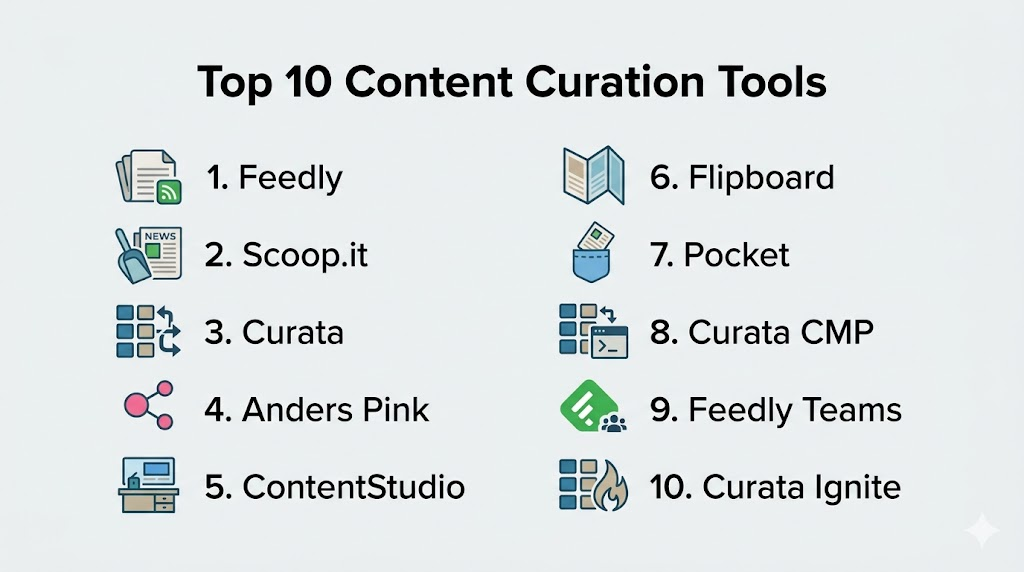
Top 10 Content Curation Tools
1- Feedly
Short description: Feedly is an AI-powered content aggregator designed for professionals and teams to discover and organize relevant articles, blogs, and research.
Key Features
- AI-driven content recommendations (Leo)
- RSS feed aggregation and categorization
- Boards for saving articles
- Integration with productivity tools
- Team collaboration and shared feeds
- Mobile and desktop access
Pros
- Highly customizable feeds
- Scales for individual users and enterprise teams
- Strong AI curation capabilities
Cons
- Premium subscription required for full features
- Learning curve for advanced boards
Platforms / Deployment
- Web / Windows / macOS / iOS / Android
- Cloud
Security & Compliance
- SSO/SAML, encryption
- GDPR compliant
Integrations & Ecosystem
- Slack
- Trello
- Evernote
- OneNote
- Zapier
Support & Community
- Extensive documentation
- Active community
- Tiered support plans
2- Scoop.it
Short description: Scoop.it enables marketers and content teams to discover, curate, and publish content to engage audiences and build thought leadership.
Key Features
- AI-driven content suggestions
- Multi-topic curation boards
- Social media publishing
- Analytics and engagement metrics
- Integration with CMS
- Team collaboration
Pros
- Excellent for marketing and thought leadership
- Easy social sharing and publishing
- Powerful analytics for content performance
Cons
- Limited free tier features
- Learning curve for first-time users
Platforms / Deployment
- Web / iOS / Android
- Cloud
Security & Compliance
- Not publicly stated
Integrations & Ecosystem
- WordPress, HubSpot, Hootsuite
- Social networks (Twitter, LinkedIn, Facebook)
- Zapier automation
Support & Community
- Help center
- Tutorials and webinars
- Customer support for premium tiers
3- Curata
Short description: Curata is an enterprise-grade content curation platform focused on content marketing, discovery, and automated workflows for large teams.
Key Features
- AI-powered content discovery
- Automated content recommendation
- Analytics and performance tracking
- Workflow management for curation
- Integration with marketing and CMS tools
- Multi-format aggregation
Pros
- Enterprise-ready
- Strong AI recommendations
- Integrated analytics
Cons
- Higher pricing tier
- Complex onboarding
Platforms / Deployment
- Web / Cloud
- Hybrid for enterprise
Security & Compliance
- Not publicly stated
Integrations & Ecosystem
- Salesforce
- HubSpot
- Marketo
- CMS platforms
Support & Community
- Enterprise support
- Onboarding and training
- Documentation
4- Anders Pink
Short description: Anders Pink is a research and content curation tool for teams to discover, track, and share relevant content for training and business insights.
Key Features
- Curated content streams
- AI suggestions for relevance
- Team sharing and annotation
- Custom dashboards
- Analytics on engagement
- Multi-source aggregation
Pros
- Great for learning and knowledge management
- Easy-to-use dashboards
- Supports team collaboration
Cons
- Limited integrations with social platforms
- Premium required for full access
Platforms / Deployment
- Web / iOS / Android
- Cloud
Security & Compliance
- Not publicly stated
Integrations & Ecosystem
- Slack
- Microsoft Teams
- Zapier
Support & Community
- Help documentation
- Tutorials
- Customer support
5- ContentStudio
Short description: ContentStudio is a social media and content marketing platform with built-in content discovery, curation, and publishing capabilities.
Key Features
- AI-driven content recommendations
- Social media scheduling and publishing
- Analytics and reporting
- Multi-format content aggregation
- Collaboration and approval workflows
- RSS feed integration
Pros
- Strong marketing-oriented features
- Supports social publishing and analytics
- Team collaboration capabilities
Cons
- Can be overwhelming for solo users
- Subscription required for full access
Platforms / Deployment
- Web / iOS / Android
- Cloud
Security & Compliance
- Not publicly stated
Integrations & Ecosystem
- WordPress
- HubSpot
- Buffer
- Hootsuite
Support & Community
- Tutorials
- Help center
- Email support
6- Flipboard
Short description: Flipboard aggregates news, blogs, and social content into a magazine-style interface, suitable for personal and professional content curation.
Key Features
- Personalized content feeds
- Magazine-style layouts
- Multi-format support (articles, videos)
- Topic following and alerts
- Social sharing features
- Mobile and desktop access
Pros
- Highly visual and engaging
- Easy to follow topics
- Good for casual and professional users
Cons
- Limited automation features
- Ads in free version
Platforms / Deployment
- Web / iOS / Android
- Cloud
Security & Compliance
- Not publicly stated
Integrations & Ecosystem
- Twitter, LinkedIn, Facebook
- Email sharing
Support & Community
- Help center
- Community forums
7- Pocket
Short description: Pocket is a save-for-later content platform that enables users to curate, organize, and highlight articles and videos for offline access.
Key Features
- Offline reading
- Tagging and organization
- Highlighting and annotation
- AI recommendations
- Cross-device sync
- Integration with browsers
Pros
- Excellent offline functionality
- Personalized recommendations
- Easy content organization
Cons
- Limited feed aggregation
- Free version has restrictions
Platforms / Deployment
- Web / iOS / Android / Desktop
- Cloud
Security & Compliance
- Not publicly stated
Integrations & Ecosystem
- Browser extensions
- Social sharing
- Note-taking tools
Support & Community
- Help documentation
- Active online community
8- Curata CMP
Short description: Curata CMP is a content marketing platform for large organizations that need robust curation, analytics, and workflow management.
Key Features
- Automated content discovery
- Editorial workflow tools
- Analytics and reporting
- Multi-format content aggregation
- CMS and social integration
- AI recommendations
Pros
- Enterprise-focused
- Comprehensive analytics
- Workflow management
Cons
- High-cost subscription
- Steeper learning curve
Platforms / Deployment
- Web / Cloud / Hybrid
- Enterprise deployment
Security & Compliance
- Not publicly stated
Integrations & Ecosystem
- Salesforce, HubSpot
- CMS platforms
- Social media scheduling tools
Support & Community
- Enterprise support
- Training and documentation
9- Feedly Teams
Short description: Feedly Teams is the enterprise version of Feedly, designed for team-based content discovery, curation, and knowledge sharing.
Key Features
- Shared boards for collaboration
- AI-driven topic monitoring
- Workflow integrations
- Analytics and engagement tracking
- Multi-device support
Pros
- Scales for enterprise teams
- Powerful AI curation
- Collaboration-ready
Cons
- Subscription required
- Premium feature complexity
Platforms / Deployment
- Web / Windows / macOS / iOS / Android
- Cloud
Security & Compliance
- SSO, encryption
- GDPR compliant
Integrations & Ecosystem
- Slack, Trello, Zapier
- Evernote
- OneNote
Support & Community
- Documentation
- Premium support tiers
- Community engagement
10- Curata Ignite
Short description: Curata Ignite is a content discovery and curation engine for enterprises aiming to automate content pipelines and drive engagement.
Key Features
- AI-powered content recommendations
- Multi-source aggregation
- Workflow automation
- Analytics dashboards
- Team collaboration
- CMS integration
Pros
- Enterprise-grade AI curation
- Scales to large teams
- Integrated analytics
Cons
- Premium pricing
- Requires onboarding
Platforms / Deployment
- Web / Cloud / Hybrid
- Enterprise
Security & Compliance
- Not publicly stated
Integrations & Ecosystem
- HubSpot, Salesforce
- Social media integration
- CMS platforms
Support & Community
- Enterprise support
- Documentation
- Training programs
Comparison Table (Top 10)
| Tool Name | Best For | Platform(s) Supported | Deployment | Standout Feature | Public Rating |
|---|---|---|---|---|---|
| Feedly | Professionals | Web, Windows, macOS, iOS, Android | Cloud | AI curation | N/A |
| Scoop.it | Marketing teams | Web, iOS, Android | Cloud | Multi-topic boards | N/A |
| Curata | Enterprises | Web / Cloud / Hybrid | Cloud / Hybrid | Enterprise-grade AI | N/A |
| Anders Pink | Learning & research | Web / iOS / Android | Cloud | Team dashboards | N/A |
| ContentStudio | Marketing teams | Web / iOS / Android | Cloud | Social publishing & analytics | N/A |
| Casual / professional | Web / iOS / Android | Cloud | Magazine-style layout | N/A | |
| Solo / learning | Web / iOS / Android / Desktop | Cloud | Offline reading & AI | N/A | |
| Curata CMP | Enterprise | Web / Cloud / Hybrid | Cloud / Hybrid | Workflow management | N/A |
| Feedly Teams | Teams / enterprise | Web, Windows, macOS, iOS, Android | Cloud | Shared boards | N/A |
| Curata Ignite | Enterprise | Web / Cloud / Hybrid | Cloud / Hybrid | Automated pipelines | N/A |
Evaluation & Scoring of Content Curation Tools
| Tool Name | Core (25%) | Ease (15%) | Integrations (15%) | Security (10%) | Performance (10%) | Support (10%) | Value (15%) | Weighted Total |
|---|---|---|---|---|---|---|---|---|
| Feedly | 9 | 8 | 9 | 8 | 9 | 8 | 8 | 8.65 |
| Scoop.it | 8 | 8 | 8 | 7 | 8 | 7 | 7 | 7.85 |
| Curata | 9 | 7 | 8 | 7 | 8 | 7 | 7 | 7.85 |
| Anders Pink | 8 | 8 | 7 | 7 | 8 | 7 | 7 | 7.65 |
| ContentStudio | 8 | 7 | 8 | 7 | 8 | 7 | 7 | 7.65 |
| 7 | 9 | 6 | 7 | 8 | 7 | 7 | 7.45 | |
| 7 | 8 | 7 | 7 | 8 | 7 | 7 | 7.45 | |
| Curata CMP | 9 | 7 | 8 | 7 | 8 | 7 | 7 | 7.85 |
| Feedly Teams | 9 | 8 | 9 | 8 | 9 | 8 | 8 | 8.65 |
| Curata Ignite | 9 | 7 | 8 | 7 | 8 | 7 | 7 | 7.85 |
Which Content Curation Tool Is Right for You?
Solo / Freelancer
Use Feedly, Pocket, or Flipboard for personal content discovery, organization, and offline access.
SMB
Scoop.it, ContentStudio, and Anders Pink provide collaborative boards, automation, and social publishing features for small teams.
Mid-Market
Feedly Teams, Curata Ignite, and Curata CMP offer analytics, AI-driven recommendations, and multi-user collaboration.
Enterprise
Curata, Curata Ignite, and Feedly Teams provide enterprise-grade workflows, security, and integrations for large-scale content operations.
Budget vs Premium
Free or lower-tier tools like Pocket and Flipboard suit personal or small-scale usage. Premium subscriptions offer AI curation, team collaboration, and analytics.
Feature Depth vs Ease of Use
Advanced tools like Curata and ContentStudio offer extensive features but require onboarding. Simple tools like Flipboard prioritize usability and fast adoption.
Integrations & Scalability
For teams needing cross-platform integration and automated workflows, Curata Ignite, Feedly Teams, and ContentStudio are optimal.
Security & Compliance Needs
Enterprise content teams should select tools with encryption, SSO, and privacy compliance, including Feedly Teams and Curata CMP.
Frequently Asked Questions (FAQs)
1. What pricing models do content curation tools use?
Most tools offer freemium, subscription-based, or enterprise plans. Free tiers provide basic curation, while paid plans unlock AI recommendations, analytics, and team collaboration. Enterprise tiers often include custom integrations and administrative controls. Pricing depends on the number of users and features.
2. How easy is onboarding for teams?
Cloud-based tools like Feedly Teams or Scoop.it allow simple setup with shared boards and role-based access. Enterprise tools may require workflow configuration or training. Onboarding speed varies with platform complexity. Support resources usually include tutorials and documentation.
3. Can I curate multiple content formats?
Yes, these tools support articles, blogs, videos, podcasts, and social media posts. This ensures a holistic content strategy across formats. Some platforms also allow annotations or notes. Cross-format aggregation improves workflow efficiency.
4. Are these tools secure for enterprise use?
Enterprise-grade tools include encryption, SSO, and GDPR/CCPA compliance. Free or small-scale tools may not have advanced security features. Always check the platform’s compliance certifications. Admin controls vary by subscription tier.
5. Do content curation tools use AI?
Yes, AI assists in content discovery, relevance scoring, and automated recommendations. It reduces manual search and improves efficiency. AI features often include topic suggestions, summarization, and trend analysis. Availability depends on subscription tier.
6. Can multiple users collaborate on content boards?
Yes, team-focused tools allow shared boards, annotations, and workflow approvals. Collaboration improves team alignment on curated content. Access and permissions can be managed per user. Enterprise plans provide analytics on team engagement.
7. What platforms do these tools support?
Most support Web, iOS, Android, macOS, and Windows. Some tools are mobile-first, while others focus on enterprise desktop solutions. Cross-platform access ensures flexibility for users. Offline access varies by platform.
8. Can I publish curated content to social media?
Yes, tools like ContentStudio, Scoop.it, and Feedly Teams allow direct publishing to social platforms. Scheduling features streamline posting. Integration with CMS or marketing tools is common. Analytics track engagement on shared content.
9. Are analytics and reporting included?
Premium and enterprise tools provide engagement metrics, trend analysis, and board-level reporting. These insights help measure the impact of curated content. Free tiers may provide limited analytics. Reports assist in decision-making and strategy optimization.
10. Are there free alternatives?
Yes, Pocket, Flipboard, and NetNewsWire provide basic curation capabilities. Free tools are suitable for individuals or small teams. Premium features like AI recommendations, analytics, and collaboration are often paid. Free options allow testing before scaling.
Conclusion
Content Curation Tools streamline content discovery, organization, and distribution for individuals, teams, and enterprises. Solo users benefit from Feedly, Pocket, or Flipboard, while small teams can leverage Scoop.it or ContentStudio for collaborative workflows. Enterprise tools like Curata Ignite and Feedly Teams offer AI-driven recommendations, analytics, and secure, scalable workflows. Shortlist 2–3 tools, run a pilot to test AI curation and integration capabilities, and validate security and collaboration features before scaling adoption.

Find Trusted Cardiac Hospitals
Compare heart hospitals by city and services — all in one place.
Explore Hospitals
I was exploring content curation tools, and this content helped me understand how different platforms can simplify finding, organizing, and sharing valuable content.