Introduction
Virtual Lab Simulators are digital platforms that replicate real-world laboratory environments, allowing students, educators, researchers, and professionals to perform experiments in a safe, cost-effective, and scalable virtual setting. These platforms simulate scientific, engineering, medical, and technical lab activities without requiring physical equipment, consumables, or dedicated laboratory space. As education and workforce training become increasingly digital, virtual labs have become essential tools for remote learning, STEM education, vocational training, healthcare simulation, and corporate skill development. They help institutions expand access to practical learning while reducing operational costs and safety risks.
Real-world use cases include:
- Science education for schools, colleges, and universities.
- Medical and nursing training using clinical simulations.
- Engineering experimentation without physical hardware.
- Remote learning programs requiring hands-on practice.
- Corporate workforce training and technical certification preparation.
Evaluation Criteria for Buyers
When evaluating Virtual Lab Simulators, consider:
- Simulation realism and accuracy
- Subject coverage and curriculum alignment
- User experience and accessibility
- Assessment and reporting capabilities
- LMS integration support
- Multi-user collaboration features
- Scalability for institutions
- Security and data privacy controls
- Device compatibility
- Cost and licensing flexibility
Best for: Educational institutions, STEM programs, healthcare training organizations, technical certification providers, corporate learning teams, and online education platforms.
Not ideal for: Organizations requiring physical tactile skill development, highly specialized laboratory equipment training, or environments where real-world hands-on practice is legally mandated.
Key Trends in Virtual Lab Simulators
- AI-powered adaptive learning experiences.
- Personalized simulation pathways based on student performance.
- VR and AR integration for immersive laboratory experiences.
- Cloud-native deployment reducing infrastructure requirements.
- Increased use in healthcare and nursing education.
- Real-time collaboration among distributed learners.
- Integration with LMS and educational ecosystems.
- Advanced analytics and competency-based assessments.
- Digital twins enabling realistic industrial training scenarios.
- Hybrid learning models combining virtual and physical labs.
How We Selected These Tools (Methodology)
The tools in this list were evaluated using several practical criteria:
- Industry adoption across education and training sectors.
- Breadth of simulation content and subject coverage.
- Quality and realism of virtual experiments.
- Reliability and platform stability.
- Security and access management capabilities.
- Integration support with LMS platforms.
- Scalability across classrooms and institutions.
- Support resources and training documentation.
- Innovation in AI, VR, and immersive learning technologies.
- Suitability across K-12, higher education, and enterprise training.
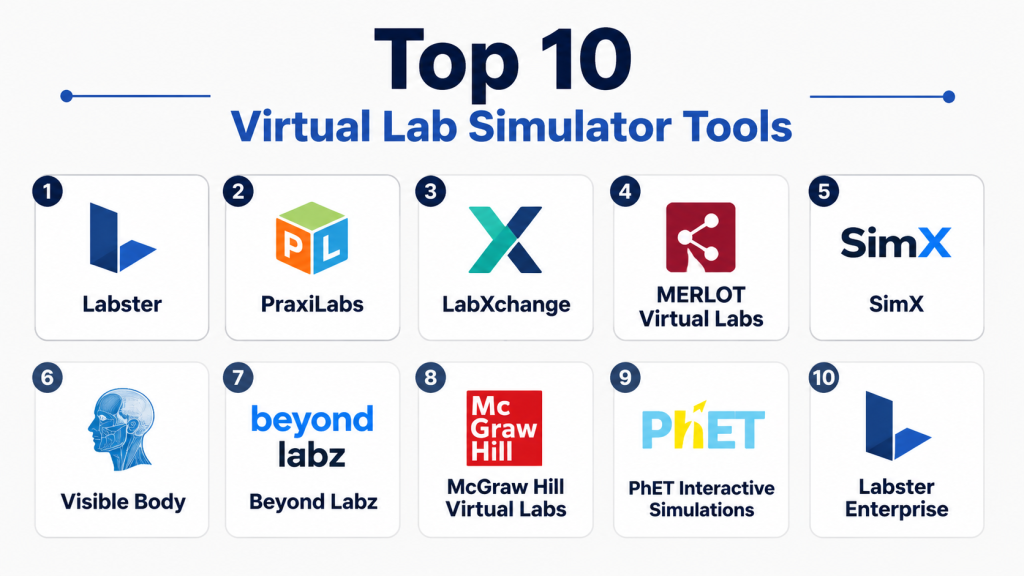
Top 10 Virtual Lab Simulators Tools
1- Labster
Short description: Labster is one of the most recognized virtual laboratory platforms for higher education, offering immersive science simulations across biology, chemistry, physics, and healthcare disciplines.
Key Features
- 3D virtual laboratory environments
- Curriculum-aligned science simulations
- Gamified learning experiences
- Built-in assessments
- LMS integrations
- Instructor dashboards
- Cloud-based access
Pros
- Extensive STEM content library
- Highly immersive learning experience
- Strong university adoption
Cons
- Premium pricing
- Focused primarily on science disciplines
- Requires modern devices for best performance
Platforms / Deployment
Web
Cloud
Security & Compliance
SSO support available
Additional compliance details not publicly stated.
Integrations & Ecosystem
Labster integrates with common learning management systems and educational platforms.
- Canvas
- Moodle
- Blackboard
- Brightspace
- LMS gradebook synchronization
Support & Community
Strong documentation, educator resources, implementation assistance, and active academic community.
2- PraxiLabs
Short description: PraxiLabs provides virtual science laboratories designed for schools and universities, enabling students to conduct experiments anytime and anywhere.
Key Features
- Physics simulations
- Chemistry experiments
- Biology laboratories
- Arabic and English support
- Interactive learning paths
- Performance tracking
- Cloud deployment
Pros
- Accessible interface
- Supports multiple languages
- Good STEM coverage
Cons
- Smaller content catalog than some competitors
- Limited advanced research simulations
- Enterprise features less extensive
Platforms / Deployment
Web
Cloud
Security & Compliance
Not publicly stated.
Integrations & Ecosystem
Supports educational workflows and LMS connectivity.
- Moodle
- Canvas
- Blackboard
- API support
Support & Community
Comprehensive onboarding materials and educational support services.
3- LabXchange
Short description: LabXchange provides free educational simulations and scientific learning resources developed with support from leading academic institutions.
Key Features
- Virtual biology experiments
- Open educational resources
- Personalized learning pathways
- Interactive content
- Assessments
- Collaborative learning
- Free access
Pros
- No licensing cost
- High-quality educational content
- Accessible globally
Cons
- Primarily biology-focused
- Limited enterprise capabilities
- Fewer advanced simulations
Platforms / Deployment
Web
Cloud
Security & Compliance
Not publicly stated.
Integrations & Ecosystem
Educational content ecosystem with sharing and collaboration capabilities.
- Learning content sharing
- Curriculum alignment
- Educational resource libraries
Support & Community
Strong educational community and academic partnerships.
4- MERLOT Virtual Labs
Short description: MERLOT offers a collection of educational simulations and virtual laboratory resources for higher education institutions.
Key Features
- Diverse academic subjects
- Community-contributed content
- Open-access resources
- Educational assessments
- Learning modules
- Curriculum support
- Research materials
Pros
- Large educational repository
- Cost-effective
- Broad subject variety
Cons
- User experience varies
- Content quality can differ
- Less immersive than premium platforms
Platforms / Deployment
Web
Cloud
Security & Compliance
Not publicly stated.
Integrations & Ecosystem
Academic content ecosystem with educational sharing capabilities.
- Open educational resources
- Academic collaboration
- Course integration
Support & Community
Strong academic community participation.
5- SimX
Short description: SimX specializes in VR-based healthcare and medical training simulations designed for hospitals, universities, and healthcare institutions.
Key Features
- VR medical simulations
- Clinical scenario training
- Multi-user collaboration
- Emergency response training
- Performance assessments
- Healthcare workflows
- Instructor controls
Pros
- Highly realistic healthcare scenarios
- VR immersion
- Strong clinical applications
Cons
- Requires VR hardware
- Specialized use case
- Higher deployment costs
Platforms / Deployment
Windows
Cloud
Security & Compliance
Not publicly stated.
Integrations & Ecosystem
Healthcare-focused training integrations.
- VR platforms
- Educational systems
- Training management systems
Support & Community
Professional implementation support and healthcare-focused training services.
6- Visible Body
Short description: Visible Body offers interactive anatomy and physiology simulations widely used in healthcare education and life sciences training.
Key Features
- 3D anatomy visualization
- Human body simulations
- Interactive lessons
- Medical education tools
- Assessment support
- Mobile access
- Educational content library
Pros
- Exceptional anatomical detail
- User-friendly interface
- Strong healthcare education focus
Cons
- Limited outside healthcare disciplines
- Premium licensing
- Not a complete laboratory platform
Platforms / Deployment
Web, Windows, macOS, iOS, Android
Cloud
Security & Compliance
Not publicly stated.
Integrations & Ecosystem
Supports educational workflows and healthcare learning platforms.
- LMS integrations
- Classroom platforms
- Educational content systems
Support & Community
Strong educational support and extensive documentation.
7- Beyond Labz
Short description: Beyond Labz provides virtual laboratory simulations for chemistry, biology, and physics education with emphasis on affordability and accessibility.
Key Features
- Interactive science labs
- Experiment simulations
- Assessment tools
- Instructor management
- LMS integration
- Student analytics
- Curriculum support
Pros
- Affordable deployment
- Good STEM coverage
- Easy implementation
Cons
- Graphics less advanced than premium competitors
- Limited VR capabilities
- Smaller content library
Platforms / Deployment
Web
Cloud
Security & Compliance
Not publicly stated.
Integrations & Ecosystem
Supports educational ecosystems.
- Canvas
- Moodle
- Blackboard
- Learning analytics tools
Support & Community
Good educator support and implementation assistance.
8- McGraw Hill Virtual Labs
Short description: McGraw Hill Virtual Labs complement digital textbooks and educational content with practical simulation-based learning experiences.
Key Features
- Curriculum integration
- STEM simulations
- Interactive experiments
- Learning assessments
- Instructor reporting
- Content alignment
- Student progress tracking
Pros
- Strong curriculum alignment
- Educational publisher backing
- Easy classroom adoption
Cons
- Often tied to course materials
- Less flexible customization
- Premium licensing
Platforms / Deployment
Web
Cloud
Security & Compliance
Not publicly stated.
Integrations & Ecosystem
Part of a broader educational content ecosystem.
- LMS integrations
- Educational content platforms
- Course management systems
Support & Community
Strong enterprise-level education support.
9- PhET Interactive Simulations
Short description: PhET offers free interactive simulations for mathematics, physics, chemistry, and related STEM subjects.
Key Features
- Science simulations
- Mathematics learning
- Interactive experiments
- Free educational access
- Classroom activities
- Multilingual support
- Open educational model
Pros
- Free to use
- Widely trusted
- Excellent STEM fundamentals
Cons
- Less immersive than full virtual labs
- Limited advanced workflows
- Basic reporting capabilities
Platforms / Deployment
Web
Cloud
Security & Compliance
Not publicly stated.
Integrations & Ecosystem
Educational content ecosystem supporting classroom learning.
- LMS support
- Educational content sharing
- Teacher resources
Support & Community
Large global educator community.
10- Labster Enterprise
Short description: Labster Enterprise expands the Labster ecosystem with institution-scale deployment, analytics, administration, and enterprise learning capabilities.
Key Features
- Enterprise analytics
- Institution-wide deployment
- Advanced reporting
- Curriculum mapping
- LMS integration
- Instructor dashboards
- Student success analytics
Pros
- Enterprise-ready capabilities
- Strong reporting tools
- Large simulation catalog
Cons
- Higher cost
- Primarily STEM-focused
- Requires implementation planning
Platforms / Deployment
Web
Cloud
Security & Compliance
SSO support available.
Additional compliance details not publicly stated.
Integrations & Ecosystem
Broad educational ecosystem connectivity.
- Canvas
- Blackboard
- Moodle
- Brightspace
- SIS integrations
Support & Community
Dedicated enterprise support and onboarding assistance.
Comparison Table
| Tool Name | Best For | Platform(s) Supported | Deployment | Standout Feature | Public Rating |
|---|---|---|---|---|---|
| Labster | Universities | Web | Cloud | Immersive 3D STEM Labs | N/A |
| PraxiLabs | Schools & Universities | Web | Cloud | Multilingual STEM Labs | N/A |
| LabXchange | Biology Education | Web | Cloud | Free Scientific Learning Platform | N/A |
| MERLOT Virtual Labs | Academic Institutions | Web | Cloud | Open Educational Resources | N/A |
| SimX | Medical Training | Windows | Cloud | VR Clinical Simulations | N/A |
| Visible Body | Anatomy Education | Multi-platform | Cloud | Human Anatomy Visualization | N/A |
| Beyond Labz | STEM Education | Web | Cloud | Affordable Virtual Labs | N/A |
| McGraw Hill Virtual Labs | Classroom Learning | Web | Cloud | Curriculum Integration | N/A |
| PhET Interactive Simulations | STEM Fundamentals | Web | Cloud | Free Interactive Simulations | N/A |
| Labster Enterprise | Large Institutions | Web | Cloud | Enterprise Analytics | N/A |
Evaluation & Scoring of Virtual Lab Simulators
| Tool | Core | Ease | Integrations | Security | Performance | Support | Value | Weighted Total |
|---|---|---|---|---|---|---|---|---|
| Labster | 9.5 | 8.5 | 9.0 | 8.0 | 9.0 | 9.0 | 7.5 | 8.8 |
| PraxiLabs | 8.5 | 8.5 | 8.0 | 7.0 | 8.0 | 8.0 | 8.5 | 8.2 |
| LabXchange | 7.5 | 8.5 | 7.0 | 7.0 | 8.0 | 8.0 | 10.0 | 8.1 |
| MERLOT | 7.0 | 7.5 | 6.5 | 6.5 | 7.0 | 7.5 | 9.0 | 7.4 |
| SimX | 9.0 | 7.5 | 7.5 | 7.5 | 9.0 | 8.5 | 6.5 | 8.1 |
| Visible Body | 8.5 | 9.0 | 7.5 | 7.0 | 8.5 | 8.0 | 7.5 | 8.1 |
| Beyond Labz | 8.0 | 8.5 | 7.5 | 7.0 | 8.0 | 7.5 | 8.5 | 8.0 |
| McGraw Hill Virtual Labs | 8.0 | 8.5 | 8.0 | 7.5 | 8.5 | 8.5 | 7.0 | 8.1 |
| PhET | 7.5 | 9.0 | 6.5 | 7.0 | 8.0 | 8.0 | 10.0 | 8.1 |
| Labster Enterprise | 9.5 | 8.5 | 9.5 | 8.5 | 9.0 | 9.5 | 7.0 | 9.0 |
Which Virtual Lab Simulator Tool Is Right for You?
Solo / Freelancer
PhET Interactive Simulations and LabXchange are excellent choices due to their free access, ease of use, and broad educational value.
SMB
Beyond Labz and PraxiLabs provide a strong balance of affordability, functionality, and deployment simplicity.
Mid-Market
Labster and McGraw Hill Virtual Labs offer advanced educational capabilities, analytics, and curriculum alignment.
Enterprise
Labster Enterprise and SimX deliver scalability, analytics, and institution-wide management capabilities.
Budget vs Premium
- Budget: PhET, LabXchange, MERLOT
- Mid-range: Beyond Labz, PraxiLabs
- Premium: Labster, SimX, Labster Enterprise
Feature Depth vs Ease of Use
- Deepest functionality: Labster Enterprise, SimX
- Best ease of use: Visible Body, PhET
- Balanced approach: PraxiLabs, Beyond Labz
Integrations & Scalability
Organizations using LMS ecosystems should prioritize Labster Enterprise, McGraw Hill Virtual Labs, and PraxiLabs.
Security & Compliance Needs
Large institutions should evaluate SSO support, user management, audit capabilities, and data governance requirements before deployment.
Frequently Asked Questions
1. What is a virtual lab simulator?
A virtual lab simulator is software that replicates laboratory experiments and practical exercises digitally. Users can perform experiments without physical equipment while still learning scientific concepts and procedures.
2. Are virtual labs suitable for university education?
Yes. Many universities use virtual labs to supplement or partially replace traditional laboratory activities, especially for introductory courses and remote learning programs.
3. Can virtual labs completely replace physical laboratories?
Not always. Virtual labs are excellent for conceptual learning and practice, but some disciplines still require hands-on experience with physical equipment.
4. How are virtual labs priced?
Pricing varies widely. Some platforms are free, while others use per-student, institutional, subscription, or enterprise licensing models.
5. Do virtual labs integrate with LMS platforms?
Many leading platforms support integrations with Canvas, Moodle, Blackboard, Brightspace, and other learning management systems.
6. Are virtual lab simulators secure?
Most enterprise-focused vendors provide secure authentication and access controls. Buyers should verify security documentation and compliance requirements during evaluation.
7. What subjects are commonly supported?
Biology, chemistry, physics, engineering, healthcare, anatomy, nursing, and vocational training are among the most common areas supported.
8. Can students use virtual labs on mobile devices?
Some platforms support tablets and smartphones, while others are optimized for desktop environments. Device compatibility varies by vendor.
9. What are common implementation mistakes?
Organizations often overlook LMS integration planning, instructor training, content alignment, and student onboarding requirements.
10. How should buyers evaluate a virtual lab platform?
Focus on simulation quality, curriculum coverage, reporting capabilities, scalability, integrations, user experience, and total cost of ownership.
Conclusion
Virtual Lab Simulators have become a critical component of modern education and workforce training. They provide safe, scalable, and accessible environments for practical learning while helping institutions reduce costs and expand educational reach. Solutions such as Labster, PraxiLabs, SimX, Visible Body, and Beyond Labz serve different segments of the market, from K-12 education to healthcare simulation and enterprise training. The right choice depends on subject matter requirements, deployment scale, integration needs, and budget considerations. Rather than searching for a universal winner, organizations should shortlist two or three platforms, run pilot programs, evaluate learner outcomes, verify integration requirements, and confirm security expectations before making a long-term investment.

Find Trusted Cardiac Hospitals
Compare heart hospitals by city and services — all in one place.
Explore Hospitals
I wanted to know more about virtual lab simulators, and this content helped me understand how they provide practical learning experiences in a digital environment.