Introduction
Secure Messaging Apps have become essential communication tools for businesses, government agencies, healthcare providers, financial institutions, and privacy-conscious individuals. Unlike traditional messaging platforms, secure messaging apps use advanced encryption, identity verification, access controls, and security-focused architectures to protect conversations, files, voice calls, and video communications from unauthorized access. organizations face increasing cybersecurity threats, stricter privacy regulations, remote work challenges, and growing concerns around data sovereignty. As a result, secure messaging platforms have evolved into comprehensive collaboration solutions that combine encrypted communications with file sharing, team collaboration, workflow automation, and enterprise governance.
Real-world use cases include:
- Secure business communications.
- Executive and board-level discussions.
- Healthcare and patient communications.
- Government and defense communications.
- Secure remote workforce collaboration.
Evaluation Criteria for Buyers
- End-to-end encryption capabilities
- Security architecture
- Compliance support
- User experience
- Cross-platform availability
- Collaboration features
- Enterprise administration
- Integration ecosystem
- Scalability
- Cost and licensing flexibility
Best for: Enterprises, government agencies, healthcare organizations, financial institutions, legal firms, technology companies, and organizations prioritizing secure communications.
Not ideal for: Teams requiring only basic messaging functionality without advanced security or compliance requirements.
Key Trends in Secure Messaging Apps
- End-to-end encryption is becoming the default expectation.
- AI-assisted threat detection is improving messaging security.
- Data residency and sovereignty requirements are increasing.
- Secure messaging is replacing email for sensitive communications.
- Open-source messaging platforms continue gaining adoption.
- Zero Trust security architectures are influencing messaging systems.
- Compliance automation is becoming a key differentiator.
- Secure collaboration features are expanding beyond messaging.
- Self-hosted deployment options remain important for regulated industries.
- Identity and access management integrations are becoming standard.
How We Selected These Tools (Methodology)
The platforms included in this list were evaluated using:
- Market adoption and industry recognition.
- Encryption technology maturity.
- Security and privacy capabilities.
- Enterprise administration features.
- Compliance and governance support.
- Integration ecosystem strength.
- Scalability and reliability.
- User experience quality.
- Cross-platform availability.
- Overall business value.
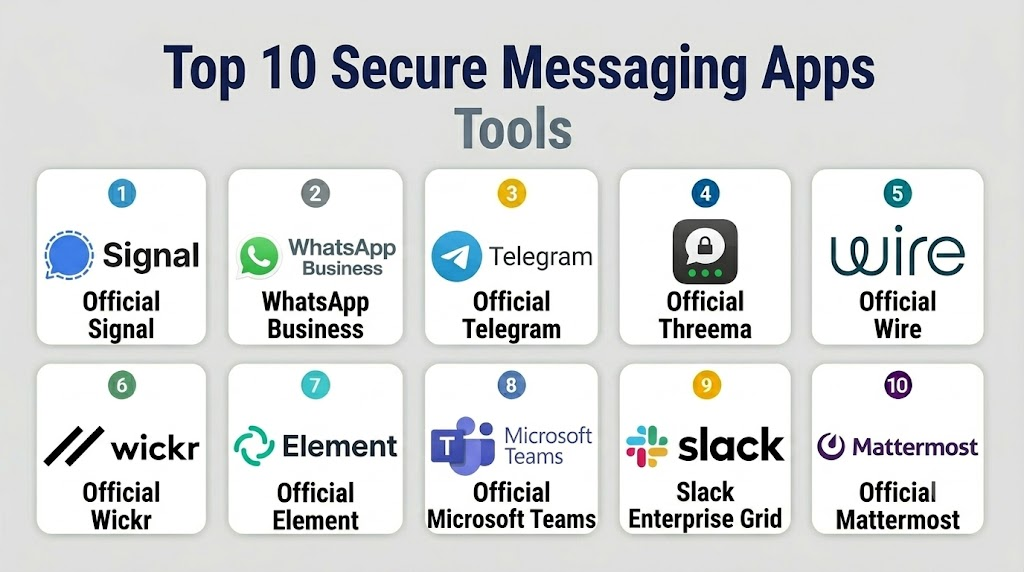
Top 10 Secure Messaging Apps
1- Signal
Short description: Signal is widely regarded as one of the most secure messaging applications available, offering end-to-end encrypted messaging, voice calls, and video communications.
Key Features
- End-to-end encryption
- Secure voice and video calls
- Disappearing messages
- Screen security controls
- Group messaging
- Open-source cryptography
- Cross-platform support
Pros
- Strong privacy protections
- Open-source architecture
- Simple user experience
Cons
- Limited enterprise administration
- Fewer business integrations
- Basic collaboration features
Platforms / Deployment
- Windows
- macOS
- Linux
- iOS
- Android
Security & Compliance
- End-to-end encryption
- Open-source security model
Integrations & Ecosystem
Signal focuses primarily on secure communications rather than extensive integrations.
- Mobile platforms
- Desktop clients
- APIs limited
Support & Community
Large global community and extensive documentation.
2- WhatsApp Business
Short description: WhatsApp Business combines encrypted messaging with customer engagement and business communication capabilities.
Key Features
- End-to-end encryption
- Business messaging tools
- Customer support workflows
- Voice and video calling
- Multi-device access
- Business profiles
- Automated responses
Pros
- Massive user adoption
- Familiar interface
- Strong mobile experience
Cons
- Limited enterprise governance
- Privacy concerns among some organizations
- Not ideal for highly regulated sectors
Platforms / Deployment
- Web
- Windows
- macOS
- iOS
- Android
Security & Compliance
- End-to-end encryption
- Access controls
Integrations & Ecosystem
- CRM systems
- Customer service tools
- APIs
Support & Community
Extensive global user community.
3- Telegram
Short description: Telegram offers cloud-based messaging with optional end-to-end encrypted conversations and extensive group communication features.
Key Features
- Cloud messaging
- Secret chats
- Large group support
- File sharing
- Voice and video communication
- Bots and automation
- Multi-device synchronization
Pros
- Rich feature set
- Large communities
- Flexible APIs
Cons
- Not all chats use end-to-end encryption by default
- Privacy model differs from Signal
- Enterprise governance limitations
Platforms / Deployment
- Web
- Windows
- macOS
- Linux
- iOS
- Android
Security & Compliance
- Encryption support
- Access controls
Integrations & Ecosystem
- Bots
- APIs
- Automation tools
Support & Community
Large developer and user ecosystem.
4- Threema
Short description: Threema focuses on privacy-first communications with strong encryption and minimal data collection.
Key Features
- End-to-end encryption
- Anonymous registration options
- Secure file sharing
- Polling tools
- Group messaging
- Voice calls
- Compliance-focused architecture
Pros
- Strong privacy protections
- Minimal metadata collection
- Business-focused editions
Cons
- Smaller ecosystem
- Lower mainstream adoption
- Limited integrations
Platforms / Deployment
- Web
- iOS
- Android
Security & Compliance
- End-to-end encryption
- Privacy-focused architecture
Integrations & Ecosystem
- Business integrations
- APIs
Support & Community
Strong enterprise support options.
5- Wire
Short description: Wire provides secure communications and collaboration designed for enterprises and regulated industries.
Key Features
- End-to-end encryption
- Team collaboration
- Secure file sharing
- Conference calling
- Guest access
- Administrative controls
- Compliance features
Pros
- Enterprise-focused security
- Collaboration capabilities
- Cross-platform support
Cons
- Premium pricing
- Smaller ecosystem
- Limited mainstream adoption
Platforms / Deployment
- Web
- Windows
- macOS
- Linux
- iOS
- Android
Security & Compliance
- End-to-end encryption
- Administrative controls
- Compliance-focused features
Integrations & Ecosystem
- Productivity platforms
- APIs
Support & Community
Enterprise support and onboarding services.
6- Wickr
Short description: Wickr provides highly secure messaging and collaboration designed for sensitive business and government communications.
Key Features
- End-to-end encryption
- Secure file sharing
- Ephemeral messaging
- Administrative controls
- Team collaboration
- Compliance capabilities
- Secure conferencing
Pros
- Strong security controls
- Enterprise management features
- Secure collaboration
Cons
- Premium pricing
- Enterprise-oriented
- Smaller user community
Platforms / Deployment
- Windows
- macOS
- Linux
- iOS
- Android
Security & Compliance
- Encryption
- Administrative controls
- Governance capabilities
Integrations & Ecosystem
- Enterprise systems
- APIs
Support & Community
Enterprise support resources.
7- Element
Short description: Element is an open-source secure messaging platform built on the Matrix protocol, offering decentralized communications.
Key Features
- End-to-end encryption
- Open-source architecture
- Matrix protocol support
- Self-hosting options
- Group collaboration
- Voice and video calls
- Federation support
Pros
- Open standards
- Self-hosting flexibility
- Strong security model
Cons
- Technical deployment requirements
- Learning curve
- Smaller mainstream adoption
Platforms / Deployment
- Web
- Windows
- macOS
- Linux
- iOS
- Android
- Cloud
- Self-hosted
Security & Compliance
- End-to-end encryption
- Open-source security
Integrations & Ecosystem
- Matrix ecosystem
- APIs
- Open-source tools
Support & Community
Strong open-source community.
8- Microsoft Teams
Short description: Microsoft Teams combines enterprise collaboration, messaging, meetings, and security controls within the Microsoft ecosystem.
Key Features
- Secure messaging
- Collaboration workspaces
- Voice and video meetings
- Compliance controls
- Administrative governance
- Microsoft 365 integration
- Enterprise security features
Pros
- Extensive collaboration capabilities
- Strong Microsoft integration
- Enterprise scalability
Cons
- Complex administration
- Resource intensive
- Best within Microsoft environments
Platforms / Deployment
- Web
- Windows
- macOS
- Linux
- iOS
- Android
Security & Compliance
- MFA
- Encryption
- RBAC
- Compliance controls
Integrations & Ecosystem
- Microsoft 365
- Power Platform
- Microsoft Security ecosystem
- APIs
Support & Community
Large enterprise support ecosystem.
9- Slack Enterprise Grid
Short description: Slack Enterprise Grid provides secure team messaging and collaboration for large organizations.
Key Features
- Enterprise messaging
- Workflow automation
- Compliance controls
- Secure collaboration
- Channel management
- Administrative governance
- App ecosystem
Pros
- Excellent user experience
- Large integration ecosystem
- Strong enterprise administration
Cons
- Premium pricing
- Message retention complexity
- Not fully end-to-end encrypted
Platforms / Deployment
- Web
- Windows
- macOS
- Linux
- iOS
- Android
Security & Compliance
- MFA
- Administrative controls
- Enterprise governance
Integrations & Ecosystem
- Thousands of integrations
- APIs
- Workflow automation
Support & Community
Extensive enterprise support resources.
10- Mattermost
Short description: Mattermost is a secure collaboration platform designed for organizations requiring self-hosting, compliance, and operational control.
Key Features
- Secure messaging
- Self-hosting support
- Workflow automation
- Compliance controls
- Team collaboration
- Administrative governance
- Open-source options
Pros
- Self-hosting flexibility
- Strong compliance capabilities
- Operational control
Cons
- Technical deployment requirements
- Smaller ecosystem
- Administration complexity
Platforms / Deployment
- Web
- Windows
- macOS
- Linux
- iOS
- Android
- Cloud
- Self-hosted
Security & Compliance
- Encryption
- Administrative controls
- Governance features
Integrations & Ecosystem
- DevOps tools
- Productivity platforms
- APIs
Support & Community
Strong enterprise and open-source communities.
Comparison Table
| Tool Name | Best For | Platforms Supported | Deployment | Standout Feature | Public Rating |
|---|---|---|---|---|---|
| Signal | Privacy-focused users | Desktop, Mobile | Cloud | Open-source encryption | N/A |
| WhatsApp Business | Customer communications | Web, Mobile | Cloud | Global adoption | N/A |
| Telegram | Large communities | Desktop, Mobile | Cloud | Massive group support | N/A |
| Threema | Privacy-conscious organizations | Web, Mobile | Cloud | Minimal data collection | N/A |
| Wire | Enterprise collaboration | Desktop, Mobile | Cloud | Secure business messaging | N/A |
| Wickr | Sensitive communications | Desktop, Mobile | Cloud | Ephemeral messaging | N/A |
| Element | Open-source environments | Desktop, Mobile | Cloud/Self-hosted | Matrix protocol | N/A |
| Microsoft Teams | Enterprise collaboration | Desktop, Mobile | Cloud | Microsoft ecosystem integration | N/A |
| Slack Enterprise Grid | Large enterprises | Desktop, Mobile | Cloud | Workflow ecosystem | N/A |
| Mattermost | Self-hosted environments | Desktop, Mobile | Cloud/Self-hosted | Operational control | N/A |
Evaluation & Scoring of Secure Messaging Apps
| Tool Name | Core | Ease | Integrations | Security | Performance | Support | Value | Weighted Total |
|---|---|---|---|---|---|---|---|---|
| Signal | 9 | 9 | 6 | 10 | 9 | 8 | 10 | 8.70 |
| WhatsApp Business | 8 | 10 | 8 | 8 | 9 | 8 | 10 | 8.75 |
| Telegram | 8 | 9 | 9 | 7 | 9 | 8 | 10 | 8.45 |
| Threema | 9 | 8 | 6 | 10 | 8 | 8 | 8 | 8.25 |
| Wire | 9 | 8 | 7 | 9 | 8 | 8 | 8 | 8.20 |
| Wickr | 9 | 7 | 7 | 10 | 8 | 8 | 7 | 8.10 |
| Element | 9 | 7 | 8 | 9 | 8 | 8 | 9 | 8.35 |
| Microsoft Teams | 9 | 8 | 10 | 9 | 9 | 9 | 8 | 8.90 |
| Slack Enterprise Grid | 9 | 9 | 10 | 8 | 9 | 9 | 8 | 8.85 |
| Mattermost | 9 | 7 | 8 | 9 | 8 | 8 | 9 | 8.40 |
Which Secure Messaging App Is Right for You?
Solo / Freelancer
Signal and Proton-style privacy-focused messaging solutions provide excellent security without administrative complexity.
SMB
WhatsApp Business, Signal, and Slack offer strong usability and collaboration features for growing teams.
Mid-Market
Wire, Mattermost, and Microsoft Teams provide a balance of security, collaboration, and scalability.
Enterprise
Microsoft Teams, Slack Enterprise Grid, Wire, Wickr, and Mattermost offer the governance and compliance capabilities large organizations require.
Budget vs Premium
Signal and Telegram provide significant value at low cost, while enterprise-focused platforms typically require premium licensing.
Feature Depth vs Ease of Use
Teams and Slack offer extensive collaboration capabilities. Signal and Threema prioritize simplicity and security.
Integrations & Scalability
Microsoft Teams, Slack Enterprise Grid, and Mattermost provide the strongest integration ecosystems and scalability.
Security & Compliance Needs
Government agencies, healthcare organizations, and regulated industries should prioritize Signal, Threema, Wire, Wickr, Element, or Mattermost depending on deployment requirements.
Frequently Asked Questions (FAQs)
1- What is a secure messaging app?
A secure messaging app protects messages, calls, and shared files using encryption and security controls.
2- What is end-to-end encryption?
End-to-end encryption ensures only intended participants can read message contents.
3- Why are secure messaging apps important?
They help protect sensitive communications from interception, unauthorized access, and cyber threats.
4- Which industries benefit most?
Healthcare, finance, government, legal services, technology, and defense sectors commonly use secure messaging platforms.
5- Are secure messaging apps compliant with regulations?
Many enterprise solutions support compliance initiatives through governance, auditing, and security controls.
6- Can secure messaging apps replace email?
For many sensitive communications, organizations increasingly use secure messaging instead of traditional email.
7- Which app offers the strongest privacy?
Signal and Threema are widely recognized for strong privacy-focused architectures.
8- Are self-hosted secure messaging platforms available?
Yes. Element and Mattermost offer self-hosted deployment options.
9- What are common implementation mistakes?
Organizations often overlook governance policies, user training, and identity management integration.
10- What alternatives exist?
Alternatives include encrypted email platforms, secure collaboration suites, and virtual data room solutions.
Conclusion
Secure Messaging Apps have evolved into critical business communication platforms that help organizations protect sensitive information while enabling efficient collaboration. As cyber threats become more sophisticated and privacy regulations continue to expand, businesses need messaging platforms that balance usability, governance, security, and compliance. Signal remains a leading choice for privacy-focused communications, while Microsoft Teams and Slack Enterprise Grid dominate enterprise collaboration environments. Wire, Wickr, Element, and Mattermost provide strong alternatives for organizations requiring enhanced security, compliance, or self-hosting capabilities. The best platform depends on your organization’s security requirements, collaboration needs, regulatory obligations, and deployment preferences. Before making a final decision, shortlist two or three solutions, evaluate integration capabilities, test user adoption, and validate governance controls to ensure long-term success.

Find Trusted Cardiac Hospitals
Compare heart hospitals by city and services — all in one place.
Explore Hospitals
I was reading about secure messaging apps, and this post helped me understand how different platforms protect privacy and keep communication secure.