Introduction
Team Messaging Apps have become the digital headquarters of modern organizations. As hybrid work, distributed teams, and real-time collaboration continue to define the workplace, businesses increasingly rely on messaging platforms to streamline communication, reduce email overload, and improve productivity. Unlike traditional email systems, team messaging apps provide instant communication, organized channels, file sharing, video conferencing, workflow automation, AI-powered assistance, and integrations with business applications. These platforms help teams collaborate faster, make decisions more efficiently, and maintain visibility across projects and departments. Today, organizations use team messaging apps for project collaboration, customer support coordination, DevOps communication, remote workforce management, and enterprise-wide knowledge sharing. Choosing the right platform requires evaluating usability, security, integrations, scalability, compliance capabilities, mobile support, automation features, AI functionality, and total cost of ownership.
Real-world Use Cases Include:
- Project and team collaboration
- Remote and hybrid workforce communication
- Customer support coordination
- Software development collaboration
- Enterprise-wide communication and announcements
Evaluation Criteria for Buyers
- Messaging and collaboration capabilities
- Audio and video communication
- Integration ecosystem
- AI-powered productivity features
- Security and compliance
- Mobile and desktop experience
- Workflow automation
- Scalability
- Administration controls
- Cost and licensing flexibility
Best for: Businesses of all sizes, remote teams, IT departments, software development teams, customer support organizations, educational institutions, and enterprises.
Not ideal for: Organizations requiring only occasional communication or teams that primarily rely on face-to-face interactions.
Key Trends in Team Messaging Apps
- AI assistants are becoming embedded in team messaging platforms.
- Automated meeting summaries are increasingly common.
- Messaging and project management platforms are converging.
- Security and compliance capabilities continue to expand.
- Voice and video collaboration are becoming more integrated.
- Low-code workflow automation is growing rapidly.
- Knowledge management features are becoming standard.
- Cross-platform communication is improving.
- Enterprise governance controls are becoming more sophisticated.
- Hybrid work support remains a primary innovation driver.
How We Selected These Tools (Methodology)
Our evaluation considered:
- Market adoption and industry recognition
- Collaboration feature completeness
- User experience and interface quality
- Security and compliance capabilities
- Integration ecosystem size
- AI and automation functionality
- Enterprise scalability
- Reliability and performance
- Administrative controls
- Overall value for different organization sizes
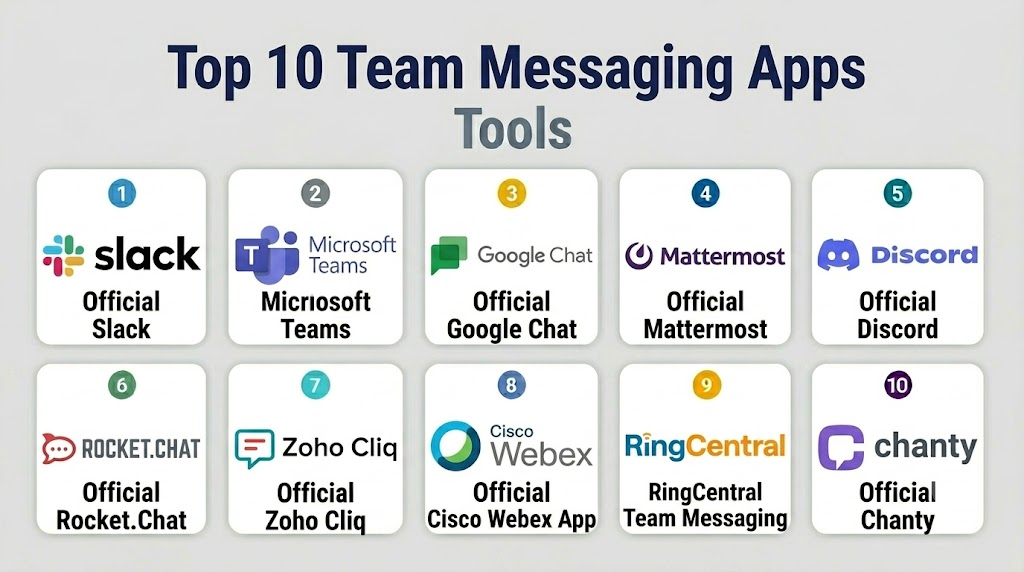
Top 10 Team Messaging Apps
1- Slack
Short description: Slack remains one of the most popular team messaging platforms, offering powerful collaboration features, extensive integrations, and AI-enhanced productivity capabilities.
Key Features
- Channels and threaded conversations
- AI-powered search and summaries
- Workflow automation
- File sharing
- Audio and video communication
- Extensive app marketplace
- Enterprise administration
Pros
- Excellent user experience
- Massive integration ecosystem
- Strong collaboration capabilities
Cons
- Premium plans can become expensive
- Large workspaces can become noisy
- Message retention limits on lower plans
Platforms / Deployment
- Web
- Windows
- macOS
- Linux
- iOS
- Android
- Cloud
Security & Compliance
- SSO/SAML
- MFA
- RBAC
- Audit logs
- Enterprise security controls
Integrations & Ecosystem
Slack has one of the largest business integration ecosystems available.
- Google Workspace
- Microsoft 365
- Jira
- Salesforce
- GitHub
- APIs
Support & Community
Large global community, extensive documentation, and enterprise support options.
2- Microsoft Teams
Short description: Microsoft Teams combines messaging, collaboration, meetings, telephony, and productivity tools within the Microsoft ecosystem.
Key Features
- Team chat
- Video conferencing
- AI meeting summaries
- File collaboration
- Channels and communities
- Telephony integration
- Microsoft Copilot support
Pros
- Deep Microsoft integration
- Strong enterprise capabilities
- Comprehensive collaboration suite
Cons
- Complex administration
- Resource intensive
- Best for Microsoft-centric organizations
Platforms / Deployment
- Web
- Windows
- macOS
- Linux
- iOS
- Android
- Cloud
Security & Compliance
- MFA
- SSO
- RBAC
- Audit logging
- Enterprise compliance features
Integrations & Ecosystem
- Microsoft 365
- SharePoint
- OneDrive
- Power Platform
- Dynamics 365
Support & Community
Extensive support ecosystem and global partner network.
3- Google Chat
Short description: Google Chat provides integrated team communication for organizations using Google Workspace.
Key Features
- Team spaces
- Direct messaging
- Google Meet integration
- File sharing
- Task collaboration
- Search functionality
- Workspace integration
Pros
- Simple interface
- Strong Google integration
- Easy deployment
Cons
- Smaller integration ecosystem
- Limited advanced workflow features
- Less customizable than some competitors
Platforms / Deployment
- Web
- Windows
- macOS
- iOS
- Android
- Cloud
Security & Compliance
- MFA
- Access controls
- Enterprise security framework
Integrations & Ecosystem
- Gmail
- Google Drive
- Google Meet
- Google Docs
- APIs
Support & Community
Strong Google support resources.
4- Mattermost
Short description: Mattermost is a secure collaboration platform popular among technical teams, government organizations, and regulated industries.
Key Features
- Team messaging
- Self-hosting support
- Workflow automation
- Compliance controls
- Playbooks
- Integrations
- Administrative governance
Pros
- Self-hosting flexibility
- Strong security controls
- Open-source options
Cons
- Technical deployment requirements
- Smaller ecosystem
- Learning curve for administrators
Platforms / Deployment
- Web
- Windows
- macOS
- Linux
- iOS
- Android
- Cloud
- Self-hosted
Security & Compliance
- RBAC
- Encryption
- Audit controls
- Enterprise governance
Integrations & Ecosystem
- GitHub
- GitLab
- Jira
- DevOps platforms
- APIs
Support & Community
Strong enterprise and open-source communities.
5- Discord
Short description: Discord has evolved beyond gaming into a powerful community and team communication platform.
Key Features
- Text channels
- Voice channels
- Video communication
- Community management
- Screen sharing
- Mobile support
- Bot ecosystem
Pros
- Excellent voice capabilities
- Strong community features
- Easy to use
Cons
- Limited enterprise governance
- Compliance capabilities vary
- Not designed primarily for corporate environments
Platforms / Deployment
- Web
- Windows
- macOS
- Linux
- iOS
- Android
- Cloud
Security & Compliance
- Access controls
- Authentication features
Integrations & Ecosystem
- Bots
- APIs
- Community tools
Support & Community
Large global user community.
6- Rocket.Chat
Short description: Rocket.Chat provides secure, customizable team messaging with cloud and self-hosted deployment options.
Key Features
- Team messaging
- Self-hosting
- Omnichannel communication
- Video conferencing
- AI integrations
- Security controls
- Workflow automation
Pros
- Flexible deployment
- Open-source architecture
- Strong customization
Cons
- Technical administration
- Smaller ecosystem
- Advanced features may require premium plans
Platforms / Deployment
- Web
- Windows
- macOS
- Linux
- iOS
- Android
- Cloud
- Self-hosted
Security & Compliance
- Encryption
- Access controls
- Enterprise governance
Integrations & Ecosystem
- CRM platforms
- ITSM tools
- APIs
- Open-source ecosystems
Support & Community
Strong open-source community and enterprise support.
7- Zoho Cliq
Short description: Zoho Cliq provides messaging and collaboration capabilities tightly integrated with the Zoho business suite.
Key Features
- Team chat
- Channels
- Voice and video calls
- Workflow automation
- File sharing
- Bots
- Task management
Pros
- Affordable pricing
- Strong Zoho integration
- Easy deployment
Cons
- Best within Zoho ecosystem
- Smaller third-party marketplace
- Limited enterprise scale compared to larger competitors
Platforms / Deployment
- Web
- Windows
- macOS
- Linux
- iOS
- Android
- Cloud
Security & Compliance
- MFA
- Access controls
- Security monitoring
Integrations & Ecosystem
- Zoho CRM
- Zoho Projects
- Zoho Desk
- APIs
Support & Community
Strong support for Zoho customers.
8- Cisco Webex App
Short description: Cisco Webex App combines messaging, meetings, calling, and collaboration in a unified platform.
Key Features
- Team messaging
- Video meetings
- Enterprise calling
- Whiteboarding
- AI assistant
- File sharing
- Administrative controls
Pros
- Strong enterprise security
- Excellent meeting capabilities
- Unified communication platform
Cons
- Premium pricing
- Complex administration
- Learning curve
Platforms / Deployment
- Web
- Windows
- macOS
- Linux
- iOS
- Android
- Cloud
Security & Compliance
- MFA
- Encryption
- Audit logging
- Enterprise governance
Integrations & Ecosystem
- Microsoft 365
- Google Workspace
- Enterprise systems
- APIs
Support & Community
Strong enterprise support.
9- RingCentral Team Messaging
Short description: RingCentral combines messaging, telephony, meetings, and collaboration into a unified communications platform.
Key Features
- Team chat
- Voice communications
- Video meetings
- Task management
- File sharing
- Workflow automation
- Mobile collaboration
Pros
- Unified communications platform
- Strong telephony integration
- Good mobile experience
Cons
- Premium licensing
- Smaller ecosystem than Slack
- Complex configurations
Platforms / Deployment
- Web
- Windows
- macOS
- iOS
- Android
- Cloud
Security & Compliance
- Encryption
- Administrative controls
- Access management
Integrations & Ecosystem
- CRM systems
- Productivity tools
- APIs
Support & Community
Comprehensive customer support.
10- Chanty
Short description: Chanty is a simple team messaging and collaboration platform focused on affordability and ease of use.
Key Features
- Team chat
- Audio and video calls
- Task management
- File sharing
- Conversation organization
- Mobile support
- Workflow features
Pros
- Affordable pricing
- Easy adoption
- Simple interface
Cons
- Limited advanced features
- Smaller ecosystem
- Less suitable for large enterprises
Platforms / Deployment
- Web
- Windows
- macOS
- iOS
- Android
- Cloud
Security & Compliance
- Encryption
- Access controls
Integrations & Ecosystem
- Productivity tools
- APIs
- Business applications
Support & Community
Responsive support and growing community.
Comparison Table
| Tool Name | Best For | Platform(s) Supported | Deployment | Standout Feature | Public Rating |
|---|---|---|---|---|---|
| Slack | Modern collaboration | Desktop, Mobile, Web | Cloud | Largest integration ecosystem | N/A |
| Microsoft Teams | Microsoft organizations | Desktop, Mobile, Web | Cloud | Unified collaboration suite | N/A |
| Google Chat | Google Workspace users | Desktop, Mobile, Web | Cloud | Native Google integration | N/A |
| Mattermost | Secure organizations | Desktop, Mobile, Web | Cloud/Self-hosted | Self-hosting flexibility | N/A |
| Discord | Communities and teams | Desktop, Mobile, Web | Cloud | Voice channels | N/A |
| Rocket.Chat | Open-source environments | Desktop, Mobile, Web | Cloud/Self-hosted | Customization | N/A |
| Zoho Cliq | Zoho customers | Desktop, Mobile, Web | Cloud | Zoho integration | N/A |
| Cisco Webex App | Enterprise communications | Desktop, Mobile, Web | Cloud | Unified communications | N/A |
| RingCentral Team Messaging | UCaaS environments | Desktop, Mobile, Web | Cloud | Telephony integration | N/A |
| Chanty | Small businesses | Desktop, Mobile, Web | Cloud | Simplicity and affordability | N/A |
Evaluation & Scoring of Team Messaging Apps
| Tool Name | Core | Ease | Integrations | Security | Performance | Support | Value | Weighted Total |
|---|---|---|---|---|---|---|---|---|
| Slack | 10 | 9 | 10 | 9 | 9 | 9 | 8 | 9.20 |
| Microsoft Teams | 10 | 8 | 10 | 9 | 9 | 9 | 8 | 9.00 |
| Google Chat | 8 | 9 | 8 | 8 | 8 | 8 | 9 | 8.35 |
| Mattermost | 9 | 7 | 8 | 10 | 8 | 8 | 9 | 8.55 |
| Discord | 8 | 9 | 8 | 7 | 9 | 8 | 10 | 8.45 |
| Rocket.Chat | 9 | 7 | 8 | 9 | 8 | 8 | 9 | 8.45 |
| Zoho Cliq | 8 | 9 | 8 | 8 | 8 | 8 | 9 | 8.35 |
| Cisco Webex App | 9 | 8 | 8 | 9 | 9 | 9 | 7 | 8.45 |
| RingCentral Team Messaging | 8 | 8 | 8 | 8 | 8 | 8 | 8 | 8.00 |
| Chanty | 7 | 9 | 7 | 7 | 8 | 8 | 10 | 7.95 |
Which Team Messaging App Is Right for You?
Solo / Freelancer
Chanty, Discord, and Google Chat offer simple collaboration without enterprise complexity.
SMB
Slack, Zoho Cliq, and Chanty provide strong value, ease of use, and productivity benefits.
Mid-Market
Slack, Microsoft Teams, Rocket.Chat, and Mattermost offer strong scalability and workflow capabilities.
Enterprise
Microsoft Teams, Slack Enterprise Grid, Cisco Webex App, Mattermost, and Rocket.Chat provide advanced governance and security controls.
Budget vs Premium
Chanty, Discord, and Zoho Cliq offer attractive pricing. Enterprise organizations often invest in Slack or Teams.
Feature Depth vs Ease of Use
Teams and Slack provide extensive capabilities, while Chanty and Google Chat prioritize simplicity.
Integrations & Scalability
Slack and Microsoft Teams lead in ecosystem depth and enterprise scalability.
Security & Compliance Needs
Mattermost, Rocket.Chat, Cisco Webex App, and Microsoft Teams are strong options for regulated industries.
Frequently Asked Questions (FAQs)
1- What is a team messaging app?
A team messaging app enables real-time communication, collaboration, file sharing, and workflow coordination among team members.
2- Why are team messaging apps important?
They improve communication speed, reduce email dependency, and support modern collaborative work environments.
3- Which app is best for enterprises?
Microsoft Teams and Slack are among the most widely adopted enterprise collaboration platforms.
4- Are team messaging apps secure?
Most leading platforms offer encryption, access controls, authentication, and enterprise governance features.
5- Can these apps replace email?
Many organizations use messaging apps alongside email, while some internal communications have largely shifted to messaging platforms.
6- Which platform is best for remote teams?
Slack, Microsoft Teams, and Google Chat are popular choices for distributed workforces.
7- Are self-hosted options available?
Yes. Mattermost and Rocket.Chat provide self-hosted deployment capabilities.
8- How important are integrations?
Integrations significantly improve productivity by connecting messaging platforms with business applications and workflows.
9- What are common implementation mistakes?
Poor governance planning, excessive channels, weak user adoption strategies, and inadequate training are common issues.
10- What alternatives exist?
Alternatives include email platforms, project management software, enterprise social networks, and unified communications platforms.
Conclusion
Team Messaging Apps have become indispensable collaboration hubs for organizations of every size. As AI-powered productivity features, workflow automation, integrated communications, and hybrid work capabilities continue to evolve, selecting the right platform is increasingly strategic. Slack and Microsoft Teams remain market leaders due to their extensive ecosystems and enterprise capabilities, while Mattermost and Rocket.Chat provide strong alternatives for organizations requiring self-hosting and operational control. Google Chat, Zoho Cliq, Cisco Webex App, RingCentral, Discord, and Chanty each serve specific business needs and budgets. The best platform depends on your collaboration requirements, security expectations, integration needs, and existing technology investments. Start by shortlisting two or three solutions, run a pilot with representative teams, evaluate user adoption, and validate governance and integration requirements before making a long-term commitment.

Find Trusted Cardiac Hospitals
Compare heart hospitals by city and services — all in one place.
Explore Hospitals
I was checking out different team messaging apps, and this comparison helped me understand which features are most useful for team communication and collaboration.