Introduction
Document redaction tools are software solutions designed to remove or obscure sensitive information from digital documents. These tools are critical for organizations that handle confidential data, including personally identifiable information (PII), financial records, medical records, legal documents, and corporate contracts. By enabling secure redaction, organizations mitigate the risk of data breaches, comply with regulatory standards, and maintain privacy obligations. document redaction tools have evolved beyond simple black-box redaction. Modern solutions leverage AI and machine learning to automatically detect sensitive text, perform batch processing, integrate with enterprise document management systems, and ensure compliance across multiple jurisdictions.
Real-world use cases include:
- Redacting client information from legal documents before public filings.
- Removing sensitive patient data from medical records for research or audits.
- Securing internal financial reports before sharing externally.
- Obscuring personal data in government or regulatory submissions.
- Protecting intellectual property in shared corporate documents.
What buyers should evaluate:
- Accuracy of automated redaction vs manual review.
- Support for multiple file formats (PDF, Word, Excel, scanned images).
- AI-assisted detection capabilities.
- Integration with document management and collaboration platforms.
- Compliance certifications (HIPAA, GDPR, SOC 2).
- Audit logs and traceability.
- Ease of use and training requirements.
- Scalability for large batch processing.
- Deployment flexibility (cloud, on-prem, hybrid).
- Pricing model relative to organization size and usage.
Best for:
Enterprises, law firms, healthcare providers, government agencies, and financial institutions that handle sensitive data and require automated or high-volume redaction workflows. IT managers, compliance officers, and legal teams benefit most.
Not ideal for:
Small organizations or individuals with minimal confidential data, or teams that rarely need redaction and can rely on manual methods or built-in PDF editing tools.
Key Trends in Document Redaction Tools
- AI-driven redaction: Machine learning identifies PII, financial information, and confidential keywords automatically.
- Natural language processing (NLP) capabilities: Contextual detection reduces errors and over-redaction.
- Batch and cloud-based processing: Supports bulk redaction for high-volume document workflows.
- Integration with enterprise ecosystems: Seamless connection to DMS, eDiscovery, CRM, and collaboration platforms.
- Enhanced audit and compliance tracking: Automatic logging of redaction actions and approvals.
- Cross-format support: Ability to redact PDFs, Word documents, spreadsheets, emails, and scanned images.
- Automated OCR for scanned documents: Detects sensitive data in images or scanned PDFs.
- Customizable redaction rules and templates: Tailored for specific industries or regulatory standards.
- Secure sharing and collaboration: Redacted documents can be safely distributed without leaking hidden metadata.
- Flexible deployment models: On-prem, cloud, or hybrid options to meet security and regulatory requirements.
How We Selected These Tools (Methodology)
- Market adoption and mindshare across industries handling sensitive data.
- Depth of redaction features including AI-assisted and manual options.
- Accuracy, reliability, and performance under batch processing scenarios.
- Security posture, encryption standards, and compliance certifications.
- Integration capabilities with document management, eDiscovery, and workflow platforms.
- Customer fit across enterprise, SMB, and specialized professional sectors.
- Support options, training resources, and community activity.
- Pricing model transparency and scalability.
- Innovation in AI-assisted OCR, pattern recognition, and compliance automation.
- Vendor stability, market longevity, and ongoing product roadmap.
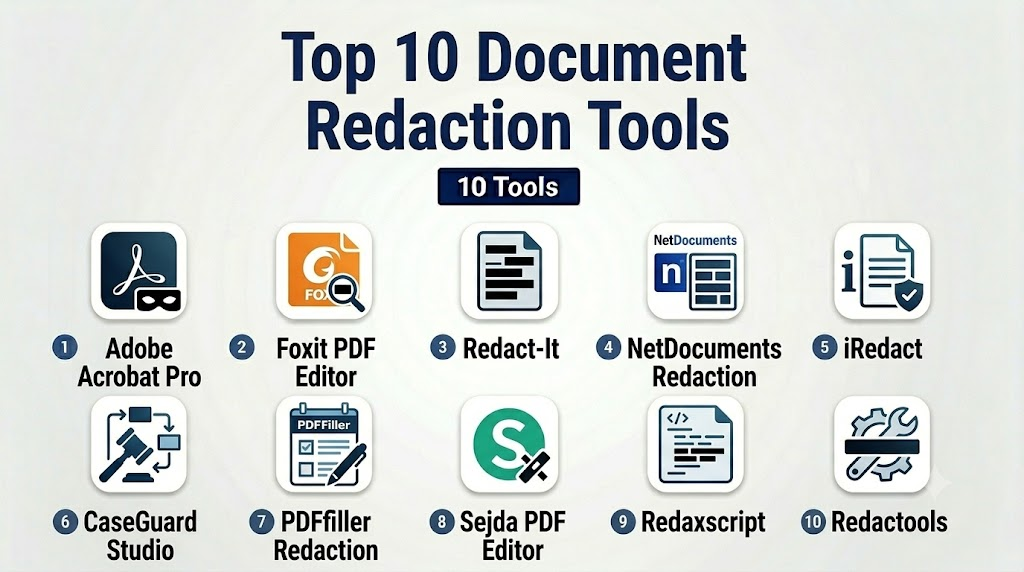
Top 10 Document Redaction Tools
1- Adobe Acrobat Pro
Short description: Adobe Acrobat Pro provides robust redaction capabilities for PDFs and scanned documents, suitable for enterprise and professional users.
Key Features
- Redact text, images, and metadata from PDFs.
- Search and remove PII or custom keywords.
- Batch redaction for multiple documents.
- Integration with Microsoft Office and DMS.
- OCR for scanned files.
- Audit trail for compliance.
- Cloud collaboration support.
Pros
- Industry-standard PDF handling.
- Strong security and compliance features.
- Reliable and widely supported.
Cons
- Can be expensive for smaller teams.
- Steeper learning curve for advanced workflows.
- Limited AI-assisted redaction compared to newer tools.
Platforms / Deployment
- Windows, macOS, Web
- Cloud / Desktop
Security & Compliance
- SSO, encryption, audit logs
- SOC 2, GDPR, HIPAA (varies by deployment)
Integrations & Ecosystem
Supports integrations with:
- Microsoft Office, SharePoint
- Enterprise DMS
- APIs for automated workflows
Support & Community
- Extensive documentation and tutorials
- Adobe support tiers
- Active user community and forums
2- Foxit PDF Editor
Short description: Foxit PDF Editor offers flexible PDF redaction and annotation features for enterprise and SMB users.
Key Features
- Redaction of text, images, and metadata.
- Batch processing for multiple documents.
- OCR scanning support.
- Custom redaction templates.
- Integration with cloud storage platforms.
- Document version control.
Pros
- Cost-effective alternative to Adobe.
- Lightweight and fast.
- Easy to learn and implement.
Cons
- Limited AI-assisted detection.
- Some advanced features require additional licensing.
- Fewer collaboration tools than larger platforms.
Platforms / Deployment
- Windows, macOS
- Cloud / Desktop
Security & Compliance
- Encryption and password protection
- Not publicly stated for SOC 2 or HIPAA
Integrations & Ecosystem
- SharePoint, Box, Google Drive
- API support for automation
- Connectors for enterprise workflows
Support & Community
- Documentation and tutorials
- Community forums
- Standard and premium support tiers
3- Redact-It
Short description: Redact-It is a dedicated redaction tool focusing on speed and accuracy for legal and compliance teams.
Key Features
- Fast text and image redaction.
- Batch redaction for large document sets.
- Simple keyword and pattern-based redaction.
- Preserves original formatting.
- Integration with eDiscovery and case management systems.
Pros
- Specialized for legal and compliance needs.
- High redaction accuracy.
- Efficient batch processing.
Cons
- Limited file format support outside Word and PDF.
- Less modern UI.
- Minimal AI-assisted features.
Platforms / Deployment
- Windows
- Desktop only
Security & Compliance
- Not publicly stated
Integrations & Ecosystem
- eDiscovery software
- Legal practice management tools
Support & Community
- Vendor support
- Limited online community
4- NetDocuments Redaction
Short description: Cloud-based redaction within NetDocuments for secure document management, ideal for law firms and regulated industries.
Key Features
- Redact sensitive text and metadata.
- AI-assisted detection of confidential content.
- Workflow automation for approvals.
- Integration with NetDocuments DMS.
- Audit logs and compliance reporting.
Pros
- Native cloud integration.
- Strong compliance and audit capabilities.
- Scalable for enterprise usage.
Cons
- Requires NetDocuments subscription.
- Limited for non-PDF formats.
- Learning curve for new users.
Platforms / Deployment
- Web, Windows, macOS
- Cloud
Security & Compliance
- SSO, MFA, encryption
- SOC 2, HIPAA, GDPR
Integrations & Ecosystem
- NetDocuments DMS
- API for workflow automation
- Enterprise connectors
Support & Community
- Vendor support and knowledge base
- Community forums within NetDocuments ecosystem
5- iRedact
Short description: AI-powered redaction software for sensitive documents across legal, healthcare, and finance sectors.
Key Features
- Automatic detection of PII and confidential data.
- Batch processing with OCR support.
- Integration with document management systems.
- Redaction templates and pattern matching.
- Compliance reporting.
Pros
- High automation reduces manual effort.
- Supports multiple file formats.
- Scalable for high-volume environments.
Cons
- Premium pricing.
- Smaller user community.
- Some advanced AI features require training.
Platforms / Deployment
- Windows, Web
- Cloud / Hybrid
Security & Compliance
- Encryption, audit logs
- Not publicly stated for SOC 2
Integrations & Ecosystem
- SharePoint, Box, DMS connectors
- APIs for workflow automation
- Integration with eDiscovery platforms
Support & Community
- Vendor support tiers
- Limited online forums
6- CaseGuard Studio
Short description: Comprehensive redaction platform for law enforcement, government, and corporate compliance teams.
Key Features
- Video, audio, image, and document redaction.
- Automated PII detection.
- Batch processing and workflow automation.
- Compliance reporting tools.
- Multi-format support including PDFs and Word.
Pros
- Multi-media redaction capability.
- Strong AI-assisted detection.
- Workflow automation for teams.
Cons
- Complex setup.
- Higher cost for small organizations.
- Learning curve for multi-format redaction.
Platforms / Deployment
- Windows
- Desktop / Cloud optional
Security & Compliance
- Encryption, audit logs
- HIPAA, CJIS compliance
Integrations & Ecosystem
- DMS connectors
- API for workflow automation
- Collaboration platform integrations
Support & Community
- Vendor support and training
- Community forums limited
7- PDFfiller Redaction
Short description: Web-based PDF redaction tool designed for SMBs and individual professionals needing quick edits.
Key Features
- Redact text and images in PDFs.
- Cloud storage integration.
- Mobile and web editing.
- Audit trail for document actions.
- Template management for frequent redactions.
Pros
- Easy to use.
- Accessible from any device.
- Affordable for SMBs.
Cons
- Limited AI-assisted automation.
- Primarily focused on PDFs.
- Batch processing limited.
Platforms / Deployment
- Web, iOS, Android
- Cloud
Security & Compliance
- Encryption, SSO
- Not publicly stated for HIPAA/SOC 2
Integrations & Ecosystem
- Google Drive, Dropbox, OneDrive
- Email integration
- API for automation
Support & Community
- Web-based support
- Tutorials and help center
- Small online community
8- Sejda PDF Editor
Short description: Online PDF redaction and editing platform suitable for professionals and SMB teams.
Key Features
- Redact text and images.
- Batch redaction support.
- PDF editing and merging.
- Cloud and local storage support.
- Audit logging and version control.
Pros
- Simple interface.
- Fast redaction for PDFs.
- Affordable SaaS model.
Cons
- Limited AI-assisted features.
- Only supports PDF files.
- Cloud dependency for advanced features.
Platforms / Deployment
- Web, Windows, macOS, Linux
- Cloud / Desktop
Security & Compliance
- Encryption
- Not publicly stated
Integrations & Ecosystem
- Google Drive, Dropbox
- API for automation
- Email and sharing tools
Support & Community
- Online documentation
- Email support
- Limited community forums
9- Redaxscript
Short description: Lightweight open-source redaction tool for developers and tech-savvy users seeking flexible automation.
Key Features
- Text-based redaction scripts.
- Integration with custom workflows.
- Supports multiple document formats.
- Automation via APIs and scripts.
- Custom redaction rules.
Pros
- Free and open-source.
- Highly customizable.
- Suitable for developer teams.
Cons
- Requires technical expertise.
- Minimal UI.
- No official support tiers.
Platforms / Deployment
- Windows, macOS, Linux
- Self-hosted
Security & Compliance
- Varies / N/A
Integrations & Ecosystem
- APIs for custom integration
- Compatible with DMS
- Script-based automation
Support & Community
- Community-driven support
- GitHub documentation
- Active developer discussions
10- Redactools
Short description: Enterprise-focused redaction software with strong compliance and automation capabilities.
Key Features
- AI-assisted PII detection.
- Batch processing and automation.
- Integration with DMS and legal systems.
- Audit logging and compliance reporting.
- Multi-format support including PDFs, Word, and scanned documents.
Pros
- Enterprise-grade reliability.
- Strong compliance focus.
- Scalable workflows.
Cons
- Premium pricing.
- Implementation requires IT resources.
- Smaller user community.
Platforms / Deployment
- Windows, Web
- Cloud / Hybrid
Security & Compliance
- Encryption, SSO, audit logs
- SOC 2, HIPAA, GDPR
Integrations & Ecosystem
- DMS systems
- eDiscovery platforms
- API automation
- Workflow integrations
Support & Community
- Enterprise support tiers
- Training and documentation
- Limited public forums
Comparison Table (Top 10)
| Tool Name | Best For | Platform(s) Supported | Deployment | Standout Feature | Public Rating |
|---|---|---|---|---|---|
| Adobe Acrobat Pro | Enterprise / Legal | Windows, macOS, Web | Cloud / Desktop | Industry-standard PDF redaction | N/A |
| Foxit PDF Editor | SMB / Professional | Windows, macOS | Cloud / Desktop | Lightweight PDF editing | N/A |
| Redact-It | Legal / Compliance | Windows | Desktop | High-speed batch redaction | N/A |
| NetDocuments Redaction | Law firms / Enterprise | Windows, macOS, Web | Cloud | Integrated DMS redaction | N/A |
| iRedact | Enterprise / Healthcare | Windows, Web | Cloud / Hybrid | AI-assisted PII detection | N/A |
| CaseGuard Studio | Government / Law Enforcement | Windows | Desktop / Cloud | Multi-media redaction | N/A |
| PDFfiller Redaction | SMB / Individual | Web, iOS, Android | Cloud | Mobile-friendly redaction | N/A |
| Sejda PDF Editor | SMB / Professionals | Web, Windows, macOS, Linux | Cloud / Desktop | Batch PDF redaction | N/A |
| Redaxscript | Developer / Open Source | Windows, macOS, Linux | Self-hosted | Script-based customization | N/A |
| Redactools | Enterprise | Windows, Web | Cloud / Hybrid | Enterprise-grade compliance | N/A |
Evaluation & Scoring of Document Redaction Tools
| Tool Name | Core (25%) | Ease (15%) | Integrations (15%) | Security (10%) | Performance (10%) | Support (10%) | Value (15%) | Weighted Total |
|---|---|---|---|---|---|---|---|---|
| Adobe Acrobat Pro | 9 | 8 | 9 | 9 | 9 | 9 | 7 | 8.7 |
| Foxit PDF Editor | 7 | 9 | 7 | 7 | 8 | 7 | 8 | 7.6 |
| Redact-It | 8 | 8 | 6 | 6 | 9 | 6 | 7 | 7.3 |
| NetDocuments Redaction | 9 | 7 | 8 | 9 | 8 | 8 | 6 | 8.0 |
| iRedact | 8 | 7 | 7 | 7 | 8 | 6 | 6 | 7.2 |
| CaseGuard Studio | 9 | 6 | 7 | 8 | 9 | 7 | 6 | 7.7 |
| PDFfiller Redaction | 6 | 9 | 6 | 6 | 7 | 6 | 8 | 6.9 |
| Sejda PDF Editor | 7 | 8 | 6 | 6 | 7 | 6 | 7 | 7.0 |
| Redaxscript | 6 | 5 | 6 | 5 | 6 | 5 | 9 | 6.2 |
| Redactools | 8 | 6 | 7 | 8 | 8 | 7 | 6 | 7.5 |
Which Document Redaction Tool Is Right for You?
Solo / Freelancer
- Use PDFfiller Redaction or Sejda for lightweight, web-based redaction.
- Focus on cost-effective, easy-to-use platforms.
SMB
- Foxit PDF Editor or Sejda offer affordable options with batch PDF support.
- Balance ease of use with moderate automation.
Mid-Market
- iRedact or CaseGuard Studio for AI-assisted detection and compliance reporting.
- Scalable solutions for growing teams.
Enterprise
- Adobe Acrobat Pro, NetDocuments Redaction, or Redactools for full-scale automation, integrations, and audit logs.
- Suitable for law firms, healthcare, and regulated industries.
Budget vs Premium
- Budget: Foxit PDF Editor, Sejda, PDFfiller.
- Premium: Adobe Acrobat Pro, NetDocuments Redaction, CaseGuard Studio.
- Consider volume, compliance needs, and automation depth.
Feature Depth vs Ease of Use
- High automation and AI: iRedact, CaseGuard Studio.
- Simple, easy-to-learn tools: PDFfiller, Sejda, Foxit.
Integrations & Scalability
- Enterprise workflows benefit from NetDocuments, Redactools, and Adobe.
- SMBs and freelancers prioritize tools with cloud storage and API options.
Security & Compliance Needs
- HIPAA, SOC 2, GDPR: Adobe Acrobat Pro, CaseGuard Studio, NetDocuments Redaction.
- SMB/low-risk usage may rely on secure cloud storage and encryption.
Frequently Asked Questions (FAQs)
1- What file types can document redaction tools handle?
Most tools support PDFs, Word documents, and scanned images. Some enterprise tools also handle spreadsheets, emails, and multimedia files.
2- Can AI automatically detect sensitive information?
Yes, AI-powered tools like iRedact and CaseGuard Studio use NLP and pattern recognition to detect PII, financial, and confidential data.
3- How do redaction tools ensure compliance?
By providing audit logs, access controls, encryption, and compliance reporting to meet standards like HIPAA, GDPR, and SOC 2.
4- Are batch redactions supported?
Yes, enterprise-grade tools support batch processing for hundreds or thousands of documents efficiently.
5- Do these tools remove metadata?
Most professional tools can redact visible content and remove hidden metadata to prevent sensitive data leaks.
6- Can redactions be reversed?
Secure tools enforce permanent redaction; temporary or preview redactions may be reversible, so choose based on compliance requirements.
7- How do these tools integrate with DMS?
Many tools offer APIs, plugins, or native integration with document management systems for seamless workflow automation.
8- What is the cost model?
Pricing varies: subscription SaaS
(monthly/yearly), perpetual licenses, or pay-per-document models, depending on usage and deployment.
9- Is training required?
Some tools have intuitive interfaces; AI-assisted tools may require minimal configuration or training for rule sets.
10- Are open-source options viable?
Yes, tools like Redaxscript offer flexibility but require technical expertise and lack formal support tiers.
Conclusion
Document redaction tools are critical for securing sensitive information, maintaining compliance, and streamlining document workflows. Choosing the right solution depends on your organization’s size, regulatory obligations, volume, and workflow complexity. Solo users and SMBs may prioritize ease and cost, while enterprises benefit from AI-assisted automation, audit trails, and DMS integration. To start, shortlist 2–3 tools that meet your core requirements, run a pilot, validate security and integrations, then scale across your workflows.

Find Trusted Cardiac Hospitals
Compare heart hospitals by city and services — all in one place.
Explore Hospitals
Document redaction tools deliver the greatest value when they permanently remove sensitive information while preserving the usability of the remaining content. Features such as automated detection, OCR support, and audit trails help organizations protect confidential data, meet privacy regulations, and reduce the risk of accidental information disclosure.