Introduction
Facilities Space Planning Tools are digital platforms designed to help organizations optimize the layout, utilization, and management of physical workspaces. These tools allow facility managers, operations teams, and real estate professionals to plan office layouts, allocate workstations, manage meeting rooms, and analyze space utilization data efficiently. with hybrid work models, flexible office arrangements, and smart building technology, space planning tools are critical for improving operational efficiency, reducing real estate costs, and enhancing employee experience. Modern tools combine AI-driven insights, IoT integration, and cloud-based collaboration to provide actionable data for space optimization.
Real-world use cases include:
- Planning flexible seating arrangements and hot-desking for hybrid teams.
- Allocating office resources based on utilization and departmental needs.
- Optimizing meeting room bookings and amenity usage.
- Visualizing and simulating floor plans to support relocations or renovations.
- Integrating with building management systems for energy and occupancy tracking.
What buyers should evaluate:
- Core features for floor planning, visualization, and utilization analytics.
- AI-driven optimization and scenario simulation capabilities.
- Integrations with IWMS, CAFM, HR, and calendar systems.
- Security, access controls, and compliance with data privacy regulations.
- Ease of use for facility managers and non-technical staff.
- Deployment models: cloud, on-premises, or hybrid.
- Reporting and analytics capabilities.
- Support for multi-location and multi-floor environments.
Best for: Facilities managers, real estate teams, corporate real estate departments, operations teams, and architects in medium to large enterprises.
Not ideal for: Small offices with static layouts, single-location facilities, or teams with minimal space planning needs where manual tools suffice.
Key Trends in Facilities Space Planning Tools
- AI-driven space optimization and predictive utilization planning.
- Hybrid work and hot-desking support integrated with employee schedules.
- IoT-enabled occupancy sensors feeding real-time utilization dashboards.
- Cloud-based collaboration for multi-location planning and real-time updates.
- Scenario modeling for renovations, relocations, and emergency planning.
- Integration with IWMS, CAFM, HR, and calendar systems.
- Enhanced 3D visualization and augmented reality floor planning.
- Data-driven cost optimization to reduce real estate expenses.
- Focus on workplace wellness, accessibility, and social distancing compliance.
- Subscription and modular pricing models for flexible adoption.
How We Selected These Tools (Methodology)
- Evaluated market adoption and visibility within corporate real estate and facilities management sectors.
- Assessed feature completeness, including floor planning, occupancy analytics, and scenario simulation.
- Reviewed reliability and performance signals through user feedback and case studies.
- Examined security posture, access control, and data privacy measures.
- Checked integration capabilities with IWMS, CAFM, HR, and smart building systems.
- Considered suitability for different organization sizes and multi-location environments.
- Analyzed usability, mobile access, and collaboration features.
- Factored in scalability for enterprise-wide deployment.
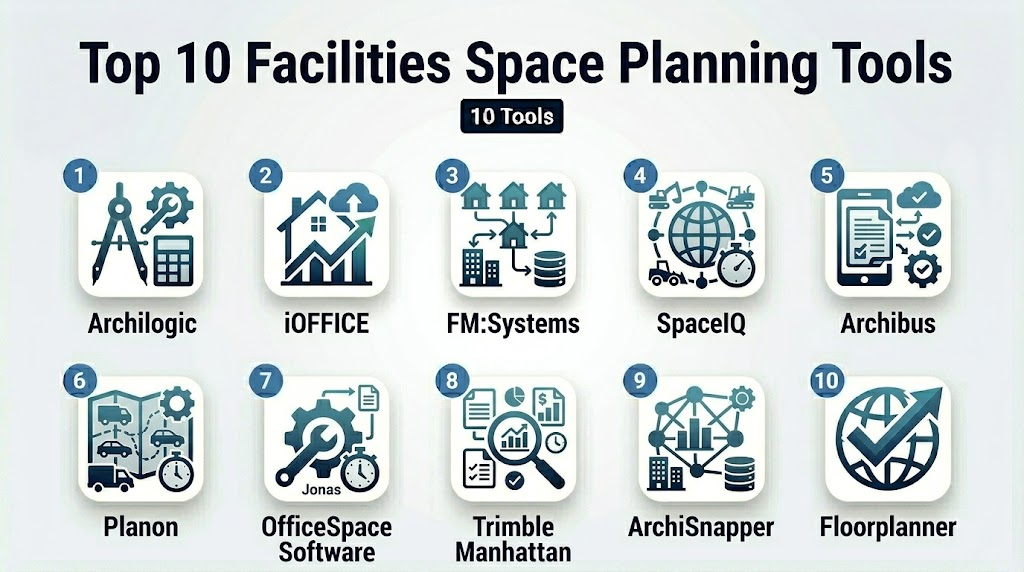
Top 10 Facilities Space Planning Tools
1- Archilogic
Short description: Archilogic provides 3D floor plan visualization and space planning tools for corporate real estate and facility teams, enabling real-time collaboration and interactive layouts.
Key Features
- 3D floor plan creation and interactive walkthroughs
- Space utilization and occupancy analytics
- Collaboration tools for multi-user editing
- Scenario modeling for renovations or relocations
- Cloud-based access and real-time updates
Pros
- Intuitive 3D visualization for stakeholders
- Collaborative planning across teams
Cons
- Limited advanced AI optimization features
- Primarily focused on visualization, less on full IWMS integration
Platforms / Deployment
- Web
- Cloud
Security & Compliance
- Not publicly stated
Integrations & Ecosystem
- API for integration with CAFM and IWMS
- Export to BIM and CAD software
- Calendar and room scheduling systems
Support & Community
- Online documentation, email support
- Varies / Not publicly stated
2- iOFFICE
Short description: iOFFICE is a comprehensive workplace management platform that includes space planning, resource booking, and workplace analytics for large enterprises.
Key Features
- Interactive floor plans and hot-desking management
- Space utilization tracking and analytics
- Integration with calendar and booking systems
- AI-driven occupancy optimization
- Reporting dashboards for management
Pros
- Enterprise-ready with multi-location support
- Strong analytics for space efficiency
Cons
- Higher cost for small organizations
- Some features require technical training
Platforms / Deployment
- Web, iOS, Android
- Cloud
Security & Compliance
- Not publicly stated
Integrations & Ecosystem
- HR systems and calendar integrations
- IWMS/CAFM systems
- IoT sensors and access control
Support & Community
- Dedicated customer support, onboarding, training
- Active enterprise user community
3- FM:Systems
Short description: FM:Systems offers space planning, facility management, and workplace analytics tools for corporate real estate teams seeking data-driven optimization.
Key Features
- Floor plan visualization and space allocation
- Scenario modeling and what-if analysis
- Occupancy and utilization analytics
- Reporting and KPI dashboards
- Integration with CAFM and IWMS systems
Pros
- Strong enterprise feature set
- Flexible scenario planning and analytics
Cons
- Can be complex for small facilities
- Learning curve for new users
Platforms / Deployment
- Web
- Cloud / Hybrid
Security & Compliance
- Not publicly stated
Integrations & Ecosystem
- IWMS and CAFM systems
- HR systems
- IoT devices for occupancy sensing
Support & Community
- Onboarding support, training programs
- Active support portal
4- SpaceIQ
Short description: SpaceIQ provides space planning and workplace management solutions, helping organizations visualize, optimize, and manage office space efficiently.
Key Features
- Interactive floor plans and office layouts
- Space utilization analytics
- Hot-desking and desk booking management
- Scenario modeling for office changes
- Multi-location support
Pros
- Easy-to-use interface for facility managers
- Supports flexible workplace planning
Cons
- Limited advanced AI optimization
- Smaller integrations ecosystem compared to enterprise platforms
Platforms / Deployment
- Web, iOS, Android
- Cloud
Security & Compliance
- Not publicly stated
Integrations & Ecosystem
- Calendar and booking systems
- IWMS integration
- APIs for custom extensions
Support & Community
- Online tutorials and support portal
- Varies / Not publicly stated
5- Archibus
Short description: Archibus is a leading IWMS platform with robust space planning, real estate management, and workplace analytics features for large enterprises.
Key Features
- Space and asset management
- Scenario modeling and cost analysis
- Occupancy and utilization reporting
- Integration with building systems and IoT sensors
- Real-time dashboards and KPIs
Pros
- Comprehensive enterprise capabilities
- Strong integration with IWMS/CAFM systems
Cons
- High complexity and learning curve
- Cost-prohibitive for smaller organizations
Platforms / Deployment
- Web, Windows
- Cloud / Hybrid
Security & Compliance
- Not publicly stated
Integrations & Ecosystem
- CAFM/IWMS systems
- IoT and building management systems
- HR and ERP integrations
Support & Community
- Professional onboarding and consulting services
- Active enterprise community
6- Planon
Short description: Planon provides integrated workplace management and space planning tools, focusing on data-driven optimization for real estate and facility operations.
Key Features
- Floor plan visualization and space allocation
- Occupancy analytics and scenario simulation
- Maintenance and resource planning
- Multi-site management
- Reporting and KPI dashboards
Pros
- Enterprise-grade analytics and scenario planning
- Multi-location support
Cons
- Interface may be complex for small teams
- Premium pricing for full functionality
Platforms / Deployment
- Web, iOS, Android
- Cloud / Hybrid
Security & Compliance
- Not publicly stated
Integrations & Ecosystem
- CAFM/IWMS integration
- HR and ERP systems
- IoT occupancy sensors
Support & Community
- Customer support and onboarding
- Varies / Not publicly stated
7- OfficeSpace Software
Short description: OfficeSpace Software is a workplace management platform with space planning, desk booking, and employee experience features for modern offices.
Key Features
- Interactive floor plans and desk management
- Hot-desking and reservation tools
- Space utilization analytics
- Scenario modeling and reporting
- Multi-location support
Pros
- Intuitive user interface
- Flexible desk and space management
Cons
- Limited advanced AI features
- Smaller enterprise integrations
Platforms / Deployment
- Web, iOS, Android
- Cloud
Security & Compliance
- Not publicly stated
Integrations & Ecosystem
- Calendar integrations
- IWMS and CAFM systems
- API for custom solutions
Support & Community
- Online support, onboarding tutorials
- Varies / Not publicly stated
8- Trimble Manhattan
Short description: Trimble Manhattan is a comprehensive IWMS platform with strong space planning, real estate management, and workplace analytics for large enterprises.
Key Features
- Space and facility management
- Scenario modeling and what-if analysis
- Occupancy and utilization analytics
- Integration with building systems and IoT devices
- Reporting dashboards and KPIs
Pros
- Enterprise-grade capabilities
- Strong multi-location support
Cons
- High complexity
- Premium cost
Platforms / Deployment
- Web, Windows
- Cloud / Hybrid
Security & Compliance
- Not publicly stated
Integrations & Ecosystem
- CAFM/IWMS systems
- IoT and building management systems
- ERP and HR integrations
Support & Community
- Professional onboarding, consulting
- Enterprise support portal
9- ArchiSnapper
Short description: ArchiSnapper focuses on field reporting, inspection, and space planning for facility managers and architects, simplifying layout documentation and analysis.
Key Features
- Floor plan annotation and marking
- Field inspections and punch lists
- Space utilization tracking
- Photo documentation and reporting
- Cloud-based collaboration
Pros
- Mobile-first design for field use
- Simplifies documentation and reporting
Cons
- Limited advanced analytics
- Less robust enterprise integration
Platforms / Deployment
- Web, iOS, Android
- Cloud
Security & Compliance
- Not publicly stated
Integrations & Ecosystem
- Export to BIM and CAD
- API for custom workflows
- Integration with CAFM/IWMS
Support & Community
- Email support, online documentation
- Varies / Not publicly stated
10- Floorplanner
Short description: Floorplanner offers simple, visual space planning tools for facility layouts, interior planning, and occupancy analysis for small to mid-size organizations.
Key Features
- 2D and 3D floor plan creation
- Room and workstation allocation
- Drag-and-drop interface for layouts
- Multi-user collaboration
- Reporting and printing options
Pros
- Easy-to-use interface for small teams
- Affordable and fast setup
Cons
- Limited AI and analytics capabilities
- Not enterprise-grade
Platforms / Deployment
- Web
- Cloud
Security & Compliance
- Not publicly stated
Integrations & Ecosystem
- Export to CAD/BIM
- API for custom solutions
- Basic collaboration tools
Support & Community
- Online help, tutorials
- Varies / Not publicly stated
Comparison Table (Top 10)
| Tool Name | Best For | Platform(s) Supported | Deployment | Standout Feature | Public Rating |
|---|---|---|---|---|---|
| Archilogic | 3D visualization, small/mid | Web | Cloud | Interactive 3D floor plans | N/A |
| iOFFICE | Enterprise workplaces | Web, iOS, Android | Cloud | AI-driven occupancy optimization | N/A |
| FM:Systems | Corporate real estate | Web | Cloud / Hybrid | Scenario modeling and analytics | N/A |
| SpaceIQ | Flexible workplace planning | Web, iOS, Android | Cloud | Hot-desking management | N/A |
| Archibus | Large enterprises | Web, Windows | Cloud / Hybrid | IWMS integration | N/A |
| Planon | Enterprise real estate | Web, iOS, Android | Cloud / Hybrid | Data-driven space optimization | N/A |
| OfficeSpace Software | Office management | Web, iOS, Android | Cloud | Desk booking and floor planning | N/A |
| Trimble Manhattan | Multi-location enterprises | Web, Windows | Cloud / Hybrid | Full IWMS capabilities | N/A |
| ArchiSnapper | Field planning and inspections | Web, iOS, Android | Cloud | Mobile-first floor documentation | N/A |
| Floorplanner | Small/mid teams | Web | Cloud | Simple visual layouts | N/A |
Evaluation & Scoring of Facilities Space Planning Tools
| Tool Name | Core (25%) | Ease (15%) | Integrations (15%) | Security (10%) | Performance (10%) | Support (10%) | Value (15%) | Weighted Total |
|---|---|---|---|---|---|---|---|---|
| Archilogic | 8 | 8 | 7 | 7 | 7 | 7 | 7 | 7.5 |
| iOFFICE | 9 | 8 | 8 | 7 | 8 | 8 | 7 | 8.1 |
| FM:Systems | 9 | 7 | 8 | 7 | 8 | 7 | 7 | 7.9 |
| SpaceIQ | 8 | 8 | 7 | 7 | 7 | 7 | 7 | 7.5 |
| Archibus | 9 | 7 | 8 | 8 | 8 | 7 | 7 | 7.9 |
| Planon | 9 | 7 | 8 | 8 | 8 | 7 | 7 | 7.9 |
| OfficeSpace Software | 8 | 8 | 7 | 7 | 7 | 7 | 7 | 7.5 |
| Trimble Manhattan | 9 | 7 | 8 | 8 | 8 | 7 | 7 | 7.9 |
| ArchiSnapper | 7 | 8 | 7 | 7 | 7 | 7 | 7 | 7.3 |
| Floorplanner | 7 | 9 | 6 | 7 | 7 | 7 | 7 | 7.2 |
Which Facilities Space Planning Tool Is Right for You?
Solo / Freelancer
- Small offices or interior planners: Floorplanner or Archilogic for simplicity and visualization.
SMB
- Mid-size teams with hybrid layouts: SpaceIQ or OfficeSpace Software for flexible planning and desk booking.
Mid-Market
- Larger portfolios or multi-floor buildings: iOFFICE, FM:Systems for analytics and occupancy management.
Enterprise
- Multi-location enterprises with IWMS integration: Archibus, Planon, Trimble Manhattan for enterprise-grade optimization and scenario modeling.
Budget vs Premium
- Budget: Floorplanner, Archilogic.
- Premium: iOFFICE, FM:Systems, Archibus, Planon, Trimble Manhattan.
Feature Depth vs Ease of Use
- Ease of use: Floorplanner, Archilogic.
- Feature depth: Archibus, Planon, iOFFICE.
Integrations & Scalability
- For multi-location enterprise integration: iOFFICE, Archibus, Planon, Trimble Manhattan.
Security & Compliance Needs
- Enterprise users should verify encryption, SSO/MFA, and compliance with SOC 2 or ISO 27001 standards.
Frequently Asked Questions (FAQs)
1- What pricing models do facilities space planning tools use?
Most adopt subscription-based pricing, often per user, per location, or per floor, with modular add-ons for premium features.
2- How long does implementation take?
Small organizations may deploy in 2–4 weeks, whereas enterprise-scale deployment can require 2–3 months with multi-floor integration.
3- Can these tools integrate with IWMS and CAFM systems?
Yes, most enterprise-grade tools provide APIs and pre-built connectors to integrate with IWMS, CAFM, and smart building systems.
4- Are mobile apps required?
Mobile access is increasingly essential for real-time desk booking, occupancy tracking, and on-the-go facility management.
5- What security measures should I check?
Look for encryption, audit logs, RBAC, SSO/SAML, MFA, and compliance with SOC 2, ISO 27001, or GDPR.
6- Do these tools support scenario modeling?
Yes, enterprise platforms offer “what-if” simulations for office relocations, renovations, or hybrid workspace planning.
7- Can small offices benefit from these tools?
Yes, visual planning and desk allocation features of tools like Floorplanner and Archilogic help small teams optimize space efficiently.
8- How is AI used in space planning?
AI predicts space utilization, optimizes layouts, and provides actionable insights to reduce real estate costs.
9- Are 3D visualizations standard?
Many modern tools provide 3D floor plans and interactive walkthroughs to improve collaboration and stakeholder alignment.
10- What are common implementation mistakes?
Common implementation mistakes include neglecting integrations, skipping employee training, and ignoring security and compliance.
Conclusion
Facilities Space Planning Tools are essential for organizations managing complex workspaces, hybrid offices, and multi-location facilities, with selection based on portfolio complexity and operational goals. Start by shortlisting tools that align with your specific needs, then conduct a pilot program to validate usability, integration capabilities, and regulatory compliance. To maximize success, prioritize platforms offering real-time data analytics, as these insights are critical for identifying underutilized areas and making informed, cost-saving restructuring decisions. Ensure the software integrates seamlessly with your existing IT and HR systems to maintain accurate, up-to-date occupancy records across the entire organization. Look for intuitive interfaces that simplify move management, as user-friendly tools significantly increase team adoption and reduce the overall administrative burden. Additionally, evaluate the vendor’s capacity for future scalability to ensure the system evolves alongside your headcount and shifting workplace strategies. Ultimately, treating space planning as a continuous, data-driven process transforms your physical environment into a strategic asset that fuels productivity and supports long-term organizational success.

Find Trusted Cardiac Hospitals
Compare heart hospitals by city and services — all in one place.
Explore Hospitals
I am interested in learning about facilities and space planning tools, and this blog gave me useful insights. Thanks for sharing.