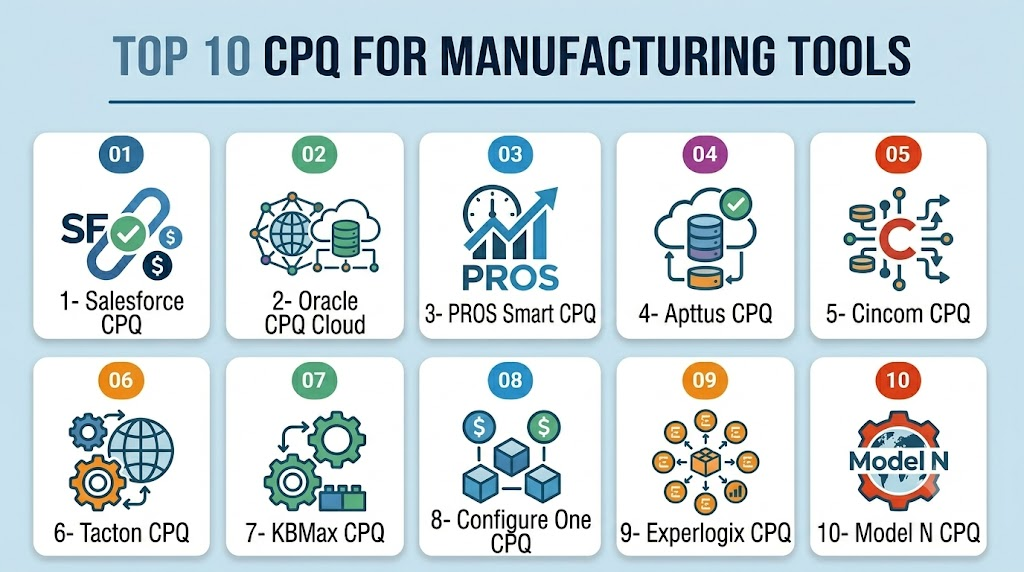
Introduction
CPQ for SaaS (Configure, Price, Quote) is a software solution that automates the process of configuring subscription-based products, calculating pricing, and generating quotes for customers. Unlike traditional CPQ tools for physical products, SaaS CPQ must handle recurring billing, usage-based pricing, tiered subscriptions, and dynamic discounts, making it essential for SaaS companies SaaS companies are increasingly dealing with complex pricing models, multiple subscription tiers, bundled features, and enterprise customer requirements. CPQ tools streamline sales workflows, improve quote accuracy, reduce errors, and accelerate deal closure while integrating seamlessly with CRM and billing platforms.
Real-world use cases include:
- Automating subscription-based quotes with tiered or usage-based pricing.
- Guiding sales teams through feature bundling and upsell/cross-sell recommendations.
- Generating legally compliant proposals and contracts automatically.
- Integrating with billing systems for accurate invoicing.
- Analyzing historical sales data for predictive pricing and discounting.
Evaluation Criteria for Buyers:
- Support for subscription and usage-based pricing
- Guided selling for feature bundles
- CRM and billing system integration
- Quote accuracy and speed
- Analytics and reporting capabilities
- AI-assisted pricing suggestions
- Automation of approvals and renewals
- Scalability for multi-region SaaS
- Security and compliance features
- Ease of implementation and customization
Best for: SaaS companies of all sizes, especially subscription-based and enterprise SaaS providers, sales teams, and finance departments needing streamlined quoting and pricing.
Not ideal for: Simple one-off product sales, single-tier offerings, or companies without recurring revenue models.
Key Trends in CPQ for SaaS
- AI-driven pricing optimization and predictive discounting.
- Automation of subscription renewals and upsell recommendations.
- Integration with usage analytics to enable dynamic pricing.
- Embedded guided selling for SaaS bundles and add-ons.
- Cloud-native deployment supporting remote sales teams.
- Real-time quote generation linked to CRM and billing systems.
- Multi-currency and regional compliance support.
- Modular subscription and feature bundling management.
- Low-code interfaces to reduce configuration time.
- Security-first approach with SSO, encryption, and regulatory compliance.
How We Selected These Tools (Methodology)
- Evaluated market adoption and SaaS-specific mindshare.
- Assessed feature completeness for subscription and usage-based pricing.
- Reviewed reliability and performance through case studies and customer feedback.
- Examined security posture, including compliance with GDPR, SOC 2, and other standards.
- Considered integration capabilities with CRM, billing, and analytics platforms.
- Measured customer fit across SMB, mid-market, and enterprise SaaS segments.
- Prioritized AI/automation features for pricing, renewal, and quoting.
- Evaluated scalability and multi-region deployment readiness.
- Reviewed support and community strength including documentation and onboarding.
- Analyzed ROI potential based on implementation effort and efficiency gains.
Top 10 CPQ for SaaS Tools
1- Salesforce CPQ
Short description: Integrated CPQ solution for Salesforce CRM, tailored for SaaS subscriptions and complex pricing models.
Key Features
- Subscription and usage-based pricing
- Guided selling for bundles and add-ons
- Automated approvals and renewals
- Quote and proposal generation
- CRM and billing integration
- Analytics dashboards for sales performance
- AI-assisted pricing recommendations
Pros
- Deep Salesforce ecosystem integration
- Highly scalable for enterprise SaaS
- AI guidance improves quote accuracy
Cons
- Complex setup for SMBs
- Higher cost for smaller teams
- Customization may require consulting
Platforms / Deployment
- Web / iOS / Android
- Cloud
Security & Compliance
- SSO/SAML, MFA, encryption, RBAC
- SOC 2, ISO 27001, GDPR
Integrations & Ecosystem
Integrates seamlessly with Salesforce CRM, billing, and analytics tools.
- Salesforce ecosystem
- ERP and billing connectors
- API extensibility
- Document automation
- Reporting dashboards
Support & Community
- Comprehensive documentation and onboarding
- 24/7 support tiers
- Large partner and user community
2- Oracle CPQ Cloud
Short description: Enterprise-focused CPQ for SaaS, handling complex subscriptions and global pricing scenarios.
Key Features
- Complex subscription and feature management
- Approval workflows
- Multi-currency pricing
- ERP and CRM integration
- Quote and contract generation
- Analytics and forecasting
- Guided selling
Pros
- Handles complex enterprise SaaS pricing
- Strong global and regional support
- Robust integration options
Cons
- Long implementation timeline
- Learning curve for new users
- Higher enterprise cost
Platforms / Deployment
- Web
- Cloud
Security & Compliance
- Not publicly stated
Integrations & Ecosystem
- ERP connectors
- CRM integrations
- API for custom workflows
- Analytics dashboards
- Billing and subscription management
Support & Community
- Varies / Not publicly stated
3- PROS Smart CPQ
Short description: AI-powered SaaS CPQ emphasizing guided selling and automated quoting for subscription models.
Key Features
- AI-assisted bundle and feature recommendations
- Subscription and usage pricing
- Quote and proposal automation
- CRM integration
- Approval workflow automation
- Analytics dashboards
- Guided selling engine
Pros
- Reduces errors and accelerates sales cycles
- Flexible deployment for SMBs and enterprises
- AI-assisted pricing
Cons
- Smaller ecosystem than Salesforce/Oracle
- Advanced analytics require setup
Platforms / Deployment
- Web / iOS
- Cloud
Security & Compliance
- Not publicly stated
Integrations & Ecosystem
- CRM connectors (Salesforce, Dynamics)
- Billing system integrations
- API extensibility
- Analytics and reporting
- Document automation
Support & Community
- Documentation and onboarding
- Varies / Not publicly stated
4- Apttus CPQ
Short description: Enterprise-grade SaaS CPQ integrated with Salesforce, supporting subscription and usage-based models.
Key Features
- Subscription lifecycle management
- Pricing and discount rules
- Quote and proposal generation
- Contract and renewal management
- ERP and CRM integration
- Analytics and reporting
- Guided selling
Pros
- Deep Salesforce integration
- Enterprise scalability
- Supports complex SaaS bundles
Cons
- High implementation complexity
- Costly for smaller organizations
- Customization requires consulting
Platforms / Deployment
- Web
- Cloud
Security & Compliance
- Not publicly stated
Integrations & Ecosystem
- Salesforce CRM
- Billing systems
- ERP connectors
- API and workflow extensibility
- Analytics dashboards
Support & Community
- Varies / Not publicly stated
5- Zuora CPQ
Short description: Subscription-focused CPQ platform ideal for SaaS companies with complex recurring billing models.
Key Features
- Recurring and usage-based pricing
- Subscription and renewal automation
- Guided selling for bundles
- Quote and contract generation
- ERP and CRM integration
- Analytics dashboards
- Automated approval workflows
Pros
- Optimized for subscription SaaS
- Scalable for enterprise and mid-market
- Strong analytics for revenue forecasting
Cons
- Focused mainly on subscription SaaS
- Learning curve for complex workflows
Platforms / Deployment
- Web
- Cloud
Security & Compliance
- Not publicly stated
Integrations & Ecosystem
- CRM connectors
- Billing integrations
- API for extensibility
- Reporting dashboards
- Workflow automation
Support & Community
- Documentation and onboarding
- Varies / Not publicly stated
6- Tacton CPQ
Short description: SaaS CPQ with visual configuration, ideal for complex SaaS bundles and enterprise sales.
Key Features
- Visual guided selling
- Subscription and tiered pricing
- Quote and proposal automation
- CRM integration
- Analytics dashboards
- Workflow approvals
- Feature bundling engine
Pros
- Reduces errors through visual configuration
- Handles complex SaaS bundles
- Integration-ready for CRM and billing
Cons
- Higher learning curve
- Implementation may take longer
Platforms / Deployment
- Web
- Cloud
Security & Compliance
- Not publicly stated
Integrations & Ecosystem
- CRM connectors
- Billing systems
- API for workflow extensions
- Analytics dashboards
- Reporting tools
Support & Community
- Varies / Not publicly stated
7- Configure One CPQ
Short description: Flexible CPQ solution for SaaS, suitable for SMBs and mid-market subscription providers.
Key Features
- Subscription and usage-based pricing
- Quote and proposal generation
- Guided selling
- CRM and billing integration
- Workflow approvals
- Analytics and reporting
Pros
- Quick deployment
- Easy to use for SMBs
- Supports multiple subscription models
Cons
- Limited AI features
- Smaller partner ecosystem
Platforms / Deployment
- Web
- Cloud
Security & Compliance
- Not publicly stated
Integrations & Ecosystem
- CRM connectors
- Billing system integration
- API extensibility
- Analytics dashboards
- Workflow automation
Support & Community
- Documentation provided
- Varies / Not publicly stated
8- FPX CPQ
Short description: SaaS-focused CPQ platform enabling enterprise subscriptions and multi-region pricing.
Key Features
- Subscription lifecycle management
- Guided selling engine
- Multi-region and multi-currency support
- Quote and proposal generation
- CRM and ERP integration
- Analytics dashboards
- Automated approvals
Pros
- Global SaaS support
- Flexible pricing models
- Scalable for enterprise customers
Cons
- Focused on enterprise
- Implementation may require consulting
Platforms / Deployment
- Web
- Cloud
Security & Compliance
- Not publicly stated
Integrations & Ecosystem
- ERP and CRM connectors
- API for custom workflows
- Analytics and reporting tools
- Billing system integration
Support & Community
- Varies / Not publicly stated
9- Model N Revenue Cloud
Short description: Enterprise SaaS CPQ supporting complex subscriptions, pricing, and renewals globally.
Key Features
- Subscription and usage-based pricing
- Quote and proposal automation
- Renewal and upsell workflows
- Multi-region pricing and compliance
- CRM and ERP integration
- Analytics dashboards
- Guided selling
Pros
- Enterprise-ready
- Supports global SaaS sales
- Automates renewals and upsells
Cons
- High enterprise cost
- Implementation complexity
Platforms / Deployment
- Web
- Cloud
Security & Compliance
- Not publicly stated
Integrations & Ecosystem
- ERP and CRM connectors
- Billing integration
- API extensibility
- Analytics dashboards
- Workflow automation
Support & Community
- Varies / Not publicly stated
10- SAP CPQ
Short description: Comprehensive CPQ for SaaS enterprises integrated with SAP ecosystem for recurring billing and subscription management.
Key Features
- Subscription and tiered pricing
- Guided selling and bundle management
- Quote and proposal automation
- ERP and CRM integration
- Approval workflows
- Analytics dashboards
- Renewal management
Pros
- Deep SAP ecosystem integration
- Enterprise scalability
- Supports complex subscription models
Cons
- High implementation effort
- Enterprise-focused pricing
Platforms / Deployment
- Web
- Cloud
Security & Compliance
- Not publicly stated
Integrations & Ecosystem
- SAP ERP and CRM
- Billing integration
- API for extensibility
- Reporting and analytics dashboards
Support & Community
- Varies / Not publicly stated
Comparison Table (Top 10)
| Tool Name | Best For | Platform(s) Supported | Deployment | Standout Feature | Public Rating |
|---|---|---|---|---|---|
| Salesforce CPQ | Enterprise SaaS | Web / iOS / Android | Cloud | AI-assisted pricing | N/A |
| Oracle CPQ Cloud | Enterprise & global SaaS | Web | Cloud | Complex subscription support | N/A |
| PROS Smart CPQ | SMBs & mid-market SaaS | Web / iOS | Cloud | AI-guided selling | N/A |
| Apttus CPQ | Enterprise SaaS with Salesforce | Web | Cloud | Contract & renewal management | N/A |
| Zuora CPQ | Subscription-heavy SaaS | Web | Cloud | Subscription & usage pricing | N/A |
| Tacton CPQ | Complex SaaS bundles | Web | Cloud | Visual configuration | N/A |
| Configure One CPQ | SMB & mid-market SaaS | Web | Cloud | Quick deployment | N/A |
| FPX CPQ | Enterprise & multi-region SaaS | Web | Cloud | Multi-currency support | N/A |
| Model N Revenue Cloud | Enterprise global SaaS | Web | Cloud | Renewal & upsell automation | N/A |
| SAP CPQ | Enterprise SaaS in SAP ecosystem | Web | Cloud | Deep ERP integration | N/A |
Evaluation & Scoring of CPQ for SaaS
| Tool Name | Core (25%) | Ease (15%) | Integrations (15%) | Security (10%) | Performance (10%) | Support (10%) | Value (15%) | Weighted Total |
|---|---|---|---|---|---|---|---|---|
| Salesforce CPQ | 9 | 8 | 9 | 9 | 9 | 8 | 7 | 8.7 |
| Oracle CPQ Cloud | 9 | 7 | 8 | 8 | 9 | 7 | 6 | 8.1 |
| PROS Smart CPQ | 8 | 9 | 7 | 7 | 8 | 7 | 8 | 8.0 |
| Apttus CPQ | 8 | 7 | 8 | 7 | 8 | 7 | 7 | 7.7 |
| Zuora CPQ | 8 | 8 | 7 | 7 | 8 | 7 | 7 | 7.8 |
| Tacton CPQ | 8 | 6 | 7 | 7 | 8 | 6 | 6 | 7.1 |
| Configure One CPQ | 7 | 8 | 7 | 6 | 7 | 6 | 7 | 7.0 |
| FPX CPQ | 8 | 7 | 7 | 7 | 8 | 6 | 6 | 7.2 |
| Model N Revenue Cloud | 8 | 7 | 8 | 7 | 8 | 6 | 6 | 7.4 |
| SAP CPQ | 8 | 7 | 8 | 7 | 8 | 6 | 6 | 7.4 |
Which CPQ for SaaS Tool Is Right for You?
Solo / Freelancer
- Tools like PROS Smart CPQ and Configure One CPQ are suitable for small SaaS teams needing rapid deployment with minimal overhead.
SMB
- Configure One CPQ, PROS Smart CPQ, and Zuora CPQ provide flexibility for growing SaaS companies managing tiered subscriptions and bundled offerings.
Mid-Market
- Tacton CPQ, FPX CPQ, and Zuora CPQ are ideal for SaaS firms with complex feature bundles and recurring revenue tracking.
Enterprise
- Salesforce CPQ, Oracle CPQ Cloud, Apttus CPQ, Model N Revenue Cloud, and SAP CPQ suit large SaaS providers needing global deployment, multi-currency, and enterprise-scale integrations.
Budget vs Premium
- Budget-friendly: Configure One CPQ, PROS Smart CPQ, Zuora CPQ
- Premium: Salesforce CPQ, Oracle CPQ, Apttus CPQ, SAP CPQ
Feature Depth vs Ease of Use
- Deep feature set: Salesforce CPQ, Oracle CPQ, SAP CPQ
- Ease of use: PROS Smart CPQ, Configure One CPQ
Integrations & Scalability
- Enterprise-grade: Salesforce CPQ, Oracle CPQ, SAP CPQ
- SMB-friendly: Configure One CPQ, PROS Smart CPQ
Security & Compliance Needs
- Enterprises: Salesforce CPQ, Oracle CPQ, SAP CPQ
- SMBs with standard security: PROS Smart CPQ, Configure One CPQ
Frequently Asked Questions (FAQs)
1- What pricing models do CPQ for SaaS tools support?
They support subscription-based, usage-based, tiered, and per-seat pricing, often with discount and approval workflows.
2- How long does CPQ implementation take?
Small teams may deploy in weeks; enterprise deployments can take 3–12 months depending on complexity.
3- Can CPQ integrate with billing systems?
Yes. Modern SaaS CPQ integrates with billing, ERP, and CRM for seamless revenue operations.
4- Are CPQ tools suitable for complex SaaS bundles?
Absolutely. Tools like Tacton CPQ, Zuora CPQ, and Salesforce CPQ handle complex feature combinations.
5- Do CPQ solutions automate renewals?
Yes, most tools automate subscription renewals, upsells, and cross-sell recommendations.
6- How secure are SaaS CPQ platforms?
Enterprise tools offer SSO, MFA, encryption, and comply with SOC 2, ISO 27001, and GDPR standards.
7- Can CPQ reduce errors in quoting?
Yes. Automated configuration, pricing rules, and approval workflows minimize errors and inconsistencies.
8- Are there mobile options for sales teams?
Many CPQ solutions provide mobile apps or responsive web interfaces for field sales quoting.
9- Do CPQ tools support AI?
Modern SaaS CPQ increasingly uses AI for predictive pricing, configuration recommendations, and guided selling.
10- What is the ROI of implementing CPQ for SaaS?
Faster quote cycles, higher accuracy, improved upsells, and streamlined approvals lead to measurable ROI within months.
Conclusion
CPQ for SaaS is essential for managing complex subscriptions, tiered pricing, and feature bundles efficiently. It reduces errors, accelerates sales cycles, and improves revenue predictability. AI-assisted pricing and guided selling are increasingly standard, enhancing decision-making. Integration with CRM, billing, and analytics ensures seamless operations across teams. Selection depends on company size, subscription complexity, and integration needs. SMBs should prioritize ease of use and rapid deployment, while enterprises require scalability and robust integrations.

Find Trusted Cardiac Hospitals
Compare heart hospitals by city and services — all in one place.
Explore Hospitals
SaaS pricing models evolve quickly, so CPQ platforms need to support far more than fixed product catalogs. The ability to manage subscriptions, usage-based pricing, renewals, and contract amendments efficiently can make a significant difference in both sales velocity and customer retention.