Introduction
Enterprise Browser Management refers to the set of tools, policies, and platforms used by organizations to centrally manage, secure, and optimize web browsers across their workforce. In plain terms, it ensures that employees’ browsers whether Chrome, Edge, Firefox, or others are configured, updated, and controlled consistently, reducing security risks, improving performance, and streamlining IT oversight. with the growing reliance on cloud apps, SaaS platforms, and remote work, browser security and management have become critical. Misconfigured browsers can be a vector for malware, data leakage, or non-compliance with regulatory standards. Enterprises need solutions that offer automated patching, policy enforcement, and user behavior monitoring while supporting hybrid and remote workforces.
Real-world use cases:
- Large enterprises rolling out standardized browser configurations across thousands of endpoints.
- IT teams enforcing compliance policies, such as blocking unsafe extensions or unsafe downloads.
- Organizations integrating browser telemetry with SIEM or endpoint security platforms.
- Remote and hybrid teams needing cloud-based policy updates and consistent browsing experience.
- Enterprises leveraging analytics for productivity optimization or browser-based SaaS adoption insights.
Evaluation criteria for buyers:
- Cross-browser support and compatibility
- Policy enforcement capabilities (extensions, cookies, scripts)
- Security features (SSO, MFA, encryption)
- Cloud vs on-prem deployment options
- Integration with endpoint management and security tools
- Monitoring and reporting capabilities
- Automation for updates and patches
- User experience and ease of deployment
- Compliance and audit readiness
- Pricing and scalability
- Best for: IT managers, security teams, and system administrators at mid-market and large enterprises that require centralized control over browser configurations and security compliance.
- Not ideal for: Small businesses with a few endpoints or teams where native browser policies suffice; organizations seeking only basic browser updates without advanced security or analytics needs.
Key Trends in Browser Management
- Increased adoption of cloud-based browser management consoles for hybrid workforces.
- AI-driven anomaly detection in browser activity to prevent phishing and insider threats.
- Native integration with zero-trust security frameworks.
- Automated patching and extension management to reduce IT overhead.
- Enhanced reporting and compliance dashboards for GDPR, CCPA, HIPAA.
- Cross-browser policy enforcement across Chrome, Edge, Firefox, and Safari.
- Integration with endpoint management platforms (MDM/UEM) and SIEM systems.
- Context-aware browsing controls, including geolocation-based policies.
- Granular access controls with role-based permissions for admins and users.
- Cost-effective subscription models for large-scale enterprise deployments.
How We Selected These Tools (Methodology)
- Analyzed market adoption and mindshare across enterprise segments.
- Evaluated feature completeness and differentiation.
- Reviewed reliability, update cadence, and performance benchmarks.
- Assessed security posture: SSO, MFA, encryption, audit logs.
- Checked integrations with endpoint management, SIEM, and cloud services.
- Considered ease of deployment and scalability across SMB, mid-market, and enterprise.
- Verified cross-browser support and hybrid cloud/on-prem deployment options.
- Examined customer support and community presence.
- Compared pricing and perceived value relative to competitors.
- Focused on tools with proven enterprise traction and modern 2026 relevance.
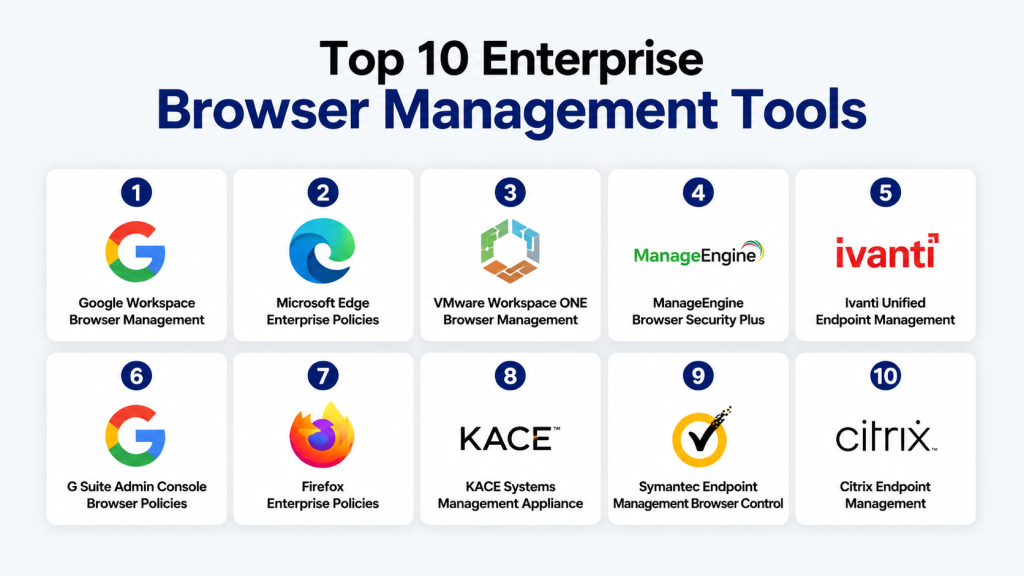
Top 10 Browser Management Tools
1- Google Workspace Browser Management
Short description: Centralized browser policy management for Chrome in enterprise environments, ideal for organizations using Google Workspace.
Key Features
- Enforce Chrome policies across devices
- Manage extensions and bookmarks centrally
- Automated updates for Chrome browser
- Security and compliance settings
- User activity reporting and audit logs
- Integration with Google Workspace Admin console
- Cloud-based policy enforcement
Pros
- Seamless integration with Google Workspace
- Easy deployment for cloud-first organizations
- Strong reporting and audit capabilities
Cons
- Limited support for non-Chrome browsers
- Advanced features require premium plans
- Less flexibility for hybrid deployments
Platforms / Deployment
- Windows, macOS, Linux
- Cloud
Security & Compliance
- SSO/SAML, MFA, encryption
- SOC 2, ISO 27001
Integrations & Ecosystem
Cloud-first integration with Google Workspace and Workspace APIs
- Endpoint management tools
- Admin console reporting
- Chrome extensions management
- SIEM integration via APIs
Support & Community
- Google Workspace support tiers
- Documentation extensive
- Active community forums
2- Microsoft Edge Enterprise Policies
Short description: Enterprise-level management for Edge, supporting centralized configuration and compliance.
Key Features
- Group Policy and Intune management
- Extension control and web filtering
- Security baselines and attack surface reduction
- Automatic browser updates
- Reporting dashboards and telemetry
- Single pane policy management
Pros
- Deep integration with Microsoft 365 and Intune
- Supports hybrid deployment scenarios
- Rich security baselines for enterprise compliance
Cons
- Limited to Edge; Chrome/Firefox require separate management
- Some advanced features require Microsoft E5 licensing
- Learning curve for legacy Group Policy users
Platforms / Deployment
- Windows, macOS
- Cloud / Hybrid
Security & Compliance
- SSO/SAML, MFA, RBAC
- ISO 27001, GDPR
- Not publicly stated: HIPAA/SOC 2
Integrations & Ecosystem
- Intune MDM/UEM
- Microsoft 365 services
- Security and compliance dashboards
- SIEM integration
Support & Community
- Microsoft support tiers
- Detailed documentation
- Large enterprise community
3- VMware Workspace ONE Browser Management
Short description: Unified endpoint management with advanced browser controls, suitable for hybrid and remote workforces.
Key Features
- Centralized browser policies
- Extension management and blocking
- Remote device policy enforcement
- Security monitoring and logging
- Role-based admin controls
- Automated updates
- Integration with Workspace ONE console
Pros
- Hybrid device support
- Strong security and compliance features
- Granular role-based access
Cons
- Higher cost for small teams
- Complexity in initial setup
- Limited standalone browser analytics
Platforms / Deployment
- Windows, macOS, iOS, Android
- Cloud / Hybrid
Security & Compliance
- MFA, SSO, RBAC, encryption
- ISO 27001, Not publicly stated: SOC 2
Integrations & Ecosystem
- Workspace ONE UEM
- SIEM and analytics tools
- Enterprise applications
- APIs for automation
Support & Community
- VMware enterprise support
- Strong documentation
- Active enterprise community
4- ManageEngine Browser Security Plus
Short description: Comprehensive browser management solution focused on security, patching, and compliance.
Key Features
- Browser version patching
- Extension management
- Security and compliance reporting
- Threat detection for browser exploits
- Centralized policy enforcement
- Dashboard analytics
Pros
- Strong security focus
- Supports multiple browsers
- Scalable for mid-market enterprises
Cons
- UI can be complex
- Integration limited to ManageEngine ecosystem
- Advanced analytics require higher-tier plans
Platforms / Deployment
- Windows, macOS
- Cloud / On-prem
Security & Compliance
- Encryption, audit logs
- GDPR, ISO 27001, Not publicly stated: SOC 2
Integrations & Ecosystem
- ManageEngine Endpoint Central
- API integrations
- SIEM dashboards
Support & Community
- Documentation and onboarding support
- Enterprise support available
- Moderate community
5- Ivanti Unified Endpoint Management
Short description: Enterprise UEM with browser policy enforcement and remote management.
Key Features
- Browser configuration across devices
- Extension and add-on control
- Compliance and policy reporting
- Automated updates
- Remote policy enforcement
- Analytics dashboards
- Integration with endpoint security
Pros
- Cross-browser support
- Strong endpoint integration
- Suitable for hybrid IT
Cons
- Premium pricing
- Steep learning curve
- Limited independent reporting outside UEM
Platforms / Deployment
- Windows, macOS, iOS, Android
- Cloud / Hybrid
Security & Compliance
- SSO/SAML, MFA
- ISO 27001, Not publicly stated: SOC 2
Integrations & Ecosystem
- Ivanti Endpoint Manager
- SIEM platforms
- REST APIs
- Cloud app integrations
Support & Community
- Enterprise support
- Extensive documentation
- Moderate community
6- G Suite Admin Console Browser Policies
Short description: Lightweight management for Chrome via G Suite Admin, suited for small-to-medium cloud-first businesses.
Key Features
- Enforce Chrome settings
- Extension blocking and management
- Bookmark and homepage configuration
- Cloud-based updates
- Policy reporting
Pros
- Simple deployment
- Seamless Google integration
- Cost-effective for SMBs
Cons
- Limited advanced security features
- Chrome-only
- Minimal analytics
Platforms / Deployment
- Windows, macOS, Linux
- Cloud
Security & Compliance
- SSO/SAML
- Not publicly stated: SOC 2, ISO 27001
Integrations & Ecosystem
- Google Workspace apps
- Admin API for scripting
- Limited external integrations
Support & Community
- Google support tiers
- Active forums
- Moderate documentation
7- Firefox Enterprise Policies
Short description: Centralized control and configuration for Firefox across organizations.
Key Features
- Enterprise policy engine
- Extension management
- Update scheduling
- Security settings enforcement
- Reporting dashboards
- Cross-platform support
Pros
- Open-source flexibility
- Supports Windows, macOS, Linux
- Strong privacy controls
Cons
- Limited integration with cloud UEM
- Fewer advanced analytics
- Smaller community than Chrome/Edge
Platforms / Deployment
- Windows, macOS, Linux
- On-prem / Cloud Varies
Security & Compliance
- Not publicly stated
Integrations & Ecosystem
- Enterprise policy JSON
- Active Directory integration
- APIs for deployment automation
Support & Community
- Mozilla documentation
- Community forums
- Enterprise support Varies / Not publicly stated
8- KACE Systems Management Appliance (SMA)
Short description: Unified systems management with browser configuration capabilities.
Key Features
- Patch and update browsers
- Extension control
- Security compliance reporting
- Remote policy enforcement
- Device inventory
Pros
- Works across endpoints
- Strong patch management
- Suitable for mid-market to enterprise
Cons
- Limited browser-specific analytics
- Requires appliance setup
- Not cloud-native
Platforms / Deployment
- Windows, macOS
- On-prem / Hybrid
Security & Compliance
- Not publicly stated
Integrations & Ecosystem
- KACE UEM
- Endpoint management integrations
- API automation support
Support & Community
- Enterprise support
- Documentation moderate
- Community small
9- Symantec Endpoint Management Browser Control
Short description: Enterprise-grade security and browser configuration as part of endpoint protection.
Key Features
- Centralized browser policies
- Extension blocking
- Security compliance monitoring
- Automated updates
- Reporting and alerts
Pros
- Security-focused
- Enterprise-ready
- Hybrid deployment support
Cons
- Limited analytics outside security
- Premium pricing
- Complexity in policy setup
Platforms / Deployment
- Windows, macOS
- Cloud / Hybrid
Security & Compliance
- SSO, MFA, encryption
- ISO 27001, Not publicly stated: SOC 2
Integrations & Ecosystem
- Endpoint security suite
- SIEM integrations
- API for automation
Support & Community
- Enterprise support
- Documentation extensive
- Community moderate
10- Citrix Endpoint Management (CEM)
Short description: Browser policy management as part of enterprise mobility and endpoint control.
Key Features
- Cross-browser policy enforcement
- Extension and script control
- Security compliance dashboards
- Remote device policy application
- Integration with Citrix Workspace
Pros
- Hybrid and remote workforce ready
- Strong policy enforcement
- Cross-platform support
Cons
- Requires Citrix ecosystem
- Higher complexity
- Analytics may be limited
Platforms / Deployment
- Windows, macOS, iOS, Android
- Cloud / Hybrid
Security & Compliance
- SSO/SAML, MFA
- Not publicly stated
Integrations & Ecosystem
- Citrix Workspace
- Endpoint management integrations
- API automation support
- Security analytics
Support & Community
- Enterprise support
- Extensive documentation
- Active Citrix community
Comparison Table (Top 10)
| Tool Name | Best For | Platform(s) Supported | Deployment | Standout Feature | Public Rating |
|---|---|---|---|---|---|
| Google Workspace Browser Management | Cloud-first enterprises | Windows, macOS, Linux | Cloud | Chrome policy centralization | N/A |
| Microsoft Edge Enterprise Policies | Microsoft-centric orgs | Windows, macOS | Cloud / Hybrid | Security baselines | N/A |
| VMware Workspace ONE Browser Management | Hybrid/remote | Windows, macOS, iOS, Android | Cloud / Hybrid | Unified endpoint + browser management | N/A |
| ManageEngine Browser Security Plus | Mid-market security-focused | Windows, macOS | Cloud / On-prem | Security and patching | N/A |
| Ivanti Unified Endpoint Management | Cross-browser enterprise | Windows, macOS, iOS, Android | Cloud / Hybrid | Integration with UEM | N/A |
| G Suite Admin Console Browser Policies | SMBs | Windows, macOS, Linux | Cloud | Easy Chrome management | N/A |
| Firefox Enterprise Policies | Privacy-focused orgs | Windows, macOS, Linux | On-prem / Cloud Varies | Enterprise policy engine | N/A |
| KACE SMA | Mid-market management | Windows, macOS | On-prem / Hybrid | Patch management | N/A |
| Symantec Endpoint Management | Security-focused enterprises | Windows, macOS | Cloud / Hybrid | Endpoint security integration | N/A |
| Citrix Endpoint Management | Remote workforce | Windows, macOS, iOS, Android | Cloud / Hybrid | Citrix Workspace integration | N/A |
Evaluation & Scoring of Browser Management
| Tool Name | Core (25%) | Ease (15%) | Integrations (15%) | Security (10%) | Performance (10%) | Support (10%) | Value (15%) | Weighted Total (0–10) |
|---|---|---|---|---|---|---|---|---|
| Google Workspace Browser Management | 9 | 9 | 8 | 8 | 9 | 8 | 9 | 8.8 |
| Microsoft Edge Enterprise Policies | 9 | 8 | 8 | 9 | 9 | 8 | 8 | 8.6 |
| VMware Workspace ONE Browser Management | 8 | 8 | 9 | 8 | 8 | 8 | 8 | 8.2 |
| ManageEngine Browser Security Plus | 8 | 7 | 7 | 9 | 8 | 7 | 8 | 7.9 |
| Ivanti Unified Endpoint Management | 8 | 7 | 8 | 8 | 8 | 7 | 7 | 7.8 |
| G Suite Admin Console Browser Policies | 7 | 9 | 6 | 7 | 8 | 7 | 8 | 7.7 |
| Firefox Enterprise Policies | 7 | 7 | 6 | 7 | 7 | 6 | 7 | 6.9 |
| KACE SMA | 7 | 6 | 6 | 7 | 7 | 6 | 7 | 6.8 |
| Symantec Endpoint Management | 8 | 6 | 7 | 8 | 8 | 7 | 7 | 7.5 |
| Citrix Endpoint Management | 8 | 7 | 8 | 8 | 8 | 7 | 7 | 7.8 |
Which Browser Management Tool Is Right for You?
Solo / Freelancer
Minimal browser management needs; G Suite Admin Console or Firefox Enterprise policies suffice for simplicity and cost-effectiveness.
SMB
Google Workspace Browser Management or G Suite Admin Console provides easy deployment, central control, and cloud simplicity for small teams.
Mid-Market
ManageEngine Browser Security Plus, Ivanti UEM, or VMware Workspace ONE offer hybrid control, security, and cross-browser support suitable for mid-sized organizations.
Enterprise
Microsoft Edge Enterprise Policies, VMware Workspace ONE, Citrix Endpoint Management, and Symantec Endpoint Management provide scale, compliance, and deep integration for large distributed teams.
Budget vs Premium
Budget options favor cloud-native G Suite or Firefox policies. Premium deployments include Workspace ONE, Citrix, or Symantec for comprehensive security, analytics, and hybrid support.
Feature Depth vs Ease of Use
Highly configurable tools (Workspace ONE, Citrix, Symantec) offer deep features but higher learning curves. Cloud-first tools (Google Workspace, G Suite) prioritize ease of use and deployment.
Integrations & Scalability
Enterprises with multiple SaaS apps or endpoint management requirements should prioritize VMware, Citrix, or Microsoft solutions for tight integrations and scalable policies.
Security & Compliance Needs
Organizations with regulatory compliance requirements (GDPR, HIPAA) should prioritize tools with SSO, MFA, audit logs, and strong reporting: Microsoft Edge, Symantec, VMware Workspace ONE.
Frequently Asked Questions (FAQs)
1- What are common pricing models for enterprise browser management?
Most tools use per-device or per-user subscriptions. Some vendors include browser management as part of broader UEM suites.
2- How long does deployment typically take?
Cloud-based solutions can be deployed in days, while hybrid or on-premises setups may require weeks for configuration and testing.
3- Can these tools manage multiple browser types?
Leading tools support Chrome, Edge, Firefox, and sometimes Safari. Vendor documentation should be reviewed for exact coverage.
4- How is security ensured across browsers?
Through policy enforcement, SSO/SAML, MFA, encryption, automated patching, and audit logs.
5- Are there common mistakes during implementation?
Overlooking extension management, misconfiguring update policies, and ignoring role-based access controls are common pitfalls.
6- Can browser management integrate with existing IT systems?
Yes, most enterprise tools integrate with UEM platforms, SIEM systems, and security dashboards.
7- How do organizations handle remote or hybrid employees?
Cloud-based management consoles enable remote policy enforcement, reporting, and automated updates across locations.
8- Can tools provide usage analytics?
Many enterprise tools offer dashboards with extension usage, browser versions, and security compliance metrics.
9- What if we need to switch vendors?
Migration requires policy mapping, device re-enrollment, and ensuring cross-browser continuity; planning is critical.
10- Are there
alternatives to browser management tools?
Small teams may rely on native browser policies, endpoint management tools, or scripts to enforce configurations.
Conclusion
Enterprise Browser Management is a critical pillar of IT security, productivity, and compliance. The right tool depends on your organization’s size, cloud adoption, hybrid work needs, and regulatory requirements. SMBs can achieve simplicity and efficiency with cloud-first solutions, whereas mid-market and large enterprises benefit from comprehensive suites like VMware Workspace ONE, Microsoft Edge Enterprise Policies, or Citrix Endpoint Management. To select the best solution, shortlist 2–3 tools, run pilots in representative environments, validate integration and security controls, and scale across your workforce based on insights from the pilot.

Find Trusted Cardiac Hospitals
Compare heart hospitals by city and services — all in one place.
Explore Hospitals
Web browsers have become critical enterprise workspaces, making policy management more important than ever. Organizations often benefit most from tools that provide granular control over extensions, data sharing, and security settings while still allowing employees the flexibility they need to stay productive.