Introduction
Headless CMS is a modern content management approach where the backend (content repository) is separated from the frontend (presentation layer). Instead of tightly coupling content with a specific website layout, a headless CMS delivers content via APIs, allowing developers to display it across websites, mobile apps, IoT devices, and more.
As businesses move toward omnichannel digital experiences, headless CMS platforms have become essential for delivering consistent, scalable, and flexible content across multiple touchpoints. They empower developers to build custom frontends while giving content teams structured tools to manage content efficiently.
Common Use Cases
- Delivering content across websites, mobile apps, and APIs
- Building modern web applications with frameworks
- Managing multi-channel marketing content
- Powering eCommerce product catalogs
- Supporting localization and multi-language content
What Buyers Should Evaluate
- API capabilities and performance
- Content modeling flexibility
- Developer experience and SDKs
- Scalability and performance
- Integration with frontend frameworks
- Workflow and collaboration features
- Security and access controls
- Hosting and deployment options
- Pricing structure
Best for: Developers, digital product teams, enterprises, and businesses building multi-channel applications.
Not ideal for: Non-technical users who need simple website builders with visual editing tools.
Key Trends in Headless CMS
- API-first and composable architectures
- AI-assisted content creation and personalization
- Integration with frontend frameworks like React and Vue
- Omnichannel content delivery strategies
- Edge delivery for faster performance
- GraphQL adoption for flexible querying
- Low-code/no-code content editing layers
- Cloud-native infrastructure for scalability
- Microservices-based digital experience platforms
- Increased focus on developer experience
How We Selected These Tools (Methodology)
- Evaluated adoption across developer and enterprise ecosystems
- Compared API capabilities and performance
- Assessed flexibility in content modeling
- Reviewed integration ecosystems and SDKs
- Considered scalability for high-traffic applications
- Evaluated security and access control features
- Included both open-source and SaaS solutions
- Reviewed documentation and community strength
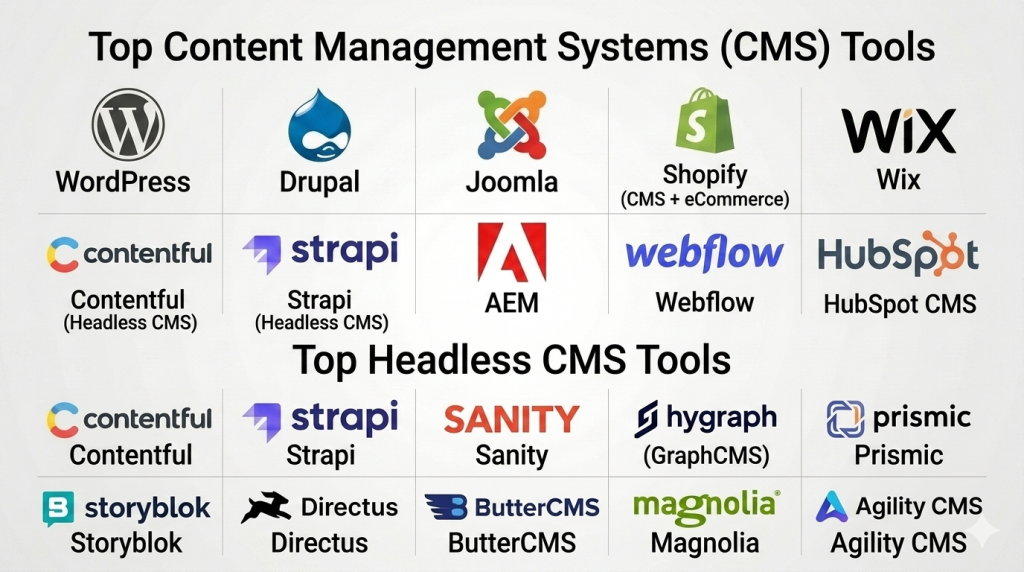
Top 10 Headless CMS Tools
#1 — Contentful
Short description: A leading API-first headless CMS for delivering structured content across multiple platforms.
Key Features
- API-first architecture
- Content modeling tools
- Multi-channel delivery
- Role-based access
- Cloud-native platform
Pros
- Highly scalable
- Strong developer experience
Cons
- Pricing can increase with usage
- Requires technical setup
Platforms / Deployment
Web / Cloud
Security & Compliance
Not publicly stated
Integrations & Ecosystem
Rich ecosystem with APIs and SDKs
- Frontend frameworks
- Marketing tools
- Developer integrations
Support & Community
Strong documentation and support
#2 — Strapi
Short description: Open-source headless CMS offering flexibility and full control over backend content management.
Key Features
- Open-source framework
- Custom content types
- REST and GraphQL APIs
- Role-based permissions
- Plugin ecosystem
Pros
- Fully customizable
- Self-hosting flexibility
Cons
- Requires development effort
- Limited built-in UI features
Platforms / Deployment
Web / Self-hosted / Cloud
Security & Compliance
Not publicly stated
Integrations & Ecosystem
Flexible integrations
- APIs
- Plugins
- Custom applications
Support & Community
Growing developer community
#3 — Sanity
Short description: Real-time headless CMS with structured content editing and flexible APIs.
Key Features
- Real-time collaboration
- Structured content modeling
- API-based delivery
- Customizable editor
- Scalable infrastructure
Pros
- Flexible content structure
- Strong real-time editing
Cons
- Learning curve
- Developer involvement required
Platforms / Deployment
Web / Cloud
Security & Compliance
Not publicly stated
Integrations & Ecosystem
- APIs
- Frontend frameworks
Support & Community
Active community
#4 — Hygraph (GraphCMS)
Short description: GraphQL-native headless CMS optimized for performance and flexibility.
Key Features
- GraphQL API
- Content federation
- Asset management
- Localization support
- Workflow management
Pros
- Strong GraphQL support
- Scalable
Cons
- Requires GraphQL knowledge
- Pricing varies
Platforms / Deployment
Web / Cloud
Security & Compliance
Not publicly stated
Integrations & Ecosystem
- APIs
- Developer tools
Support & Community
Developer-focused support
#5 — Prismic
Short description: Headless CMS focused on simplicity and content-driven websites.
Key Features
- Slice-based content modeling
- API delivery
- Content scheduling
- Localization
- Cloud hosting
Pros
- Easy to use
- Good for marketing teams
Cons
- Limited customization
- Requires frontend setup
Platforms / Deployment
Web / Cloud
Security & Compliance
Not publicly stated
Integrations & Ecosystem
- APIs
- Frontend frameworks
Support & Community
Good documentation
#6 — Storyblok
Short description: Hybrid headless CMS combining visual editing with API-based delivery.
Key Features
- Visual editor
- Component-based content
- API delivery
- Multi-language support
- Workflow management
Pros
- Visual editing for marketers
- Flexible architecture
Cons
- Pricing tiers vary
- Setup required
Platforms / Deployment
Web / Cloud
Security & Compliance
Not publicly stated
Integrations & Ecosystem
- APIs
- Marketing tools
Support & Community
Strong support
#7 — Directus
Short description: Open-source headless CMS that works directly on databases.
Key Features
- Database-first approach
- REST and GraphQL APIs
- Role-based access
- Real-time data access
- Self-hosted flexibility
Pros
- Full data control
- Open-source
Cons
- Requires technical knowledge
- UI is basic
Platforms / Deployment
Web / Self-hosted
Security & Compliance
Not publicly stated
Integrations & Ecosystem
- APIs
- Custom integrations
Support & Community
Active community
#8 — ButterCMS
Short description: Simple API-first CMS for developers building content-driven applications.
Key Features
- API-based content delivery
- Blog engine
- SEO features
- Content management tools
- Cloud hosting
Pros
- Easy integration
- Quick setup
Cons
- Limited advanced features
- Less scalable for enterprise
Platforms / Deployment
Web / Cloud
Security & Compliance
Not publicly stated
Integrations & Ecosystem
- APIs
- Developer tools
Support & Community
Moderate support
#9 — Magnolia
Short description: Enterprise headless CMS focused on digital experience management.
Key Features
- Hybrid CMS
- Content personalization
- Workflow automation
- API integration
- Multi-channel delivery
Pros
- Enterprise-ready
- Flexible deployment
Cons
- Complex setup
- Expensive
Platforms / Deployment
Cloud / Hybrid
Security & Compliance
Not publicly stated
Integrations & Ecosystem
- Enterprise tools
- APIs
Support & Community
Enterprise support
#10 — Agility CMS
Short description: Headless CMS designed for fast content delivery and scalability.
Key Features
- API-first design
- Content modeling
- Multi-channel delivery
- Cloud hosting
- Workflow tools
Pros
- Fast performance
- Easy to scale
Cons
- Limited customization
- Smaller ecosystem
Platforms / Deployment
Web / Cloud
Security & Compliance
Not publicly stated
Integrations & Ecosystem
- APIs
- Developer tools
Support & Community
Good support
Comparison Table (Top 10)
| Tool Name | Best For | Platform(s) Supported | Deployment | Standout Feature | Public Rating |
|---|---|---|---|---|---|
| Contentful | Enterprise | Web | Cloud | API-first | N/A |
| Strapi | Developers | Web | Hybrid | Open-source | N/A |
| Sanity | Real-time content | Web | Cloud | Collaboration | N/A |
| Hygraph | Developers | Web | Cloud | GraphQL | N/A |
| Prismic | Marketing teams | Web | Cloud | Simplicity | N/A |
| Storyblok | Hybrid use | Web | Cloud | Visual editor | N/A |
| Directus | Data-driven apps | Web | Self-hosted | Database-first | N/A |
| ButterCMS | Quick setup | Web | Cloud | Ease of use | N/A |
| Magnolia | Enterprise | Multi | Hybrid | Experience platform | N/A |
| Agility CMS | Scalable apps | Web | Cloud | Performance | N/A |
Evaluation & Scoring of Headless CMS
| Tool | Core | Ease | Integrations | Security | Performance | Support | Value | Total |
|---|---|---|---|---|---|---|---|---|
| Contentful | 10 | 8 | 10 | 8 | 9 | 9 | 7 | 8.8 |
| Strapi | 9 | 7 | 9 | 7 | 8 | 8 | 9 | 8.3 |
| Sanity | 9 | 8 | 9 | 7 | 8 | 8 | 8 | 8.2 |
| Hygraph | 9 | 7 | 10 | 7 | 9 | 8 | 7 | 8.2 |
| Prismic | 8 | 9 | 8 | 7 | 8 | 7 | 8 | 8.0 |
| Storyblok | 9 | 9 | 8 | 7 | 8 | 8 | 7 | 8.1 |
| Directus | 8 | 7 | 9 | 7 | 8 | 7 | 9 | 8.0 |
| ButterCMS | 7 | 9 | 7 | 6 | 7 | 7 | 8 | 7.5 |
| Magnolia | 9 | 6 | 9 | 8 | 9 | 8 | 6 | 8.0 |
| Agility | 8 | 8 | 8 | 7 | 8 | 7 | 8 | 7.9 |
Interpretation:
Scores are relative and help compare strengths. Enterprise tools excel in scalability and integrations, while open-source tools offer better flexibility and cost efficiency.
Which Headless CMS Tool Is Right for You?
Solo / Freelancer
ButterCMS or Prismic for simplicity
SMB
Storyblok or Strapi for flexibility
Mid-Market
Sanity or Contentful for scalability
Enterprise
Contentful or Magnolia for advanced capabilities
Budget vs Premium
Budget: Strapi / Directus
Premium: Contentful
Feature Depth vs Ease of Use
Advanced: Hygraph, Magnolia
Easy: Prismic, Storyblok
Integrations & Scalability
Best: Contentful, Hygraph
Security & Compliance Needs
Best: Contentful, Magnolia
Frequently Asked Questions (FAQs)
1. What is a headless CMS?
It separates content backend from frontend using APIs.
2. Why use headless CMS?
For flexibility and multi-channel content delivery.
3. Is it better than traditional CMS?
Depends on use case; headless is more flexible.
4. Do I need developers?
Yes, most headless CMS require development.
5. What is API-first CMS?
A CMS designed around APIs for content delivery.
6. Can it scale?
Yes, most headless CMS are highly scalable.
7. Is it secure?
Depends on platform and implementation.
8. What industries use it?
eCommerce, media, SaaS, and enterprises.
9. How long to implement?
From days to weeks depending on complexity.
10. Alternatives?
Traditional CMS or static site generators.
Conclusion
Headless CMS platforms have redefined how organizations manage and deliver content in a multi-channel world. By separating the backend from the frontend, these systems provide unmatched flexibility, scalability, and performance—making them ideal for modern digital experiences. Whether you’re delivering content to websites, mobile apps, or emerging platforms, headless CMS enables consistent and efficient content distribution.
The ecosystem offers a wide range of options, from developer-focused platforms like Strapi and Directus to enterprise-grade solutions like Contentful and Magnolia. Each tool brings unique strengths, whether it’s ease of use, scalability, or deep integration capabilities. The right choice depends on your technical resources, content complexity, and long-term digital strategy.

Find Trusted Cardiac Hospitals
Compare heart hospitals by city and services — all in one place.
Explore Hospitals
This explains how headless CMS gives more freedom by separating content from how it is displayed.