Introduction
Content Management Systems (CMS) are platforms that allow individuals and organizations to create, manage, and publish digital content—primarily websites—without needing deep technical expertise. A CMS provides tools for content editing, design management, media handling, and workflow control, making it easier to maintain dynamic websites at scale.
As businesses increasingly operate in digital-first environments, CMS platforms have evolved beyond simple website builders into powerful experience platforms. They now support multi-channel publishing, personalization, headless architectures, and integrations with marketing, analytics, and eCommerce systems.
Common Use Cases
- Building and managing business websites
- Running blogs, news portals, and content hubs
- Managing eCommerce product content
- Publishing multi-language content across regions
- Delivering content across web, mobile, and apps
What Buyers Should Evaluate
- Ease of content creation and editing
- Flexibility in design and customization
- Headless vs traditional CMS architecture
- Integration with marketing and analytics tools
- Scalability and performance
- Security and access control features
- Multi-channel content delivery
- Developer extensibility and APIs
- Total cost of ownership
Best for: Businesses of all sizes, digital marketers, developers, publishers, and enterprises managing large-scale content operations.
Not ideal for: Very simple static websites or users who only need minimal publishing functionality without ongoing content updates.
Key Trends in Content Management Systems (CMS)
- Headless CMS adoption for flexible front-end delivery
- AI-powered content creation and optimization
- API-first and microservices-based architectures
- Omnichannel content delivery across platforms
- Personalization and dynamic content experiences
- Integration with marketing automation and analytics
- Low-code/no-code website building capabilities
- Cloud-native CMS platforms for scalability
- Built-in SEO and performance optimization tools
- Composable digital experience platforms
How We Selected These Tools (Methodology)
- Evaluated global market adoption and ecosystem size
- Compared content editing and publishing capabilities
- Assessed flexibility for developers and marketers
- Reviewed integration ecosystems and APIs
- Considered scalability for high-traffic environments
- Evaluated security and access control mechanisms
- Included a mix of open-source and enterprise platforms
- Assessed documentation, support, and community strength
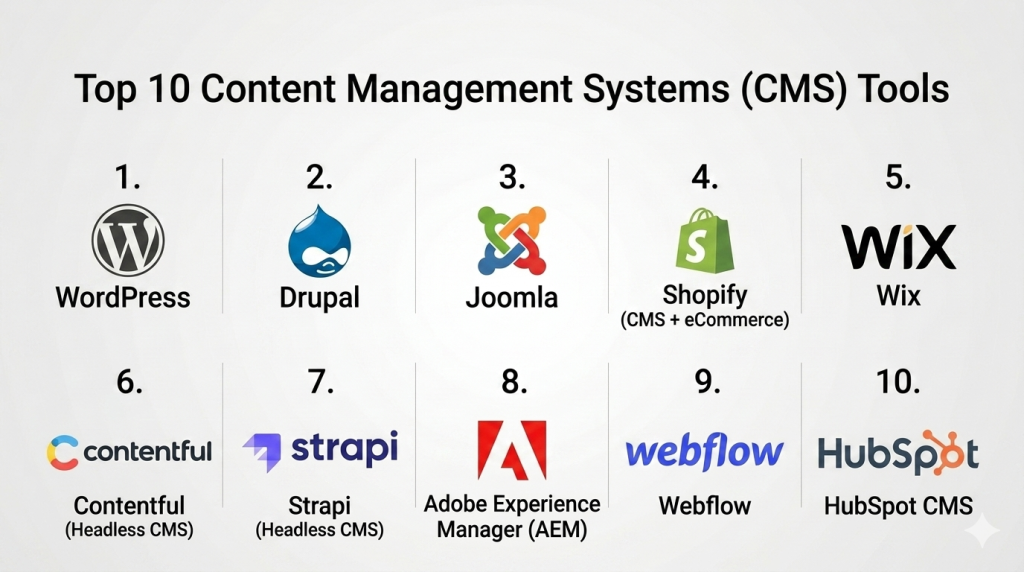
Top 10 Content Management Systems (CMS) Tools
#1 — WordPress
Short description: The most widely used CMS globally, offering unmatched flexibility and a massive plugin ecosystem.
Key Features
- Open-source platform
- Thousands of themes and plugins
- Content editor with customization
- SEO tools
- Multi-user management
- eCommerce support
Pros
- Highly flexible and customizable
- Large community and ecosystem
Cons
- Requires maintenance
- Security depends on configuration
Platforms / Deployment
Web / Self-hosted / Cloud
Security & Compliance
Varies / Not publicly stated
Integrations & Ecosystem
Extensive ecosystem with plugins and APIs
- Marketing tools
- Analytics platforms
- eCommerce systems
Support & Community
Very large global community
#2 — Drupal
Short description: Enterprise-grade open-source CMS known for flexibility and strong security.
Key Features
- Modular architecture
- Advanced content modeling
- Multi-language support
- High scalability
- Role-based access control
Pros
- Highly secure
- Ideal for complex sites
Cons
- Steep learning curve
- Requires developer expertise
Platforms / Deployment
Web / Self-hosted
Security & Compliance
Not publicly stated
Integrations & Ecosystem
- APIs
- Enterprise integrations
Support & Community
Strong developer community
#3 — Joomla
Short description: Flexible CMS balancing ease of use and customization.
Key Features
- Content management tools
- Extension library
- Multi-language support
- Access control
- Template system
Pros
- Flexible
- Moderate learning curve
Cons
- Smaller ecosystem than WordPress
- Less beginner-friendly
Platforms / Deployment
Web / Self-hosted
Security & Compliance
Not publicly stated
Integrations & Ecosystem
- Extensions
- APIs
Support & Community
Active community
#4 — Shopify (CMS + eCommerce)
Short description: Hosted platform combining CMS capabilities with eCommerce functionality.
Key Features
- Website builder
- Product management
- Payment integration
- Templates
- SEO tools
Pros
- Easy to use
- Fully hosted
Cons
- Limited customization
- Transaction fees
Platforms / Deployment
Web / Cloud
Security & Compliance
Not publicly stated
Integrations & Ecosystem
- Payment gateways
- Apps ecosystem
Support & Community
Strong support
#5 — Wix
Short description: Beginner-friendly website builder with integrated CMS capabilities.
Key Features
- Drag-and-drop editor
- Templates
- Hosting included
- SEO tools
- App marketplace
Pros
- Very easy to use
- Fast setup
Cons
- Limited flexibility
- Not ideal for large-scale sites
Platforms / Deployment
Web / Cloud
Security & Compliance
Not publicly stated
Integrations & Ecosystem
- Apps
- APIs
Support & Community
Good support
#6 — Contentful (Headless CMS)
Short description: API-first headless CMS for delivering content across multiple platforms.
Key Features
- Headless architecture
- API-based content delivery
- Multi-channel publishing
- Content modeling
- Cloud-native
Pros
- Highly scalable
- Developer-friendly
Cons
- Requires technical knowledge
- Pricing varies
Platforms / Deployment
Web / Cloud
Security & Compliance
Not publicly stated
Integrations & Ecosystem
- APIs
- Developer tools
Support & Community
Strong developer support
#7 — Strapi (Headless CMS)
Short description: Open-source headless CMS for developers building custom applications.
Key Features
- API-first design
- Custom content types
- Self-hosted flexibility
- Role-based access
- Plugin support
Pros
- Open-source
- Highly customizable
Cons
- Requires development effort
- Limited built-in UI
Platforms / Deployment
Web / Self-hosted / Cloud
Security & Compliance
Not publicly stated
Integrations & Ecosystem
- APIs
- Plugins
Support & Community
Growing community
#8 — Adobe Experience Manager (AEM)
Short description: Enterprise CMS and digital experience platform for large organizations.
Key Features
- Content management
- Personalization
- Multi-channel delivery
- Asset management
- Workflow automation
Pros
- Enterprise-grade
- Highly scalable
Cons
- Expensive
- Complex implementation
Platforms / Deployment
Cloud / Hybrid
Security & Compliance
Not publicly stated
Integrations & Ecosystem
- Marketing tools
- Enterprise systems
Support & Community
Enterprise support
#9 — Webflow
Short description: Visual CMS combining design flexibility with hosting and publishing tools.
Key Features
- Visual design editor
- CMS collections
- Hosting
- SEO tools
- Animations
Pros
- Designer-friendly
- No-code capabilities
Cons
- Limited backend customization
- Pricing varies
Platforms / Deployment
Web / Cloud
Security & Compliance
Not publicly stated
Integrations & Ecosystem
- APIs
- Design tools
Support & Community
Strong community
#10 — HubSpot CMS
Short description: CMS integrated with marketing automation and CRM tools.
Key Features
- Content management
- Marketing automation
- CRM integration
- SEO tools
- Personalization
Pros
- All-in-one platform
- Easy integration
Cons
- Expensive
- Limited flexibility
Platforms / Deployment
Web / Cloud
Security & Compliance
Not publicly stated
Integrations & Ecosystem
- CRM
- Marketing tools
Support & Community
Strong support
Comparison Table (Top 10)
| Tool Name | Best For | Platform(s) Supported | Deployment | Standout Feature | Public Rating |
|---|---|---|---|---|---|
| WordPress | All users | Web | Self-hosted | Flexibility | N/A |
| Drupal | Enterprise | Web | Self-hosted | Security | N/A |
| Joomla | SMB | Web | Self-hosted | Balance | N/A |
| Shopify | eCommerce | Web | Cloud | Store builder | N/A |
| Wix | Beginners | Web | Cloud | Ease of use | N/A |
| Contentful | Developers | Web | Cloud | Headless CMS | N/A |
| Strapi | Developers | Web | Hybrid | Open-source | N/A |
| AEM | Enterprise | Multi | Hybrid | Experience platform | N/A |
| Webflow | Designers | Web | Cloud | Visual builder | N/A |
| HubSpot CMS | Marketing teams | Web | Cloud | CRM integration | N/A |
Evaluation & Scoring of Content Management Systems (CMS)
| Tool | Core | Ease | Integrations | Security | Performance | Support | Value | Total |
|---|---|---|---|---|---|---|---|---|
| WordPress | 10 | 8 | 10 | 7 | 8 | 9 | 9 | 8.9 |
| Drupal | 9 | 6 | 9 | 9 | 9 | 8 | 7 | 8.2 |
| Joomla | 8 | 7 | 7 | 7 | 7 | 7 | 8 | 7.4 |
| Shopify | 9 | 9 | 8 | 8 | 8 | 8 | 7 | 8.2 |
| Wix | 7 | 10 | 6 | 7 | 7 | 7 | 8 | 7.5 |
| Contentful | 9 | 7 | 10 | 8 | 9 | 8 | 7 | 8.3 |
| Strapi | 8 | 7 | 9 | 7 | 8 | 7 | 9 | 8.0 |
| AEM | 10 | 6 | 9 | 9 | 9 | 9 | 6 | 8.4 |
| Webflow | 8 | 9 | 7 | 7 | 8 | 8 | 8 | 8.0 |
| HubSpot | 9 | 9 | 9 | 8 | 8 | 9 | 7 | 8.5 |
Interpretation:
These scores are comparative and reflect overall platform capabilities. Enterprise CMS platforms excel in scalability and security, while simpler tools score higher in usability and affordability.
Which Content Management System (CMS) Tool Is Right for You?
Solo / Freelancer
Wix or Webflow for simplicity and speed
SMB
WordPress or Shopify for flexibility
Mid-Market
Contentful or HubSpot CMS for integrations
Enterprise
Adobe Experience Manager or Drupal for scalability
Budget vs Premium
Budget: WordPress / Strapi
Premium: Adobe Experience Manager
Feature Depth vs Ease of Use
Advanced: Drupal, AEM
Easy: Wix, Webflow
Integrations & Scalability
Best: Contentful, HubSpot
Security & Compliance Needs
Best: Drupal, AEM
Frequently Asked Questions (FAQs)
1. What is a CMS?
A platform for creating and managing website content.
2. What is headless CMS?
A CMS that delivers content via APIs without a fixed frontend.
3. Is WordPress still relevant?
Yes, it remains the most widely used CMS.
4. Do I need coding skills?
Depends on the platform; some are no-code.
5. Which CMS is best for SEO?
Most modern CMS platforms include SEO tools.
6. Can CMS handle eCommerce?
Yes, platforms like Shopify and WordPress support it.
7. Is CMS secure?
Security depends on configuration and updates.
8. Can CMS scale?
Yes, enterprise CMS platforms handle large traffic.
9. How long does setup take?
From hours to weeks depending on complexity.
10. What are alternatives?
Static site generators or custom-built solutions.
Conclusion
Content Management Systems (CMS) have evolved into powerful platforms that go far beyond simple website publishing. They now serve as the backbone of digital experiences, enabling businesses to deliver content across multiple channels, personalize user interactions, and integrate seamlessly with marketing and analytics ecosystems. Whether you’re building a simple blog or managing a global digital presence, the right CMS can significantly impact performance, scalability, and user experience

Find Trusted Cardiac Hospitals
Compare heart hospitals by city and services — all in one place.
Explore Hospitals
This makes it clear how different CMS tools are designed for different needs like blogs, business sites, and enterprise platforms.