Introduction
Feature flag management tools allow organizations to control the release of software features to specific users or environments without deploying new code. By toggling features on or off, development and product teams can safely test new functionality, conduct A/B experiments, and roll out features gradually to minimize risk.
These tools are essential for modern DevOps and continuous delivery workflows. They enable controlled experimentation, fast iteration, and safer releases in distributed software environments. Feature flags also facilitate canary releases, dark launches, and targeted rollouts, improving operational agility and user experience.
Real-world use cases include:
- Gradually rolling out new features to select user segments to reduce the impact of potential bugs.
- Conducting A/B testing or experimentation on new functionality.
- Enabling or disabling features in real-time based on performance metrics.
- Managing multi-environment releases across staging, testing, and production.
- Supporting dynamic user personalization by activating features for specific cohorts.
Key evaluation criteria for feature flag management tools:
- Ease of flag creation and management.
- Granular targeting and segmentation capabilities.
- Integration with CI/CD pipelines and deployment tools.
- Real-time feature toggling and control.
- Analytics and experimentation support.
- Security, access controls, and audit logging.
- API and SDK support for multiple programming languages.
- Scalability across teams and environments.
- Collaboration and workflow features.
- Pricing and total cost of ownership.
Best for: Developers, DevOps teams, product managers, and QA engineers in SMBs, mid-market, and enterprise organizations that deploy features frequently and need precise control over release management.
Not ideal for: Small projects with infrequent releases or teams that deploy features manually without CI/CD workflows. Lightweight toggle scripts may suffice in these cases.
Key Trends in Feature Flag Management Tools
- AI-driven rollout recommendations: Platforms now suggest optimal feature rollout strategies based on historical usage data.
- Full-stack feature flagging: Support for frontend, backend, and mobile SDKs to control features across all layers.
- Integration with CI/CD pipelines: Tight coupling with deployment automation for safer, faster releases.
- Advanced targeting and personalization: Flags can be activated based on user segments, geography, or behavioral triggers.
- Real-time observability: Continuous monitoring of feature impact and system performance.
- Privacy and compliance focus: Ensuring flagging and experimentation comply with global data regulations.
- Experimentation and A/B testing integration: Flags as a mechanism for safely running controlled experiments.
- Granular access control and auditability: Team-based permissions, RBAC, and detailed logging.
- Cloud-first deployments: SaaS solutions allow rapid adoption and scaling without infrastructure management.
- Collaboration and workflow automation: Streamlined approvals, notifications, and audit trails for multi-team operations.
How We Selected These Tools (Methodology)
- Evaluated market adoption and customer mindshare across industries.
- Assessed feature completeness for targeting, rollout strategies, and experimentation.
- Reviewed reliability and performance in large-scale deployments.
- Considered security posture, including encryption, access controls, and compliance standards.
- Analyzed integration capabilities with CI/CD, DevOps, and analytics ecosystems.
- Assessed customer fit across team sizes and operational maturity.
- Examined ease of use and onboarding for development and product teams.
- Evaluated support, community engagement, and documentation.
- Factored in innovation in automation and AI-driven rollout features.
- Considered total cost of ownership and pricing flexibility.
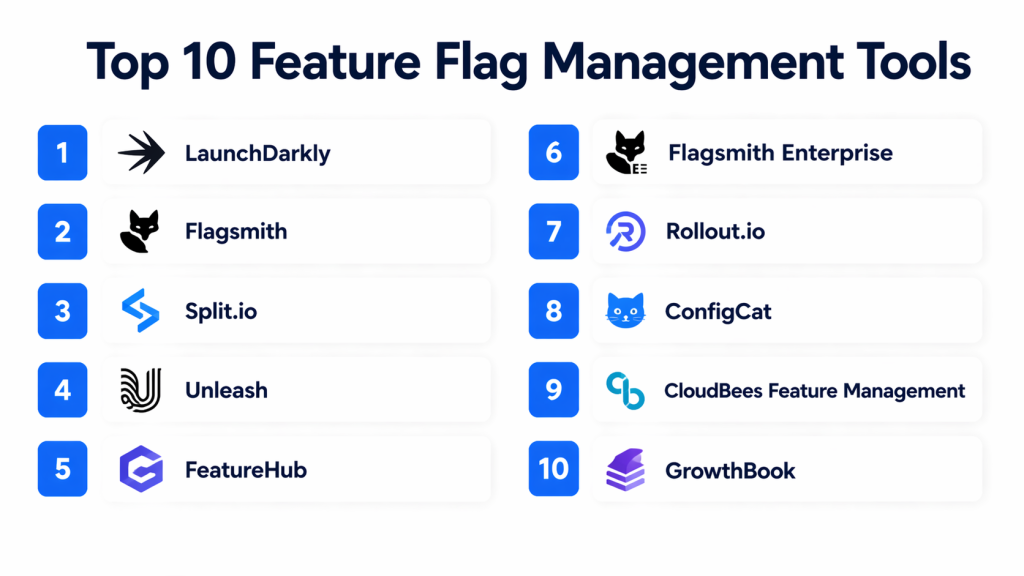
Top 10 Feature Flag Management Tools
#1 — LaunchDarkly
Short description: LaunchDarkly provides full-featured feature flag management and experimentation capabilities, ideal for enterprise DevOps teams.
Key Features
- Real-time feature toggling across environments.
- Multivariate targeting and experimentation.
- SDK support for multiple languages and platforms.
- Audit logs and access controls.
- Integration with CI/CD pipelines and monitoring tools.
- Feature flag lifecycle management.
- Analytics and experimentation dashboards.
Pros
- Scales to large enterprise deployments.
- Supports complex targeting and experimentation scenarios.
- Strong API and SDK ecosystem.
Cons
- Premium pricing may not suit small teams.
- Advanced features require training to maximize.
Platforms / Deployment
- Web, iOS, Android, Windows, Linux
- Cloud / Hybrid
Security & Compliance
- SSO/SAML, RBAC, audit logs
- SOC 2, ISO 27001, GDPR
Integrations & Ecosystem
LaunchDarkly integrates with Jira, GitHub, GitLab, Slack, monitoring platforms, and CI/CD tools:
- Jenkins, CircleCI, Azure DevOps
- DataDog, New Relic
- SDKs for Node.js, Java, Python, Ruby
Support & Community
- Extensive documentation, training resources, and enterprise support.
#2 — Flagsmith
Short description: Flagsmith is an open-source feature flag management platform that offers cloud and self-hosted deployments for developer-first teams.
Key Features
- Feature toggles for frontend and backend applications.
- Multivariate and percentage-based rollouts.
- Integration with CI/CD pipelines.
- REST and GraphQL APIs.
- Audit logging and team-based permissions.
Pros
- Flexible self-hosted or cloud options.
- Open-source community support and extensibility.
- Simple and developer-friendly.
Cons
- Less mature analytics than enterprise tools.
- Limited advanced experimentation features.
Platforms / Deployment
- Web, Windows, macOS, Linux
- Cloud / Self-hosted
Security & Compliance
- Not publicly stated
Integrations & Ecosystem
- GitHub, GitLab, Bitbucket integration
- CI/CD pipelines via APIs
- Custom SDKs and client libraries
Support & Community
- Documentation and community forums; commercial support available.
#3 — Split.io
Short description: Split.io focuses on feature flag management and experimentation for backend and mobile applications, suitable for developer-heavy teams.
Key Features
- Server-side feature flags with rollback.
- Percentage rollouts and targeting rules.
- Metrics-driven experimentation.
- SDK support across multiple languages.
- Integration with CI/CD pipelines and analytics.
Pros
- Excellent for engineering and DevOps teams.
- Provides feature experimentation with metrics.
- Strong analytics for rollout impact.
Cons
- Less visual for non-technical users.
- Premium pricing for advanced enterprise features.
Platforms / Deployment
- Web, iOS, Android, Windows, Linux
- Cloud / Hybrid
Security & Compliance
- SSO, RBAC, audit logging
- Not publicly stated for formal certifications
Integrations & Ecosystem
- CI/CD: Jenkins, CircleCI, GitHub Actions
- Analytics: Google Analytics, Segment
- SDKs: Java, Python, Node.js, Go
Support & Community
- Documentation, developer forums, and enterprise support plans.
#4 — Unleash
Short description: Unleash is an open-source feature flag platform focused on flexibility and self-hosted deployments for developer teams.
Key Features
- Percentage rollouts and targeting rules.
- Multivariate flags for experiments.
- Self-hosted or cloud deployment.
- API-first approach for integrations.
- Audit logging and user management.
Pros
- Fully open-source, highly customizable.
- Flexible deployment options.
- Strong developer community.
Cons
- Limited advanced analytics and experimentation dashboards.
- Requires engineering setup for self-hosted deployments.
Platforms / Deployment
- Web, Windows, macOS, Linux
- Cloud / Self-hosted
Security & Compliance
- Not publicly stated
Integrations & Ecosystem
- CI/CD pipelines, GitHub, GitLab
- SDKs: Node.js, Java, Python, Ruby
Support & Community
- Community-driven support; optional commercial support available.
#5 — FeatureHub
Short description: FeatureHub is an enterprise-grade feature flag management solution with experimentation and multivariate targeting.
Key Features
- Real-time feature toggling.
- Targeted rollouts with user segmentation.
- Multivariate flag support for experiments.
- Audit logging and RBAC.
- SDKs for multiple languages and frameworks.
Pros
- Enterprise-focused with robust features.
- Supports large-scale experimentation and segmentation.
Cons
- Can be complex to configure for small teams.
- Limited third-party analytics integration.
Platforms / Deployment
- Web, Windows, Linux
- Cloud / Self-hosted
Security & Compliance
- SSO/SAML, RBAC
- Not publicly stated
Integrations & Ecosystem
- CI/CD integration with Jenkins, GitHub Actions
- SDKs for Java, Node.js, Python, Go
Support & Community
- Documentation, onboarding, and commercial support plans.
#6 — Flagsmith Enterprise
Short description: Enterprise version of Flagsmith with additional governance, SLA, and analytics for larger teams.
Key Features
- All core Flagsmith features plus advanced analytics.
- Enterprise-grade SLA and uptime guarantees.
- Role-based access and audit logging.
- Extended CI/CD integration support.
Pros
- Suited for regulated enterprise environments.
- Enhanced support and governance.
Cons
- Higher cost compared to standard Flagsmith.
Platforms / Deployment
- Web, Windows, macOS, Linux
- Cloud / Self-hosted
Security & Compliance
- SSO/SAML, audit logging
- Not publicly stated
Integrations & Ecosystem
- CI/CD pipelines, analytics integrations, APIs
Support & Community
- Enterprise-level support with SLAs.
#7 — Rollout.io
Short description: Rollout.io is a feature flag and mobile experimentation platform designed for native iOS and Android apps.
Key Features
- Mobile SDK support for iOS and Android.
- Gradual rollout and targeting rules.
- Analytics dashboards for user impact.
- CI/CD integration.
Pros
- Excellent mobile platform support.
- Real-time toggling and analytics.
Cons
- Limited backend/server-side capabilities.
Platforms / Deployment
- iOS, Android
- Cloud
Security & Compliance
- Not publicly stated
Integrations & Ecosystem
- Analytics and CI/CD tools, mobile SDKs
Support & Community
- Documentation, mobile-focused support.
#8 — ConfigCat
Short description: ConfigCat offers SaaS-based feature flag management with a focus on simplicity and global rollout control.
Key Features
- Percentage rollouts and targeting rules.
- Multivariate flags.
- Multi-environment support.
- API-first integration model.
- Audit logging and access controls.
Pros
- Simple, quick-to-use platform.
- Global rollout and targeting capabilities.
Cons
- Limited advanced experimentation features.
Platforms / Deployment
- Web, Windows, Linux, iOS, Android
- Cloud
Security & Compliance
- Not publicly stated
Integrations & Ecosystem
- CI/CD pipelines, SDKs for major languages
Support & Community
- Documentation, email support, optional enterprise support.
#9 — CloudBees Feature Management
Short description: CloudBees provides enterprise feature flag management integrated into DevOps and CI/CD workflows.
Key Features
- Real-time toggles for web and mobile apps.
- Advanced segmentation and targeting.
- Integration with Jenkins, CI/CD pipelines.
- Audit logging and RBAC.
- SDKs for multiple languages.
Pros
- Tight DevOps and CI/CD integration.
- Enterprise-grade reliability and support.
Cons
- Complexity may be high for smaller teams.
Platforms / Deployment
- Web, Windows, Linux, iOS, Android
- Cloud / Hybrid
Security & Compliance
- SSO/SAML, RBAC
- Not publicly stated
Integrations & Ecosystem
- Jenkins, GitHub Actions, GitLab
- SDKs for Node.js, Java, Python
Support & Community
- Enterprise support and documentation.
#10 — GrowthBook
Short description: GrowthBook is an open-source feature flag and experimentation platform with cloud and self-hosted options.
Key Features
- Percentage rollouts and targeting.
- Experimentation dashboards.
- API-first model.
- SDK support for multiple languages.
- Multi-environment support.
Pros
- Open-source and developer-friendly.
- Flexible deployment and customization.
Cons
- Smaller enterprise support ecosystem.
Platforms / Deployment
- Web, Windows, Linux, iOS, Android
- Cloud / Self-hosted
Security & Compliance
- Not publicly stated
Integrations & Ecosystem
- CI/CD pipelines, analytics, SDKs
Support & Community
- Community support, documentation, optional enterprise plans.
Comparison Table (Top 10)
| Tool Name | Best For | Platform(s) Supported | Deployment | Standout Feature | Public Rating |
|---|---|---|---|---|---|
| LaunchDarkly | Enterprise DevOps | Web, iOS, Android | Cloud / Hybrid | Full-stack feature flag management | N/A |
| Flagsmith | Developer-first teams | Web, Windows, Linux | Cloud / Self-hosted | Open-source flexibility | N/A |
| Split.io | Backend/mobile devs | Web, iOS, Android | Cloud / Hybrid | Experimentation with metrics | N/A |
| Unleash | Developers | Web, Windows, Linux | Cloud / Self-hosted | Open-source customization | N/A |
| FeatureHub | Enterprise | Web, Windows, Linux | Cloud / Self-hosted | Advanced multivariate targeting | N/A |
| Flagsmith Enterprise | Enterprise | Web, Windows, Linux | Cloud / Self-hosted | SLA and analytics | N/A |
| Rollout.io | Mobile developers | iOS, Android | Cloud | Mobile experimentation focus | N/A |
| ConfigCat | SMBs & mid-market | Web, Windows, Linux, iOS, Android | Cloud | Easy-to-use global rollout | N/A |
| CloudBees | DevOps & enterprise | Web, Windows, Linux, iOS, Android | Cloud / Hybrid | CI/CD integrated flags | N/A |
| GrowthBook | Developers | Web, Windows, Linux, iOS, Android | Cloud / Self-hosted | Open-source experimentation | N/A |
Evaluation & Scoring of Feature Flag Management Tools
| Tool Name | Core (25%) | Ease (15%) | Integrations (15%) | Security (10%) | Performance (10%) | Support (10%) | Value (15%) | Weighted Total (0–10) |
|---|---|---|---|---|---|---|---|---|
| LaunchDarkly | 10 | 8 | 9 | 9 | 9 | 8 | 8 | 9.0 |
| Flagsmith | 8 | 8 | 8 | 7 | 8 | 7 | 9 | 8.0 |
| Split.io | 9 | 7 | 8 | 8 | 9 | 7 | 8 | 8.2 |
| Unleash | 8 | 7 | 7 | 7 | 8 | 7 | 8 | 7.7 |
| FeatureHub | 9 | 7 | 8 | 8 | 8 | 7 | 8 | 8.0 |
| Flagsmith Enterprise | 9 | 7 | 8 | 8 | 8 | 8 | 7 | 8.0 |
| Rollout.io | 8 | 8 | 7 | 7 | 8 | 7 | 7 | 7.6 |
| ConfigCat | 7 | 9 | 7 | 7 | 7 | 7 | 8 | 7.6 |
| CloudBees | 9 | 7 | 8 | 8 | 9 | 7 | 7 | 8.0 |
| GrowthBook | 8 | 8 | 7 | 7 | 7 | 7 | 8 | 7.6 |
Scores are comparative, reflecting core capabilities, usability, integrations, security, and value.
Which Feature Flag Management Tool Is Right for You?
Solo / Freelancer
- ConfigCat or GrowthBook for lightweight, easy-to-use feature flag management.
SMB
- Flagsmith or ConfigCat for developer-friendly yet simple feature toggling.
Mid-Market
- Rollout.io or Split.io for mobile and backend experimentation.
Enterprise
- LaunchDarkly, FeatureHub, or CloudBees for full-stack, CI/CD-integrated feature management.
Budget vs Premium
- Budget: ConfigCat, GrowthBook.
- Premium: LaunchDarkly, CloudBees, Flagsmith Enterprise.
Feature Depth vs Ease of Use
- Developers: Split.io, Unleash, GrowthBook.
- Non-technical users: ConfigCat, Rollout.io for simple visual control.
Integrations & Scalability
- Enterprise-scale deployments benefit from LaunchDarkly, CloudBees, and FeatureHub for CI/CD, SDKs, and analytics integration.
Security & Compliance Needs
- Enterprise and regulated environments: LaunchDarkly, Flagsmith Enterprise, FeatureHub.
Frequently Asked Questions (FAQs)
1. What pricing models do feature flag tools follow?
Most offer subscription tiers based on users, flags, and environments. Open-source tools may offer free self-hosted options.
2. How fast can flags be toggled?
Flags can typically be turned on or off instantly, enabling real-time experimentation and rollback.
3. Can I target users or groups?
Yes, modern platforms allow granular targeting by user attributes, geography, or cohorts.
4. Do these tools integrate with CI/CD pipelines?
Yes, LaunchDarkly, Split.io, and others provide direct CI/CD integration for automated deployments.
5. How do feature flags support experimentation?
Flags enable controlled rollouts and A/B testing without deploying new code.
6. Are mobile applications supported?
Most tools provide SDKs for iOS and Android. Some focus specifically on mobile experimentation.
7. How secure are feature flag tools?
Top platforms offer RBAC, SSO, audit logging, and compliance certifications like SOC 2 and ISO 27001.
8. Do I need developers to use these tools?
Visual flag management tools can be used with minimal coding, while backend feature flags require developers.
9. Can I monitor feature impact?
Yes, many tools include dashboards, analytics, and metrics integration to track flag impact.
10. Can I migrate flags between tools?
Migration is possible via APIs and exports, but may require manual configuration for complex setups.
Conclusion
Feature flag management tools enable organizations to safely experiment, gradually release features, and personalize software experiences. Small teams may prefer ConfigCat or GrowthBook for simplicity, while enterprises benefit from LaunchDarkly, FeatureHub, or CloudBees for robust experimentation, targeting, and CI/CD integration. Evaluate your team size, environment complexity, and required integrations to select the right platform. Shortlist 2–3 tools, test key features, and validate security and workflow capabilities before scaling feature flag usage. Proper adoption ensures faster iteration, reduced risk, and optimized software delivery.

Find Trusted Cardiac Hospitals
Compare heart hospitals by city and services — all in one place.
Explore Hospitals
This explains how feature flag tools help developers control feature releases safely without changing the whole codebase.