Introduction
Document Automation Tools are software platforms designed to create, manage, and automate documents such as contracts, invoices, proposals, reports, and legal forms. Instead of manually drafting repetitive documents, these tools use templates, data inputs, and workflows to generate accurate, consistent, and compliant documents at scale.
In today’s fast-paced digital environment, document automation has become essential. Businesses are under pressure to reduce manual work, eliminate errors, and maintain compliance while scaling operations. With the rise of AI-driven workflows, integration ecosystems, and remote collaboration, document automation tools now play a central role in operational efficiency.
Common Use Cases
- Generating contracts and legal agreements
- Automating invoices and billing documents
- Creating HR onboarding and policy documents
- Producing sales proposals and quotes
- Managing compliance documentation
What Buyers Should Evaluate
- Template flexibility and customization
- Workflow automation capabilities
- Integration with CRM/ERP systems
- Security and compliance features
- Ease of use and onboarding
- Scalability for growing teams
- Pricing structure and ROI
- Collaboration and version control
- AI-driven document generation
Best for: Legal teams, HR departments, sales teams, operations leaders, SMBs, and enterprises that handle high volumes of repetitive documentation.
Not ideal for: Individuals or teams with minimal document needs or highly creative, non-standardized content workflows where automation adds limited value.
Key Trends in Document Automation Tools
- AI-powered document generation: Tools now leverage AI to auto-fill, summarize, and suggest content.
- No-code workflow builders: Users can automate processes without technical expertise.
- Deep integrations: Seamless connections with CRM, ERP, and cloud storage systems.
- Cloud-first adoption: Most platforms prioritize cloud deployment for accessibility and scalability.
- Compliance automation: Built-in compliance checks for legal and regulatory requirements.
- Collaborative editing: Real-time collaboration and version control are now standard.
- Template intelligence: Dynamic templates that adapt based on user input.
- API-first architecture: Enables custom workflows and integrations.
- E-signature integration: End-to-end document lifecycle management.
- Usage-based pricing models: Flexible pricing aligned with document volume or users.
How We Selected These Tools (Methodology)
- Evaluated market adoption and brand recognition
- Assessed feature completeness and automation capabilities
- Reviewed ease of use and onboarding experience
- Considered integration ecosystems and API support
- Examined security and compliance readiness
- Analyzed scalability across SMB to enterprise
- Looked at performance and reliability signals
- Evaluated customer fit across industries
- Considered innovation in AI and automation features
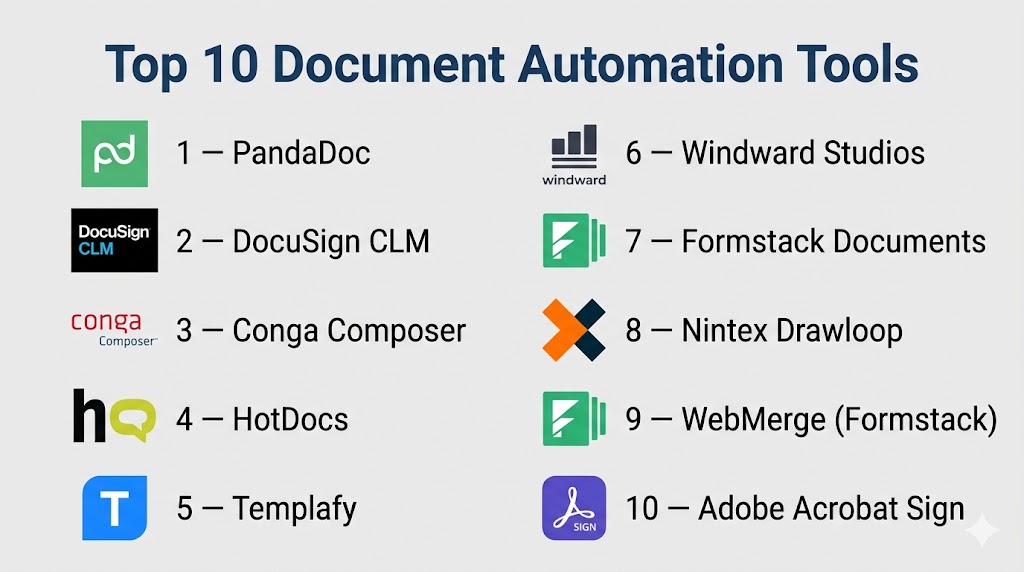
Top 10 Document Automation Tools
#1 — PandaDoc
Short description: A widely used document automation and e-signature platform ideal for sales and business teams.
Key Features
- Drag-and-drop document builder
- Pre-built templates
- E-signature integration
- Workflow automation
- CRM integrations
- Real-time collaboration
Pros
- Easy to use
- Strong sales-focused features
Cons
- Limited advanced customization
- Pricing can scale quickly
Platforms / Deployment
Web / Cloud
Security & Compliance
Encryption, audit logs, RBAC (others not publicly stated)
Integrations & Ecosystem
Integrates with CRM and productivity tools like Salesforce and HubSpot.
- CRM tools
- Payment gateways
- Cloud storage
- API support
Support & Community
Strong documentation and onboarding support; active user base.
#2 — DocuSign CLM
Short description: Enterprise-grade contract lifecycle management with strong compliance features.
Key Features
- Contract lifecycle automation
- Workflow management
- E-signature integration
- Compliance tracking
- Advanced analytics
Pros
- Enterprise-ready
- Strong compliance features
Cons
- Complex setup
- Higher cost
Platforms / Deployment
Cloud
Security & Compliance
SSO, encryption, audit logs, GDPR support
Integrations & Ecosystem
Integrates deeply with enterprise systems.
- Salesforce
- SAP
- Microsoft tools
- API integrations
Support & Community
Enterprise-level support; extensive documentation.
#3 — Conga Composer
Short description: Document generation tool focused on Salesforce users.
Key Features
- Automated document generation
- Salesforce-native integration
- Template management
- Batch processing
- Reporting tools
Pros
- Excellent Salesforce integration
- Scalable
Cons
- Salesforce dependency
- Learning curve
Platforms / Deployment
Cloud
Security & Compliance
Varies / Not publicly stated
Integrations & Ecosystem
Strong CRM integration.
- Salesforce
- CRM tools
- APIs
Support & Community
Good support; strong enterprise user base.
#4 — HotDocs
Short description: Powerful document automation for legal professionals.
Key Features
- Advanced template logic
- Conditional document generation
- Data reuse
- Workflow automation
- Secure document storage
Pros
- Highly customizable
- Ideal for legal use
Cons
- Steep learning curve
- UI not modern
Platforms / Deployment
Windows / Cloud
Security & Compliance
Encryption, access control
Integrations & Ecosystem
Supports integrations via APIs.
- Legal systems
- CRM tools
- Document storage
Support & Community
Moderate community; strong legal industry adoption.
#5 — Templafy
Short description: Enterprise document automation and brand compliance platform.
Key Features
- Centralized template management
- Brand compliance enforcement
- Workflow automation
- Cloud integrations
- Content governance
Pros
- Strong brand control
- Enterprise scalability
Cons
- Expensive
- Complex setup
Platforms / Deployment
Cloud
Security & Compliance
SSO, encryption, compliance controls
Integrations & Ecosystem
- Microsoft Office
- Google Workspace
- APIs
Support & Community
Enterprise-level support.
#6 — Windward Studios
Short description: Developer-friendly document generation engine.
Key Features
- Template-driven document generation
- API-first approach
- Multi-format output
- Data integration
- Reporting tools
Pros
- Highly flexible
- Developer-friendly
Cons
- Requires technical knowledge
- Limited UI features
Platforms / Deployment
Cloud / Self-hosted
Security & Compliance
Varies / Not publicly stated
Integrations & Ecosystem
- APIs
- Databases
- CRM tools
Support & Community
Good documentation; developer-focused.
#7 — Formstack Documents
Short description: No-code document automation tool for business users.
Key Features
- Drag-and-drop builder
- Workflow automation
- Data collection forms
- Integrations
- Document generation
Pros
- Easy to use
- No-code platform
Cons
- Limited customization
- Not ideal for complex workflows
Platforms / Deployment
Cloud
Security & Compliance
Encryption, compliance support
Integrations & Ecosystem
- CRM tools
- Cloud apps
- APIs
Support & Community
Strong onboarding and support.
#8 — Nintex Drawloop
Short description: Document automation solution integrated with workflow automation.
Key Features
- Workflow automation
- Document generation
- Salesforce integration
- Template management
- Compliance tracking
Pros
- Strong workflow capabilities
- CRM integration
Cons
- Complex setup
- Costly
Platforms / Deployment
Cloud
Security & Compliance
SSO, encryption
Integrations & Ecosystem
- Salesforce
- Enterprise apps
- APIs
Support & Community
Enterprise support available.
#9 — WebMerge (Formstack)
Short description: Simple document generation tool for SMBs.
Key Features
- Template-based document creation
- Workflow automation
- Data merging
- Cloud integrations
- File storage
Pros
- Easy setup
- Affordable
Cons
- Limited advanced features
- Basic UI
Platforms / Deployment
Cloud
Security & Compliance
Varies / Not publicly stated
Integrations & Ecosystem
- CRM tools
- Cloud storage
- APIs
Support & Community
Good support for SMB users.
#10 — Adobe Acrobat Sign
Short description: Document automation combined with e-signature capabilities.
Key Features
- E-signature workflows
- Document automation
- PDF management
- Cloud storage
- Integration with Adobe ecosystem
Pros
- Trusted brand
- Strong PDF capabilities
Cons
- Limited automation depth
- Costly
Platforms / Deployment
Web / Cloud
Security & Compliance
Encryption, compliance standards supported
Integrations & Ecosystem
- Adobe tools
- Microsoft
- APIs
Support & Community
Strong global support and documentation.
Comparison Table (Top 10)
| Tool Name | Best For | Platform(s) | Deployment | Standout Feature | Public Rating |
|---|---|---|---|---|---|
| PandaDoc | Sales teams | Web | Cloud | E-signature workflows | N/A |
| DocuSign CLM | Enterprise | Web | Cloud | Contract lifecycle management | N/A |
| Conga Composer | Salesforce users | Web | Cloud | CRM-native automation | N/A |
| HotDocs | Legal teams | Windows/Web | Hybrid | Advanced logic templates | N/A |
| Templafy | Enterprises | Web | Cloud | Brand compliance | N/A |
| Windward Studios | Developers | Multi | Hybrid | API-first engine | N/A |
| Formstack Documents | SMBs | Web | Cloud | No-code automation | N/A |
| Nintex Drawloop | Enterprises | Web | Cloud | Workflow automation | N/A |
| WebMerge | SMBs | Web | Cloud | Simple document merging | N/A |
| Adobe Acrobat Sign | General business | Web | Cloud | PDF + e-signature | N/A |
Evaluation & Scoring of Document Automation Tools
| Tool | Core | Ease | Integrations | Security | Performance | Support | Value | Total |
|---|---|---|---|---|---|---|---|---|
| PandaDoc | 8 | 9 | 8 | 7 | 8 | 8 | 8 | 8.1 |
| DocuSign CLM | 9 | 7 | 9 | 9 | 9 | 9 | 7 | 8.5 |
| Conga Composer | 8 | 7 | 9 | 8 | 8 | 8 | 7 | 8.0 |
| HotDocs | 9 | 6 | 7 | 8 | 8 | 7 | 7 | 7.7 |
| Templafy | 9 | 7 | 8 | 9 | 9 | 8 | 7 | 8.3 |
| Windward | 8 | 6 | 8 | 7 | 8 | 7 | 8 | 7.7 |
| Formstack | 7 | 9 | 7 | 7 | 7 | 8 | 8 | 7.8 |
| Nintex | 9 | 7 | 8 | 8 | 8 | 8 | 7 | 8.1 |
| WebMerge | 7 | 9 | 7 | 6 | 7 | 7 | 9 | 7.7 |
| Adobe Sign | 8 | 8 | 8 | 9 | 8 | 9 | 7 | 8.2 |
How to interpret scores:
These scores are comparative and reflect relative strengths across tools. A higher score indicates a better balance of features, usability, and value. However, the “best” tool depends on your specific use case, team size, and integration needs.
Which Document Automation Tool Is Right for You?
Solo / Freelancer
Simple tools like WebMerge or Formstack are sufficient due to ease of use and affordability.
SMB
PandaDoc and Formstack offer the right balance of features and usability.
Mid-Market
Conga Composer and Nintex provide scalability and integration depth.
Enterprise
DocuSign CLM and Templafy are best for compliance, governance, and scale.
Budget vs Premium
- Budget: WebMerge, Formstack
- Premium: DocuSign CLM, Templafy
Feature Depth vs Ease of Use
- Easy: PandaDoc, Formstack
- Advanced: HotDocs, Windward
Integrations & Scalability
Choose tools with strong APIs like Windward or Conga.
Security & Compliance Needs
Enterprise tools like DocuSign CLM and Templafy lead here.
Frequently Asked Questions (FAQs)
1. What is document automation?
It is the process of automatically generating documents using templates and data inputs.
2. Are these tools suitable for small businesses?
Yes, many tools like Formstack are designed for SMBs.
3. Do these tools support integrations?
Most tools integrate with CRM, ERP, and cloud platforms.
4. Is coding required?
No-code tools exist, but some platforms require technical knowledge.
5. How secure are these tools?
Most offer encryption and access control; compliance varies.
6. Can I automate contracts?
Yes, contract automation is a primary use case.
7. What are common mistakes?
Overcomplicating templates and ignoring integrations.
8. How long does implementation take?
From a few days to several weeks depending on complexity.
9. Can I switch tools easily?
Switching is possible but requires migration planning.
10. Are there alternatives?
Manual templates or basic document editors, but less efficient.
Conclusion
Document automation tools have evolved into essential platforms for modern businesses looking to streamline workflows, reduce manual errors, and improve operational efficiency. From simple template-based systems to advanced AI-driven platforms, the market offers solutions for every business size and need.Choosing the right tool depends heavily on your specific requirements—whether it’s ease of use, deep integrations, compliance needs, or scalability. There is no one-size-fits-all solution, and organizations should carefully evaluate their workflows before making a decision.The best approach is to shortlist 2–3 tools that align with your goals, run pilot implementations, and validate how well they integrate into your existing ecosystem. This hands-on evaluation ensures you select a tool that not only fits today’s needs but also supports future growth and automation goals.

Find Trusted Cardiac Hospitals
Compare heart hospitals by city and services — all in one place.
Explore Hospitals
This explains how document automation tools help create and manage documents faster using templates and data.