Introduction
eSignature Software has transformed how businesses execute agreements—eliminating paperwork, accelerating approvals, and enabling secure digital transactions across global teams. Instead of printing, signing, scanning, and emailing documents, organizations can now complete legally binding agreements in minutes.
As remote work, distributed teams, and digital-first operations become standard, eSignature platforms are no longer optional—they are mission-critical infrastructure for modern businesses. From closing sales deals faster to automating HR onboarding and legal approvals, these tools dramatically improve speed, accuracy, and operational efficiency.
Common Use Cases
- Closing sales contracts and agreements instantly
- Automating employee onboarding documentation
- Managing vendor and procurement approvals
- Handling legal agreements and compliance workflows
- Enabling remote approvals across teams and partners
What Buyers Should Evaluate
- Ease of signing experience for internal and external users
- Workflow automation and approval routing
- Integration with CRM, ERP, and document tools
- Audit trails and tracking capabilities
- Template and document reuse features
- Security, authentication, and compliance support
- Mobile accessibility and cross-device usability
- Scalability for growing document volumes
Best for: Sales teams, legal departments, HR teams, startups, SMBs, and enterprises managing frequent document approvals.
Not ideal for: Individuals with very low document volume or teams that only need occasional signatures without workflow automation.
Key Trends in eSignature Software
- AI-driven contract insights and risk detection
- Full agreement lifecycle platforms beyond just signatures
- Embedded eSignature APIs for custom applications
- Mobile-first signing experiences with biometric support
- Real-time tracking and status visibility
- Multi-party and sequential signing workflows
- Integration with CRM and revenue platforms
- Automated document generation + signing workflows
- Enhanced identity verification and authentication layers
- Cloud-native architecture for scalability and performance
How We Selected These Tools (Methodology)
- Evaluated real-world market adoption and usage scale
- Compared feature depth beyond basic signing
- Assessed workflow automation capabilities
- Reviewed security and compliance readiness
- Analyzed integration ecosystem strength
- Considered ease of use for both senders and signers
- Included a mix of enterprise, SMB, and flexible tools
- Evaluated support quality and onboarding experience
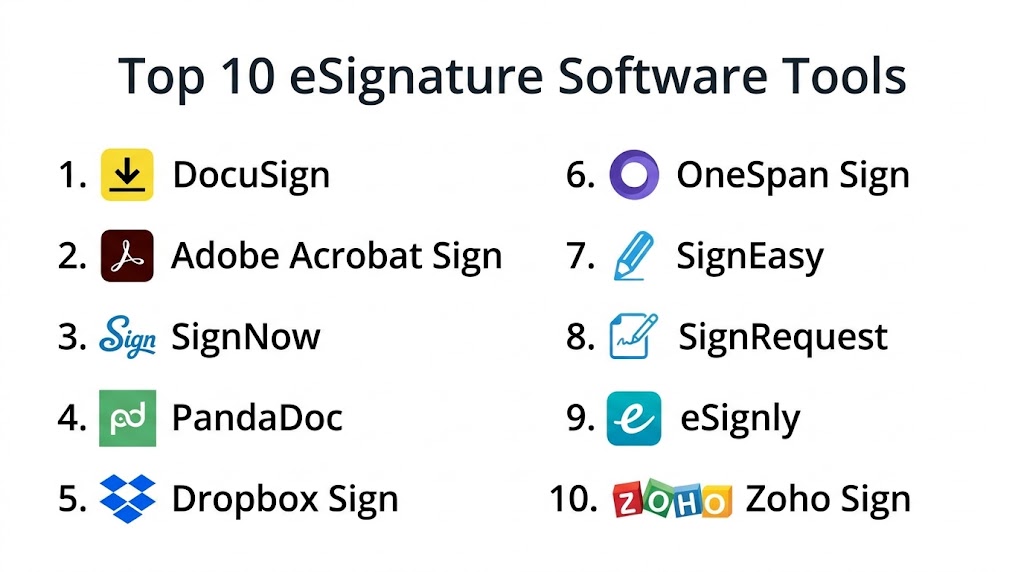
Top 10 eSignature Software Tools
#1 — DocuSign
Short description: The industry standard for eSignatures, offering enterprise-grade workflows, automation, and global scalability.
Key Features
- Digital signature workflows
- Advanced audit trails
- Template-based agreements
- Multi-party signing
- Mobile signing support
- Agreement analytics
Pros
- Widely trusted across industries
- Strong integration ecosystem
Cons
- Expensive for small teams
- Advanced features require setup
Platforms / Deployment
Web / Windows / macOS / iOS / Android / Cloud
Security & Compliance
Encryption, audit logs, RBAC
Integrations & Ecosystem
Deep integrations with enterprise tools
- CRM platforms
- Cloud storage systems
- APIs for custom apps
Support & Community
Extensive documentation and enterprise support
#2 — Adobe Acrobat Sign
Short description: A powerful eSignature solution tightly integrated with document workflows and enterprise ecosystems.
Key Features
- Digital signatures
- Workflow automation
- Document tracking
- Integration with document tools
- Mobile signing
Pros
- Strong enterprise capabilities
- Reliable performance
Cons
- Slight learning curve
- Premium pricing
Platforms / Deployment
Web / Windows / macOS / Cloud
Security & Compliance
Not publicly stated
Integrations & Ecosystem
Strong productivity integrations
- Document management systems
- APIs
Support & Community
Enterprise-grade support
#3 — SignNow
Short description: A flexible and cost-effective solution for businesses looking to scale document workflows.
Key Features
- Multi-user workflows
- Template automation
- Bulk sending
- Mobile signing
- Document sharing
Pros
- Affordable
- Easy to implement
Cons
- Limited advanced analytics
- UI could improve
Platforms / Deployment
Web / Cloud
Security & Compliance
Not publicly stated
Integrations & Ecosystem
- APIs
- CRM integrations
Support & Community
Good onboarding support
#4 — PandaDoc
Short description: Combines document creation, automation, and eSignature into one unified platform.
Key Features
- Drag-and-drop document builder
- eSignature workflows
- Content library
- Real-time tracking
- Payment collection
Pros
- Great for sales teams
- Easy document creation
Cons
- Limited compliance depth
- Pricing tiers vary
Platforms / Deployment
Web / Cloud
Security & Compliance
Not publicly stated
Integrations & Ecosystem
- CRM systems
- Payment tools
- APIs
Support & Community
Strong documentation
#5 — Dropbox Sign
Short description: Simple and intuitive eSignature tool ideal for SMBs and cloud-first teams.
Key Features
- Easy document signing
- Template creation
- Team collaboration
- API support
- Cloud storage integration
Pros
- Clean interface
- Quick setup
Cons
- Limited advanced workflows
- Not ideal for complex use cases
Platforms / Deployment
Web / Cloud
Security & Compliance
Not publicly stated
Integrations & Ecosystem
- Cloud storage tools
- APIs
Support & Community
Good support
#6 — OneSpan Sign
Short description: Enterprise-focused eSignature solution with strong security and compliance capabilities.
Key Features
- Advanced authentication
- Digital signatures
- Workflow automation
- Audit trails
- Compliance features
Pros
- High security
- Enterprise-ready
Cons
- Complex setup
- Higher cost
Platforms / Deployment
Cloud / Hybrid
Security & Compliance
Not publicly stated
Integrations & Ecosystem
- APIs
- Enterprise systems
Support & Community
Enterprise support
#7 — SignEasy
Short description: Lightweight, mobile-first eSignature solution for individuals and small teams.
Key Features
- Mobile signing
- Offline access
- Template management
- Multi-format support
- Cloud integration
Pros
- Very easy to use
- Mobile-friendly
Cons
- Limited enterprise features
- Basic workflows
Platforms / Deployment
iOS / Android / Web / Cloud
Security & Compliance
Not publicly stated
Integrations & Ecosystem
- Cloud tools
- APIs
Support & Community
Good onboarding
#8 — SignRequest
Short description: Simple and affordable eSignature platform focused on usability.
Key Features
- Document signing
- Audit logs
- Workflow automation
- Templates
- API access
Pros
- Easy to use
- Budget-friendly
Cons
- Limited advanced features
- Basic UI
Platforms / Deployment
Web / Cloud
Security & Compliance
Not publicly stated
Integrations & Ecosystem
- APIs
- CRM tools
Support & Community
Moderate support
#9 — eSignly
Short description: Affordable eSignature solution for startups and small businesses.
Key Features
- Digital signatures
- Workflow automation
- Multi-user support
- Document tracking
- Templates
Pros
- Cost-effective
- Simple interface
Cons
- Limited integrations
- Basic feature set
Platforms / Deployment
Web / Cloud
Security & Compliance
Not publicly stated
Integrations & Ecosystem
- APIs
Support & Community
Moderate support
#10 — Zoho Sign
Short description: Integrated eSignature tool within the Zoho ecosystem for business workflows.
Key Features
- Digital signing
- Workflow automation
- Template management
- Audit trails
- Mobile access
Pros
- Affordable
- Strong ecosystem integration
Cons
- Best within Zoho ecosystem
- Limited standalone power
Platforms / Deployment
Web / Cloud
Security & Compliance
Not publicly stated
Integrations & Ecosystem
- Zoho apps
- APIs
Support & Community
Good support
Comparison Table (Top 10)
| Tool Name | Best For | Platform(s) | Deployment | Standout Feature | Public Rating |
|---|---|---|---|---|---|
| DocuSign | Enterprise | Multi-platform | Cloud | Industry standard | N/A |
| Adobe Sign | Enterprise | Multi-platform | Cloud | Document ecosystem | N/A |
| SignNow | SMB | Web | Cloud | Affordable scaling | N/A |
| PandaDoc | Sales teams | Web | Cloud | Document + signing | N/A |
| Dropbox Sign | SMB | Web | Cloud | Simplicity | N/A |
| OneSpan | Enterprise | Multi | Hybrid | Security | N/A |
| SignEasy | Individuals | Mobile/Web | Cloud | Mobile-first | N/A |
| SignRequest | SMB | Web | Cloud | Simplicity | N/A |
| eSignly | Startups | Web | Cloud | Low cost | N/A |
| Zoho Sign | SMB | Web | Cloud | Ecosystem integration | N/A |
Evaluation & Scoring of eSignature Software
| Tool | Core | Ease | Integrations | Security | Performance | Support | Value | Total |
|---|---|---|---|---|---|---|---|---|
| DocuSign | 10 | 8 | 10 | 9 | 9 | 9 | 7 | 8.9 |
| Adobe | 9 | 8 | 9 | 8 | 8 | 9 | 7 | 8.3 |
| SignNow | 8 | 9 | 8 | 7 | 8 | 8 | 9 | 8.4 |
| PandaDoc | 9 | 9 | 8 | 7 | 8 | 8 | 8 | 8.3 |
| Dropbox | 7 | 9 | 7 | 6 | 7 | 7 | 8 | 7.5 |
| OneSpan | 9 | 7 | 8 | 9 | 8 | 8 | 7 | 8.1 |
| SignEasy | 7 | 10 | 6 | 6 | 7 | 7 | 9 | 7.6 |
| SignRequest | 7 | 9 | 6 | 6 | 7 | 7 | 9 | 7.5 |
| eSignly | 6 | 8 | 5 | 6 | 7 | 6 | 9 | 7.0 |
| Zoho | 8 | 9 | 9 | 7 | 8 | 8 | 9 | 8.4 |
Interpretation:
These scores are comparative—not absolute. Enterprise tools lead in security and integrations, while SMB tools win in ease of use and cost efficiency.
Which eSignature Tool Is Right for You?
Solo / Freelancer
SignEasy or SignRequest for simplicity and speed
SMB
SignNow or Zoho Sign for affordability and flexibility
Mid-Market
PandaDoc or Dropbox Sign for balanced workflows
Enterprise
DocuSign or OneSpan for compliance and scalability
Budget vs Premium
Budget: eSignly
Premium: DocuSign
Feature Depth vs Ease of Use
Advanced: OneSpan, DocuSign
Easy: SignEasy, Dropbox Sign
Integrations & Scalability
Best: DocuSign, Zoho
Security & Compliance Needs
Best: DocuSign, OneSpan
Frequently Asked Questions (FAQs)
1. What is eSignature software?
It enables users to digitally sign documents securely without printing.
2. Are eSignatures legally valid?
Yes, in most regions when compliance standards are met.
3. Can multiple people sign a document?
Yes, tools support sequential and parallel signing workflows.
4. Do these tools work on mobile?
Most modern tools offer mobile apps or web access.
5. Is it secure?
Yes, leading tools provide encryption and audit trails.
6. Can I automate workflows?
Yes, many tools include workflow automation features.
7. What industries use eSignature tools?
Sales, legal, HR, finance, and procurement.
8. Can I integrate with CRM?
Yes, most tools support CRM integrations.
9. How long does setup take?
From minutes to days depending on complexity.
10. What are alternatives?
Manual signing or basic PDF tools.
Conclusion
eSignature software has moved from a convenience tool to a core business requirement, enabling faster, more secure, and fully digital agreement workflows. Organizations that adopt these platforms see immediate gains in speed, efficiency, and user experience—especially in sales, HR, and legal operations. By eliminating manual steps and enabling real-time approvals, these tools directly impact revenue cycles and operational productivity.The market offers a wide range of options—from simple, mobile-first tools to enterprise-grade platforms with deep automation and compliance capabilities. Choosing the right solution depends on your business size, workflow complexity, and integration needs. While tools like DocuSign and OneSpan dominate enterprise environments, solutions like SignNow, PandaDoc, and Zoho Sign provide excellent value for growing teams.

Find Trusted Cardiac Hospitals
Compare heart hospitals by city and services — all in one place.
Explore Hospitals
This explains how eSignature tools make document signing faster without using paper.