Introduction
OCR (Optical Character Recognition) & Document Capture Software enables organizations to convert physical documents, scanned images, and PDFs into structured, searchable, and editable digital data. These tools go beyond simple scanning—they extract, classify, and organize information automatically, reducing manual data entry and improving accuracy.
Modern businesses deal with massive volumes of unstructured documents like invoices, contracts, and forms. OCR and document capture tools help automate this process using AI and machine learning, making data instantly usable across systems. These tools are now critical for digital transformation, compliance, and operational efficiency.
Common Use Cases
- Digitizing paper records into searchable formats
- Extracting data from invoices, receipts, and forms
- Automating document workflows in finance and HR
- Processing legal and compliance documents
- Enabling searchable document archives
What Buyers Should Evaluate
- OCR accuracy and language support
- Structured data extraction capabilities
- AI/ML learning and adaptability
- Integration with ERP/CRM systems
- Workflow automation features
- Scalability for high-volume processing
- Security and compliance standards
- Ease of deployment and usability
Best for: Enterprises, finance teams, legal departments, healthcare organizations, and businesses handling high document volumes.
Not ideal for: Individuals with minimal scanning needs or teams requiring only basic PDF conversion tools.
Key Trends in OCR & Document Capture Software
- AI-powered OCR engines improving accuracy for complex documents
- Intelligent Document Processing combining OCR with machine learning
- Cloud-native platforms enabling scalable processing
- API-first architectures for seamless integration
- Multi-language recognition for global operations
- Automated document classification using AI
- Real-time processing and validation
- Integration with ERP and CRM systems
- Low-code and no-code workflow automation
- Enhanced compliance and audit capabilities
How We Selected These Tools (Methodology)
- Evaluated market adoption and enterprise usage
- Compared OCR accuracy and AI capabilities
- Assessed data extraction and automation features
- Reviewed integration ecosystems and APIs
- Considered security and compliance readiness
- Ensured coverage across enterprise and developer tools
- Analyzed performance at scale
- Reviewed documentation and support quality
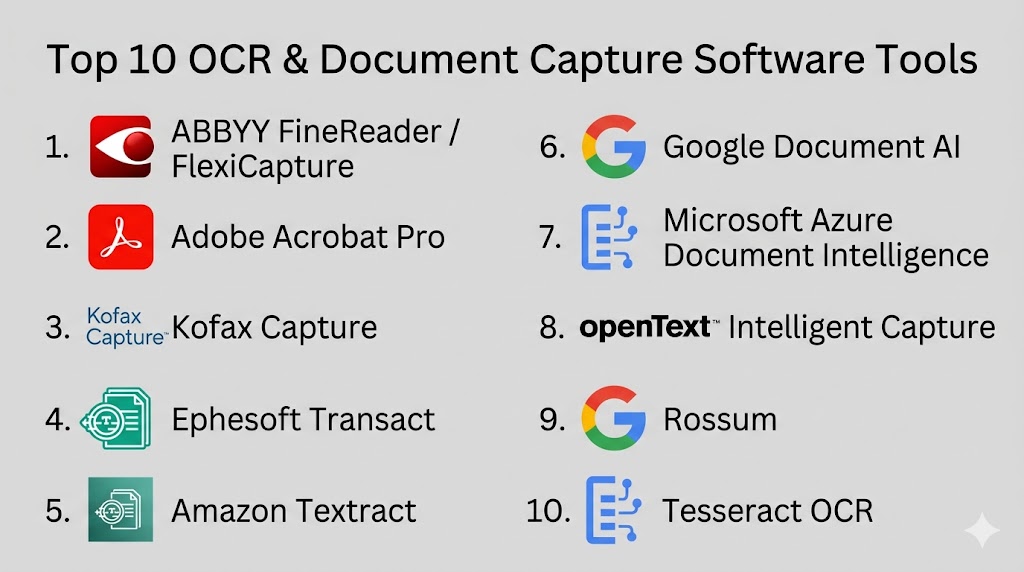
Top 10 OCR & Document Capture Software Tools
#1 — ABBYY FineReader / FlexiCapture
Short description: Industry-leading OCR and intelligent document processing platform for high-accuracy data extraction.
Key Features
- Advanced OCR with high accuracy
- AI-based document classification
- Multi-language support
- Structured data extraction
- Batch processing
- PDF editing and comparison
Pros
- Excellent OCR accuracy
- Enterprise-grade capabilities
Cons
- Expensive
- Complex setup
Platforms / Deployment
Windows / macOS / Cloud / Hybrid
Security & Compliance
Not publicly stated
Integrations & Ecosystem
Integrates with enterprise systems and databases
- APIs
- ERP/CRM integrations
- Workflow automation tools
Support & Community
Strong enterprise support and documentation
#2 — Adobe Acrobat Pro
Short description: Widely used PDF and OCR tool combining document editing, conversion, and capture.
Key Features
- OCR for scanned documents
- PDF editing and conversion
- Batch processing
- Cloud storage integration
- Annotation tools
Pros
- Trusted and widely used
- Easy to use
Cons
- Expensive
- Limited automation
Platforms / Deployment
Windows / macOS / Web / Cloud
Security & Compliance
Encryption, secure document handling
Integrations & Ecosystem
Integrates with cloud storage and productivity tools
- APIs
- Document workflows
Support & Community
Extensive support and documentation
#3 — Kofax Capture
Short description: Enterprise-grade document capture solution with strong workflow automation.
Key Features
- Document classification
- Data extraction
- Workflow automation
- High-volume processing
- Integration with enterprise systems
Pros
- Highly scalable
- Strong automation
Cons
- Complex implementation
- Costly
Platforms / Deployment
Windows / Cloud / On-premise
Security & Compliance
Not publicly stated
Integrations & Ecosystem
Enterprise integrations
- APIs
- ERP systems
Support & Community
Enterprise-level support
#4 — Ephesoft Transact
Short description: AI-driven document capture platform combining OCR with machine learning.
Key Features
- AI-based classification
- Data extraction
- Workflow automation
- Cloud deployment
- Custom model training
Pros
- Flexible and modern
- AI-driven automation
Cons
- Learning curve
- Setup required
Platforms / Deployment
Cloud / Hybrid
Security & Compliance
Not publicly stated
Integrations & Ecosystem
APIs and enterprise integrations
- Workflow tools
- Databases
Support & Community
Good enterprise support
#5 — Amazon Textract
Short description: Cloud-based OCR service for extracting structured data from documents.
Key Features
- Text extraction
- Table and form recognition
- API-first design
- Scalable processing
- Cloud-native
Pros
- Highly scalable
- Strong AI capabilities
Cons
- Requires technical knowledge
- Pricing varies
Platforms / Deployment
Cloud
Security & Compliance
Not publicly stated
Integrations & Ecosystem
Cloud ecosystem
- APIs
- Automation tools
Support & Community
Strong developer documentation
#6 — Google Document AI
Short description: AI-powered document processing platform for extracting and organizing data.
Key Features
- Advanced OCR models
- Data classification
- Structured extraction
- API integration
- AI-driven insights
Pros
- High accuracy
- Strong AI
Cons
- Requires cloud expertise
- Pricing complexity
Platforms / Deployment
Cloud
Security & Compliance
Not publicly stated
Integrations & Ecosystem
Cloud ecosystem
- APIs
- AI tools
Support & Community
Developer-focused support
#7 — Microsoft Azure Document Intelligence
Short description: OCR and document AI platform integrated with Microsoft ecosystem.
Key Features
- OCR and extraction
- Prebuilt AI models
- Custom model training
- API integration
- Cloud scalability
Pros
- Strong integration
- Scalable
Cons
- Requires Azure knowledge
- Pricing varies
Platforms / Deployment
Cloud
Security & Compliance
Not publicly stated
Integrations & Ecosystem
Microsoft ecosystem
- APIs
- Automation tools
Support & Community
Strong enterprise support
#8 — OpenText Intelligent Capture
Short description: Enterprise document capture tool for automating data extraction and workflows.
Key Features
- Document classification
- Data extraction
- Workflow automation
- Compliance tools
- Integration capabilities
Pros
- Enterprise-ready
- Strong automation
Cons
- Expensive
- Complex
Platforms / Deployment
Cloud / On-premise
Security & Compliance
Not publicly stated
Integrations & Ecosystem
Enterprise integrations
- APIs
- ERP systems
Support & Community
Enterprise support
#9 — Rossum
Short description: AI-first document capture platform focused on invoice processing.
Key Features
- AI-based extraction
- Automation workflows
- Cloud-native
- API integration
- Learning models
Pros
- Easy automation
- Modern UI
Cons
- Limited customization
- Pricing varies
Platforms / Deployment
Cloud
Security & Compliance
Not publicly stated
Integrations & Ecosystem
APIs and integrations
- ERP systems
- Automation tools
Support & Community
Good support
#10 — Tesseract OCR
Short description: Open-source OCR engine widely used by developers.
Key Features
- Open-source OCR
- Multi-language support
- Custom training
- Image processing
- API integration
Pros
- Free and flexible
- Highly customizable
Cons
- Requires technical skills
- No UI
Platforms / Deployment
Windows / Linux / macOS
Security & Compliance
Not publicly stated
Integrations & Ecosystem
Developer ecosystem
- APIs
- Open-source tools
Support & Community
Strong community support
Conclusion
OCR and document capture software have become essential for organizations aiming to digitize and automate document-heavy workflows. These tools eliminate manual data entry, improve accuracy, and enable faster decision-making by transforming unstructured data into usable formats. As businesses scale, the ability to process large volumes of documents efficiently becomes a major operational advantage.Different tools cater to different needs—enterprise solutions like ABBYY and Kofax focus on scalability and compliance, while developer-focused options like Tesseract offer flexibility and cost efficiency. Cloud-native platforms such as Azure and Google Document AI bring powerful AI capabilities for modern automation use cases.

Find Trusted Cardiac Hospitals
Compare heart hospitals by city and services — all in one place.
Explore Hospitals
This explains how OCR tools turn scanned documents into useful and searchable data for daily work.