Introduction
Email marketing software refers to tools that help organizations design, send, automate, and analyze email campaigns. These platforms centralize subscriber management, email creation, automation workflows, engagement tracking, and deliverability optimization. Email remains one of the most cost‑effective channels for customer communication, retention, and revenue growth, especially when integrated with AI‑enhanced personalization and cross‑channel coordination.
Modern email marketing platforms extend beyond basic blasts — offering behavioral triggers, real-time segmentation, AI-guided subject lines and send times, deep analytics, and native integration with CRM, analytics, and customer data platforms.
Real-world use cases include:
- E‑commerce brands sending abandoned cart and promotional campaigns.
- SaaS companies onboarding new users with automated drip sequences.
- Nonprofits driving engagement and donations through segmented newsletters.
- Events and media outlets delivering personalized content to subscribers.
- Local businesses keeping customers informed about deals and updates.
What buyers should evaluate:
- Template quality and design flexibility
- Automation workflows and trigger options
- Segmentation and personalization capabilities
- Deliverability rates and reputation tools
- Real-time analytics and reporting
- CRM and third-party integrations
- AI-driven features (subject line suggestions, send-time optimization)
- Compliance with privacy and anti-spam laws
- Ease of use and onboarding
- Pricing structure and scalability
Best for: Marketing teams, small business owners, e-commerce operators, and customer engagement managers looking to boost communication effectiveness.
Not ideal for: Organizations that do not rely on email for strategic communication or who require only interpersonal/transactional emails without analytics or automation — in such cases, built-in SMTP services or simple mail clients may suffice.
Key Trends in Email Marketing Software
- AI-guided optimization for send time, subject lines, content blocks, and segmentation.
- Hyper-personalization using real-time behavioral and CRM data.
- Cross-channel sequencing integrating SMS, push, and social messaging.
- Privacy-first compliance with built-in consent, unsubscribe, and data governance tools.
- Serverless and API-first email delivery models for developers.
- Advanced analytics dashboards with predictive insights and cohort analysis.
- Native integrations with CDPs and CRM ecosystems for unified customer profiles.
- Template libraries with modular content blocks for faster campaign creation.
- Automated deliverability monitoring and reputation management tools.
- Tiered/usage-based pricing to align with email volume and engagement tiers.
How We Selected These Tools (Methodology)
- Market adoption and brand visibility — seeing real usage across industries.
- Core email features — strong automation, templates, deliverability tools.
- AI and personalization support — modern optimization capabilities.
- Reliability and deliverability performance — uptime, inbox placement, throughput.
- Security and compliance posture — encryption, access control, privacy.
- Integrations and ecosystem reach — CRM, analytics, CDP, e-commerce, APIs.
- Ease of use and onboarding experience — including templates and workflows.
- Scalability for growing contact lists and campaigns.
- Support and community resources.
- Pricing transparency and value for features offered.
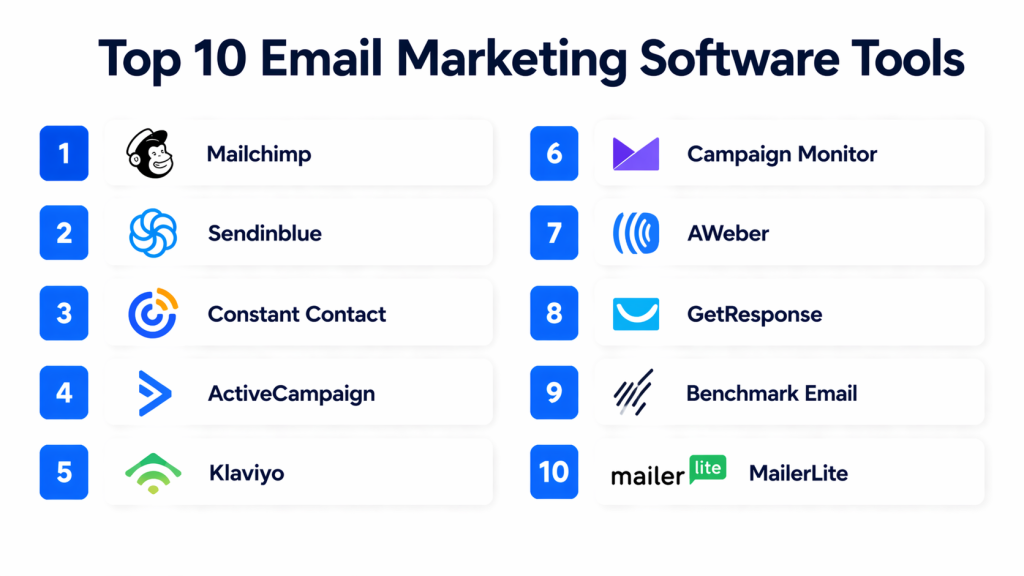
Top 10 Email Marketing Software Tools
#1 — Mailchimp
Short description: Widely recognized platform offering intuitive campaign creation, automation workflows, and audience segmentation for small to mid-sized businesses.
Key Features
- Drag-and-drop email builder
- Prebuilt automation workflows
- Audience segmentation and tagging
- AI-driven content suggestions and send-time optimization
- A/B testing tools
- Real-time analytics and engagement tracking
- Integrations with CRM and e-commerce tools
Pros
- Beginner-friendly with lots of templates
- Scales from free tier to advanced plans
- Strong ecosystem of integrations
Cons
- Limited advanced automation for enterprise use
- Pricing increases with large contact lists
- Some advanced analytics behind premium tiers
Platforms / Deployment
- Web, iOS, Android
- Cloud
Security & Compliance
- SSO/SAML available on select plans
- GDPR compliance features
- Encryption in transit and at rest
Integrations & Ecosystem
- CRM connectors, e-commerce plugins, APIs for custom integration
Support & Community
- Documentation, tutorials, email support, active user community
#2 — Sendinblue
Short description: Multi-channel marketing platform combining email with SMS and chat automation for SMBs.
Key Features
- Email and SMS campaigns
- Workflow automation and triggers
- Real-time analytics
- A/B testing
- Contact segmentation
- Transactional email API
Pros
- Affordable pricing
- Multi-channel support
- Intuitive interface
Cons
- Some advanced features restricted to higher tiers
- Deliverability tools less comprehensive
Platforms / Deployment
- Web
- Cloud
Security & Compliance
- GDPR compliance
- Encryption
Integrations & Ecosystem
- CRM, CMS, e-commerce, API for developers
Support & Community
- Documentation, email support, forums
#3 — Constant Contact
Short description: Tool with strong deliverability features and support resources, popular for small businesses and nonprofits.
Key Features
- Drag-and-drop email builder
- Automation sequencing
- Contact list management
- Event marketing tools
- Real-time reporting
- A/B testing
Pros
- Excellent support and onboarding
- Strong for beginners and nonprofits
- Good deliverability
Cons
- Less advanced for enterprise
- Analytics not as deep
Platforms / Deployment
- Web, iOS
- Cloud
Security & Compliance
- GDPR compliance
- Encryption
Integrations & Ecosystem
- CRM, e-commerce, event platforms
Support & Community
- Live support, webinars, tutorials, active user community
#4 — ActiveCampaign
Short description: Combines email marketing automation with CRM for cross-channel engagement and behavior-based workflows.
Key Features
- Email automation and triggers
- CRM and lead scoring
- SMS and site messaging
- Behavioral segmentation
- A/B testing and analytics
- Predictive sending
Pros
- Deep automation capabilities
- CRM integration
- Behavior-based personalization
Cons
- Learning curve for mid-tier
- Pricing rises for large lists
Platforms / Deployment
- Web, iOS, Android
- Cloud
Security & Compliance
- Varies by plan
Integrations & Ecosystem
- CRM, e-commerce, analytics, API
Support & Community
- Tutorials, webinars, email support, community forum
#5 — Klaviyo
Short description: Email and SMS marketing platform widely used by e-commerce brands for segmentation and automation tied to purchase behavior.
Key Features
- Automated email flows
- SMS integration
- Rich audience segmentation
- Predictive analytics
- A/B testing
- Real-time reporting
Pros
- E-commerce-centric analytics
- Strong segmentation
- Real-time personalization
Cons
- Less suited for transactional email only
- Pricing grows with data size
Platforms / Deployment
- Web
- Cloud
Security & Compliance
- GDPR compliance
Integrations & Ecosystem
- E-commerce platforms, CRM, analytics, API
Support & Community
- Help center, documentation, email support
#6 — Campaign Monitor
Short description: Focuses on design and simplicity, ideal for creative email campaigns.
Key Features
- Drag-and-drop editor
- Segmentation
- Automation sequences
- A/B testing
- Analytics
Pros
- Highly customizable templates
- Simple workflow
- Good reporting
Cons
- Less advanced automation
- Pricing higher for premium templates
Platforms / Deployment
- Web
- Cloud
Security & Compliance
- GDPR, encryption
Integrations & Ecosystem
- CRM, CMS, APIs
Support & Community
- Tutorials, documentation, email support
#7 — AWeber
Short description: Classic solution known for simplicity and reliable deliverability, popular with small business owners.
Key Features
- Email templates and editor
- Automation sequences
- Subscriber tagging
- Analytics
- A/B testing
Pros
- Easy to learn
- Solid deliverability
- Affordable
Cons
- Fewer advanced automation
- Less modern UI and analytics
Platforms / Deployment
- Web
- Cloud
Security & Compliance
- GDPR compliance
Integrations & Ecosystem
- CRM, e-commerce, API
Support & Community
- Documentation, webinars, email support
#8 — GetResponse
Short description: Email and marketing automation platform with webinar, landing page, and CRM capabilities.
Key Features
- Email campaigns and automation
- Landing page builder
- Webinar integration
- CRM features
- Analytics
Pros
- All-in-one marketing
- Lead nurturing and webinars
- Flexible automation
Cons
- Interface can be overwhelming
- Advanced features require higher plans
Platforms / Deployment
- Web
- Cloud
Security & Compliance
- GDPR compliance
Integrations & Ecosystem
- CRM, webinar platforms, e-commerce, API
Support & Community
- Tutorials, email support, community resources
#9 — Benchmark Email
Short description: User-friendly email marketing with basic automation for small businesses and early marketers.
Key Features
- Templates and builder
- Simple automation
- Segmentation
- A/B testing
- Analytics
Pros
- Easy onboarding
- Affordable
- Basic feature set
Cons
- Limited advanced automation
- Less robust analytics
Platforms / Deployment
- Web
- Cloud
Security & Compliance
- GDPR compliance
Integrations & Ecosystem
- CRM, API
Support & Community
- Documentation, email support
#10 — MailerLite
Short description: Simple and affordable platform with clean UI and essential automation features.
Key Features
- Drag-and-drop editor
- Automation flows
- Landing pages and pop-ups
- Segmentation
- Analytics
Pros
- Simple, affordable
- Clean modern UI
- Landing page tools included
Cons
- Limited enterprise features
- Fewer integrations
Platforms / Deployment
- Web, iOS, Android
- Cloud
Security & Compliance
- GDPR compliance
Integrations & Ecosystem
- CRM, e-commerce, API
Support & Community
- Tutorials, email support, shared community resources
Comparison Table (Top 10)
| Tool Name | Best For | Platform(s) Supported | Deployment | Standout Feature | Public Rating |
|---|---|---|---|---|---|
| Mailchimp | Small to mid-sized businesses | Web, iOS, Android | Cloud | All-around email + automation | N/A |
| Sendinblue | SMBs with multi-channel needs | Web | Cloud | Email + SMS campaigns | N/A |
| Constant Contact | Small business & nonprofits | Web, iOS | Cloud | Deliverability & support focus | N/A |
| ActiveCampaign | Behavior-based automation | Web, iOS, Android | Cloud | CRM & email automation strength | N/A |
| Klaviyo | E-commerce brands | Web | Cloud | E-commerce segmentation & personalization | N/A |
| Campaign Monitor | Creative-centric campaigns | Web | Cloud | Design templates | N/A |
| AWeber | Small business deliverability | Web | Cloud | Reliability & simplicity | N/A |
| GetResponse | Webinar & lead nurture combos | Web | Cloud | Webinar + email integration | N/A |
| Benchmark Email | Entry-level email marketing | Web | Cloud | Ease of use | N/A |
| MailerLite | Budget-friendly essentials | Web, iOS, Android | Cloud | Simplicity + landing pages | N/A |
Evaluation & Scoring of Email Marketing Software
| Tool Name | Core (25%) | Ease (15%) | Integrations (15%) | Security (10%) | Performance (10%) | Support (10%) | Value (15%) | Weighted Total (0–10) |
|---|---|---|---|---|---|---|---|---|
| Mailchimp | 8 | 9 | 8 | 8 | 9 | 8 | 7 | 8.4 |
| Sendinblue | 7 | 9 | 7 | 7 | 8 | 7 | 8 | 7.8 |
| Constant Contact | 7 | 8 | 6 | 8 | 8 | 9 | 7 | 7.7 |
| ActiveCampaign | 9 | 8 | 8 | 7 | 8 | 7 | 7 | 8.1 |
| Klaviyo | 8 | 8 | 7 | 7 | 8 | 7 | 7 | 7.7 |
| Campaign Monitor | 7 | 9 | 6 | 7 | 7 | 7 | 7 | 7.4 |
| AWeber | 6 | 8 | 6 | 7 | 7 | 8 | 8 | 7.2 |
| GetResponse | 7 | 7 | 7 | 7 | 7 | 6 | 8 | 7.3 |
| Benchmark Email | 6 | 9 | 6 | 7 | 7 | 7 | 8 | 7.2 |
| MailerLite | 7 | 9 | 6 | 7 | 7 | 7 | 8 | 7.4 |
Interpretation: Weighted totals reflect overall performance across automation, integration, ease of use, and value. Higher totals indicate balanced capabilities, but organizational context should guide selection.
Which Email Marketing Tool Is Right for You?
Solo / Freelancer
- MailerLite, Benchmark Email, AWeber — simple, affordable, easy to launch.
SMB
- Mailchimp, Sendinblue, Constant Contact — reliable, multi-functional platforms with templates, automation, and support.
Mid-Market
- ActiveCampaign, Klaviyo — behavior-based automation and segmentation for growing teams.
Enterprise
- Mailchimp Premium, ActiveCampaign Enterprise — scalable sending, advanced automation, compliance, analytics.
Budget vs Premium
- Budget: MailerLite, Benchmark Email, AWeber
- Premium: ActiveCampaign, Mailchimp — deeper automation and integrations.
Feature Depth vs Ease of Use
- Feature Depth: ActiveCampaign, Klaviyo
- Ease of Use: MailerLite, Constant Contact
Integrations & Scalability
- CRM and analytics integrations are critical for campaign tracking and trigger-based workflows.
Security & Compliance Needs
- Ensure GDPR, anti-spam compliance, and deliverability tools are included to protect reputation.
Frequently Asked Questions (FAQs)
1. What pricing models are common?
Subscription tiers based on contact list size, email volume, or feature access.
2. How long does setup typically take?
Basic campaigns can be ready in hours; complex automation may take days.
3. Can these tools handle transactional emails?
Some include transactional email APIs; others focus strictly on marketing.
4. Are AI features included?
Many platforms offer AI for subject line suggestions, send-time optimization, and personalized content.
5. How do they integrate with CRM?
Native or API-based integrations sync contacts, events, and engagement data.
6. Can small teams use these platforms effectively?
Yes, platforms like ActiveCampaign, Sendinblue, MailerLite are intuitive.
7. Are they compliant with privacy laws?
Most provide GDPR and unsubscribe tools; configuration may be needed for regional laws.
8. Is multi-channel supported?
Top platforms support email, SMS, social, push, often within one workflow.
9. Is training required?
Enterprise platforms require onboarding; SMB solutions prioritize usability.
10. Should I use a separate SMTP service?
For high-volume or developer-centric needs, a dedicated SMTP API can complement the platform.
Conclusion
Email marketing software is essential for customer engagement, retention, and revenue growth. Tools like Mailchimp, ActiveCampaign, and Klaviyo provide robust automation, analytics, and integration capabilities suitable for small businesses, mid-market organizations, and enterprise teams. Selection depends on campaign complexity, contact list size, integration needs, and budget. Shortlisting a few tools, testing pilot campaigns, and validating deliverability and compliance is recommended before committing long-term.

Find Trusted Cardiac Hospitals
Compare heart hospitals by city and services — all in one place.
Explore Hospitals
This explains how email marketing tools help businesses automate campaigns, track results, and reach the right audience more effectively.