Introduction
Social media management tools are platforms that help businesses plan, publish, monitor, and analyze content across multiple social networks from a single dashboard. They streamline workflows for scheduling posts, responding to comments and messages, tracking brand mentions, and measuring campaign performance. Instead of manually logging into each social channel, teams can orchestrate entire social strategies, collaborate with stakeholders, and derive insights that improve engagement and ROI.
In modern digital strategies, social media is essential for brand visibility, audience engagement, customer service, and driving conversions. With consumers active on platforms like Instagram, Facebook, LinkedIn, Twitter (X), TikTok, and Pinterest, businesses need centralized tools that reduce complexity, automate routine tasks, and provide performance visibility.
Real‑world use cases include:
- Scheduled content publishing across multiple networks to maintain consistent brand presence.
- Brand monitoring to track sentiment and respond to mentions or customer inquiries.
- Campaign analytics to assess performance, optimize timing, and refine messaging.
- Cross‑team collaboration on content calendars and approval workflows.
- Social advertising oversight, performance tracking, and budget optimization.
What buyers should evaluate:
- Multi‑platform publishing and scheduling capabilities
- Content calendar and team collaboration features
- Social listening and sentiment analysis
- Analytics dashboards and reporting flexibility
- Engagement management (comments, messages, mentions)
- AI content suggestions and optimization tools
- Workflow automation and approvals
- CRM and marketing stack integrations
- Security and role‑based access
- Pricing and scalability
Best for: Marketing teams, social media managers, community managers, agencies, and brands seeking centralized control of social presence.
Not ideal for: Very small teams with minimal social activity where manual posting suffices; or highly niche platforms not supported by mainstream tools.
Key Trends in Social Media Management Tools
- AI‑assisted content recommendations and automated caption generation.
- Unified inboxes that consolidate comments, DMs, and mentions across platforms.
- Advanced social listening with real‑time sentiment and trend tracking.
- Visual content calendars with drag‑and‑drop scheduling.
- Analytics with predictive insights for optimal posting times and audience growth.
- Collaboration workflows including approvals and role permissions.
- Influencer partnership management within the platform.
- Paid social ad campaign management integrated into the same dashboard.
- Multi‑team and agency features with white‑label reporting.
- APIs and integrations with CRM, CDPs, analytics, and marketing automation stacks.
How We Selected These Tools (Methodology)
- Market adoption and user base across industries.
- Core social management capabilities — publishing, analytics, engagement.
- Multi‑platform support across major networks.
- AI and automation features enhancing efficiency.
- Analytics and reporting depth.
- Integrations with broader marketing ecosystem.
- User experience and collaborative workflows.
- Security, privacy, and access controls.
- Scalability for agencies and enterprises.
- Support resources and community presence.
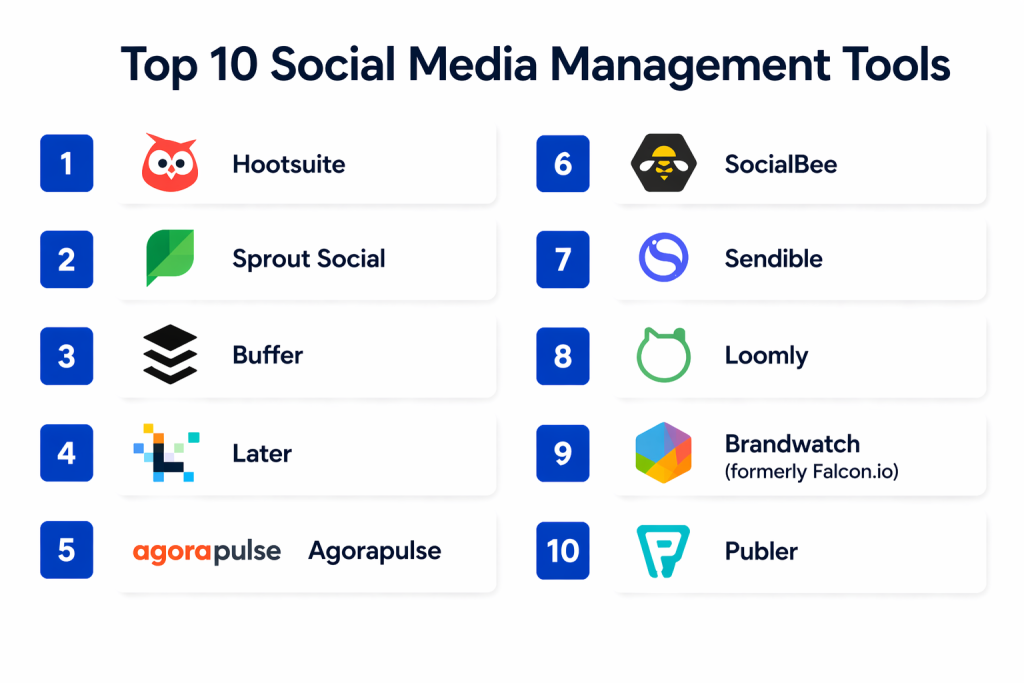
Top 10 Social Media Management Tools
#1 — Hootsuite
Short description: One of the most widely used social media management platforms, offering publishing, engagement, analytics, and team collaboration.
Key Features
- Centralized content calendar and scheduling
- Unified inbox for engagement
- Social listening and keyword monitoring
- Analytics dashboards and custom reports
- Team workflows with approvals
- AI suggestions for optimal posting times
Pros
- Broad support across major platforms
- Strong enterprise and agency features
- Comprehensive reporting suite
Cons
- Can be expensive for smaller teams
- Some features feel complex for beginners
Platforms / Deployment
- Web, iOS, Android
- Cloud
Security & Compliance
- SSO, encryption, RBAC
- Not publicly stated: specific certifications
Integrations & Ecosystem
- CRM, analytics, collaboration tools
- Plugins and APIs to connect custom workflows
Support & Community
- Documentation, live chat, email support
- Community forums and user groups
#2 — Sprout Social
Short description: Unified social management and analytics platform designed for collaboration, engagement, and deep audience insights.
Key Features
- Social publishing and scheduling
- Smart inbox for messages and mentions
- Advanced analytics and audience insights
- Listening and trend reports
- Task assignment and workflow features
- Paid social integration and performance tracking
Pros
- Excellent reporting and insights
- Intuitive interface
- Strong customer support
Cons
- Premium pricing for advanced features
- Limited network support compared to some competitors
Platforms / Deployment
- Web, iOS, Android
- Cloud
Security & Compliance
- SSO, encryption, role permissions
- Not publicly stated: compliance certifications
Integrations & Ecosystem
- CRM and collaboration platforms
- Analytics connectors
Support & Community
- Live support, tutorials
- Active social media communities
#3 — Buffer
Short description: Simple and user‑friendly social publishing tool with analytics and engagement tracking for small to mid‑sized teams.
Key Features
- Post scheduling and queue management
- Simple analytics and reporting
- Engagement management tools
- Content calendar view
- Team collaboration and approvals
Pros
- Easy to use with minimal learning curve
- Affordable pricing tiers
- Clean, intuitive interface
Cons
- Not as rich in listening and analytics
- Limited advanced automation
Platforms / Deployment
- Web, iOS, Android
- Cloud
Security & Compliance
- Encryption
- Not publicly stated: advanced compliance
Integrations & Ecosystem
- CRM, workflow tools
- Browser extensions and APIs
Support & Community
- Email support
- Documentation and community Q&A
#4 — Later
Short description: Visual planning and scheduling tool optimized for image‑centric platforms like Instagram and Pinterest.
Key Features
- Visual content calendar
- Drag‑and‑drop scheduling
- Analytics with hashtag and performance tracking
- Link‑in‑bio landing page tools
- UGC (user‑generated content) management
- Campaign reporting
Pros
- Strong visual planning features
- Great for Instagram‑first brands
- Affordable plans for small teams
Cons
- Less robust on non‑visual platforms
- Limited engagement inbox features
Platforms / Deployment
- Web, iOS, Android
- Cloud
Security & Compliance
- Encryption
- Not publicly stated: specific certifications
Integrations & Ecosystem
- Instagram, Pinterest, TikTok
- UGC tools, APIs
Support & Community
- Help docs, email support
- Social community resources
#5 — Agorapulse
Short description: All‑in‑one social media management suite with publishing, reporting, listening, and engagement features.
Key Features
- Unified inbox
- Scheduled publishing and queue
- Social listening and sentiment
- Detailed analytics
- Team workflows and approvals
- Competitor benchmarking
Pros
- Strong engagement and listening tools
- Clear workflows and tasking
- Helpful reporting
Cons
- Interface can feel cluttered
- Advanced analytics behind higher plans
Platforms / Deployment
- Web, iOS, Android
- Cloud
Security & Compliance
- Role‑based access controls
- Not publicly stated: certifications
Integrations & Ecosystem
- CRM, analytics, content libraries
- APIs
Support & Community
- Tutorials, live support
- Community discussion boards
#6 — SocialBee
Short description: Content category‑based scheduling and publishing tool with automation focus for SMBs and agencies.
Key Features
- Content categorization and scheduling
- Evergreen content loops
- Analytics dashboards
- Team roles and approvals
- URL shortener and tracking
- CRM integrations
Pros
- Unique content categorization approach
- Good for repurposing evergreen content
- Flexible scheduling
Cons
- Less comprehensive listening features
- Analytics not as advanced as enterprise tools
Platforms / Deployment
- Web
- Cloud
Security & Compliance
- Encryption
- Not publicly stated: compliance
Integrations & Ecosystem
- CRM and analytics integration
- APIs for custom workflows
Support & Community
- Documentation, email support
- Tutorials
#7 — Sendible
Short description: Social media management platform tailored for agencies, brands, and freelancers, with robust publishing and reporting.
Key Features
- Multi‑platform scheduling
- Unified inbox
- Analytics and performance reporting
- Client management features
- Workflow approvals
- Tagging and categorization
Pros
- Agency‑friendly tools
- Report customization
- Good publishing coverage
Cons
- UI can feel dated
- Listening tools less advanced
Platforms / Deployment
- Web, iOS, Android
- Cloud
Security & Compliance
- SSO, encryption
- Not publicly stated: certifications
Integrations & Ecosystem
- CRM plugins
- Analytics tools
- APIs
Support & Community
- Live support, documentation
- Community forums
#8 — Loomly
Short description: Content planning platform with strong collaboration and approval workflows for teams.
Key Features
- Content calendar and scheduling
- Automated publishing
- Post ideas and optimization tips
- Workflows with approvals and roles
- Analytics and reporting
- RSS feed automation
Pros
- Strong collaborative features
- Clear content calendar
- Built‑in optimization suggestions
Cons
- Listening features limited
- Advanced analytics behind premium tiers
Platforms / Deployment
- Web, iOS, Android
- Cloud
Security & Compliance
- Encryption
- Not publicly stated: detailed compliance
Integrations & Ecosystem
- CRM and workflow tools
- APIs
Support & Community
- Tutorials, live support
- Community exchanges
#9 — Brandwatch (formerly Falcon.io)
Short description: Enterprise‑grade social media management and listening platform with deep analytics and brand monitoring.
Key Features
- Publishing and scheduling
- Unified inbox
- Advanced listening and audience insights
- Competitor analysis
- Custom dashboards and reporting
- Automated workflows
Pros
- Powerful analytics and listening
- Enterprise collaboration features
- Deep audience insights
Cons
- Higher cost
- Steep learning curve
Platforms / Deployment
- Web, iOS, Android
- Cloud
Security & Compliance
- Compliance support varies / N/A
- Encryption and RBAC
Integrations & Ecosystem
- CRM, CDP, analytics stack
- APIs for deep integration
Support & Community
- Enterprise support tiers
- Knowledge base
#10 — Publer
Short description: Simple social media scheduling and automation tool with link‑shortening and analytics capabilities.
Key Features
- Post scheduling and queue
- URL shortener and analytics
- Bulk publishing
- Auto‑cropping images
- Engagement tracking
- Team roles
Pros
- Affordable and accessible
- Clean interface
- Useful publishing tools
Cons
- Analytics basic
- Lacks deep listening features
Platforms / Deployment
- Web, iOS, Android
- Cloud
Security & Compliance
- Encryption
- Not publicly stated: advanced compliance
Integrations & Ecosystem
- CRM and analytics connections
- APIs
Support & Community
- Documentation and email support
Comparison Table (Top 10)
| Tool Name | Best For | Platforms Supported | Deployment | Standout Feature | Public Rating |
|---|---|---|---|---|---|
| Hootsuite | Enterprise & agencies | Web, iOS, Android | Cloud | Comprehensive management suite | N/A |
| Sprout Social | Analytics & engagement | Web, iOS, Android | Cloud | Deep audience insights | N/A |
| Buffer | Content scheduling simplicity | Web, iOS, Android | Cloud | Intuitive publishing | N/A |
| Later | Visual platforms | Web, iOS, Android | Cloud | Visual content planning | N/A |
| Agorapulse | Engagement & listening | Web, iOS, Android | Cloud | Unified inbox & listening | N/A |
| SocialBee | Content category automation | Web | Cloud | Evergreen content automation | N/A |
| Sendible | Agency workflows | Web, iOS, Android | Cloud | Reporting and client management | N/A |
| Loomly | Team collaboration | Web, iOS, Android | Cloud | Approval workflows | N/A |
| Brandwatch | Enterprise analytics | Web, iOS, Android | Cloud | Advanced listening & insights | N/A |
| Publer | Affordable scheduling | Web, iOS, Android | Cloud | Bulk publishing and analytics | N/A |
Evaluation & Scoring of Social Media Management Tools
| Tool Name | Core (25%) | Ease (15%) | Integrations (15%) | Security (10%) | Performance (10%) | Support (10%) | Value (15%) | Weighted Total (0–10) |
|---|---|---|---|---|---|---|---|---|
| Hootsuite | 9 | 7 | 9 | 8 | 9 | 8 | 7 | 8.3 |
| Sprout Social | 9 | 8 | 8 | 8 | 8 | 9 | 7 | 8.2 |
| Buffer | 7 | 9 | 7 | 7 | 8 | 8 | 8 | 7.7 |
| Later | 7 | 9 | 7 | 7 | 8 | 7 | 8 | 7.7 |
| Agorapulse | 8 | 8 | 8 | 8 | 8 | 8 | 7 | 7.9 |
| SocialBee | 7 | 8 | 7 | 7 | 7 | 7 | 8 | 7.4 |
| Sendible | 8 | 7 | 8 | 8 | 7 | 8 | 7 | 7.7 |
| Loomly | 7 | 8 | 7 | 7 | 7 | 7 | 8 | 7.4 |
| Brandwatch | 9 | 7 | 9 | 8 | 9 | 8 | 6 | 8.1 |
| Publer | 6 | 9 | 6 | 7 | 7 | 7 | 8 | 7.2 |
Interpretation: Scores reflect strengths in core capabilities like publishing, analytics, integrations, and enterprise readiness. Higher totals indicate balance across scheduling, engagement, analysis, and cross‑platform coordination — but the right choice depends on team size, complexity, and priorities.
Which Social Media Management Tool Is Right for You?
Solo / Freelancer
- Buffer, Publer, SocialBee: Affordable tools with straightforward scheduling, automation, and basic analytics.
SMB
- Later, Agorapulse, Sendible: Balanced tools with engagement features and scalability for growing teams.
Mid‑Market
- Sprout Social, Agorapulse: Strong reporting, collaboration, and listening capabilities to support broader strategies.
Enterprise
- Hootsuite, Brandwatch: Enterprise‑grade dashboards, advanced listening, workflows, and team governance.
Budget vs Premium
- Budget: Publer, Buffer — good feature set at accessible pricing.
- Premium: Hootsuite, Sprout Social — deep analytics, multi‑team support.
Feature Depth vs Ease of Use
- Feature Depth: Hootsuite, Sprout Social, Brandwatch — robust analytics and collaboration.
- Ease of Use: Buffer, Later, Publer — intuitive interfaces for quick adoption.
Integrations & Scalability
- Evaluate connectors with CRM, analytics, content creation tools, and CDPs for unified insights and automation across marketing operations.
Security & Compliance Needs
- Role‑based access, SSO, and audit capability are key for larger teams and enterprise governance.
Frequently Asked Questions (FAQs)
1. What pricing models do social media tools use?
Most use tiered subscription models based on number of users, profiles, and access to advanced analytics or listening features.
2. How long does setup take?
Basic publishing may be configured in hours; advanced listening, workflows, and team permissions may take days.
3. Can I manage all social platforms from one tool?
Yes — leading platforms support management across major networks including Instagram, Facebook, LinkedIn, TikTok, Twitter (X), and Pinterest.
4. What is social listening?
Social listening monitors brand mentions, keywords, sentiment, and conversations to inform strategy and respond to audiences.
5. Do these tools support paid social campaigns?
Many integrate with paid campaign dashboards for performance tracking and budget insights.
6. Are AI features common?
AI is increasingly used for content recommendations, optimal timing, hashtag suggestions, and sentiment analysis.
7. Can these tools manage team workflows?
Yes — most platforms offer role permissions, approval workflows, and content calendars for collaboration.
8. How do analytics differ across tools?
Basic tools offer engagement counts, while enterprise products deliver predictive insights, trend comparison, and custom dashboards.
9. Do social media tools help with customer service?
Unified inboxes allow teams to respond to comments, DMs, and mentions, improving response speed and consistency.
10. Can I integrate social data with my CRM?
Yes — most offer connectors or API access to sync social engagement with customer records and marketing stacks.
Conclusion
Social media management tools are indispensable for businesses seeking to streamline publishing, engage audiences effectively, and derive strategic insights. Tools like Hootsuite and Sprout Social offer comprehensive enterprise‑grade capabilities, while Buffer, Later, and Publer provide accessible entry points for small teams and freelancers. The right choice hinges on your goals — whether that’s deep analytics, simplified scheduling, advanced listening, or integrated workflows. Shortlist a few tools, trial core features, and test integration with your existing marketing stack to determine which platform enhances your social strategy most effectively.

Find Trusted Cardiac Hospitals
Compare heart hospitals by city and services — all in one place.
Explore Hospitals
This explains how social media tools help manage posting, engagement, and analytics from one place instead of using multiple apps.