Introduction
Secure File Transfer Clients, primarily using protocols like SFTP and FTPS, allow individuals and organizations to safely exchange files over the internet or private networks. Unlike standard FTP or email-based transfers, these clients provide encryption, authentication, and reliable transfer mechanisms, ensuring sensitive data remains protected in transit. With cybersecurity threats on the rise and regulatory scrutiny tightening, secure file transfer is critical for IT operations, finance, healthcare, and other data-sensitive industries.
Real-world use cases include:
- IT teams moving configuration files or software packages between servers.
- Financial institutions exchanging encrypted reports and statements with partners.
- Healthcare organizations transferring patient data while meeting HIPAA compliance.
- Development teams pushing code or artifacts to remote servers securely.
- Small businesses exchanging confidential contracts or client deliverables.
Key evaluation criteria for buyers:
- Security features: encryption standards, MFA, SSH keys, and SSO
- Compliance support: HIPAA, GDPR, PCI DSS
- Platform support and cross-device compatibility
- Automation capabilities for recurring transfers
- Integration with existing IT systems and workflows
- User interface and ease of use
- Performance and transfer reliability
- Customer support and community engagement
- Pricing structure and licensing flexibility
Best for: IT managers, developers, security-conscious organizations, mid-market and enterprise companies, and industries handling sensitive data like finance, healthcare, or legal services.
Not ideal for: Users who need only occasional file sharing, or scenarios where cloud-based file sharing platforms suffice without strong compliance or audit requirements.
Key Trends in Secure File Transfer Clients (SFTP/FTPS)
- Increasing use of automation for scheduled and event-driven file transfers.
- Cloud-native client tools supporting hybrid and multi-cloud environments.
- AI-powered anomaly detection for unusual file transfer activity.
- Expanded compliance support for GDPR, HIPAA, PCI DSS, and industry-specific mandates.
- Improved interoperability with APIs and integration with workflow automation platforms.
- Enhanced encryption standards and support for SSH key management.
- User experience enhancements, including drag-and-drop interfaces and GUI improvements.
- Subscription and SaaS pricing models gaining popularity over perpetual licenses.
- Centralized logging and monitoring dashboards for audit readiness.
- Focus on secure collaboration across geographically distributed teams.
How We Selected These Tools (Methodology)
- Evaluated market adoption and recognition among IT and developer communities.
- Assessed completeness of protocol support (SFTP, FTPS, SCP) and security features.
- Considered reliability and performance indicators through user feedback and benchmarks.
- Reviewed security posture: encryption standards, key management, audit trails.
- Analyzed integration options with development, automation, and cloud platforms.
- Assessed suitability across different customer segments: freelancers, SMBs, enterprises.
- Considered usability and onboarding experience.
- Factored vendor support quality, documentation, and community engagement.
- Balanced free/open-source options with commercial clients offering premium features.
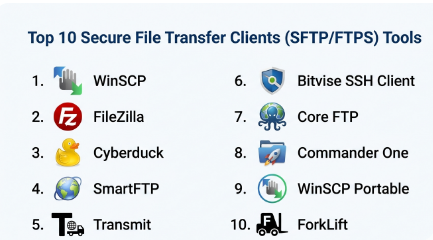
Top 10 Secure File Transfer Clients (SFTP/FTPS) Tools
#1 — WinSCP
Short description : WinSCP is a popular open-source SFTP and FTP client for Windows, ideal for developers and IT professionals managing file transfers and automation scripts.
Key Features
- Supports SFTP, SCP, FTP, and WebDAV protocols
- Graphical interface and scripting support
- Integrated text editor for quick file editing
- Batch file transfer and automation via scripts
- Directory synchronization and session logging
- Drag-and-drop functionality
Pros
- Free and open-source
- Powerful automation capabilities
- Lightweight and fast
Cons
- Windows-only client
- Limited native cloud storage support
Platforms / Deployment
- Windows / Self-hosted
Security & Compliance
- SFTP, SCP, AES encryption
- Supports SSH key authentication
- Not publicly stated for certifications
Integrations & Ecosystem
Supports scripting and automation in Windows environments.
- Command-line automation
- Integration with Windows Task Scheduler
- Compatible with PuTTY key files
Support & Community
- Extensive documentation
- Active user forums and GitHub community
- Community-driven support
#2 — FileZilla
Short description : FileZilla is a cross-platform FTP/SFTP client known for its simplicity and reliability, suitable for developers, freelancers, and small teams.
Key Features
- Supports FTP, FTPS, and SFTP
- Cross-platform: Windows, macOS, Linux
- Drag-and-drop file transfers
- Directory comparison and bookmarks
- Resume and transfer queue management
- Site Manager for multiple connections
Pros
- Free and open-source
- Easy to use with a simple interface
- Reliable and lightweight
Cons
- Limited automation capabilities
- Ads in free version on Windows
Platforms / Deployment
- Windows / macOS / Linux / Self-hosted
Security & Compliance
- SFTP and FTPS encryption
- Supports password and key authentication
- Not publicly stated for certifications
Integrations & Ecosystem
- Compatible with external editors
- Scripting via command-line options
- Supports custom transfer settings per site
Support & Community
- Official documentation and FAQs
- Large community forums
- GitHub issue tracking
#3 — Cyberduck
Short description : Cyberduck is a user-friendly SFTP and FTP client for macOS and Windows, offering cloud storage integration and secure file transfers.
Key Features
- Supports SFTP, FTP, WebDAV, and cloud storage (S3, Azure, Google Drive)
- Drag-and-drop interface
- Integration with external editors
- Bookmark management
- Transfer history and logging
- TLS/SSL encryption
Pros
- Cross-platform
- Integrates with cloud services
- Intuitive interface for non-technical users
Cons
- Limited scripting and automation
- Performance may vary with large datasets
Platforms / Deployment
- Windows / macOS / Self-hosted
Security & Compliance
- SFTP/FTPS with TLS/SSL
- Key authentication supported
- Not publicly stated for certifications
Integrations & Ecosystem
- Cloud storage connectors (AWS S3, Azure, Google Cloud)
- Integration with editors like Sublime, VS Code
- Supports external tool integration via URL schemes
Support & Community
- User guides and tutorials
- Active online forums
- Email support available
#4 — SmartFTP
Short description : SmartFTP is a commercial Windows-based FTP, FTPS, and SFTP client targeting SMBs and professionals requiring advanced transfer features.
Key Features
- Supports FTP, FTPS, SFTP, WebDAV
- Multi-threaded transfers for speed
- Synchronization and backup capabilities
- Scheduled transfers and automation
- Integrated terminal for commands
- Drag-and-drop interface
Pros
- Professional-grade Windows client
- Supports automation and scheduling
- Reliable large file transfers
Cons
- Windows-only
- Paid license required
Platforms / Deployment
- Windows / Self-hosted
Security & Compliance
- SFTP/FTPS encryption
- Supports SSH key authentication
- Not publicly stated for certifications
Integrations & Ecosystem
- Windows scripting and automation
- Integration with backup tools
- Supports external editors
Support & Community
- Vendor support with knowledge base
- Email support for paid versions
- Limited community forums
#5 — Transmit
Short description : Transmit is a premium SFTP/FTP client for macOS, favored by designers and developers for its speed, reliability, and cloud integration.
Key Features
- Supports FTP, SFTP, Amazon S3, WebDAV, Google Drive
- High-speed transfers
- Folder syncing and batch transfers
- Cloud storage integration
- Panic Sync for cross-device consistency
- File versioning support
Pros
- Optimized for macOS
- Strong cloud integration
- User-friendly interface
Cons
- macOS-only
- Paid license
Platforms / Deployment
- macOS / Self-hosted
Security & Compliance
- SFTP, FTPS with key authentication
- TLS/SSL encryption
- Not publicly stated for certifications
Integrations & Ecosystem
- Cloud storage connectors (S3, Google Drive)
- Editor integration (TextMate, Sublime)
- Automator workflows
Support & Community
- Official support portal
- Tutorials and user guides
- Limited public forums
#6 — Bitvise SSH Client
Short description : Bitvise SSH Client is a Windows-focused SFTP and SSH client providing secure transfers and terminal access, suitable for IT admins and developers.
Key Features
- SFTP and SCP support
- Integrated SSH terminal
- Port forwarding and tunneling
- Session management
- Public key authentication
- Automation via scripting
Pros
- Secure and lightweight
- Advanced SSH features
- Free for personal use
Cons
- Windows-only
- Less intuitive for beginners
Platforms / Deployment
- Windows / Self-hosted
Security & Compliance
- SFTP/SCP with SSH encryption
- Key authentication, MFA support
- Not publicly stated for certifications
Integrations & Ecosystem
- Works with automation scripts
- Command-line support
- Compatible with Windows Task Scheduler
Support & Community
- Documentation and knowledge base
- Email support for commercial use
- Active user community
#7 — Core FTP
Short description : Core FTP is a Windows client for SFTP, FTPS, and FTP transfers, offering a free and pro version for SMBs and developers.
Key Features
- Supports SFTP, FTPS, FTP
- File transfer resume
- Drag-and-drop support
- Site Manager for multiple connections
- SSL/TLS encryption
- Automation via scripting in Pro version
Pros
- Free version available
- Lightweight and easy to use
- Supports resume and transfer logging
Cons
- Windows-only
- Pro version needed for advanced features
Platforms / Deployment
- Windows / Self-hosted
Security & Compliance
- SFTP/FTPS with encryption
- Supports key authentication
- Not publicly stated for certifications
Integrations & Ecosystem
- Command-line automation
- Supports scripts for recurring transfers
- Integrates with text editors for direct editing
Support & Community
- Documentation and FAQs
- Limited community support
- Email support for Pro users
#8 — Commander One
Short description : Commander One is a dual-pane macOS client supporting SFTP/FTP/FTPS and cloud connections, aimed at power users and developers.
Key Features
- SFTP, FTP, FTPS, WebDAV support
- Cloud integration: Amazon S3, Google Drive, Dropbox
- Dual-pane interface for file management
- ZIP archive management
- Advanced search and bookmarks
- Multi-threaded transfers
Pros
- macOS-native
- Strong cloud support
- Dual-pane enhances productivity
Cons
- macOS-only
- Paid version needed for advanced features
Platforms / Deployment
- macOS / Self-hosted
Security & Compliance
- SFTP/FTPS encryption
- SSH key support
- Not publicly stated for certifications
Integrations & Ecosystem
- Cloud connectors for storage services
- Compatible with macOS automation tools
- Supports external editors
Support & Community
- Email and ticket support
- Tutorials and user guides
- Active online community
#9 — WinSCP Portable
Short description : Portable version of WinSCP for Windows, allowing secure SFTP and FTP transfers without installation, suitable for admins needing mobility.
Key Features
- Same protocol support as WinSCP
- Portable, no installation required
- Scripting and automation
- Directory synchronization
- Drag-and-drop interface
- Session logging
Pros
- Portable and convenient
- Free and open-source
- Supports automation
Cons
- Windows-only
- Limited integration with other applications
Platforms / Deployment
- Windows / Self-hosted / Portable
Security & Compliance
- SFTP/SCP encryption
- SSH key authentication
- Not publicly stated for certifications
Integrations & Ecosystem
- Works with Windows scripting
- Command-line automation
- Compatible with existing WinSCP sessions
Support & Community
- Documentation and forums
- Community-driven support
#10 — ForkLift
Short description : ForkLift is a macOS SFTP and FTP client combining file management and transfer features, ideal for developers and designers.
Key Features
- SFTP, FTP, FTPS support
- Dual-pane file manager
- Cloud storage integration
- Batch rename and file synchronization
- Folder comparison
- Drag-and-drop support
Pros
- macOS-native with rich interface
- Integrated file management
- Cloud support
Cons
- macOS-only
- Paid license required
Platforms / Deployment
- macOS / Self-hosted
Security & Compliance
- SFTP/FTPS encryption
- Key authentication support
- Not publicly stated for certifications
Integrations & Ecosystem
- Cloud storage connectors
- Integration with macOS apps and editors
- Automation via scripts
Support & Community
- Official support and tutorials
- Active user community
- Knowledge base resources
Comparison Table (Top 10)
| Tool Name | Best For | Platform(s) Supported | Deployment | Standout Feature | Public Rating |
|---|---|---|---|---|---|
| WinSCP | Windows developers & IT admins | Windows | Self-hosted | Open-source automation | N/A |
| FileZilla | Developers & freelancers | Windows, macOS, Linux | Self-hosted | Cross-platform simplicity | N/A |
| Cyberduck | SMBs & designers | Windows, macOS | Self-hosted | Cloud integration | N/A |
| SmartFTP | Professionals & SMBs | Windows | Self-hosted | Automation & scheduling | N/A |
| Transmit | Designers & developers | macOS | Self-hosted | Cloud-native speed | N/A |
| Bitvise SSH Client | IT admins & devs | Windows | Self-hosted | SSH terminal & SFTP | N/A |
| Core FTP | SMBs & developers | Windows | Self-hosted | Free & pro versions | N/A |
| Commander One | Mac power users | macOS | Self-hosted | Dual-pane productivity | N/A |
| WinSCP Portable | Admins needing mobility | Windows | Portable | No-install secure transfers | N/A |
| ForkLift | Developers & designers | macOS | Self-hosted | Integrated file manager | N/A |
Evaluation & Scoring of Secure File Transfer Clients (SFTP/FTPS)
| Tool Name | Core (25%) | Ease (15%) | Integrations (15%) | Security (10%) | Performance (10%) | Support (10%) | Value (15%) | Weighted Total (0–10) |
|---|---|---|---|---|---|---|---|---|
| WinSCP | 9 | 7 | 7 | 8 | 8 | 7 | 10 | 8.2 |
| FileZilla | 8 | 8 | 6 | 8 | 7 | 7 | 10 | 7.9 |
| Cyberduck | 8 | 8 | 7 | 8 | 7 | 7 | 8 | 7.7 |
| SmartFTP | 9 | 7 | 7 | 8 | 8 | 8 | 7 | 7.8 |
| Transmit | 8 | 9 | 7 | 8 | 8 | 7 | 7 | 7.7 |
| Bitvise SSH Client | 8 | 7 | 6 | 9 | 8 | 7 | 9 | 7.6 |
| Core FTP | 7 | 8 | 6 | 8 | 7 | 7 | 8 | 7.4 |
| Commander One | 8 | 8 | 7 | 8 | 7 | 7 | 7 | 7.5 |
| WinSCP Portable | 8 | 7 | 6 | 8 | 7 | 7 | 10 | 7.6 |
| ForkLift | 8 | 8 | 7 | 8 | 7 | 7 | 7 | 7.4 |
Interpretation: Scores are comparative. Higher totals indicate stronger overall performance. Organizations should prioritize criteria relevant to their specific use case, such as automation, cloud integration, or platform compatibility.
Which Secure File Transfer Clients (SFTP/FTPS) Tool Is Right for You?
Solo / Freelancer
- FileZilla, Cyberduck, or WinSCP Portable for lightweight, secure transfers and simplicity.
SMB
- SmartFTP, Core FTP, or Cyberduck for combined ease-of-use and automation.
Mid-Market
- WinSCP, Transmit, or Commander One for advanced workflow capabilities and cloud integration.
Enterprise
- SmartFTP, Bitvise SSH Client, or ForkLift for high-volume transfers and IT control.
Budget vs Premium
- Budget: WinSCP, FileZilla, Core FTP
- Premium: SmartFTP, Transmit, ForkLift
Feature Depth vs Ease of Use
- Feature-rich but complex: SmartFTP, Bitvise SSH Client
- Easier adoption: FileZilla, Cyberduck
Integrations & Scalability
- For cross-platform and cloud workflows: Cyberduck, Transmit, Commander One
Security & Compliance Needs
- SSH key management, strong encryption, audit support: WinSCP, Bitvise, SmartFTP
Frequently Asked Questions (FAQs)
1. Are SFTP/FTPS clients secure for sensitive data?
Yes. They provide encryption (SSH, TLS), authentication (keys, passwords), and logging, making transfers safe for sensitive information.
2. Can I automate transfers with these clients?
Most support scripting, scheduling, and batch transfers. Open-source clients like WinSCP offer robust automation features.
3. Are these clients free or paid?
Many clients like WinSCP and FileZilla are free. Commercial clients like SmartFTP, Transmit, and ForkLift require licenses.
4. Do they work on all operating systems?
Some clients are cross-platform (FileZilla, Cyberduck), while others are OS-specific (WinSCP, Transmit, ForkLift).
5. How do I manage SSH keys?
Most SFTP clients support key-based authentication, often with built-in key management or integration with external key stores.
6. Can I integrate with cloud storage?
Clients like Cyberduck, Transmit, and Commander One support cloud services including S3, Azure, Google Drive.
7. Are these suitable for enterprises?
Yes, clients like SmartFTP and Bitvise SSH Client provide advanced features, automation, and centralized management suitable for enterprises.
8. What are common mistakes when using SFTP clients?
Using weak passwords, neglecting key management, and not enabling logging or auditing are common mistakes.
9. How easy is migration between clients?
Most support standard protocols (SFTP/FTPS), so migration is usually straightforward, but automation scripts may require adaptation.
10. Can these clients handle large file transfers?
Yes, most support multi-threaded transfers, resume capabilities, and large file handling efficiently.
Conclusion
Secure File Transfer Clients (SFTP/FTPS) are essential tools for individuals and organizations seeking reliable, encrypted file exchanges. The choice depends on operating system, workflow needs, automation requirements, and integration preferences. Open-source clients like WinSCP and FileZilla offer cost-effective solutions with scripting support, while commercial clients provide advanced features, cloud integrations, and enterprise-grade security. Evaluating factors such as platform compatibility, ease-of-use, security standards, and scalability ensures the selected tool aligns with organizational requirements. Users should shortlist a few clients, pilot them in real workflows, and validate security and compliance before committing to a long-term solution.

Find Trusted Cardiac Hospitals
Compare heart hospitals by city and services — all in one place.
Explore Hospitals
Secure file transfers can still fail because of network problems or interrupted connections. It helps to have a reliable way to resume incomplete transfers instead of starting the whole file again. This can be especially useful when teams move large files between systems on a regular basis.