Introduction
Notebook environments are interactive platforms that combine code execution, data visualization, and documentation in a single interface. They enable data scientists, engineers, and analysts to develop, test, and share code efficiently while maintaining a narrative around their workflows. With the rise of AI, machine learning, and collaborative analytics, notebook environments have become indispensable for modern data-driven teams.
In organizations prioritize environments that support real-time collaboration, reproducibility, and integration with cloud-based compute resources. Use cases range from machine learning experimentation to academic research and prototyping analytics pipelines. Common scenarios include building predictive models, running exploratory data analysis, preparing data for visualization, documenting reproducible workflows, and teaching or training teams on coding/data concepts.
When evaluating notebook environments, buyers should consider the following criteria:
- Ease of use and learning curve
- Language support (Python, R, Julia, SQL, etc.)
- Collaboration and sharing features
- Integration with data sources and cloud platforms
- Performance and scalability for large datasets
- Security and compliance controls
- Extensibility and plugin ecosystem
- Version control and reproducibility
- Cost and licensing models
- Community and support strength
Best for: Data scientists, machine learning engineers, analysts, researchers, and educators in enterprises, SMBs, or academic settings.
Not ideal for: Users requiring only simple scripting or spreadsheet analysis; small teams with minimal collaboration needs may prefer lightweight editors or IDEs over full notebook environments.
Key Trends in Notebook Environments
- Integration of AI-assisted coding and auto-completion features to speed up development
- Real-time collaboration, allowing multiple users to edit and execute notebooks simultaneously
- Cloud-first deployment models with scalable compute for heavy data workloads
- Enhanced reproducibility with versioning, checkpoints, and containerized environments
- Support for multiple languages within a single notebook
- Improved security and compliance to meet enterprise requirements, including SOC 2 and GDPR readiness
- Interoperability with ML platforms, data warehouses, and orchestration tools
- Modular extensions and plugins for visualization, debugging, and data transformation
- Shift towards low-code/no-code notebook variants for broader accessibility
- Subscription and pay-as-you-go pricing models for flexible scaling
How We Selected These Tools (Methodology)
- Evaluated market adoption and mindshare in the global data and analytics community
- Assessed feature completeness for coding, visualization, and workflow documentation
- Considered reliability and performance signals from benchmarks and enterprise adoption
- Analyzed security posture including authentication, encryption, and compliance standards
- Examined integrations and ecosystem support for cloud platforms, ML frameworks, and data sources
- Reviewed customer fit across solo users, SMBs, and enterprise teams
- Considered collaboration and real-time sharing capabilities
- Factored in community support and available educational resources
- Prioritized platforms with active development and future roadmap clarity
- Balanced open-source flexibility with enterprise-grade solutions
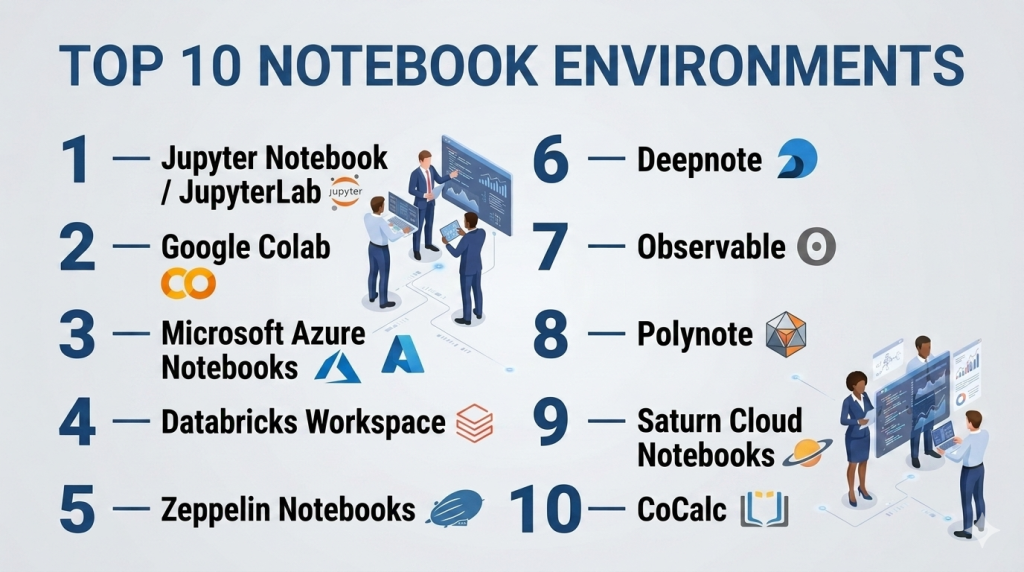
Top 10 Notebook Environments Tools
#1 — Jupyter Notebook / JupyterLab
Short description : Jupyter Notebook is an open-source interactive computing platform widely used for data analysis, scientific research, and machine learning. JupyterLab expands on this with flexible layouts, integrated terminals, and extension support, catering to both individuals and enterprise teams.
Key Features
- Multi-language support via kernels (Python, R, Julia, etc.)
- Interactive data visualization and plotting
- Notebook sharing and export to multiple formats
- Extension marketplace for added functionality
- Integration with cloud services and Kubernetes
- Real-time collaboration via JupyterHub
Pros
- Strong community and extensive documentation
- Highly customizable and extensible
- Open-source with wide adoption
Cons
- Requires setup for collaborative environments
- Performance can lag with very large datasets
- Limited built-in enterprise security
Platforms / Deployment
- Windows / macOS / Linux / Web
- Cloud / Self-hosted / Hybrid
Security & Compliance
- Not publicly stated; depends on deployment (e.g., JupyterHub can integrate SSO)
Integrations & Ecosystem
Jupyter integrates with ML libraries, data visualization tools, and cloud platforms.
- Pandas, NumPy, SciPy, Matplotlib, Plotly
- ML frameworks like TensorFlow, PyTorch, Scikit-learn
- Cloud deployments via AWS, GCP, Azure
- REST APIs and database connectors
Support & Community
Extensive community support, active forums, tutorials, and GitHub repositories. Enterprise support via vendors offering JupyterHub solutions.
#2 — Google Colab
Short description : Google Colab is a cloud-hosted notebook environment that enables users to write and execute Python code through the browser, with zero setup and free GPU/TPU access. Ideal for rapid prototyping and educational purposes.
Key Features
- Free cloud-based execution with GPU/TPU acceleration
- Seamless integration with Google Drive
- Real-time collaboration similar to Google Docs
- Pre-installed ML libraries
- Easy sharing and version control
- Supports Python notebooks
Pros
- No local setup required
- Free and accessible globally
- Excellent for collaborative projects and teaching
Cons
- Limited to Python
- Usage quotas and session timeouts
- Less control over environment and security
Platforms / Deployment
- Web
- Cloud only
Security & Compliance
- Uses Google security infrastructure; GDPR compliance noted
Integrations & Ecosystem
- Google Drive for storage
- TensorFlow, PyTorch, Keras, Scikit-learn
- GitHub import/export
Support & Community
Varies; strong community support via forums and Colab notebooks, official support through Google Cloud for enterprise plans.
#3 — Microsoft Azure Notebooks
Short description : Azure Notebooks is a cloud-hosted environment by Microsoft that supports Jupyter notebooks, enabling scalable analytics, data science experiments, and integration with Azure services. Suitable for enterprises needing secure, cloud-native notebooks.
Key Features
- Python, R, F# support
- Integration with Azure Machine Learning
- Scalable compute resources
- Version control and Git integration
- Collaborative notebooks
Pros
- Enterprise-grade security
- Easy integration with Microsoft ecosystem
- Scalable for large datasets
Cons
- Requires Azure subscription for full features
- Interface less flexible than JupyterLab
- Limited offline capabilities
Platforms / Deployment
- Web
- Cloud only
Security & Compliance
- SOC 2, ISO 27001, GDPR compliant
- RBAC, encryption, MFA
Integrations & Ecosystem
- Azure ML, Azure Data Lake, SQL Database
- GitHub and Azure DevOps
- Python ML libraries
Support & Community
Microsoft support tiers available; documentation robust; community smaller than open-source Jupyter.
#4 — Databricks Workspace
Short description : Databricks offers an enterprise-grade notebook environment built on Apache Spark, optimized for big data processing and collaborative ML workflows. Best suited for data engineering, data science, and analytics teams in large organizations.
Key Features
- Distributed computing with Spark
- Real-time collaboration on notebooks
- Auto-scaling clusters
- Integrated MLflow for experiment tracking
- Support for Python, R, SQL, Scala
- Unified analytics across data and AI
Pros
- Handles massive datasets efficiently
- Enterprise collaboration and governance
- Strong ML lifecycle management
Cons
- High cost for small teams
- Learning curve for Spark
- Cloud-only deployment
Platforms / Deployment
- Web / Windows / macOS / Linux
- Cloud only
Security & Compliance
- SOC 2, ISO 27001, GDPR, HIPAA support
- Encryption, RBAC, SSO
Integrations & Ecosystem
- Azure, AWS, GCP connectors
- MLflow, Delta Lake, BI tools
- REST APIs, notebooks export
Support & Community
Enterprise support available; extensive documentation; active professional community.
#5 — Zeppelin Notebooks
Short description : Apache Zeppelin is an open-source notebook that supports interactive data analytics and visualizations, enabling integration with Spark, Flink, and other big data frameworks. Designed for developers and analysts working with distributed data.
Key Features
- Multi-language support (Python, Scala, SQL, R)
- Spark, Flink, and Hadoop integration
- Interactive charts and dashboards
- Collaboration via shared notebooks
- Customizable interpreters
Pros
- Open-source and extensible
- Strong visualization support
- Flexible for distributed data environments
Cons
- Requires setup and maintenance
- Limited cloud-native capabilities
- Less polished interface than enterprise tools
Platforms / Deployment
- Windows / macOS / Linux
- Self-hosted / Cloud (varies)
Security & Compliance
- Not publicly stated
Integrations & Ecosystem
- Spark, Hadoop, Flink
- JDBC connectors
- Visualization libraries
Support & Community
Community-driven support; forums and GitHub; commercial support through third-party vendors.
#6 — Deepnote
Short description : Deepnote is a collaborative, cloud-native notebook environment with a focus on real-time team editing and seamless integration with data sources. Ideal for analytics teams, researchers, and educators.
Key Features
- Real-time collaboration
- Supports Python, SQL, R
- Direct database and API connections
- Versioning and reproducibility
- Cloud compute resources
Pros
- Intuitive interface for teams
- Collaboration features like comments and presence
- Integrates easily with cloud storage and data sources
Cons
- Cloud-only
- Free tier limits resources
- Less mature ecosystem than Jupyter
Platforms / Deployment
- Web
- Cloud only
Security & Compliance
- SOC 2 compliance noted
- SSO, encryption
Integrations & Ecosystem
- PostgreSQL, Snowflake, BigQuery
- GitHub integration
- REST APIs
Support & Community
Varies; active Slack community; professional support for enterprise accounts.
#7 — Observable
Short description : Observable focuses on reactive JavaScript notebooks for data visualization and front-end analytics. Best suited for analysts, developers, and teams emphasizing interactive visualization dashboards.
Key Features
- Live JavaScript notebook editing
- Reactive programming model
- Integration with D3.js and Vega
- Easy sharing of interactive visualizations
- Collaboration and commenting
Pros
- Excellent for interactive visualization
- Real-time collaboration
- Cloud-based with easy sharing
Cons
- JavaScript-centric, not general-purpose
- Limited ML/data science features
- Cloud-only
Platforms / Deployment
- Web
- Cloud only
Security & Compliance
- Not publicly stated
Integrations & Ecosystem
- D3.js, Vega, Observable API
- Data source connectors via API
- GitHub integration
Support & Community
Active online community; tutorials available; enterprise support limited.
#8 — Polynote
Short description : Polynote is an open-source polyglot notebook that supports multiple languages in a single notebook. Ideal for teams mixing Python, Scala, and SQL in data science projects.
Key Features
- Multi-language support in single notebook
- Reproducible outputs
- Integration with Spark
- Lightweight and extensible
- Version control compatibility
Pros
- Flexible language support
- Open-source and lightweight
- Integrates with distributed data
Cons
- Less mature than Jupyter
- Requires setup
- Limited cloud features
Platforms / Deployment
- Windows / macOS / Linux
- Self-hosted / Hybrid
Security & Compliance
- Not publicly stated
Integrations & Ecosystem
- Apache Spark
- SQL databases
- Version control systems
Support & Community
Community support only; active GitHub; commercial support via consulting.
#9 — Saturn Cloud Notebooks
Short description : Saturn Cloud provides a scalable, cloud-based notebook environment designed for enterprise ML workloads, with GPU acceleration and team collaboration features.
Key Features
- Python-focused notebooks
- GPU/CPU scalable compute
- Collaborative notebooks and projects
- Integration with cloud storage
- Versioning and reproducibility
Pros
- Scales for large ML workloads
- Cloud-native and collaborative
- Supports modern ML libraries
Cons
- Limited language support
- Cloud-only
- Enterprise pricing
Platforms / Deployment
- Web / Windows / macOS / Linux
- Cloud only
Security & Compliance
- SOC 2, GDPR
- SSO, encryption
Integrations & Ecosystem
- AWS, GCP integration
- ML libraries (TensorFlow, PyTorch)
- APIs and storage connectors
Support & Community
Professional support tiers; documentation robust; smaller community than Jupyter.
#10 — CoCalc
Short description : CoCalc is a cloud-hosted collaborative notebook environment, supporting multiple languages and real-time collaboration. It is ideal for education, research, and collaborative analytics.
Key Features
- Multi-language support (Python, R, Julia, LaTeX)
- Real-time collaboration
- File and project versioning
- Integrated computation and LaTeX support
- Course management for educators
Pros
- Strong educational support
- Cloud collaboration
- Versioning and reproducibility
Cons
- Interface less modern
- Performance can lag with large datasets
- Cloud-only
Platforms / Deployment
- Web
- Cloud only
Security & Compliance
- Not publicly stated
Integrations & Ecosystem
- GitHub, Jupyter notebooks import
- Python/R/Julia libraries
- Storage connectors
Support & Community
Varies; active forums; documentation available; paid support for courses and enterprise.
Comparison Table (Top 10)
| Tool Name | Best For | Platform(s) Supported | Deployment | Standout Feature | Public Rating |
|---|---|---|---|---|---|
| Jupyter Notebook | Open-source, flexible | Windows/macOS/Linux/Web | Cloud/Self-hosted/Hybrid | Multi-language support | N/A |
| Google Colab | Freelancers, education | Web | Cloud | Free GPU/TPU access | N/A |
| Azure Notebooks | Enterprise, Azure users | Web | Cloud | Azure integration | N/A |
| Databricks | Big data, ML teams | Web/Windows/macOS/Linux | Cloud | Spark-based distributed computing | N/A |
| Zeppelin | Developers, distributed data | Windows/macOS/Linux | Self-hosted/Cloud | Multi-language with Spark/Flink | N/A |
| Deepnote | Collaborative analytics teams | Web | Cloud | Real-time team collaboration | N/A |
| Observable | Data visualization | Web | Cloud | Reactive JavaScript notebooks | N/A |
| Polynote | Polyglot ML teams | Windows/macOS/Linux | Self-hosted/Hybrid | Multiple languages per notebook | N/A |
| Saturn Cloud | Enterprise ML workloads | Web/Windows/macOS/Linux | Cloud | GPU/CPU scalable compute | N/A |
| CoCalc | Education, research | Web | Cloud | Collaborative notebooks | N/A |
Evaluation & Scoring of Notebook Environments
| Tool Name | Core (25%) | Ease (15%) | Integrations (15%) | Security (10%) | Performance (10%) | Support (10%) | Value (15%) | Weighted Total (0–10) |
|---|---|---|---|---|---|---|---|---|
| Jupyter Notebook | 9 | 7 | 8 | 6 | 7 | 7 | 10 | 8.0 |
| Google Colab | 7 | 9 | 6 | 7 | 6 | 6 | 9 | 7.5 |
| Azure Notebooks | 8 | 7 | 8 | 8 | 8 | 7 | 7 | 7.8 |
| Databricks | 9 | 7 | 9 | 9 | 9 | 8 | 6 | 8.3 |
| Zeppelin | 8 | 6 | 7 | 6 | 8 | 6 | 9 | 7.3 |
| Deepnote | 8 | 8 | 7 | 8 | 7 | 7 | 7 | 7.6 |
| Observable | 7 | 8 | 6 | 6 | 6 | 6 | 8 | 6.8 |
| Polynote | 8 | 6 | 7 | 6 | 7 | 6 | 8 | 7.0 |
| Saturn Cloud | 9 | 7 | 8 | 8 | 9 | 7 | 6 | 7.9 |
| CoCalc | 7 | 7 | 6 | 6 | 6 | 6 | 8 | 6.8 |
Scores are comparative across criteria, allowing organizations to prioritize notebook environments based on features, collaboration, security, performance, and value for money.
Which Notebook Environments Tool Is Right for You?
Solo / Freelancer
Google Colab or Jupyter Notebook provide free or low-cost, flexible environments. Ideal for rapid prototyping and small-scale projects.
SMB
Deepnote or Azure Notebooks offer collaborative features and cloud integration while balancing ease of use and security.
Mid-Market
Databricks or Saturn Cloud provide scalable compute for larger data projects and team collaboration.
Enterprise
Databricks, Azure Notebooks, or Deepnote enterprise versions are suited for regulated industries requiring security, compliance, and team workflows.
Budget vs Premium
Open-source options like Jupyter or Zeppelin are budget-friendly but require setup. Premium options like Databricks or Saturn Cloud provide enterprise support and scalable resources.
Feature Depth vs Ease of Use
Jupyter and Polynote provide feature depth; Deepnote and Google Colab prioritize ease of use and collaboration.
Integrations & Scalability
Databricks and Saturn Cloud excel for large-scale integrations and cloud-based compute. JupyterHub supports integrations via plugins and connectors.
Security & Compliance Needs
Enterprise deployments of Azure Notebooks, Databricks, or Saturn Cloud offer compliance certifications and advanced security features. Open-source notebooks require configuration for enterprise-grade security.
Frequently Asked Questions (FAQs)
1. What is the typical pricing model for notebook environments?
Pricing varies widely. Open-source options like Jupyter are free, while cloud-based services like Deepnote, Databricks, or Saturn Cloud use subscription or pay-as-you-go models based on compute usage and team size.
2. How easy is it to onboard new users?
Cloud-based platforms typically offer quicker onboarding with pre-configured environments, whereas self-hosted setups like JupyterHub or Zeppelin require setup and training.
3. Can multiple users collaborate simultaneously?
Yes. Deepnote, Google Colab, and Databricks support real-time collaboration. Jupyter and Polynote can be configured for collaboration using JupyterHub or cloud integrations.
4. Are notebook environments secure for sensitive data?
Enterprise cloud solutions offer SOC 2, ISO 27001, and GDPR compliance. Open-source notebooks require additional configuration for encryption, SSO, and RBAC.
5. Which languages are supported?
Most notebooks support Python by default. Others like Jupyter, Polynote, and CoCalc allow multi-language support including R, Julia, Scala, SQL, and LaTeX.
6. How scalable are these tools for large datasets?
Databricks and Saturn Cloud are optimized for distributed computing. Jupyter and Google Colab handle moderate datasets; performance may degrade with very large data.
7. Can notebooks integrate with existing ML pipelines?
Yes. Most modern notebooks support integration with ML libraries, cloud data warehouses, and experiment tracking tools like MLflow.
8. How difficult is it to switch between notebook platforms?
Exporting notebooks as .ipynb files ensures portability. Some platform-specific features or extensions may require adjustments.
9. Are there alternatives to notebook environments?
Yes, IDEs like VS Code or PyCharm offer similar coding environments, but without integrated visualization and interactive documentation.
10. Do notebook environments support reproducibility?
Yes. Most provide version control, checkpoints, and environment specifications to ensure workflows can be reliably reproduced.
Conclusion
Notebook environments have become essential for modern data science, analytics, and collaborative coding workflows. Choosing the right platform depends on team size, required languages, collaboration needs, and compliance requirements. Open-source solutions like Jupyter provide flexibility and cost savings, while cloud-based options such as Databricks, Deepnote, and Saturn Cloud offer scalable compute, collaboration, and enterprise-grade security. By carefully evaluating integration capabilities, performance, and team requirements, organizations can select a notebook environment that accelerates productivity, maintains reproducibility, and supports future growth. For teams new to notebooks, starting with a free or trial version can help assess workflow compatibility before committing to enterprise deployments.

Find Trusted Cardiac Hospitals
Compare heart hospitals by city and services — all in one place.
Explore Hospitals
A notebook may work because of a specific package version, local setting, or manually run cell that others do not know about. Teams should identify these dependencies and test the workflow outside the notebook before production use. This can prevent problems when a successful experiment becomes a real application.