Introduction
Billing & Invoicing Software are digital tools designed to automate the entire invoicing lifecycle—from generating invoices and sending them to clients, to tracking payments and reconciling accounts. They reduce manual errors, accelerate cash flow, improve financial accuracy, and ensure compliance with tax and regulatory requirements. In and beyond, as businesses embrace subscription models, recurring billing, and global operations, efficient invoicing software has become a critical driver of operational efficiency and customer satisfaction.
Real-world use cases include:
- Automating recurring invoices for subscription-based businesses
- Tracking outstanding invoices and managing overdue accounts
- Reconciling payments automatically with accounting systems
- Generating detailed financial reports and dashboards for management
- Supporting multi-currency and multi-tax compliance for global clients
Best for: Finance teams, accountants, freelancers, SMBs, mid-market companies, and enterprises across professional services, SaaS, retail, and consulting.
Not ideal for: Very small businesses with minimal invoicing needs or those relying on spreadsheets; simple accounting software may suffice for them.
Key Trends in Billing & Invoicing Software
- AI-driven invoice creation, error detection, and automated reminders
- Automation of recurring and subscription billing workflows
- Integration with ERP, CRM, and accounting platforms for seamless operations
- Cloud-based platforms enabling remote access and mobile approvals
- Analytics for revenue forecasting, cash flow, and payment trends
- Support for multi-currency and multi-tax compliance
- Mobile-first invoicing and client communication features
- Flexible subscription, usage-based, or per-invoice pricing models
- Enhanced security and auditability features
- Collaborative workflows for finance teams and clients
How We Selected These Tools (Methodology)
- Evaluated market adoption and recognition among finance teams
- Assessed feature completeness, including recurring billing, automation, and reporting
- Reviewed reliability and performance through user feedback and case studies
- Checked security posture, including encryption, SSO, MFA, and compliance
- Analyzed integration capabilities with ERP, accounting, and CRM systems
- Considered fit across SMB, mid-market, and enterprise segments
- Factored in support quality, onboarding, and community resources
- Prioritized scalability and deployment flexibility
- Balanced automation, AI capabilities, and cost-effectiveness
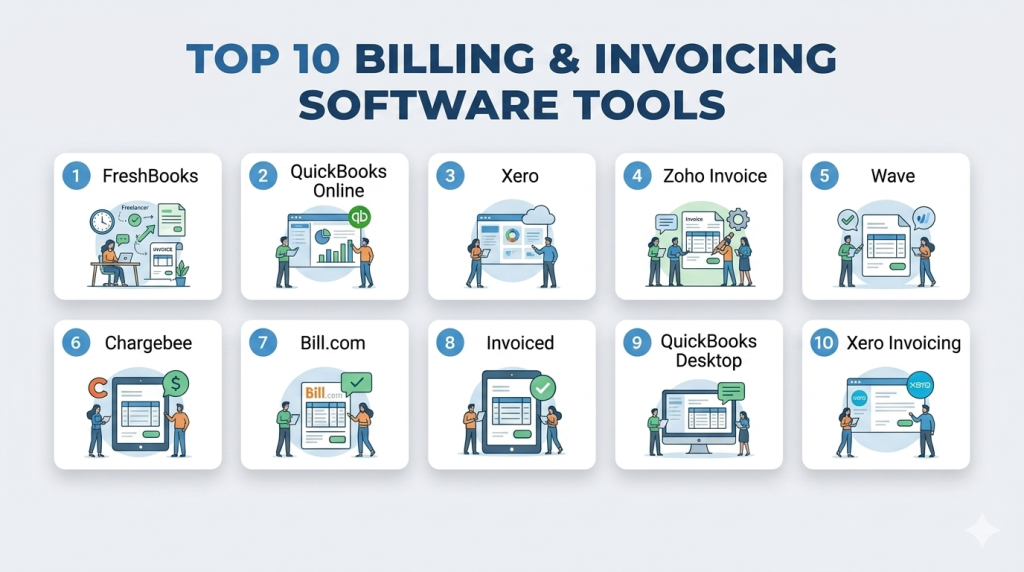
Top 10 Billing & Invoicing Software Tools
#1 — FreshBooks
Short description : FreshBooks automates invoicing, payment tracking, and expense management for freelancers and small businesses. Its intuitive interface simplifies billing workflows and ensures professional communication with clients.
Key Features
- Automated recurring invoices and reminders
- Online payment processing
- Expense tracking and categorization
- Multi-currency invoicing
- Analytics dashboards and financial reports
- Mobile app for invoicing on-the-go
- Client portal for payment history
Pros
- User-friendly and intuitive interface
- Fast setup for small businesses and freelancers
- Streamlines client communication and billing
Cons
- Limited enterprise-grade features
- Customization for complex workflows is basic
Platforms / Deployment
- Web / iOS / Android
- Cloud
Security & Compliance
- SSO, MFA, encryption
- SOC 2
Integrations & Ecosystem
- Accounting: QuickBooks, Xero
- Payment gateways: Stripe, PayPal
- API access for automation
Support & Community
Comprehensive documentation, live chat, and community forums
#2 — QuickBooks Online
Short description : QuickBooks Online is an accounting and invoicing platform widely used by SMBs. It enables automated invoice creation, payment tracking, and seamless integration with financial tools.
Key Features
- Automated invoicing and reminders
- Payment processing and tracking
- Expense and revenue tracking
- Customizable invoice templates
- Analytics and reporting dashboards
- Recurring billing
- Integration with banking and accounting systems
Pros
- Strong accounting and invoicing integration
- Widely adopted and reliable
- Scalable for SMBs
Cons
- Complex for non-accountants initially
- Limited advanced AR automation for large enterprises
Platforms / Deployment
- Web / iOS / Android
- Cloud
Security & Compliance
- MFA, encryption
- SOC 2
Integrations & Ecosystem
- Banking platforms, payment gateways
- Zapier for extended integrations
- APIs for custom workflows
Support & Community
Documentation, online tutorials, forums, and support
#3 — Xero
Short description : Xero is cloud-based accounting software with built-in invoicing. Popular among small and mid-sized businesses, it offers collaboration, multi-currency support, and automated workflows.
Key Features
- Automated recurring invoices
- Payment reminders
- Multi-currency invoicing
- Financial reporting dashboards
- Integration with banks and payment gateways
- Client portal for invoice management
- Mobile invoicing app
Pros
- User-friendly interface
- Strong reporting and analytics
- Easy integration with business tools
Cons
- Limited enterprise-level AR automation
- Less suited for high-volume billing
Platforms / Deployment
- Web / iOS / Android
- Cloud
Security & Compliance
- MFA, encryption
- SOC 2
Integrations & Ecosystem
- Accounting: QuickBooks, Zoho Books
- Payment: Stripe, PayPal
- API support and marketplace
Support & Community
Knowledge base, tutorials, and user forums
#4 — Zoho Invoice
Short description : Zoho Invoice automates invoicing for freelancers and SMBs. It supports recurring invoices, multi-currency billing, and integrates seamlessly within the Zoho business ecosystem.
Key Features
- Recurring invoice automation
- Payment reminders
- Multi-currency and tax compliance
- Client portal for invoice tracking
- Expense tracking
- Analytics dashboards
- Workflow automation
Pros
- Affordable and easy to implement
- Integrates with Zoho ecosystem
- Mobile-friendly
Cons
- Limited enterprise functionality
- Basic reporting customization
Platforms / Deployment
- Web / iOS / Android
- Cloud
Security & Compliance
- Encryption, MFA
- SOC 2
Integrations & Ecosystem
- Zoho Books, CRM, Expense
- Stripe, PayPal
- API support
Support & Community
Live chat, documentation, and community support
#5 — Wave
Short description : Wave offers free billing and invoicing software for freelancers and small businesses. It automates invoice creation, payment tracking, and basic reporting.
Key Features
- Automated invoices and reminders
- Online payment tracking
- Financial reporting dashboards
- Multi-currency support
- Recurring billing
- Expense tracking
- Workflow automation
Pros
- Free and user-friendly
- Ideal for freelancers and small businesses
- Quick setup
Cons
- Limited features for mid-market/enterprise
- Few integrations
Platforms / Deployment
- Web / iOS / Android
- Cloud
Security & Compliance
- Encryption
- SOC 2
Integrations & Ecosystem
- Payment: Stripe, PayPal
- Accounting: Wave Accounting
- API access
Support & Community
Documentation, email support, and forums
#6 — Chargebee
Short description : Chargebee automates subscription billing and invoicing for SaaS and subscription businesses. It handles recurring billing, revenue recognition, and customer payments.
Key Features
- Subscription management and recurring billing
- Automated invoicing and reminders
- Multi-currency and tax compliance
- Analytics dashboards
- Payment gateway integration
- Revenue recognition workflows
- Client portal
Pros
- Excellent for subscription businesses
- Reduces billing errors
- Scalable for growing SaaS companies
Cons
- Costly for small businesses
- Learning curve for complex subscriptions
Platforms / Deployment
- Web / iOS / Android
- Cloud
Security & Compliance
- SSO, encryption, MFA
- SOC 2, GDPR
Integrations & Ecosystem
- Payment gateways: Stripe, PayPal
- ERP: NetSuite
- API for automation
Support & Community
Documentation, live chat, and customer success programs
#7 — Bill.com
Short description : Bill.com simplifies invoicing, payments, and AR management for SMBs and mid-market organizations with automated workflows and cloud accessibility.
Key Features
- Automated invoice creation and reminders
- Online payment tracking and approvals
- Recurring billing automation
- Cash application and reconciliation
- Analytics dashboards
- ERP integrations
- Client portal
Pros
- Simplifies billing for SMBs
- Cloud-based and mobile-friendly
- Affordable
Cons
- Limited enterprise-grade features
- Restricted global payment options
Platforms / Deployment
- Web / iOS / Android
- Cloud
Security & Compliance
- SSO, MFA, encryption
- SOC 2
Integrations & Ecosystem
- QuickBooks, Xero, NetSuite
- API support
Support & Community
Documentation, live chat, onboarding support
#8 — Invoiced
Short description : Invoiced automates billing, recurring payments, and collections for SMBs and mid-market companies, streamlining revenue operations and cash flow tracking.
Key Features
- Recurring invoice automation
- Payment reminders
- Customer self-service portals
- Cash application and reconciliation
- Analytics dashboards
- ERP integrations
- Workflow automation
Pros
- Reduces manual AR effort
- Scalable for growing organizations
- Mobile-friendly
Cons
- Limited enterprise capabilities
- Costlier than basic invoicing tools
Platforms / Deployment
- Web / iOS / Android
- Cloud
Security & Compliance
- Encryption, SSO, MFA
- SOC 2
Integrations & Ecosystem
- QuickBooks, NetSuite, Xero
- API access
Support & Community
Onboarding, documentation, and responsive support
#9 — QuickBooks Desktop
Short description : QuickBooks Desktop provides invoicing and accounting for SMBs with integrated reporting, recurring billing, and workflow automation.
Key Features
- Automated invoices and recurring billing
- Payment tracking
- Financial dashboards
- Tax and multi-currency support
- Integration with banks
- Expense tracking
- Workflow automation
Pros
- Strong accounting integration
- Familiar interface for SMBs
- Reliable reporting
Cons
- Desktop deployment limits remote access
- Limited mobile app features
Platforms / Deployment
- Windows / Mac
- Self-hosted
Security & Compliance
- Encryption, MFA
- SOC 2
Integrations & Ecosystem
- Payment gateways: Stripe, PayPal
- API support
Support & Community
Documentation, live chat, and forums
#10 — Xero Invoicing
Short description : Xero’s invoicing module simplifies recurring billing, payment reminders, and client communication for SMBs and mid-market businesses.
Key Features
- Automated invoice creation
- Recurring billing management
- Payment reminders
- Analytics dashboards
- Multi-currency invoicing
- ERP and accounting integrations
- Client portal
Pros
- User-friendly interface
- Strong reporting and analytics
- Supports SMB and mid-market needs
Cons
- Not ideal for complex enterprise billing
- Limited advanced automation
Platforms / Deployment
- Web / iOS / Android
- Cloud
Security & Compliance
- MFA, encryption
- SOC 2
Integrations & Ecosystem
- QuickBooks, Zoho Books
- Stripe, PayPal
- APIs
Support & Community
Knowledge base, live chat, and tutorials
Comparison Table (Top 10)
| Tool Name | Best For | Platform(s) Supported | Deployment | Standout Feature | Public Rating |
|---|---|---|---|---|---|
| FreshBooks | Freelancers & SMBs | Web, iOS, Android | Cloud | User-friendly invoicing | N/A |
| QuickBooks Online | SMBs | Web, iOS, Android | Cloud | Accounting integration | N/A |
| Xero | SMB & mid-market | Web, iOS, Android | Cloud | Multi-currency & reporting | N/A |
| Zoho Invoice | SMBs | Web, iOS, Android | Cloud | Zoho ecosystem | N/A |
| Wave | Freelancers | Web, iOS, Android | Cloud | Free invoicing solution | N/A |
| Chargebee | SaaS & subscription | Web, iOS, Android | Cloud | Recurring billing automation | N/A |
| Bill.com | SMBs & mid-market | Web, iOS, Android | Cloud | Cloud-based workflow | N/A |
| Invoiced | SMB & mid-market | Web, iOS, Android | Cloud | Recurring billing & collections | N/A |
| QuickBooks Desktop | SMBs | Windows / Mac | Self-hosted | Integrated accounting | N/A |
| Xero Invoicing | SMB & mid-market | Web, iOS, Android | Cloud | Recurring billing & reminders | N/A |
Evaluation & Scoring of Billing & Invoicing Software
| Tool Name | Core (25%) | Ease (15%) | Integrations (15%) | Security (10%) | Performance (10%) | Support (10%) | Value (15%) | Weighted Total (0–10) |
|---|---|---|---|---|---|---|---|---|
| FreshBooks | 8 | 9 | 7 | 8 | 8 | 8 | 8 | 8.2 |
| QuickBooks Online | 9 | 8 | 8 | 8 | 8 | 8 | 7 | 8.2 |
| Xero | 8 | 9 | 7 | 8 | 8 | 7 | 8 | 8.0 |
| Zoho Invoice | 7 | 8 | 7 | 7 | 7 | 7 | 8 | 7.5 |
| Wave | 7 | 9 | 6 | 7 | 7 | 7 | 8 | 7.4 |
| Chargebee | 9 | 8 | 8 | 8 | 8 | 8 | 7 | 8.1 |
| Bill.com | 8 | 8 | 7 | 8 | 8 | 7 | 7 | 7.8 |
| Invoiced | 8 | 8 | 7 | 8 | 8 | 7 | 7 | 7.8 |
| QuickBooks Desktop | 8 | 7 | 7 | 8 | 8 | 7 | 7 | 7.6 |
| Xero Invoicing | 8 | 8 | 7 | 8 | 8 | 7 | 7 | 7.8 |
Scores reflect comparative evaluation across features, usability, integrations, security, performance, support, and value.
Which Billing & Invoicing Software Tool Is Right for You?
Solo / Freelancer
FreshBooks, Wave, Zoho Invoice provide intuitive interfaces, mobile access, and basic invoicing features.
SMB
QuickBooks Online, Xero, Zoho Invoice offer automated invoicing, payment tracking, and accounting integration.
Mid-Market
Xero, QuickBooks Online, Chargebee, Invoiced provide recurring billing, multi-currency support, and analytics dashboards.
Enterprise
Chargebee, QuickBooks Online, Xero handle complex billing workflows, subscription management, and enterprise reporting.
Budget vs Premium
Budget-friendly: Wave, Zoho Invoice, FreshBooks. Premium: Chargebee, QuickBooks Online for advanced automation.
Feature Depth vs Ease of Use
Deep features: Chargebee, QuickBooks Online. Ease of use: FreshBooks, Wave.
Integrations & Scalability
Enterprise solutions integrate broadly with ERP, accounting, and CRM; SMB tools cover essential integrations.
Security & Compliance Needs
Enterprise-grade solutions provide multi-region compliance and advanced audit features; SMB tools meet standard security needs.
Frequently Asked Questions (FAQs)
1. What are typical pricing models?
Subscription-based, per-user, or per-invoice; enterprise solutions vary widely.
2. How long does implementation take?
SMB solutions deploy in days to weeks; enterprise platforms may take months.
3. Can these tools integrate with ERP or CRM systems?
Yes, most platforms provide robust ERP and CRM integrations.
4. Are billing tools secure?
Leading platforms offer encryption, SSO, MFA, and compliance with SOC 2, GDPR, and ISO standards.
5. How scalable are these platforms?
Enterprise solutions scale globally; SMB-focused tools suit smaller teams.
6. What mistakes should businesses avoid?
Overlooking integrations, focusing solely on cost, or underestimating adoption challenges.
7. Do platforms support multi-currency billing?
Enterprise and subscription-focused tools do; SMB solutions may be limited.
8. How does AI enhance invoicing?
AI automates invoice generation, detects errors, predicts payment delays, and prioritizes follow-ups.
9. Is switching platforms easy?
Switching is possible but requires data migration, workflow adjustments, and training.
10. Are there alternatives to dedicated billing software?
Accounting software or ERP modules can handle billing but may lack advanced automation, analytics, and workflow efficiency.
Conclusion
Billing & Invoicing Software is essential for modern businesses to ensure efficiency, accuracy, and faster revenue collection. Freelancers and SMBs benefit from FreshBooks, Wave, and Zoho Invoice, while mid-market and enterprise organizations gain value from QuickBooks Online, Xero, and Chargebee, which provide automation, analytics, and subscription management capabilities. The right tool depends on business size, complexity, integrations, and budget. Organizations should shortlist tools, conduct pilot programs, and validate workflows and compliance requirements. A well-chosen platform streamlines billing, accelerates cash flow, reduces manual errors, and empowers smarter financial decision-making.

Find Trusted Cardiac Hospitals
Compare heart hospitals by city and services — all in one place.
Explore Hospitals
Billing software often connects with payment gateways, banks, accounting systems, and other tools, and a small sync problem can create missing or duplicate transactions. Teams should monitor failed syncs and have a simple process for checking and fixing them. This can help keep invoices and payment records accurate without creating extra manual work.