Introduction
Accounts Receivable Automation Tools are software platforms that help businesses automate invoice delivery, payment collection, cash application, customer communication, deductions, dispute handling, collections workflows, and receivables reporting. In simple terms, AR automation helps companies get paid faster by reducing manual follow-ups, improving invoice visibility, matching incoming payments accurately, and giving finance teams better control over outstanding customer balances. Instead of managing receivables through spreadsheets, manual email reminders, bank statements, and disconnected accounting systems, companies use AR automation tools to streamline the complete invoice-to-cash process. Modern AR automation tools are no longer limited to sending payment reminders. They now support AI-based collections prioritization, customer payment portals, automated cash application, credit risk insights, dispute tracking, deduction management, digital invoicing, real-time aging dashboards, and ERP integrations. For finance teams, the right AR automation platform can reduce days sales outstanding, improve cash flow visibility, lower manual workload, and strengthen customer payment experiences.
Real World Use Cases
- Sending invoices to customers through automated digital workflows
- Tracking unpaid invoices and aging balances in real time
- Automating customer payment reminders and collection follow-ups
- Matching incoming payments with open invoices using cash application automation
- Managing payment disputes, short payments, and deductions
- Offering customer self-service portals for invoices, statements, and payments
- Prioritizing collections based on risk, amount, due date, or customer behavior
- Improving cash forecasting with receivables visibility
- Reducing manual reconciliation between bank deposits and invoices
- Creating audit trails for payment communication, promises to pay, and dispute resolution
Evaluation Criteria for Buyers
- Invoice delivery automation and customer communication workflows
- Collections management and follow-up automation
- Cash application accuracy and bank payment matching
- Customer payment portal and digital payment options
- Dispute, deduction, and short-payment management
- ERP, accounting, billing, CRM, and bank integrations
- Real-time aging reports, dashboards, and cash forecasting
- AI-based prioritization, risk scoring, and payment prediction
- Security controls such as user roles, audit logs, permissions, and data protection
- Scalability for multiple entities, currencies, customer segments, and regions
Best for: CFOs, controllers, accounts receivable teams, credit managers, collections teams, shared service centers, B2B finance teams, mid-market companies, enterprises, and fast-growing businesses that need better control over invoices, payments, collections, disputes, and cash visibility.
Not ideal for: Very small businesses with only a few monthly invoices, companies that already collect payments immediately at checkout, or teams that only need simple invoicing without collections automation, customer portals, cash application, or receivables analytics.
Key Trends in Accounts Receivable Automation Tools
- AI-driven collections prioritization is helping finance teams focus on customers most likely to delay payment, dispute invoices, or create cash flow risk.
- Cash application automation is becoming a major priority because companies want to match payments to invoices faster and reduce manual reconciliation.
- Customer self-service portals are improving payment experiences by allowing customers to view invoices, download statements, raise disputes, and make payments online.
- Predictive cash forecasting is becoming more practical as AR platforms analyze payment history, aging balances, customer behavior, and expected collection timing.
- Automated dunning workflows are replacing manual follow-up emails with structured, policy-based reminders based on invoice age, customer type, and risk level.
- Dispute and deduction management is becoming more important for companies that deal with short payments, pricing differences, delivery claims, and invoice disputes.
- ERP and accounting integrations remain critical because AR data must sync accurately with general ledger, billing, customer accounts, and financial reporting.
- Real-time receivables dashboards are giving finance leaders better visibility into overdue balances, payment trends, customer risk, and collector performance.
- Digital payment adoption is increasing as businesses offer ACH, card, bank transfer, wallet, and region-specific payment options through customer portals.
- Order-to-cash automation suites are expanding beyond AR into credit management, billing, collections, deductions, payments, and analytics.
How We Selected These Tools
The tools in this list were selected using a practical accounts receivable automation evaluation approach focused on invoice-to-cash functionality, market recognition, integration strength, and finance-team usability.
- Market recognition across SMB, mid-market, and enterprise AR teams
- Strength across invoice delivery, collections, cash application, disputes, payments, and reporting
- Ability to reduce manual AR work and improve cash visibility
- Integration options with ERP, accounting, CRM, billing, banking, and payment systems
- Support for multiple customer segments, entities, currencies, and regions
- Security and governance features such as user permissions, audit trails, and approval controls
- Fit for different buyer types including B2B companies, SaaS firms, distributors, manufacturers, and enterprises
- Reporting quality for aging, DSO, collection performance, payment behavior, and cash forecasting
- Support resources, onboarding quality, documentation, and implementation ecosystem
- Practical value based on automation, scalability, usability, and finance process improvement
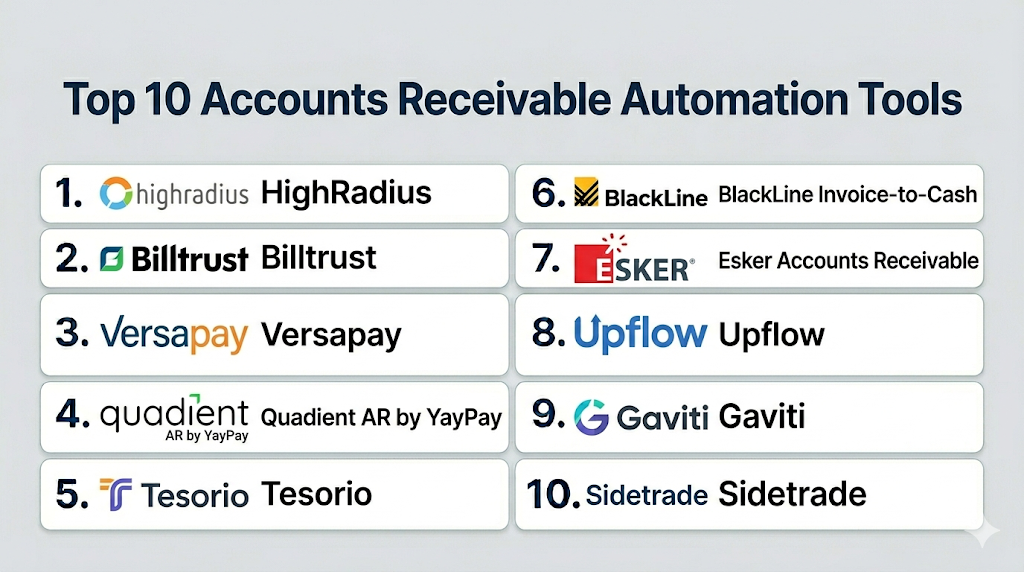
Top 10 Accounts Receivable Automation Tools
1- HighRadius
Short description: HighRadius is an enterprise accounts receivable and order-to-cash automation platform focused on collections, cash application, deductions, credit, electronic invoicing, and receivables analytics. It is best suited for large organizations that need deep AR automation and advanced finance workflow intelligence.
Key Features
- Collections automation and customer follow-up workflows
- Cash application automation for matching payments with invoices
- Credit risk and customer payment behavior visibility
- Deduction and dispute management capabilities
- Electronic invoicing and payment tracking
- Receivables dashboards for DSO, aging, and cash visibility
- ERP integrations for enterprise finance environments
Pros
- Strong fit for large and complex AR operations
- Broad invoice-to-cash automation coverage
- Useful for companies with high invoice volume and complex customer payments
Cons
- May be more advanced than smaller finance teams need
- Implementation can require strong process planning and data readiness
- Enterprise pricing and module scope should be reviewed carefully
Platforms / Deployment
Cloud / Web.
Security & Compliance
Supports enterprise finance security expectations such as access controls, audit trails, workflow governance, secure data handling, and role-based permissions. Specific certifications should be verified directly with the vendor.
Integrations & Ecosystem
HighRadius is designed for enterprise AR environments where receivables data must connect with ERP, banking, payment, credit, and reporting systems.
- ERP systems
- Banking and remittance workflows
- Payment processing systems
- Credit and risk workflows
- Customer account data
- Reporting and analytics platforms
Support & Community
HighRadius provides enterprise implementation support, documentation, customer success resources, and finance transformation guidance. Adoption works best when teams define AR workflows, data mapping, and collector processes clearly before rollout.
2- Billtrust
Short description: Billtrust is an accounts receivable automation platform focused on invoicing, payments, cash application, collections, credit, and receivables visibility. It is suitable for companies that want a unified AR platform for invoice-to-cash operations and B2B customer payment experiences.
Key Features
- Digital invoice delivery and presentment
- Customer payment portal and payment acceptance
- Cash application and remittance matching
- Collections workflow automation
- Credit and customer account visibility
- AR reporting and receivables dashboards
- ERP and accounting system integrations
Pros
- Strong fit for B2B AR automation
- Good coverage across invoicing, payments, and cash application
- Useful for improving customer payment experience
Cons
- May require process changes for teams used to manual collections
- Advanced implementation can depend on ERP and payment complexity
- Smaller businesses may not need the full platform scope
Platforms / Deployment
Cloud / Web.
Security & Compliance
Supports finance workflow security expectations such as user permissions, secure payment workflows, customer account controls, and auditability. Specific compliance certifications should be verified with the vendor.
Integrations & Ecosystem
Billtrust connects AR automation with ERP, payment, banking, customer, and accounting systems. It is especially useful for businesses that want receivables automation connected with customer-facing payment experiences.
- ERP systems
- Accounting platforms
- Payment processors
- Banking workflows
- Customer portals
- Reporting and analytics tools
Support & Community
Billtrust provides onboarding support, implementation resources, documentation, and customer success services. It is best suited for teams that need structured AR automation and customer payment enablement.
3- Versapay
Short description: Versapay is an AR automation platform focused on collaborative accounts receivable, digital invoicing, customer payment portals, collections, and cash application. It is best for companies that want to improve customer communication and payment experience while automating receivables workflows.
Key Features
- Collaborative AR workspace for finance and customers
- Digital invoice presentment and payment collection
- Customer self-service portal
- Automated collections and reminder workflows
- Cash application and payment matching support
- Dispute and communication tracking
- ERP and accounting integrations
Pros
- Strong customer collaboration and portal experience
- Good fit for B2B companies with customer payment friction
- Helps reduce manual email follow-ups and payment confusion
Cons
- May not be as broad as full enterprise order-to-cash suites
- Advanced credit or deduction workflows should be validated
- Best value depends on customer adoption of portal workflows
Platforms / Deployment
Cloud / Web.
Security & Compliance
Supports secure payment workflows, user access controls, customer account access, and auditability. Specific certifications and compliance details should be verified directly with the vendor.
Integrations & Ecosystem
Versapay connects customer payment workflows with ERP, accounting, payment, billing, and finance systems. It is especially helpful where customer collaboration is central to reducing payment delays.
- ERP platforms
- Accounting systems
- Payment gateways
- Customer portals
- Billing workflows
- AR reporting tools
Support & Community
Versapay provides onboarding, support resources, customer success assistance, and documentation. It is well suited for teams that want to improve both finance efficiency and customer payment experience.
4- Quadient AR by YayPay
Short description: Quadient AR by YayPay is an accounts receivable automation platform focused on collections, credit, cash application, customer communication, and AR analytics. It is suitable for companies that need structured collections workflows and better visibility into receivables performance.
Key Features
- Collections automation and workflow management
- Customer communication tracking
- Cash application support
- Credit and risk visibility
- Dispute and deduction workflow support
- AR dashboards for aging, DSO, and collector performance
- ERP and finance system integrations
Pros
- Strong fit for collections-focused AR teams
- Useful for improving collector productivity and visibility
- Good dashboards for receivables performance tracking
Cons
- Advanced fit depends on ERP and workflow complexity
- May require training for teams moving from spreadsheets
- Product scope should be validated against full order-to-cash needs
Platforms / Deployment
Cloud / Web.
Security & Compliance
Supports access controls, customer data governance, workflow tracking, and auditability. Specific compliance certifications should be verified directly with the vendor.
Integrations & Ecosystem
Quadient AR connects collections, payments, customer communication, and receivables reporting with ERP and finance systems. It is useful where collection workflows need more structure and automation.
- ERP systems
- Finance platforms
- Customer account data
- Payment workflows
- Dispute tracking systems
- Reporting and analytics tools
Support & Community
Quadient provides support, onboarding assistance, documentation, and customer success resources. It is a good fit for finance teams that want guided collections automation and receivables visibility.
5- Tesorio
Short description: Tesorio is an accounts receivable automation and cash flow performance platform focused on collections, cash forecasting, payment reminders, and AR visibility. It is best for finance teams that want to improve collections prioritization and understand expected cash inflows.
Key Features
- Collections automation and task prioritization
- Cash forecasting and receivables visibility
- Customer payment behavior tracking
- Automated reminders and follow-up workflows
- AR aging dashboards and performance reporting
- Team collaboration for collections activities
- ERP and accounting integrations
Pros
- Strong focus on cash flow visibility and collections prioritization
- Good fit for finance teams monitoring future cash inflows
- Helps teams move from reactive collections to proactive AR management
Cons
- May not replace full invoice-to-cash suites for every use case
- Advanced cash application or payment portal depth should be validated
- Best value depends on clean AR and customer payment data
Platforms / Deployment
Cloud / Web.
Security & Compliance
Supports finance workflow security expectations such as access controls, user roles, auditability, and secure data handling. Specific certifications should be verified directly with the vendor.
Integrations & Ecosystem
Tesorio integrates with accounting, ERP, customer, and finance systems to support receivables visibility and collection workflows.
- ERP systems
- Accounting platforms
- Customer account records
- Payment data workflows
- Finance dashboards
- Reporting and forecasting tools
Support & Community
Tesorio provides support, onboarding guidance, documentation, and customer success resources. It is suitable for finance teams that want better collections discipline and cash flow insight.
6- BlackLine Invoice-to-Cash
Short description: BlackLine Invoice-to-Cash is a receivables automation solution focused on cash application, collections, deductions, credit risk, and working capital optimization. It is best suited for enterprise finance teams that need AR automation connected with broader financial close and accounting processes.
Key Features
- Cash application and payment matching
- Collections management and customer follow-up workflows
- Deductions and disputes management
- Credit risk and customer behavior visibility
- Receivables analytics and working capital reporting
- Enterprise workflow controls and auditability
- Integration with ERP and finance systems
Pros
- Strong fit for enterprise finance operations
- Useful for cash application and broader invoice-to-cash workflows
- Aligns well with finance transformation and accounting automation
Cons
- May be too advanced for smaller AR teams
- Implementation can require careful data and workflow planning
- Buyers should validate module fit for specific AR requirements
Platforms / Deployment
Cloud / Web.
Security & Compliance
Supports enterprise security expectations such as role-based permissions, auditability, workflow controls, and secure financial data handling. Specific certifications should be verified directly with the vendor.
Integrations & Ecosystem
BlackLine Invoice-to-Cash connects receivables automation with ERP, accounting, customer, bank, and finance reporting workflows.
- ERP systems
- Accounting platforms
- Banking and remittance data
- Customer account systems
- Collections workflows
- Financial reporting tools
Support & Community
BlackLine provides enterprise support, implementation resources, documentation, customer success services, and finance transformation expertise. It is best for organizations with mature finance operations.
7- Esker Accounts Receivable
Short description: Esker Accounts Receivable is an AR automation solution that supports invoice delivery, payment collection, cash application, collections, deductions, and customer communication. It is a strong fit for companies that want AR automation connected with broader document process automation.
Key Features
- Electronic invoice delivery and customer communication
- Payment collection and customer portal support
- Cash application and payment matching
- Collections management and reminders
- Deductions and disputes handling
- AR analytics and reporting dashboards
- ERP and finance system integrations
Pros
- Strong document automation and AR workflow coverage
- Useful for invoice delivery, payment tracking, and collections
- Good fit for organizations seeking broader finance process automation
Cons
- Advanced use cases may require careful module selection
- Implementation quality depends on ERP and process complexity
- Smaller teams may not need full suite depth
Platforms / Deployment
Cloud / Web.
Security & Compliance
Supports secure document workflows, access controls, approval tracking, and auditability. Specific certifications should be verified directly with the vendor.
Integrations & Ecosystem
Esker connects AR workflows with ERP, finance, customer, invoice, payment, and document systems. It is useful where invoice document automation is a major requirement.
- ERP systems
- Accounting systems
- Customer portals
- Payment workflows
- Document automation
- Reporting and analytics systems
Support & Community
Esker provides support, documentation, onboarding, implementation assistance, and customer success resources. It is a practical fit for teams automating both receivables and finance documents.
8- Upflow
Short description: Upflow is an accounts receivable and collections automation platform designed to help finance teams track invoices, manage customer follow-ups, and improve payment collection. It is well suited for SaaS, subscription, and growing B2B companies that want simpler AR visibility and collections workflows.
Key Features
- Invoice tracking and AR visibility
- Automated collections reminders
- Customer communication workflows
- Payment status tracking
- Aging reports and receivables dashboards
- Team collaboration for collections tasks
- Accounting and billing system integrations
Pros
- Easy-to-use collections and AR visibility platform
- Good fit for SaaS and growing B2B companies
- Helps reduce manual customer follow-ups
Cons
- May not provide deep enterprise cash application or deductions workflows
- Less suitable for complex global order-to-cash requirements
- Best fit depends on integration with billing and accounting tools
Platforms / Deployment
Cloud / Web.
Security & Compliance
Supports finance workflow access controls, user permissions, and secure AR data handling. Specific certifications should be verified directly with the vendor.
Integrations & Ecosystem
Upflow connects with billing, accounting, payment, and finance systems to help teams centralize collections and payment follow-up.
- Accounting systems
- Billing platforms
- Payment processors
- Customer records
- AR dashboards
- Collection workflow tools
Support & Community
Upflow provides onboarding, documentation, customer support, and finance workflow guidance. It is suitable for teams that want a practical, user-friendly AR automation experience.
9- Gaviti
Short description: Gaviti is an accounts receivable automation platform focused on collections, customer follow-ups, payment reminders, and AR performance visibility. It is best for finance teams that want to automate collection activities without adopting a complex enterprise suite.
Key Features
- Automated collections workflows
- Customer reminder scheduling
- Aging and receivables dashboards
- Collector task management
- Customer communication tracking
- Payment status visibility
- ERP and accounting integrations
Pros
- Practical option for collections automation
- Helps reduce manual follow-up and spreadsheet tracking
- Good fit for teams focused on improving overdue invoice collection
Cons
- May not cover the full invoice-to-cash lifecycle
- Advanced cash application and deduction workflows should be validated
- Enterprise-scale needs may require broader AR platforms
Platforms / Deployment
Cloud / Web.
Security & Compliance
Supports secure access controls, user permissions, workflow visibility, and AR communication tracking. Specific compliance documentation should be verified with the vendor.
Integrations & Ecosystem
Gaviti integrates with ERP, accounting, customer, and invoice data systems to support collections automation and AR tracking.
- ERP systems
- Accounting platforms
- Customer account data
- Invoice records
- Collection workflows
- Reporting dashboards
Support & Community
Gaviti provides support resources, onboarding guidance, documentation, and customer assistance. It is a good fit for finance teams that need fast collections workflow improvements.
10- Sidetrade
Short description: Sidetrade is an order-to-cash and accounts receivable automation platform focused on collections, cash application, dispute management, credit risk, and AI-supported receivables intelligence. It is best for companies with complex customer portfolios and structured AR operations.
Key Features
- Collections automation and customer prioritization
- Cash application support
- Dispute and deduction workflow management
- Credit risk and customer behavior insights
- AI-assisted receivables prioritization
- AR analytics and performance reporting
- ERP and finance system integrations
Pros
- Strong fit for enterprise and complex AR teams
- Useful for AI-supported collections and customer risk visibility
- Good coverage across order-to-cash workflows
Cons
- May be too advanced for small businesses
- Implementation requires process clarity and data readiness
- Buyers should validate fit across regions, entities, and ERP systems
Platforms / Deployment
Cloud / Web.
Security & Compliance
Supports enterprise workflow controls, secure customer data handling, user permissions, and auditability. Specific certifications should be verified directly with the vendor.
Integrations & Ecosystem
Sidetrade connects receivables workflows with ERP, finance, customer, collections, and payment data environments. It is useful where AR teams need intelligence-driven collection prioritization.
- ERP systems
- Finance platforms
- Customer data systems
- Payment workflows
- Credit and risk data
- Analytics dashboards
Support & Community
Sidetrade provides implementation support, customer success resources, documentation, and enterprise support. It is best suited for larger AR teams that need structured order-to-cash optimization.
Comparison Table
| Tool Name | Best For | Platform Supported | Deployment | Standout Feature | Public Rating |
|---|---|---|---|---|---|
| HighRadius | Enterprise order-to-cash automation | Web | Cloud | AI-driven invoice-to-cash automation | N/A |
| Billtrust | B2B invoicing and payments | Web | Cloud | Unified AR, payments, and cash application | N/A |
| Versapay | Customer payment collaboration | Web | Cloud | Collaborative AR and payment portal | N/A |
| Quadient AR by YayPay | Collections-focused AR teams | Web | Cloud | Structured collections automation | N/A |
| Tesorio | Cash flow and collections visibility | Web | Cloud | Cash forecasting and collections prioritization | N/A |
| BlackLine Invoice-to-Cash | Enterprise finance automation | Web | Cloud | Cash application and working capital visibility | N/A |
| Esker Accounts Receivable | Invoice and document automation | Web | Cloud | AR document and payment workflow automation | N/A |
| Upflow | SaaS and growing B2B companies | Web | Cloud | Simple AR visibility and customer follow-ups | N/A |
| Gaviti | Collections automation | Web | Cloud | Automated customer reminders | N/A |
| Sidetrade | Enterprise order-to-cash intelligence | Web | Cloud | AI-supported collections and credit insights | N/A |
Evaluation & Scoring of Accounts Receivable Automation Tools
| Tool Name | Core 25% | Ease 15% | Integrations 15% | Security 10% | Performance 10% | Support 10% | Value 15% | Weighted Total |
|---|---|---|---|---|---|---|---|---|
| HighRadius | 9.5 | 7.5 | 9.2 | 8.8 | 9.0 | 8.6 | 7.8 | 8.68 |
| Billtrust | 9.0 | 8.0 | 8.8 | 8.6 | 8.8 | 8.5 | 8.0 | 8.55 |
| Versapay | 8.5 | 8.5 | 8.3 | 8.4 | 8.4 | 8.3 | 8.2 | 8.38 |
| Quadient AR by YayPay | 8.6 | 8.2 | 8.4 | 8.4 | 8.5 | 8.3 | 8.0 | 8.38 |
| Tesorio | 8.0 | 8.6 | 8.0 | 8.2 | 8.3 | 8.2 | 8.3 | 8.24 |
| BlackLine Invoice-to-Cash | 9.0 | 7.6 | 8.8 | 8.8 | 8.8 | 8.5 | 7.8 | 8.47 |
| Esker Accounts Receivable | 8.6 | 8.0 | 8.5 | 8.5 | 8.4 | 8.4 | 8.0 | 8.37 |
| Upflow | 7.5 | 9.0 | 7.8 | 8.0 | 8.0 | 8.0 | 8.6 | 8.10 |
| Gaviti | 7.6 | 8.8 | 7.7 | 8.0 | 7.9 | 7.8 | 8.5 | 8.02 |
| Sidetrade | 8.8 | 7.8 | 8.5 | 8.6 | 8.6 | 8.3 | 7.8 | 8.35 |
The scoring is comparative and should be used as a decision-support guide, not a universal ranking. Enterprise order-to-cash platforms score higher for depth, integrations, and scalability, while lighter collections tools may score better for ease of use and faster adoption. Buyers should adjust the scores based on invoice volume, customer portfolio complexity, ERP environment, payment methods, dispute volume, and AR team maturity.
Which Accounts Receivable Automation Tool Is Right for You?
Solo / Freelancer
Solo professionals usually do not need a dedicated AR automation platform. Basic invoicing tools, accounting software, and manual payment reminders may be enough. AR automation becomes useful only when invoice follow-ups, late payments, and reconciliation work become hard to manage manually.
SMB
SMBs should prioritize ease of use, invoice tracking, automated reminders, customer payment visibility, and accounting integrations. Upflow, Gaviti, and Versapay can be practical options depending on the company’s need for collections automation, payment portals, or customer collaboration.
Mid-Market
Mid-market businesses often need stronger collections workflows, cash forecasting, payment matching, and customer communication tracking. Tesorio, Billtrust, Versapay, Quadient AR by YayPay, and Esker Accounts Receivable can be useful depending on AR complexity and integration needs.
Enterprise
Enterprises should focus on global scalability, ERP integration, collections prioritization, cash application, disputes, deductions, credit risk, and auditability. HighRadius, BlackLine Invoice-to-Cash, Sidetrade, Billtrust, and Esker Accounts Receivable are stronger fits for complex AR and order-to-cash environments.
Budget vs Premium
Budget-conscious teams should avoid buying a complex order-to-cash suite before their AR processes are mature. Lighter tools such as Upflow and Gaviti may provide faster value for collections visibility. Premium buyers with high invoice volume and complex payments should evaluate HighRadius, Billtrust, BlackLine, or Sidetrade.
Feature Depth vs Ease of Use
For full invoice-to-cash depth, HighRadius, Billtrust, BlackLine Invoice-to-Cash, Sidetrade, and Esker are stronger. For ease of use and focused collections automation, Upflow, Gaviti, Tesorio, and Versapay may be more approachable.
Integrations & Scalability
Companies should prioritize integrations with ERP, accounting, CRM, billing, banking, lockbox, and payment systems. Small teams may only need accounting and payment integrations, while enterprises need stronger ERP mapping, multi-entity support, multi-currency handling, and high-volume cash application capabilities.
Security & Compliance Needs
Finance teams should evaluate SSO, MFA, role-based access, audit logs, data encryption, customer payment security, payment history tracking, and compliance documentation. Since AR tools handle customer financial information and payment data, security and governance should be reviewed before rollout.
Frequently Asked Questions
1. What is Accounts Receivable Automation?
Accounts Receivable Automation is software that automates invoice delivery, payment reminders, collections, cash application, disputes, and receivables reporting. It helps finance teams reduce manual work and improve cash collection visibility.
2. How is AR automation different from accounting software?
Accounting software records invoices, payments, and financial transactions. AR automation focuses on improving the receivables process by helping teams collect payments faster, automate follow-ups, match payments, and manage overdue invoices.
3. What pricing model do AR automation tools usually follow?
Pricing varies by vendor and may depend on users, invoice volume, customer accounts, modules, payment volume, integrations, or company size. Enterprise platforms usually use custom pricing, while lighter tools may offer simpler subscription models.
4. How long does AR automation implementation take?
Implementation depends on invoice volume, ERP integration, customer data quality, payment methods, and workflow complexity. Simple collections tools can be faster to adopt, while enterprise order-to-cash platforms may require phased deployment and testing.
5. What are common mistakes when choosing AR automation software?
Common mistakes include ignoring ERP integration, underestimating cash application complexity, failing to clean customer data, choosing a tool without mapping collection workflows, and not involving collections, credit, finance, and IT teams early.
6. Is AR automation software secure?
Most serious AR platforms include security features such as user permissions, audit trails, secure payment handling, and access controls. Buyers should verify SSO, MFA, encryption, compliance documentation, and customer payment security before purchase.
7. Can AR automation reduce DSO?
Yes, AR automation can help reduce DSO by improving invoice visibility, sending timely reminders, prioritizing collections, resolving disputes faster, and making it easier for customers to pay. Actual results depend on process discipline and customer behavior.
8. What integrations should buyers look for?
Buyers should look for integrations with ERP, accounting, CRM, billing, banking, payment gateways, lockbox systems, and analytics platforms. ERP and payment integrations are usually the most important for accurate receivables workflows.
9. When should a company switch AR automation tools?
A company should switch when collections are too manual, payment matching is slow, overdue invoices are rising, disputes are hard to track, customer communication is scattered, or the current system cannot support growth and reporting needs.
10. Are there alternatives to AR automation tools?
Alternatives include accounting software, spreadsheets, manual email reminders, CRM tasks, payment portals, and ERP receivables modules. These may work for simple needs, but dedicated AR automation tools are better for structured collections and cash visibility.
Conclusion
Accounts Receivable Automation Tools help finance teams improve collections, reduce manual follow-ups, automate payment matching, manage disputes, and gain better visibility into cash flow. The right platform depends on company size, invoice volume, customer payment behavior, ERP environment, dispute complexity, collections maturity, and budget. Large enterprises may need HighRadius, Billtrust, BlackLine Invoice-to-Cash, Esker, or Sidetrade for deep invoice-to-cash automation and enterprise-grade workflows. Mid-market teams may benefit from Versapay, Quadient AR by YayPay, or Tesorio for customer collaboration, collections management, and cash forecasting. Smaller or growing B2B companies may prefer Upflow or Gaviti for practical collections automation and easier adoption. The best next step is to shortlist two or three tools, map your real AR workflows, validate ERP and payment integrations, review security requirements, and run a pilot with real invoices, customer accounts, and payment data before making a final decision.

Find Trusted Cardiac Hospitals
Compare heart hospitals by city and services — all in one place.
Explore Hospitals
Model registry tools are very important because they help organize, track, and manage machine learning models in a structured way throughout their lifecycle.
Accounts receivable automation tools are most valuable when they help businesses streamline the process of managing invoices, collecting payments, and maintaining healthy cash flow through a centralized platform. By providing automated invoice delivery, payment reminders, collections workflows, customer payment portals, cash application, reconciliation, aging analysis, credit management, real-time receivables reporting, and integration with ERP and accounting systems, these platforms enable organizations to reduce manual collection work, accelerate payments, improve cash-flow visibility, minimize overdue receivables, and strengthen overall financial operations.