Introduction
Subscription billing platforms help businesses manage recurring payments, customer subscriptions, invoices, usage-based pricing, upgrades, downgrades, renewals, taxes, failed payments, and revenue workflows from one centralized system. Instead of manually tracking every monthly, annual, prepaid, or metered subscription, these platforms automate billing logic so finance, sales, product, and customer success teams can work with cleaner data and fewer payment errors. Subscription billing matters because modern businesses are moving beyond simple recurring plans. Many companies now use hybrid pricing, product-led growth, free trials, add-ons, consumption billing, contract billing, and global payment methods. A strong platform helps reduce revenue leakage, improve customer experience, support compliance, and scale billing operations without adding unnecessary manual work.
Real World Use Cases
- SaaS companies managing monthly, annual, and usage-based subscriptions
- B2B businesses handling contracts, renewals, invoices, and revenue workflows
- Digital product companies selling memberships, add-ons, and premium plans
- Enterprise software vendors needing complex pricing and approval workflows
- Finance teams automating collections, dunning, tax, and reporting
Evaluation Criteria for Buyers
- Recurring billing flexibility
- Usage-based and metered billing support
- Payment gateway and tax integrations
- Revenue recognition and finance reporting
- Customer self-service portal
- Dunning and failed payment recovery
- Security, permissions, and audit controls
- Global currency and localization support
- API quality and developer experience
- Scalability for product and pricing changes
Best for: SaaS companies, subscription businesses, digital service providers, finance teams, product-led companies, and enterprises that need automated billing, invoicing, pricing flexibility, and revenue operations support.
Not ideal for: Very small businesses with only a few fixed invoices, companies that only need basic payment links, or teams that already use a simple accounting system and do not require subscription lifecycle management.
Key Trends in Subscription Billing Platforms
- Usage-based billing is becoming standard: More companies are moving from fixed subscriptions to pricing based on seats, API calls, transactions, storage, usage volume, or customer activity.
- Hybrid pricing models are growing: Businesses increasingly combine recurring fees, one-time charges, add-ons, discounts, and metered components in one billing model.
- Finance automation is more important: Teams want billing platforms that connect invoicing, payments, collections, revenue recognition, and reporting.
- AI-assisted revenue workflows are emerging: Some platforms are adding smarter payment recovery, anomaly detection, forecasting, and billing insights.
- Global tax support is a major requirement: Subscription businesses selling across regions need better handling of VAT, GST, sales tax, exemptions, and tax documentation.
- Self-service customer portals are expected: Customers want to manage plans, invoices, payment methods, renewals, and cancellations without contacting support.
- Developer-friendly billing APIs matter: Product and engineering teams need flexible APIs to launch new pricing experiments quickly.
- Enterprise controls are expanding: Larger companies need approval workflows, audit logs, role-based access, compliance controls, and integration with ERP systems.
- Revenue leakage prevention is a priority: Businesses want better visibility into failed payments, unpaid invoices, incorrect discounts, and missed renewals.
- Billing is becoming part of revenue operations: Subscription billing is no longer only a finance function; it connects sales, product, support, compliance, and analytics.
How We Selected These Tools
The tools below were selected based on practical relevance for subscription-based businesses, product maturity, market recognition, feature depth, and fit across different company sizes.
- Strong support for recurring billing and subscription lifecycle management
- Ability to handle multiple pricing models such as flat-rate, tiered, seat-based, and usage-based billing
- Integration strength with payment gateways, CRMs, accounting tools, ERPs, tax tools, and data systems
- Suitability for SaaS, digital services, memberships, and B2B recurring revenue businesses
- Security posture signals such as access controls, auditability, and enterprise readiness
- Flexibility for global billing, currencies, taxes, and invoice localization
- Reporting capabilities for finance, revenue operations, and customer lifecycle tracking
- Developer experience through APIs, webhooks, documentation, and sandbox environments
- Support options, onboarding resources, and implementation ecosystem
- Balance between enterprise-grade platforms and tools suitable for SMB or growth-stage companies
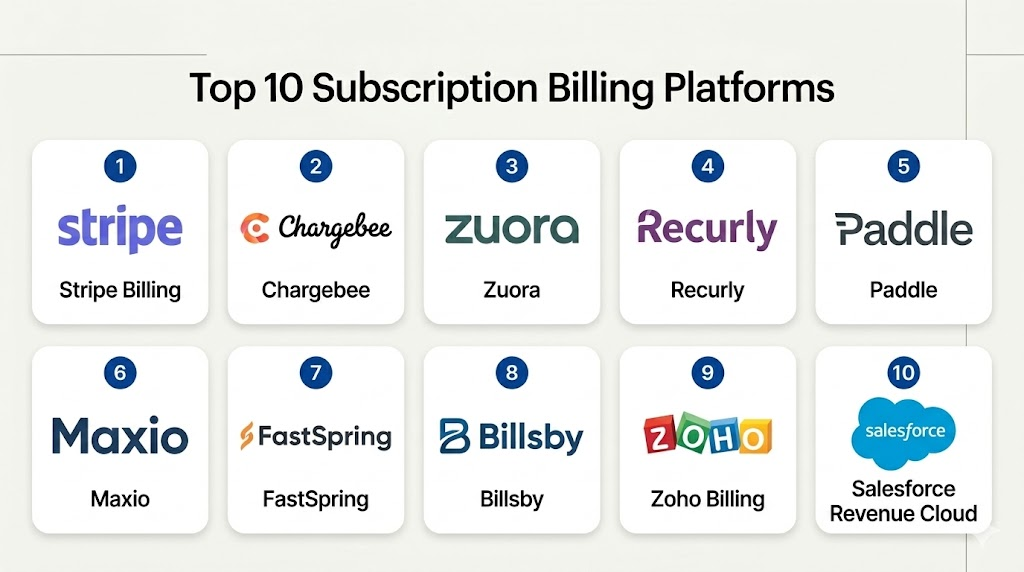
Top 10 Subscription Billing Platforms
1- Stripe Billing
Short description: Stripe Billing is a widely used subscription billing platform built on top of Stripe’s payments infrastructure. It is popular among startups, SaaS companies, marketplaces, and digital businesses that need flexible recurring billing, invoices, usage-based pricing, and developer-friendly APIs.
Key Features
- Recurring billing for monthly, annual, and custom billing cycles
- Support for trials, coupons, discounts, upgrades, downgrades, and prorations
- Usage-based and metered billing capabilities
- Hosted invoices and customer payment flows
- Payment recovery and dunning automation
- Strong developer APIs, webhooks, and documentation
- Integration with Stripe Tax, Stripe Revenue Recognition, and Stripe payment products
Pros
- Very strong developer experience for product-led and API-first companies
- Works well for global online businesses using Stripe payments
- Flexible enough for startups and growing SaaS teams
Cons
- Advanced finance workflows may require additional Stripe products or external systems
- Enterprise contract billing can become complex without careful setup
- Teams not already using Stripe may need migration planning
Platforms / Deployment
Cloud / Web / API-based deployment
Security & Compliance
Stripe is known for strong payment security infrastructure, encryption, access controls, and compliance support around payments. Specific compliance requirements should be validated directly based on region, use case, and account setup.
Integrations & Ecosystem
Stripe Billing connects naturally with the broader Stripe ecosystem and many business systems used by SaaS and digital companies. Its APIs and webhooks make it highly extensible for custom billing workflows.
- Stripe Payments
- Stripe Tax
- Stripe Revenue Recognition
- Accounting tools
- CRM and data platforms
- Custom internal systems through API
Support & Community
Stripe has strong documentation, developer guides, API references, and a large technical community. Support options vary by account type, business size, and service level.
2- Chargebee
Short description: Chargebee is a subscription management and recurring billing platform designed for SaaS, subscription commerce, and recurring revenue businesses. It is well suited for companies that need plan management, billing automation, revenue workflows, and finance-friendly subscription operations.
Key Features
- Subscription lifecycle management
- Recurring billing, invoicing, and payment collection
- Plan catalogs, add-ons, coupons, discounts, and trials
- Dunning and payment recovery workflows
- Revenue recognition support through related products or integrations
- Customer portal for subscription self-service
- Integrations with payment gateways, CRM, accounting, and tax tools
Pros
- Strong fit for SaaS and subscription-first businesses
- Good balance between finance workflows and growth team needs
- Supports multiple payment gateways and business models
Cons
- Advanced use cases may need implementation support
- Pricing and packaging can vary by business requirements
- Complex billing models require careful configuration
Platforms / Deployment
Cloud / Web
Security & Compliance
Chargebee provides enterprise-oriented security features such as role-based access, audit-related controls, and compliance-focused capabilities. Specific certifications and compliance coverage should be verified for each business requirement.
Integrations & Ecosystem
Chargebee has a broad integration ecosystem for subscription businesses and finance teams. It is commonly used alongside payment processors, CRMs, accounting tools, and tax automation platforms.
- Payment gateways
- CRM systems
- Accounting platforms
- Tax automation tools
- Analytics and data tools
- Revenue recognition workflows
Support & Community
Chargebee offers documentation, onboarding resources, customer support, and implementation guidance. Support level may vary depending on plan and business size.
3- Zuora
Short description: Zuora is an enterprise-grade subscription management and monetization platform built for complex recurring revenue businesses. It is often used by larger SaaS, media, technology, IoT, and enterprise subscription companies that need advanced billing, revenue, and quote-to-cash workflows.
Key Features
- Subscription order management
- Complex pricing and packaging support
- Recurring, usage-based, and hybrid billing
- Enterprise invoicing and collections workflows
- Revenue recognition and finance operations support
- Quote-to-cash and contract lifecycle alignment
- Integration with ERP, CRM, and enterprise systems
Pros
- Strong fit for large and complex subscription businesses
- Deep support for enterprise billing and monetization models
- Useful for companies with global and multi-product revenue operations
Cons
- Implementation can be more complex than SMB-focused tools
- May require dedicated finance, operations, and technical resources
- Not ideal for very small teams with simple billing needs
Platforms / Deployment
Cloud / Web / Enterprise integrations
Security & Compliance
Zuora is designed for enterprise environments and includes access controls, auditability, and compliance-oriented capabilities. Specific certifications and regulatory fit should be verified directly based on the deployment and region.
Integrations & Ecosystem
Zuora integrates with enterprise software stacks and is commonly used in quote-to-cash and revenue operations environments. It is suitable for companies that need billing connected with CRM, ERP, tax, and reporting systems.
- Salesforce and CRM systems
- ERP platforms
- Tax systems
- Payment gateways
- Revenue recognition tools
- Data warehouses and analytics tools
Support & Community
Zuora offers enterprise support, professional services, documentation, and implementation partner resources. Support experience typically depends on customer tier and project complexity.
4- Recurly
Short description: Recurly is a subscription management and recurring billing platform focused on subscription growth, retention, and payment recovery. It is commonly used by SaaS, digital media, consumer subscription, and recurring revenue businesses.
Key Features
- Subscription billing and plan management
- Revenue optimization and payment recovery tools
- Dunning management and retry logic
- Support for coupons, trials, add-ons, and flexible billing models
- Customer lifecycle and subscription analytics
- Multiple payment gateway support
- Integrations for finance, marketing, and customer systems
Pros
- Strong focus on subscription retention and failed payment recovery
- Suitable for digital subscriptions and SaaS businesses
- Offers practical billing lifecycle automation
Cons
- Advanced enterprise finance workflows may need integrations
- Complex global tax needs may require external tax tools
- Custom pricing structures may need careful configuration
Platforms / Deployment
Cloud / Web
Security & Compliance
Recurly supports security features relevant to subscription billing, including permission controls and payment security practices. Specific compliance certifications should be confirmed for the buyer’s requirements.
Integrations & Ecosystem
Recurly integrates with payment gateways, tax tools, analytics systems, and customer-facing platforms. Its ecosystem supports both B2B and B2C subscription operations.
- Payment processors
- Tax automation platforms
- Accounting systems
- CRM and marketing tools
- Analytics platforms
- Custom API integrations
Support & Community
Recurly provides product documentation, customer support, and onboarding resources. Support availability may vary by plan and business requirements.
5- Paddle
Short description: Paddle is a billing and payments platform for software companies that want subscription billing, checkout, tax handling, payments, and merchant-of-record support in one platform. It is especially relevant for SaaS and software businesses selling globally.
Key Features
- Subscription billing and checkout
- Merchant-of-record model for eligible businesses
- Global tax handling support
- Payments, invoices, and subscription lifecycle management
- Revenue recovery and payment retry features
- Customer portal and checkout flows
- Reporting for software revenue operations
Pros
- Reduces operational burden for global software sellers
- Helpful for tax and payment complexity across markets
- Good fit for SaaS and digital product businesses
Cons
- Merchant-of-record model may not fit every company’s operating model
- Less ideal for businesses that require full control over payment merchant setup
- Enterprise customization needs should be reviewed carefully
Platforms / Deployment
Cloud / Web
Security & Compliance
Paddle provides security and compliance-related capabilities appropriate for payments and billing workflows. Buyers should validate specific compliance requirements before implementation.
Integrations & Ecosystem
Paddle supports software businesses through integrations and APIs that connect checkout, subscription billing, tax, and revenue workflows.
- Checkout systems
- Analytics tools
- CRM and customer systems
- Accounting workflows
- Product-led growth tools
- API-based integrations
Support & Community
Paddle provides documentation, customer support, and implementation resources. Support experience may vary based on business size and service level.
6- Maxio
Short description: Maxio is a subscription billing and financial operations platform focused on B2B SaaS businesses. It helps companies manage billing, revenue reporting, metrics, invoicing, and subscription finance workflows.
Key Features
- Subscription billing for SaaS businesses
- Usage-based, recurring, and hybrid billing support
- SaaS metrics and revenue analytics
- Invoice and payment operations
- Revenue reporting workflows
- Integrations with CRM, accounting, and payment systems
- Support for finance and revenue operations teams
Pros
- Strong fit for B2B SaaS finance teams
- Combines billing workflows with SaaS metrics and reporting
- Useful for businesses needing deeper revenue visibility
Cons
- May be more specialized for SaaS than general subscription commerce
- Implementation needs vary depending on existing finance stack
- Some advanced workflows may require configuration and integrations
Platforms / Deployment
Cloud / Web
Security & Compliance
Maxio provides business and finance workflow security capabilities such as permissions and access management. Specific compliance certifications should be validated directly.
Integrations & Ecosystem
Maxio connects subscription billing with revenue operations, accounting, CRM, and reporting tools. It is useful for finance teams that need more than basic recurring invoices.
- CRM systems
- Accounting platforms
- Payment processors
- Data and analytics tools
- Revenue reporting systems
- Custom integrations
Support & Community
Maxio offers documentation, onboarding resources, and customer support. Support depth may depend on customer segment and implementation scope.
7- FastSpring
Short description: FastSpring is a subscription billing, ecommerce, and payment platform for software, SaaS, and digital product companies. It is often used by businesses that want global selling, payments, tax handling, checkout, and subscription management capabilities.
Key Features
- Subscription billing for software and digital products
- Global checkout and payment support
- Tax handling for digital sales
- Invoicing and order management
- Customer self-service options
- Renewal and cancellation workflows
- Reporting and revenue operations support
Pros
- Strong fit for software and digital product businesses
- Helpful for global selling and payment localization
- Combines ecommerce and subscription billing capabilities
Cons
- May not fit businesses needing highly custom enterprise billing logic
- Merchant and checkout model should be evaluated carefully
- Some finance workflows may require integration with external systems
Platforms / Deployment
Cloud / Web
Security & Compliance
FastSpring supports payment security and compliance-related workflows for digital commerce. Specific certifications and legal requirements should be verified based on region and use case.
Integrations & Ecosystem
FastSpring integrates commerce, subscription billing, payments, and reporting workflows for digital businesses. It can connect with customer, accounting, and analytics systems.
- Payment methods
- Accounting workflows
- Analytics platforms
- Customer management systems
- Ecommerce tools
- API-based integrations
Support & Community
FastSpring provides support, documentation, and onboarding resources. Support level may vary depending on customer plan and commercial relationship.
8- Billsby
Short description: Billsby is a subscription billing platform designed for companies that need flexible plan management, recurring billing, and subscription automation. It is often suitable for startups, SMBs, and growing subscription businesses.
Key Features
- Subscription plan and pricing management
- Recurring billing and invoices
- Trials, coupons, discounts, and add-ons
- Customer self-service portal
- Dunning and failed payment handling
- Customizable checkout and subscription flows
- API and integration options
Pros
- Flexible subscription setup for smaller and growing companies
- Easier entry point compared with some enterprise-heavy platforms
- Useful for businesses experimenting with pricing models
Cons
- May not offer the same enterprise depth as larger platforms
- Complex finance operations may require additional tools
- Support and ecosystem depth should be reviewed for specific needs
Platforms / Deployment
Cloud / Web
Security & Compliance
Billsby provides security features for subscription billing workflows, but specific compliance certifications should be verified directly. Use “Not publicly stated” when certification details are not confirmed.
Integrations & Ecosystem
Billsby supports common subscription business workflows and connects with payments, customer systems, and operational tools through integrations and APIs.
- Payment gateways
- Customer portals
- Accounting workflows
- Marketing tools
- Webhooks and API
- Subscription analytics workflows
Support & Community
Billsby provides documentation and support resources. Community and enterprise support depth may vary depending on use case and plan.
9- Zoho Billing
Short description: Zoho Billing is a recurring billing and subscription management product within the Zoho ecosystem. It is useful for SMBs and growing businesses that already use Zoho products for CRM, accounting, finance, or operations.
Key Features
- Recurring billing and subscription management
- Invoices, payment collection, and customer records
- Plan management, coupons, trials, and add-ons
- Customer portal for subscription self-service
- Integration with Zoho finance and CRM products
- Multi-currency support depending on setup
- Reporting for billing and subscription operations
Pros
- Strong fit for businesses already using Zoho tools
- Practical option for SMB subscription billing
- Cost-effective compared with many enterprise platforms
Cons
- May not be ideal for highly complex enterprise billing models
- Advanced usage-based billing needs should be evaluated carefully
- Best value is often inside the broader Zoho ecosystem
Platforms / Deployment
Cloud / Web / Mobile access may vary by Zoho product setup
Security & Compliance
Zoho provides account security controls, access management, and privacy-focused features across its ecosystem. Specific compliance certifications should be validated for the product and region.
Integrations & Ecosystem
Zoho Billing works especially well with the Zoho ecosystem and can support finance, CRM, and customer operations workflows.
- Zoho CRM
- Zoho Books
- Zoho Analytics
- Payment gateways
- Accounting workflows
- API-based integrations
Support & Community
Zoho provides documentation, support plans, product guides, and a large user ecosystem. Support level may vary by plan and region.
10- Salesforce Revenue Cloud
Short description: Salesforce Revenue Cloud supports quoting, pricing, billing, and revenue lifecycle workflows for businesses already using Salesforce. It is best suited for mid-market and enterprise companies that need billing connected to CRM, sales operations, contracts, and revenue processes.
Key Features
- Quote-to-cash workflow support
- Product catalog, pricing, and billing alignment
- Subscription and contract lifecycle support
- Integration with Salesforce CRM data
- Approval workflows and enterprise process controls
- Revenue operations visibility
- Ecosystem support through Salesforce AppExchange and partners
Pros
- Strong fit for Salesforce-centered organizations
- Useful for connecting sales, billing, and revenue operations
- Enterprise-ready workflow and approval capabilities
Cons
- Implementation can be complex and resource-intensive
- May be too heavy for small businesses with simple subscriptions
- Best results usually require strong Salesforce administration expertise
Platforms / Deployment
Cloud / Web / Salesforce ecosystem
Security & Compliance
Salesforce provides enterprise-grade security capabilities such as role-based permissions, access controls, auditability, and compliance-oriented platform controls. Specific certifications and requirements should be validated for the buyer’s region and implementation.
Integrations & Ecosystem
Salesforce Revenue Cloud is strongest when used within the Salesforce ecosystem and connected to sales, finance, customer success, and enterprise data workflows.
- Salesforce CRM
- Salesforce CPQ workflows
- ERP systems
- Finance and accounting tools
- AppExchange ecosystem
- Custom APIs and middleware
Support & Community
Salesforce has extensive documentation, Trailhead learning resources, implementation partners, professional services, and a large enterprise community. Support depends on licensing and service level.
Comparison Table
| Tool Name | Best For | Platform Supported | Deployment | Standout Feature | Public Rating |
|---|---|---|---|---|---|
| Stripe Billing | Developer-first SaaS and digital businesses | Web / API | Cloud | Flexible billing APIs and payments ecosystem | N/A |
| Chargebee | SaaS and subscription businesses | Web | Cloud | Subscription lifecycle management | N/A |
| Zuora | Enterprise subscription businesses | Web | Cloud | Complex monetization and quote-to-cash workflows | N/A |
| Recurly | SaaS and digital subscriptions | Web | Cloud | Retention and payment recovery workflows | N/A |
| Paddle | Global software sellers | Web | Cloud | Merchant-of-record support for eligible businesses | N/A |
| Maxio | B2B SaaS finance teams | Web | Cloud | Billing plus SaaS revenue metrics | N/A |
| FastSpring | Software and digital product commerce | Web | Cloud | Global checkout and subscription commerce | N/A |
| Billsby | Startups and SMB subscription businesses | Web | Cloud | Flexible subscription plan setup | N/A |
| Zoho Billing | SMBs using Zoho ecosystem | Web | Cloud | Recurring billing inside Zoho stack | N/A |
| Salesforce Revenue Cloud | Salesforce-based enterprises | Web | Cloud | CRM-connected revenue lifecycle workflows | N/A |
Evaluation & Scoring of Subscription Billing Platforms
| Tool Name | Core 25% | Ease 15% | Integrations 15% | Security 10% | Performance 10% | Support 10% | Value 15% | Weighted Total |
|---|---|---|---|---|---|---|---|---|
| Stripe Billing | 9 | 8 | 9 | 9 | 9 | 8 | 8 | 8.55 |
| Chargebee | 9 | 8 | 9 | 8 | 8 | 8 | 8 | 8.35 |
| Zuora | 10 | 6 | 9 | 9 | 9 | 8 | 7 | 8.35 |
| Recurly | 8 | 8 | 8 | 8 | 8 | 8 | 8 | 8.00 |
| Paddle | 8 | 8 | 7 | 8 | 8 | 8 | 8 | 7.85 |
| Maxio | 8 | 7 | 8 | 8 | 8 | 8 | 8 | 7.85 |
| FastSpring | 8 | 7 | 7 | 8 | 8 | 7 | 8 | 7.60 |
| Billsby | 7 | 8 | 7 | 7 | 7 | 7 | 8 | 7.30 |
| Zoho Billing | 7 | 8 | 8 | 8 | 7 | 8 | 9 | 7.85 |
| Salesforce Revenue Cloud | 9 | 6 | 9 | 9 | 8 | 9 | 6 | 7.95 |
These scores are comparative and intended to help buyers shortlist platforms based on fit, not declare one universal winner. A higher score does not automatically mean the tool is best for every business. For example, Zuora may score strongly for enterprise complexity, while Zoho Billing may be more practical for a smaller company already using Zoho. Always validate pricing, implementation effort, integrations, compliance needs, and billing model complexity before making a final decision.
Which Subscription Billing Platform Is Right for You?
Solo / Freelancer
Solo professionals and very small teams usually need simple recurring invoices, payment collection, and customer records rather than a complex monetization engine. Zoho Billing, Billsby, or Stripe Billing can be practical options depending on whether the user prefers a finance-friendly interface or a developer-friendly setup.
If the business only has a few clients and fixed monthly invoices, a full subscription billing platform may be more than required. In that case, basic accounting software or payment links may be enough until the business grows.
SMB
SMBs need billing automation, customer self-service, failed payment recovery, tax support, and easy integration with accounting tools. Chargebee, Recurly, Zoho Billing, Billsby, Paddle, and Stripe Billing are strong options for this segment.
For SMBs selling software globally, Paddle or FastSpring may reduce operational complexity. For SMBs with technical teams, Stripe Billing can provide flexibility. For SMBs focused on finance workflows and subscription operations, Chargebee and Recurly are practical choices.
Mid-Market
Mid-market companies usually need stronger controls, better reporting, multi-product billing, pricing experimentation, and integration with CRM and finance systems. Chargebee, Maxio, Recurly, Stripe Billing, Paddle, and Salesforce Revenue Cloud can fit depending on the business model.
B2B SaaS companies should strongly evaluate Maxio if subscription billing and SaaS metrics are equally important. Companies already using Salesforce heavily may benefit from Salesforce Revenue Cloud if they need quote-to-cash alignment.
Enterprise
Enterprise buyers need advanced billing logic, global operations, compliance controls, approval workflows, ERP integration, contract management, and revenue operations visibility. Zuora and Salesforce Revenue Cloud are often better suited for these environments, especially when billing is tied to complex sales and contract structures.
Stripe Billing and Chargebee may also support larger businesses, depending on architecture and requirements. The final decision should include finance, legal, security, product, and engineering stakeholders.
Budget vs Premium
Budget-conscious teams should look at Zoho Billing, Billsby, Stripe Billing, or Paddle depending on their payment and billing model. These options can help teams start quickly without heavy enterprise implementation.
Premium buyers should evaluate Zuora, Salesforce Revenue Cloud, Chargebee, and Maxio when billing complexity, reporting, controls, and enterprise workflows matter more than basic cost.
Feature Depth vs Ease of Use
For ease of use, Zoho Billing, Billsby, Paddle, and Recurly may feel simpler for many teams. They are suitable when the business needs practical subscription workflows without building too much custom logic.
For feature depth, Zuora, Salesforce Revenue Cloud, Chargebee, Maxio, and Stripe Billing offer stronger capabilities for complex billing models, enterprise workflows, or developer-led customization.
Integrations & Scalability
Stripe Billing is strong for API-first companies. Salesforce Revenue Cloud is strong for Salesforce-centered organizations. Zuora is suitable for enterprise quote-to-cash and ERP-connected billing. Chargebee and Recurly provide strong subscription-focused integration ecosystems.
Scalability should be judged by billing model complexity, transaction volume, number of products, number of currencies, tax requirements, and internal workflow needs.
Security & Compliance Needs
Businesses handling sensitive customer, payment, and revenue data should evaluate MFA, role-based access, audit logs, encryption, data residency, compliance documentation, payment security, and vendor review processes.
Enterprise buyers should involve security and compliance teams early. SMB buyers should still validate access controls, payment security, invoice data handling, and user permission management before going live.
Frequently Asked Questions
1- What is a subscription billing platform?
A subscription billing platform automates recurring payments, invoices, plan changes, renewals, failed payment handling, and customer subscription records. It helps businesses manage ongoing revenue without manually tracking every billing cycle.
2- How is subscription billing software different from accounting software?
Accounting software records financial transactions, while subscription billing software manages the active subscription lifecycle. Many companies use both together, with billing software handling subscriptions and accounting software managing books and financial reporting.
3- Which pricing models can subscription billing platforms support?
Most platforms support monthly, annual, prepaid, free trial, seat-based, tiered, add-on, coupon, and discount-based pricing. More advanced platforms also support usage-based, metered, hybrid, and contract-based billing models.
4- Is usage-based billing important for SaaS companies?
Yes, usage-based billing is important when customers pay based on consumption such as API calls, users, storage, transactions, or usage volume. It gives companies more pricing flexibility but requires accurate metering and reporting.
5- What are common mistakes when choosing a billing platform?
Common mistakes include choosing only by price, ignoring tax complexity, underestimating migration work, skipping security review, and failing to test plan upgrades, downgrades, cancellations, refunds, and failed payment workflows.
6- How long does implementation usually take?
Implementation depends on billing complexity, integrations, data migration, tax setup, payment gateway configuration, and internal approval workflows. A simple setup can be faster, while enterprise quote-to-cash projects may require a longer rollout.
7- Do subscription billing platforms handle taxes?
Some platforms include tax capabilities, while others integrate with tax automation tools. Businesses selling across regions should carefully validate VAT, GST, sales tax, exemptions, tax invoices, and local compliance needs.
8- Can I switch from one subscription billing platform to another?
Yes, but migration requires careful planning. Teams must move customer records, subscriptions, invoices, payment tokens where supported, pricing rules, coupons, tax settings, and reporting history without disrupting active customers.
9- What integrations are most important?
Important integrations usually include payment gateways, accounting software, CRM, ERP, tax tools, analytics platforms, customer support tools, and data warehouses. The right integration stack depends on company size and billing model.
10- Are subscription billing platforms secure?
Reputable platforms usually provide security controls such as encryption, permission management, payment security practices, and audit-related features. Buyers should still verify compliance documentation, access controls, and data handling policies before purchase.
Conclusion
Subscription billing platforms are essential for businesses that depend on recurring revenue, flexible pricing, customer renewals, and automated payment collection. The best platform depends on business size, billing complexity, technical resources, finance requirements, global selling needs, and existing software stack. Stripe Billing is strong for developer-led companies, Chargebee and Recurly are practical for subscription-focused businesses, Zuora and Salesforce Revenue Cloud fit complex enterprise environments, and Zoho Billing or Billsby can work well for smaller teams. Paddle and FastSpring are useful for software companies that want global commerce and billing support, while Maxio is especially relevant for B2B SaaS finance operations. The right next step is to shortlist two or three platforms, map your current and future billing models, test key workflows such as upgrades and failed payments, and validate integrations, tax handling, security, and reporting before committing.

Find Trusted Cardiac Hospitals
Compare heart hospitals by city and services — all in one place.
Explore Hospitals
Subscription billing platforms are most valuable when they help businesses automate recurring billing, manage subscription lifecycles, and accurately handle customer payments at scale. By providing recurring billing, subscription plan management, usage-based pricing, automated invoicing, payment processing, proration, upgrades and downgrades, dunning and failed-payment recovery, tax management, revenue reporting, and integration with CRM, accounting, and payment systems, these platforms enable organizations to reduce billing complexity, improve payment collection, support flexible pricing models, and deliver a more consistent customer billing experience.