Introduction
Catering Management Software helps catering companies, restaurants, hotels, event venues, cloud kitchens, and foodservice teams manage catering orders, proposals, menus, production sheets, staffing, delivery schedules, billing, and event execution from one system. Instead of using scattered spreadsheets, emails, paper contracts, and manual kitchen notes, these platforms organize the full catering workflow from lead inquiry to final invoice. This category matters more now because catering operations are becoming more complex. Customers expect fast quotes, online ordering, custom menus, real-time updates, flexible payments, and reliable event delivery. At the same time, catering teams must manage food costs, staffing, equipment, dietary notes, kitchen production, delivery timing, and event profitability.
Real World Use Cases:
- Managing catering leads, quotes, proposals, and contracts
- Creating menus, packages, recipes, and food production sheets
- Coordinating staffing, rentals, delivery, setup, and event timelines
- Tracking customer communication, deposits, invoices, and payments
- Supporting online catering orders for restaurants and food brands
- Monitoring event profitability, sales pipeline, and repeat customers
Evaluation Criteria for Buyers:
- Proposal and quote creation
- Menu and package management
- Event calendar and production planning
- CRM and customer communication
- Online ordering and payment support
- Kitchen production sheets and BEO support
- Delivery, staffing, and rental coordination
- Reporting and profitability tracking
- Multi-location and team collaboration
- Integrations with accounting, POS, payments, and marketing tools
Best for: Catering companies, restaurants with catering programs, hotels, banquet teams, event venues, corporate foodservice teams, cloud kitchens, and hospitality groups that need a structured way to manage catering sales and event execution.
Not ideal for: Very small caterers with only a few simple orders per month may not need a full catering platform. A basic ordering form, spreadsheet, calendar, or invoice tool may be enough until order volume, event complexity, or staffing coordination increases.
Key Trends in Catering Management Software
- Online catering ordering is becoming standard: Restaurants and caterers increasingly need self-service ordering portals where customers can choose packages, customize menus, and submit requests without long email chains.
- AI-assisted quoting and planning is growing: Modern catering platforms are starting to support smarter suggestions for menus, staffing, production quantities, and follow-up workflows.
- Event profitability is a bigger focus: Teams want better visibility into food cost, labor cost, rentals, delivery fees, deposits, discounts, and profit margins by event.
- Kitchen production automation is improving: Caterers need clear production sheets, packing lists, dietary notes, and prep schedules so kitchen teams can execute large orders accurately.
- CRM and sales pipeline features matter more: Catering is not only operations. It is also a sales process involving leads, follow-ups, proposals, repeat customers, and corporate accounts.
- Payments and e-signatures reduce delays: Digital contracts, deposits, invoices, and payment reminders help teams confirm bookings faster and reduce manual admin work.
- Multi-location catering programs are expanding: Restaurant chains and hospitality groups need central control while allowing each location to manage local orders and availability.
- Integration expectations are higher: Buyers increasingly expect connections with POS systems, accounting tools, payment processors, email marketing tools, calendars, and websites.
- Mobile access is important for event execution: Event managers, drivers, chefs, and setup teams need mobile-friendly access to timelines, notes, customer details, and delivery instructions.
- Compliance and data security are part of procurement: Larger teams now ask about user permissions, audit logs, payment security, data access, and secure customer record handling.
How We Selected These Tools
The tools below were selected using practical catering, restaurant, event, and hospitality software evaluation logic:
- Market recognition among caterers, restaurants, venues, hotels, and event teams
- Fit for catering-specific workflows such as proposals, menus, production, delivery, and event planning
- Strength of CRM, lead management, quote creation, and client communication
- Ability to manage food production, BEOs, staffing, rentals, and event details
- Support for online ordering, payments, contracts, and customer-facing workflows
- Suitability for different business sizes including solo caterers, SMBs, mid-market teams, and enterprise hospitality groups
- Integration potential with accounting, POS, payment, calendar, website, and marketing systems
- Reporting depth for revenue, orders, events, customer history, and profitability
- Usability for both office teams and operational staff
- Security and administration maturity where publicly stated or expected
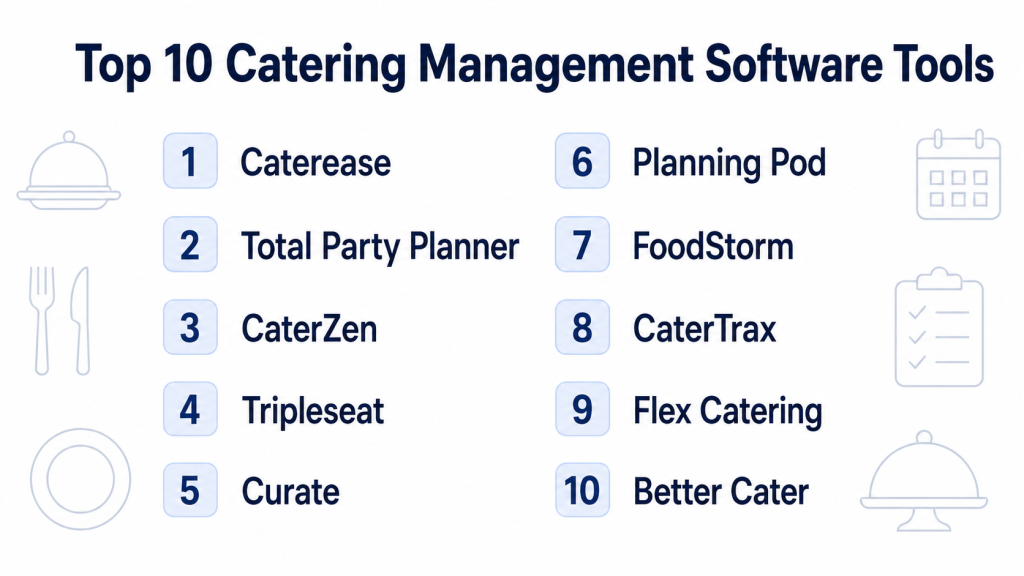
Top 10 Catering Management Software Tools
1- Caterease
Short description: Caterease is a catering and event management software platform designed for caterers, banquet teams, event planners, restaurants, and hospitality businesses. It helps teams manage events, proposals, menus, customer records, production details, and operational documents.
Key Features
- Event booking and catering order management
- Proposal, contract, and document generation
- Menu, package, and item management
- Event calendar and scheduling tools
- Customer and contact management
- Production sheets and operational reporting
- Customizable layouts and workflow options
Pros
- Strong fit for detailed catering and event workflows
- Useful for businesses that need customizable documents and event records
- Good option for caterers managing both sales and operations
Cons
- Setup can take time because of customization options
- Smaller caterers may find it more detailed than needed
- Teams may need training to use advanced features effectively
Platforms / Deployment
Web / Windows options may vary
Cloud / Varies / N/A
Security & Compliance
Varies / N/A. Buyers should validate user permissions, data access controls, backups, encryption, and payment-related security requirements directly with the vendor.
Integrations & Ecosystem
Caterease works well for catering teams that need event information, menus, client records, and production documents in one place. It can fit into broader hospitality workflows where proposals, operations, and billing need to stay connected.
- Accounting workflows
- Payment processing workflows
- Event documents and contracts
- Menu and package management
- Reporting and production documents
- Calendar and scheduling workflows
Support & Community
Caterease provides onboarding and support resources for catering and event professionals. Support depth may vary depending on package, implementation scope, and business size.
2- Total Party Planner
Short description: Total Party Planner is an all-in-one catering software platform built for catering companies that need to manage events, proposals, orders, production, payments, and customer communication. It is especially useful for caterers that want a structured system for both office and kitchen workflows.
Key Features
- Catering event and order management
- Proposal and quote creation
- Customer and lead management
- Production sheets and kitchen planning
- Payment and invoicing workflows
- Event calendar and task visibility
- Reporting for sales and operations
Pros
- Strong catering-specific workflow coverage
- Useful for managing both sales and production details
- Good fit for caterers that need operational structure
Cons
- May require onboarding for teams moving from spreadsheets
- Advanced use cases may need configuration
- Smaller businesses with simple orders may not need all modules
Platforms / Deployment
Web
Cloud
Security & Compliance
Varies / N/A. Buyers should confirm user roles, payment security, data protection, and audit-related capabilities before purchase.
Integrations & Ecosystem
Total Party Planner is designed around the needs of caterers, including sales, event planning, kitchen prep, and billing. It is useful when teams want fewer disconnected tools.
- Payment workflows
- Accounting workflows
- Event calendar workflows
- Customer records
- Proposal and contract workflows
- Kitchen production reports
Support & Community
Total Party Planner provides catering-focused onboarding and support. Support quality and service scope may vary by subscription and implementation needs.
3- CaterZen
Short description: CaterZen is catering software for restaurants, catering companies, and event foodservice teams. It supports drop-off catering, full-service events, online ordering, CRM, marketing, proposals, production reports, delivery, and customer management.
Key Features
- Online catering ordering
- CRM and customer database management
- Proposal, quote, and contract workflows
- Kitchen production reports
- Delivery management tools
- Marketing and follow-up workflows
- Support for drop-off and full-service catering
Pros
- Strong fit for restaurants and caterers growing catering sales
- Combines sales, marketing, production, and delivery workflows
- Useful for repeat customer and corporate catering programs
Cons
- May require setup to align menus, packages, and ordering flows
- Some teams may not need built-in marketing features
- Complex enterprise workflows may need additional integrations
Platforms / Deployment
Web
Cloud
Security & Compliance
Varies / N/A. Buyers should validate role permissions, payment handling, customer data security, and access controls directly with the vendor.
Integrations & Ecosystem
CaterZen is useful for businesses that treat catering as both a sales channel and an operational workflow. It supports customer-facing ordering as well as internal production and delivery coordination.
- Online ordering workflows
- CRM and marketing workflows
- Delivery coordination
- Kitchen production reports
- Proposal and contract management
- Payment and invoicing workflows
Support & Community
CaterZen offers catering-focused support and business resources. It is designed for operators that need both software and practical catering process support.
4- Tripleseat
Short description: Tripleseat is a sales and event management platform used by restaurants, hotels, unique venues, and hospitality groups. It helps teams manage leads, bookings, event details, proposals, contracts, and customer communication.
Key Features
- Lead capture and event inquiry management
- CRM for restaurants, venues, and hospitality teams
- Event booking and calendar management
- Proposal, contract, and document workflows
- Guest and client communication tracking
- Reporting for sales and event performance
- Multi-location support for hospitality groups
Pros
- Strong fit for restaurants, venues, and hotels with private events
- Helps sales teams manage leads and event bookings
- Useful for event-focused catering and hospitality operations
Cons
- Not purely a kitchen production or recipe costing tool
- May need supporting systems for deep catering production workflows
- Smaller caterers may find it more venue-sales focused than needed
Platforms / Deployment
Web
Cloud
Security & Compliance
Varies / N/A. Buyers should confirm permissions, SSO, audit logs, data access, and customer record security based on business requirements.
Integrations & Ecosystem
Tripleseat works best when catering is tied to event sales, private dining, banquets, and venue bookings. It helps connect sales conversations with event execution details.
- Website lead forms
- Event calendars
- Proposal and contract workflows
- CRM and customer communication
- Payment and billing workflows
- Hospitality and venue operations
Support & Community
Tripleseat provides hospitality-focused onboarding, training, documentation, and support resources. It has strong visibility among restaurants, venues, and event teams.
5- Curate
Short description: Curate is an event and catering software platform focused on proposals, event details, production, costing, invoicing, and operations. It is useful for catering businesses that need polished client proposals and stronger back-of-house planning.
Key Features
- Proposal and quote creation
- Event and client management
- Food costing and production planning
- Invoicing and payment workflows
- Back-of-house prints and event documents
- Front-of-house coordination support
- Workflow tools for event-based businesses
Pros
- Strong for proposal creation and event presentation
- Useful for teams that care about costing and production details
- Good fit for event caterers and service-based food businesses
Cons
- May not be the best fit for high-volume restaurant catering orders
- CRM depth may vary compared with sales-first platforms
- Some workflows may require setup and template design
Platforms / Deployment
Web
Cloud
Security & Compliance
Varies / N/A. Buyers should validate payment security, user permissions, data access, and document controls directly.
Integrations & Ecosystem
Curate supports event businesses that need to connect proposals, pricing, production, and client communication. It is helpful when teams want a more professional quote-to-event workflow.
- Payment workflows
- Proposal and invoice workflows
- Event documents
- Costing and production planning
- Client communication
- Back-of-house operational prints
Support & Community
Curate provides support and onboarding resources for event professionals. Support scope may vary by plan and business type.
6- Planning Pod
Short description: Planning Pod is event management software that also supports catering-related workflows such as menus, banquet event orders, bookings, leads, staffing, rentals, billing, and event planning. It is useful for caterers, venues, hotels, and event teams that need one system for event coordination.
Key Features
- Event planning and booking management
- Catering menus and BEO support
- Lead and client management
- Staffing and rental coordination
- Invoicing and payment workflows
- Event layouts and planning tools
- Calendar and task management
Pros
- Broad event management feature set
- Useful for venues and caterers managing many event details
- Helps connect catering, staffing, rentals, and billing
Cons
- May be broader than needed for simple catering orders
- Teams focused only on kitchen production may need more specialized tools
- Setup effort depends on how many modules are used
Platforms / Deployment
Web
Cloud
Security & Compliance
Varies / N/A. Buyers should confirm user roles, client data handling, payment security, and access controls directly.
Integrations & Ecosystem
Planning Pod is useful for event-heavy catering teams that need to manage more than just food. It can support venue planning, staffing, rentals, documents, and billing in one workflow.
- Event calendars
- Client and lead management
- Catering menus and BEOs
- Invoice and payment workflows
- Staffing and rental planning
- Event layout and planning tools
Support & Community
Planning Pod provides documentation, onboarding resources, and customer support options. Support depth may vary by package and implementation size.
7- FoodStorm
Short description: FoodStorm is catering and online ordering software designed for grocers, restaurants, caterers, and food retailers. It helps teams manage catering orders, production, payments, customer communication, and operational fulfillment.
Key Features
- Online catering ordering
- Order and production management
- Customer communication workflows
- Menu and item management
- Payment processing workflows
- Multi-location catering support
- Reporting and sales visibility
Pros
- Strong fit for grocery and retail catering operations
- Useful for online ordering and order fulfillment workflows
- Helps manage catering demand across multiple locations
Cons
- May be more retail and online-ordering focused than event-planning focused
- Full-service event caterers may need deeper proposal or staffing tools
- Integration requirements should be validated before selection
Platforms / Deployment
Web
Cloud
Security & Compliance
Varies / N/A. Buyers should verify payment security, permissions, customer data protection, and operational access controls.
Integrations & Ecosystem
FoodStorm is practical for food retailers and restaurants that need online catering order management connected with fulfillment and production operations.
- Online ordering websites
- Payment workflows
- Production and fulfillment workflows
- Menu management
- Multi-location operations
- Reporting dashboards
Support & Community
FoodStorm provides support for catering and food retail operations. Buyers should validate onboarding, implementation, and multi-location support needs.
8- CaterTrax
Short description: CaterTrax is catering management software used by managed hospitality providers, corporate dining teams, healthcare foodservice, education dining, and enterprise foodservice operations. It supports online ordering, kitchen workflows, customer accounts, and operational control.
Key Features
- Online catering ordering portals
- Customer account and order management
- Menu and item configuration
- Kitchen production and fulfillment workflows
- Administrative controls for foodservice teams
- Reporting and order visibility
- Support for managed hospitality environments
Pros
- Strong fit for managed foodservice and institutional catering
- Useful for corporate, healthcare, education, and enterprise dining programs
- Supports structured online ordering and kitchen execution
Cons
- May be more specialized than needed for independent caterers
- Setup can depend on complex menus and customer account structures
- Event sales CRM features may not be the main focus
Platforms / Deployment
Web
Cloud
Security & Compliance
Varies / N/A. Buyers should validate role-based access, data protection, payment handling, and customer account security directly.
Integrations & Ecosystem
CaterTrax is useful for managed foodservice teams that need controlled online ordering and operational fulfillment. It fits environments where catering is part of a broader dining service.
- Online ordering portals
- Kitchen production workflows
- Customer account management
- Menu configuration
- Reporting and operational dashboards
- Enterprise foodservice workflows
Support & Community
CaterTrax provides industry-focused support and onboarding for foodservice organizations. Support scope may vary by account complexity and implementation model.
9- Flex Catering
Short description: Flex Catering is catering software designed for professional caterers that need order management, online shopping, customer management, tracking, and operational workflows. It fits teams looking for straightforward catering order control.
Key Features
- Catering order management
- Online ordering and shopping cart workflows
- Customer and account management
- Menu and product management
- Order tracking and fulfillment support
- Reporting and operational visibility
- Workflow tools for catering teams
Pros
- Practical for caterers needing online ordering and order control
- Useful for managing repeat customers and structured menus
- Good fit for teams wanting a simpler catering workflow platform
Cons
- May not have the same market visibility as larger platforms
- Advanced event planning and venue workflows may be limited
- Buyers should verify integrations and support availability
Platforms / Deployment
Web
Cloud
Security & Compliance
Not publicly stated. Buyers should validate user access controls, payment security, data handling, and reporting requirements directly.
Integrations & Ecosystem
Flex Catering supports catering businesses that need online ordering, menu control, customer records, and order tracking. It is useful when the main need is order management rather than full venue event planning.
- Online ordering workflows
- Customer account management
- Menu and product setup
- Order tracking
- Reporting workflows
- Fulfillment coordination
Support & Community
Flex Catering support details may vary by region and package. Buyers should confirm onboarding resources, documentation, and service availability before implementation.
10- Better Cater
Short description: Better Cater is catering management software often used by small and mid-sized caterers that need a simple way to manage events, menus, customers, proposals, invoices, and production details. It is a practical choice for teams moving away from spreadsheets.
Key Features
- Event and catering order management
- Customer and contact database
- Menu and recipe organization
- Proposal and invoice workflows
- Production and packing details
- Calendar and scheduling visibility
- Reporting for catering operations
Pros
- Good fit for small and growing catering businesses
- Easier starting point than many enterprise systems
- Helps organize events, menus, clients, and documents
Cons
- May not be ideal for large enterprise hospitality groups
- Advanced automation and integrations may be limited
- Teams with complex multi-location operations may need deeper systems
Platforms / Deployment
Web
Cloud
Security & Compliance
Not publicly stated. Buyers should validate account permissions, data security, backups, and payment-related requirements directly.
Integrations & Ecosystem
Better Cater is useful for caterers that need a simple operational system for events, menus, client records, and basic documents. It can help replace manual files and scattered spreadsheets.
- Event calendar workflows
- Proposal and invoice workflows
- Menu and recipe records
- Customer management
- Production and packing details
- Basic reporting workflows
Support & Community
Better Cater provides support resources for small and mid-sized caterers. Buyers should validate training, migration support, and customer service availability before adoption.
Comparison Table
| Tool Name | Best For | Platform Supported | Deployment | Standout Feature | Public Rating |
|---|---|---|---|---|---|
| Caterease | Detailed catering and event workflows | Web, Windows varies | Cloud / Varies | Customizable catering and event documents | N/A |
| Total Party Planner | Catering companies needing all-in-one operations | Web | Cloud | Sales, production, and event management in one system | N/A |
| CaterZen | Restaurants and caterers growing catering sales | Web | Cloud | Online ordering, CRM, marketing, and production workflows | N/A |
| Tripleseat | Restaurants, venues, and hospitality event teams | Web | Cloud | Event sales, lead management, and booking workflows | N/A |
| Curate | Event caterers needing polished proposals and costing | Web | Cloud | Proposal, costing, and production planning | N/A |
| Planning Pod | Caterers, venues, and event planning teams | Web | Cloud | Broad event planning with catering and BEO support | N/A |
| FoodStorm | Grocery, restaurant, and retail catering operations | Web | Cloud | Online catering ordering and fulfillment | N/A |
| CaterTrax | Managed hospitality and institutional foodservice | Web | Cloud | Enterprise-style online catering portals | N/A |
| Flex Catering | Caterers needing online order management | Web | Cloud | Catering order tracking and customer workflows | N/A |
| Better Cater | Small and mid-sized caterers | Web | Cloud | Simple catering event and menu management | N/A |
Evaluation & Scoring of Catering Management Software
| Tool Name | Core 25% | Ease 15% | Integrations 15% | Security 10% | Performance 10% | Support 10% | Value 15% | Weighted Total |
|---|---|---|---|---|---|---|---|---|
| Caterease | 8.8 | 7.8 | 7.8 | 7.2 | 8.2 | 8.0 | 7.8 | 8.1 |
| Total Party Planner | 8.7 | 8.0 | 7.7 | 7.2 | 8.2 | 8.0 | 8.0 | 8.1 |
| CaterZen | 8.6 | 8.2 | 8.0 | 7.1 | 8.1 | 8.0 | 8.1 | 8.1 |
| Tripleseat | 8.5 | 8.3 | 8.2 | 7.5 | 8.4 | 8.2 | 7.7 | 8.2 |
| Curate | 8.1 | 8.2 | 7.5 | 7.0 | 8.0 | 7.8 | 7.8 | 7.8 |
| Planning Pod | 8.4 | 8.0 | 7.8 | 7.2 | 8.1 | 8.0 | 7.9 | 8.0 |
| FoodStorm | 8.3 | 8.1 | 8.0 | 7.2 | 8.2 | 7.9 | 7.8 | 8.0 |
| CaterTrax | 8.5 | 7.7 | 7.9 | 7.4 | 8.3 | 8.0 | 7.5 | 8.0 |
| Flex Catering | 7.7 | 8.0 | 7.0 | 6.8 | 7.7 | 7.3 | 8.0 | 7.6 |
| Better Cater | 7.6 | 8.2 | 6.9 | 6.8 | 7.6 | 7.3 | 8.3 | 7.6 |
Which Catering Management Software Tool Is Right for You?
Solo / Freelancer
Solo caterers and small catering teams should focus on simplicity, quick setup, and affordable order management. Better Cater, Flex Catering, Curate, and Total Party Planner can be practical starting points depending on whether the priority is proposals, events, or basic order control.
For very small teams, avoid choosing a system with too many enterprise modules. Start with the software that makes daily admin easier: quotes, menus, invoices, customer details, and production notes.
SMB
Small and mid-sized catering businesses usually need more structure around leads, proposals, menus, production sheets, payments, and event calendars. Caterease, Total Party Planner, CaterZen, Planning Pod, and Curate are strong options for this segment.
Restaurants building a catering channel may prefer CaterZen or FoodStorm because online ordering and customer repeat orders are often important. Event caterers may prefer Caterease, Total Party Planner, Planning Pod, or Curate.
Mid-Market
Mid-market caterers, restaurant groups, venue operators, and hospitality companies need stronger team collaboration, reporting, customer history, multi-location visibility, and process control. Tripleseat, Caterease, Total Party Planner, FoodStorm, CaterTrax, and Planning Pod are strong candidates.
This segment should prioritize integrations, permission controls, repeatable templates, production planning, and financial reporting. A tool that works for one event manager may not scale across multiple salespeople, kitchens, venues, and delivery teams.
Enterprise
Enterprise hospitality groups, managed foodservice providers, hotel groups, universities, healthcare foodservice teams, and large corporate catering operations should focus on scalability, online ordering controls, account structures, implementation support, reporting, and security. CaterTrax, Tripleseat, FoodStorm, Planning Pod, and Caterease are stronger options for larger operations.
Enterprise buyers should involve operations, IT, finance, sales, kitchen leadership, and compliance teams before finalizing a platform.
Budget vs Premium
Budget-conscious teams should look at tools that provide strong core catering functionality without unnecessary complexity. Better Cater, Flex Catering, and some SMB-focused options can be practical for smaller teams.
Premium buyers should evaluate Caterease, Total Party Planner, Tripleseat, CaterTrax, FoodStorm, and Planning Pod when the business needs deeper workflows, stronger implementation support, multi-location visibility, and more formal reporting.
Feature Depth vs Ease of Use
If ease of use is the top priority, Better Cater, Flex Catering, Curate, and CaterZen may be easier starting points. If feature depth matters more, Caterease, Total Party Planner, Tripleseat, Planning Pod, FoodStorm, and CaterTrax offer broader workflow coverage.
The best choice depends on whether the team needs simple order tracking or full event lifecycle management.
Integrations & Scalability
Catering teams should check integrations with accounting software, payment processors, POS systems, websites, calendars, CRM tools, and email platforms. Restaurants and food retailers should also check online ordering and menu integration options.
For larger teams, API availability, multi-location support, user permissions, and reporting exports are important selection factors.
Security & Compliance Needs
Catering platforms often store customer records, contracts, payments, event details, dietary notes, and financial information. Buyers should validate user roles, payment security, encryption, backups, SSO, audit trails, and data access controls.
Larger hospitality groups should include IT and finance teams in security review before rollout.
Frequently Asked Questions
1. What is Catering Management Software?
Catering Management Software helps businesses manage catering orders, leads, proposals, menus, contracts, kitchen production, staffing, delivery, invoices, and payments. It keeps sales and operations connected in one organized workflow.
2. Who needs Catering Management Software?
Caterers, restaurants, hotels, venues, corporate dining teams, grocery catering teams, cloud kitchens, and foodservice providers can benefit from this software. It is most useful when manual spreadsheets and email chains become hard to manage.
3. How much does Catering Management Software cost?
Pricing varies by vendor, number of users, order volume, locations, modules, and implementation needs. Some tools are affordable for small caterers, while enterprise platforms usually require custom pricing.
4. Can catering software manage online orders?
Yes, many catering platforms support online ordering or customer-facing request workflows. This is especially useful for restaurants, grocers, and catering teams that receive repeat orders from corporate clients.
5. Does catering software support proposals and contracts?
Many tools support proposals, quotes, contracts, invoices, and client documents. Caterease, Total Party Planner, Curate, Planning Pod, Tripleseat, and CaterZen are commonly used for proposal-heavy workflows.
6. What is the difference between catering software and event management software?
Catering software focuses on food orders, menus, production sheets, delivery, and kitchen execution. Event management software may also include venue bookings, floor plans, guest management, staffing, rentals, and broader event planning.
7. Can restaurants use catering management software?
Yes. Restaurants with catering programs can use catering software to manage bulk orders, corporate accounts, online catering requests, delivery details, invoices, and repeat customers.
8. What are common mistakes when choosing catering software?
Common mistakes include ignoring kitchen production needs, choosing software only for sales features, failing to test menu customization, not checking accounting integrations, and underestimating staff training.
9. Does catering software help with profitability?
Yes, good catering software can help track revenue, food costs, labor notes, deposits, invoices, and event history. Profitability visibility depends on how well the tool supports costing, reporting, and financial workflows.
10. How long does implementation take?
Simple tools can be implemented relatively quickly, especially for small teams. More complex platforms may require menu setup, template creation, staff training, data migration, payment configuration, and workflow testing.
Conclusion
Catering Management Software helps foodservice businesses organize the full catering journey from inquiry to final invoice. The right platform can reduce manual admin work, improve proposal speed, organize kitchen production, standardize event details, and give managers better visibility into revenue and operations. Caterease, Total Party Planner, CaterZen, Tripleseat, Curate, Planning Pod, FoodStorm, CaterTrax, Flex Catering, and Better Cater all serve different types of catering teams, so there is no single universal winner. Restaurants may prioritize online ordering and repeat customer workflows, while event caterers may care more about proposals, production sheets, contracts, and staffing. Hotels and enterprise foodservice teams may need multi-location controls, reporting, and stronger implementation support. The best next step is to shortlist two or three tools, test them with real catering orders, validate integrations and security needs, compare total cost, and run a pilot before scaling the platform across the full team.

Find Trusted Cardiac Hospitals
Compare heart hospitals by city and services — all in one place.
Explore Hospitals
Catering management software is most valuable when it helps catering businesses plan, organize, and manage food service operations efficiently through a centralized platform. By providing event planning, menu management, order tracking, client management, inventory control, staff scheduling, billing and invoicing, vendor coordination, reporting, analytics, and mobile access, these platforms enable catering companies to streamline workflows, reduce operational complexity, improve customer service, optimize resource utilization, and deliver successful events with greater efficiency.