Introduction
Food Safety Compliance HACCP Software helps food businesses manage hazard analysis, critical control points, inspections, corrective actions, digital checklists, audit readiness, supplier records, temperature logs, sanitation tasks, and compliance documentation in one organized system. Instead of relying on paper logs, spreadsheets, and manual reminders, teams can digitize food safety workflows and reduce the risk of missed checks or incomplete records. This software matters now because food businesses face tighter customer expectations, more complex supply chains, faster audits, and higher pressure to prove compliance with consistent evidence. Restaurants, manufacturers, cloud kitchens, hotels, catering companies, grocery chains, and food distributors need tools that help them document food safety activities accurately and respond quickly when something goes wrong.
Real World Use Cases:
- Managing HACCP plans and critical control point monitoring
- Recording temperature checks for storage, cooking, cooling, and delivery
- Creating digital sanitation, hygiene, and opening or closing checklists
- Tracking corrective actions after failed checks or audit findings
- Managing supplier documentation and food safety records
- Preparing audit evidence for internal and external inspections
Evaluation Criteria for Buyers:
- HACCP plan management and checklist flexibility
- Corrective action tracking and escalation
- Mobile usability for frontline food teams
- Temperature monitoring and IoT device support
- Audit readiness and reporting capabilities
- Supplier and document management
- Multi-location support
- Role-based permissions and accountability
- Integration with sensors, POS, ERP, or quality systems
- Ease of training for non-technical staff
Best for: Food manufacturers, restaurants, cloud kitchens, QSR chains, hotels, catering businesses, grocery retailers, food distributors, and quality assurance teams that need structured food safety compliance workflows.
Not ideal for: Very small food businesses with simple operations and low inspection complexity may not need a full HACCP software platform. A basic checklist app or well-managed spreadsheet may be enough until audit volume, location count, or compliance risk increases.
Key Trends in Food Safety Compliance HACCP Software
- Digital HACCP replacing paper logs: Food businesses are moving away from handwritten records because digital systems are easier to search, audit, standardize, and verify.
- Mobile-first frontline compliance: Kitchen staff, store teams, and inspectors increasingly need simple mobile apps for checklists, photos, signatures, and corrective actions.
- IoT-based temperature monitoring: More companies are using connected sensors to monitor refrigerators, freezers, storage rooms, and delivery environments automatically.
- Real-time alerts and escalation: Modern tools notify managers when a temperature range is breached, a checklist is missed, or a corrective action is overdue.
- Supplier risk visibility: Food businesses are paying more attention to supplier approvals, certificates, audits, recalls, and ingredient-level documentation.
- Audit-ready documentation: Teams want systems that can produce inspection records quickly instead of manually gathering paper folders.
- AI-assisted compliance workflows: Some platforms are beginning to support smarter task routing, anomaly detection, checklist recommendations, and faster document review.
- Multi-location standardization: Restaurant chains and foodservice brands need consistent food safety processes across stores, kitchens, warehouses, and production sites.
- Integration with quality systems: HACCP workflows increasingly connect with quality management, ERP, inventory, traceability, and maintenance systems.
- Stronger security expectations: Buyers are asking more about access control, audit logs, encryption, SSO, and data retention because compliance records are business-critical.
How We Selected These Tools
The tools below were selected using practical food safety, HACCP, quality, and compliance software evaluation logic:
- Market recognition across food safety, restaurant operations, quality management, and compliance workflows
- Ability to support HACCP-related activities such as monitoring, corrective actions, records, inspections, and audits
- Fit for different business types including restaurants, manufacturers, distributors, hotels, and multi-site operators
- Mobile usability for frontline food safety teams
- Reporting and audit-readiness capabilities
- Support for multi-location operations and standardized workflows
- Integration potential with sensors, quality systems, ERP tools, and operational platforms
- Flexibility for checklists, forms, workflows, and documentation
- Practicality for both SMB and enterprise food businesses
- Security and administrative maturity where publicly stated or commonly expected
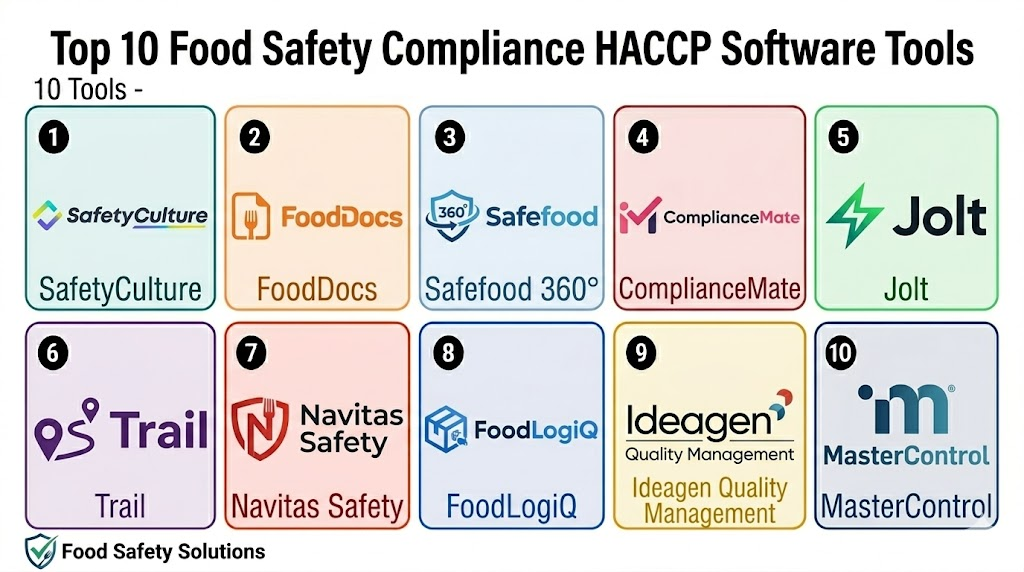
Top 10 Food Safety Compliance HACCP Software Tools
1- SafetyCulture
Short description: SafetyCulture is a widely used inspection, checklist, and operations platform that supports food safety audits, HACCP checks, sanitation inspections, and corrective actions. It is a strong fit for restaurants, food manufacturers, hospitality businesses, and multi-site operators that need mobile-first compliance workflows.
Key Features
- Digital food safety checklists and inspection forms
- Mobile app support for frontline teams
- Corrective action assignment and tracking
- Photo capture, notes, signatures, and evidence collection
- Real-time reporting dashboards
- Template library for food safety and workplace inspections
- Multi-site visibility for managers and quality teams
Pros
- Easy for frontline teams to use on mobile devices
- Flexible checklist builder for many food safety workflows
- Strong fit for inspections, audits, and corrective action tracking
Cons
- HACCP plan depth may depend on how forms and workflows are configured
- Advanced reporting or automation may require higher-tier plans
- Larger companies may need setup discipline to standardize templates
Platforms / Deployment
Web / iOS / Android
Cloud
Security & Compliance
Varies / N/A. Buyers should validate SSO, audit logs, permissions, encryption, and compliance requirements directly based on plan and region.
Integrations & Ecosystem
SafetyCulture can fit into food safety operations where mobile inspections and corrective actions need to connect with broader operational reporting. It is useful for teams that want digital forms without building a full custom system.
- Inspection and audit workflows
- Corrective action processes
- Reporting dashboards
- Sensor and monitoring workflows where applicable
- Team communication workflows
- API or integration workflows depending on plan
Support & Community
SafetyCulture offers documentation, templates, learning resources, and support options. Its broad adoption gives teams access to many practical inspection and checklist examples.
2- FoodDocs
Short description: FoodDocs is a food safety compliance platform focused on helping food businesses build digital HACCP plans, manage food safety tasks, and maintain compliance records. It is especially useful for restaurants, cloud kitchens, catering businesses, and food production teams that need HACCP-focused guidance.
Key Features
- Digital HACCP plan creation and management
- Food safety monitoring tasks and checklists
- Automatic reminders for daily compliance activities
- Corrective action documentation
- Digital recordkeeping for audits and inspections
- Templates for food safety processes
- Support for restaurants, foodservice, and food production workflows
Pros
- Strong HACCP-specific positioning
- Useful for teams that need structured food safety guidance
- Helps reduce manual paperwork and missed food safety tasks
Cons
- May not be as broad as enterprise QMS platforms
- Complex manufacturers may need deeper quality and supplier modules
- Integration needs should be checked before purchase
Platforms / Deployment
Web / iOS / Android
Cloud
Security & Compliance
Not publicly stated. Buyers should validate access control, data storage, backup, and audit trail requirements directly.
Integrations & Ecosystem
FoodDocs is designed around digital food safety and HACCP workflows. It is valuable when teams want simpler compliance execution rather than a broad enterprise software rollout.
- HACCP documentation workflows
- Daily food safety tasks
- Audit preparation records
- Corrective action workflows
- Food business checklists
- Digital compliance documentation
Support & Community
FoodDocs provides food safety-focused onboarding and educational resources. Support availability may vary by package and business needs.
3- Safefood 360°
Short description: Safefood 360° is a food safety and quality management software platform built for food manufacturers, processors, and supply chain businesses. It supports HACCP, audits, supplier management, quality workflows, and compliance documentation.
Key Features
- HACCP and food safety plan management
- Supplier quality and approval workflows
- Audit and inspection management
- Non-conformance and corrective action tracking
- Document control and compliance records
- Food safety program management
- Reporting for quality and compliance teams
Pros
- Strong fit for food manufacturing and processing environments
- Broad food safety and quality management capabilities
- Useful for companies that need more than basic checklists
Cons
- May be too advanced for small restaurants or simple kitchens
- Implementation may require process mapping and training
- Cost and setup effort may be higher than lightweight tools
Platforms / Deployment
Web
Cloud
Security & Compliance
Varies / N/A. Buyers should confirm SSO, roles, audit logs, encryption, and compliance evidence directly with the vendor.
Integrations & Ecosystem
Safefood 360° fits companies that need food safety workflows connected with quality, supplier, audit, and compliance programs. It is better suited for formal quality teams than casual checklist users.
- Supplier management
- Audit management
- Document control
- Corrective actions
- Quality workflows
- Compliance reporting
Support & Community
Safefood 360° typically serves food safety and quality professionals, with onboarding and support resources for structured implementations. Support details should be validated by plan and business size.
4- ComplianceMate
Short description: ComplianceMate is a food safety and operational compliance platform used by restaurants, foodservice businesses, and multi-unit operators. It focuses on digital checklists, temperature monitoring, task management, and audit readiness.
Key Features
- Digital food safety checklists
- Temperature monitoring workflows
- Corrective action alerts
- Multi-location compliance visibility
- Operational task management
- Reporting dashboards
- Support for restaurant and foodservice environments
Pros
- Strong fit for restaurants and foodservice operations
- Useful for temperature logs and daily compliance tasks
- Helps standardize food safety activities across locations
Cons
- May be less suitable for complex food manufacturing quality programs
- Integration requirements should be reviewed carefully
- Feature depth may vary by package and hardware setup
Platforms / Deployment
Web / iOS / Android
Cloud
Security & Compliance
Not publicly stated. Buyers should validate permissions, audit trails, encryption, and compliance documentation needs directly.
Integrations & Ecosystem
ComplianceMate is useful when foodservice teams need digital task execution and monitoring. It can support restaurant compliance programs that require consistent daily checks.
- Temperature monitoring workflows
- Food safety checklists
- Store-level task management
- Corrective action alerts
- Reporting dashboards
- Multi-location operations
Support & Community
ComplianceMate provides support for foodservice compliance operations. Buyers should confirm onboarding, hardware support, and response times before rollout.
5- Jolt
Short description: Jolt is an operations management platform used by restaurants and foodservice teams for checklists, labeling, task management, employee accountability, and food safety processes. It is useful for operators that want to combine compliance with daily restaurant execution.
Key Features
- Digital checklists and recurring tasks
- Food safety and sanitation workflows
- Temperature log support
- Employee accountability and task completion tracking
- Labeling and operational tools
- Mobile and tablet-friendly execution
- Multi-location reporting
Pros
- Strong fit for restaurants and store-level operations
- Combines food safety tasks with daily operations
- Easy for managers to standardize recurring processes
Cons
- Not a dedicated enterprise food manufacturing QMS
- HACCP depth may depend on workflow configuration
- Advanced integrations should be verified before purchase
Platforms / Deployment
Web / iOS / Android
Cloud
Security & Compliance
Varies / N/A. Buyers should validate role permissions, data access, audit logs, and security requirements directly.
Integrations & Ecosystem
Jolt fits restaurants that want operational checklists and food safety tasks in the same workflow. It can help teams standardize daily execution across shifts and locations.
- Restaurant task management
- Food safety checklists
- Labeling workflows
- Temperature logs
- Multi-location reporting
- Employee execution tracking
Support & Community
Jolt offers onboarding and support resources for restaurant and foodservice teams. Support depth may vary by customer size and package.
6- Trail
Short description: Trail is an operations and compliance platform designed for hospitality, foodservice, and multi-site teams. It helps businesses manage daily checks, food safety tasks, brand standards, audits, and operational routines.
Key Features
- Digital checklists for food safety and operations
- Task scheduling and completion tracking
- Multi-site operational visibility
- Audit and inspection preparation
- Issue reporting and corrective actions
- Mobile-friendly workflows
- Standardized processes for frontline teams
Pros
- Good fit for hospitality, restaurants, and foodservice brands
- Helps standardize operational routines across locations
- Simple task-based approach for frontline teams
Cons
- May not offer the same depth as specialized food manufacturing QMS tools
- Advanced HACCP features may require configuration
- Integration availability should be validated before selection
Platforms / Deployment
Web / iOS / Android
Cloud
Security & Compliance
Not publicly stated. Buyers should confirm SSO, permissions, data retention, and audit trail requirements directly.
Integrations & Ecosystem
Trail works best for businesses that need practical daily execution and compliance tracking. It helps connect food safety routines with broader hospitality operations.
- Food safety checklists
- Opening and closing tasks
- Audit preparation
- Issue and action tracking
- Multi-site dashboards
- Team accountability workflows
Support & Community
Trail provides support and onboarding resources for hospitality and foodservice teams. Buyers should validate support levels based on rollout size and complexity.
7- Navitas Safety
Short description: Navitas Safety is a food safety and compliance technology provider that supports digital food safety management, temperature monitoring, audits, and hygiene workflows. It is useful for foodservice, hospitality, retail, and food businesses that need stronger compliance control.
Key Features
- Digital food safety management workflows
- Temperature monitoring and logging
- Audit and inspection support
- Hygiene and cleaning checks
- Compliance reporting
- Corrective action tracking
- Multi-site food safety visibility
Pros
- Strong food safety and compliance focus
- Useful for businesses with monitoring and audit needs
- Suitable for multi-location foodservice and hospitality operations
Cons
- Implementation may require planning and staff training
- Pricing and package details may vary by business requirement
- Buyers should validate integrations and hardware needs
Platforms / Deployment
Web / iOS / Android
Cloud
Security & Compliance
Not publicly stated. Buyers should confirm access controls, data protection, audit trails, and compliance requirements directly.
Integrations & Ecosystem
Navitas Safety is useful where food safety monitoring and compliance evidence need to be managed digitally. It can support operations that require structured checks and inspection readiness.
- Temperature monitoring
- Hygiene workflows
- Audit checklists
- Corrective actions
- Compliance reporting
- Multi-site dashboards
Support & Community
Navitas Safety offers food safety-focused support and implementation resources. Support availability should be reviewed based on geography and business needs.
8- FoodLogiQ
Short description: FoodLogiQ is a food supply chain visibility, traceability, and compliance platform. It is useful for food brands, retailers, manufacturers, and distributors that need supplier management, product tracking, recall readiness, and compliance documentation.
Key Features
- Supplier management and approval workflows
- Food traceability and supply chain visibility
- Recall and incident management support
- Compliance document management
- Quality and safety data organization
- Reporting for food supply chain teams
- Collaboration with suppliers and partners
Pros
- Strong fit for supply chain-focused food safety teams
- Useful for supplier compliance and recall readiness
- Good for brands with complex ingredient or product networks
Cons
- Not primarily a restaurant checklist tool
- May be more than needed for small foodservice businesses
- Implementation depends on supplier participation and data quality
Platforms / Deployment
Web
Cloud
Security & Compliance
Varies / N/A. Buyers should validate SSO, role-based access, audit logs, data security, and compliance requirements directly.
Integrations & Ecosystem
FoodLogiQ is strongest where food safety extends beyond the kitchen or factory floor into suppliers, product traceability, and recalls. It can help businesses organize supply chain compliance data.
- Supplier management
- Traceability workflows
- Recall management
- Compliance documentation
- Partner collaboration
- Reporting and analytics
Support & Community
FoodLogiQ supports food businesses with implementation and customer support resources. Buyer teams should validate onboarding scope, supplier rollout support, and integration planning.
9- Ideagen Quality Management
Short description: Ideagen Quality Management is a quality and compliance management platform used by regulated and quality-focused organizations. For food businesses, it can support document control, audits, corrective actions, risk management, and quality processes connected to food safety programs.
Key Features
- Document control and policy management
- Audit management workflows
- Corrective and preventive action tracking
- Risk and compliance management
- Training and competency workflows
- Reporting dashboards
- Quality management process standardization
Pros
- Strong fit for formal quality and compliance teams
- Useful for food companies needing structured QMS workflows
- Good option when food safety connects with wider quality programs
Cons
- May require more implementation effort than checklist-first tools
- Not designed only for HACCP workflows
- Smaller food businesses may find it too broad or complex
Platforms / Deployment
Web
Cloud / Hybrid options may vary
Security & Compliance
Varies / N/A. Buyers should validate SSO, audit trails, permissions, data residency, and compliance evidence directly with the vendor.
Integrations & Ecosystem
Ideagen Quality Management is useful when HACCP and food safety compliance are part of a broader quality system. It is suitable for organizations that need governance, documentation, and audit structure.
- Document management
- Audit workflows
- CAPA processes
- Risk management
- Training records
- Quality reporting
Support & Community
Ideagen provides enterprise-oriented implementation, documentation, and support resources. Support models may vary by product package and contract.
10- MasterControl
Short description: MasterControl is an enterprise quality management platform used by regulated industries for quality, document control, training, audits, and corrective actions. Food and beverage organizations may use it when HACCP-related compliance must connect with broader enterprise quality processes.
Key Features
- Enterprise document control
- Quality event and CAPA management
- Audit management workflows
- Training and employee qualification tracking
- Change control and compliance documentation
- Reporting and analytics
- Scalable quality process governance
Pros
- Strong enterprise quality management capabilities
- Useful for regulated or highly structured food businesses
- Good fit when compliance requires strict documentation and workflow control
Cons
- May be too complex for restaurants or small food businesses
- Implementation can require significant planning and internal ownership
- Not a lightweight food safety checklist app
Platforms / Deployment
Web
Cloud
Security & Compliance
Varies / N/A. Buyers should validate SSO, audit logs, role-based permissions, encryption, and regulatory requirements directly with the vendor.
Integrations & Ecosystem
MasterControl is strongest for enterprise quality environments where food safety compliance needs to be governed through formal documentation, training, audit, and corrective action processes.
- Document control
- CAPA workflows
- Training management
- Audit management
- Quality event tracking
- Enterprise reporting
Support & Community
MasterControl provides enterprise-level onboarding, implementation, and support resources. Support scope depends on contract, modules, and deployment complexity.
Comparison Table
| Tool Name | Best For | Platform Supported | Deployment | Standout Feature | Public Rating |
|---|---|---|---|---|---|
| SafetyCulture | Mobile inspections and food safety checklists | Web, iOS, Android | Cloud | Flexible inspection and corrective action workflows | N/A |
| FoodDocs | HACCP plan creation and food safety compliance | Web, iOS, Android | Cloud | HACCP-focused digital food safety management | N/A |
| Safefood 360° | Food manufacturers and processors | Web | Cloud | Food safety and quality management depth | N/A |
| ComplianceMate | Restaurant and foodservice compliance | Web, iOS, Android | Cloud | Temperature monitoring and operational compliance | N/A |
| Jolt | Restaurant operations and food safety tasks | Web, iOS, Android | Cloud | Daily checklists, labeling, and task accountability | N/A |
| Trail | Hospitality and multi-site compliance routines | Web, iOS, Android | Cloud | Simple task-based compliance execution | N/A |
| Navitas Safety | Foodservice safety monitoring and audits | Web, iOS, Android | Cloud | Digital food safety and temperature monitoring | N/A |
| FoodLogiQ | Supplier compliance and traceability | Web | Cloud | Food supply chain visibility and recall readiness | N/A |
| Ideagen Quality Management | Formal quality and compliance teams | Web | Cloud / Hybrid varies | Enterprise quality workflows and audit control | N/A |
| MasterControl | Enterprise quality and compliance governance | Web | Cloud | Document control, CAPA, audits, and training | N/A |
Evaluation & Scoring of Food Safety Compliance HACCP Software
| Tool Name | Core 25% | Ease 15% | Integrations 15% | Security 10% | Performance 10% | Support 10% | Value 15% | Weighted Total |
|---|---|---|---|---|---|---|---|---|
| SafetyCulture | 8.4 | 8.8 | 8.0 | 7.5 | 8.4 | 8.2 | 8.5 | 8.3 |
| FoodDocs | 8.6 | 8.5 | 7.2 | 7.0 | 8.0 | 7.8 | 8.2 | 8.0 |
| Safefood 360° | 9.0 | 7.6 | 8.0 | 7.8 | 8.5 | 8.1 | 7.6 | 8.3 |
| ComplianceMate | 8.3 | 8.3 | 7.5 | 7.1 | 8.2 | 7.8 | 8.0 | 8.0 |
| Jolt | 8.0 | 8.6 | 7.3 | 7.1 | 8.0 | 7.8 | 8.2 | 7.9 |
| Trail | 7.8 | 8.5 | 7.2 | 7.0 | 8.0 | 7.8 | 8.1 | 7.8 |
| Navitas Safety | 8.4 | 8.0 | 7.5 | 7.2 | 8.2 | 7.9 | 7.8 | 8.0 |
| FoodLogiQ | 8.5 | 7.6 | 8.4 | 7.8 | 8.4 | 8.0 | 7.4 | 8.1 |
| Ideagen Quality Management | 8.6 | 7.3 | 8.2 | 8.0 | 8.5 | 8.2 | 7.2 | 8.1 |
| MasterControl | 8.8 | 7.2 | 8.3 | 8.1 | 8.6 | 8.3 | 7.0 | 8.1 |
Which Food Safety Compliance HACCP Software Tool Is Right for You?
Solo / Freelancer
Solo food consultants, small caterers, and independent food operators should focus on ease of use, fast setup, and affordable digital recordkeeping. FoodDocs, SafetyCulture, Jolt, and Trail can be practical options depending on whether the need is HACCP plan creation, daily checklists, or general compliance documentation.
If the operation is very small, a simple checklist tool may be enough at first. However, once inspections, staff handovers, and recurring compliance tasks become harder to manage, dedicated software becomes more valuable.
SMB
Small and mid-sized restaurants, cloud kitchens, hotels, and foodservice teams should prioritize mobile checklists, task reminders, corrective actions, and temperature logs. SafetyCulture, FoodDocs, ComplianceMate, Jolt, Trail, and Navitas Safety are strong candidates for this segment.
The best choice depends on whether the business needs HACCP planning, operational checklists, temperature monitoring, or multi-location oversight. SMBs should avoid overbuying enterprise QMS tools unless they have formal quality teams.
Mid-Market
Mid-market food businesses usually need multi-location standardization, audit readiness, management dashboards, supplier records, and stronger reporting. Safefood 360°, FoodLogiQ, Navitas Safety, SafetyCulture, and ComplianceMate can be useful depending on the business model.
Food manufacturers should look closely at Safefood 360° and FoodLogiQ, while restaurant groups may prefer SafetyCulture, ComplianceMate, Jolt, or Navitas Safety.
Enterprise
Enterprise food manufacturers, retailers, distributors, and large restaurant chains should prioritize scalability, audit trails, document control, supplier workflows, integrations, and enterprise support. Safefood 360°, FoodLogiQ, Ideagen Quality Management, and MasterControl are stronger options for complex compliance environments.
Enterprise buyers should involve quality, IT, operations, food safety, and procurement teams before selecting a platform.
Budget vs Premium
Budget-conscious teams should start with tools that provide strong digital checklists and compliance workflows without heavy implementation. SafetyCulture, FoodDocs, Jolt, and Trail can be practical starting points.
Premium buyers with complex needs should evaluate Safefood 360°, FoodLogiQ, Ideagen Quality Management, and MasterControl because they can support broader quality and compliance management.
Feature Depth vs Ease of Use
If ease of use matters most, choose mobile-friendly tools like SafetyCulture, FoodDocs, Jolt, Trail, or ComplianceMate. These tools are easier for frontline teams to adopt.
If feature depth matters more, Safefood 360°, FoodLogiQ, Ideagen Quality Management, and MasterControl are better suited for structured quality programs, supplier management, document control, and enterprise workflows.
Integrations & Scalability
Businesses that need integration with sensors, ERP systems, supplier databases, traceability platforms, or quality management systems should evaluate integration depth carefully. FoodLogiQ, Safefood 360°, Ideagen Quality Management, and MasterControl are better suited for complex ecosystems.
Restaurants and foodservice teams should focus on whether the software integrates with daily operations, temperature monitoring, task management, and reporting needs.
Security & Compliance Needs
Security matters because food safety systems often store inspection records, employee actions, supplier documents, corrective actions, and audit evidence. Buyers should validate role-based access, MFA, SSO, encryption, audit logs, backups, and data retention.
Enterprise and multi-location businesses should include IT and compliance teams in the vendor evaluation process.
Frequently Asked Questions
1. What is Food Safety Compliance HACCP Software?
Food Safety Compliance HACCP Software helps businesses manage food safety plans, hazard controls, inspections, checklists, temperature records, corrective actions, and audit documentation. It replaces manual paperwork with digital workflows.
2. Is HACCP software only for food manufacturers?
No. Food manufacturers use it heavily, but restaurants, hotels, caterers, cloud kitchens, grocery stores, distributors, and foodservice teams can also benefit from HACCP and food safety compliance software.
3. How much does HACCP software cost?
Pricing varies by vendor, number of users, locations, modules, sensors, and implementation needs. Some tools are SMB-friendly, while enterprise quality platforms usually require custom pricing.
4. Can HACCP software replace paper logs?
Yes, in many cases it can replace paper logs with digital checklists, temperature records, corrective actions, and reports. Businesses should still confirm local regulatory and audit requirements before fully replacing paper processes.
5. Which HACCP software is best for restaurants?
FoodDocs, SafetyCulture, ComplianceMate, Jolt, Trail, and Navitas Safety are practical options for restaurant and foodservice environments. The best choice depends on whether the restaurant needs HACCP planning, daily checklists, or temperature monitoring.
6. Which HACCP software is best for food manufacturers?
Safefood 360°, FoodLogiQ, Ideagen Quality Management, and MasterControl are stronger options for manufacturers with formal quality, supplier, audit, and documentation needs. SafetyCulture may also help with inspections and operational checks.
7. What are common mistakes when choosing HACCP software?
Common mistakes include choosing software that is too complex, ignoring frontline usability, failing to map current food safety workflows, skipping staff training, and not checking audit reporting needs before purchase.
8. Does HACCP software support temperature monitoring?
Many food safety platforms support manual temperature logs, and some support connected sensors or monitoring workflows. Buyers should confirm hardware compatibility, alerting, reporting, and calibration needs before selecting a tool.
9. Can HACCP software help during audits?
Yes. Good software keeps records organized, searchable, and ready for review. It can help teams show completed checks, corrective actions, temperature logs, supplier documents, and inspection history.
10. Is HACCP software secure?
Security varies by vendor and plan. Buyers should validate role-based access, MFA, SSO, encryption, audit logs, backups, and data retention policies before storing important compliance records.
Conclusion
Food Safety Compliance HACCP Software helps food businesses move from reactive paperwork to structured, visible, and audit-ready compliance management. The best tool depends on the type of operation: restaurants may prioritize mobile checklists, temperature logs, and daily task completion, while manufacturers may need HACCP planning, supplier management, document control, audit workflows, and corrective action tracking. SafetyCulture, FoodDocs, ComplianceMate, Jolt, Trail, and Navitas Safety are strong options for foodservice and operational teams, while Safefood 360°, FoodLogiQ, Ideagen Quality Management, and MasterControl are better suited for complex manufacturing, supplier, and enterprise quality environments. The smartest next step is to shortlist two or three tools, test them with real HACCP workflows, validate reporting and security requirements, train a small user group, and then scale the system across locations once the process is proven.

Find Trusted Cardiac Hospitals
Compare heart hospitals by city and services — all in one place.
Explore Hospitals
Food safety compliance and HACCP software are most valuable when they help food businesses maintain safety standards, monitor critical control points, and manage regulatory compliance through a centralized digital platform. By providing HACCP plan management, digital checklists, temperature monitoring, inspection tracking, corrective action management, audit preparation, compliance reporting, employee training records, real-time alerts, and analytics, these platforms enable organizations to reduce food safety risks, improve operational consistency, simplify regulatory compliance, protect customer health, and maintain higher standards of food quality and safety.