Introduction
Operating Systems (OS) are the fundamental software that manage computer hardware and software resources, providing a platform for applications and services to run. They are crucial for ensuring system stability, security, performance, and usability. In the proliferation of cloud computing, hybrid IT environments, and edge devices has made selecting the right OS more critical for both personal and enterprise computing.
Real-world use cases include managing enterprise servers and workstations, powering cloud infrastructure and virtual machines, supporting development environments for software engineers, operating IoT and edge devices, and enabling secure remote work solutions. When evaluating an OS, buyers should consider security features, stability and reliability, hardware compatibility, ecosystem support, user experience, scalability, compliance capabilities, update and patch management, performance, and integration with existing infrastructure.
Best for: IT administrators, developers, enterprises of all sizes, and organizations deploying cloud or hybrid infrastructures.
Not ideal for: Small-scale users who rely solely on applications with bundled operating environments, or devices where OS choice is restricted by hardware constraints.
Key Trends in Operating Systems
- AI and machine learning integration for predictive performance tuning
- Enhanced cybersecurity features including zero-trust architecture
- Cloud-native operating system support for virtual machines and containers
- Automated patch management and vulnerability scanning
- Containerized workloads and microservices orchestration
- Edge computing and IoT device OS optimization
- Subscription-based and usage-based licensing models
- Hybrid OS environments for multi-cloud deployments
- Interoperability with DevOps pipelines and CI/CD workflows
- Enhanced observability, telemetry, and diagnostic tools
How We Selected These Tools (Methodology)
- Market adoption and enterprise mindshare
- Feature completeness including security, scalability, and usability
- Reliability and performance in real-world deployments
- Security posture signals including encryption, RBAC, and audit logs
- Ecosystem integrations with cloud, virtualization, and DevOps tools
- Fit across SMBs, mid-market, and enterprise environments
- Community and vendor support availability
- Automation and AI-driven management features
- Hardware and multi-platform compatibility
- Total cost of ownership relative to capabilities
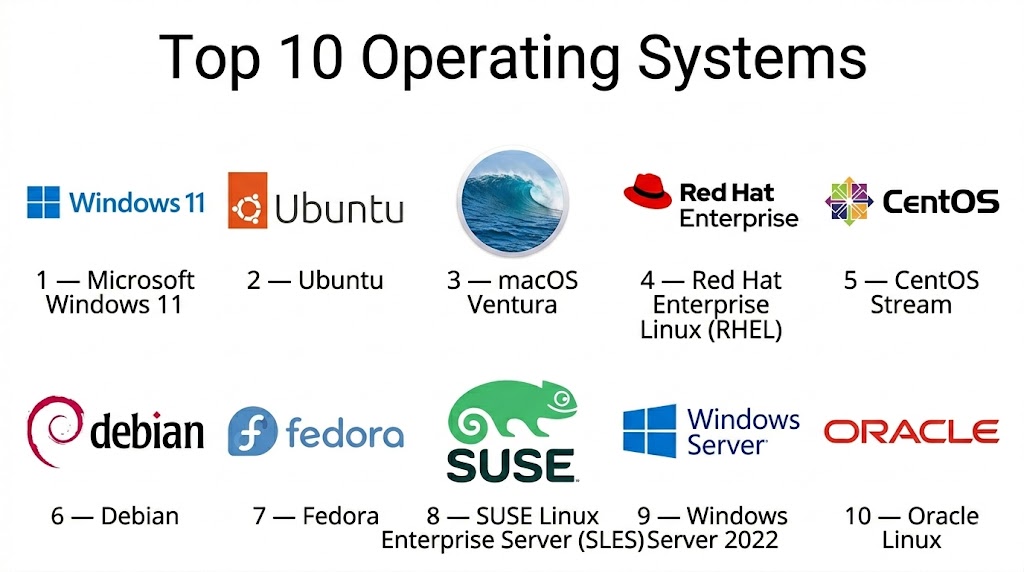
Top 10 Operating Systems
#1 — Microsoft Windows 11
Short description: Windows 11 is a user-friendly OS for desktops and laptops, offering modern UI enhancements, productivity tools, and enterprise management features. Ideal for personal, enterprise, and hybrid work scenarios.
Key Features
- Modern UI and Start Menu enhancements
- Security features like Windows Hello and BitLocker
- Virtual desktop support and multitasking tools
- Enterprise management with Active Directory and Intune
- App compatibility and Microsoft Store integration
- Direct integration with Microsoft 365
- Gaming enhancements with DirectX 12
Pros
- Extensive software ecosystem
- Enterprise management and security features
Cons
- Hardware requirements can be restrictive
- Frequent updates may disrupt workflow
Platforms / Deployment
- Windows (desktop/laptop)
- Cloud / On-premises
Security & Compliance
- BitLocker, Windows Hello, RBAC
- SOC 2 and ISO 27001 (enterprise)
Integrations & Ecosystem
- Microsoft 365, Azure, Active Directory
- CI/CD pipelines integration
- APIs for automation and configuration
Support & Community
- Microsoft enterprise support
- Large global community
#2 — Ubuntu
Short description: Ubuntu is a Linux-based OS designed for desktops, servers, and cloud infrastructure, offering stability, security, and open-source flexibility. Ideal for developers and enterprises.
Key Features
- Regular LTS (Long-Term Support) releases
- Security updates and AppArmor integration
- Cloud and container-friendly (Docker, Kubernetes)
- Snap package management system
- Multi-architecture support
- Command-line and GUI interface
- Extensive open-source software ecosystem
Pros
- Open-source and flexible
- Strong cloud and container support
Cons
- May require technical expertise for advanced configuration
- Software ecosystem smaller than Windows
Platforms / Deployment
- Linux (desktop/server)
- Cloud / On-premises / Hybrid
Security & Compliance
- AppArmor, encryption, RBAC
- Not publicly stated
Integrations & Ecosystem
- Docker, Kubernetes, CI/CD pipelines
- Cloud platforms: AWS, Azure, GCP
- APIs for automation
Support & Community
- Canonical enterprise support
- Large open-source community
#3 — macOS Ventura
Short description: macOS Ventura is Apple’s desktop and laptop OS, optimized for productivity, security, and seamless integration with Apple hardware and ecosystem. Ideal for creative professionals and enterprise users.
Key Features
- Continuity features for Apple ecosystem
- Gatekeeper and System Integrity Protection
- Optimized performance for Apple Silicon
- Native applications for productivity and media creation
- Multi-desktop and window management tools
- Time Machine backups and cloud integration
- Strong privacy and security controls
Pros
- Optimized for Apple hardware
- Robust security and privacy features
Cons
- Limited to Apple hardware
- Software compatibility can be restrictive
Platforms / Deployment
- macOS (desktop/laptop)
- Cloud / On-premises
Security & Compliance
- Gatekeeper, SIP, encryption
- Not publicly stated
Integrations & Ecosystem
- iCloud, Apple ecosystem apps
- CI/CD pipelines for macOS development
- APIs for automation
Support & Community
- Apple enterprise support
- Strong community forums
#4 — Red Hat Enterprise Linux (RHEL)
Short description: RHEL is an enterprise-grade Linux OS offering stability, security, and support for critical workloads in servers, cloud, and virtualized environments.
Key Features
- Enterprise-grade security and compliance
- Long-term support and lifecycle management
- SELinux security enforcement
- Virtualization and container support
- High-performance computing optimizations
- Cloud deployment readiness
- Automation via Ansible
Pros
- Enterprise-grade stability and security
- Strong vendor support
Cons
- Subscription-based cost
- Learning curve for new users
Platforms / Deployment
- Linux (server)
- Cloud / On-premises / Hybrid
Security & Compliance
- SELinux, RBAC, encryption
- ISO 27001, PCI DSS
Integrations & Ecosystem
- OpenShift, Docker, Kubernetes
- CI/CD pipelines
- APIs for automation
Support & Community
- Red Hat enterprise support
- Active Linux community
#5 — CentOS Stream
Short description: CentOS Stream is a rolling-release Linux distribution serving as a preview of RHEL updates, suitable for enterprises needing stable yet forward-looking Linux environments.
Key Features
- Rolling-release model
- Close alignment with RHEL
- Container and virtualization support
- Security patches and updates
- SELinux enforcement
- Cloud and hybrid environment ready
- Automation and scripting support
Pros
- Free and RHEL-compatible
- Enterprise stability with early access updates
Cons
- Rolling releases can introduce instability
- Enterprise support requires third-party vendors
Platforms / Deployment
- Linux (server)
- Cloud / On-premises / Hybrid
Security & Compliance
- SELinux, RBAC
- Not publicly stated
Integrations & Ecosystem
- OpenShift, Kubernetes, Docker
- CI/CD pipelines
- Cloud platforms
Support & Community
- Community-driven support
- Documentation and forums
#6 — Debian
Short description: Debian is a stable and versatile Linux OS, widely used for servers, desktops, and embedded systems, favored for its open-source flexibility and reliability.
Key Features
- Stable and long-term support releases
- Extensive package repositories
- Multi-platform support
- Security updates and audit tools
- Container and virtualization support
- Customizable for development and server environments
- Automation via scripts and configuration management
Pros
- Very stable and reliable
- Strong community and open-source ecosystem
Cons
- Less commercial support than RHEL or Ubuntu
- May require technical expertise
Platforms / Deployment
- Linux (desktop/server)
- Cloud / On-premises / Hybrid
Security & Compliance
- Encryption, RBAC
- Not publicly stated
Integrations & Ecosystem
- Docker, Kubernetes, CI/CD pipelines
- APIs and configuration management tools
- Cloud platform integration
Support & Community
- Community support
- Extensive documentation
#7 — Fedora
Short description: Fedora is a cutting-edge Linux OS for desktops, servers, and cloud environments, providing latest features and technologies.
Key Features
- Rapid release cycle
- Security features: SELinux, firewalld
- Cloud and container support
- Virtualization support
- Automation with Ansible
- Multi-architecture support
- Developer-friendly tools and IDEs
Pros
- Latest technologies and features
- Strong security and performance
Cons
- Shorter lifecycle
- Less suitable for long-term production servers
Platforms / Deployment
- Linux
- Cloud / On-premises / Hybrid
Security & Compliance
- SELinux, encryption
- Not publicly stated
Integrations & Ecosystem
- Docker, Kubernetes
- CI/CD pipelines
- Cloud platforms
Support & Community
- Red Hat community support
- Online forums
#8 — SUSE Linux Enterprise Server (SLES)
Short description: SLES is a Linux OS designed for enterprise server environments, offering stability, compliance, and performance optimization.
Key Features
- Enterprise-grade stability
- Security features and compliance
- Virtualization and container support
- Automation and patch management
- Multi-cloud deployment readiness
- High availability clustering
- CI/CD and DevOps integration
Pros
- Strong enterprise support
- High reliability for critical workloads
Cons
- Subscription cost
- Less common in developer environments
Platforms / Deployment
- Linux (server)
- Cloud / On-premises / Hybrid
Security & Compliance
- RBAC, encryption, audit logs
- ISO 27001, SOC 2
Integrations & Ecosystem
- OpenShift, Docker, Kubernetes
- CI/CD pipelines
- Cloud integration APIs
Support & Community
- SUSE enterprise support
- Active community
#9 — Windows Server 2022
Short description: Windows Server 2022 offers enterprise-grade OS capabilities, security enhancements, and cloud integration for managing servers and virtualized workloads.
Key Features
- Active Directory and identity management
- Windows Admin Center integration
- Hybrid cloud support with Azure
- Hyper-V virtualization
- Security features: Windows Defender, encryption
- Storage Spaces Direct
- Container support
Pros
- Enterprise ecosystem and support
- Tight integration with Microsoft cloud services
Cons
- Licensing costs
- Limited non-Windows interoperability
Platforms / Deployment
- Windows Server
- Cloud / On-premises / Hybrid
Security & Compliance
- RBAC, encryption, MFA
- SOC 2, ISO 27001
Integrations & Ecosystem
- Azure, Microsoft 365
- CI/CD and DevOps pipelines
- APIs for automation
Support & Community
- Microsoft enterprise support
- Large community forums
#10 — Oracle Linux
Short description: Oracle Linux is a server-grade Linux OS optimized for Oracle applications, databases, and enterprise workloads, supporting cloud and hybrid environments.
Key Features
- Enterprise-grade stability and performance
- Kernel options for optimized workloads
- Virtualization and container support
- Security and compliance features
- Automation and patching
- Cloud integration with Oracle Cloud
- CI/CD and DevOps tool support
Pros
- Optimized for Oracle environments
- Enterprise-level support and security
Cons
- Vendor lock-in risk
- Smaller general-purpose adoption
Platforms / Deployment
- Linux (server)
- Cloud / On-premises / Hybrid
Security & Compliance
- RBAC, encryption, audit logs
- Not publicly stated
Integrations & Ecosystem
- Oracle Cloud, Docker, Kubernetes
- CI/CD pipelines
- APIs for automation
Support & Community
- Oracle enterprise support
- Documentation and community forums
Comparison Table (Top 10)
| Tool Name | Best For | Platform(s) Supported | Deployment | Standout Feature | Public Rating |
|---|---|---|---|---|---|
| Windows 11 | Desktop productivity | Windows | Cloud / On-prem | User-friendly UI & Microsoft integration | N/A |
| Ubuntu | Cloud & server | Linux | Cloud / On-prem / Hybrid | Cloud and container support | N/A |
| macOS Ventura | Creative professionals | macOS | Cloud / On-prem | Apple ecosystem integration | N/A |
| RHEL | Enterprise servers | Linux | Cloud / On-prem / Hybrid | Enterprise-grade stability | N/A |
| CentOS Stream | Enterprise testing | Linux | Cloud / On-prem / Hybrid | RHEL-compatible rolling release | N/A |
| Debian | Servers & development | Linux | Cloud / On-prem / Hybrid | Stability and open-source ecosystem | N/A |
| Fedora | Latest features | Linux | Cloud / On-prem / Hybrid | Cutting-edge technologies | N/A |
| SLES | Enterprise servers | Linux | Cloud / On-prem / Hybrid | High availability & compliance | N/A |
| Windows Server 2022 | Enterprise IT | Windows | Cloud / On-prem / Hybrid | Hybrid cloud integration | N/A |
| Oracle Linux | Oracle workloads | Linux | Cloud / On-prem / Hybrid | Optimized for Oracle environments | N/A |
Evaluation & Scoring of Operating Systems
| Tool Name | Core (25%) | Ease (15%) | Integrations (15%) | Security (10%) | Performance (10%) | Support (10%) | Value (15%) | Weighted Total (0–10) |
|---|---|---|---|---|---|---|---|---|
| Windows 11 | 9 | 9 | 8 | 8 | 8 | 8 | 8 | 8.4 |
| Ubuntu | 8 | 8 | 8 | 8 | 8 | 7 | 8 | 7.9 |
| macOS Ventura | 8 | 9 | 7 | 8 | 8 | 7 | 7 | 7.8 |
| RHEL | 9 | 7 | 8 | 9 | 9 | 8 | 7 | 8.3 |
| CentOS Stream | 8 | 7 | 8 | 8 | 8 | 7 | 8 | 7.8 |
| Debian | 8 | 7 | 7 | 8 | 8 | 7 | 8 | 7.7 |
| Fedora | 7 | 8 | 7 | 7 | 7 | 6 | 7 | 7.1 |
| SLES | 9 | 7 | 8 | 9 | 9 | 8 | 7 | 8.3 |
| Windows Server 2022 | 9 | 8 | 8 | 9 | 9 | 8 | 8 | 8.4 |
| Oracle Linux | 8 | 7 | 8 | 8 | 8 | 7 | 7 | 7.7 |
Interpretation: Weighted totals compare core OS capabilities, ease of use, integrations, security, and overall value. Higher scores indicate stronger suitability for enterprise environments.
Which Operating Systems Tool Is Right for You?
Solo / Freelancer
Windows 11, Ubuntu, and macOS Ventura provide personal productivity, development, and creative workflow support.
SMB
Ubuntu, Debian, and Fedora offer cost-effective, stable, and flexible solutions for small business IT environments.
Mid-Market
Windows Server 2022, RHEL, and SLES provide enterprise-grade features, virtualization support, and cloud integration.
Enterprise
RHEL, SLES, Windows Server 2022, and Oracle Linux deliver high availability, compliance, and scalability for critical workloads.
Budget vs Premium
- Budget: Debian, Fedora, CentOS Stream
- Premium: Windows Server, RHEL, SLES, Oracle Linux
Feature Depth vs Ease of Use
- Feature-rich: RHEL, Windows Server, SLES
- User-friendly: Windows 11, macOS Ventura
Integrations & Scalability
- Multi-cloud and hybrid: RHEL, SLES, Windows Server 2022
- Smaller environments: Debian, Ubuntu, Fedora
Security & Compliance Needs
Enterprises requiring RBAC, encryption, audit logs, and compliance certifications should focus on RHEL, SLES, Windows Server, and Oracle Linux.
Frequently Asked Questions (FAQs)
1. How are operating systems priced?
OS pricing varies: open-source distributions are free, while enterprise editions require subscription licenses.
2. How quickly can an OS be deployed?
Deployment varies: desktops can be set up in minutes; server and enterprise OS installations may require hours to days depending on configuration.
3. What are common mistakes in OS selection?
Ignoring compatibility, underestimating hardware requirements, and neglecting security and updates.
4. How secure are operating systems?
Security features include RBAC, encryption, patch management, and compliance tools; enterprise versions provide additional governance.
5. Can OSes support cloud and virtualized environments?
Yes, most modern OSes support virtualization, cloud deployment, and containerization.
6. Which OSes are suitable for development?
Ubuntu, Debian, Fedora, macOS, and Windows 11 provide robust development tools and container support.
7. How do OS integrations work?
OSes integrate with cloud platforms, monitoring, automation, DevOps pipelines, and productivity applications.
8. Are open-source OSes viable for enterprises?
Yes, with proper support and management, open-source OSes like RHEL, Ubuntu, and SLES are production-ready.
9. Can OSes support AI and ML workloads?
Enterprise Linux distributions and Windows Server support GPU acceleration and containerized AI/ML applications.
10. What alternatives exist to mainstream OSes?
Alternatives include lightweight Linux distros, specialized server OSes, and cloud-native OS environments.
Conclusion
Selecting the right Operating System is foundational for IT operations, development, and enterprise performance. Windows 11, macOS Ventura, and Ubuntu provide personal productivity and development flexibility, while RHEL, SLES, Windows Server 2022, and Oracle Linux deliver enterprise-grade security, stability, and scalability. Evaluating compatibility, security, cloud integration, and support ensures optimal operational efficiency. Organizations should pilot selected OSes, validate integration with infrastructure, and choose solutions aligned with long-term IT and business objectives.

Find Trusted Cardiac Hospitals
Compare heart hospitals by city and services — all in one place.
Explore Hospitals
Operating system updates can sometimes affect applications, drivers, or older hardware in unexpected ways. Testing important systems before a major update can help teams find compatibility issues early. Having a rollback or recovery option is also useful if something stops working after the update.