Introduction
Video Management Platforms (VMPs) are software solutions that help businesses upload, store, organize, stream, and analyze video content from a centralized system. They simplify complex video workflows by providing tools for hosting, delivery, and performance tracking. These platforms are widely used across industries to manage growing video libraries efficiently. They ensure content is accessible across devices while maintaining quality and control. With increasing video consumption, organizations rely on them to streamline operations and improve user experience. Overall, VMPs act as the backbone for modern video-driven communication and content delivery.
Why it matters now
Video has become the primary format for communication, learning, and marketing across industries. Businesses are increasingly using video to engage customers, train employees, and deliver services digitally. The demand for high-quality, scalable streaming has made basic hosting solutions insufficient. Organizations now require platforms that offer security, analytics, and seamless delivery. As video usage continues to grow, having a dedicated management platform is critical for efficiency and scalability.
Real-world use cases
- Corporate training and employee onboarding programs
- Marketing campaigns and product demonstration videos
- OTT platforms offering subscription-based video content
- Online education and virtual classroom delivery
- Customer support and onboarding tutorials
- Internal communication and company-wide announcements
- Live streaming events, webinars, and conferences
What buyers should evaluate:
- Video hosting quality and streaming performance
- Security features like DRM, encryption, and access control
- AI capabilities such as transcription and tagging
- Integration with CRM, CMS, and marketing tools
- Scalability and storage flexibility
- Analytics and reporting capabilities
- Ease of use and user experience
- Deployment model (cloud, hybrid, self-hosted)
- Monetization options (subscriptions, ads, pay-per-view)
Best for: Enterprises, educators, marketers, media companies, and SaaS teams that depend on video for communication or revenue.
Not ideal for: Individuals or small teams with minimal video usage where basic hosting tools are sufficient.
Key Trends in Video Management Platforms
- AI-powered video tagging, transcription, and summarization
- Personalized video delivery based on viewer behavior
- Low-latency streaming using edge infrastructure
- Interactive video experiences with embedded actions
- Stronger focus on DRM and zero-trust security models
- API-first platforms for developer flexibility
- Cloud-native infrastructure for scalability
- Built-in monetization tools
- Compliance readiness for global data regulations
How We Selected These Tools (Methodology)
- Evaluated market adoption and industry recognition
- Compared feature completeness across video workflows
- Reviewed performance and reliability indicators
- Assessed security features and compliance readiness
- Analyzed integration ecosystems and API support
- Included tools for enterprise, SMB, and niche use cases
- Compared usability vs customization flexibility
- Evaluated scalability for growing video demands
- Considered support quality and documentation
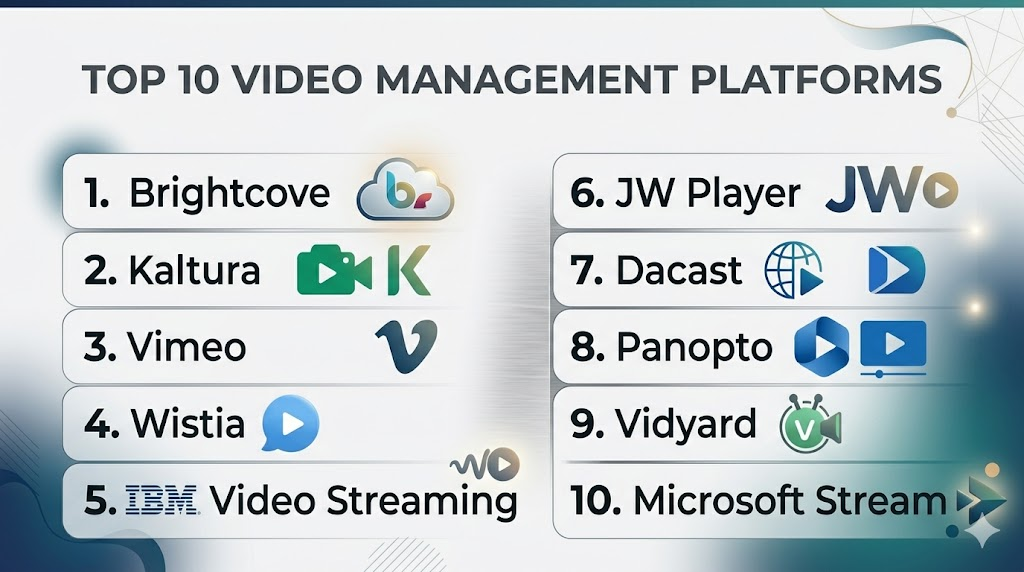
Top 10 Video Management Platforms
1- Brightcove
Short description:
Brightcove is an enterprise-grade video platform designed for large organizations that need reliable video streaming and monetization capabilities.
It supports marketing, media, and OTT use cases with global delivery infrastructure.
The platform is best suited for businesses that require scalability, analytics, and secure video distribution.
Key Features
- Global video hosting and CDN delivery
- Advanced analytics and insights
- OTT monetization tools
- Live streaming capabilities
- API integrations
- DRM protection
Pros
- Highly scalable
- Strong analytics and monetization
Cons
- Complex setup
- Higher pricing
Platforms / Deployment
Cloud
Security & Compliance
SSO/SAML, encryption, DRM, RBAC
Integrations & Ecosystem
Works well with enterprise systems and marketing stacks.
- CRM platforms
- Marketing tools
- APIs
Support & Community
Strong enterprise support and onboarding resources.
2- Kaltura
Short description:
Kaltura is a flexible and customizable video platform widely used in education and enterprise environments.
It offers both cloud and self-hosted deployment options.
The platform is ideal for organizations needing deep customization and integration.
Key Features
- Video portals
- Live and on-demand streaming
- AI-powered tools
- Open APIs
- Virtual classrooms
- Multi-tenant support
Pros
- Highly customizable
- Strong education use case
Cons
- Requires technical expertise
- Complex UI
Platforms / Deployment
Cloud / Self-hosted
Security & Compliance
Encryption, SSO, access control
Integrations & Ecosystem
Extensive integration capabilities.
- LMS systems
- APIs
- Collaboration tools
Support & Community
Active community and enterprise support.
3- Vimeo OTT
Short description:
Vimeo OTT is designed for creators and businesses launching subscription-based video platforms.
It simplifies building and monetizing streaming services.
Best for those who want quick deployment without heavy technical setup.
Key Features
- Subscription monetization
- High-quality hosting
- Custom branding
- Analytics
- Live streaming
- Multi-device support
Pros
- Easy to use
- Clean interface
Cons
- Limited customization
- Pricing scales with usage
Platforms / Deployment
Cloud
Security & Compliance
Encryption, privacy controls
Integrations & Ecosystem
Supports marketing and analytics tools.
- APIs
- Social integrations
Support & Community
Good documentation and onboarding.
4- Wistia
Short description:
Wistia is a marketing-focused video platform designed for lead generation and audience engagement.
It helps businesses use video to capture leads and analyze viewer behavior.
Best suited for marketing teams and content-driven businesses.
Key Features
- Video analytics
- Lead capture forms
- Custom players
- A/B testing
- Hosting and embedding
Pros
- Great for marketing
- Easy to use
Cons
- Limited scalability
- Not for large streaming
Platforms / Deployment
Cloud
Security & Compliance
Not publicly stated in detail
Integrations & Ecosystem
Strong marketing integrations.
- CRM tools
- Email tools
Support & Community
Strong support and onboarding.
5- JW Player
Short description:
JW Player is known for its powerful video player and monetization features.
It is widely used by media companies and publishers.
Best for organizations focused on streaming performance and advertising revenue.
Key Features
- Custom video player
- Ad monetization
- Streaming infrastructure
- Analytics
- Live streaming
Pros
- Excellent playback
- Strong monetization
Cons
- Setup complexity
- Limited non-media use
Platforms / Deployment
Cloud
Security & Compliance
Encryption, DRM
Integrations & Ecosystem
Supports ad tech ecosystem.
- Ad networks
- APIs
Support & Community
Enterprise-level support.
6- IBM Video Streaming
Short description:
IBM Video Streaming is built for enterprise communication and live streaming.
It supports internal events, webinars, and large-scale broadcasts.
Best for organizations prioritizing reliability and security.
Key Features
- Live streaming
- Secure hosting
- Analytics
- Engagement tools
- Content management
Pros
- Reliable streaming
- Strong security
Cons
- Outdated interface
- Limited customization
Platforms / Deployment
Cloud
Security & Compliance
SSO, encryption
Integrations & Ecosystem
Enterprise integrations.
- APIs
- Collaboration tools
Support & Community
Enterprise support available.
7- Panopto
Short description:
Panopto is a video platform focused on education and training environments.
It offers strong search and lecture capture features.
Best for universities and corporate learning programs.
Key Features
- Lecture capture
- Video search
- AI transcription
- LMS integration
- Secure sharing
Pros
- Strong for education
- Good search features
Cons
- Limited marketing features
- UI needs improvement
Platforms / Deployment
Cloud / Hybrid
Security & Compliance
SSO, access control
Integrations & Ecosystem
Deep LMS integration.
- Moodle
- APIs
Support & Community
Good institutional support.
8- SproutVideo
Short description:
SproutVideo is a secure video hosting platform designed for businesses needing privacy and control.
It focuses on simplicity and security features.
Best for SMBs and internal video use cases.
Key Features
- Video hosting
- Privacy controls
- Analytics
- Custom players
- API access
Pros
- Easy to use
- Strong privacy
Cons
- Limited scalability
- Fewer integrations
Platforms / Deployment
Cloud
Security & Compliance
Encryption, access control
Integrations & Ecosystem
Moderate integrations.
- APIs
Support & Community
Responsive support.
9- Vidyard
Short description:
Vidyard is a video platform designed for sales and marketing teams.
It enables personalized video communication and engagement tracking.
Best for businesses focused on customer engagement.
Key Features
- Video messaging
- CRM integrations
- Analytics
- Screen recording
- Personalization
Pros
- Strong CRM integration
- Easy video creation
Cons
- Not for large streaming
- Limited advanced features
Platforms / Deployment
Cloud
Security & Compliance
Not publicly stated
Integrations & Ecosystem
Strong CRM ecosystem.
- Salesforce
- APIs
Support & Community
Good onboarding support.
10- Dacast
Short description:
Dacast is a streaming-focused platform offering live and on-demand hosting.
It includes monetization and white-label streaming features.
Best for businesses looking for affordable streaming solutions.
Key Features
- Live streaming
- Video hosting
- Monetization
- Analytics
- API access
Pros
- Affordable
- Strong live streaming
Cons
- Basic interface
- Limited advanced tools
Platforms / Deployment
Cloud
Security & Compliance
Encryption, DRM
Integrations & Ecosystem
API-based integrations.
- CDN tools
Support & Community
Decent support.
Comparison Table (Top 10)
| Tool Name | Best For | Platform(s) Supported | Deployment | Standout Feature | Public Rating |
|---|---|---|---|---|---|
| Brightcove | Enterprise | Web | Cloud | Monetization | N/A |
| Kaltura | Education | Web | Cloud/Self-hosted | Customization | N/A |
| Vimeo OTT | Creators | Web | Cloud | Subscription | N/A |
| Wistia | Marketing | Web | Cloud | Lead generation | N/A |
| JW Player | Media | Web | Cloud | Video player | N/A |
| IBM Video Streaming | Enterprise | Web | Cloud | Secure streaming | N/A |
| Panopto | Education | Web | Cloud/Hybrid | Video search | N/A |
| SproutVideo | SMB | Web | Cloud | Privacy | N/A |
| Vidyard | Sales | Web | Cloud | Video messaging | N/A |
| Dacast | Streaming | Web | Cloud | Live streaming | N/A |
Evaluation & Scoring of Video Management Platforms
| Tool Name | Core | Ease | Integrations | Security | Performance | Support | Value | Weighted Total |
|---|---|---|---|---|---|---|---|---|
| Brightcove | 9 | 7 | 9 | 9 | 9 | 8 | 7 | 8.4 |
| Kaltura | 9 | 6 | 9 | 8 | 8 | 7 | 7 | 8.0 |
| Vimeo OTT | 8 | 9 | 7 | 7 | 8 | 8 | 7 | 7.8 |
| Wistia | 7 | 9 | 8 | 6 | 7 | 8 | 8 | 7.6 |
| JW Player | 8 | 7 | 8 | 8 | 9 | 7 | 7 | 7.9 |
| IBM Video Streaming | 8 | 6 | 7 | 9 | 8 | 8 | 7 | 7.8 |
| Panopto | 8 | 7 | 8 | 8 | 7 | 8 | 7 | 7.8 |
| SproutVideo | 7 | 8 | 6 | 8 | 7 | 7 | 8 | 7.3 |
| Vidyard | 7 | 9 | 9 | 6 | 7 | 8 | 8 | 7.8 |
| Dacast | 7 | 7 | 7 | 7 | 8 | 7 | 8 | 7.4 |
Which Video Management Platform Is Right for You?
Solo / Freelancer
Vimeo OTT and Wistia are good choices due to simplicity and ease of setup.
They allow quick publishing without heavy technical knowledge and support small-scale needs effectively.
SMB
SproutVideo and Vidyard provide a balance of usability and features.
They help businesses manage marketing videos and internal content without complex infrastructure.
Mid-Market
Panopto and JW Player offer scalability with reasonable flexibility.
They support growing businesses with training, streaming, and analytics capabilities.
Enterprise
Brightcove, Kaltura, and IBM Video Streaming are ideal for large organizations.
They provide high scalability, advanced security, and deep customization for complex environments.
Budget vs Premium
Budget tools like Dacast and SproutVideo are suitable for smaller teams.
Premium platforms like Brightcove and Kaltura offer advanced features for larger enterprises.
Feature Depth vs Ease of Use
Kaltura and Brightcove provide deep customization but require expertise.
Wistia and Vimeo OTT focus on simplicity and faster onboarding.
Integrations & Scalability
Vidyard and Kaltura offer strong integration ecosystems.
Brightcove and IBM platforms are built for high scalability.
Security & Compliance Needs
IBM Video Streaming and Brightcove are strong in security.
Wistia and Vidyard are better for less regulated environments.
Frequently Asked Questions (FAQs)
1. What is a Video Management Platform?
A Video Management Platform helps businesses store, manage, and stream video content efficiently.
It centralizes video workflows, making it easier to control access, analyze engagement, and scale usage.
These platforms are widely used across marketing, education, and enterprise communication.
They also provide tools for security, analytics, and integration with other systems.
2. How much do video platforms cost?
Pricing varies based on storage, bandwidth, and features offered.
Some platforms offer subscription plans, while others use usage-based pricing models.
Enterprise solutions typically cost more due to advanced capabilities.
Exact pricing is often customized and not publicly stated.
3. Are video management platforms secure?
Most platforms offer encryption, access control, and secure streaming features.
Advanced tools include DRM and identity-based access management.
Security levels vary depending on the provider and plan.
Organizations should evaluate compliance needs before choosing a platform.
4. Can I monetize videos using these platforms?
Yes, many platforms offer built-in monetization tools.
Options include subscriptions, advertising, and pay-per-view models.
Some platforms also support white-label branding for revenue generation.
The availability of features depends on the platform.
5. Do I need technical expertise to use them?
Some platforms are beginner-friendly and require minimal setup.
Others offer advanced customization and may need technical knowledge.
Enterprise tools often involve IT teams during implementation.
Ease of use varies significantly across platforms.
6. Can these platforms support live streaming?
Yes, most platforms support live streaming capabilities.
They enable real-time broadcasting for events, webinars, and training sessions.
Performance depends on infrastructure and bandwidth.
Some platforms specialize specifically in live streaming.
7. What integrations should I look for?
Common integrations include CRM, CMS, and marketing tools.
API support is important for custom workflows and automation.
Integration capabilities help streamline business processes.
Choosing the right ecosystem ensures long-term scalability.
8. How scalable are these platforms?
Cloud-based platforms are highly scalable and can handle large audiences.
Enterprise platforms support global delivery and high traffic volumes.
Scalability depends on infrastructure and pricing plans.
Most modern platforms are designed for growth.
9. Is it easy to switch platforms later?
Switching is possible but may require effort and planning.
Data migration and integration adjustments can be complex.
Organizations should evaluate long-term needs before selecting a platform.
Choosing the right tool initially reduces switching challenges.
10. Are there alternatives to these platforms?
Yes, basic video hosting can be done using cloud storage or social platforms.
However, these lack advanced features like analytics and security.
Video management platforms provide better control and scalability.
They are preferred for professional and enterprise use cases.
Conclusion
Video Management Platforms have become essential for modern digital communication and content delivery.
They help businesses manage video efficiently while ensuring performance, security, and scalability.
Different platforms serve different needs, from marketing and education to enterprise streaming.
The right choice depends on your goals, technical requirements, and budget.
Understanding features, integrations, and scalability is key to making the right decision.
Careful evaluation ensures long-term success and better video experiences.

Find Trusted Cardiac Hospitals
Compare heart hospitals by city and services — all in one place.
Explore Hospitals
I am learning about video management platforms, and this content helped me understand how different tools can simplify video organization, storage, and content delivery.